2015 AUDI A3 lock
[x] Cancel search: lockPage 41 of 288
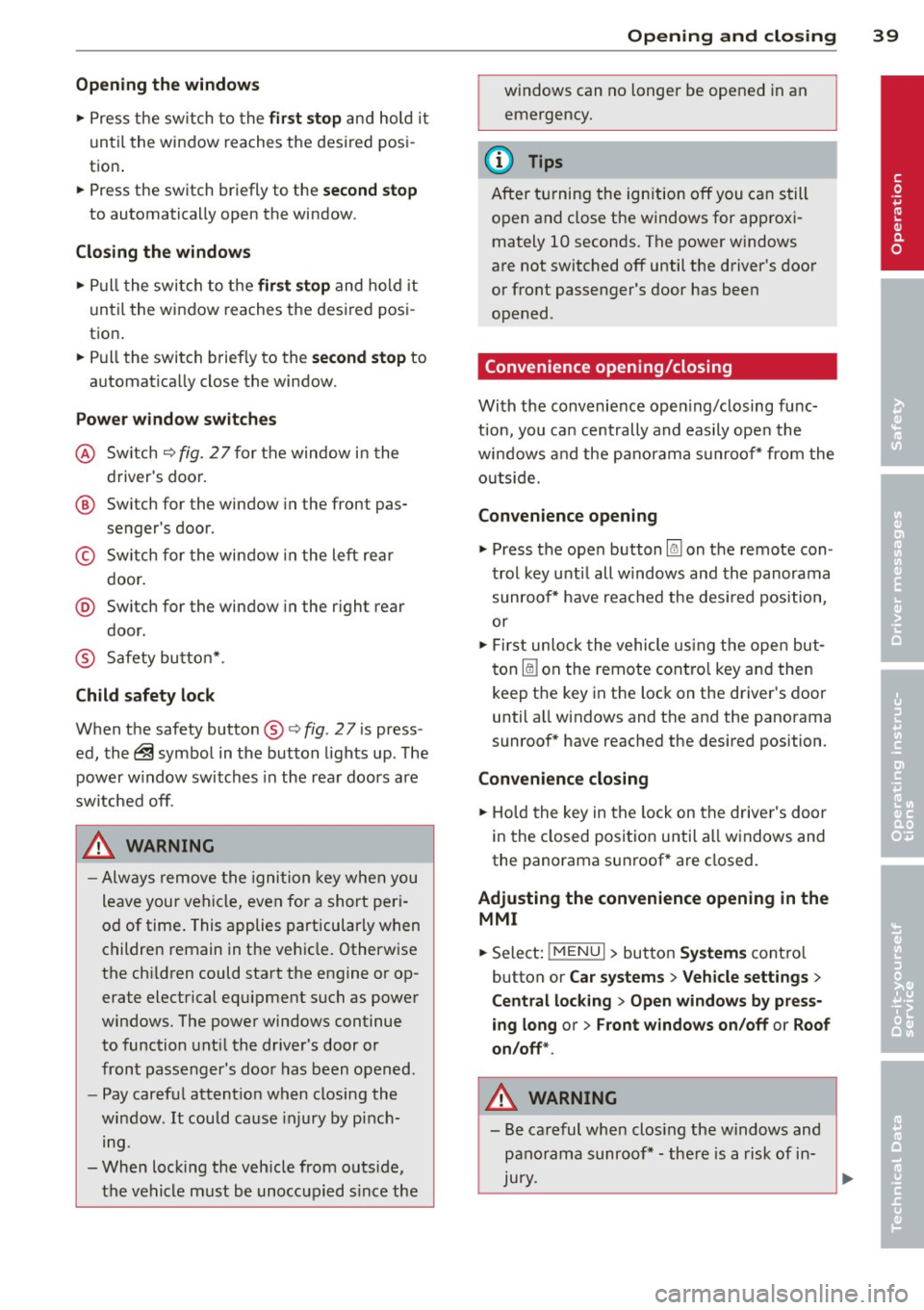
Opening th e windows
"' Press the sw itch to the fir st sto p and hold i t
until the window reaches the desi red posi
tion .
"' Press the switch briefly to the
se cond stop
to automatic ally open the window .
Clos ing th e windows
"' Pull the swi tch to t he fir st sto p and hold it
until the window reaches the desi red posi
tion .
"' Pull the switch briefly to the
sec on d s top to
automatica lly close the window .
Pow er wi nd ow switch es
@ Sw itch c::> fig. 2 7 f or the window in the
driver's door.
@ Sw itch for the window in the fron t pas
senger 's door .
© Switch for the window in the left rear
door.
@ Sw itch for the window in the r ight re ar
door.
® Safety bu tton* .
Child safe ty lock
When the safety button® c::> fig. 2 7 is press
ed, the~ symbol in the button lights up . The
power w indow switches in the rear doors are
switched off.
A WARNING
- Always remove the ignition key when you
leave your vehicle, even for a short peri
od of time . This applies particularly when
children remain in the vehicle . Otherwise
the chi ldren could start the engine or op
erate electrical equ ipment such as power
windows. The power windows continue
to function unt il the driver 's door or
front passenger's door has been opened .
- Pay carefu l attent ion when closing the
window . It could cause injury by pinch
ing.
- When locking the veh icle from outs ide,
the vehicle must be unoccupied s ince the
Opening and clo sin g 39
windows can no longer be opened in an
emergency.
(D Tips
After turning the ignition off you can s till
open and close the windows for approxi mately 10 seconds. The power windows
are not switched off until the driver's door
or front passenger's door has been
opened .
Convenience opening/closing
With the convenience open ing/closing func
tion, you can centrally and eas ily ope n the
windows and the pano rama sunroof* from the
o utside.
Convenienc e opening
"' Press the open button~ on the remote con
trol key u ntil all w indows and the panorama
sunroof* have reached the desired position,
or
"' First unlock the vehicle using the open but
ton
Im on the remote cont ro l key and then
keep the key in the lock on the driver's door
until a ll windows and the and the panorama
sunroof* have reached the desired position .
Conven ience closing
"' Hold the key in the lock on the drive r's door
i n the closed position unt il a ll windows and
the panorama sunroof * are closed.
Adjusting the convenience opening in the
MMI
"' Select: !MENU I > button System s contro l
button or
Car s ystems > Vehicle settings >
C entral locking > Open windows b y press
ing long
or > F ront windo ws on /off or Roof
on /off *.
A WARNING
- Be careful when clos ing the windows and
panorama sunroof* - the re is a risk of in-
Jury.
li1'-
•
Page 42 of 288

40 Opening and clo sing
- For security reasons, the windows can
only be opened with the remote control
key at a maximum distance of 2 meters
from the vehicle .
- Pay attention when using the lock cylin
der to close the windows and the panora
ma sunroof* so that no one is pinched.
Clos ing stops when the key is moved into
the starting pos ition.
Correcting power window malfunctions
After disconnecting the vehicle battery, the
one-touch up and down feature must be acti
vated again .
.. Pull the power window sw itch until the w in
dow is comp lete ly raised.
.,. Release the switch and pull it again for at
least one seco nd.
Panorama sunroof
Description
Applies to vehicles: with pa norama sunroo f
Fig. 28 Section of the head liner: panorama s unroo f
butto n
The button has two stages. In the second
stage, the roof automatically runs to the end
position (open/closed) when the button is op
e rated b riefly. The movement can be stopped
by pressing the button .
@ Tilting and sliding
.. To tilt the sunroof complete ly, press the
switch brief ly to the second leve l.
.. To close the roof complete ly, pull the button
down briefly to the second lev el or slide the button forward br
iefly to the second level
¢ .&_ .
.. To select an intermediate pos it ion, press/
pull the sw itch in the first leve l until the de
sired position is reached.
® Op ening and closing
.. To open the sunroof completely, slide the
button bac k to just before the second level.
.. To close the roof completely, p ush the but
ton forward briefly to the second level or
pull the button down briefly to the second
level ¢.&_ .
.,. To se lect an in termediate pos it ion, press/
pull the sw itch forwa rd/back in the fi rst lev
el unt il the desired po sit ion is reached .
A wind deflector integrated in the panorama
s u nroof adapts automatically to the sunroof
pos ition. This reduces wind noise to a mini
mum i n all panorama sunroof pos itions.
You can still operate the pa no rama s unroof
for about 10 minutes aft er th e ignition is
switched off . T he swi tch is deactivated once
t h e dr iver's o r fron t passenger's door is
opened.
Sun shade
T he sun shade can be opened and closed man
u ally, depending on the position of the panor
ama sunroof. The sun s hade can be opened
part ia lly.
_& WARNING
=
B e carefu l when closing t he pano rama sun -
r oof -otherw ise serio us in ju ry co uld resu lt!
A lways take the ign ition key wit h you when
l eaving the vehicle.
(D Note
A lways close t he panor ama s unroo f whe n
l eav ing your ve hicle . Sudde n rain can cause
d amage to the interio r equipment of your
vehicle, particularly the e lectronic equip-
ment .
ll>
Page 44 of 288

42 Lights an d Vi sion
Lights and Vision
Exterior lighting
Switching lights on and off
Fig . 29 Instrument pane l: l ig ht switc h
Light swit ch -'tj.-
The headlights only work when the ignition is
switched on. While start ing the engine or
when switching off the ignition, the head
lights will go off and only the side marker
lights will be on .
If the system is not operating properly, a
warning symbol in the driver information dis
play is displayed
¢ page 25.
Turn the switch¢ fig. 29 to the corresponding
position . When the lights are switched on, the
respective symbol turns on.
0 -lights off. In some countries, the day time
running lights* are turned on and off together
with the ignition.
- USA model s: T he daytime running lights
wi ll come on automatically when the igni
tion is on and the light switch¢
fig. 29 is in
the
O position or the AUTO position (only in
daylight conditions) . The
Daytime runn ing
li ghts function can be turned on and off in
the MM I ¢
page 44, ¢ .&. .
- Canad a models: The daytime running lights
will come on automa tically when the igni
t ion is on and the light switch¢
fig. 29 is in
the
O posit ion , the :oo: pos ition or the AUTO
posit ion (only in daylight conditions) ¢,& .
AUTO* -Automatic headligh ts swi tch on and
off depend ing on brightness, for example in
tw il ight, during rain or in tunnels . In vehicles with integrated day time runn
ing lights *, ei
t h er the daytime running lights or the head
lights wi ll turn on automat ically, depending
on the amount of light (may vary depending
on the country).
: oo : -Parking lights
iD -Low beam head lights
T he following w ill happen in these light
switch pos itions when you lock the veh icle:
- iD -Low beam: the entire exterior lights
sw itch off
- AUTO*: the Coming home* function is
turned on ¢
page 44
Fog lights* / rear fog light (s)
Press the corresponding button¢ fig. 29:
}0 -Fog lights*. When the fog lights are
swi tched on, the
}0 symbol in the button illu
minates.
0$ -Rear fog light(s) When the rear fog lights
are switched on, the
Ot symbo l in the b utton
illuminates.
All-weather lights*
apples to vehicles with LED headlights .
Press the
¢ fig. 29 button.
'i'!io -All-weather lights (this button rep laces
the fog light button
}0.)
In veh icles with all-wea ther lights , the front
l igh ts are adj usted automati cally so that yo u
are less like ly to see glare from your own
headlights, for example when driving on a wet
road.
Headlight range control system
T he headlight range adjus ts automatically
when there is a c hange in vehicle load and
during b raking and accelera ting so that the
headlig hts do not ca use g lare for oncom ing
traffic .
Audi adaptive light *
The ad aptive light only functions when the
li gh t switch is in the AU TO posit ion. You can
IJ,-
Page 46 of 288
44 Lights and Vision
You can indicate a lane change or a turn when
the emergency flashers are switched on by us
i ng the turn signa l lever. The emergency f lash
ers stop temporarily.
The eme rgency f lashers also work when the
ignition is tu rned off .
(D Tips
You shou ld tu rn on the emergen cy fl ashe rs
when:
- you are the last vehicle st anding in a tr af
fic jam so that any o ther veh icles coming
ca n see you, or when
- you r vehicle has broken down or yo u are
i n an emergency si tua tion, or when
- you r vehicle is bei ng towe d by a tow
tru ck or if yo u are towi ng anothe r vehicle
b ehin d you.
Turn signal and high beam lever
The lever operates the turn signals, the high
beams and the headlight flasher .
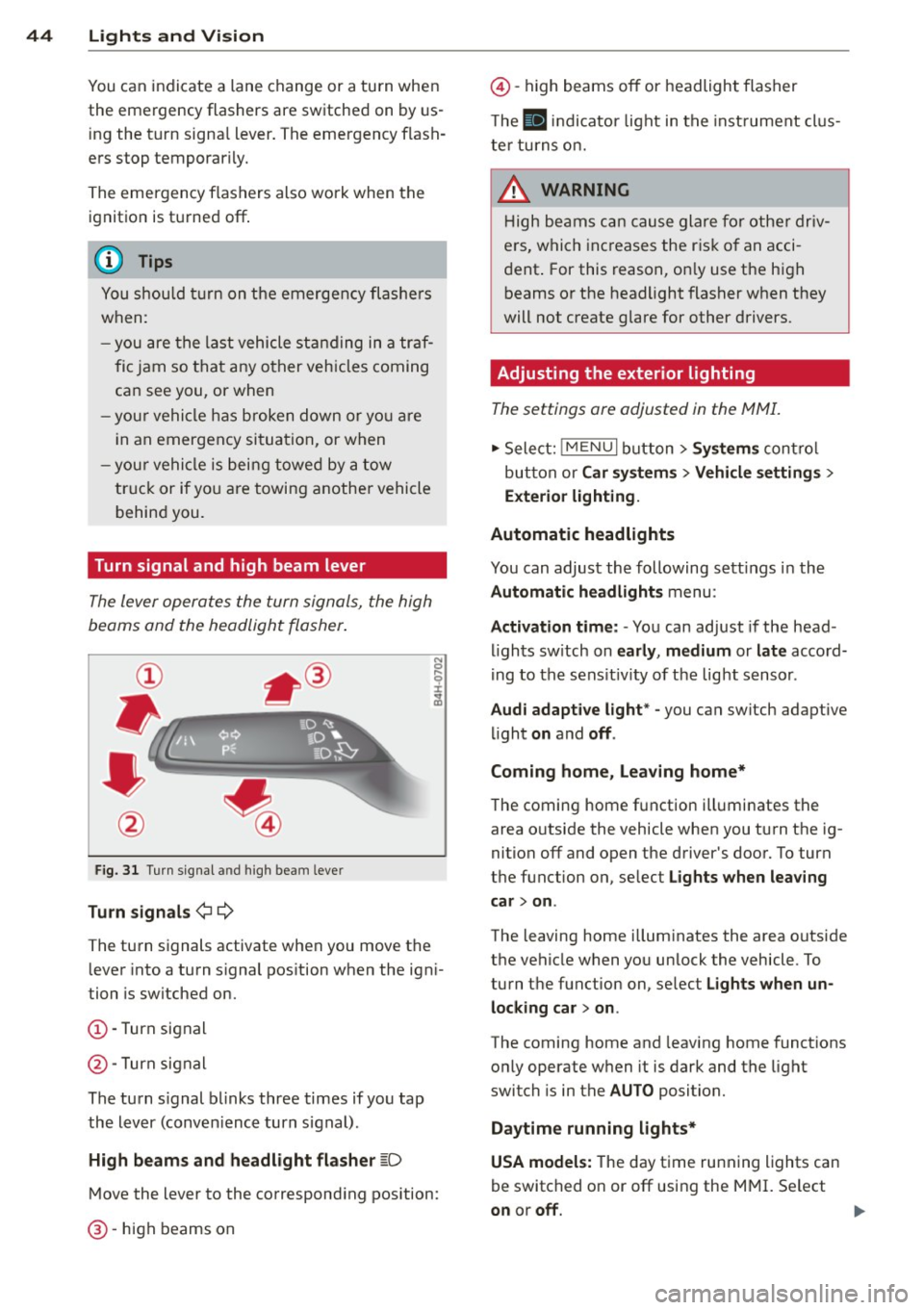
Fig. 31 Turn s ig na l an d high beam leve r
Turn signals ¢¢
The turn signals activate when you move the lever into a turn s ignal pos ition when the ign i
tion is switched on.
(D -Turn signal
@-Turn signal
The turn s ignal b links three times if you tap
the lever (conven ience turn s ignal).
High beam s and headlight flasher
~D
M ove the lever to the correspond ing position:
@ -high beams on
@-high beams off or headlight flasher
T he
II in di cator light in t he inst rument cl us
te r tu rns on.
A WARNING
H igh be ams ca n cause glare for othe r driv
e rs, which inc reases the r is k of an acci
dent . For this reason, on ly use the h igh
beams or the headlight flasher when they
will not create g lare for other drivers.
· Adjusting the exterior lighting
The settings ore adjusted in the MMI.
.,. Select: iME NUI button> Systems control
bu tton or Car system s > Vehicle settings >
Exterior lighting.
Automatic headlights
You can adjust the following sett ings in the
Automatic headlights menu:
Activation time: - You can adjust if the head
ligh ts sw itch on early, medium or late accord
i ng to the sens it iv ity of the light sensor .
Audi adapt ive light * -you can switch adaptive
li ght on and off.
Coming home, Leaving home*
T he coming home f unction ill uminates the
area o utside the vehicle when you turn t he ig
nition off and open the driver's door. To turn
the function on, se lect Lights when leaving
car > on .
The leaving home illum inates the area outside
the vehicle when yo u unlock the vehicle . To
turn the function on, se lect Lights when un
locking car > on .
The coming home and leaving home functions
only operate when it is dark and the light
switch is in the AUTO position.
Daytim e running lights*
USA models: The day time running lights can
be switched on or off using the MMI. Se lect
on or off.
1111>
Page 47 of 288

Canada models: The function cannot be
turned
off. It is activated automatical ly each
time the ignition is switched on .
Interior lighting
Front and rear interior light ing f ront
Fig. 32 Fr ont headliner : inter io r lighting controls (ex
ample)
Fig. 33 Rear headliner: LED read ing lights~ (example)
-N 0 0
i
Depending on equipment, the interior lighting
may differ from the illustration .
~ Reading lights*
To turn a reading light on or off, press the~
button .
§J Interior lights (manual)
Press the El button to switch the interior
lights on or
off.
§] Interior lights (automatic)
To have the interior lights controlled automat
ically, press the§] button .
When the§] button is activated (the LED
turns on), the interior lights turn on automat i
cally when the vehicle is un locked, a door
opens or the ignition key is removed. The inte
rior lights turn
off several seconds after your
close the doors, when you lock the vehicle or
Lights and Vision 45
when you turn the ignit ion on. When a door is
open, the light turns
off after a few minutes.
Interior lighting
T here are other interior lighting functions
that are available. Individual functions can be
adjusted in the MMI. Select:
IMENUI button>
Systems control button or Car systems > Ve
hicle settings> Interior lighting.
Instrument illumination
The brightness of the instrument cluster and
the center console con be adjusted.
Fig. 34 Instrument illuminat ion
Requirement: The light must be switched on .
.. Press the knob to release it.
.. Turn the knob toward"-" or"+" to reduce or
increase the brightness.
.. Press the knob again to return it to its origi
nal position .
(!} Tips
The needles and gauges in the instrument
cluster illuminate when the headlights are
off and the ignition is switched one. Theil
lumination reduces automatically and
eventually turns
off as brightness outside
decreases. This function reminds the driver
to turn the headlights on at the appropri
ate time.
Page 49 of 288

-Do not use the wipers to clear a window
that is covered with frost. Using the wip
ers as a convenient ice scraper will
destroy the wiper blades.
@ Tips
- The windshield wipers switch off when
the ignit ion is turned off. You can acti
vate the windshield wipers after the igni
tion is switched back on by moving the
windshield wiper lever to any pos ition.
- Worn or dirty windshield wiper blades
result in streaking. This can affect the
rain sensor funct ion. Check your wind
sh ield wiper blades regularly.
- The washer fluid nozzles in the w ind
sh ield washer system are heated" at low
temperatures when the ignit ion is on.
- When stopping temporarily, such as at a
traff ic light, the speed of the windsh ield
wipers automatically reduces by one lev
el.
- The rain sensor can be switched on or off
i n the MMI in the
Dr iv er a ssistan ce
menu
Cleaning windshield wiper blades
Clean the wiper blades when you see wiper
streaks. Use a soft cloth and a glass cleaner.
... Place the w indshield wiper arms i n the serv
ice position
¢ page 47.
... Fold the w indshield wiper arms away from
the windshie ld .
8_ WARNING
Dirty windshield wiper blades can impa ir
vision, which increases the risk of an acci
dent.
(D Note
If you see streaks again after cleaning the
w iper blades, the b lades must be replaced
¢page 47.
Light s and Visi on 47
Replacing front windshield wiper blades
Fig. 37 Remov ing windshield wiper blades
Wipe r servic e posit io n/ blade re pla cement
po sition
... To bring the wipers into the service position,
turn the ignition off and move the wind
shield w iper lever into pos ition @
¢ page 46, fig. 36.
... To bring the w ipers into the s tarting posi
tion, turn the ign ition on and move the
windshie ld wiper lever into position @
¢ page 46, fig. 36 .
Removing the wiper blade
... Fold the windshield wiper arm away from
the windshield .
... Press the locking knob
(D ¢ fig . 3 7 on the
wiper blade . Hold the wiper blade firmly .
... Remove the wiper blade in the direction of
the arrow .
Installing the wiper blade
... Insert the new w iper blade into the mount
on the wiper arm @unti l you hear i t latch
into place .
... Place the wiper arm back on the winds hield.
... Turn the service position off.
8_ WARNING
For safety reasons, the windshield w iper
blades should be replaced once or tw ice
each year.
(D Note
- The windshield wiper blades must on ly
be folded away when in the service posi
tion. Otherwise, you r isk damaging the
-
•
Page 50 of 288

48 Lig hts an d Vi sion
paint on the hood or th e windshield wip
er motor.
- You should not drive your vehicle or
press the windshield wiper lever when
the wiper arms are folded away from the
windshield . The windshield wipers would
move back into their original position
and could damage the hood and w ind
shield .
- To help preven t damage to the wiper sys
tem , always loosen blades which are fro
zen to the windsh ield before ope rat ing
wipers .
- To he lp prevent damage to w iper blades,
do not use gasoline, ke rosene, pa int
th inner, or other so lvents on or near the
wiper blades.
- To he lp prevent damage to the wiper
arms or other components , do not at
tempt to move the wipers by hand .
(D Tips
-Commercial hot waxes applied by auto
matic car washes affe ct the cleanability
of the wi ndshield .
- You can also use the servic e pos ition, for
example , if you want to pro tect the
winds hield from i cing by using a cover .
- You cannot activate the service posit ion
when the hood is open.
Mirrors
Adjusting the exterior mirrors
F ig. 38 Driver's door: knob for th e exteri or mirro rs (e x·
amp le )
Turn the knob to the desired position : Q/P
-In this pos ition, yo u can adjust the
driver 's and front passenger 's exter ior mi rrors
by turning the knob in the desi red d irection.
4ill -The m irrors a re heated* depending on the
outside temperature and driv ing speed.
8 -The exter io r mir rors a re fo lded in* .
Front passenger's exterior mirror tilt
function*
T o he lp you see the curb when backing into a
parking space, the surface of the mir ror can
be ti lted s light ly. The knob must be in the P
pos ition for this to happen.
You can adjust the tilted m irror surface by
tu rning the knob in the desired d irect ion.
When you move out of reverse and into anoth
er ge ar, the new m irror position is s tored and
assigned to the key you a re using.
T he m irror goes ba ck into its orig inal position
once you drive forward fas te r than 9 mph
(15 km/h) o r turn the ignition off .
Folding mirrors in and out
To fold the mir ro rs in with the knob, turn the
k nob in the 8 position .
To fold the m irrors ou t, turn the knob in the
Q or P or O pos ition .
Applies to vehicles with MMI: You can adjust if
t h e mirrors fold when locking the vehicle
c> page 36. When you lock the vehicle, the
mir rors fo ld in. When you start the ignition,
t h e mirrors fold out .
A WARNING
-Curved mirror surfaces (convex o r asph e-
r ic *) enlarge the field of v is ion. However,
they ma ke objec ts in the mirror appe ar
smaller and fart her away . Your may es ti
mate incorrect ly when you use t hese mir
rors to gauge yo ur distance from the
vehicles beh ind yo u when changing lanes -
accident r isk!
Page 57 of 288

down. For this reason, the armrest should not
be folded down when driving in city traffic.
The arm rest can slide forward and back.
There is a storage compartment under the
armrest .
Rear center armrest
Applies to vehicles : wit h rear center armrest
The storage compartment and cupholder are
integrated in the armrest.
Fig. 45 Rear armrest
Folding the armrest down
~ Tilt the armrest all the way down .
Opening the storage compartment
~ Lift the cover on the upper rim.
For more information on the use of the cu
pholders, see¢
page 57 .
Head restraints
Front head restraints
Applies to vehicles : wit h adjustab le head restra ints
Fig. 46 Front seat : adjusting standard head restraints
Seats and storage 55
Applies to vehicles with super sport seats* (no
illustration): The head restraints are integrat
ed in the backrest and cannot be adjusted.
Adjusting standard head restraints
Adjust the head restraints so the upper edge
i s as even as possible with the top of your
head. If that is not possible, try to adjust as
close to this position as possib le. Push the
head restraint as close as possible to the back
of the head.
~ To move the head restraint up or forward,
slide it until it locks into place.
~ To move the head restraint down or back,
press the side button -arrow-¢
fig. 46 and
slide the head restraint until it locks into
place .
Refer to ¢
page 12 5, Proper adjustment of
head restraints
for guidelines on how to ad
just the height of the front head restraints to
su it the occupant's body size.
A WARNING
-Driving without head restraints or with
head restra ints that are not properly ad
justed increases the risk of ser ious or fa
tal neck injury dramatically.
- Read and heed all WARNINGS
¢ page 12 5, Proper adjustment of head
restraints
(D Tips
Correct ly adjusted head restraints and
safety belts are an extreme ly effective
combina tion of safety features.
, Rear head restraints
Fig . 47 Outer rear head restraint s: release point
-