Page 525 of 872
525
3-4. Using the rear audio system
3
Interior features
SIENNA_OM_OM45483U_(U)
Using the DVD player (video CD)
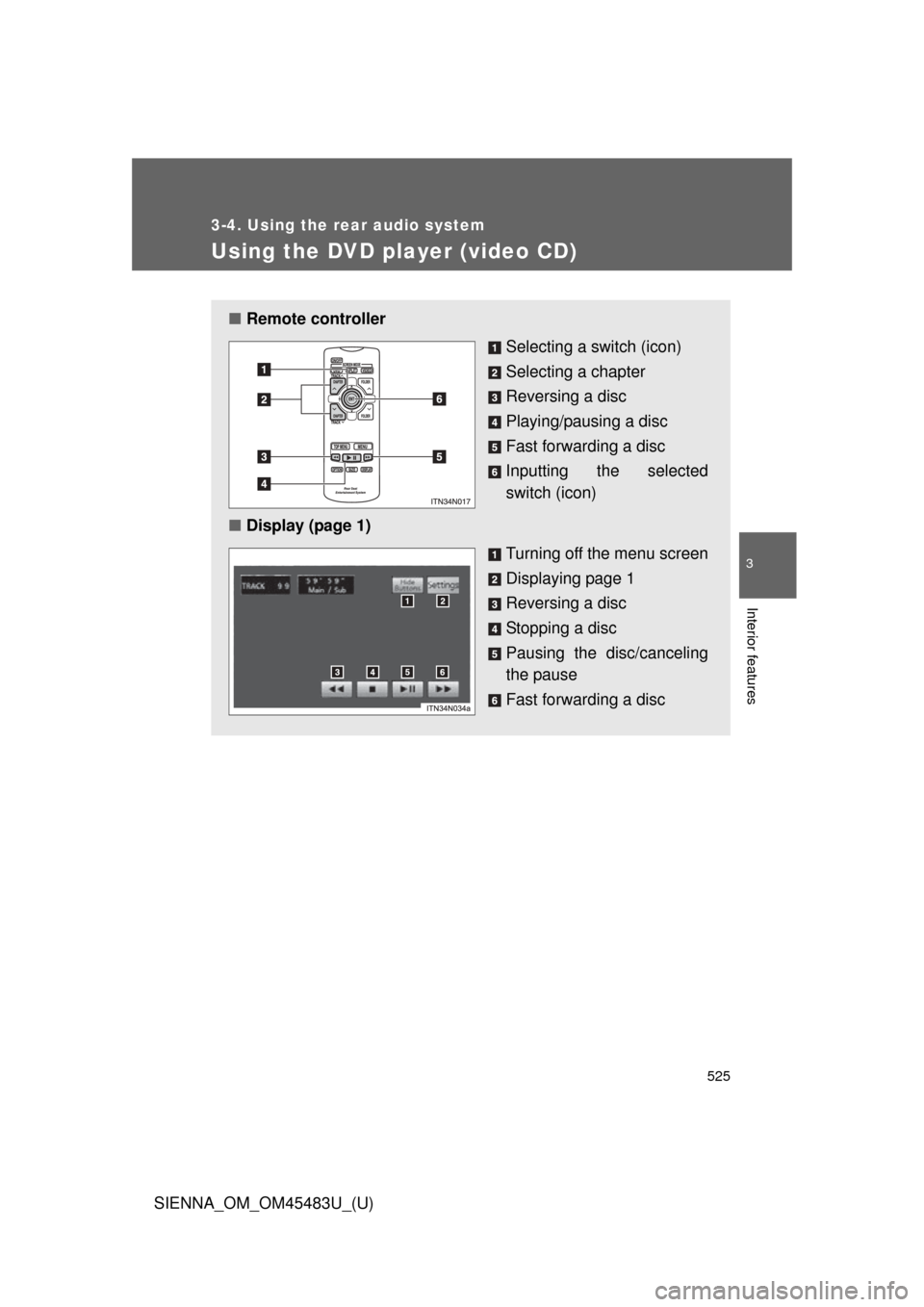
■Remote controller
Selecting a switch (icon)
Selecting a chapter
Reversing a disc
Playing/pausing a disc
Fast forwarding a disc
Inputting the selected
switch (icon)
■ Display (page 1)
Turning off the menu screen
Displaying page 1
Reversing a disc
Stopping a disc
Pausing the disc/canceling
the pause
Fast forwarding a disc
Page 526 of 872
526 3-4. Using the rear audio system
SIENNA_OM_OM45483U_(U)
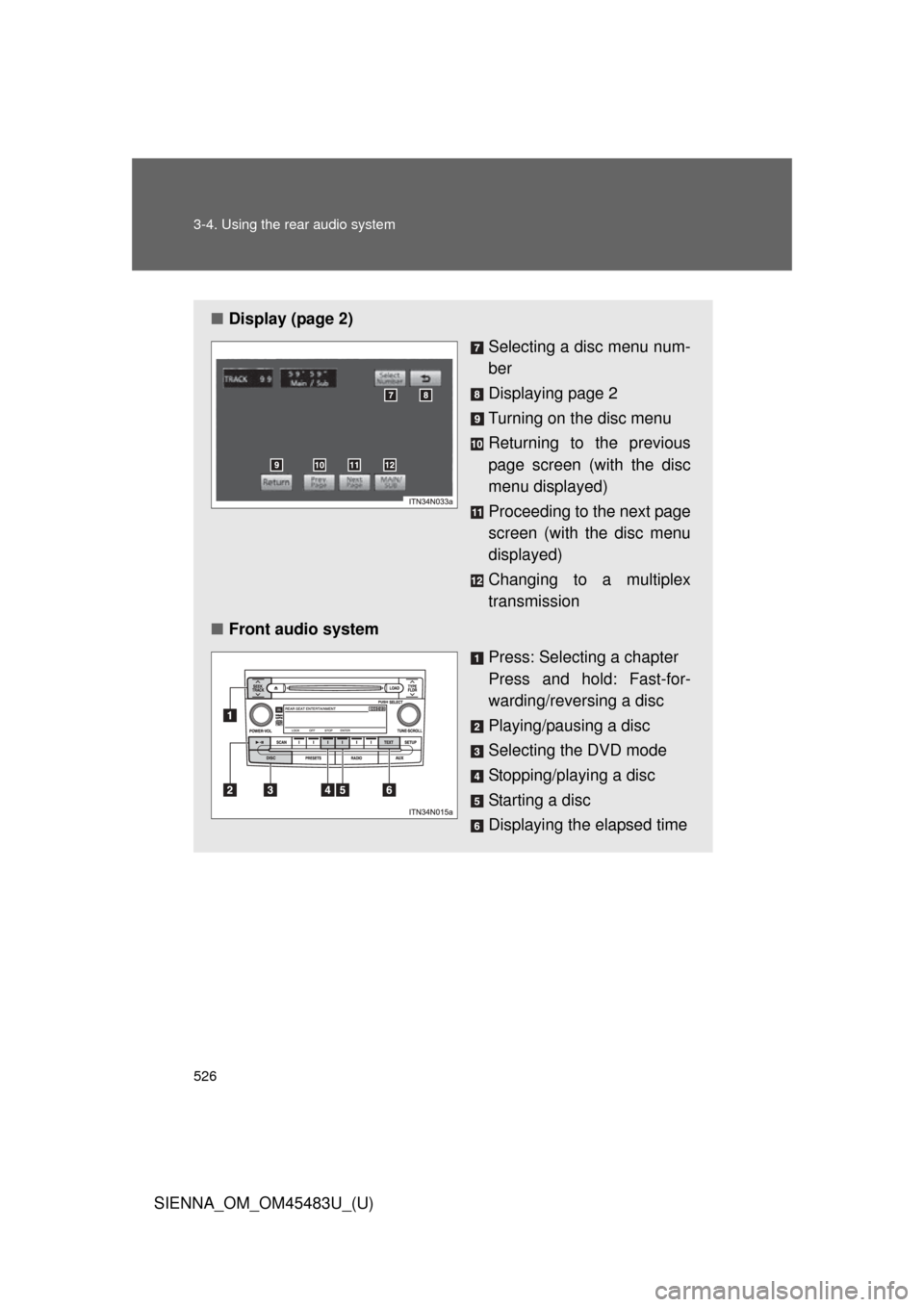
■Display (page 2)
Selecting a disc menu num-
ber
Displaying page 2
Turning on the disc menu
Returning to the previous
page screen (with the disc
menu displayed)
Proceeding to the next page
screen (with the disc menu
displayed)
Changing to a multiplex
transmission
■ Front audio system
Press: Selecting a chapter
Press and hold: Fast-for-
warding/reversing a disc
Playing/pausing a disc
Selecting the DVD mode
Stopping/playing a disc
Starting a disc
Displaying the elapsed time
Page 529 of 872
529
3-4. Using the rear audio system
3
Interior features
SIENNA_OM_OM45483U_(U)
Using the DVD player (audio CD/CD text)
■Canceling random, repeat and scan play
Select , or again.
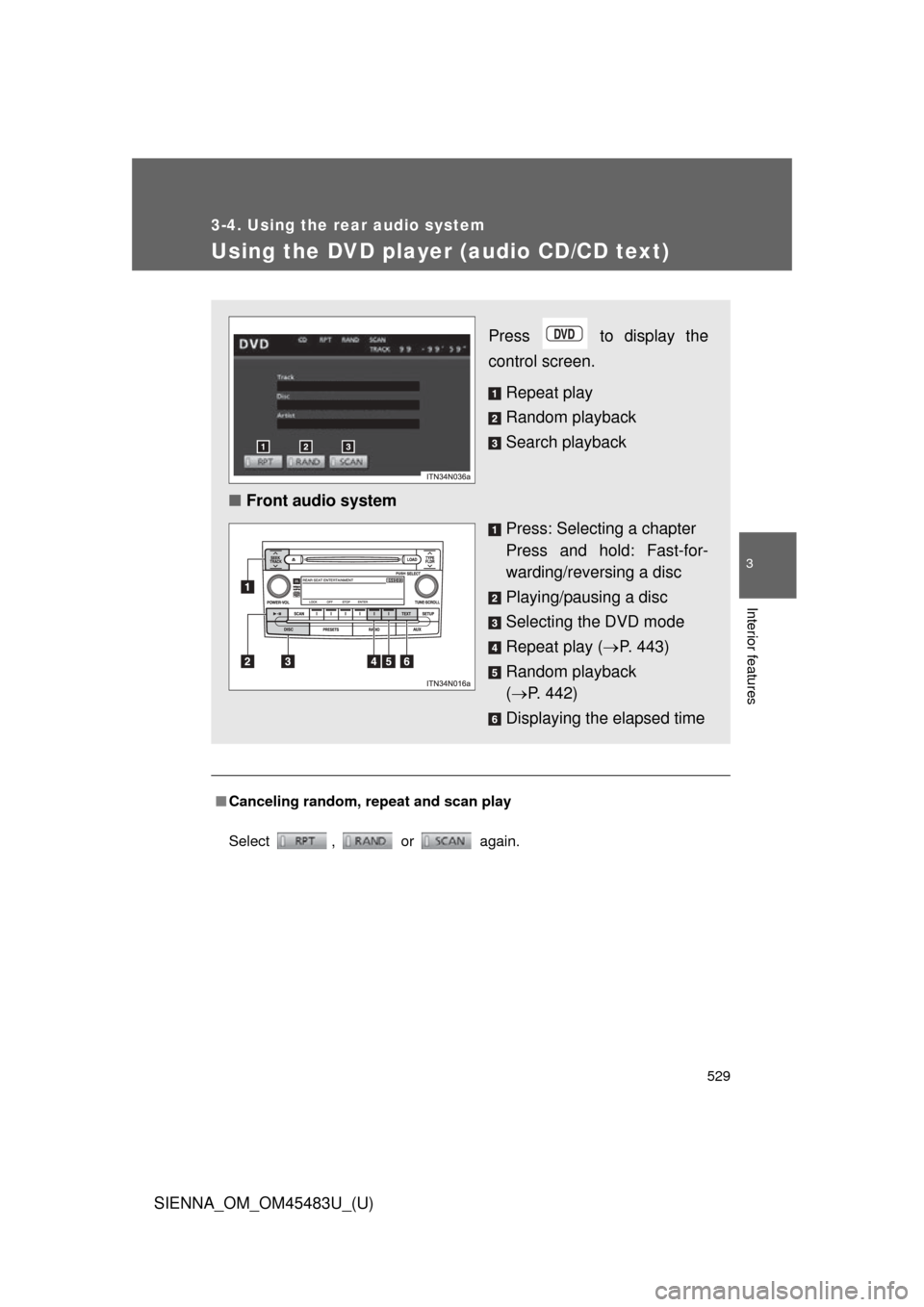
Press to display the
control screen.
Repeat play
Random playback
Search playback
■ Front audio system
Press: Selecting a chapter
Press and hold: Fast-for-
warding/reversing a disc
Playing/pausing a disc
Selecting the DVD mode
Repeat play (P. 443)
Random playback
( P. 442)
Displaying the elapsed time
Page 530 of 872
530
3-4. Using the rear audio system
SIENNA_OM_OM45483U_(U)
Using the DVD player (WMA/MP3 discs)
Repeat play■ Repeating a file
Select .
■ Repeating all of the files in a folder
Select , and press and hold .
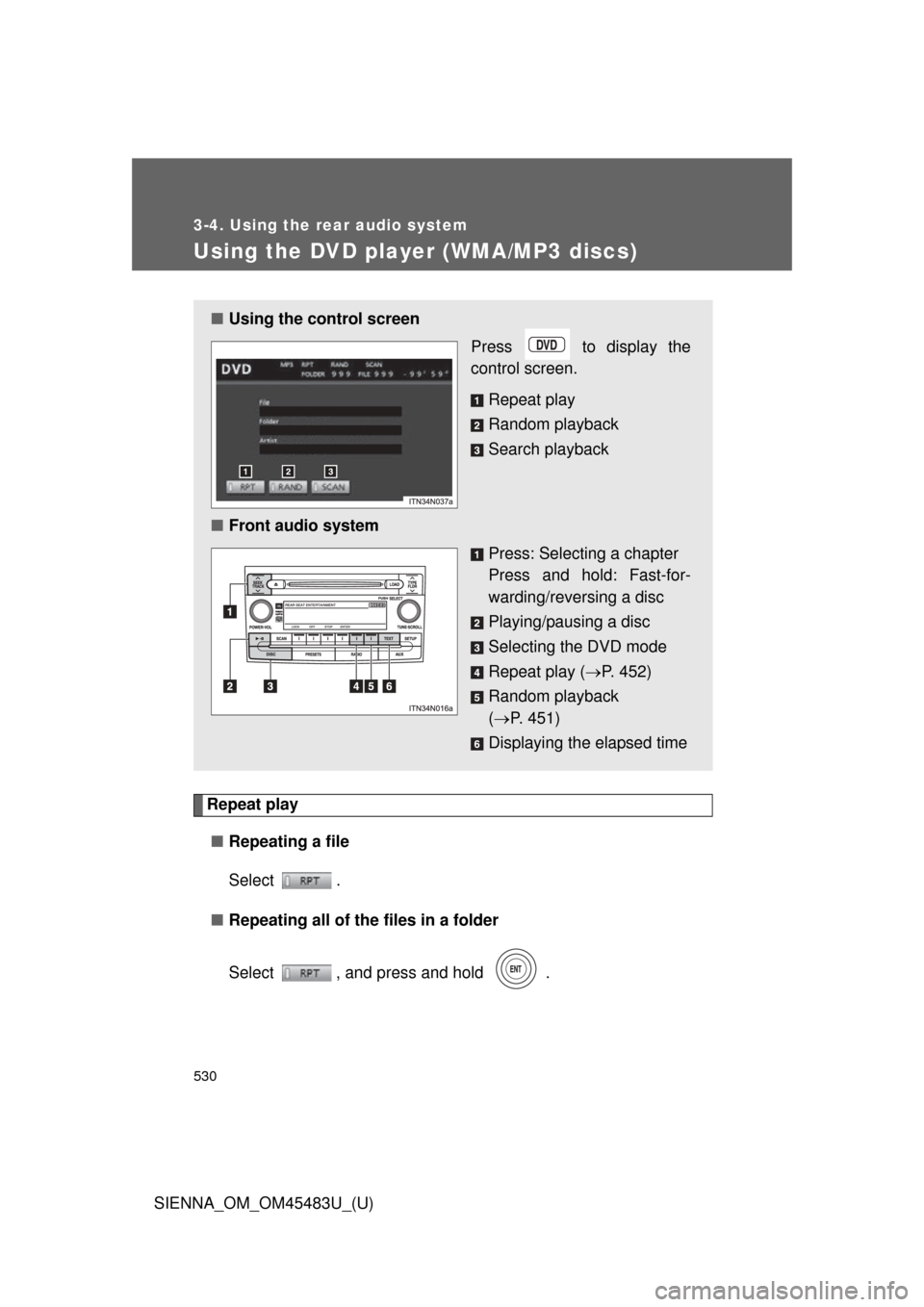
■Using the control screen
Press to display the
control screen.
Repeat play
Random playback
Search playback
■ Front audio system
Press: Selecting a chapter
Press and hold: Fast-for-
warding/reversing a disc
Playing/pausing a disc
Selecting the DVD mode
Repeat play (P. 452)
Random playback
( P. 451)
Displaying the elapsed time
Page 534 of 872
534
3-4. Using the rear audio system
SIENNA_OM_OM45483U_(U)
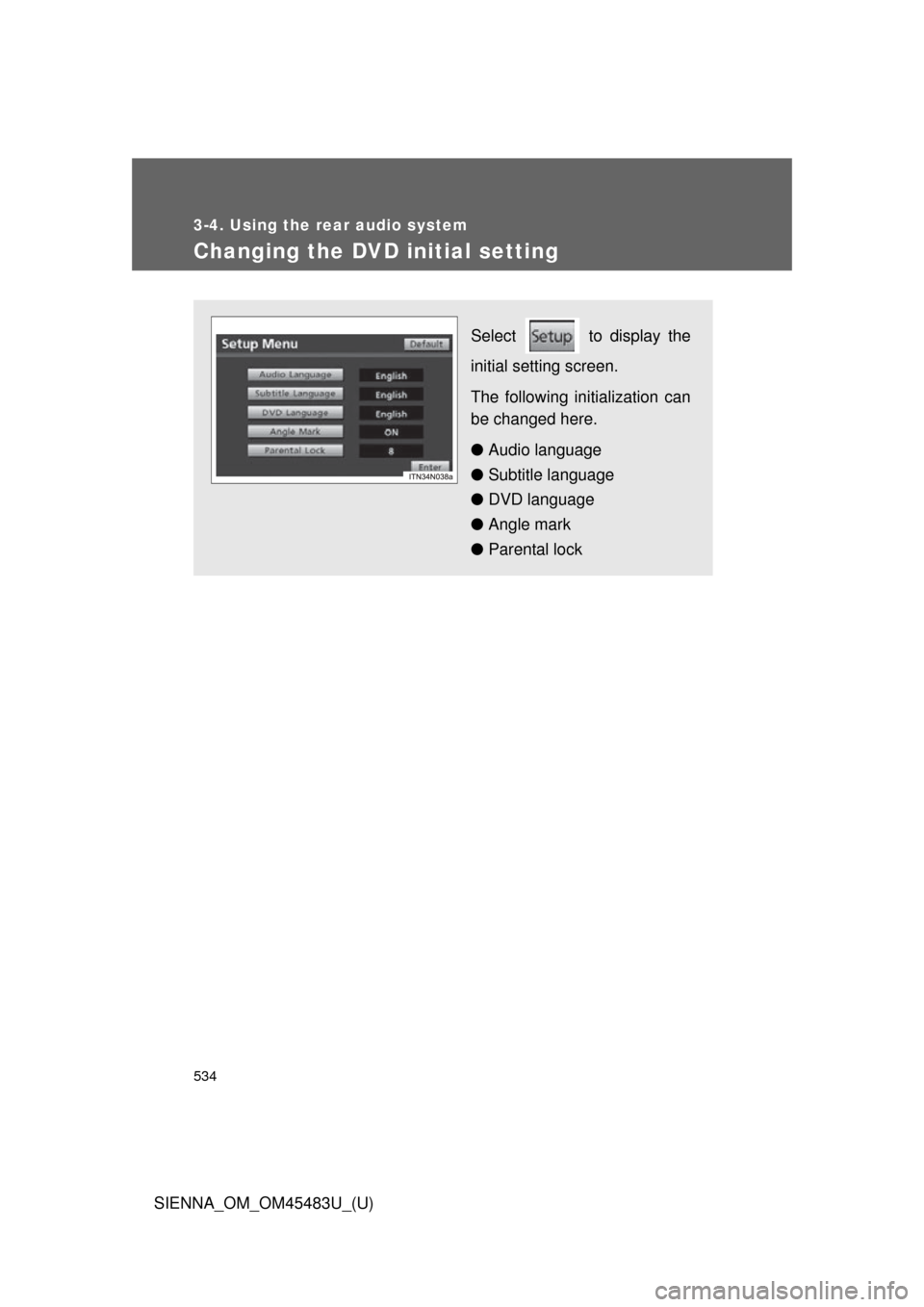
Changing the DVD initial setting
Select to display the
initial setting screen.
The following initialization can
be changed here.
● Audio language
● Subtitle language
● DVD language
● Angle mark
● Parental lock
Page 540 of 872
540 3-4. Using the rear audio system
SIENNA_OM_OM45483U_(U)
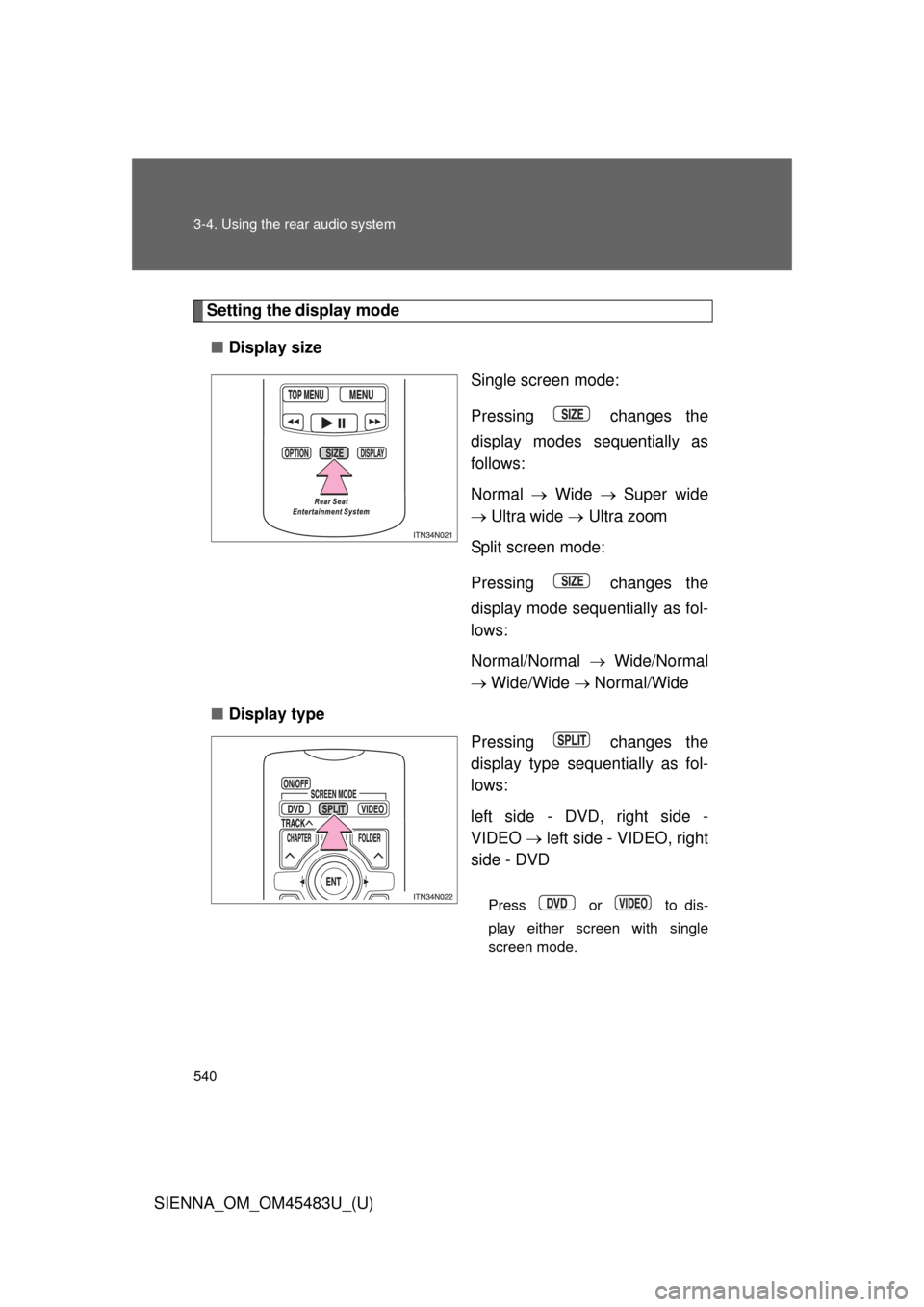
Setting the display mode■ Display size
Single screen mode:
Pressing changes the
display modes sequentially as
follows:
Normal Wide Super wide
Ultra wide Ultra zoom
Split screen mode:
Pressing changes the
display mode sequentially as fol-
lows:
Normal/Normal Wide/Normal
Wide/Wide Normal/Wide
■ Display type
Pressing changes the
display type sequentially as fol-
lows:
left side - DVD, right side -
VIDEO left side - VIDEO, right
side - DVD
Press or to dis-
play either screen with single
screen mode.
Page 541 of 872
541
3-4. Using the rear audio system
3
Interior features
SIENNA_OM_OM45483U_(U)
■
Returning to the previous screen
Select and press .
■ To initialize the password
Press on the remote controller or unit ten times when the screen to enter
the personal code is displayed.
■ When changing the display size
●When using this product, you can select from various display modes. The
picture quality can be affected if you select any mode different from the
original. (Example: viewing original normal picture [4:3] on a wide display
mode [16:9] may distort the picture image)
● Video may appear grainy when viewed in Super wide, Ultra wide and
Ultra zoom mode.
● Please note that using this system for the purpose of commercial or pub-
lic viewing may result in infringement of rights of the copyright owner and/
or author of that program/picture/software under copyright protection
laws.
Page 550 of 872
550
3-5. Using the hands-free phone system (for cellular phone)
SIENNA_OM_OM45483U_(U)
Using the hands-free phone system (for cellular phone)
: If equipped
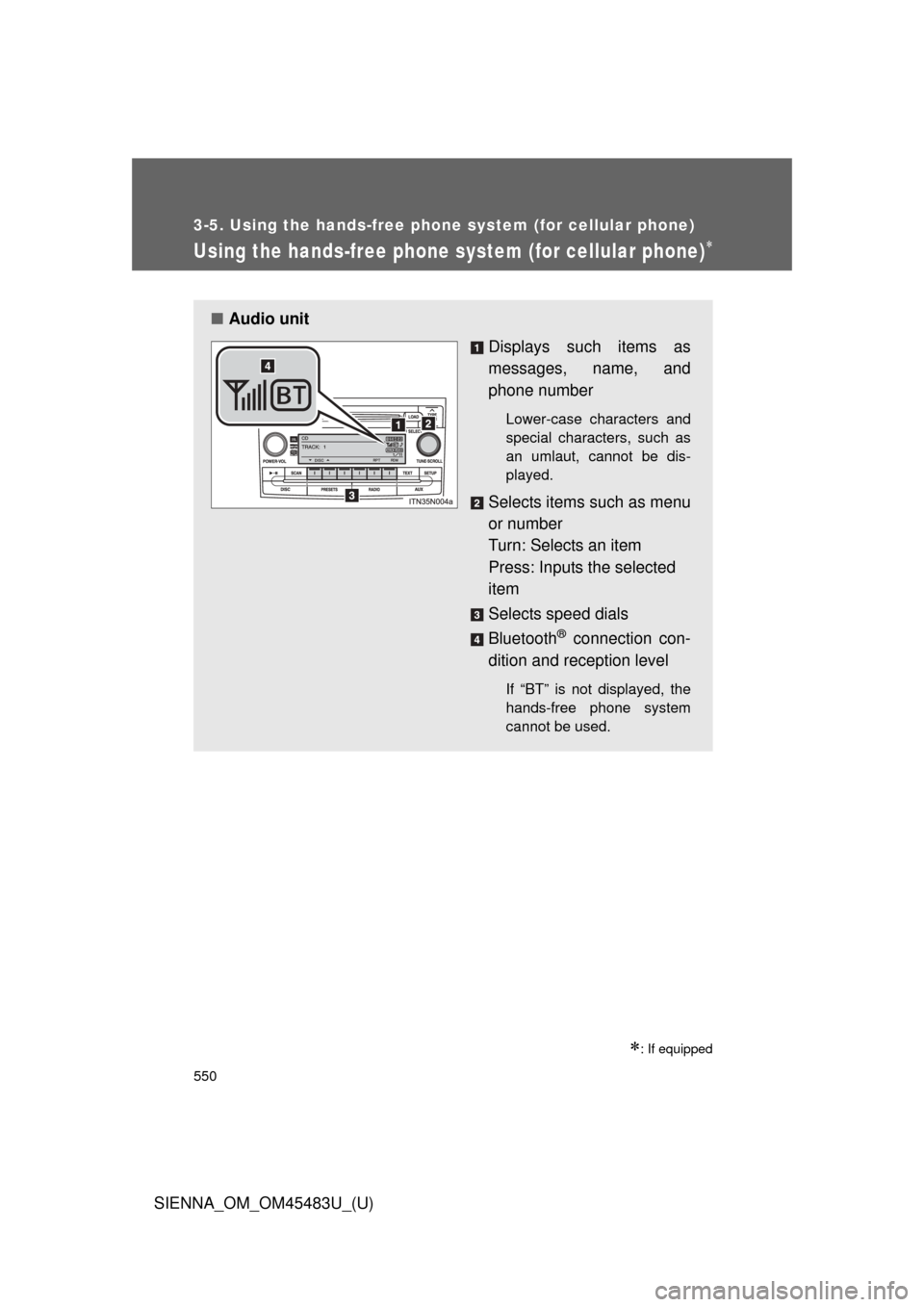
■Audio unit
Displays such items as
messages, name, and
phone number
Lower-case characters and
special characters, such as
an umlaut, cannot be dis-
played.
Selects items such as menu
or number
Turn: Selects an item
Press: Inputs the selected
item
Selects speed dials
Bluetooth
® connection con-
dition and reception level
If “BT” is not displayed, the
hands-free phone system
cannot be used.