Page 202 of 563
201
2-2. Instrument cluster
2
When driving
■
Menu screen selection
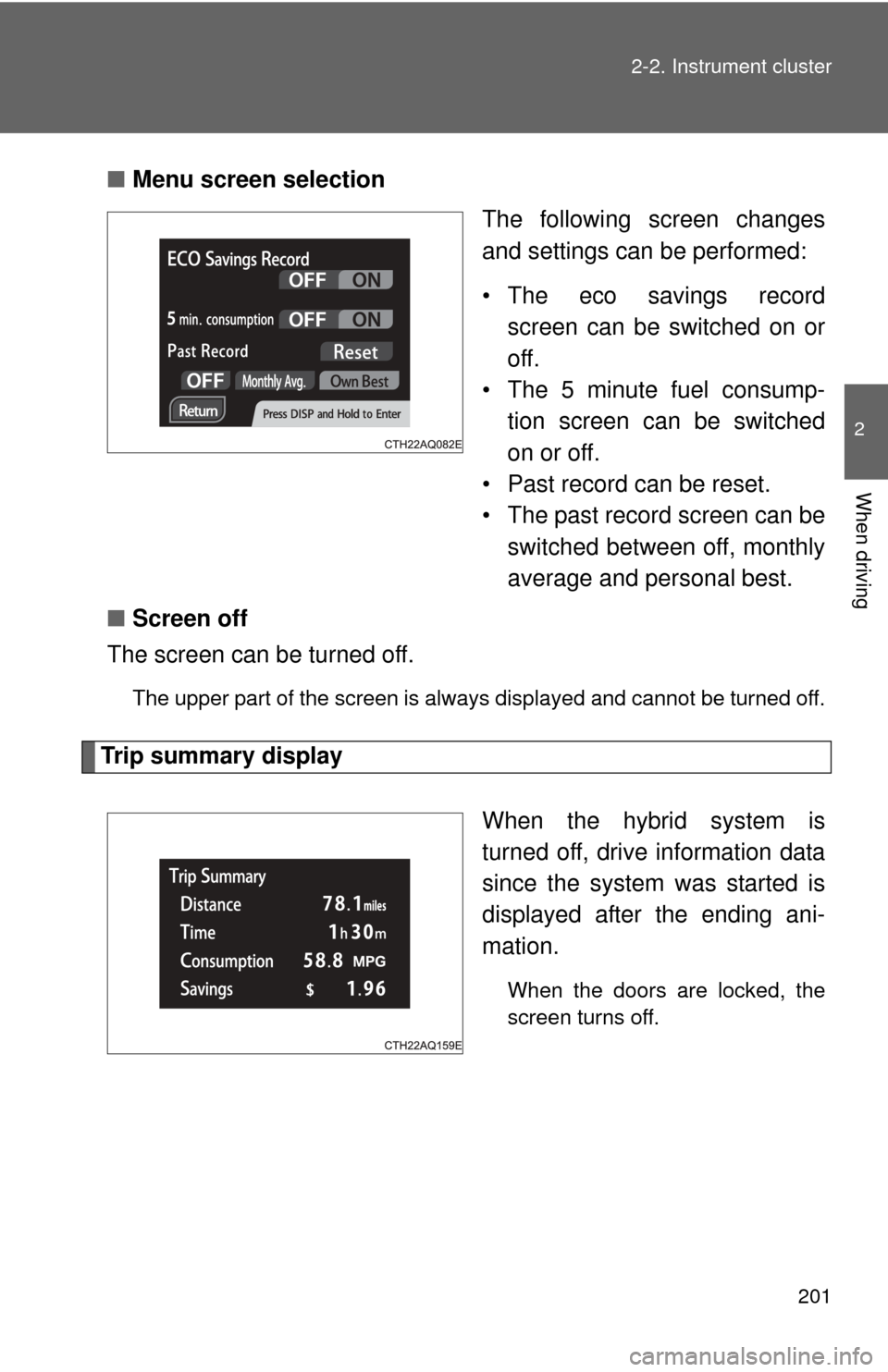
The following screen changes
and settings can be performed:
• The eco savings recordscreen can be switched on or
off.
• The 5 minute fuel consump-
tion screen can be switched
on or off.
• Past record can be reset.
• The past record screen can be switched between off, monthly
average and personal best.
■ Screen off
The screen can be turned off.
The upper part of the screen is always displayed and cannot be turned off.
Trip summary display
When the hybrid system is
turned off, drive information data
since the system was started is
displayed after the ending ani-
mation.
When the doors are locked, the
screen turns off.
Page 300 of 563

297
3-3. Using the Bluetooth
® audio system
3
Interior features
Using the Bluetooth® audio/phone for the first time
Before using the Bluetooth
® audio/phone, it is necessary to register a
Bluetooth® device in the system. Follow the procedure below to reg-
ister (pair) a device:
Press and select “Bluetooth” using .
Press and select “Pairing” using .
A passkey will be displayed. SSP (Secure Simple Pairin g) incompatible Bluetooth
®
devices: Input the passkey into the device.
SSP (Secure Simple Pairing) compatible Bluetooth® devices:
Select “Yes” to register the device. Depending on the type of
device, it may register automatically.
If a Bluetooth
® device has both music player and cellular phone func-
tions, both functions will be regist ered at the same time. When delet-
ing the device, both f unctions will be deleted at the same time.
If the off-hook switch is pressed and the “PHONE” mode is entered
when no phones have been registered, the re gistration screen will be
automatically displayed.
STEP1
STEP2
STEP3
Page 309 of 563
306 3-3. Using the Bluetooth
® audio system
Operations during a call● Transferring a call
A call can be transferred between the cellular phone and system
while dialing, receiving a call, or during a call. Use one of the fol-
lowing methods:
a. Operate the cellular phone.
Refer to the manual that comes with the cellular phone for the oper-
ation of the phone.
b. Press the * (PHONE).
*: This operation can be performed only when transferring a call from
the cellular phone to the system during a call.
● Muting your voice
Press (MUTE).
● Inputting digits
Press (0 - 9) and use to input the desired digits.
• To send the input digits press (SEND).
• When finished, press (EXIT) to return to the previous screen.
●Setting call volume
Change the call volume using .
To decrease the volume: Turn counterclockwise.
To increase the volume: Turn clockwise.
Page 337 of 563
334
3-6. Other interior features
Outside temperature display
■The outside temperatur e is displayed when
Vehicles without a smart key system
The engine switch is in the “ON” position.
Vehicles with a smart key system
The “POWER” switch is in ON mode.
■ Outside temperature display
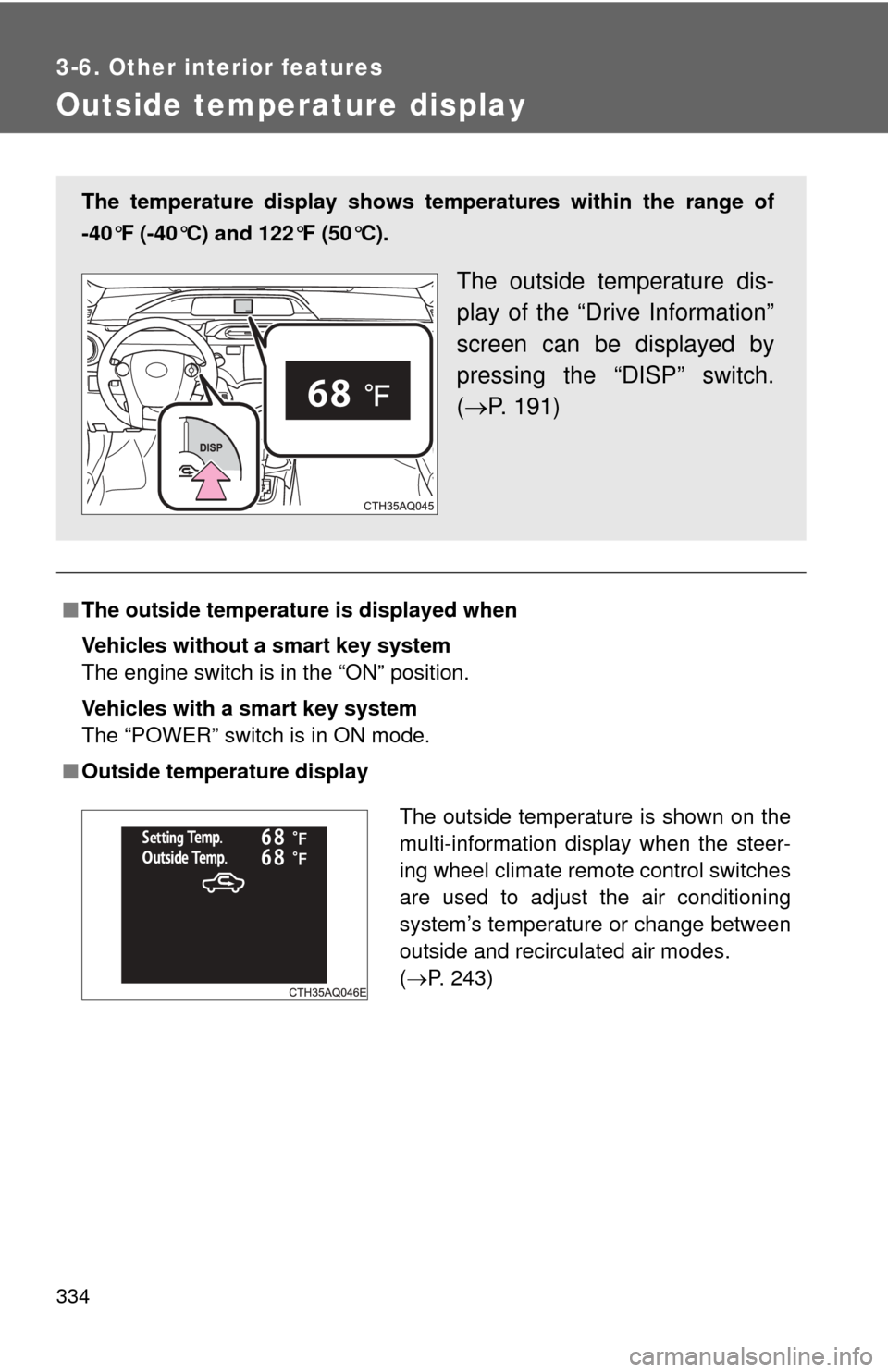
The temperature display shows te mperatures within the range of
-40°F (-40°C) and 122°F (50°C).
The outside temperature dis-
play of the “Drive Information”
screen can be displayed by
pressing the “DISP” switch.
( P. 191)
The outside temperature is shown on the
multi-information display when the steer-
ing wheel climate remote control switches
are used to adjust the air conditioning
system’s temperature or change between
outside and recirculated air modes.
(P. 243)
Page 356 of 563

353
4-2. Maintenance
4
Maintenance and care
■
Reset the maintenance data (U.S.A. only)
After the required maintenance is performed according to the maintenance
schedule, please reset the maintenance data.
To reset the data, follow the procedures described below:
Vehicles without a smart key system
Switch the display to the odometer ( P. 190) and then turn the
engine switch off.
Vehicles with a smart key system
Switch the display to the odometer ( P. 190) and then turn the
“POWER” switch off.
Vehicles without a smart key system
Turn the engine switch to the “ON” position. The multi-information
display's initial screen will be displayed for a few seconds. While the
initial screen is being displayed, press the “TRIP” steering switch
( P. 188) 3 times, pressing and holding the switch on the third
time.
Vehicles with a smart key system
Turn the “POWER” switch to ON mode. The multi-information dis-
play's initial screen will be displayed for a few seconds. While the
initial screen is being displayed, press the “TRIP” steering switch
( P. 188) 3 times, pressing and holding the switch on the third
time.
Continue to press and hold the button until the trip meter displays
“000000”.
■ Allow inspection and repairs to be performed by a Toyota dealer
● Toyota technicians are well-trained specialists and are kept up to date
with the latest service information. They are well informed about the
operations of all systems on your vehicle.
● Keep a copy of the repair order. It proves that the maintenance that has
been performed is under warranty coverage. If any problem should arise
while your vehicle is under warranty, your Toyota dealer will promptly
take care of it.
STEP1
STEP2
STEP3
Page 554 of 563

551
Alphabetical index
Heaters
Seat heaters ......................... 337
Side mirrors .......................... 247
Hill-start assist control ........... 221
Hood ......................................... 364
Horn .......................................... 180
Hybrid system Emergency shut off system .... 30
Energy monitor/
consumption screen ............. 35
High voltage components ....... 29
Hybrid system indicator ........ 197
“POWER” switch .................. 164
Vehicle Proximity
Notification System .............. 25
I/M test ...................................... 359
Identification Engine .................................. 498
Tire ....................................... 509
Vehicle.................................. 497
Ignition switch ................. 160, 164
Illuminated entry system ........ 323
Immobilizer system ................. 110
Indicator lights ........................ 184
Initialization
Items to initialize ................... 528
Inside rear view mirror.............. 94
Interior lights
Switch ................................... 322
Wattage ................................ 505
iPod .......................................... 268
Jack Positioning a floor jack ......... 366
Vehicle-equipped jack .......... 463
Jack handle.............................. 463 Keyless entry..............................61
Keys
Electronic key ..........................44
Engine switch ................160, 164
If the electronic key does not operate properly............ 479
If you lose your keys .............478
Ignition switch................160, 164
Key battery ............................401
Key number .............................44
Keyless entry...........................61
Keys ........................................44
Mechanical key .......................44
“POWER” switch ...................164
Wireless remote control key ........................................61
Knee airbag ..............................116
License plate lights
Replacing light bulbs .............415
Wattage .................................505
Light bulbs
Replacing ..............................415
Wattage .................................505
Lights
Emergency flasher switch .....428
Fog light switch .....................208
Hazard light switch ................428
Headlight switch ....................204
Instrument panel light switch ..................................204
Interior lights switch...............322
Parking light switch ...............204
Personal light switch .............322
Replacing light bulbs .............415
Side marker light switch ........204
Tail light switch ......................204
Turn signal lever....................178
Wattage .................................505
Load capacity ...........................230
Lock steering column ......162, 168
I
J
K
L
Page:
< prev 1-8 9-16 17-24