Page 189 of 563
188 2-2. Instrument cluster
Touch tracer display (vehicles with Display Audio system)
When a steering wheel switch is
touched, an illustration of the
switch is shown on the screen,
helping the driver to confirm
which switch they are touching
without needing to look down at
their hands.
The touch tracer display can be
turned off. ( P. 199)
If an audio/navigation system is
used that is not compatible with
the steering switches in this vehi-
cle, the audio switch display may
not operate correctly.
Switching the display
Press the “DISP” switch on the
steering wheel to change the dis-
played item. The “TRIP” switch
may also be used for certain
items.
Page 190 of 563
189
2-2. Instrument cluster
2
When driving
Items displayed in the upper part of the screen
The following items are always disp layed in the upper part of the
screen. (When using some menu it ems, these items will not be dis-
played.)
Odometer/trip meter
P. 1 9 0
Average fuel consumption
Depending on whether the odometer or trip meter is displayed, the
displayed contents differ. Use the displayed average fuel consump-
tion as a reference.
● When the odometer is displayed: the average fuel consumption
since the hybrid system was started is displayed.
● When the trip meter is displayed: the average fuel consumption
since the trip meter was reset is displayed. The average fuel
consumption for trip meter A and trip meter B is displayed sepa-
rately.
When the trip meter is reset, average fuel consumption is also reset.
(P. 190)
Clock
Change the time on the settings screen. ( P. 199)
Page 192 of 563
191
2-2. Instrument cluster
2
When driving
Switching menu screens
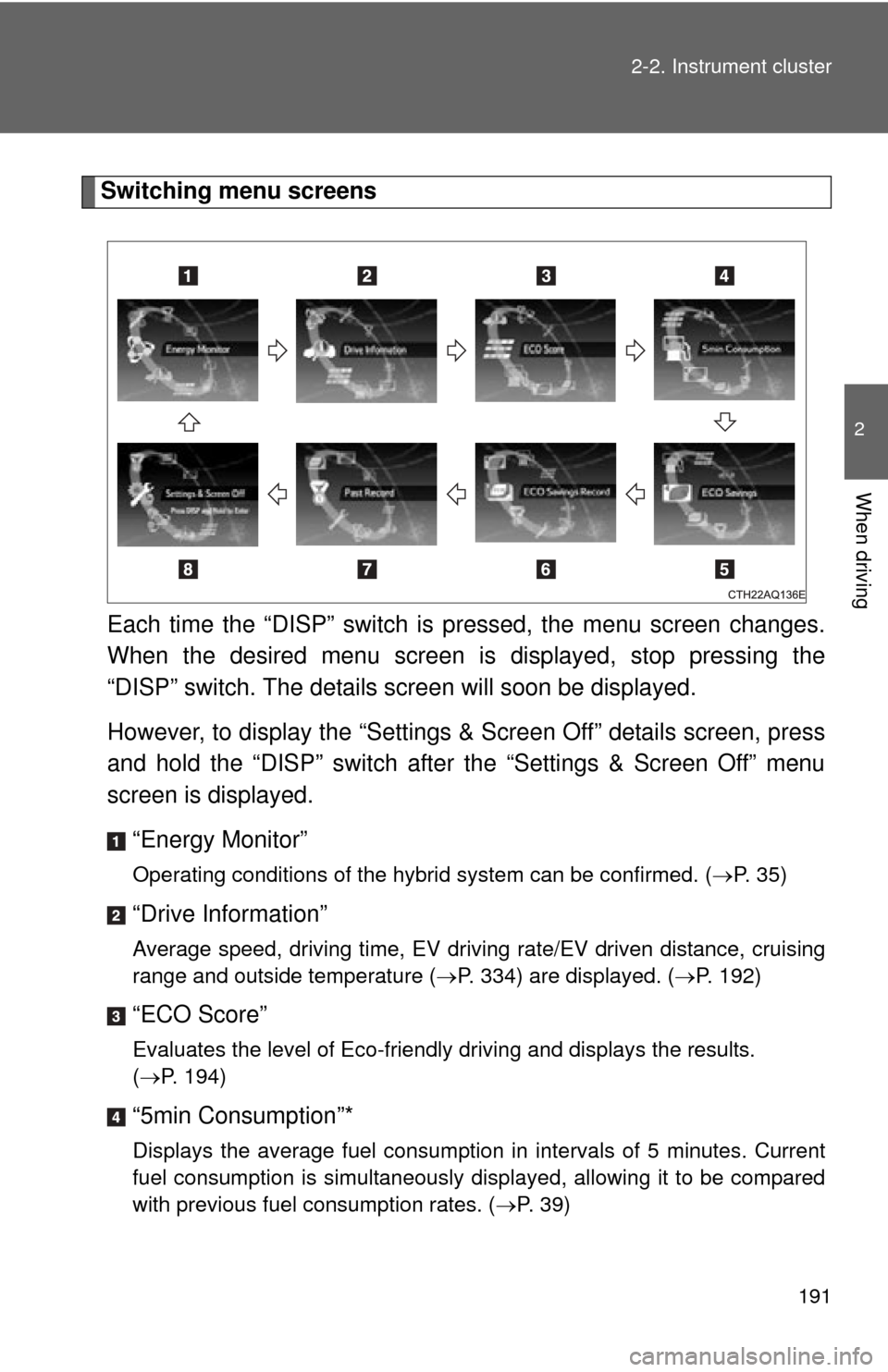
Each time the “DISP” switch is pressed, the menu screen changes.
When the desired menu screen is displayed, stop pressing the
“DISP” switch. The details screen will soon be displayed.
However, to display the “Settings & Screen Off” details screen, press
and hold the “DISP” switch after the “Settings & Screen Off” menu
screen is displayed.
“Energy Monitor”
Operating conditions of the hybrid system can be confirmed. ( P. 35)
“Drive Information”
Average speed, driving time, EV driving rate/EV driven distance, cruising
range and outside temperature (P. 334) are displayed. ( P. 192)
“ECO Score”
Evaluates the level of Eco-friendly driving and displays the results.
(P. 194)
“5min Consumption”*
Displays the average fuel consumption in intervals of 5 minutes. Current
fuel consumption is simultaneously displayed, allowing it to be compared
with previous fuel consumption rates. ( P. 39)
Page 193 of 563

192 2-2. Instrument cluster
“ECO Savings”
If the price of gasoline is input, the cost of the consumed fuel according to
the driven distance is displayed. If the fuel consumption comparison is set,
the difference between the input fuel consumption and your vehicle's
actual fuel consumption is expressed as an amount of money that was
possibly saved. (P. 195)
“ECO Savings Record”*
Displays eco savings record. ( P. 196)
“Past Record”*
Displays the best 3 fuel consumption records and the current fuel con-
sumption ranking. Fuel consumption can also be displayed by the month.
(P. 40)
“Settings & Screen Off”
Operations such as changing each screen’s setting and the date/time can
be performed. ( P. 198)
*: Settings are set to off (initialized settings) at the time of shipping. (P. 201)
■ “Drive Information”
Depending on whether the odometer or trip meter is displayed, the
displayed contents of average spee d, driving time, and EV driving
rate/EV driven distance differ.
● When the odometer is displayed: the record since the hybrid sys-
tem was started is displayed.
Page 196 of 563

195
2-2. Instrument cluster
2
When driving
■
“ECO Savings”
With 2 types of displays available, the cost of the consumed fuel can
be displayed or the fuel consumption's comparison can be displayed.
Switching between basic display and detailed display can be performed
on the screen settings screen. ( P. 200)
Savings and fuel cost
If the fuel consumption comparison is input ( P. 200), the possible
savings are displayed. If the fu el consumption comparison has not
been input, your vehicle's actual fuel cost will be displayed.
Depending on whether the odometer or trip meter is displayed, the
displayed contents differ.
● When the odometer is displayed: the savings or fuel cost since
the hybrid system was started is displayed.
● When the trip meter is displayed: the savings or fuel cost since
the trip meter was reset is displayed. The savings or fuel cost for
trip meter A or trip meter B is displayed separately.
When the trip meter is reset, savings or fuel cost is also reset.
(P. 190)
“Fuel Cons. Comparison”
On the settings screen, input th e fuel consumption comparison.
( P. 200)
The cost of consumed fuel per mile/kilometer (comparison car)
Based on the fuel consumption comparison, the calculated value is
displayed.
Basic display Detailed display
Page 199 of 563
198 2-2. Instrument cluster
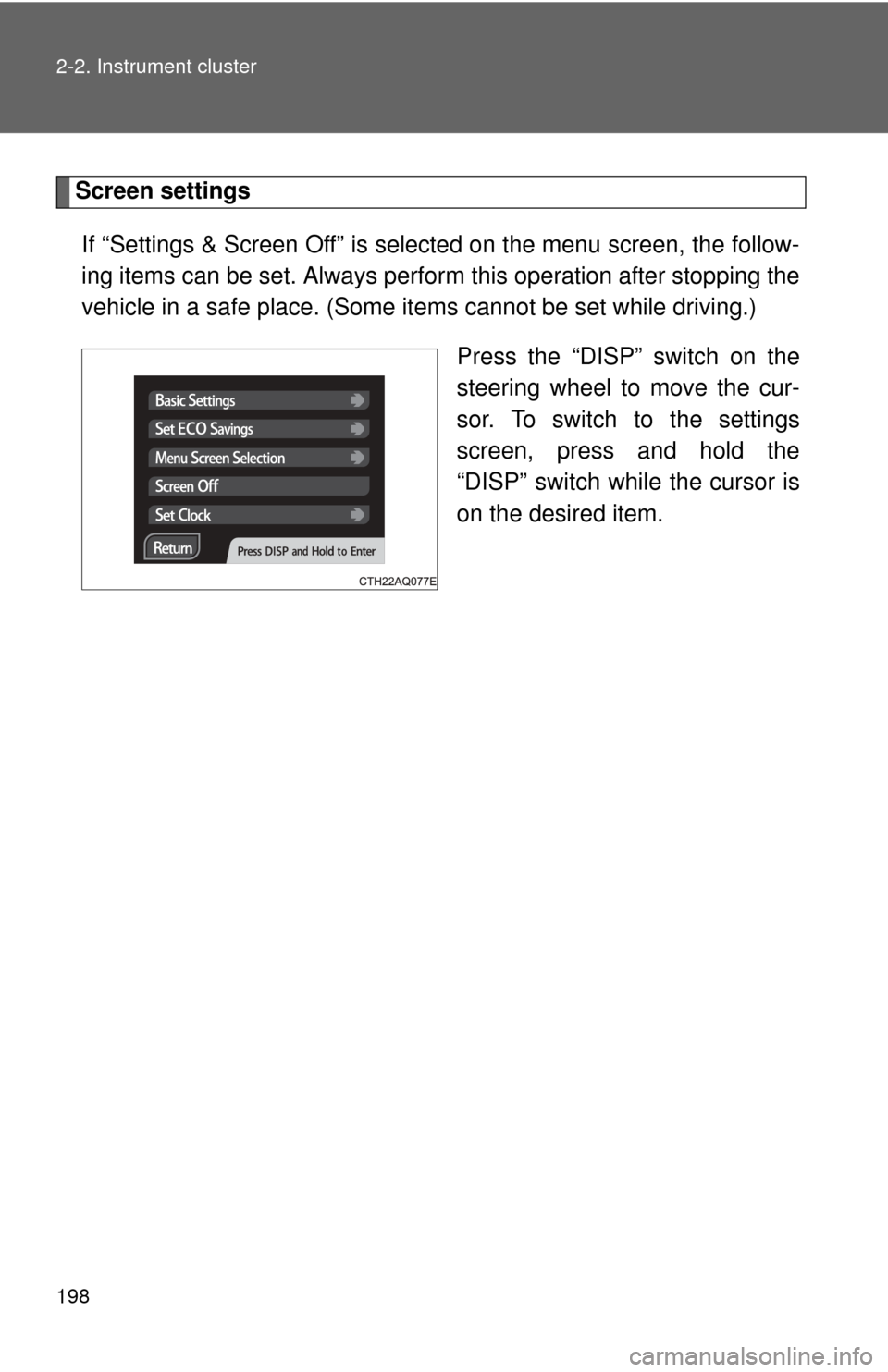
Screen settingsIf “Settings & Screen Off” is selected on the menu screen, the follow-
ing items can be set. Always perform this operation after stopping the
vehicle in a safe place. (Some it ems cannot be set while driving.)
Press the “DISP” switch on the
steering wheel to move the cur-
sor. To switch to the settings
screen, press and hold the
“DISP” switch while the cursor is
on the desired item.
Page 200 of 563
199
2-2. Instrument cluster
2
When driving
■
Basic settings/Changing the clock shortcut
The date, time, clock mode (12 or 24 hour), touch tracer settings and
the displayed language can be changed.
● Pressing the “DISP” (forward) or “TRIP” (back) switch changes the
date.
● Press the “DISP” switch to sele ct hours or minutes. Pressing the
“TRIP” switch adjusts the hours or minutes.
● If set clock is selected, the scre en will change to the clock settings
screen.
Page 201 of 563
200 2-2. Instrument cluster
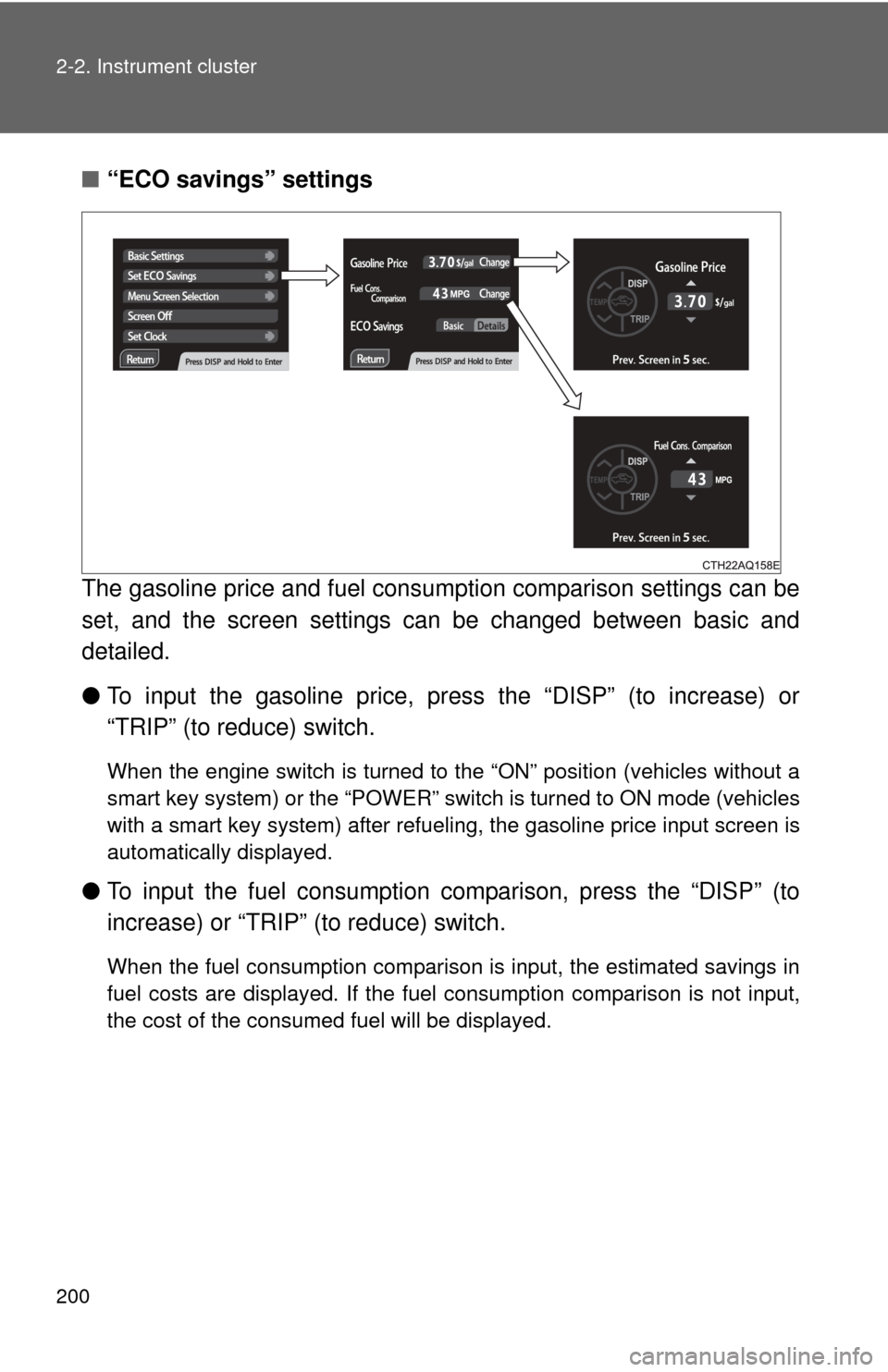
■“ECO savings” settings
The gasoline price and fuel consum ption comparison settings can be
set, and the screen settings can be changed between basic and
detailed.
● To input the gasoline price, pr ess the “DISP” (to increase) or
“TRIP” (to reduce) switch.
When the engine switch is turned to the “ON” position (vehicles without a
smart key system) or the “POWER” switch is turned to ON mode (vehicles
with a smart key system) after refueling, the gasoline price input screen is
automatically displayed.
● To input the fuel consumption co mparison, press the “DISP” (to
increase) or “TRIP” (to reduce) switch.
When the fuel consumption comparison is input, the estimated savings in
fuel costs are displayed. If the fuel consumption comparison is not input,
the cost of the consumed fuel will be displayed.