2014 TOYOTA HIGHLANDER park assist
[x] Cancel search: park assistPage 295 of 712
2954-5. Using the driving support systems
4
Driving
HIGHLANDER_U (OM48A12U)
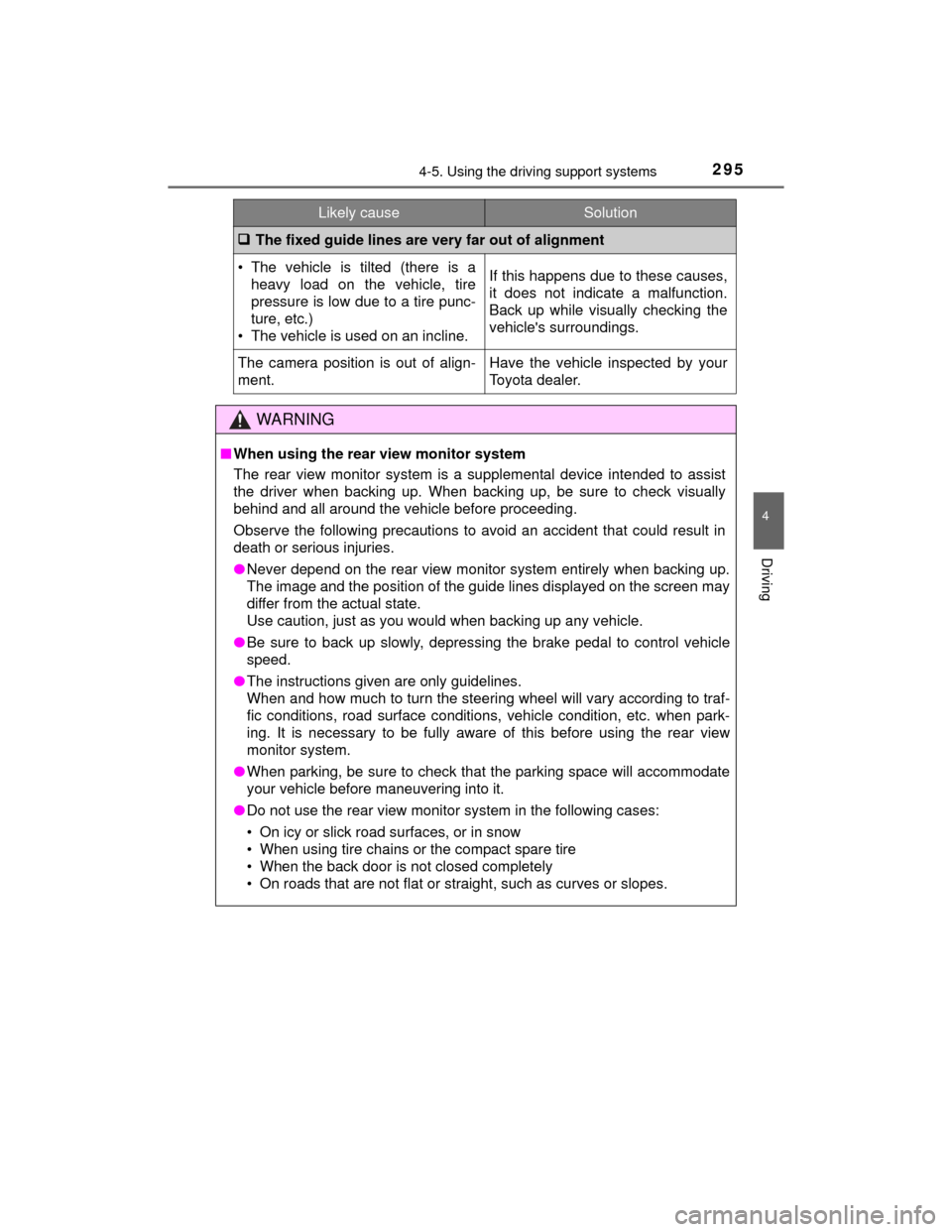
The fixed guide lines are very far out of alignment
• The vehicle is tilted (there is a
heavy load on the vehicle, tire
pressure is low due to a tire punc-
ture, etc.)
• The vehicle is used on an incline.If this happens due to these causes,
it does not indicate a malfunction.
Back up while visually checking the
vehicle's surroundings.
The camera position is out of align-
ment.Have the vehicle inspected by your
Toyota dealer.
WARNING
■ When using the rear view monitor system
The rear view monitor system is a supplemental device intended to assist
the driver when backing up. When backing up, be sure to check visually
behind and all around the vehicle before proceeding.
Observe the following precautions to avoid an accident that could result in
death or serious injuries.
●Never depend on the rear view monitor system entirely when backing up.
The image and the position of the guide lines displayed on the screen may
differ from the actual state.
Use caution, just as you would when backing up any vehicle.
● Be sure to back up slowly, depressing the brake pedal to control vehicle
speed.
● The instructions given are only guidelines.
When and how much to turn the steering wheel will vary according to traf-
fic conditions, road surface conditions, vehicle condition, etc. when park-
ing. It is necessary to be fully aware of this before using the rear view
monitor system.
● When parking, be sure to check that the parking space will accommodate
your vehicle before maneuvering into it.
● Do not use the rear view monitor system in the following cases:
• On icy or slick road surfaces, or in snow
• When using tire chains or the compact spare tire
• When the back door is not closed completely
• On roads that are not flat or straight, such as curves or slopes.
Likely causeSolution
Page 302 of 712

3024-5. Using the driving support systems
HIGHLANDER_U (OM48A12U)■
Reduced effectiven ess of the EPS system
The effectiveness of the EPS system is reduced to prevent the system from
overheating when there is frequent steer ing input over an extended period of
time. The steering wheel may feel heavy as a result. Should this occur, refrain
from excessive steering input or stop the vehicle and turn the engine off. The
EPS system should return to normal within 10 minutes.
■ Operating conditions of hill-start assist control
When the following four conditions are met, the hill-start assist control will
operate:
●The shift lever is in a position other than P or N (when starting off forward/
backward on an upward incline).
● The vehicle is stopped.
● The accelerator pedal is not depressed.
● The parking brake is not engaged.
■ Automatic system cancelation of hill-start assist control
The hill-start assist control will turn off in any of the following situations:
●The shift lever is moved to P or N.
● The accelerator pedal is depressed.
● The parking brake is engaged.
● Approximately 2 seconds elapse after the brake pedal is released.
WARNING
■The ABS does not operate effectively when
●The limits of tire gripping performance have been exceeded (such as
excessively worn tires on a snow covered road).
● The vehicle hydroplanes while driving at high speed on wet or slick roads.
■ Stopping distance when the ABS is operating may exceed that of nor-
mal conditions
The ABS is not designed to shorten the vehicle’s stopping distance. Always
maintain a safe distance from the vehicle in front of you, especially in the
following situations:
●When driving on dirt, gravel or snow-covered roads
● When driving with tire chains
● When driving over bumps in the road
● When driving over roads with potholes or uneven surfaces
Page 303 of 712

3034-5. Using the driving support systems
4
Driving
HIGHLANDER_U (OM48A12U)
WARNING
■TRAC may not operate effectively when
Directional control and power may not be achievable while driving on slip-
pery road surfaces, even if the TRAC system is operating.
Drive the vehicle carefully in conditions where stability and power may be
lost.
■ Hill- start assist control
●Do not overly rely on hill-start assist control. Hill-start assist control may
not operate effectively on steep inclines and roads covered with ice.
● Unlike the parking brake, hill-start assist control is not intended to hold the
vehicle stationary for an extended period of time. Do not attempt to use
hill-start assist control to hold the vehicle on an incline, as doing so may
lead to an accident.
■ When the VSC is activated
The slip indicator light flashes. Always drive carefully. Reckless driving may
cause an accident. Exercise particular care when the indicator light flashes.
■ When the TRAC/VSC systems are turned off
Be especially careful and drive at a speed appropriate to the road condi-
tions. As these are the systems to help ensure vehicle stability and driving
force, do not turn the TRAC/VSC systems off unless necessary.
■ Replacing tires
Make sure that all tires are of the specified size, brand, tread pattern and
total load capacity. In addition, make sure that the tires are inflated to the
recommended tire inflation pressure level.
The ABS, TRAC and VSC systems will not function correctly if different tires
are installed on the vehicle.
Contact your Toyota dealer for further information when replacing tires or
wheels.
■ Handling of tires and the suspension
Using tires with any kind of problem or modifying the suspension will affect
the driving assist systems, and may cause a system to malfunction.
Page 576 of 712

5768-2. Steps to take in an emergency
HIGHLANDER_U (OM48A12U)
Monochrome display
Color display
(If equipped)
Indicates that the glass hatch is not fully closedIf the vehicle reaches a speed of 3 mph (5 km/
h), flashes and a buzzer sounds to indi-
cate that the glass hatch is not yet fully closed.
Close the glass hatch.
Monochrome display
Color display
(If equipped)
Indicates a malfunction in the intuitive parking
assist-sensor
The assist-sensors flash.
A buzzer also sounds.
Have the vehicle inspected by your Toyota
dealer.
Warning messageDetails/Actions
Page 577 of 712
5778-2. Steps to take in an emergency
8
When trouble arises
HIGHLANDER_U (OM48A12U)
Monochrome display
Color display
(If equipped)
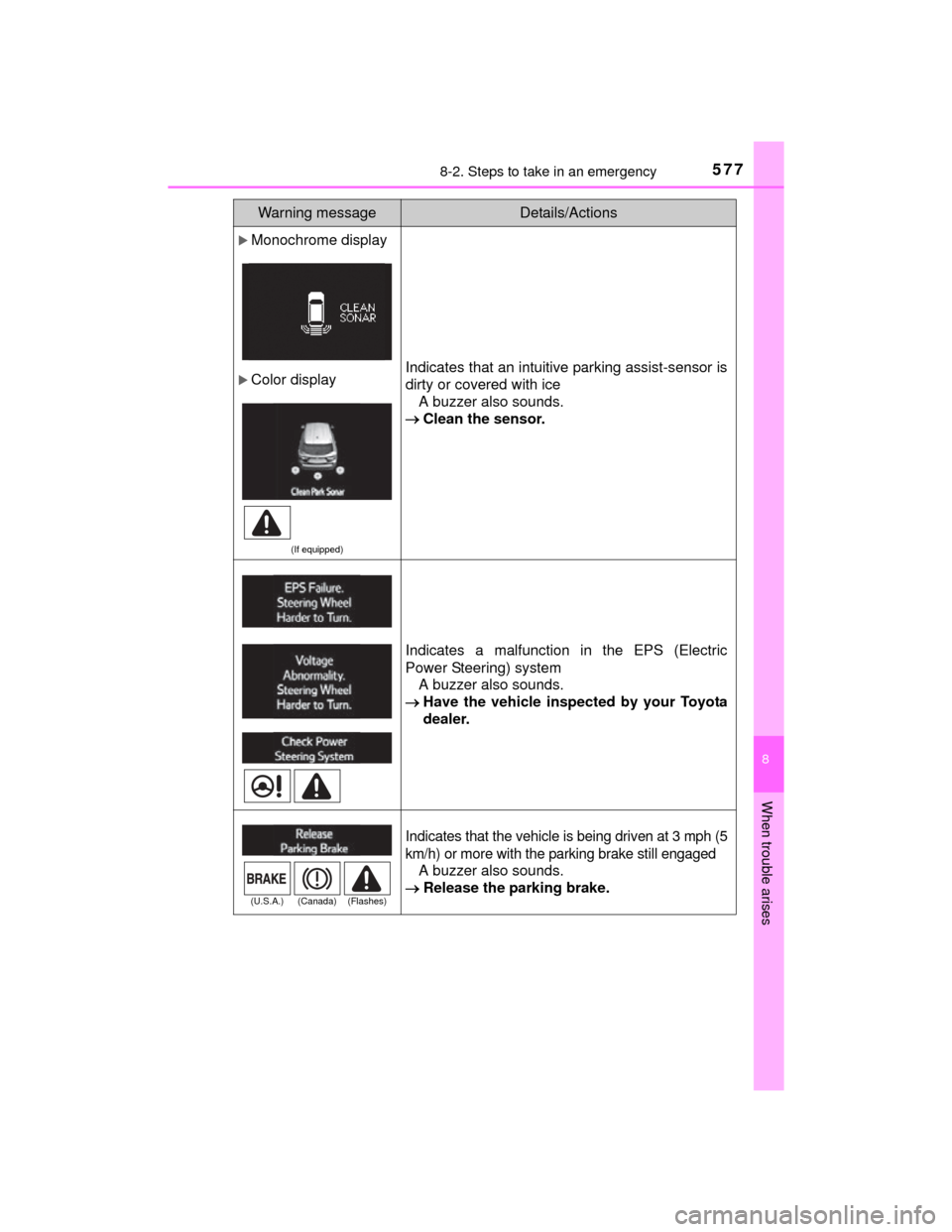
Indicates that an intuitive parking assist-sensor is
dirty or covered with iceA buzzer also sounds.
Clean the sensor.
Indicates a malfunction in the EPS (Electric
Power Steering) system
A buzzer also sounds.
Have the vehicle inspected by your Toyota
dealer.
Indicates that the vehicle is being driven at 3 mph (5
km/h) or more with the parking brake still engaged
A buzzer also sounds.
Release the parking brake.
Warning messageDetails/Actions
(U.S.A.) (Canada) (Flashes)
Page 611 of 712

6118-2. Steps to take in an emergency
8
When trouble arises
HIGHLANDER_U (OM48A12U)
WARNING
■When using the compact spare tire (vehicles with a compact spare
tire)
●Remember that the compact spare tire provided is specifically
designed for use with your vehicle. Do not use your compact spare tire
on another vehicle.
●Do not use more than one compact spare tires simultaneously.
●Replace the compact spare tire with a standard tire as soon as possi-
ble.
●Avoid sudden acceleration, abrupt steering, sudden braking and shift-
ing operations that cause sudden engine braking.
■When the compact spare tire is attached (vehicles with a compact
spare tire)
The vehicle speed may not be correctly detected, and the following sys-
tems may not operate correctly:
Also, not only can the following system not be utilized fully, but it may
even negatively affect the drive-train components:
• AWD system (if equipped)
• ABS & Brake assist
• VSC
•TRAC
• Cruise control (if equipped)
• Dynamic radar cruise control (if equipped)
• Pre-Collision System (if equipped)
• EPS • Automatic High Beam (if
equipped)
• LDA (Lane Departure Alert) (if equipped)
• Intuitive parking assist (if equipped)
• Navigation system (if equipped)
Page 669 of 712
6699-2. Customization
9
Vehicle specifications
HIGHLANDER_U (OM48A12U)■
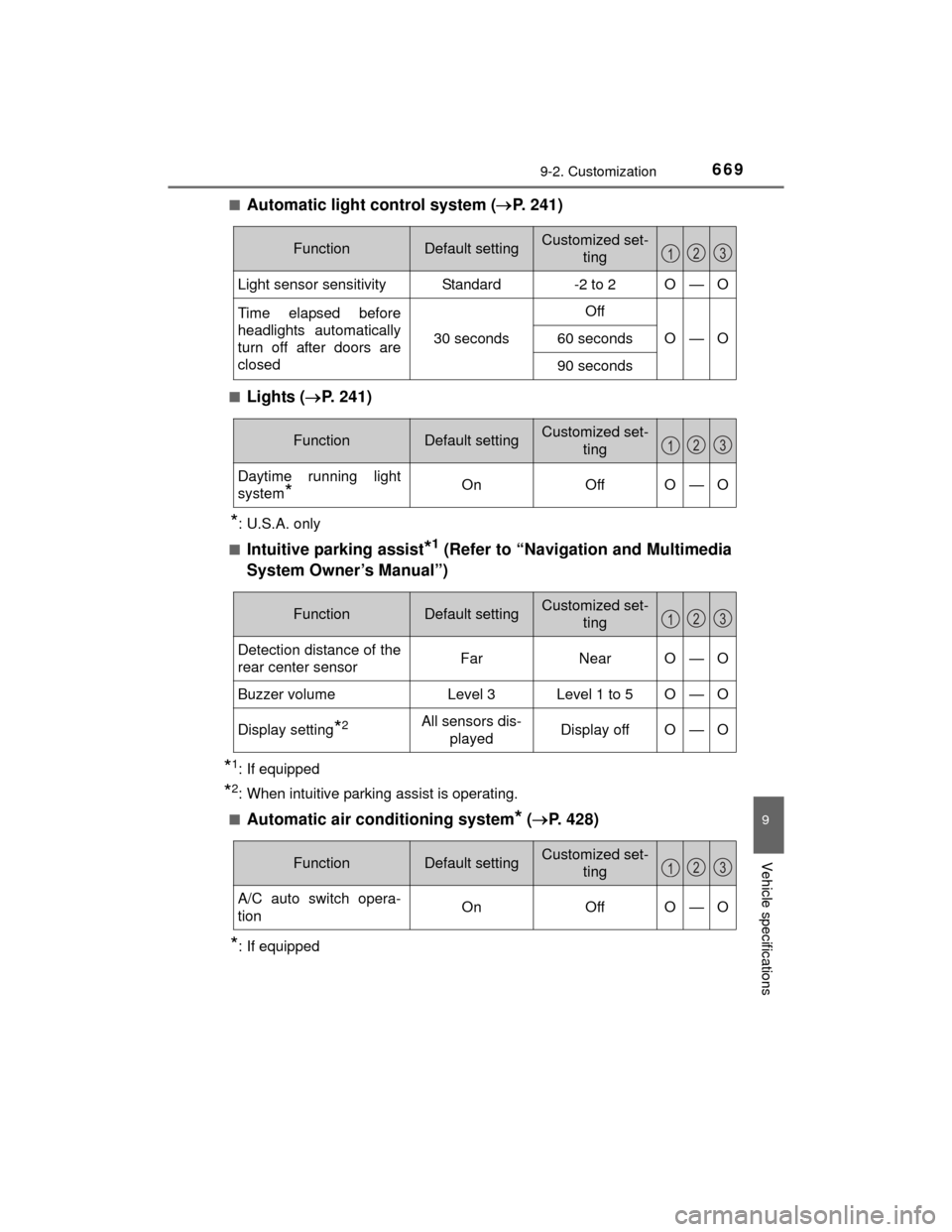
Automatic light control system (
P. 241)
■Lights ( P. 241)
*: U.S.A. only
■
Intuitive parking assist*1 (Refer to “Navigation and Multimedia
System Owner’s Manual”)
*1: If equipped
*2: When intuitive parking assist is operating.
■
Automatic air conditioning system* ( P. 428)
*: If equipped
FunctionDefault settingCustomized set-
ting
Light sensor sensitivityStandard-2 to 2O—O
Time elapsed before
headlights automatically
turn off after doors are
closed
30 seconds
Off
O—O60 seconds
90 seconds
123
FunctionDefault settingCustomized set-ting
Daytime running light
system
*OnOffO—O
123
FunctionDefault settingCustomized set-ting
Detection distance of the
rear center sensorFarNearO—O
Buzzer volumeLevel 3Level 1 to 5O—O
Display setting*2All sensors dis-playedDisplay offO—O
123
FunctionDefault settingCustomized set- ting
A/C auto switch opera-
tionOnOffO—O
123
Page 695 of 712

695Alphabetical index
HIGHLANDER_U (OM48A12U)
Anti-lock Brake System (ABS) ...................................... 298
Function ................................ 298
Warning light ......................... 564
Armrest ..................................... 463
Assist grips .............................. 464
Audio input............................... 342
Audio system ........................... 338 Audio input ............................ 342
AUX port/USB port............................. 342
CD player .............................. 356
iPod....................................... 362
MP3/WMA disc ..................... 356
Optimal use........................... 353
Portable music player ........... 370
Radio .................................... 354
Steering wheel audio switch ................................. 341
USB memory ........................ 366
Automatic High Beam ............. 246
Automatic light control system.................................... 241
Automatic transmission.......... 234 If the shift lever cannot be shifted from P ..................... 617
S mode ................................. 236
AUX port ................................... 342
Auxiliary boxes ................ 451, 454 Back door ................................ 129
Back-up lights
Replacing light bulb .............. 539
Wattage ................................ 645
Battery ...................................... 511
Battery checking ................... 511
If the vehicle has discharged battery ................................ 621
Preparing and checking before winter ...................... 323
Warning light......................... 563
Bluetooth
®
Audio system ........................ 383
Hands-free system (for cellular phone) ............. 371
Bottle holders .......................... 448
Brake Fluid ...................................... 641
Parking brake ....................... 240
Warning light......................... 563
Brake assist ............................. 298
Break-in tips ............................ 193
Brightness control Instrument panel light control .................................. 96
BSM (Blind Spot Monitor) ....... 313 Blind Spot Monitor function............................... 317
Rear Cross Traffic Alert function............................... 320
B