Page 508 of 612
5088-2. Steps to take in an emergency
COROLLA_TMMMS_TMMC_U (OM12F00U)
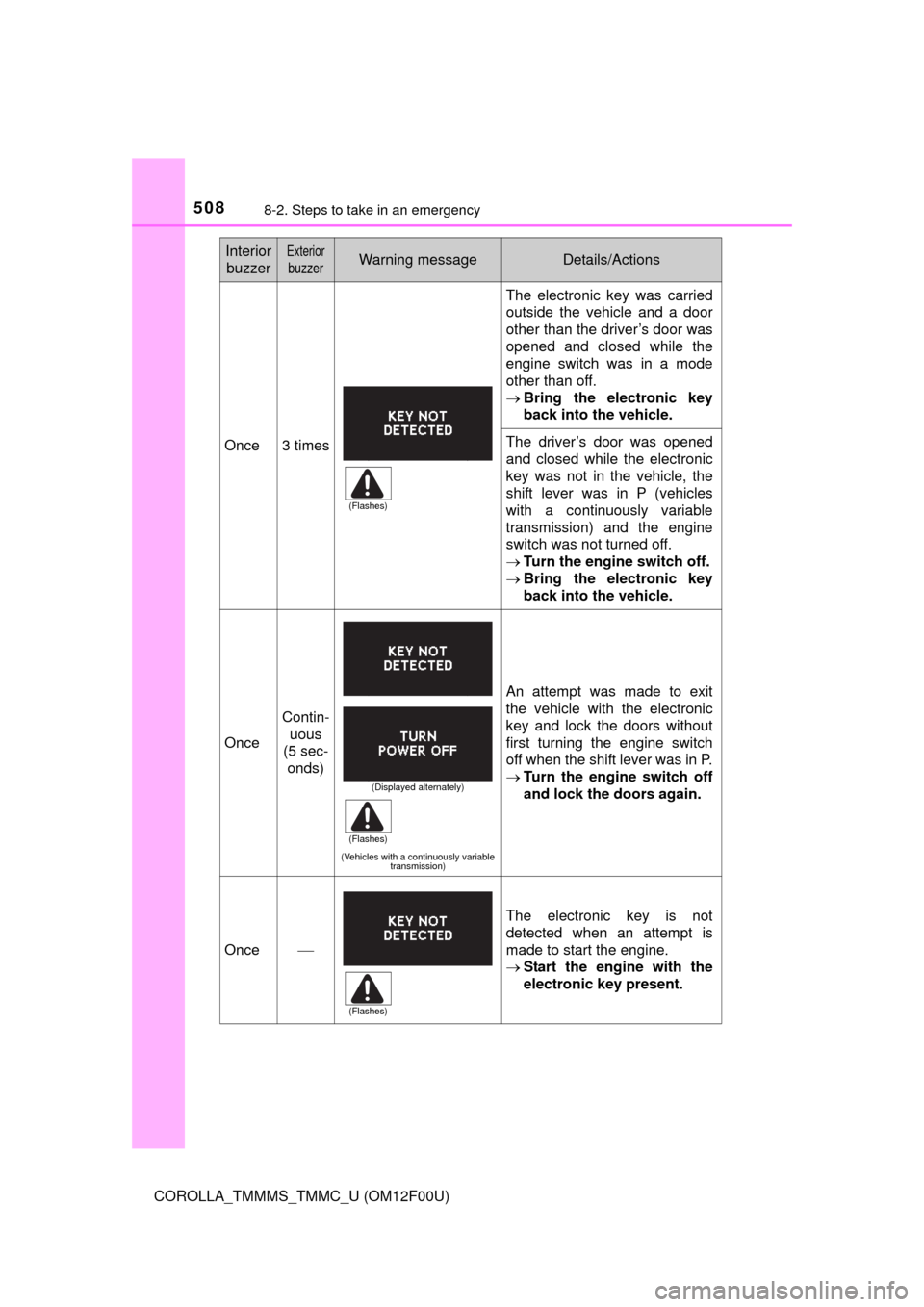
Once3 times
The electronic key was carried
outside the vehicle and a door
other than the driver’s door was
opened and closed while the
engine switch was in a mode
other than off.
Bring the electronic key
back into the vehicle.
The driver’s door was opened
and closed while the electronic
key was not in the vehicle, the
shift lever was in P (vehicles
with a continuously variable
transmission) and the engine
switch was not turned off.
Turn the engine switch off.
Bring the electronic key
back into the vehicle.
Once
Contin-
uous
(5 sec-
onds)
(Vehicles with a continuously variable
transmission)
An attempt was made to exit
the vehicle with the electronic
key and lock the doors without
first turning the engine switch
off when the shift lever was in P.
Turn the engine switch off
and lock the doors again.
OnceThe electronic key is not
detected when an attempt is
made to start the engine.
Start the engine with the
electronic key present.
Interior
buzzerExterior
buzzerWarning messageDetails/Actions
(Flashes)
(Displayed alternately)
(Flashes)
(Flashes)
Page 509 of 612
5098-2. Steps to take in an emergency
8
When trouble arises
COROLLA_TMMMS_TMMC_U (OM12F00U)
9
times
An attempt was made to drive
when the regular key was not
inside the vehicle.
Confirm that the elec-
tronic key is inside the
vehicle.
Contin-
uous
(5 sec-
onds)
An attempt was made to lock
the doors using the smart key
system while the electronic key
was still inside the vehicle.
Retrieve the electronic key
from the vehicle and lock
the doors again.
Once
Contin-
uous
(5 sec-
onds)
An attempt was made to lock
either front door by opening a
door and putting the inside lock
button into the lock position,
then closing the door by pulling
on the outside door handle with
the electronic key still inside the
vehicle.
Retrieve the electronic key
from the vehicle and lock
the doors again.
Once
The electronic key has a low
battery.
Replace the electronic key
battery. (P. 464)
Interior
buzzerExterior
buzzerWarning messageDetails/Actions
(Flashes)
(Flashes)
(Flashes)
Page 510 of 612
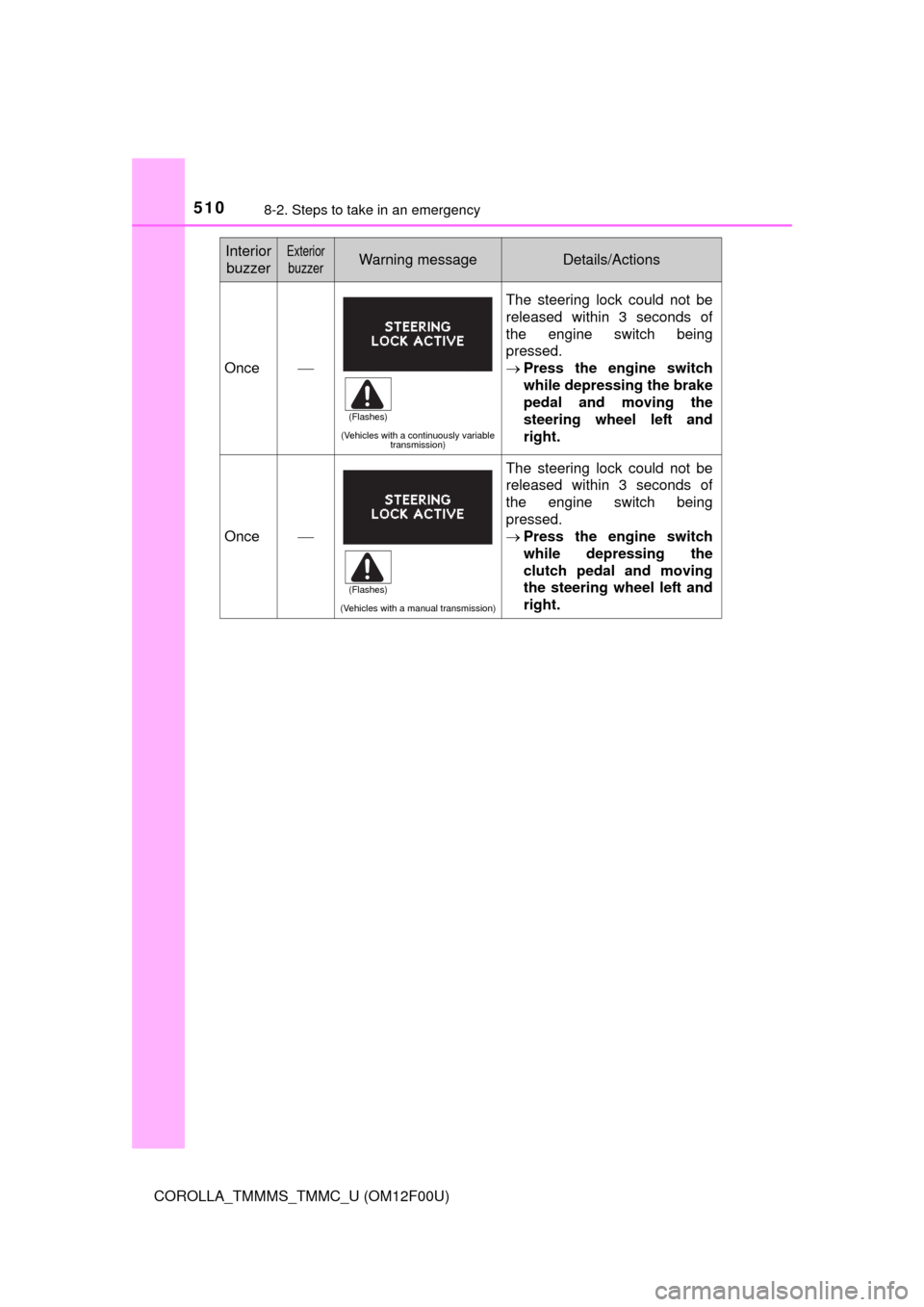
5108-2. Steps to take in an emergency
COROLLA_TMMMS_TMMC_U (OM12F00U)
Once
(Vehicles with a continuously variable
transmission)
The steering lock could not be
released within 3 seconds of
the engine switch being
pressed.
Press the engine switch
while depressing the brake
pedal and moving the
steering wheel left and
right.
Once
(Vehicles with a manual transmission)
The steering lock could not be
released within 3 seconds of
the engine switch being
pressed.
Press the engine switch
while depressing the
clutch pedal and moving
the steering wheel left and
right.
Interior
buzzerExterior
buzzerWarning messageDetails/Actions
(Flashes)
(Flashes)
Page 511 of 612
5118-2. Steps to take in an emergency
8
When trouble arises
COROLLA_TMMMS_TMMC_U (OM12F00U)
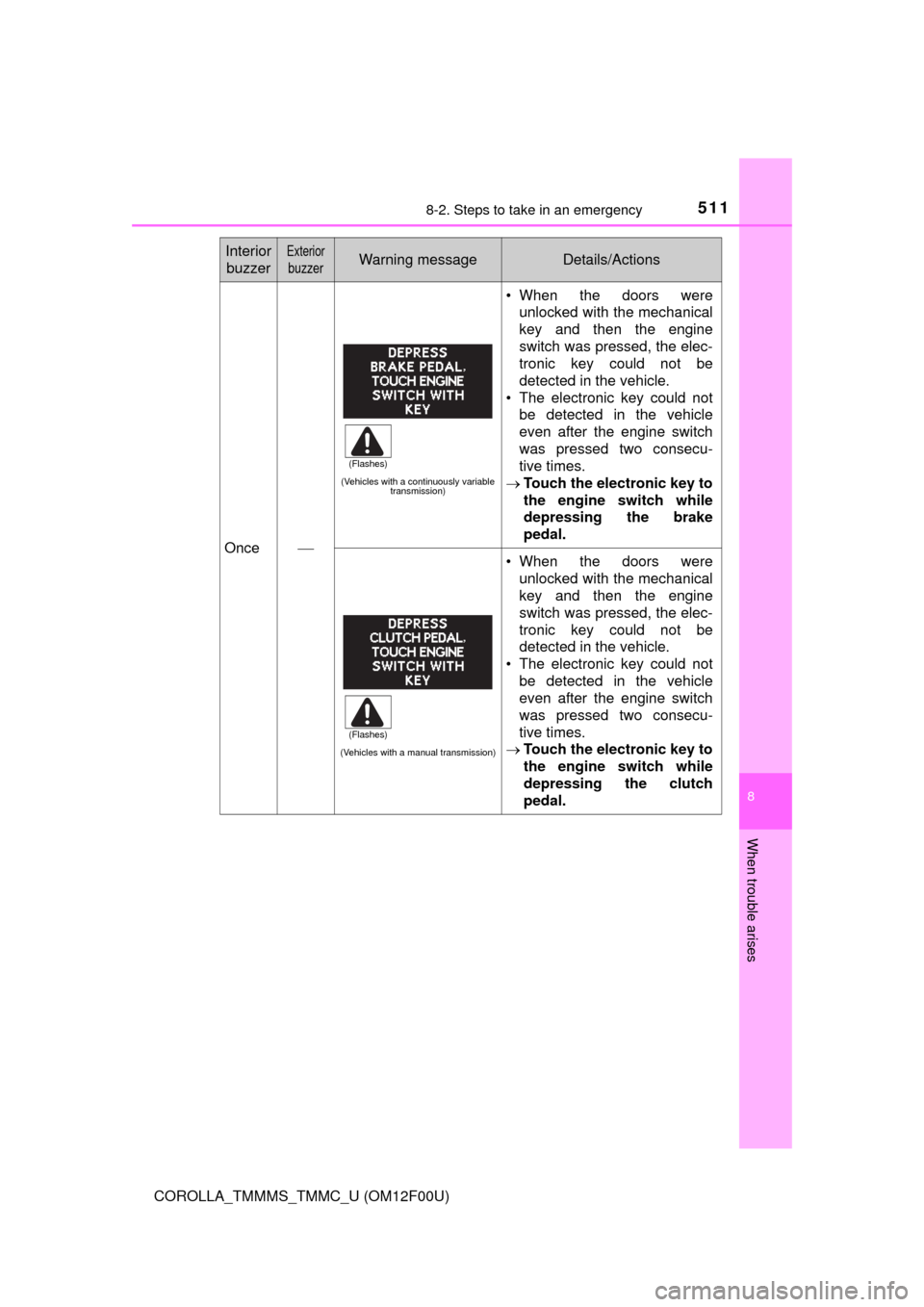
Once
(Vehicles with a continuously variable
transmission)
• When the doors were
unlocked with the mechanical
key and then the engine
switch was pressed, the elec-
tronic key could not be
detected in the vehicle.
• The electronic key could not
be detected in the vehicle
even after the engine switch
was pressed two consecu-
tive times.
Touch the electronic key to
the engine switch while
depressing the brake
pedal.
(Vehicles with a manual transmission)
• When the doors were
unlocked with the mechanical
key and then the engine
switch was pressed, the elec-
tronic key could not be
detected in the vehicle.
• The electronic key could not
be detected in the vehicle
even after the engine switch
was pressed two consecu-
tive times.
Touch the electronic key to
the engine switch while
depressing the clutch
pedal.
Interior
buzzerExterior
buzzerWarning messageDetails/Actions
(Flashes)
(Flashes)
Page 527 of 612
5278-2. Steps to take in an emergency
8
When trouble arises
COROLLA_TMMMS_TMMC_U (OM12F00U)
One of the following may be the cause of the problem:
●One or both of the battery terminals may be disconnected.
●The battery may be discharged. (P. 532)
●There may be a malfunction in the steering lock system.
Contact your Toyota dealer if the problem cannot be repaired, or if repair
procedures are unknown.
When the engine does not start, the following steps can be used as an
interim measure to start the engine if the engine switch is functioning
normally:
Set the parking brake.
Shift the shift lever to P (continuously variable transmission) or N
(manual transmission).
Turn the engine switch to ACCESSORY mode.
Press and hold the engine switch for about 15 seconds while
depressing the brake pedal and clutch pedal (manual transmission)
firmly.
Even if the engine can be started using the above steps, the system
may be malfunctioning. Have the vehicle inspected by your Toyota
dealer.
The starter motor does not turn over, the interior lights and head-
lights do not turn on, or the horn does not sound.
Emergency start function (vehicles with a smart key system)
1
2
3
4
Page 528 of 612
5288-2. Steps to take in an emergency
COROLLA_TMMMS_TMMC_U (OM12F00U)
Set the parking brake.
Vehicles without a smart key system: Turn the engine switch to the
“ACC” position.
Vehicles with a smart key system: Turn the engine switch to
ACCESSORY mode.
Depress the brake pedal.
Pry the cover up with a flathead
screwdriver or equivalent tool.
To prevent damage to the cover,
cover the tip of the screwdriver with
a rag.
Press the shift lock override
button.
The shift lever can be shifted while
the button is pressed.
If the shift lever cannot be shifted from P
(except vehicles with a manual transmission)
If the shift lever cannot be shifted with your foot on the brake
pedal, there may be a problem with the shift lock system (a sys-
tem to prevent accidental operation of the shift lever). Have the
vehicle inspected by your Toyota dealer immediately.
The following steps may be used as an emergency measure to
ensure that the shift lever can be shifted:
1
2
3
4
5
Page 529 of 612
5298-2. Steps to take in an emergency
8
When trouble arises
COROLLA_TMMMS_TMMC_U (OM12F00U)
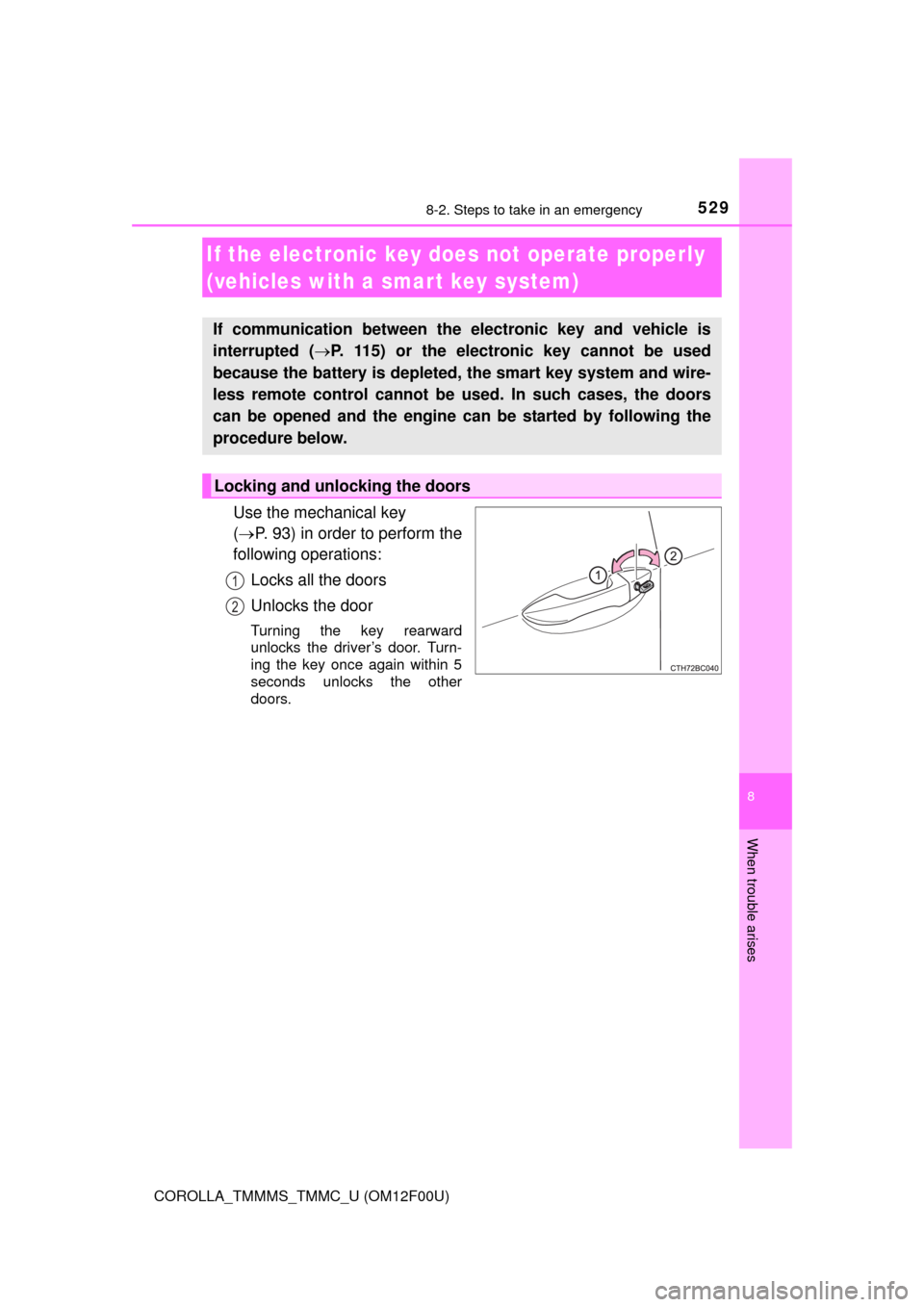
Use the mechanical key
(P. 93) in order to perform the
following operations:
Locks all the doors
Unlocks the door
Turning the key rearward
unlocks the driver’s door. Turn-
ing the key once again within 5
seconds unlocks the other
doors.
If the electronic key does not operate properly
(vehicles with a smar t key system)
If communication between the electronic key and vehicle is
interrupted (P. 115) or the electronic key cannot be used
because the battery is depleted, the smart key system and wire-
less remote control cannot be used. In such cases, the doors
can be opened and the engine can be started by following the
procedure below.
Locking and unlocking the doors
1
2
Page 535 of 612
5358-2. Steps to take in an emergency
8
When trouble arises
COROLLA_TMMMS_TMMC_U (OM12F00U)
■Starting the engine when the battery is discharged
The engine cannot be started by push-starting.
■To prevent battery discharge
●Turn off the headlights and the audio system while the engine is off.
●Turn off any unnecessary electrical components when the vehicle is running
at a low speed for an extended period, such as in heavy traffic.
■Charging the battery
The electricity stored in the battery will discharge gradually even when the
vehicle is not in use, due to natural discharge and the draining effects of cer-
tain electrical appliances. If the vehicle is left for a long time, the battery may
discharge, and the engine may be unable to start. (The battery recharges
automatically during driving.)
■When recharging or replacing the battery
●Vehicles with a smart key system: In some cases, it may not be possible to
unlock the doors using the smart key system when the battery is dis-
charged. Use the wireless remote control or the mechanical key to lock or
unlock the doors.
●The engine may not start on the first attempt after the battery has recharged
but will start normally after the second attempt. This is not a malfunction.
●Vehicles with a smart key system: The engine switch mode is memorized by
the vehicle. When the battery is reconnected, the system will return to the
mode it was in before the battery was discharged. Before disconnecting the
battery, turn the engine switch off.
If you are unsure what mode the engine switch was in before the battery dis-
charged, be especially careful when reconnecting the battery.
●Make sure that the key is not inside the vehicle when recharging or replac-
ing the battery. The key may be locked in the vehicle if the alarm is acti-
vated. (P. 69)