Page 84 of 530
842. Instrument cluster
4RUNNER (U)_(OM35A83U)■
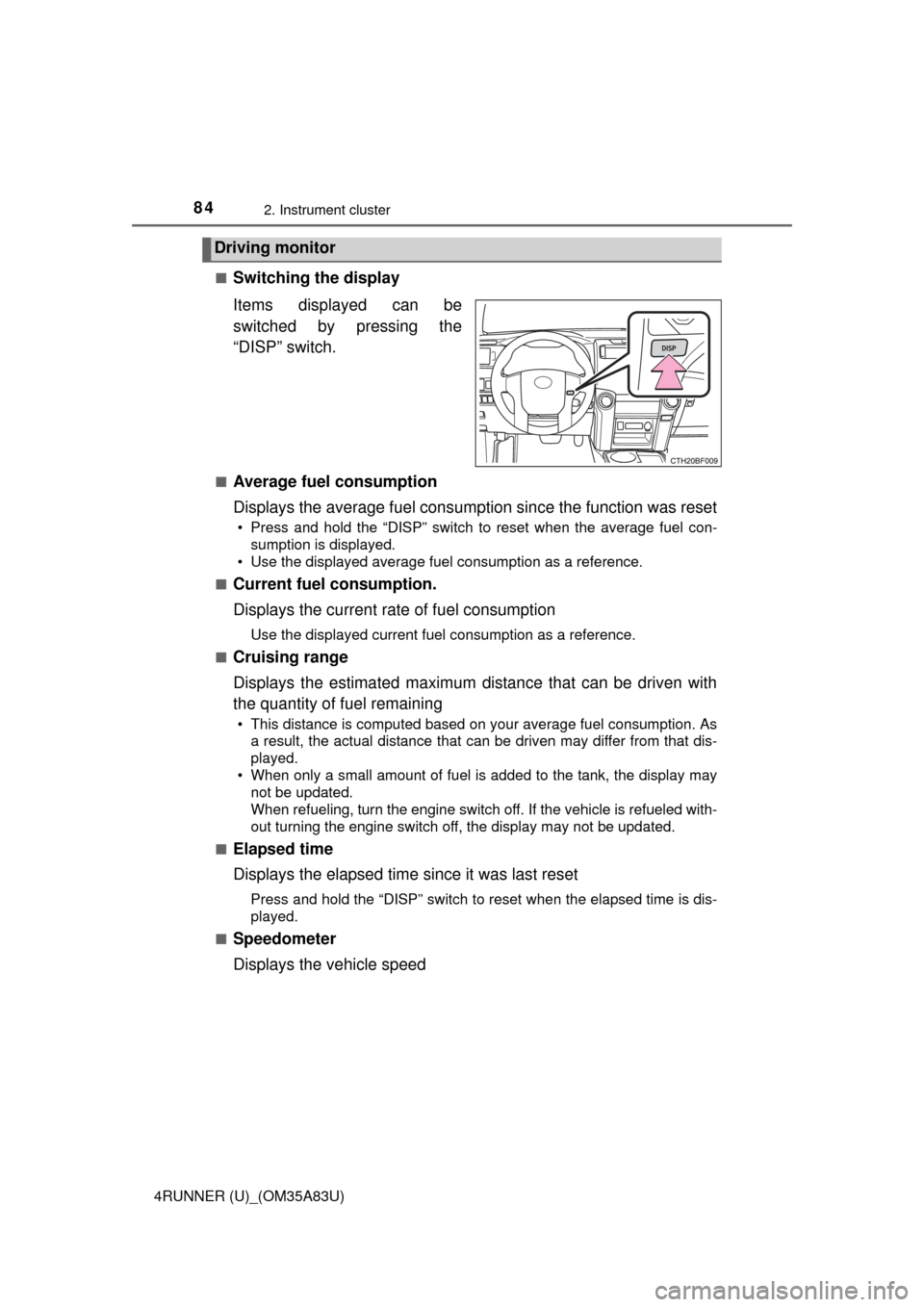
Switching the display
Items displayed can be
switched by pressing the
“DISP” switch.
■Average fuel consumption
Displays the average fuel consumption since the function was reset
• Press and hold the “DISP” switch to reset when the average fuel con-
sumption is displayed.
• Use the displayed average fuel consumption as a reference.
■
Current fuel consumption.
Displays the current rate of fuel consumption
Use the displayed current fuel consumption as a reference.
■
Cruising range
Displays the estimated maximum distance that can be driven with
the quantity of fuel remaining
• This distance is computed based on your average fuel consumption. As a result, the actual distance that can be driven may differ from that dis-
played.
• When only a small amount of fuel is added to the tank, the display may not be updated.
When refueling, turn the engine switch off. If the vehicle is refueled with-
out turning the engine switch off, the display may not be updated.
■
Elapsed time
Displays the elapsed time since it was last reset
Press and hold the “DISP” switch to reset when the elapsed time is dis-
played.
■
Speedometer
Displays the vehicle speed
Driving monitor
Page 87 of 530
872. Instrument cluster
2
Instrument cluster
4RUNNER (U)_(OM35A83U)
●Items that can be changed
*: The default setting varies according to countries.
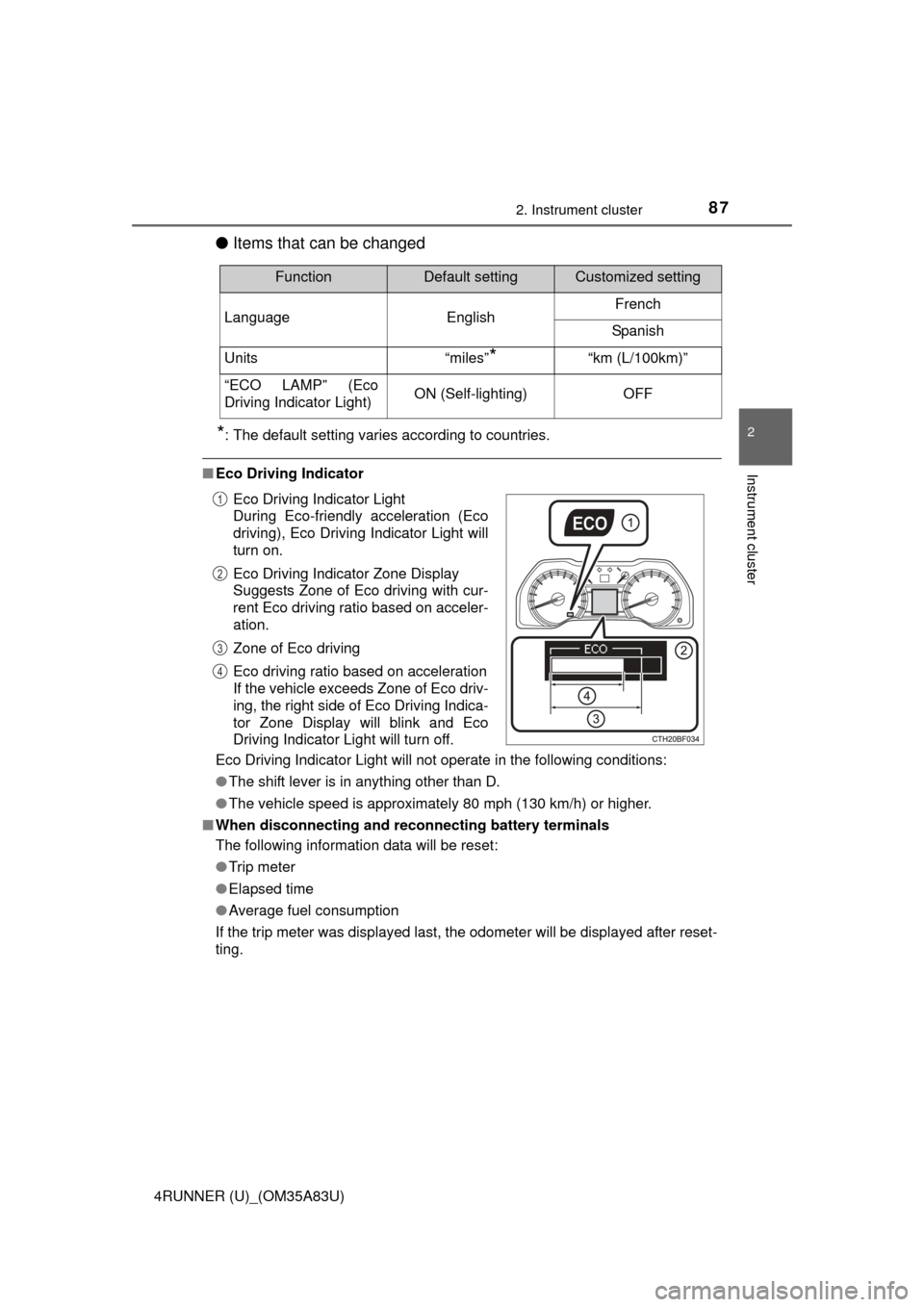
■Eco Driving Indicator
Eco Driving Indicator Light will not operate in the following conditions:
●The shift lever is in anything other than D.
● The vehicle speed is approximately 80 mph (130 km/h) or higher.
■ When disconnecting and reco nnecting battery terminals
The following information data will be reset:
● Trip meter
● Elapsed time
● Average fuel consumption
If the trip meter was displayed last, the odometer will be displayed after reset-
ting.
FunctionDefault settingCustomized setting
Language EnglishFrench
Spanish
Units “miles”
*“km (L/100km)”
“ECO LAMP” (Eco
Driving Indicator Light)ON (Self-lighting)OFF
Eco Driving Indicator Light
During Eco-friendly acceleration (Eco
driving), Eco Driving Indicator Light will
turn on.
Eco Driving Indicator Zone Display
Suggests Zone of Eco driving with cur-
rent Eco driving ratio based on acceler-
ation.
Zone of Eco driving
Eco driving ratio based on acceleration
If the vehicle exceeds Zone of Eco driv-
ing, the right side of Eco Driving Indica-
tor Zone Display will blink and Eco
Driving Indicator Light will turn off.1
2
3
4
Page 89 of 530
892. Instrument cluster
2
Instrument cluster
4RUNNER (U)_(OM35A83U)
“MODE/ ” button
“SET/ ” button
Trip information (P. 9 0 )
Displays driving range and average fuel consumption
Outside temperature display ( P. 312)
Compass ( P. 335)
Clock ( P. 3 1 1 )
H (Hour) button ( P. 311)
M (Minute) button ( P. 3 1 1 )
Multi-terrain Select display ( P. 253)
Automatically displayed when using Multi-terrain Select
Accessor y meter
: If equipped
The accessory meter presents the driver with a variety of driv-
ing-related data including the cu rrent outside air temperature.
1
2
3
4
5
6
7
8
9
Page 90 of 530
902. Instrument cluster
4RUNNER (U)_(OM35A83U)
Items displayed can be switched by pressing the “MODE/ ” button.
■Cruising range
Displays the estimated maximum dist ance that can be driven with the
quantity of fuel remaining
• This distance is computed based on your average fuel consumption. As a result, the actual distance that can be driven may differ from that displayed.
• When only a small amount of fuel is added to the tank, the display may not be updated.
■
Average fuel consumption
Displays the average fuel consumpt ion since the function was reset
• Pressing and holding the “SET/ ” button will reset the average fuel con-
sumption.
• Use the displayed average fuel consumption as a reference.
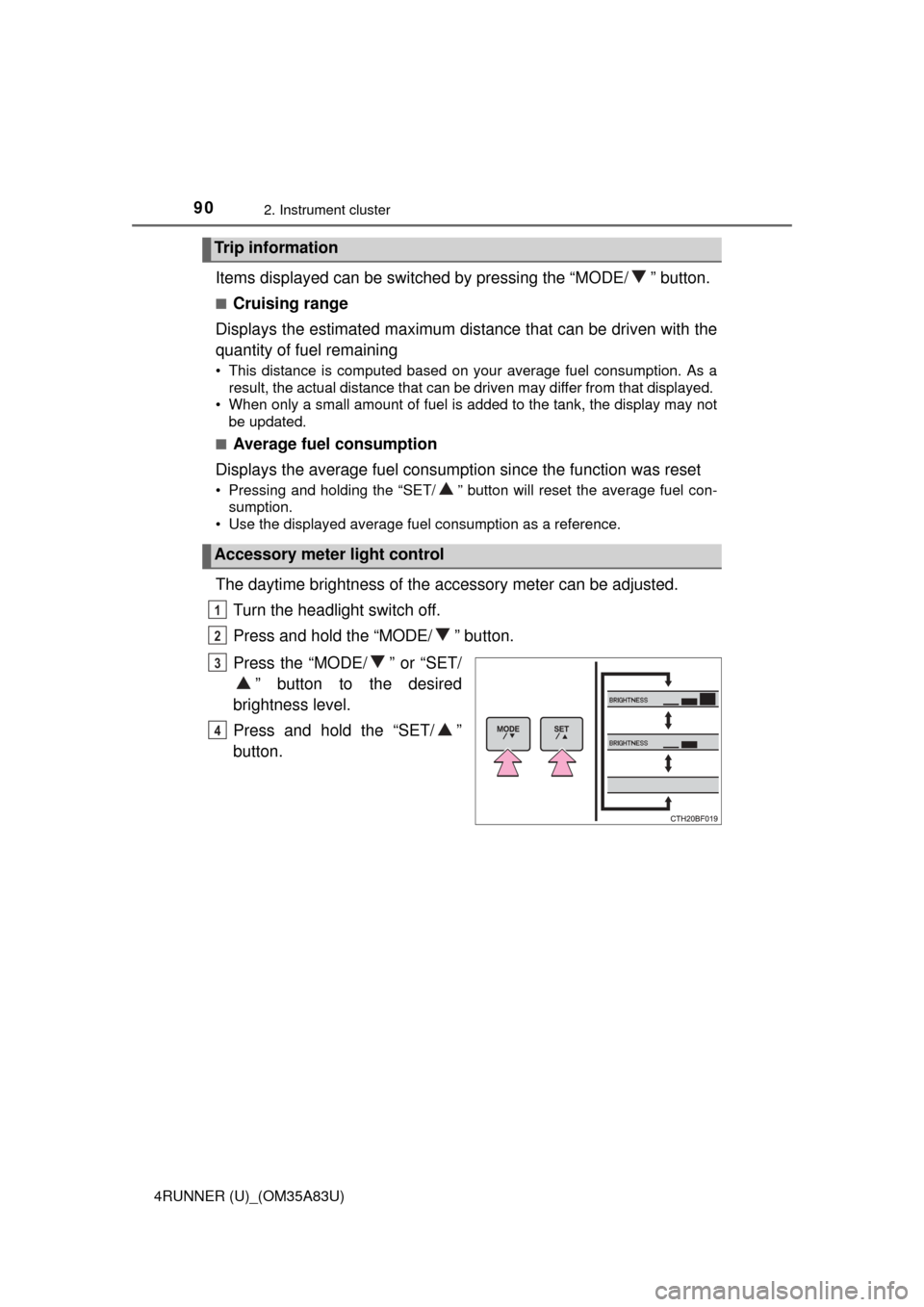
The daytime brightness of the accessory meter can be adjusted.
Turn the headlight switch off.
Press and hold the “MODE/ ” button.
Press the “MODE/ ” or “SET/ ” button to the desired
brightness level.
Press and hold the “SET/ ”
button.
Trip information
Accessory meter light control
1
2
3
4
Page 161 of 530

159
Driving4
4RUNNER (U)_(OM35A83U)4-1. Before driving
Driving the vehicle ............. 160
Cargo and luggage ........... 170
Vehicle load limits ............. 175
Trailer towing..................... 176
Dinghy towing ................... 191
4-2. Driving procedures Engine (ignition) switch (vehicles without a
smart key system) ........... 192
Engine (ignition) switch (vehicles with a
smart key system) ........... 195
Automatic transmission ..... 200
Turn signal lever................ 203
Parking brake .................... 204
4-3. Operating the lights and wipers
Headlight switch ................ 205
Fog light switch ................. 211
Windshield wipers and washer ............................ 213
Rear window wiper and washer ............................ 216 4-4. Refueling
Opening the fuel tank cap .................................. 219
4-5. Using the driving support systems
Cruise control .................... 222
Intuitive parking assist....... 226
Four-wheel drive system (part-time 4WD
models) ........................... 232
Four-wheel drive system (full-time 4WD
models) ........................... 236
Active traction control system ............................ 240
AUTO LSD system............ 242
Rear differential lock system ............................ 244
Downhill assist control system ............................ 247
Crawl Control .................... 250
Multi-terrain Select ............ 253
Driving assist systems ...... 260
4-6. Driving tips Winter driving tips ............. 269
Off-road precautions ......... 273
Page 164 of 530

1624-1. Before driving
4RUNNER (U)_(OM35A83U)■
Drum-in-disc type parking brake system
Your vehicle has a drum-in-disc type parking brake system. This type of brake
system needs bedding-down of the brake shoes periodically or whenever the
parking brake shoes and/or drum are replaced. Have your Toyota dealer per-
form the bedding down operation.
■ Operating your vehicle in a foreign country
Comply with the relevant vehicle registration laws and confirm the availability
of the correct fuel. ( P. 470)
■ When turning off the engine
The emission system operating sounds may continue for a short time after
the engine is turned off. This is not a malfunction, and helps to ensure optimal
performance of the emission system.
CAUTION
Observe the following precautions.
Failure to do so may result in death or serious injury.
■When starting the vehicle
Always keep your foot on the brake pedal while stopped with the engine
running. This prevents the vehicle from creeping.
■ When driving the vehicle
● Do not drive if you are unfamiliar with the location of the brake and ac\
cel-
erator pedals to avoid depressing the wrong pedal.
• Accidentally depressing the accelerator pedal instead of the brake
pedal will result in sudden acceleration that may lead to an accident.
• When backing up, you may twist your body around, leading to a diffi-
culty in operating the pedals. Make sure to operate the pedals properly.
• Make sure to keep a correct driving posture even when moving the vehicle only slightly. This allows you to depress the brake and accelera-
tor pedals properly.
• Depress the brake pedal using your right foot. Depressing the brake pedal using your left foot may delay response in an emergency, result-
ing in an accident.
● Do not drive the vehicle over or stop the vehicle near flammable materials.
The exhaust system and exhaust gases can be extremely hot. These hot
parts may cause a fire if there is any flammable material nearby.
Page 172 of 530
1704-1. Before driving
4RUNNER (U)_(OM35A83U)
Cargo and luggage
Take notice of the following information about storage precau-
tions, cargo capacity and load:● Stow cargo and luggage in the luggage compartment whenever
possible.
● Be sure all items are secured in place.
● To maintain vehicle balance while driving, position luggage evenly
within the luggage compartment.
● For better fuel economy, do not carry unnecessary weight.
Page 178 of 530
1764-1. Before driving
4RUNNER (U)_(OM35A83U)
Trailer towing
Your vehicle is designed primarily as a passenger-and-load-car-
rying vehicle. Towing a trailer can have an adverse impact on
handling, performance, braking, durability, and fuel consump-
tion. For your safety and the safe ty of others, you must not over-
load your vehicle or trailer. You must also ensure that you are
using appropriate towing equipmen t, that the towing equipment
has been installed correctly a nd used properly, and that you
employ the requisite driving habits.
Vehicle-trailer stability and braking performance are affected by
trailer stability, brake performance and setting, trailer brakes,
the hitch and hitch systems (if equipped).
To tow a trailer safely, use extreme care and drive the vehicle in
accordance with your trailer’s characteristics and operating
conditions.
Toyota warranties do not apply to damage or malfunction
caused by towing a trailer for commercial purposes.
Contact your Toyota dealer for further information about addi-
tional requirements such as a towing kit, etc.