2014 SUBARU TRIBECA maintenance
[x] Cancel search: maintenancePage 198 of 426
NOTE
While you are holding down either sideof the“TUNE TRACK”button, thetuning frequency will not stop chan-ging even if the frequency of a recei-vable station is reached.
!Seek tuning
If you press the“”or“”side of the“SEEK FLDR”button (7), the radio willautomatically search for a receivablestation and stop at the first one it finds.This function may not be available, how-ever, when radio signals are weak. In suchasituation,performmanualtuningtoselect the desired station.
!Automatic tuning (SCAN)
Press the“SCAN”button (8) to change theradio to the SCAN mode. In this mode, theradio scans through the radio band until astation is found. The radio will stop at thestation for 5 seconds while displaying thefrequency, after which scanning will con-tinue until the entire band has beenscanned from the low end to the highend. Press the“SCAN”button again tocancel the SCAN mode and to stop on anydisplayed frequency.
Press the“”or“”side of the“SEEKFLDR”button (7) again to cancel the scanmode and to stop on any displayed
frequency.
When the“SCAN”button is pressed forautomatic tuning, stations are scanned inthe direction of low frequencies to highfrequencies only.
Automatic tuning may not function prop-erly if the station reception is weakened bydistancefrom the station or proximity totall buildings and hills.
!Selecting preset stations
Presetting a station with a preset button(10) allows you to select that station in asingle operation. Up to six, AM, FM1 andFM2 stations each may be preset.
!How to preset stations
1. Press the“FM AM”button (2) to selectFM1, FM2, or AM reception.
2. Press the“SCAN”button (8) or tunethe radio manually until the desired stationfrequencyis displayed.
3. Press and hold one of the presetbuttons (10) to store the frequency. If thebutton is pressed briefly, the precedingselection will remain in memory.
NOTE
.If the connection between the radioand battery is broken for any reasonsuch as vehicle maintenance or radioremoval, all stations stored in the
preset buttons are cleared. If thisoccurs, it is necessary to reset thepreset buttons..If a cell phone is placed near theradio, it may cause the radio to emitnoise when it receives calls. This noisedoes not indicate a radio malfunction.
!Satellite radio mode (if equipped)
To receive satellite radio, it is necessary toinstall the SUBARU genuine satellitereceiver (optional part) and to enter intoa contract with a satellite radio networkservice such as“Sirius XMTMsatelliteradio”(for U.S.A. only)or“Sirius satelliteradio”(for Canada only). For details,please contact your SUBARU dealer.
!Sirius satellite radio (for Canadaonly)
Sirius satellite radio is a recent innovationthat allows the listener to experiencedigital sound quality and to have a greatervariety of channels.
Use of satellite radio (Sirius) requires atuner, antenna and a service contract. Fordetails, please contact your SUBARUdealer or visit Sirius Satellite Radio atwww.sirius.ca or call 1-888-539-7474 formore information. Sirius, the Sirius doglogo, channel names and logos are trade-marks of SIRIUS Satellite Radio Inc.
Audio5-7
–CONTINUED–
Page 200 of 426
buttons (10) to store the channel. If thebutton is pressed briefly, the precedingselection will remain in memory.
NOTE
If the connection between the radio andbattery is broken for any reason suchas vehicle maintenance or radio re-moval, all channels stored in the presetbuttons are cleared. If this occurs, it isnecessary to reset the preset buttons.
!Display selection
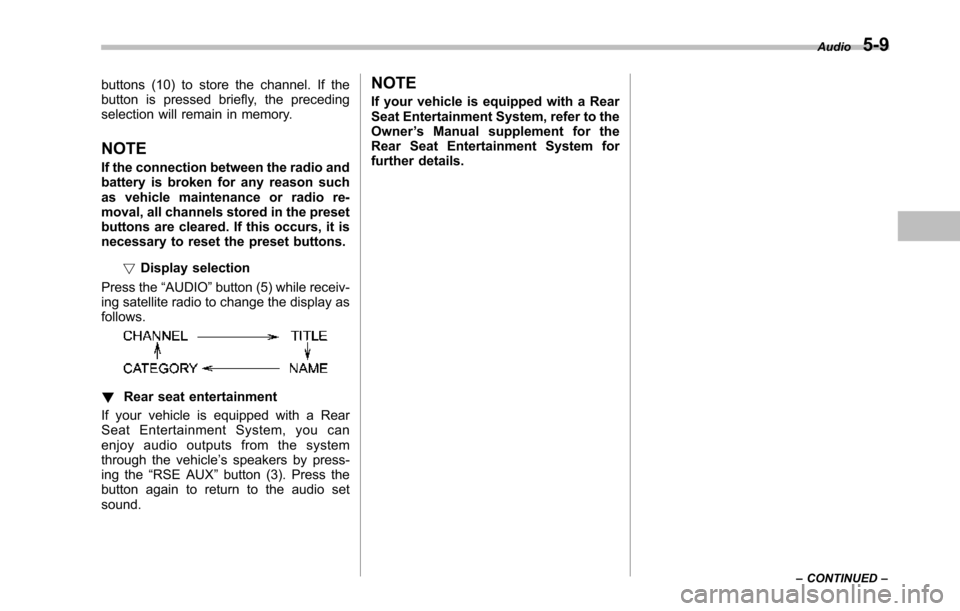
Press the“AUDIO”button (5) while receiv-ing satellite radio to change the display asfollows.
!Rear seat entertainment
If your vehicle is equipped with a RearSeat Entertainment System, you canenjoy audio outputs from the systemthrough the vehicle’s speakers by press-ing the“RSE AUX”button (3). Press thebutton again to return to the audio setsound.
NOTE
If your vehicle is equipped with a RearSeat Entertainment System, refer to theOwner’s Manual supplement for theRear Seat Entertainment System forfurther details.
Audio5-9
–CONTINUED–
Page 209 of 426
5-18Audio
NOTE
While you are holding down either sideof the TUNE/TRACK button, the tuningfrequency will not stop changing evenif the frequency of a receivable stationis reached.
!Seek tuning (SEEK)
If you press the“”or“”side of the“SEEK FLDR”button (7), the radio willautomatically search for a receivablestation and stop at the first one it finds.This function may not be available, how-ever, when radio signals are weak. In suchasituation,performmanualtuningtoselect the desired station.
!Scan tuning (SCAN)
Press the“SCAN”button (8) to change theradio to the SCAN mode. In this mode, theradio scans through the radio band until astationis found. The radio will stop at thestation for 5 seconds while displaying thefrequency, after which scanning will con-tinue until the entire band has beenscannedfrom the low end to the highend. Press the“SCAN”buttonagain tocancel the SCAN mode and to stop on anydisplayed frequency.
Press the“”or“”side of the“SEEKFLDR”button (7) again to cancel the scanmode and to stop on any displayed
frequency.
When the“SCAN”button is pressed forautomatic tuning, stations are scanned inthe direction of low frequencies to highfrequencies only.
Automatic tuning may not function prop-erly if the station reception is weakened bydistance from the station or proximity totall buildings and hills.
!Selecting preset stations
Presetting a station with a preset buttonallows you to select that station in a singleoperation. Up to six AM, FM1 and FM2stations each may be preset.
!How to preset stations
1. Press the“FM AM”button (2) to selectFM1, FM2 or AM reception.
2. Press the“SCAN”button (8) or tunethe radio manually until the desired stationfrequency is displayed.
3. Press and hold one of the presetbuttons to store the frequency. If thebutton is pressed briefly, the precedingselection will remain in memory.
NOTE
.If the connection between the radioand battery is broken for any reasonsuch as vehicle maintenance or radioremoval, all stations stored in the
preset buttons are cleared. If thisoccurs, it is necessary to reset thepreset buttons..If a cell phone is placed near theradio, it may cause the radio to emitnoise when it receives calls. This noisedoes not indicate a radio malfunction.
!Satellite radio mode (if equipped)
To receive satellite radio, it is necessary toinstall the SUBARU genuine satellitereceiver (optional part) and to enter intoa contract with a satellite radio networkservice such as“Sirius XMTMsatelliteradio”(for U.S.A. only) or“Sirius satelliteradio”(for Canada only). For details,please contact your SUBARU dealer.
!Sirius satellite radio (for Canadaonly)
Refer to“Sirius satellite radio (for Canadaonly)”F5-7.
!Sirius XMTMSatellite Radio Acti-vation (for U.S.A. only)
Refer to“Sirius XMTMSatellite RadioActivation (for U.S.A. only)”F5-8.
!Satellite radio reception
Refer to“Satellite radio reception”F5-8.
Page 210 of 426
!Displaying satellite radio ID oftuner
When you activate satellite radio, youshould have your satellite radio tuner IDready because each tuner is identified byits unique satellite radio tuner ID.
The satellite radio ID will be needed whenyou activate satellite radio and receivesatellite radio customer support.
The satellite radio ID can be found on theaudio display by tuning the channel to“0”.
Turn the“TUNE/TRACK”button (4) toselect the satellite radio channel.
!Band selection button
Push the“SAT”button (1) when the radiois off to turn on the radio.
Push the“SAT”button when the radio ison to select SAT1, SAT2 or SAT3 recep-tion.
!Channel selection
Press“”of the“TUNE TRACK”button(4) to select the next channel and press“”of the button to select the previouschannel.
Keep pressing“”of the button tochange to the next channel continuouslyand keep pressing“”of the button tochange to the previous channel continu-ously.
!Category selection
Press“”or“”of the“SEEK FLDR”button (7) to display the current category.Press“”again to select the nextcategory, and press“”again to selectthe previous category.
!Channel scan
Press the“SCAN”button (8) to change theradio to the SCAN mode. In this mode, theradio scans through the channels until astation is found. The radio will stop at thestation for 5 seconds while displaying thechannel number, after which scanning willcontinue until the entire channel has beenscanned from the low end to the high end.
Also during the category selection, chan-nel scan can be performed in that cate-gory.
Press the“SCAN”button again to cancelthe SCAN mode and to stop on anydisplayed channel.
!Selecting preset channels
Presetting a channel with a preset button(10) allows you to select that channel in asingle operation. Up to six, SAT1, SAT2and SAT3 channels each may be preset.
!How to preset channels
1. Press the“SAT”button (1) to selectSAT1, SAT2 and SAT3 reception.
2. Press the“SCAN”button (8) or the“TUNE TRACK”button (4) to select thechannel.
3. Press and hold one of the presetbuttons (10) to store the channel. If thebutton is pressed briefly, the precedingselection will remain in memory.
NOTE
If the connection between the radio andbattery is broken for any reason suchas vehicle maintenance or radio re-moval, all channels stored in the presetbuttons are cleared. If this occurs, it isnecessary to reset the preset buttons.
!Display selection
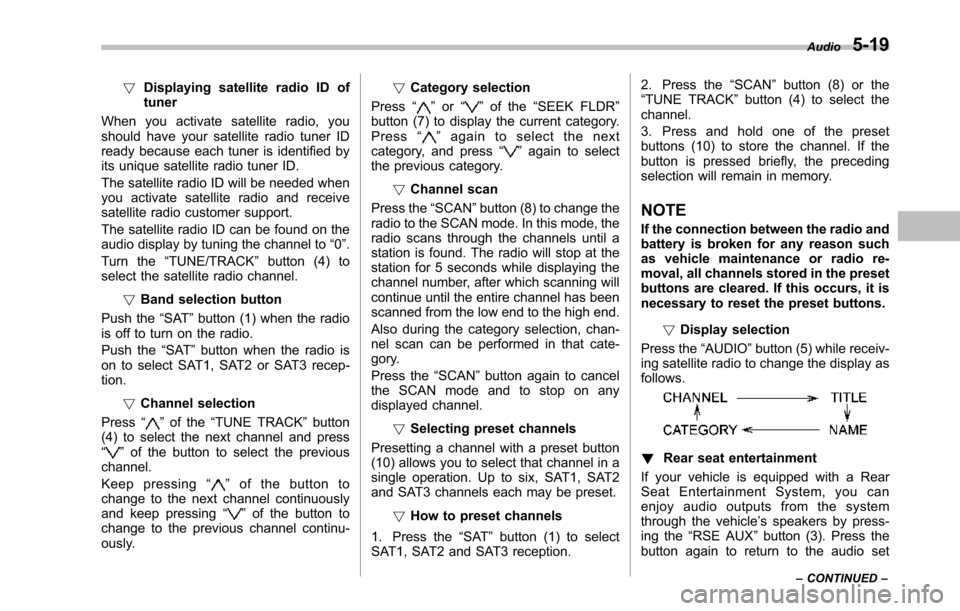
Press the“AUDIO”button (5) while receiv-ing satellite radio to change the display asfollows.
!Rear seat entertainment
If your vehicle is equipped with a RearSeat Entertainment System, you canenjoy audio outputs from the systemthrough the vehicle’s speakers by press-ing the“RSE AUX”button (3). Press thebutton again to return to the audio set
Audio5-19
–CONTINUED–
Page 248 of 426
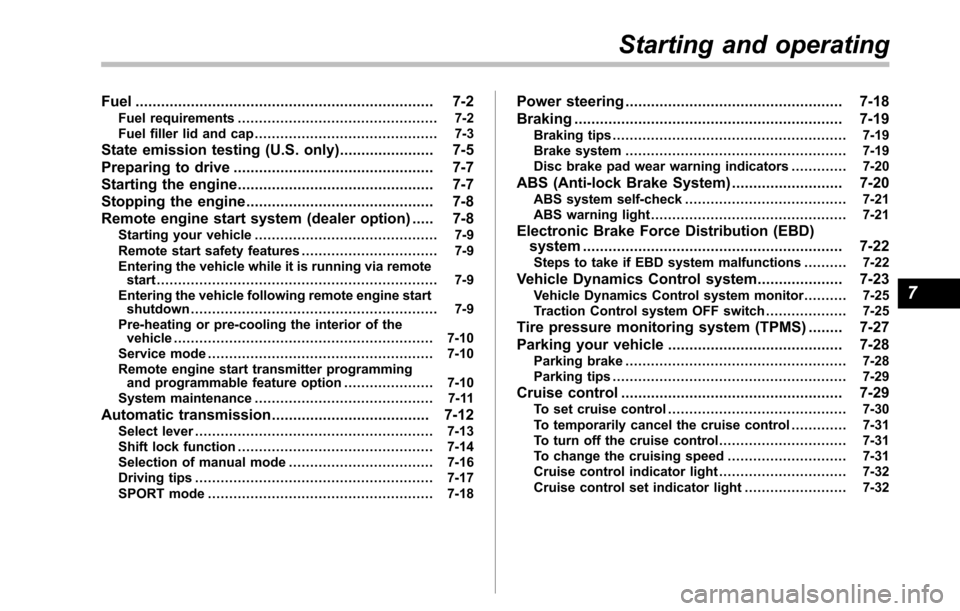
Fuel...................................................................... 7-2Fuel requirements............................................... 7-2Fuel filler lid and cap........................................... 7-3
State emission testing (U.S. only)...................... 7-5
Preparing to drive............................................... 7-7
Starting the engine.............................................. 7-7
Stopping the engine............................................ 7-8
Remote engine start system (dealer option)..... 7-8Starting your vehicle........................................... 7-9Remote start safety features................................ 7-9Entering the vehicle while it is running via remotestart.................................................................. 7-9Entering the vehicle following remote engine startshutdown.......................................................... 7-9Pre-heating or pre-cooling the interior of thevehicle............................................................. 7-10Service mode..................................................... 7-10Remote engine start transmitter programmingand programmable feature option..................... 7-10System maintenance.......................................... 7-11
Automatic transmission..................................... 7-12Select lever........................................................ 7-13Shift lock function.............................................. 7-14Selectionof manual mode.................................. 7-16Driving tips........................................................ 7-17SPORT mode..................................................... 7-18
Power steering................................................... 7-18
Braking............................................................... 7-19Braking tips....................................................... 7-19Brake system.................................................... 7-19Disc brake pad wear warning indicators............. 7-20
ABS (Anti-lock Brake System).......................... 7-20ABS system self-check...................................... 7-21ABS warning light.............................................. 7-21
Electronic Brake Force Distribution (EBD)system............................................................. 7-22Steps to take if EBD system malfunctions.......... 7-22
Vehicle Dynamics Control system.................... 7-23Vehicle Dynamics Control system monitor.......... 7-25Traction Control system OFF switch................... 7-25
Tire pressure monitoring system (TPMS)........ 7-27
Parking your vehicle......................................... 7-28Parking brake.................................................... 7-28Parking tips....................................................... 7-29
Cruise control.................................................... 7-29To set cruise control.......................................... 7-30To temporarily cancel the cruise control............. 7-31To turn off the cruise control.............................. 7-31To change the cruising speed ............................ 7-31Cruise control indicator light.............................. 7-32Cruise control set indicator light........................ 7-32
Starting and operating
7
Page 252 of 426
NOTE
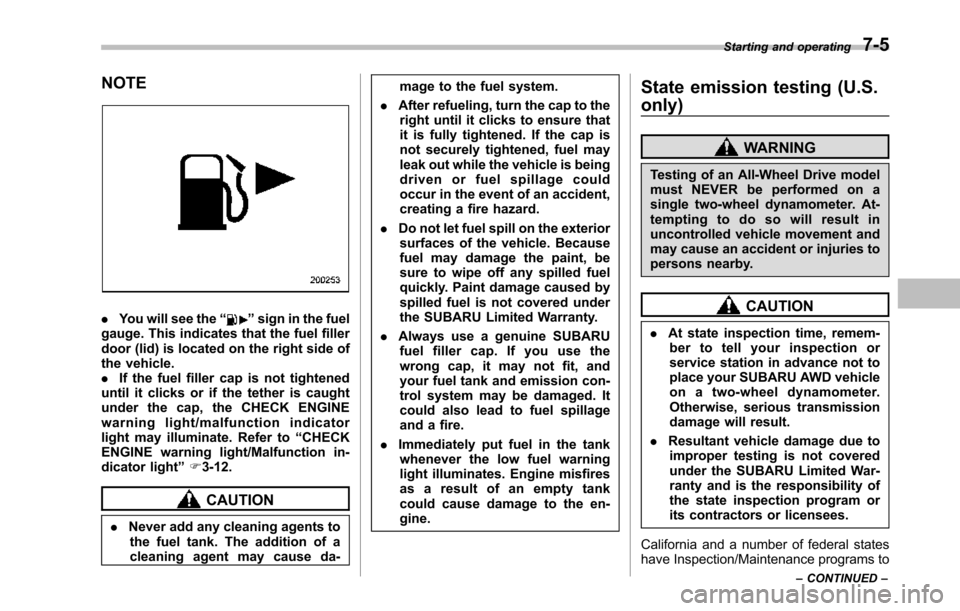
.You will see the“”sign in the fuelgauge. Thisindicates that the fuel fillerdoor (lid) is located on the right side ofthe vehicle..If the fuel filler cap is not tighteneduntil it clicks or if the tether is caughtunder the cap, the CHECK ENGINEwarning light/malfunction indicatorlight may illuminate. Refer to“CHECKENGINE warning light/Malfunction in-dicator light”F3-12.
CAUTION
.Never add any cleaning agents tothe fuel tank. The addition of acleaning agent may cause da-
mage to the fuel system.
.After refueling, turn the cap to theright until it clicks to ensure thatit is fully tightened. If the cap isnot securely tightened, fuel mayleak out while the vehicle is beingdriven or fuel spillage couldoccur in the event of an accident,creating a fire hazard.
.Do not let fuel spill on the exteriorsurfacesof the vehicle. Becausefuel may damage the paint, besure to wipe off any spilled fuelquickly. Paint damage caused byspilled fuel is not covered undertheSUBARU Limited Warranty.
.Always use a genuine SUBARUfuel filler cap. If you use thewrong cap, it may not fit, andyour fuel tank and emission con-trol systemmay be damaged. Itcould also lead to fuel spillageand a fire.
.Immediately put fuel in the tankwhenever the low fuel warninglight illuminates. Engine misfiresas a result of an empty tankcould cause damage to the en-gine.
State emission testing (U.S.
only)
WARNING
Testing of an All-Wheel Drive modelmust NEVER be performed on asingle two-wheel dynamometer. At-tempting to do so will result inuncontrolled vehicle movement andmay cause an accident or injuries topersons nearby.
CAUTION
.At state inspection time, remem-ber to tell your inspection orservice station in advance not toplace your SUBARU AWD vehicleon a two-wheel dynamometer.Otherwise, serious transmissiondamage will result.
.Resultant vehicle damage due toimproper testing is not coveredunderthe SUBARU Limited War-ranty and is the responsibility ofthe state inspection program orits contractors or licensees.
California and a number of federal stateshave Inspection/Maintenance programs to
Starting and operating7-5
–CONTINUED–
Page 258 of 426
sing the brake pedal repeatedly will togglethe feature ON or OFF each time.
7. To exit the remote transmitter andfeature programming mode, turn the igni-tion switch to the“LOCK”position, removethe key from the ignition switch and testoperation of the remote transmitter(s) andhorn confirmation feature.
&System maintenance
!Changing the batteries
CAUTION
.Do not let dust, oil or water get onor in the remote engine starttransmitter when replacing thebattery.
.Be careful not to damage theprinted circuit board in the re-mote engine start transmitterwhen replacing the battery.
.Be careful not to allow children totouch the battery and any re-moved parts; children couldswallowthem.
.There is a danger of explosion ifan incorrect replacement batteryis used. Replace only with thesame or equivalent type of bat-tery.
.Batteries should not be exposedto excessive heat such as sun-shine, fire or the like.
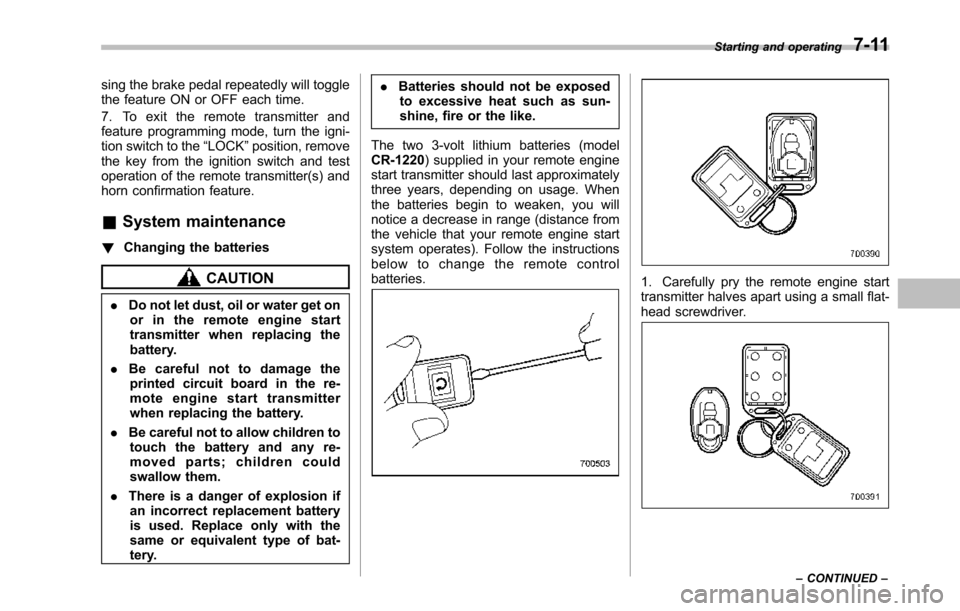
The two 3-volt lithium batteries (modelCR-1220) supplied in your remote enginestart transmitter should last approximatelythree years, depending on usage. Whenthebatteries begin to weaken, you willnotice a decrease in range (distance fromthe vehicle that your remote engine startsystem operates). Follow the instructionsbelow to change the remote controlbatteries.1. Carefully pry the remote engine starttransmitter halves apart using a small flat-head screwdriver.
Starting and operating7-11
–CONTINUED–
Page 280 of 426
New vehicle break-in driving–the first1,000 miles (1,600 km)..................................... 8-2
Fuel economy hints............................................ 8-2
Engine exhaust gas (carbon monoxide)............ 8-2
Catalytic converter.............................................. 8-3
Periodic inspections........................................... 8-4
Driving in foreign countries............................... 8-4
Driving tips for AWD models.............................. 8-4
On-road and off-road driving.............................. 8-6
Winter driving...................................................... 8-8Operation during cold weather............................. 8-8Driving on snowy and icy roads.......................... 8-9Corrosion protection.......................................... 8-10Snow tires......................................................... 8-10Tire chains......................................................... 8-11Rockingthe vehicle............................................ 8-11
Loading your vehicle......................................... 8-12Vehicle capacity weight...................................... 8-12GVWR and GAWR (Gross Vehicle Weight Ratingand Gross Axle Weight Rating)........................ 8-13Roof rails and crossbar (if equipped).................. 8-14Roof molding and crossbar (if equipped)............ 8-17
Trailer hitch (if equipped).................................. 8-18Connecting a trailer........................................... 8-19When you do not tow a trailer ............................ 8-20
Trailer towing..................................................... 8-21Warranties and maintenance.............................. 8-21Maximum load limits.......................................... 8-21Trailer hitches.................................................... 8-24Connecting a trailer........................................... 8-25Trailer towing tips.............................................. 8-26
Driving tips
8