Page 71 of 488

71
1-4. Opening and closing the windows
1
Before driving
■The power windows can be operated when
Vehicles without a keyless access with push button start system
The engine switch is in the “ON” position.
Vehicles with a keyless access with push button start system
The push-button ignition switch is in “ON” mode.
■Operating the power windows after turning the engine off
Vehicles without a keyless access with push button start system
The power windows can be operated for approximately 45 seconds even
after the engine switch is turned to the “ACC” or “LOCK” position. They can-
not, however, be operated once either door is opened.
Vehicles with a keyless access with push button start system
The power windows can be operated for approximately 45 seconds even
after the push-button ignition switch is turned to “ACC” mode or turned off.
They cannot, however, be operated once either door is opened.
■Jam protection function
If an object becomes caught between the window and the body, window
travel is stopped and the window is opened slightly.
Page 72 of 488

72
1-4. Opening and closing the windows
■When the power window does not close normally
If the jam protection function is operating abnormally and a window cannot
be closed, close all the doors perform the following operations using the
power window switch on the relevant door.Vehicles without a keyless access with push button start system:
After stopping the vehicle, the engine switch is turned to the “ON”
position.
Vehicles with a keyless access with push button start system: After
stopping the vehicle, the push-button ignition switch is turned to
“ON” mode.
Hold the power window switch in the one-touch closing position two
consecutive times.
Hold the power window switch in the one-touch closing position
once again and continue holding for 1 second or more after the win-
dow closes completely.
If you push the power window switch to the opening position while the win-
dow is moving, start again from the beginning. If the window continues to
close but then re-open slightly even after performing the above procedure
correctly, we recommend that you have your SUBARU dealer.
STEP 1
STEP 2
STEP 3
Page 74 of 488
74
1-5. Refueling
Opening the fuel tank cap
Perform the following steps to open the fuel tank cap:
■Before refueling the vehicle ●Vehicles without a keyless access with push button start sys-
tem: Turn the engine switch off and ensure that all the doors
and windows are closed.
● Vehicles with a keyless access with push button start system:
Turn the push-button ignition switch off and ensure that all the
doors and windows are closed.
● Confirm the type of fuel. ( →P. 7 5 )
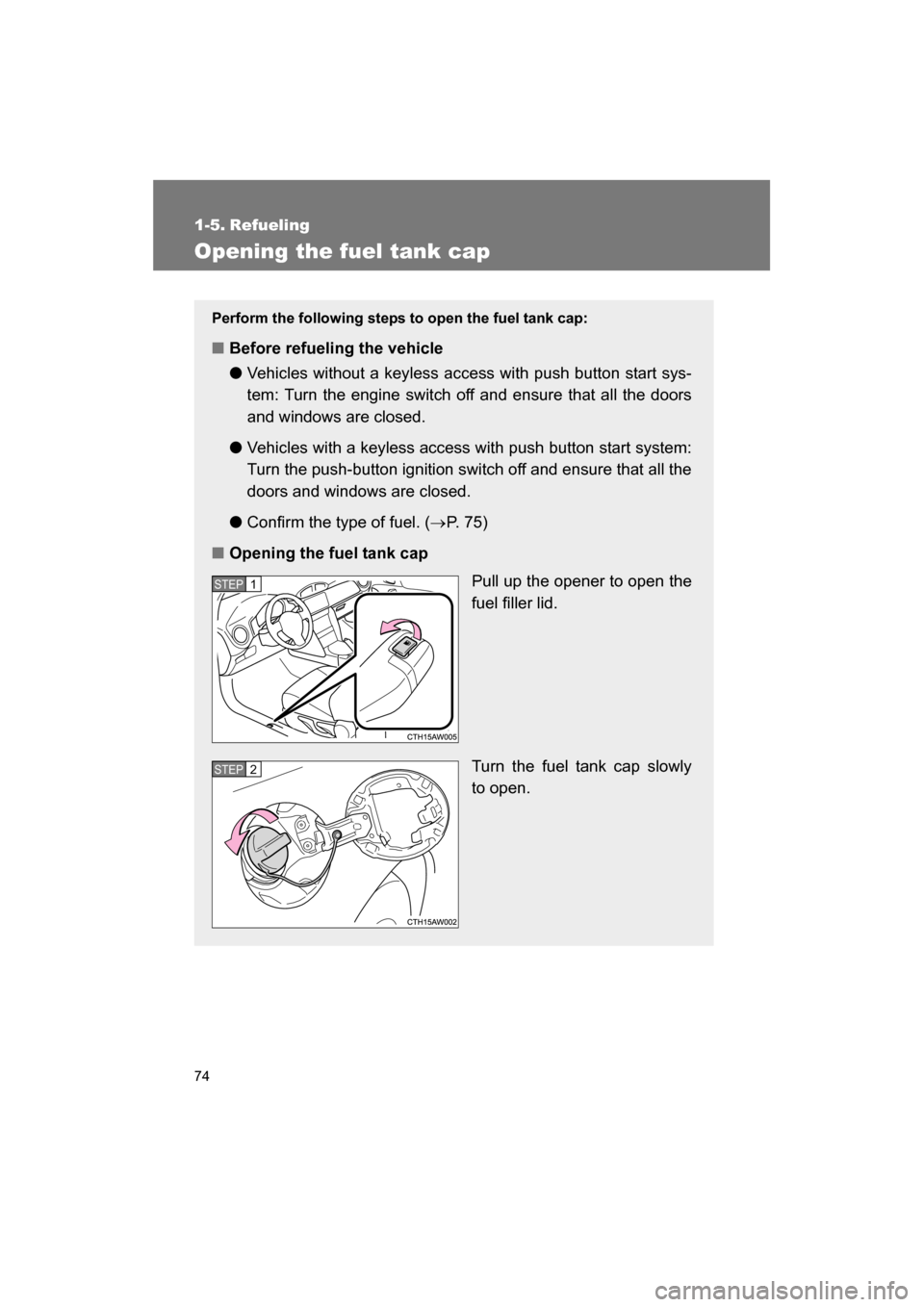
■Opening the fuel tank cap
Pull up the opener to open the
fuel filler lid.
Turn the fuel tank cap slowly
to open.
STEP 1
STEP 2
Page 78 of 488
78
1-6. Security system
Engine immobilizer system
The vehicle's keys have built-in transponder chips that prevent the
engine from starting if the key has not been previously registered in
the vehicle's on-board computer.
Never leave the keys inside the vehicle when you leave the vehicle.
Vehicles without a keyless
access with push button
start system
The indicator light flashes after
the key has been removed
from the engine switch to indi-
cate that the system is operat-
ing.
The indicator light stops flash-
ing after the registered key
has been inserted into the
engine switch to indicate that
the system has been can-
celed.
Page 79 of 488
79
1-6. Security system
1
Before driving
■When the vehicle cannot be started with the registered key (vehicles
without a keyless access with push button start system)
Remove the key and try again.
■System maintenance
The vehicle has a maintenance-free type engine immobilizer system.
■Conditions that may cause the system to malfunction
●If the key is in contact with a metallic object
●If the key is in close proximity to or touching a key to the security system
(key with a built-in transponder chip) of another vehicleVehicles with a keyless
access with push button
start system
The indicator light flashes after
the push-button ignition switch
has been turned off to indicate
that the system is operating.
The indicator light stops flash-
ing after the push-button igni-
tion switch has been turned to
“ACC” or “ON” mode to indi-
cate that the system has been
canceled.
Page 82 of 488
82
1-6. Security system
Alarm∗
The alarm’s default setting is set to off. To use the alarm, perform the
activating the alarm system procedures.
The system sounds the alarm and flashes the lights when forcible
entry is detected.
■Triggering of the alarm
The alarm is triggered when a locked door or the trunk lid is
unlocked or opened in any way other than using the “keyless
access” entry function or remote keyless entry system while the
alarm is set.
■Setting the alarm system
Close the doors and/or trunk lid and perform one of the follow-
ing: ●
Lock the doors using the “keyless access” entry function.
● Lock the doors using the remote keyless entry system.
● Lock the doors from the outside without using a key. (→ P. 44)
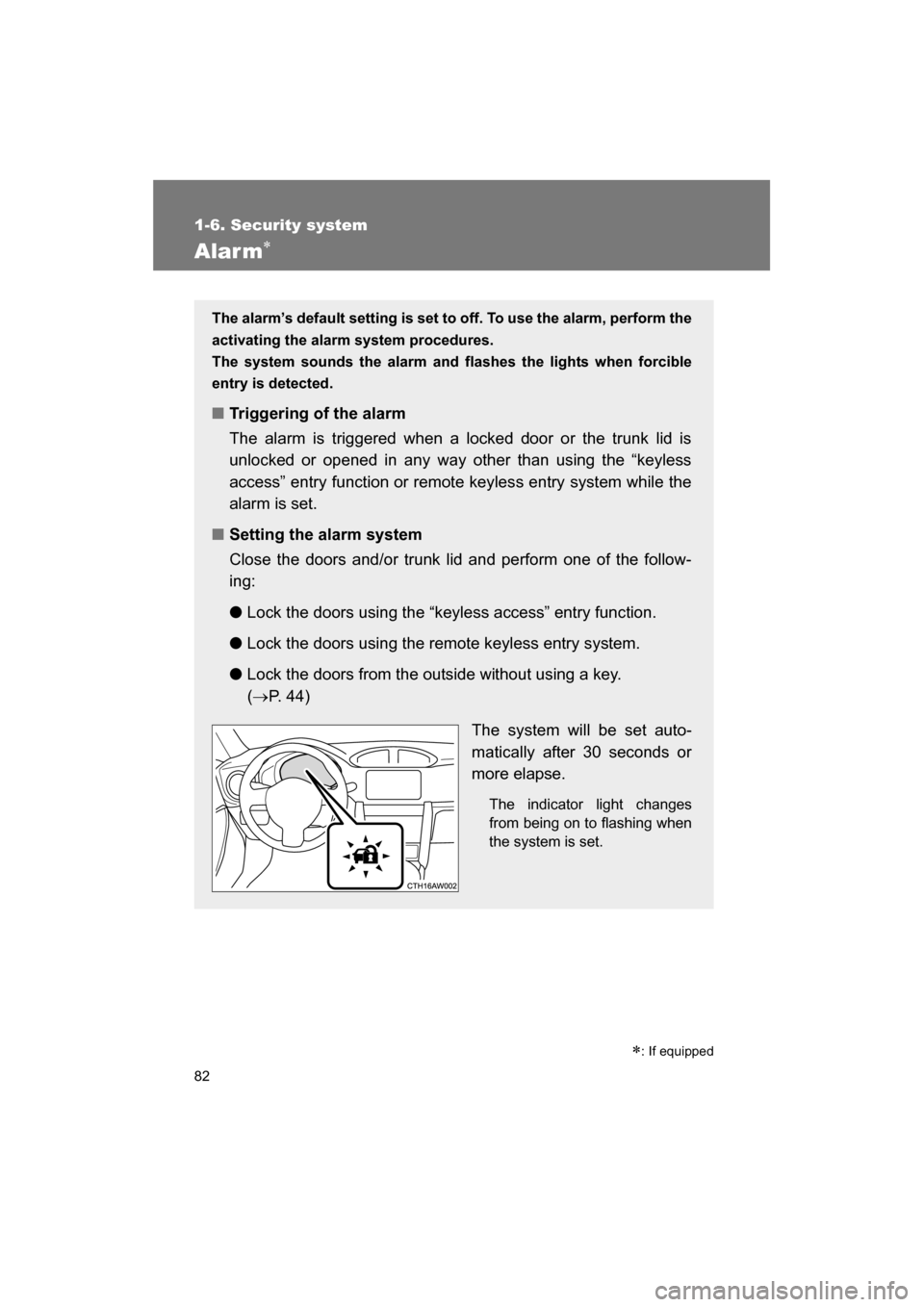
The system will be set auto-
matically after 30 seconds or
more elapse.The indicator light changes
from being on to flashing when
the system is set.
∗: If equipped
Page 83 of 488
83
1-6. Security system
1
Before driving
Activating/deactivating the alarm systemCheck that both side doors and the trunk lid are closed.
Turn the push-button ignition switch to “ON” mode. Open the driver ’s door while
pressing and holding on
the power door lock switch and
continue to press for
approximately 10 seconds after
the driver’s door has opened.
The alarm system changes
between activated and deacti-
vated as follows.
■Deactivating or stopping the alarm
Perform one of the following to deactivate or stop the alarm: ●Unlock the doors using the “keyless access” entry function.
● Unlock the doors using the remote keyless entry system.
● Turn the push-button ignition switch to “ACC” or “ON” mode,
or start the engine. (The alarm will be deactivated or stopped
after a few seconds.)
STEP 1
STEP 2
STEP 3
Alarm statusHornMulti-information dis-
play
Deactivated Sounds twice AL oF
Activated Sounds once AL on
Page 84 of 488

84
1-6. Security system
■System maintenance
The vehicle has a maintenance-free type alarm system.
■Items to check before locking the vehicle
To prevent unexpected triggering of the alarm and vehicle theft, make sure
of the following.
●Nobody is in the vehicle.
●The windows are closed before the alarm is set.
●No valuables or other personal items are left in the vehicle.
■Opening and closing the trunk lid
●If the alarm setting operations are pe rformed with the trunk lid left open,
the alarm will not be set. After closing the trunk lid, the alarm is set after
30 seconds or more elapse.
●When the trunk lid is unlocked using the “keyless access” entry function
or remote keyless entry system while the alarm is set, the alarm goes
into standby mode. After closing the trunk lid, the alarm is set again after
30 seconds or more elapse.
■Triggering of the alarm
The alarm may be triggered in the following situations.
Stopping the alarm deactivates the alarm system.
●A person inside the vehicle opens a
door or the trunk lid.
●The battery is recharged or replaced
when the vehicle is locked.