Page 171 of 488
171
2-1. Driving procedures
2
When driving
Engine (ignition) switch (vehicles without a keyless access with push button start system)
■Starting the engine
Vehicles with an automatic transmission Check that the parking brake is set.
Check that the select lever is set in P.
Firmly depress the brake pedal.
Turn the engine switch to the “START” position to start the
engine.
Vehicles with a manual transmission Check that the parking brake is set.
Check that the shift lever is set in neutral.
Firmly depress the clutch pedal.
Turn the engine switch to the “START” position to start the
engine.
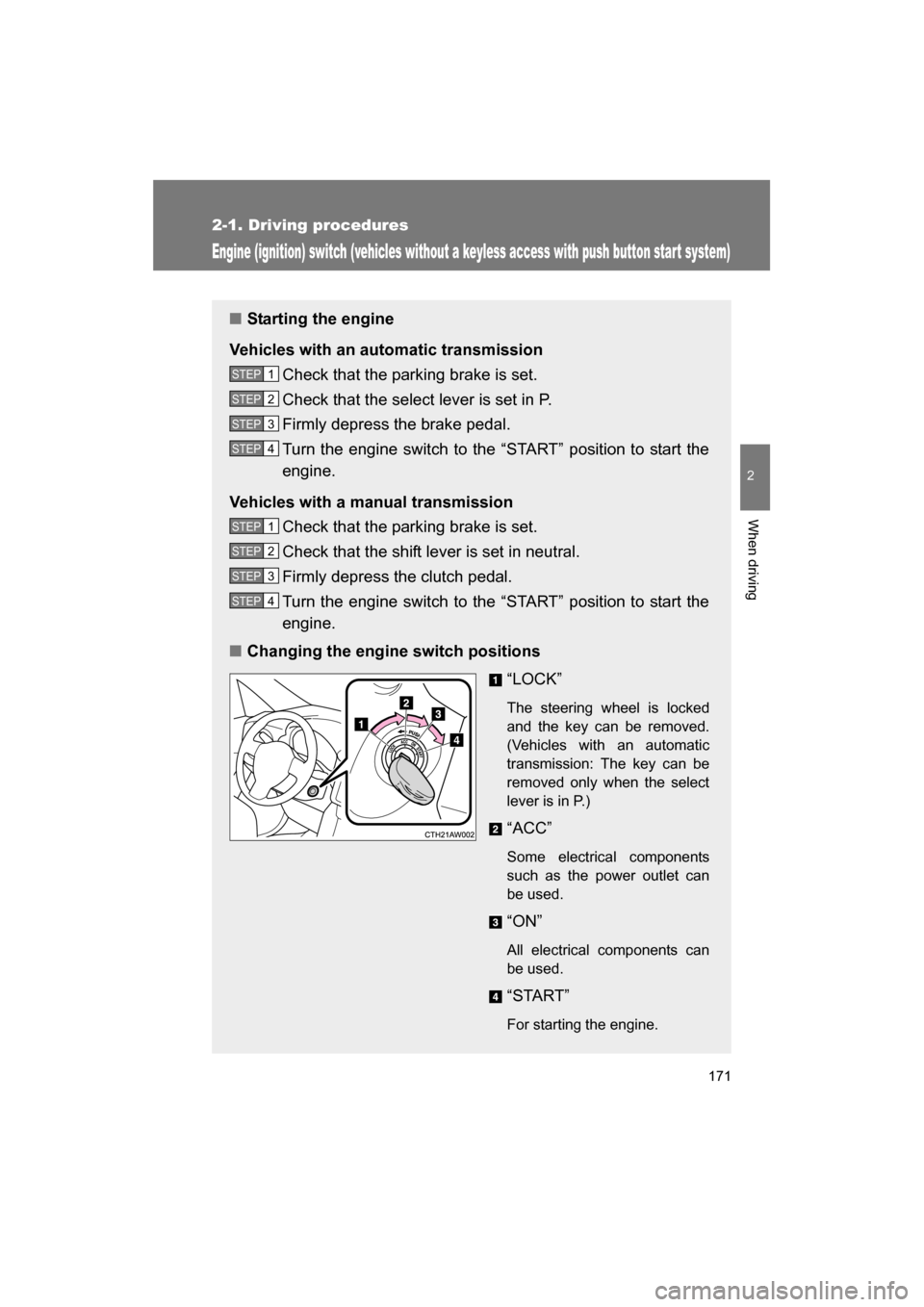
■Changing the engine switch positions
“LOCK”
The steering wheel is locked
and the key can be removed.
(Vehicles with an automatic
transmission: The key can be
removed only when the select
lever is in P.)
“ACC”
Some electrical components
such as the power outlet can
be used.
“ON”
All electrical components can
be used.
“START”
For starting the engine.
STEP 1
STEP 2
STEP 3
STEP 4
STEP 1
STEP 2
STEP 3
STEP 4
Page 172 of 488
172
2-1. Driving procedures
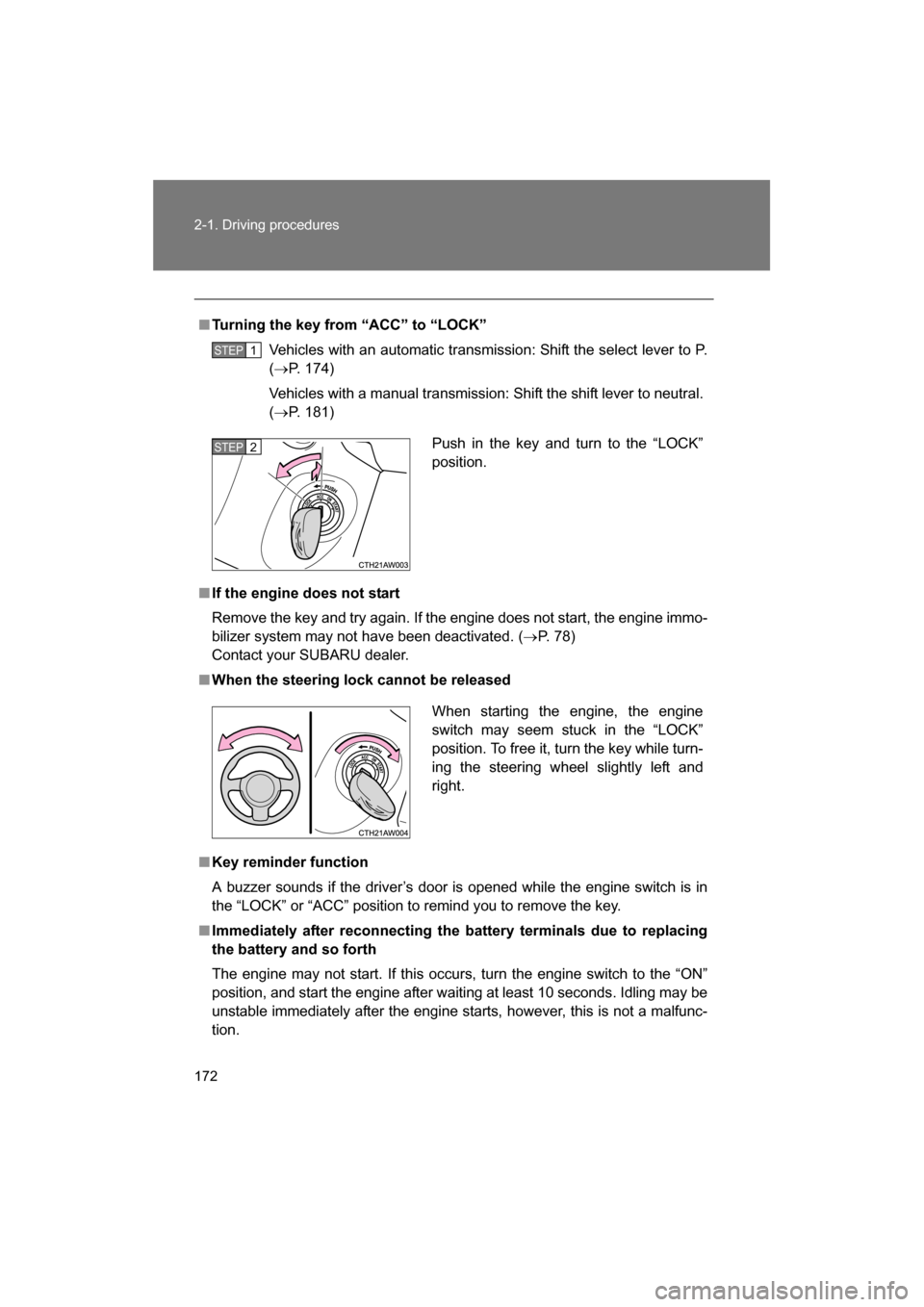
■Turning the key from “ACC” to “LOCK”Vehicles with an automatic transmission: Shift the select lever to P. (→ P. 174)
Vehicles with a manual transmission: Shift the shift lever to neutral. ( → P. 181)
■If the engine does not start
Remove the key and try again. If the engine does not start, the engine immo-
bilizer system may not have been deactivated. ( →P. 78)
Contact your SUBARU dealer.
■When the steering lock cannot be released
■Key reminder function
A buzzer sounds if the driver’s door is opened while the engine switch is in
the “LOCK” or “ACC” position to remind you to remove the key.
■Immediately after reconnecting the battery terminals due to replacing
the battery and so forth
The engine may not start. If this occurs, turn the engine switch to the “ON”
position, and start the engine after waiting at least 10 seconds. Idling may be
unstable immediately after the engine starts, however, this is not a malfunc-
tion.
STEP 1
Push in the key and turn to the “LOCK”
position.STEP 2
When starting the engine, the engine
switch may seem stuck in the “LOCK”
position. To free it, turn the key while turn-
ing the steering wheel slightly left andright.
Page 174 of 488
174
2-1. Driving procedures
Automatic transmission∗
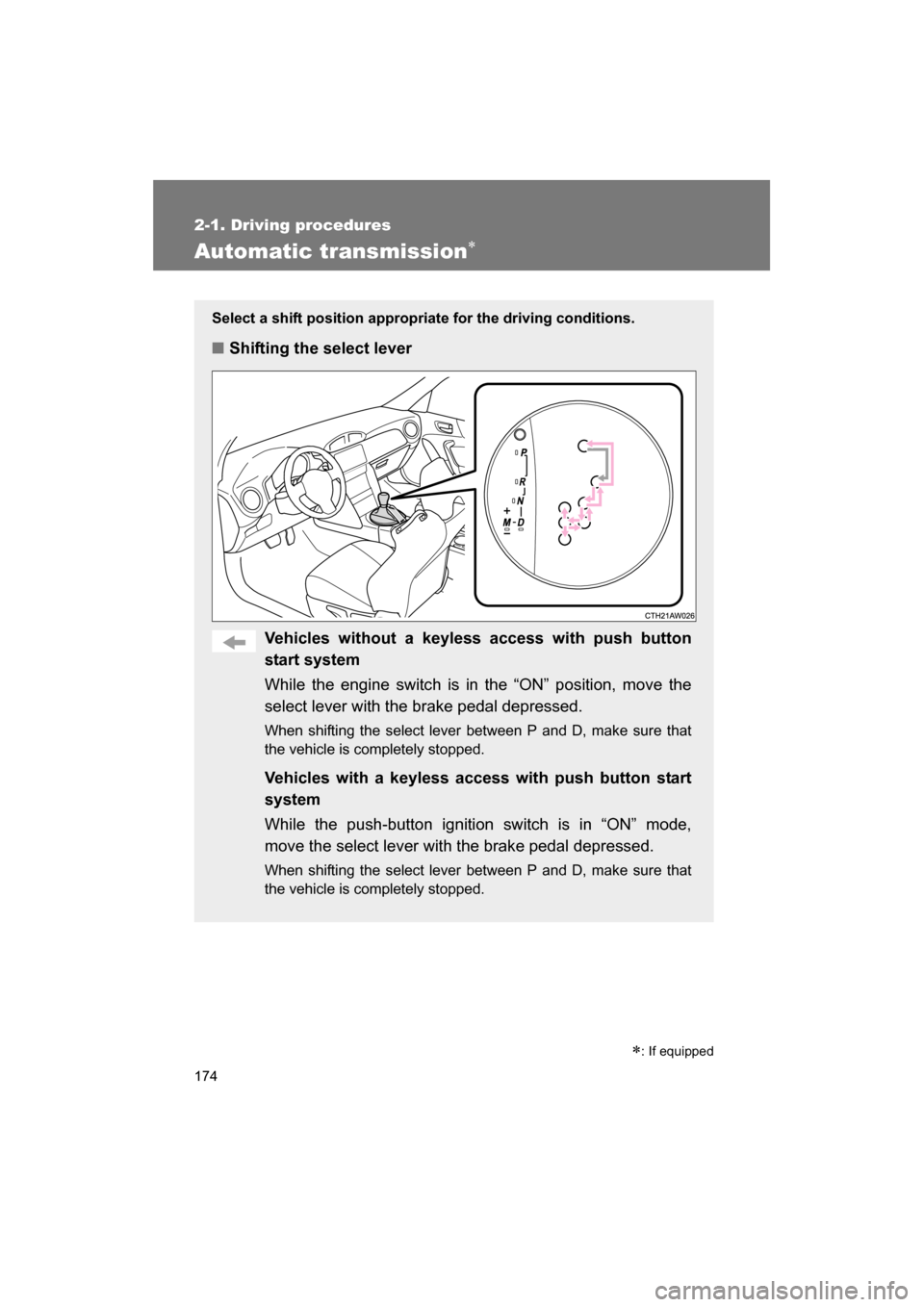
Select a shift position appropriate for the driving conditions.
■Shifting the select lever
Vehicles without a keyless access with push button
start system
While the engine switch is in the “ON” position, move the
select lever with the brake pedal depressed.
When shifting the select lever between P and D, make sure that
the vehicle is completely stopped.
Vehicles with a keyless access with push button start
system
While the push-button ignition switch is in “ON” mode,
move the select lever with the brake pedal depressed.
When shifting the select lever between P and D, make sure that
the vehicle is completely stopped.
∗: If equipped
Page 184 of 488
184
2-1. Driving procedures
Turn signal lever
■Turn signals can be operated when
Vehicles without a keyless access with push button start system
The engine switch is in the “ON” position.
Vehicles with a keyless access with push button start system
The push-button ignition switch is in “ON” mode.
■If the indicators flash faster than usual
Check that a light bulb in the turn signal lights has not burned out.
The turn signal lever can be used to show the following intentions of
the driver:
Right turn
Left turn
Lane change to the right
(push and hold the lever
partway)
The right hand signals will
flash until you release the
lever.
Lane change to the left
(push and hold the lever
partway)
The left hand signals will flash
until you release the lever.
Page 189 of 488
189
2-2. Instrument cluster
2
When driving
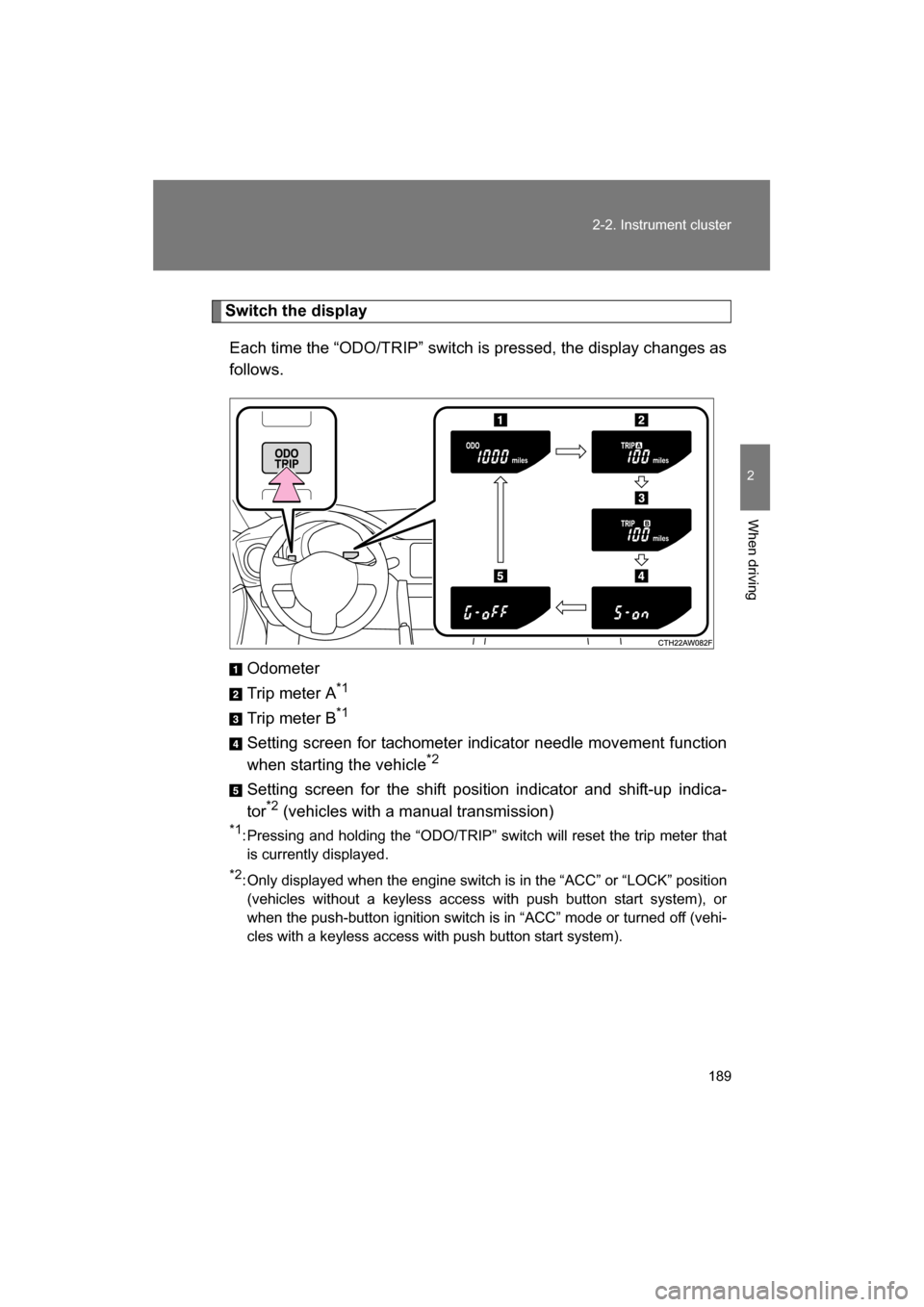
Switch the displayEach time the “ODO/TRIP” switch is pressed, the display changes as
follows.
Odometer
Trip meter A *1
Trip meter B *1
Setting screen for tachometer indicator needle movement function
when starting the vehicle *2
Setting screen for the shift position indicator and shift-up indica-
tor *2
(vehicles with a manual transmission)
*1 : Pressing and holding the “ODO/TRIP” switch will reset the trip meter that
is currently displayed.
*2 : Only displayed when the engine switch is in the “ACC” or “LOCK” position
(vehicles without a keyless access with push button start system), or
when the push-button ignition switch is in “ACC” mode or turned off (vehi-
cles with a keyless access with push button start system).
Page 190 of 488
190
2-2. Instrument cluster
Tachometer indicator needle movement function when starting
the vehicleWhen the engine switch is turned to “ON” position (vehicles without a
keyless access with push button start system), or the push-button
ignition switch is turned to “ON” mode (vehicles with a keyless access
with push button start system), the tachometer indicator needle points
to the highest value once and then quickly returns.
■Changing between activated/deactivated Press the “ODO/TRIP” switch repeatedly until the setting
screen is displayed. ( →P. 189)
Each time the switch is pressed and held, the function
changes between activated/deactivated.
“S-on”: Activated
“S-oFF”: Deactivated
Setting the shift position indicator and shift-up indicator
(vehicles with a manual transmission)
Displaying of the shift position indicator and shift-up indicator can be
turned on/off. Press the “ODO/TRIP” switch repeatedly until the setting
screen is displayed. ( →P. 189)
Each time the switch is pressed and held, the display changes
between on/off.
“G-on”: Display on
“G-oFF”: Display off
STEP 1
STEP 2
STEP 1
STEP 2
Page 193 of 488
193
2-2. Instrument cluster
2
When driving
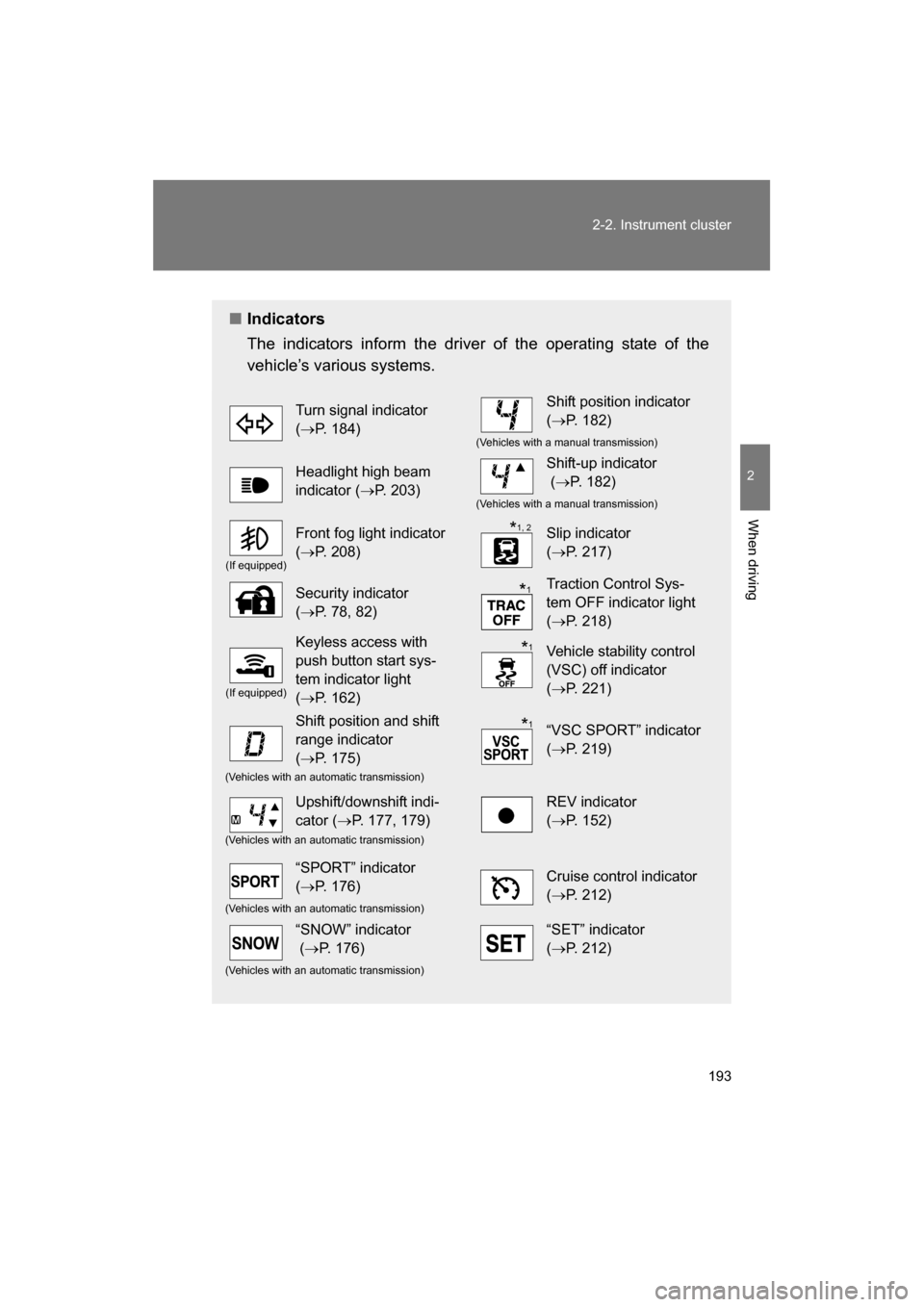
■Indicators
The indicators inform the driver of the operating state of the
vehicle’s various systems.
Turn signal indicator (→ P. 184)Shift position indicator (→ P. 182)
(Vehicles with a manual transmission)
Headlight high beam
indicator ( →P. 203)Shift-up indicator (→ P. 182)
(Vehicles with a manual transmission)
(If equipped)
Front fog light indicator (→ P. 208)Slip indicator (→ P. 217)
Security indicator (→ P. 78, 82)Traction Control Sys-
tem OFF indicator light (→ P. 218)
(If equipped)
Keyless access with
push button start sys-
tem indicator light (→ P. 162)Vehicle stability control
(VSC) off indicator (→ P. 221)
Shift position and shift
range indicator (→ P. 175)“VSC SPORT” indicator (→ P. 219)
(Vehicles with an automatic transmission)
Upshift/downshift indi-
cator ( →P. 177, 179)REV indicator (→ P. 152)
(Vehicles with an automatic transmission)
“SPORT” indicator (→ P. 176)Cruise control indicator (→ P. 212)
(Vehicles with an automatic transmission)
“SNOW” indicator (→ P. 176)“SET” indicator (→ P. 212)
(Vehicles with an automatic transmission)
*1, 2
*
1
*1
*
1
Page 194 of 488
194
2-2. Instrument cluster
*1
: Vehicles without a keyless access with push button start system
These lights turn on when the engine switch is turned to the “ON”
position to indicate that a system check is being performed. They
will turn off after the engine is started, or after a few seconds. There
may be a malfunction in a system if a light does not come on, or if
the lights do not turn off. Have the vehicle inspected by your
SUBARU dealer.
Vehicles with a keyless access with push button start system
These lights turn on when the push-button ignition switch is turned
to “ON” mode to indicate that a system check is being performed.
They will turn off after the engine is started, or after a few seconds.
There may be a malfunction in a system if a light does not come on,
or if the lights do not turn off. Have the vehicle inspected by your
SUBARU dealer.
* 2
: The light flashes to indicate that the system is operating.
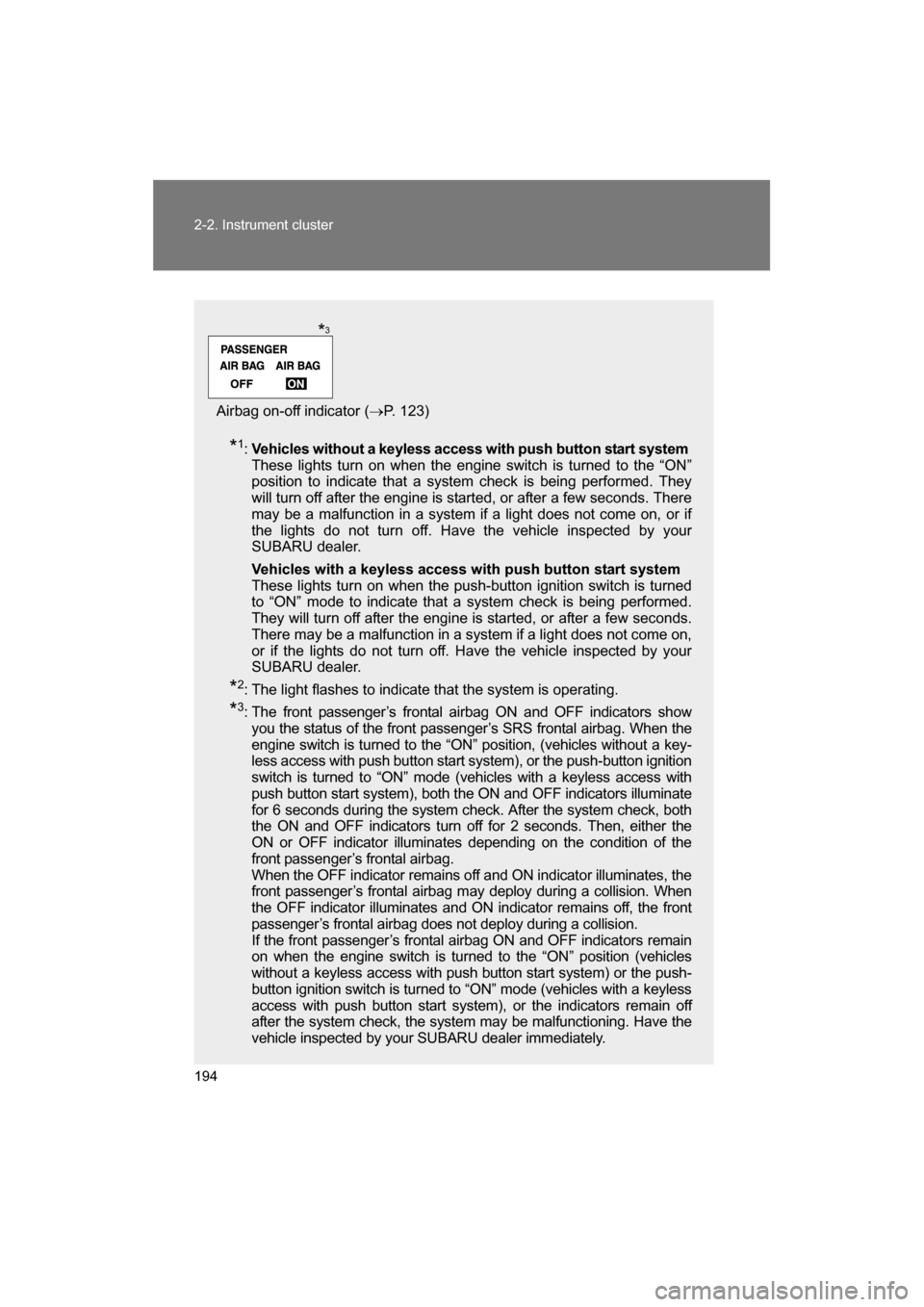
* 3
: The front passenger’s frontal airbag ON and OFF indicators show
you the status of the front passenger’s SRS frontal airbag. When the
engine switch is turned to the “ON” position, (vehicles without a key-
less access with push button start system), or the push-button ignition
switch is turned to “ON” mode (vehicles with a keyless access with
push button start system), both the ON and OFF indicators illuminate
for 6 seconds during the system check. After the system check, both
the ON and OFF indicators turn off for 2 seconds. Then, either the
ON or OFF indicator illuminates depending on the condition of the
front passenger’s frontal airbag.
When the OFF indicator remains off and ON indicator illuminates, the
front passenger’s frontal airbag may deploy during a collision. When
the OFF indicator illuminates and ON indicator remains off, the front
passenger’s frontal airbag does not deploy during a collision.
If the front passenger’s frontal airbag ON and OFF indicators remain
on when the engine switch is turned to the “ON” position (vehicles
without a keyless access with push button start system) or the push-
button ignition switch is turned to “ON” mode (vehicles with a keyless
access with push button start system), or the indicators remain off
after the system check, the system may be malfunctioning. Have the
vehicle inspected by your SUBARU dealer immediately.
Airbag on-off indicator ( →P. 123)
*3