Page 224 of 546
of this message type are “Turn Signal On” (if a turn signal
is left on) and “Lights On” (if driver leaves the vehicle).
•Unstored Messages Until RUN
These messages deal primarily with the Remote Start
feature. This message type is displayed until the ignition
is in the RUN state. Examples of this message type are
“Remote Start Aborted - Door Ajar” and “Press Brake
Pedal and Push Button to Start”.
• Five Second Unstored Messages
When the appropriate conditions occur, this type of
message takes control of the main display area for five
seconds and then returns to the previous screen. An
example of this message type is “Automatic High Beams
On”.Electronic Vehicle Information Center (EVIC)
Displays — 7” Display
222 UNDERSTANDING YOUR INSTRUMENT PANEL
Page 226 of 546

as there is a stored message, an “i” will be displayed in
the EVIC’s compass/outside temp line. Examples of this
message type are “Right Front Turn Signal Lamp Out”
and “Low Tire Pressure”.
•Unstored Messages
This message type is displayed indefinitely or until the
condition that activated the message is cleared. Examples
of this message type are “Turn Signal On” (if a turn signal
is left on) and “Lights On” (if driver leaves the vehicle).
• Unstored Messages Until RUN
These messages deal primarily with the Remote Start
feature. This message type is displayed until the ignition
is in the RUN state. Examples of this message type are
“Remote Start Aborted - Door Ajar” and “Press Brake
Pedal and Push Button to Start”. •
Five Second Unstored Messages
When the appropriate conditions occur, this type of
message takes control of the main display area for five
seconds and then returns to the previous screen. An
example of this message type is “Automatic High Beams
On”.
EVIC Amber Telltales
This area will show reconfigurable amber caution tell-
tales. These telltales include:
• Low Fuel Telltale
When the fuel level reaches approximately 3.0 gal
(11.0 L) this light will turn on, and remain on until
fuel is added.
224 UNDERSTANDING YOUR INSTRUMENT PANEL
Page 231 of 546

•Electric Power Steering Malfunction Warning Light
This telltale is on when the Electric Power
Steering is not operating and needs service.
• Trailer Brake Disconnected Warning Light
This telltale is on when the Trailer Brake has
been disconnected.
EVIC Green Telltales
•Electronic Speed Control SET
This telltale will illuminate green when the
electronic speed control is SET. For further
information, refer to “Electronic Speed Con-
trol” in “Understanding The Features Of Your
Vehicle.”
EVIC Selectable Menu Items
Press and release the UP or DOWN arrow buttons until
the desired Selectable Menu icon is highlighted in the
EVIC.
Digital Speedometer
Press and release the UP or DOWN arrow
button until the Digital display icon is high-
lighted in the EVIC. Press and release the
SELECT/RIGHT arrow button to change the
display between km/h and mph.
Vehicle Info (Customer Information Features)
Press and release the UP or DOWN arrow
button until the Vehicle Info icon is highlighted
in the EVIC. Press and release the SELECT/
RIGHT arrow button and Coolant Temp will be
4
UNDERSTANDING YOUR INSTRUMENT PANEL 229
Page 234 of 546
Fuel EconomyPress and release the UP or DOWN arrow
button until the Fuel Economy icon is
highlighted.
• Average Fuel Economy/Miles Per Gallon (MPG or
L/100 km with Bargraph)
• Range To Empty (RTE)
• Current Fuel Economy (MPG or L/100 km)
Trailer Tow
Press and release the UP or DOWN arrow
button until the Trailer Tow icon is highlighted.
Press the SELECT/RIGHT arrow button and
the next screen will display the following
trailer trip information: •
Trailer Trip
• Trailer Brake
Audio
Press and release the UP or DOWN arrow
button until the Audio display icon is high-
lighted in the EVIC. Press and release the
SELECT/RIGHT arrow button to display the
active source.
Screen Setup
Press and release the UP or DOWN arrow
button until the Screen Setup display icon is
highlighted in the EVIC. Press and release the
SELECT/RIGHT arrow button to enter the
Screen Setup sub-menu. The Screen Setup feature allows
232 UNDERSTANDING YOUR INSTRUMENT PANEL
Page 239 of 546
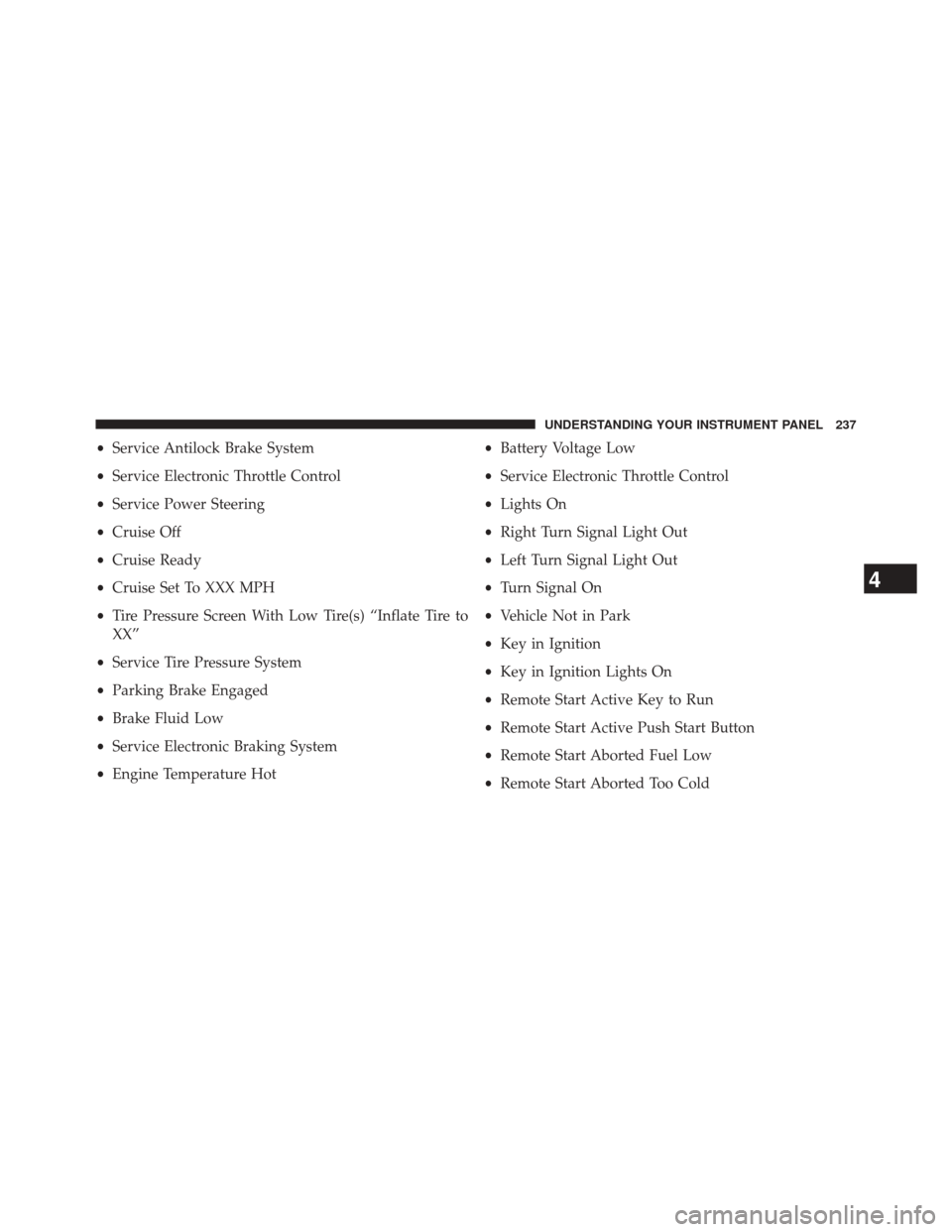
•Service Antilock Brake System
• Service Electronic Throttle Control
• Service Power Steering
• Cruise Off
• Cruise Ready
• Cruise Set To XXX MPH
• Tire Pressure Screen With Low Tire(s) “Inflate Tire to
XX”
• Service Tire Pressure System
• Parking Brake Engaged
• Brake Fluid Low
• Service Electronic Braking System
• Engine Temperature Hot •
Battery Voltage Low
• Service Electronic Throttle Control
• Lights On
• Right Turn Signal Light Out
• Left Turn Signal Light Out
• Turn Signal On
• Vehicle Not in Park
• Key in Ignition
• Key in Ignition Lights On
• Remote Start Active Key to Run
• Remote Start Active Push Start Button
• Remote Start Aborted Fuel Low
• Remote Start Aborted Too Cold
4
UNDERSTANDING YOUR INSTRUMENT PANEL 237
Page 240 of 546
•Remote Start Aborted Door Open
• Remote Start Aborted Hood Open
• Remote Start Aborted Trunk Open
• Remote Start Aborted Time Expired
• Remote Start Disabled Start to Reset
• Service Airbag System
• Service Airbag Warning Light
• Driver Seatbelt Unbuckled
• Passenger Seatbelt Unbuckled
• Front Seatbelts Unbuckled
• Door Open
• Doors Open
• Gear Not Available •
Shift Not Allowed
• Shift to Neutral then Drive or Reverse
• Autostick Unavailable Service Required
• Automatic Unavailable Use Autostick Service Req.
• Transmission Getting Hot Press Brake
• Trans. Hot Stop Safely Shift to Park Wait to Cool
• Transmission Cool Ready to Drive
• Service Transmission
• Service Shifter
• Engage Park Brake to Prevent Rolling
• Transmission Too cold Idle with Engine On
• Washer Fluid Low
238 UNDERSTANDING YOUR INSTRUMENT PANEL
Page 243 of 546

button until a check-mark appears next to the feature
showing the system has been activated or the check-mark
is removed showing the system has been deactivated.
Auto Wipers — If Equipped
When ON is selected, the system will automatically
activate the windshield wipers if it senses moisture on
the windshield. To make your selection, press and release
the SELECT button until a check-mark appears next to
the feature showing the system has been activated or the
check-mark is removed showing the system has been
deactivated. When the system is deactivated, the system
reverts to the standard intermittent wiper operation.
Hill Start Assist (HSA)
When on is selected, the HSA system is active. Refer to
“Electronic Brake Control System” in “Starting And
Operating” for system function and operating informa-
tion. To make your selection, press and release the
SELECT button until a check-mark appears next to thefeature showing the system has been activated or the
check-mark is removed showing the system has been
deactivated.
Headlamp Off Delay
When this feature is selected, the driver can choose to
have the headlights remain on for 0, 30, 60, or 90 seconds
when exiting the vehicle. To make your selection, scroll
up or down until the preferred setting is highlighted,
then press and release the SELECT button until a check-
mark appears next to the setting, showing that the setting
has been selected.
Illuminated Approach
When this feature is selected, the headlights will activate
and remain on for 0, 30, 60, or 90 seconds when the doors
are unlocked with the RKE transmitter. To make your
selection, scroll up or down until the preferred setting is
4
UNDERSTANDING YOUR INSTRUMENT PANEL 241
Page 248 of 546

highlighted, then press and release the SELECT button
until a check-mark appears next to the setting, showing
that the setting has been selected.
Trailer Select
When this feature is selected, the Trailer Type can be
selected between “Trailer 1”, “Trailer 2”, “Trailer 3” and
“Trailer 4”. To make your selection, scroll up or down
until the preferred setting is highlighted, then press and
release the SELECT button until a check-mark appears
next to the setting, showing that the setting has been
selected.
Trailer Brake Type
When this feature is selected, the Trailer Brake Type can
be changed between “Light Electric”, “Heavy Electric”,
“Light EOH” and “Heavy EOH”. To make your selection,
scroll up or down until the preferred setting is high-
lighted, then press and release the SELECT button until a
check-mark appears next to the setting, showing that thesetting has been selected. Refer to “Integrated Trailer
Brake Module” in “Starting And Operating.”
Trailer Name
When this feature is selected, the Trailer name can be
selected from 16 names. To make your selection, scroll up
or down until the preferred setting is highlighted, then
press and release the SELECT button until a check-mark
appears next to the setting, showing that the setting has
been selected.
Calibrate Compass
Refer to “Automatic Compass Calibration” in “Electronic
Vehicle Information (EVIC)” in “Understanding Your
Instrument Panel” for more information.
Compass Variance
Refer to “Compass/Temperature Display” in “Electronic
Vehicle Information (EVIC)” in “Understanding Your
Instrument Panel” for more information.
246 UNDERSTANDING YOUR INSTRUMENT PANEL