Page 38 of 352
36
Monitoring
Service overdue
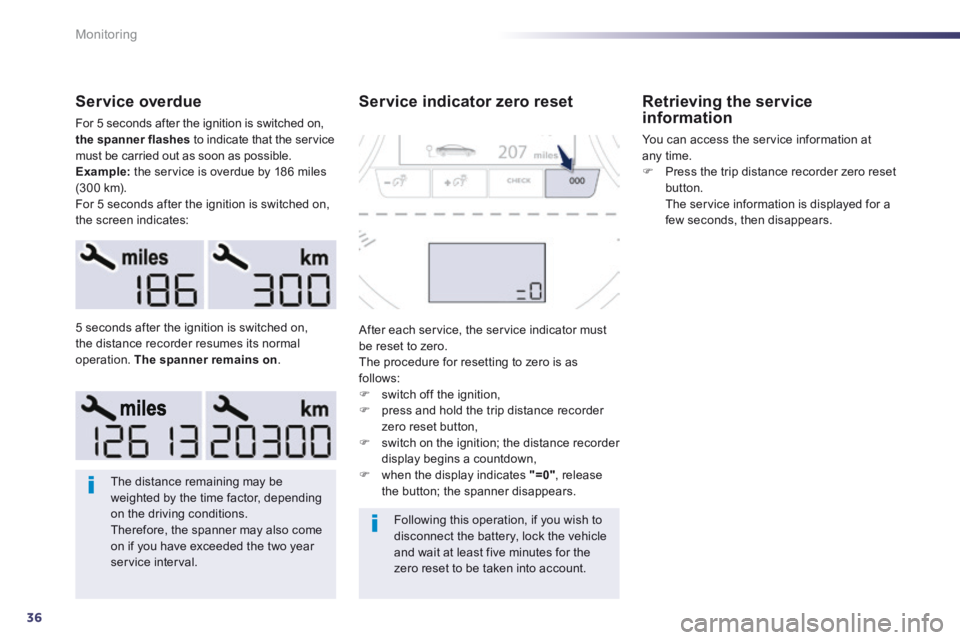
For 5 seconds after the ignition is switched on, the spanner flashes to indicate that the service must be carried out as soon as possible. Example: the service is overdue by 186 miles (300 km). For 5 seconds after the ignition is switched on, the screen indicates:
The distance remaining may be weighted by the time factor, depending on the driving conditions. Therefore, the spanner may also come on if you have exceeded the two year service interval.
Following this operation, if you wish to disconnect the battery, lock the vehicle and wait at least five minutes for the zero reset to be taken into account.
5 seconds after the ignition is switched on, the distance recorder resumes its normal operation. The spanner remains on .
Service indicator zero reset
After each service, the service indicator must be reset to zero. The procedure for resetting to zero is as follows: switch off the ignition, press and hold the trip distance recorder zero reset button, switch on the ignition; the distance recorder display begins a countdown, when the display indicates "=0" , release the button; the spanner disappears.
Retrieving the service information
You can access the service information at any time. Press the trip distance recorder zero reset button. The service information is displayed for a few seconds, then disappears.
Page 45 of 352
2
43
Access
System which permits central unlocking or locking of the vehicle using the lock barrel or from a distance. It is also used to locate and start the vehicle, as well as providing protection against theft.
Remote control key
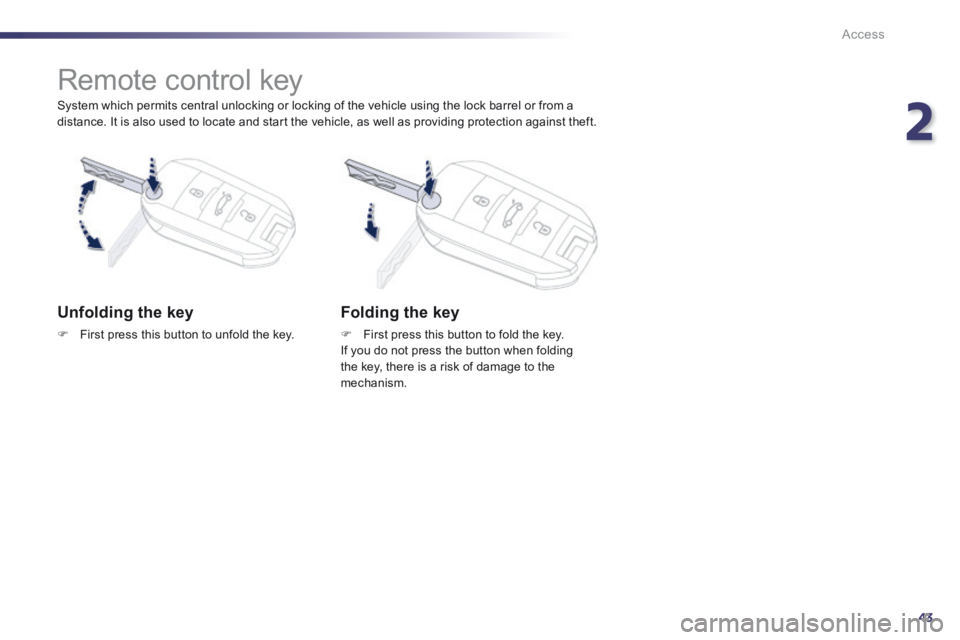
Unfolding the key
First press this button to unfold the key.
Folding the key
First press this button to fold the key. If you do not press the button when folding the key, there is a risk of damage to the mechanism.
Page 46 of 352
44
Access
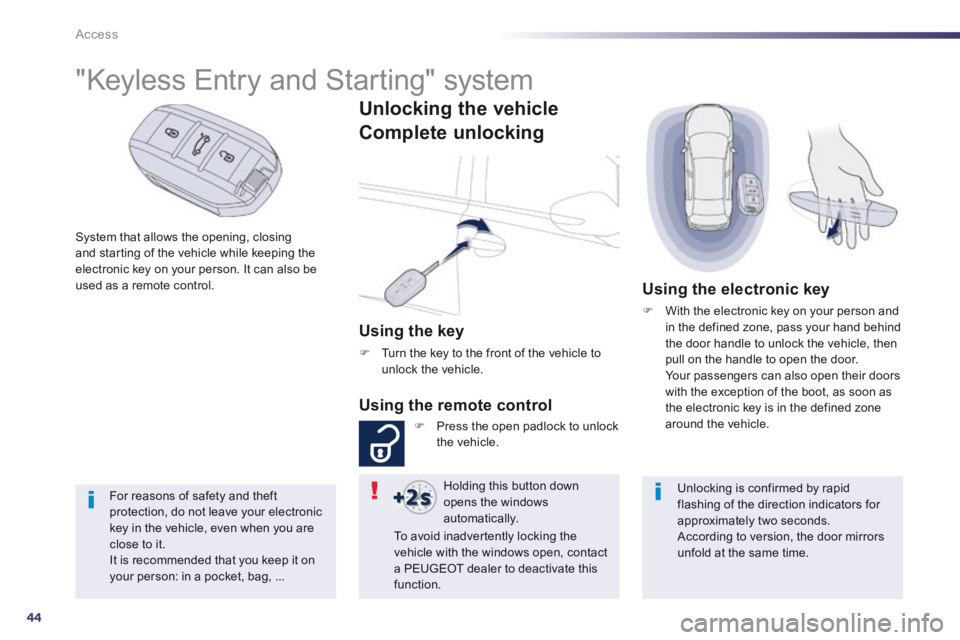
System that allows the opening, closing and starting of the vehicle while keeping the electronic key on your person. It can also be used as a remote control.
"Keyless Entry and Starting" system
Unlocking the vehicle
Complete unlocking
Using the key
Turn the key to the front of the vehicle to unlock the vehicle.
Using the remote control
Press the open padlock to unlock the vehicle.
Using the electronic key
With the electronic key on your person and in the defined zone, pass your hand behind the door handle to unlock the vehicle, then pull on the handle to open the door. Your passengers can also open their doors with the exception of the boot, as soon as the electronic key is in the defined zone around the vehicle.
Holding this button down opens the windows automatically.
Unlocking is confirmed by rapid flashing of the direction indicators for approximately two seconds.
According to version, the door mirrors unfold at the same time.
To avoid inadvertently locking the vehicle with the windows open, contact a PEUGEOT dealer to deactivate this function.
For reasons of safety and theft protection, do not leave your electronic key in the vehicle, even when you are close to it. It is recommended that you keep it on your person: in a pocket, bag, ...
Page 47 of 352
2
45
Access
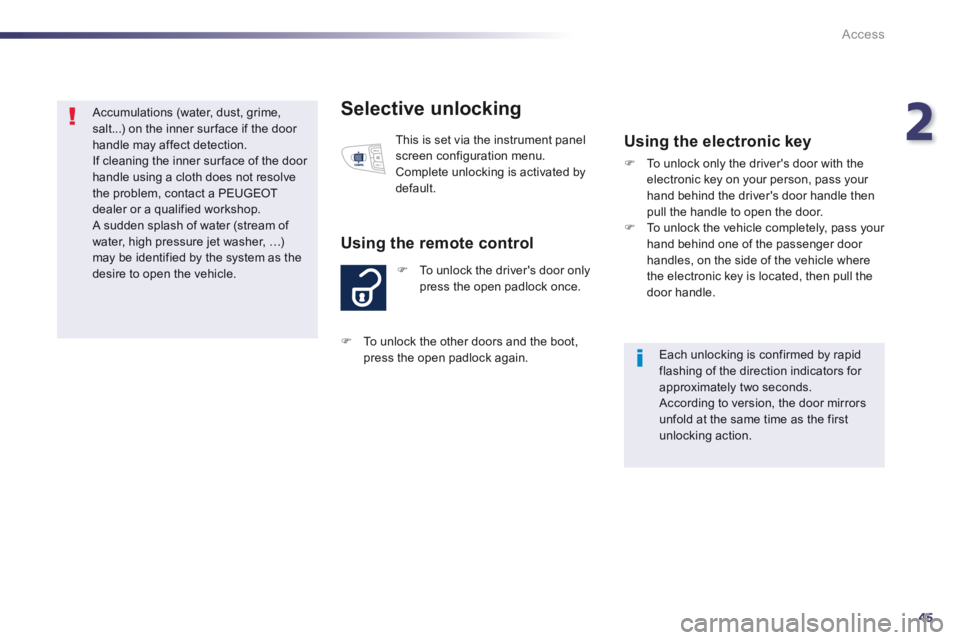
Selective unlocking
To unlock the driver's door only press the open padlock once.
Using the remote control
This is set via the instrument panel screen configuration menu. Complete unlocking is activated by default.
Using the electronic key
To unlock only the driver's door with the electronic key on your person, pass your hand behind the driver's door handle then pull the handle to open the door. To unlock the vehicle completely, pass your hand behind one of the passenger door handles, on the side of the vehicle where the electronic key is located, then pull the door handle.
Each unlocking is confirmed by rapid flashing of the direction indicators for approximately two seconds. According to version, the door mirrors unfold at the same time as the first unlocking action.
To unlock the other doors and the boot, press the open padlock again .
Accumulations (water, dust, grime, salt...) on the inner sur face if the door handle may affect detection. If cleaning the inner sur face of the door handle using a cloth does not resolve the problem, contact a PEUGEOT dealer or a qualified workshop. A sudden splash of water (stream of water, high pressure jet washer, …) may be identified by the system as the desire to open the vehicle.
Page 48 of 352
46
Access
Unlocking the boot
Using the remote control
Press this button to unlock the vehicle and open the boot.
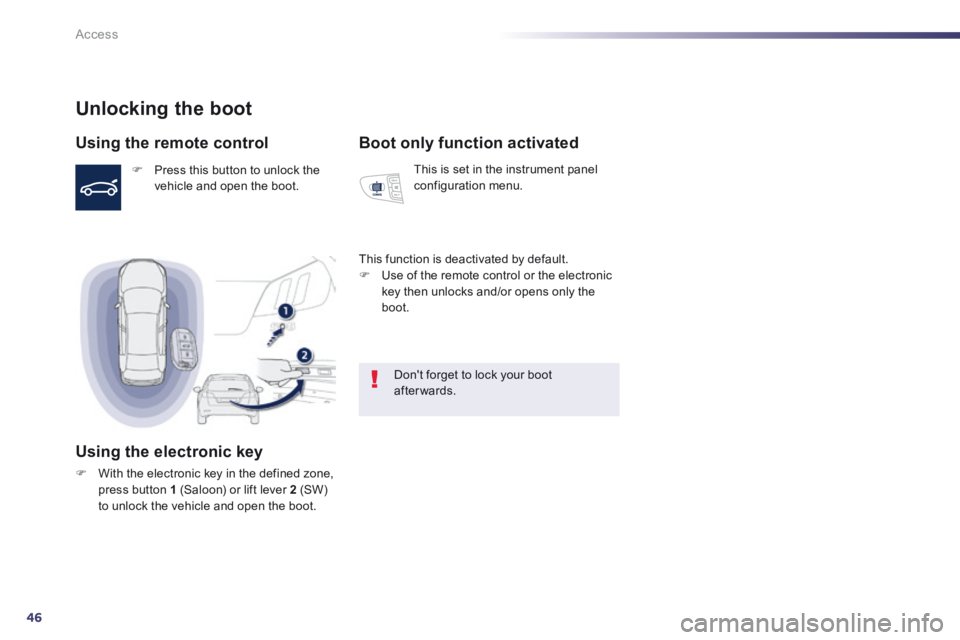
Using the electronic key
With the electronic key in the defined zone, press button 1 (Saloon) or lift lever 2 (SW) to unlock the vehicle and open the boot.
Boot only function activated
This is set in the instrument panel configuration menu.
This function is deactivated by default. Use of the remote control or the electronic key then unlocks and/or opens only the boot.
Don't forget to lock your boot after wards.
Page 49 of 352
2
47
Access
Locking the vehicle
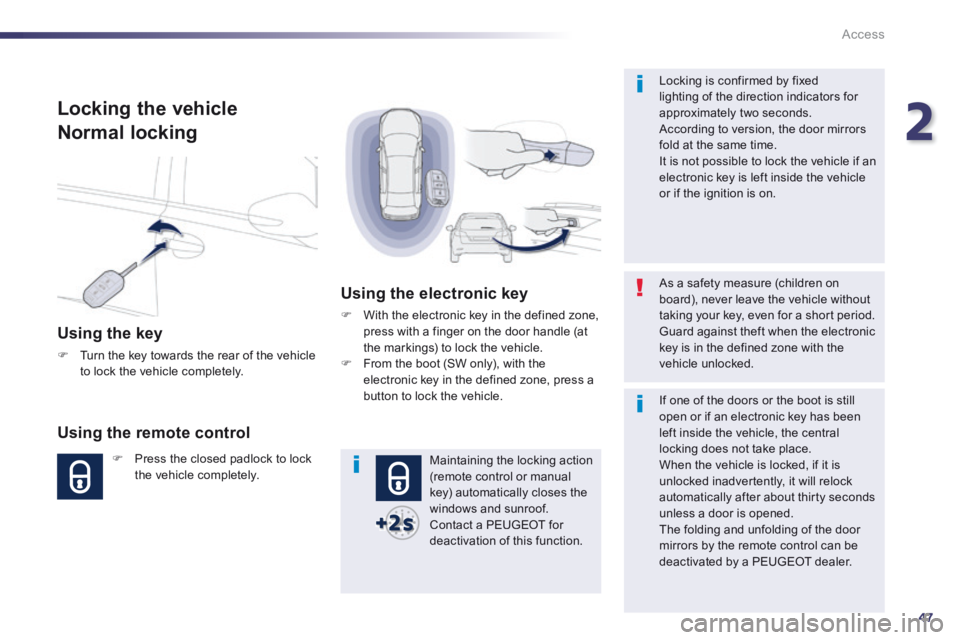
Normal locking
Using the key
Turn the key towards the rear of the vehicle to lock the vehicle completely.
Using the remote control
Press the closed padlock to lock the vehicle completely.
Using the electronic key
With the electronic key in the defined zone, press with a finger on the door handle (at the markings) to lock the vehicle. From the boot (SW only), with the electronic key in the defined zone, press a button to lock the vehicle.
Maintaining the locking action (remote control or manual key) automatically closes the windows and sunroof. Contact a PEUGEOT for deactivation of this function.
As a safety measure (children on board), never leave the vehicle without taking your key, even for a short period. Guard against theft when the electronic key is in the defined zone with the vehicle unlocked.
Locking is confirmed by fixed lighting of the direction indicators for approximately two seconds. According to version, the door mirrors fold at the same time. It is not possible to lock the vehicle if an electronic key is left inside the vehicle or if the ignition is on.
If one of the doors or the boot is still open or if an electronic key has been
left inside the vehicle, the central locking does not take place. When the vehicle is locked, if it is unlocked inadvertently, it will relock automatically after about thirty seconds unless a door is opened. The folding and unfolding of the door mirrors by the remote control can be deactivated by a PEUGEOT dealer.
Page 50 of 352
48
Access
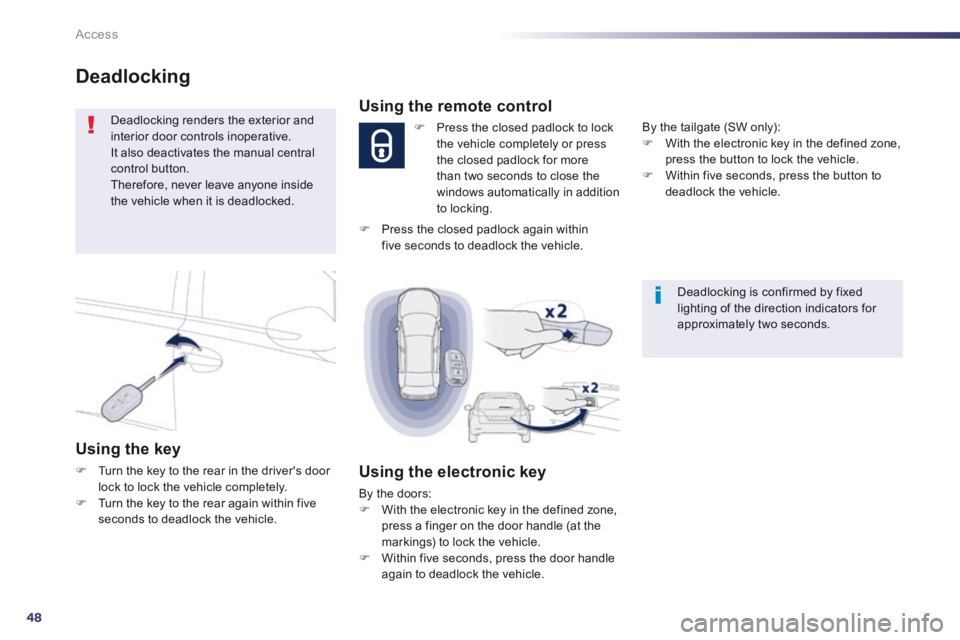
Deadlocking
Deadlocking renders the exterior and interior door controls inoperative. It also deactivates the manual central control button. Therefore, never leave anyone inside the vehicle when it is deadlocked.
Using the key
Turn the key to the rear in the driver's door lock to lock the vehicle completely. Turn the key to the rear again within five seconds to deadlock the vehicle.
Deadlocking is confirmed by fixed lighting of the direction indicators for approximately two seconds.
Using the remote control
Press the closed padlock to lock the vehicle completely or press the closed padlock for more than two seconds to close the windows automatically in addition to locking.
Using the electronic key
By the doors: With the electronic key in the defined zone, press a finger on the door handle (at the markings) to lock the vehicle. Within five seconds, press the door handle again to deadlock the vehicle.
By the tailgate (SW only): With the electronic key in the defined zone, press the button to lock the vehicle. Within five seconds, press the button to deadlock the vehicle.
Press the closed padlock again within five seconds to deadlock the vehicle.
Page 51 of 352
2
49
Access
Locking/ unlocking from the inside
Automatic central locking of the doors
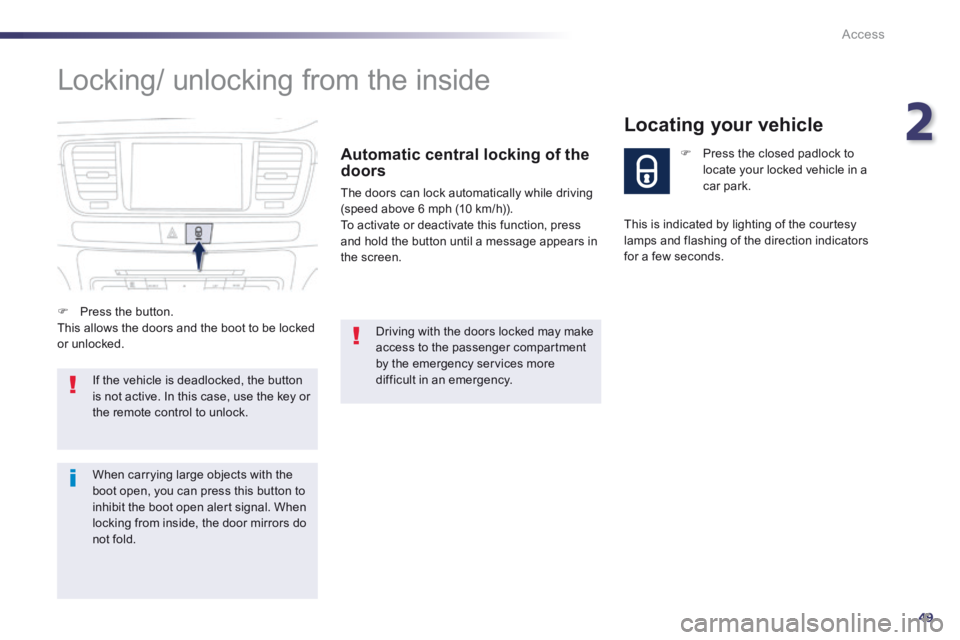
The doors can lock automatically while driving (speed above 6 mph (10 km/h)). To activate or deactivate this function, press and hold the button until a message appears in the screen.
If the vehicle is deadlocked, the button is not active. In this case, use the key or the remote control to unlock.
Driving with the doors locked may make access to the passenger compartment by the emergency services more difficult in an emergency.
Press the closed padlock to locate your locked vehicle in a car park.
Locating your vehicle
Press the button. This allows the doors and the boot to be locked or unlocked.
This is indicated by lighting of the courtesy lamps and flashing of the direction indicators for a few seconds.
When carrying large objects with the boot open, you can press this button to inhibit the boot open alert signal. When locking from inside, the door mirrors do
not fold.