Page 159 of 428
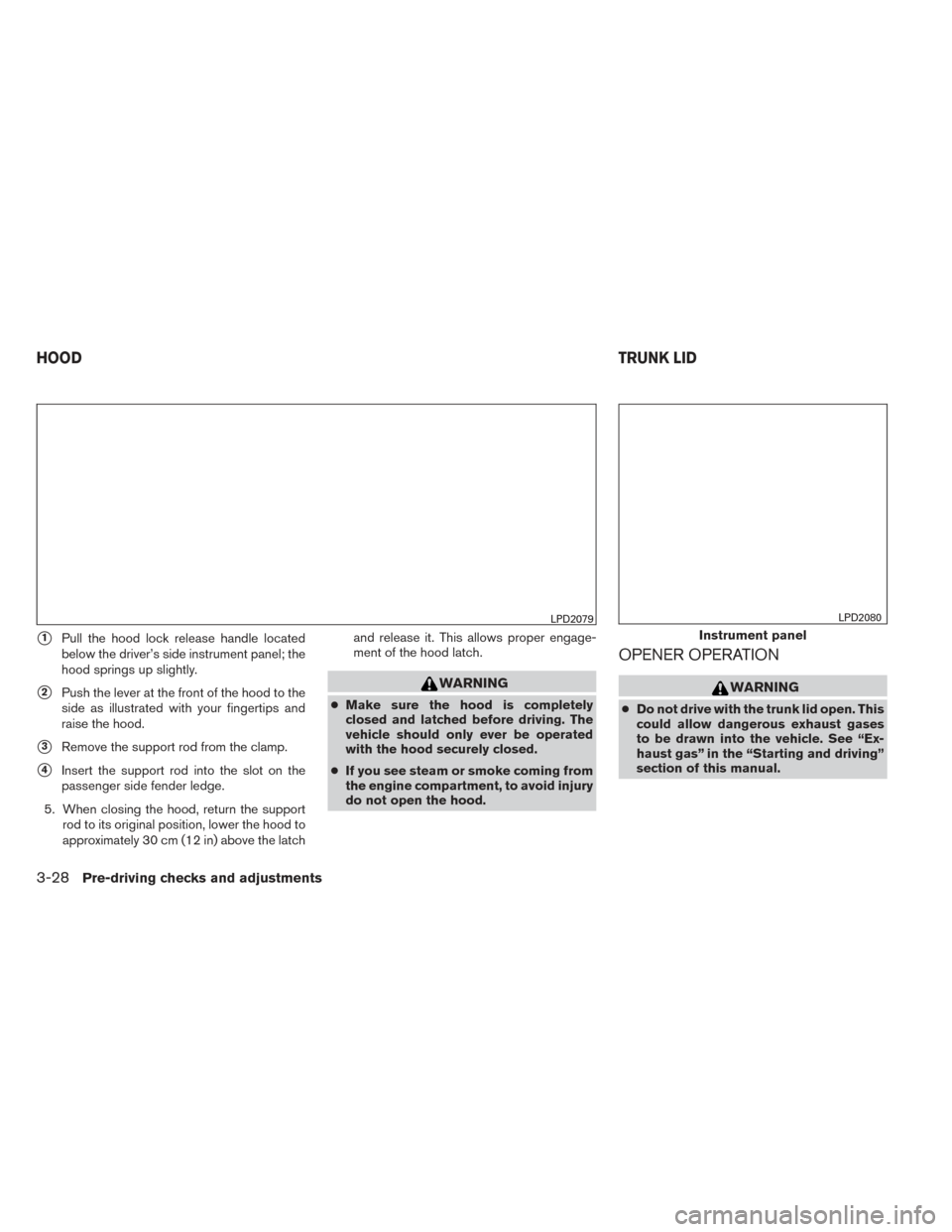
�1Pull the hood lock release handle located
below the driver’s side instrument panel; the
hood springs up slightly.
�2Push the lever at the front of the hood to the
side as illustrated with your fingertips and
raise the hood.
�3Remove the support rod from the clamp.
�4Insert the support rod into the slot on the
passenger side fender ledge.
5. When closing the hood, return the support rod to its original position, lower the hood to
approximately 30 cm (12 in) above the latch and release it. This allows proper engage-
ment of the hood latch.
WARNING
●
Make sure the hood is completely
closed and latched before driving. The
vehicle should only ever be operated
with the hood securely closed.
● If you see steam or smoke coming from
the engine compartment, to avoid injury
do not open the hood.
OPENER OPERATION
WARNING
● Do not drive with the trunk lid open. This
could allow dangerous exhaust gases
to be drawn into the vehicle. See “Ex-
haust gas” in the “Starting and driving”
section of this manual.
LPD2079
Instrument panel
LPD2080
HOOD TRUNK LID
3-28Pre-driving checks and adjustments
Page 161 of 428
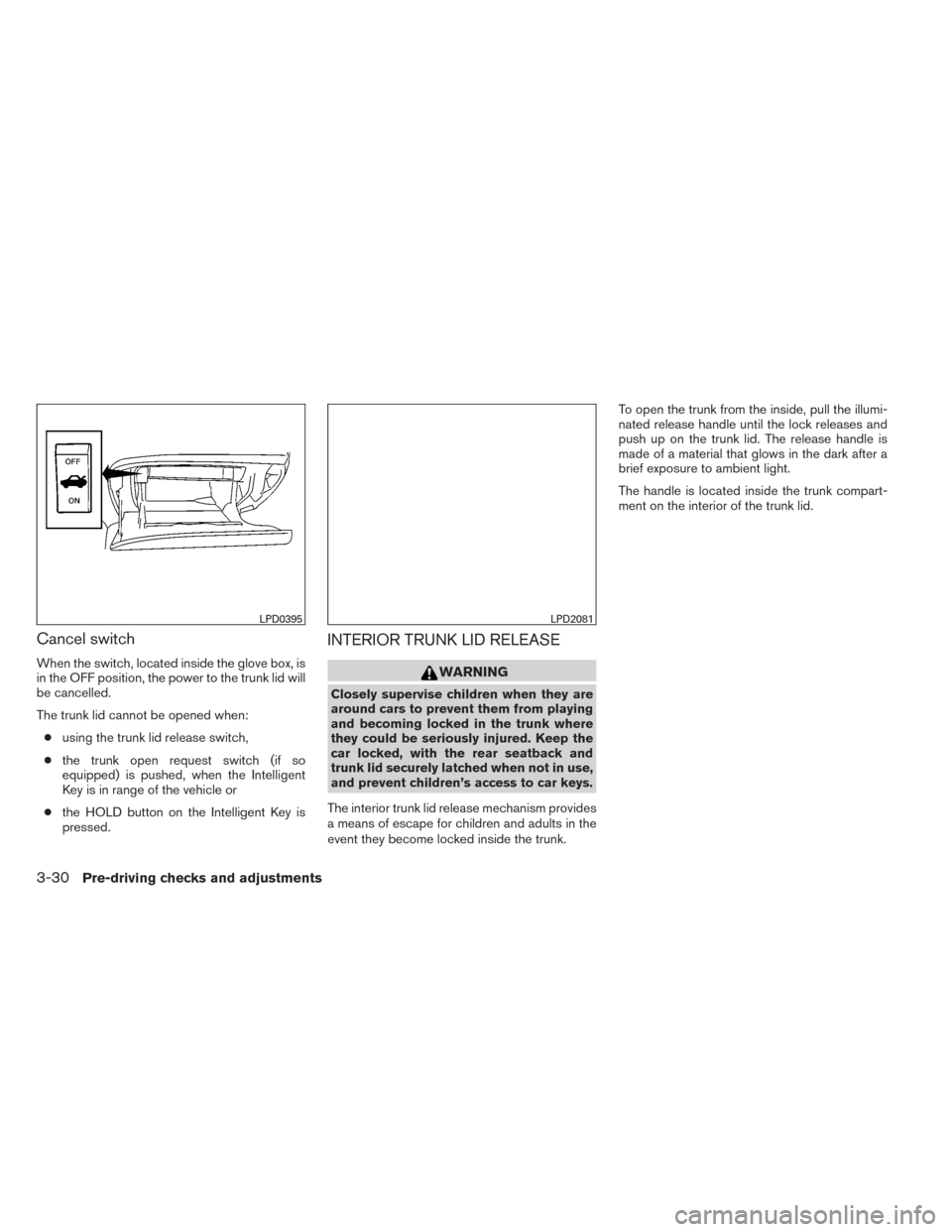
Cancel switch
When the switch, located inside the glove box, is
in the OFF position, the power to the trunk lid will
be cancelled.
The trunk lid cannot be opened when:● using the trunk lid release switch,
● the trunk open request switch (if so
equipped) is pushed, when the Intelligent
Key is in range of the vehicle or
● the HOLD button on the Intelligent Key is
pressed.
INTERIOR TRUNK LID RELEASE
WARNING
Closely supervise children when they are
around cars to prevent them from playing
and becoming locked in the trunk where
they could be seriously injured. Keep the
car locked, with the rear seatback and
trunk lid securely latched when not in use,
and prevent children’s access to car keys.
The interior trunk lid release mechanism provides
a means of escape for children and adults in the
event they become locked inside the trunk. To open the trunk from the inside, pull the illumi-
nated release handle until the lock releases and
push up on the trunk lid. The release handle is
made of a material that glows in the dark after a
brief exposure to ambient light.
The handle is located inside the trunk compart-
ment on the interior of the trunk lid.
LPD0395LPD2081
3-30Pre-driving checks and adjustments
Page 162 of 428
OPENER OPERATION
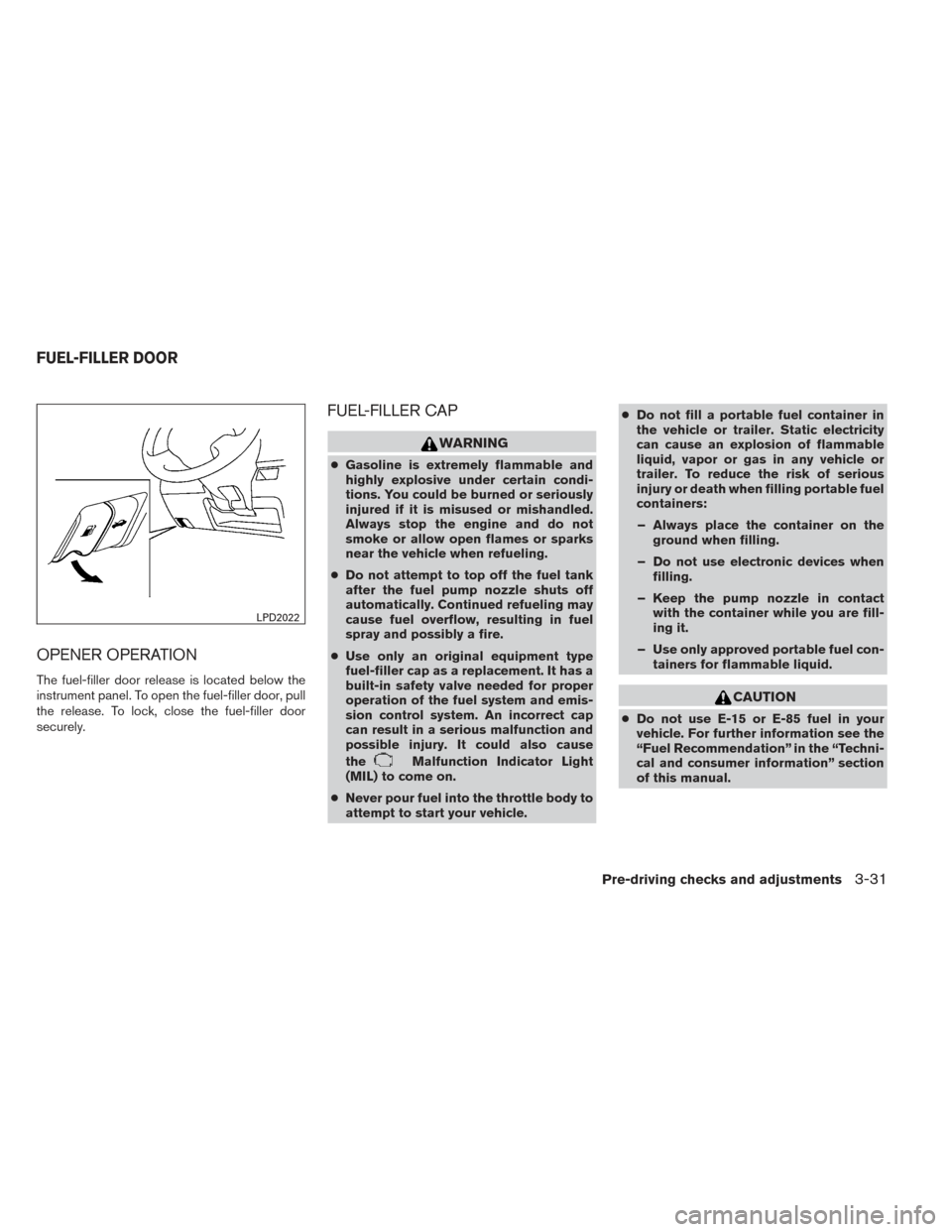
The fuel-filler door release is located below the
instrument panel. To open the fuel-filler door, pull
the release. To lock, close the fuel-filler door
securely.
FUEL-FILLER CAP
WARNING
●Gasoline is extremely flammable and
highly explosive under certain condi-
tions. You could be burned or seriously
injured if it is misused or mishandled.
Always stop the engine and do not
smoke or allow open flames or sparks
near the vehicle when refueling.
● Do not attempt to top off the fuel tank
after the fuel pump nozzle shuts off
automatically. Continued refueling may
cause fuel overflow, resulting in fuel
spray and possibly a fire.
● Use only an original equipment type
fuel-filler cap as a replacement. It has a
built-in safety valve needed for proper
operation of the fuel system and emis-
sion control system. An incorrect cap
can result in a serious malfunction and
possible injury. It could also cause
the
Malfunction Indicator Light
(MIL) to come on.
● Never pour fuel into the throttle body to
attempt to start your vehicle. ●
Do not fill a portable fuel container in
the vehicle or trailer. Static electricity
can cause an explosion of flammable
liquid, vapor or gas in any vehicle or
trailer. To reduce the risk of serious
injury or death when filling portable fuel
containers:
– Always place the container on the ground when filling.
– Do not use electronic devices when filling.
– Keep the pump nozzle in contact with the container while you are fill-
ing it.
– Use only approved portable fuel con- tainers for flammable liquid.
CAUTION
●Do not use E-15 or E-85 fuel in your
vehicle. For further information see the
“Fuel Recommendation” in the “Techni-
cal and consumer information” section
of this manual.
LPD2022
FUEL-FILLER DOOR
Pre-driving checks and adjustments3-31
Page 163 of 428
●The LOOSE FUEL CAP warning will ap-
pear if the fuel-filler cap is not properly
tightened. It may take a few driving trips
for the message to be displayed. Failure
to tighten the fuel-filler cap properly
after the LOOSE FUEL CAP warning ap-
pears may cause the
Malfunction
Indicator Light (MIL) to illuminate.
● Failure to tighten the fuel-filler cap
properly may cause the
Malfunc-
tion Indicator Light (MIL) to illuminate.
If the
light illuminates because
the fuel-filler cap is loose or missing,
tighten or install the cap and continue
to drive the vehicle. The
light
should turn off after a few driving trips.
If the
light does not turn off after a
few driving trips, have the vehicle in-
spected by a NISSAN dealer.
● For additional information, see the
“Malfunction Indicator Light (MIL)” in
the “Instruments and Controls” section
in this manual.
● If fuel is spilled on the vehicle body,
flush it away with water to avoid paint
damage. To remove the fuel-filler cap:
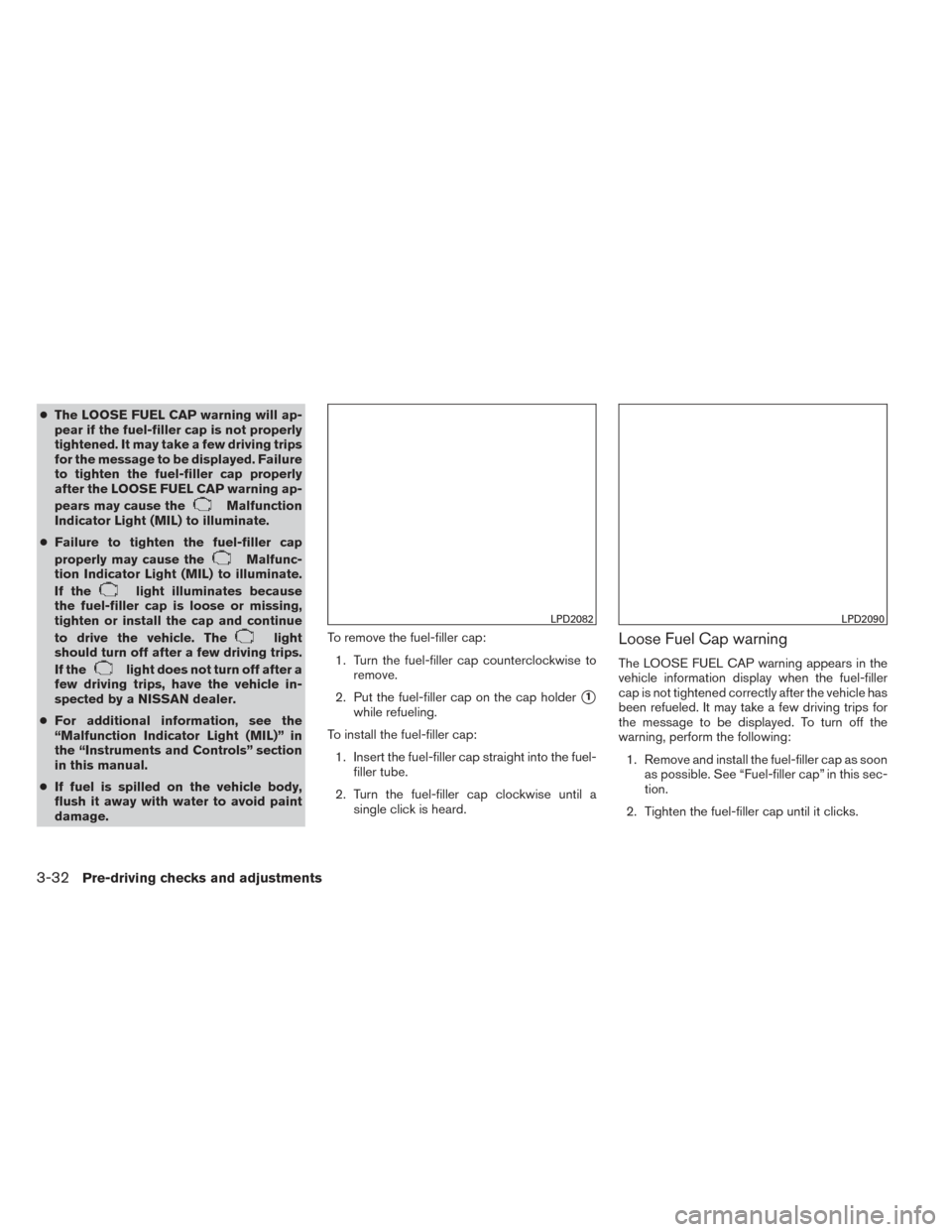
1. Turn the fuel-filler cap counterclockwise to remove.
2. Put the fuel-filler cap on the cap holder
�1
while refueling.
To install the fuel-filler cap: 1. Insert the fuel-filler cap straight into the fuel- filler tube.
2. Turn the fuel-filler cap clockwise until a single click is heard.
Loose Fuel Cap warning
The LOOSE FUEL CAP warning appears in the
vehicle information display when the fuel-filler
cap is not tightened correctly after the vehicle has
been refueled. It may take a few driving trips for
the message to be displayed. To turn off the
warning, perform the following:
1. Remove and install the fuel-filler cap as soon as possible. See “Fuel-filler cap” in this sec-
tion.
2. Tighten the fuel-filler cap until it clicks.
LPD2082LPD2090
3-32Pre-driving checks and adjustments
Page 166 of 428
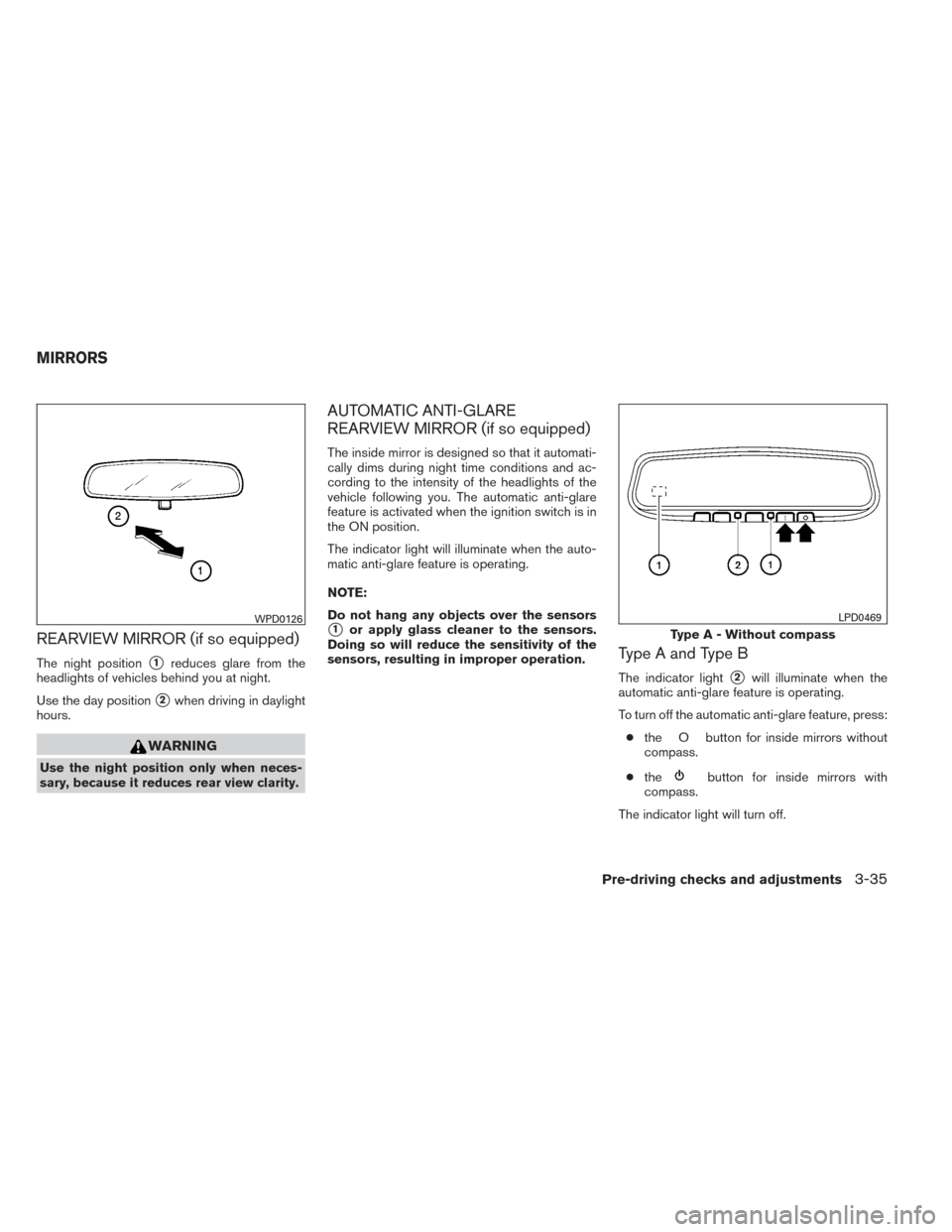
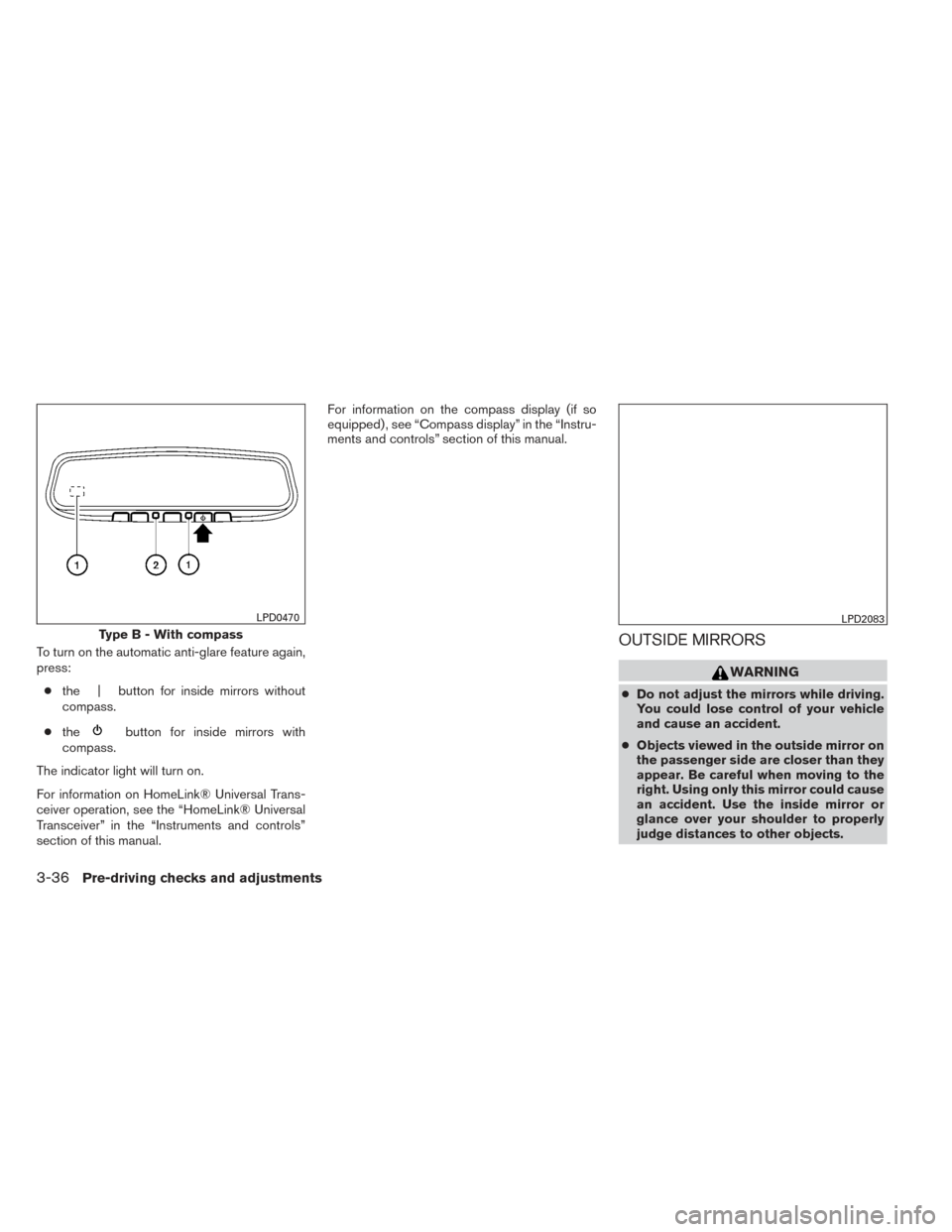
REARVIEW MIRROR (if so equipped)
The night position�1reduces glare from the
headlights of vehicles behind you at night.
Use the day position
�2when driving in daylight
hours.
WARNING
Use the night position only when neces-
sary, because it reduces rear view clarity.
AUTOMATIC ANTI-GLARE
REARVIEW MIRROR (if so equipped)
The inside mirror is designed so that it automati-
cally dims during night time conditions and ac-
cording to the intensity of the headlights of the
vehicle following you. The automatic anti-glare
feature is activated when the ignition switch is in
the ON position.
The indicator light will illuminate when the auto-
matic anti-glare feature is operating.
NOTE:
Do not hang any objects over the sensors
�1or apply glass cleaner to the sensors.
Doing so will reduce the sensitivity of the
sensors, resulting in improper operation.
Type A and Type B
The indicator light�2will illuminate when the
automatic anti-glare feature is operating.
To turn off the automatic anti-glare feature, press:
● the O button for inside mirrors without
compass.
● the
button for inside mirrors with
compass.
The indicator light will turn off.
WPD0126
Type A - Without compass
LPD0469
MIRRORS
Pre-driving checks and adjustments3-35
Page 167 of 428
To turn on the automatic anti-glare feature again,
press:● the | button for inside mirrors without
compass.
● the
button for inside mirrors with
compass.
The indicator light will turn on.
For information on HomeLink® Universal Trans-
ceiver operation, see the “HomeLink® Universal
Transceiver” in the “Instruments and controls”
section of this manual. For information on the compass display (if so
equipped) , see “Compass display” in the “Instru-
ments and controls” section of this manual.
OUTSIDE MIRRORS
WARNING
●
Do not adjust the mirrors while driving.
You could lose control of your vehicle
and cause an accident.
● Objects viewed in the outside mirror on
the passenger side are closer than they
appear. Be careful when moving to the
right. Using only this mirror could cause
an accident. Use the inside mirror or
glance over your shoulder to properly
judge distances to other objects.
Type B - With compass
LPD0470LPD2083
3-36Pre-driving checks and adjustments
Page 177 of 428
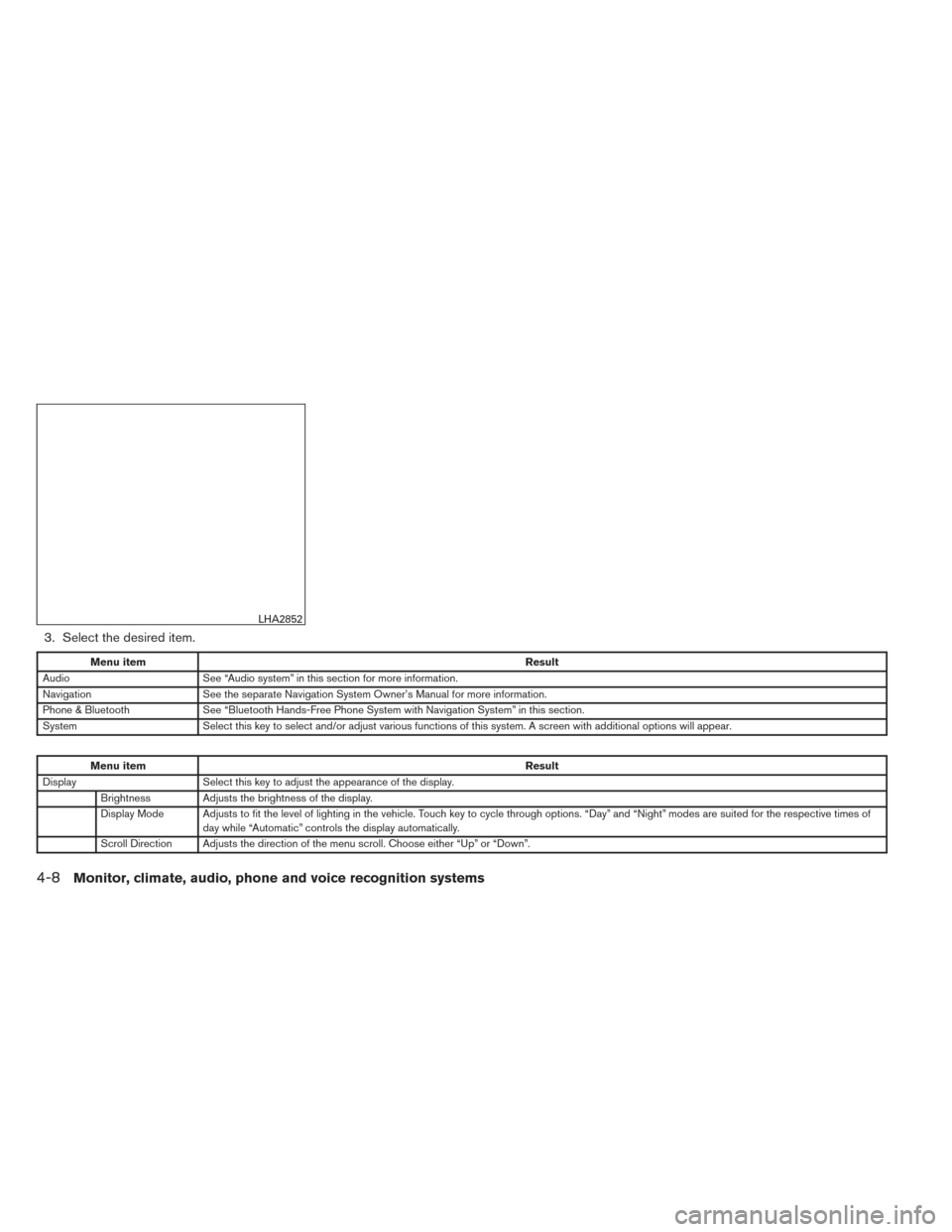
3. Select the desired item.
Menu itemResult
Audio See “Audio system” in this section for more information.
Navigation See the separate Navigation System Owner’s Manual for more information.
Phone & Bluetooth See “Bluetooth Hands-Free Phone System with Navigation System” in this section.
System Select this key to select and/or adjust various functions of this system. A screen with additional options will appear.
Menu item Result
Display Select this key to adjust the appearance of the display.
Brightness Adjusts the brightness of the display.
Display Mode Adjusts to fit the level of lighting in the vehicle. Touch key to cycle through options. “Day” and “Night” modes are suited for the respective times of day while “Automatic” controls the display automatically.
Scroll Direction Adjusts the direction of the menu scroll. Choose either “Up” or “Down”.
LHA2852
4-8Monitor, climate, audio, phone and voice recognition systems
Page 178 of 428
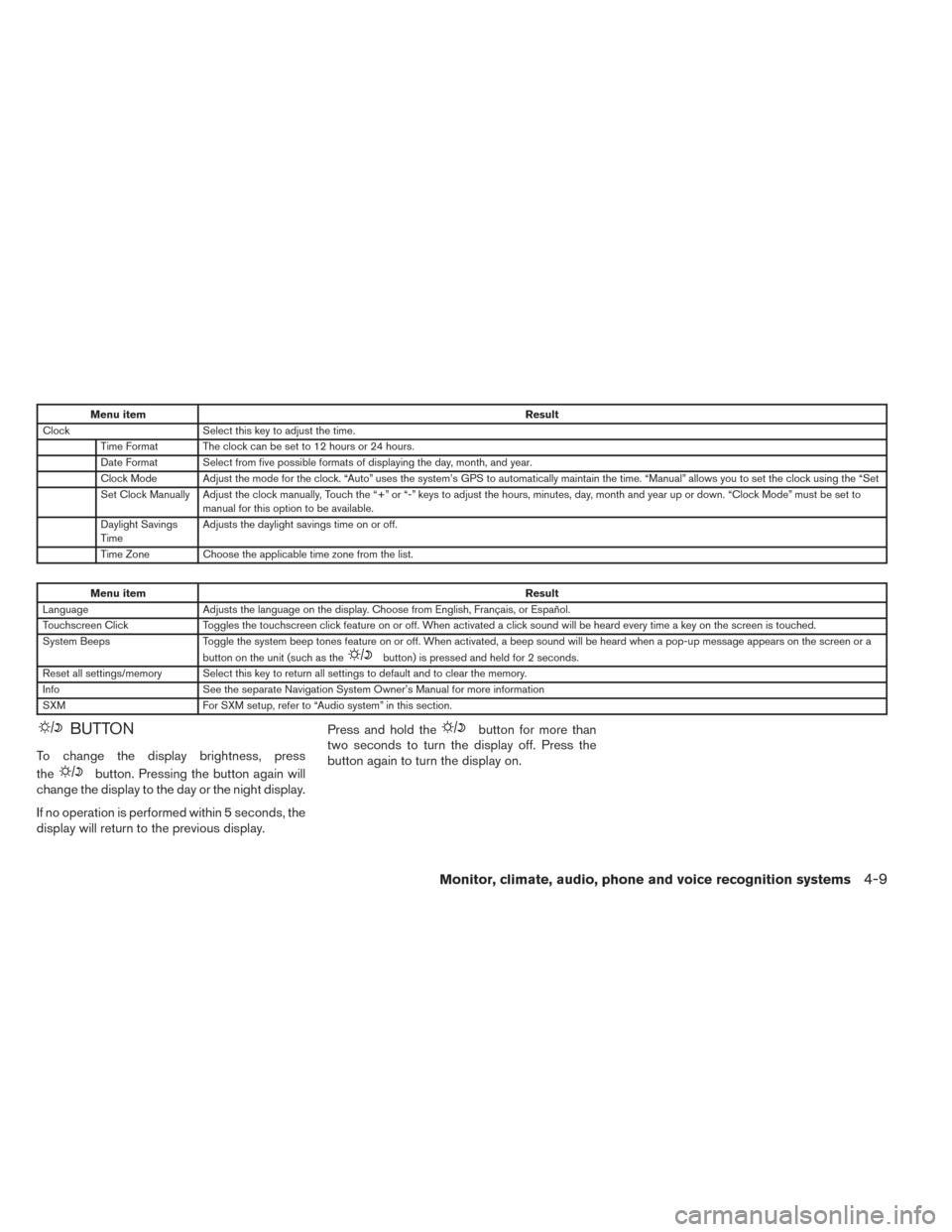
Menu itemResult
Clock Select this key to adjust the time.
Time Format The clock can be set to 12 hours or 24 hours.
Date Format Select from five possible formats of displaying the day, month, and year.
Clock Mode Adjust the mode for the clock. “Auto” uses the system’s GPS to automatically maintain the time. “Manual” allows you to set the clock using the “Set
Set Clock Manually Adjust the clock manually, Touch the “+” or “-” keys to adjust the hours, minutes, day, month and year up or down. “Clock Mode” must be set to manual for this option to be available.
Daylight Savings
Time Adjusts the daylight savings time on or off.
Time Zone Choose the applicable time zone from the list.
Menu item Result
Language Adjusts the language on the display. Choose from English, Français, or Español.
Touchscreen Click Toggles the touchscreen click feature on or off. When activated a click sound will be heard every time a key on the screen is touched.
System Beeps Toggle the system beep tones feature on or off. When activated, a beep sound will be heard when a pop-up message appears on the screen or a
button on the unit (such as the
button) is pressed and held for 2 seconds.
Reset all settings/memory Select this key to return all settings to default and to clear the memory.
Info See the separate Navigation System Owner’s Manual for more information
SXM For SXM setup, refer to “Audio system” in this section.
BUTTON
To change the display brightness, press
the
button. Pressing the button again will
change the display to the day or the night display.
If no operation is performed within 5 seconds, the
display will return to the previous display. Press and hold the
button for more than
two seconds to turn the display off. Press the
button again to turn the display on.
Monitor, climate, audio, phone and voice recognition systems4-9