Page 237 of 451

Indicator light, warning light, and information screen display list (multi information display - Type 1)
Features and controls 5-159
5
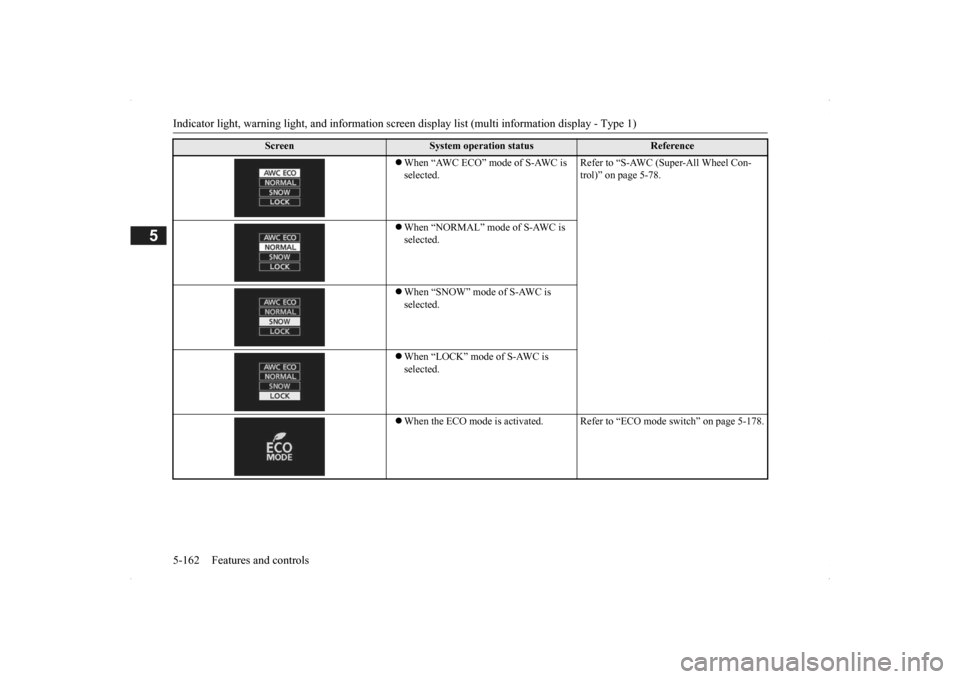
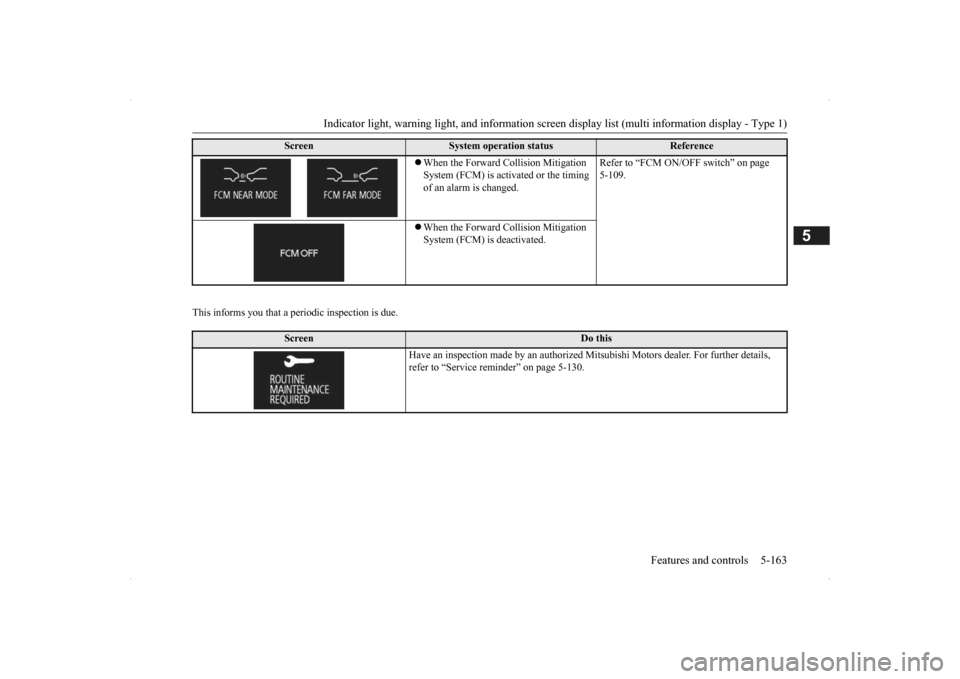
There is a fault in the Forward Collision Mitigation System (FCM).
Contact an authorized Mitsubishi Motors dealer or a repair facility of your choi
ce to have the system
checked. Refer to “Forward Colli
sion Mitigation System
(FCM)” on page 5-107.
FCM braking function of the Forward Collision Mit- igation System (FCM) has been activated.
Refer to “FCM braking
function” on page 5-108.
The Forward Collision Mitig
ation System (FCM) is
temporarily unavailable due
to conditions such as the
adhesion of contaminants to the sensor. The Lane Departure Warn
ing (LDW) has detected
that your vehicle is about to
leave or has left the lane.
Refer to “Lane Departure
Warning (LDW)” on page
5-111.
The Lane Departure Warni
ng (LDW) is temporarily
unavailable due to too high of a temperature of the LDW camera. There is a fault in the
Lane Departure Warning
(LDW).
Contact an authorized Mitsubishi Motors dealer or a repair facility of your choi
ce to have the system
checked.Refer to “Lane Departure
Warning (LDW)” on page
5-111.
Screen
Cause
Do this (Reference)
BK0200500US.book 159 ページ 2013年2月12日 火曜日 午前9時46分
Page 238 of 451
Indicator light, warning light, and information screen display list (multi information display - Type 1) 5-160 Features and controls
5
N00579100026
On vehicles equipped
with Mitsubishi Multi-
Communication System, the following infor- mation on navigation will
be displayed when
guidance location such as junction and desti- nation is approached af
ter you set the destina-
tion and started the route guidance.Navigation information display
(if
so equipped)1- Guidance display
Shows the direction of vehicle travel and the guidance location.
2- Remaining distance display
Shows the distance to the location where the guidance is displayed.NOTE
Please read this section and also the separate owner’s manual for Mi
tsubishi Multi-Com-
munication System.
Direction of vehicle travel (Example) Destination Ferry terminal Tollbooth Intermediate destination (Example)
BK0200500US.book 160 ページ 2013年2月12日 火曜日 午前9時46分
Page 239 of 451
Indicator light, warning light, and information screen display list (multi information display - Type 1)
Features and controls 5-161
5
N00558201252
The operation status of each syst
em is displayed on the informat
ion screen. For furthe
r details, refer to
the appropriate page
for each system.
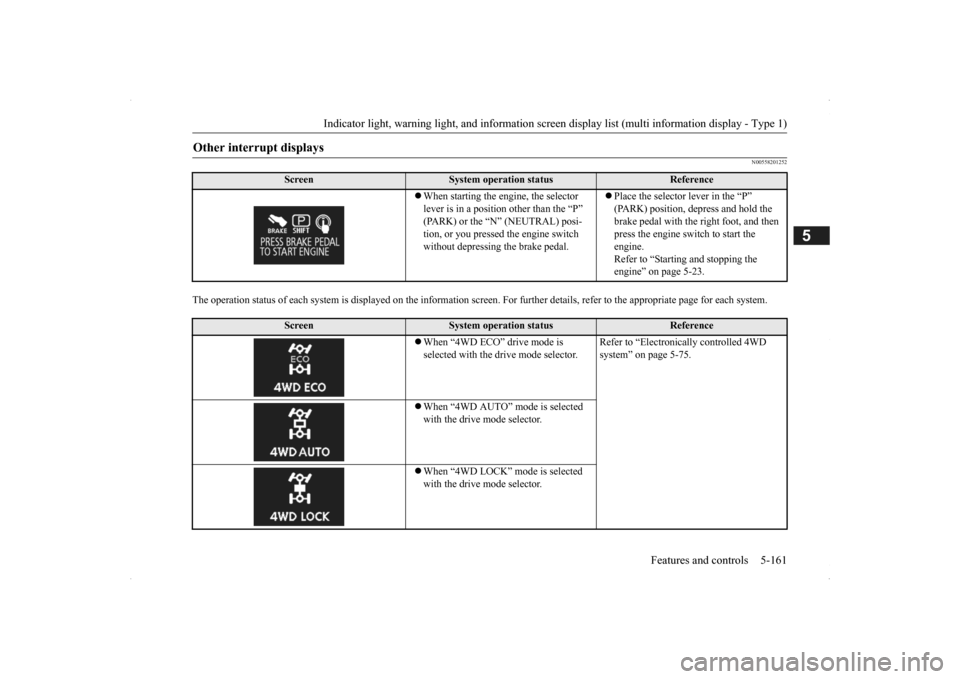
Other interrupt displays
Screen
System operation status
Reference
When starting the engine, the selector lever is in a positi
on other than the “P”
(PARK) or the “N” (NEUTRAL) posi-tion, or you pressed the engine switch without depressing the brake pedal.
Place the selector lever in the “P” (PARK) position, depress and hold the brake pedal with the right foot, and then press the engine switch to start the engine. Refer to “Starting and stopping the engine” on page 5-23.
Screen
System operation status
Reference
When “4WD ECO” drive mode is selected with the drive mode selector.
Refer to “Electronica
lly controlled 4WD
system” on page 5-75.
When “4WD AUTO” mode is selected with the drive mode selector. When “4WD LOCK” mode is selected with the drive mode selector.
BK0200500US.book 161 ページ 2013年2月12日 火曜日 午前9時46分
Page 240 of 451
Indicator light, warning light, and information screen display list (multi information display - Type 1) 5-162 Features and controls
5
When “AWC ECO” mode of S-AWC is selected.
Refer to “S-AWC (Super-All Wheel Con- trol)” on page 5-78.
When “NORMAL” mode of S-AWC is selected. When “SNOW” mode of S-AWC is selected. When “LOCK” mode of S-AWC is selected. When the ECO mode is ac
tivated. Refer to “ECO m
ode switch” on page 5-178.
Screen
System operation status
Reference
BK0200500US.book 162 ページ 2013年2月12日 火曜日 午前9時46分
Page 241 of 451
Indicator light, warning light, and information screen display list (multi information display - Type 1)
Features and controls 5-163
5
This informs you that a periodic inspection is due.
When the Forward Collision Mitigation System (FCM) is acti
vated or the timing
of an alarm is changed.
Refer to “FCM ON/OFF switch” on page 5-109.
When the Forward Collision Mitigation System (FCM) is deactivated.
Screen
Do this
Have an inspection made by an authorized Mi
tsubishi Motors dealer
. For further details,
refer to “Service remin
der” on page 5-130.
Screen
System operation status
Reference
BK0200500US.book 163 ページ 2013年2月12日 火曜日 午前9時46分
Page 242 of 451
Indicator light, warning light, and information screen display list (multi information display - Type 1) 5-164 Features and controls
5
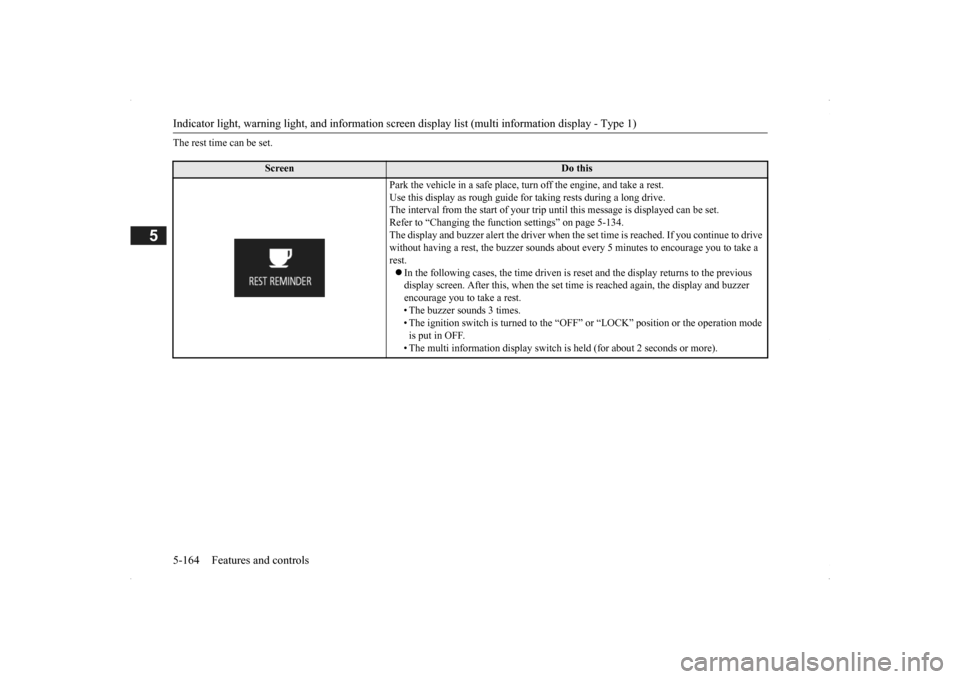
The rest time can be set.
Screen
Do this
Park the vehicle in a safe place, tu
rn off the engine,
and take a rest.
Use this display as rough guide
for taking rests during a long drive.
The interval from the start of your trip
until this message is
displayed can be set.
Refer to “Changing the function settings” on page 5-134. The display and buzzer alert the driver when th
e set time is reached.
If you continue to drive
without having a rest, the buzzer sounds about
every 5 minutes to encourage you to take a
rest. In the following cases, the time driven is reset and the display returns to the previous display screen. After this, when the set time
is reached again,
the display and buzzer
encourage you to take a rest. • The buzzer sounds 3 times.• The ignition switch is turned to the “OFF”
or “LOCK” position or the operation mode
is put in OFF. • The multi information display switch is
held (for about 2 seconds or more).
BK0200500US.book 164 ページ 2013年2月12日 火曜日 午前9時46分
Page 243 of 451

Indicator and warning light package (multi information display - Type 2)
Features and controls 5-165
5
N00519801859
Indicator and warning light package (mu
lti information display - Type 2)
1- Position indicator
P. 5-166
2- Front fog light indicator (if so
equipped)
P. 5-166
3- Turn signal indicators/hazard warning
lights
P. 5-166
4- Cruise control indicator
P. 5-92
5- Door-ajar warning light
P. 5-169
6- For details, refer to “Warning activa-
tion” on page 5-18. (if so equipped)
7- For details, refer to “Warning activa-
tion” on page 5-18. (if so equipped)
8- Electric power steering system warn-
ing light
P .5-89
9- High beam indicator
P. 5-166
10- ECO mode indicator
P .5-178
11- ECO Drive Assist
P. 5-166
12- Oil pressure warning light
P. 5-168
13- Charging system warning light
P. 5-168
14- High coolant temperature warning light
(red)
P. 5-169
15- Low coolant temperature indicator
(blue)
P. 5-166
16- Active stability control (ASC) indicator
P. 5 - 9 1
17- Active stability
control (ASC) OFF
indicator P. 5 - 9 1
18- Anti-lock braking system warning light
P. 5-87
19- Supplemental Restra
int System (SRS)
warning light
P. 4 - 3 9
20- Engine malfuncti
on indicator (“SER-
VICE ENGINE SOON” or “Check engine light”)
P. 5-167
21- Seat belt remi
nder/warning light
P. 4-22
22- The tire pressure monitoring system
warning light
P. 5 - 1 1 5
23- Brake warning light
P. 5-167
24- Multi information display
P. 5-140
BK0200500US.book 165 ページ 2013年2月12日 火曜日 午前9時46分
Page 244 of 451

Indicators 5-166 Features and controls
5
N00519900127 N00520000216
The arrows will flash in time with the corre- sponding exterior turn signals when the turnsignal lever is used. Both arrows will flash
when the hazard warn-
ing flasher swit
ch is pressed.
N00520100086
A blue light comes on when the headlights are on high beam.
N00520200175
This indicator comes on while the front foglights are on.
N00551300026
This indicator light illuminates while the position lights are on.
N00575601020
This indicator comes on in blue while thecoolant temperature is low.
N00579200027
This function displays
how fuel-efficiently
you are driving under different driving condi- tions. The ECO drive assist di
splay will change as
follows if you do fuel-efficient driving using the accelerator in a way well matched with the vehicle speed.
Indicators Turn signal indicators/Hazard warning lights
NOTE
If the indicator flashes faster than usual or if the indicator stays on wi
thout flashing, check
for a malfunctioning turn signal light bulb orturn signal connection.
High beam indicator
Front fog light indicator
(if so
equipped)Position indicator Low coolant temperature indi- cator - blue (Vehicle equipped with the multi information dis- play - Type 2)
NOTE
When the indicator goes out, this should be used as a rough indication of when the heat-ing starts working.
ECO Drive Assist (Vehicle equipped with the multi infor-mation display - Type 2)
ECO drive level Low High
BK0200500US.book 166 ページ 2013年2月12日 火曜日 午前9時46分