Page 290 of 460
5-18 Comfort controls
5
NOTE�There is an interior air temperature sensor (A) in the illus-
trated position.
Never place anything over the sensor, since doing so will
prevent it from functioning properly.
�A sound will be made every time you push any of the
switches.
Blower speed selection switch
N00736900179
Press of the blower speed selection switch to increase the
blower speed.
Press of the blower speed selection switch to decrease the
blower speed.
The selected blower speed will be shown in the display (A).1- Increase
2- Decrease
BK0162600US.book 18 ページ 2013年3月22日 金曜日 午後2時41分
Page 291 of 460

Comfort controls
5-19
5
Temperature control switch
N00737000324
Press or of the temperature control switch to the
desired temperature.
The selected temperature will be shown in the display (A).
NOTE�While the engine coolant temperature is low, the tempera-
ture of the air from the heater will be cool/cold until the
engine warms up, even if you have selected warm air with
the switch.
To prevent the windshield and windows from fogging up,
the vent mode will be changed to “ ” and the blower
speed will be reduced.
�When the temperature is set to the highest or the lowest
setting under the AUTO operation, the air selection and
the air conditioning will be automatically changed as fol-
lows.
• Quick Heating (When the temperature is set to the high-
est setting)
Outside air will be introduced and the air conditioning
will stop.
If the air selection and the air conditioning are operated
manually after an automatic changeover, manual opera-
tion will be selected.
• Quick Cooling (When the temperature is set to the low-
est setting)
Inside air will be recirculated and the air conditioning
will operate.
The above indicates the factory settings. You can personalize
the air selection switch and air conditioning switch to match
your personal preferences.
Contact your Mitsubishi Motors dealer or a repair facility of
your choice for assistance.
Refer to “Personalizing the air conditioning switch (Changing
the function setting)” on page5-24.
BK0162600US.book 19 ページ 2013年3月22日 金曜日 午後2時41分
Page 298 of 460

5-26 Comfort controls
5
Operating the air conditioning system (automatic
mode)
N00731700361
In normal conditions, use the system in the AUTO mode and
follow these procedures:
1. Push the AUTO switch.
2. Set the temperature control switch to the desired tempera-
ture. The temperature can be set within a range of around
61 to 89 (Type 1) or 17 to 31 (Type 2).
The vents, recirculation/outside air, blower speed, temperature
adjustment and ON/OFF of air conditioning will be controlled
automatically.NOTE�Set the temperature at about 75 (Type 1) or 24 (Type 2)
under normal conditions.
Operating the air conditioning system (manual
mode)
N00731800115
Blower speed and vent mode may be controlled manually by
setting the blower speed selection switch and the MODE
switch to the desired positions. To return to automatic opera-
tion, press the AUTO switch.Defrosting or defogging (windshield, door windows)
N00732400466
To remove frost or mist from the windshield and door win-
dows, use the MODE switch or defogger switch (“ ” or
“”).
CAUTION
!�For safety, make sure you have a clear view through
all the windows.
BK0162600US.book 26 ページ 2013年3月22日 金曜日 午後2時41分
Page 299 of 460
Comfort controls
5-27
5
For ordinary defrosting
Use this setting to keep the windshield and door windows clear
of mist, and to keep the leg area heated (when driving in rain or
snow).
1. Set the MODE switch to the “ ” position.
2. Set the air selection switch to the outside air position.
3. Select your desired blower speed by pressing the blower
speed selection switch.
4. Select your desired temperature by pressing the tempera-
ture control switch.
5. Push the air conditioning switch.For quick defrosting
1. Push the defogger switch to change to the “ ” position.
2. Set your blower to the maximum speed.
3. Set the temperature to the highest position.
BK0162600US.book 27 ページ 2013年3月22日 金曜日 午後2時41分
Page 300 of 460

5-28 Comfort controls
5
NOTE�While the mode selection is set “ ” position, the air con-
ditioning compressor will run automatically. The outside
air position will also be selected automatically.
�If the mode selection is set “ ” position, you cannot turn
the air conditioning off or select the recirculation position.
This prevents the windows from fogging up.
�To defog quickly, direct the air flow from the side vents
toward the door windows.
�When defrosting, do not set the temperature to the maxi-
mum cool position. This will blow cool air on the window
glass and fog it up.
Important air conditioning operating tips
N00733700336
1. Park the vehicle in the shade whenever possible. Parking
in the hot sun makes the vehicle interior extremely hot
which then requires more time to cool. If it is necessary to
park in the sun, open the windows for the first few min-
utes of air conditioning to expel the hot air.
2. Afterwards, keep the windows closed when the air condi-
tioning is in use. The entry of outside air through open
windows will reduce cooling efficiency.
3. When running the air conditioning, make sure the air
intake, which is located in front of the windshield, is free
of obstructions such as leaves. Leaves collected in the air-
intake chamber may reduce air flow and plug the water
drains.Air conditioning system refrigerant and lubri-
cant recommendationsIf the air conditioning seems less effective than usual, the cause
might be a refrigerant leak.
Have the system inspected by your authorized Mitsubishi
Motors dealer or a repair facility of your choice.
BK0162600US.book 28 ページ 2013年3月22日 金曜日 午後2時41分
Page 332 of 460

5-60 Comfort controls
5Error codes
N00736100780
If an error code appears in the display, take action in accordance with the table below.Audio system
iPod
(if so equipped)Error display
Item
Repair
CHECK DISCDisc is not loaded correctly, or condensation
on disc.Insert disc with label facing up.
Remove moisture from disc.
DISC ERRORDisc is dirty, scratched, or deformed; or exces-
sive vehicle vibration.Clean or replace disc. Retry when vibrations stop.
INTERNAL ELoading or eject error. Pick-up is out of posi-
tion.Eject disc and reload. If disc will not eject, bring your
vehicle to your authorized Mitsubishi Motors dealer or a
repair facility of your choice for repair.
HEAT ERROR Internal protection against high temperatures. Allow radio to cool by waiting about 30 minutes.
ERROR DC Foreign material is inside of radio or amplifier.Bring your vehicle to your authorized Mitsubishi Motors
dealer or a repair facility of your choice for repair.
Error display
Item
Repair
NO SONG There are no playable music files. Record music files in the iPod.
VER ERROR The iPod or its software cannot be recognized. Connect a supported iPod.BK0162600US.book 60 ページ 2013年3月22日 金曜日 午後2時41分
Page 335 of 460

Comfort controls
5-63
5
�In the following circumstances, moisture can form on
compact discs and inside the audio system, preventing
normal operation.
• When there is high humidity (for example, when it is
raining).
• When the temperature suddenly rises, such as right after
the heater is turned on in cold weather.
In this case, wait until the moisture has had time to dry
out.
�When the CD player is subjected to violent vibrations,
such as during off-road driving, the tracking may not
work.
�When storing compact discs, always store them in their
separate cases. Never place compact discs in direct sun-
light, or in any place where the temperature or humidity is
high.
�Never touch the flat surface of the disc where there isn’t a
label. This will damage the disc surface and could affect
the sound quality. When handling a compact disc, always
hold it by the outer edge and the center hole.
�To clean a disc, use a soft, clean, dry cloth. Wipe directly
from the center hole toward the outer edge. Do not wipe in
a circle. Never use any chemicals such as benzine, paint
thinner, a disc spray cleaner, or an anti-static agent on the
disc.
�Do not use a ball point pen, felt pen, pencil, etc. to write
on the label surface of the disc. �Do not put additional labels or stickers on compact discs.
Also, do not use any compact disc on which a label or
sticker has started to peel off or any compact disc that has
stickiness or other contamination left by a peeled-off label
or sticker. If you use such a compact disc, the CD player
may stop working properly and you may not be able to
eject the compact disc.
BK0162600US.book 63 ページ 2013年3月22日 金曜日 午後2時41分
Page 336 of 460
5-64 Comfort controls
5
Notes on CD-Rs/RWs
N00751900066
�You may have trouble playing back some CD-R/RW discs
recorded on CD recorders (CD-R/RW drives), either due
to their recording characteristics or dirt, fingerprints,
scratches, etc. on the disc surface.
�CD-R/RW discs are less resistant to high temperatures and
high humidity than ordinary music CDs and can therefore
be damaged and rendered unplayable if left inside your
vehicle for a long time.
�Depending on the combination of the writing software,
the CD recorder (CD-R/RW drive), and the disc used to
create a CD-R/RW, the disc might not play successfully.
�This player cannot play the CD-R/RW discs if the session
is not closed.
�This player cannot play CD-R/RW discs which contain
data other than CD-DA or MP3 data (Video CD, etc.).
�Be sure to observe the handling instructions for the CD-
R/RW disc.
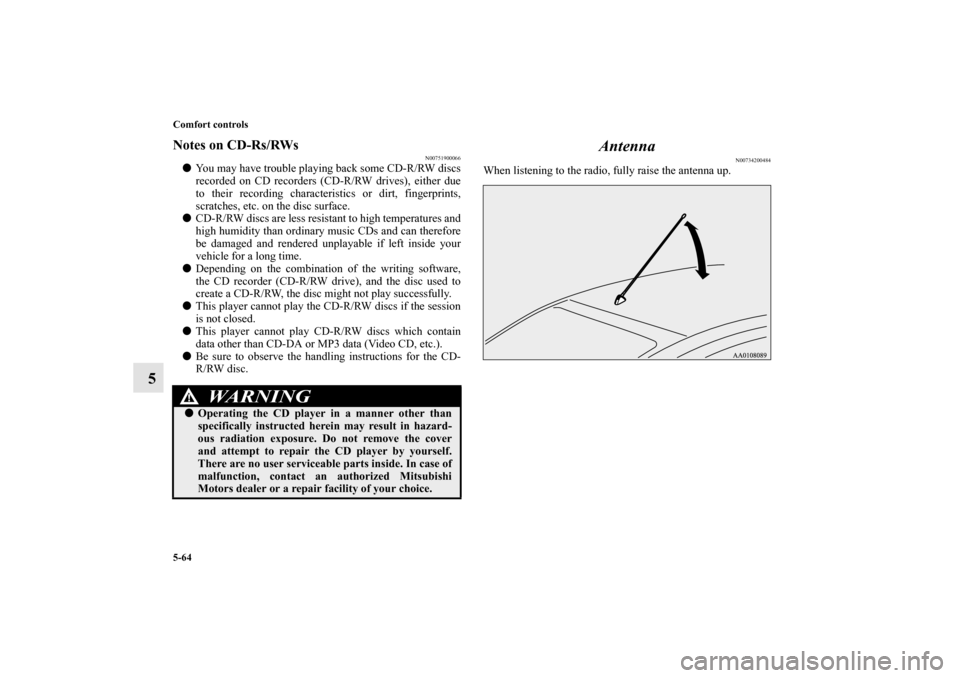
Antenna
N00734200484
When listening to the radio, fully raise the antenna up.
WA R N I N G
!�Operating the CD player in a manner other than
specifically instructed herein may result in hazard-
ous radiation exposure. Do not remove the cover
and attempt to repair the CD player by yourself.
There are no user serviceable parts inside. In case of
malfunction, contact an authorized Mitsubishi
Motors dealer or a repair facility of your choice.
BK0162600US.book 64 ページ 2013年3月22日 金曜日 午後2時41分

