2014 MITSUBISHI LANCER SPORTBACK ECO mode
[x] Cancel search: ECO modePage 133 of 422
Continuously variable transm
ission (CVT) (if so equipped)
5-66 Features and controls
5
At this position, the transmission is disen- gaged. It is the same as the neutral position ona manual transaxle and should be used when the vehicle is not moving for an extended length of time during driving, such as in atraffic jam. This position is used for most city and high- way driving. The trans
mission will automati-
cally and continuously change its gear ratio depending on road and driving conditions.
This position is for driving up very steep hills and for engine braki
ng at low speeds when
driving down steep hills.
N00514400420
Whether the vehicle is stationary or in motion, sports mode is selected by pushing
the selector lever from the “D” (DRIVE) position into the manual gate (1). To return to “D” (DRIVE) operation, push the selector lever back into the main gate (2).In sports mode, rapid
shifting is possible sim-
ply by operating the selector lever or spor- tronic steering wheel paddle shifter.Unlike the manual transaxle, sports mode allows shifting with the accelerator pedal depressed.
“N” NEUTRAL
WA R N I N G Never move the selector lever to the “N” (NEUTRAL) position while driving since you could accidentally slip it into the “P”(PARK) or “R”(REVERSE) position, damaging the transmission. To prevent the vehicle from rolling when stopped on a slope, the engine should be started in the “P” (PARK) position, not in“N” (NEUTRAL) position. To prevent rolling, always keep your foot on the brake pedal when the vehicle is in “N” (NEUTRAL) position, or when shift- ing into or out of “N” (NEUTRAL) posi-tion.
“D” DRIVE
CAUTION To prevent transmission damage, never shift into the “D” (DRIVE) position from the “R” (REVERSE) position while
the vehicle is in
motion.
“L” LOW (except for vehicles with manual gate)
WA R N I N G This position can be used for maximum engine braking.Be very careful not to shift into “L” (LOW) suddenly. Sudden engine braking may cause the tires to skid.Select this position according to the road conditions and vehicle speed.
Sports mode
(if so equipped)
Vehicles with manual gate
NOTE
For vehicles equipped with the sportronic steering wheel paddle shifter, sports modecan be operated even when the selector lever is in the main gate (2). Also, you can return to the “D” operation in any of followingways. When returning to “D” operation, the selector lever position display will change to “D” (DRIVE) position. • Pull the +(SHIFT UP) side sportronic steer- ing wheel paddle shifter forward (towardthe driver) for over 2 seconds. • Stop the vehicle• Push the selector lever from the “D” (DRIVE) position into the manual gate (A) and push the selector lever back into the main gate (B).
BK0200700US.bo
ok 66 ページ 2013年2月15日 金曜日 午後12時17分
Page 134 of 422
Continuously variable transmission (CVT) (if so equipped)
Features and controls 5-67
5
While driving with the selector lever in the “D” (DRIVE), sports mode can be selectedby pulling one of the sportronic steering wheel shifters toward you. In sports mode, rapid sh
ifting is possible sim-
ply by operating the sportronic steering wheel paddle shifter. Unlike the manual transaxle, sports modeallows shifting with the accelerator pedal depressed.
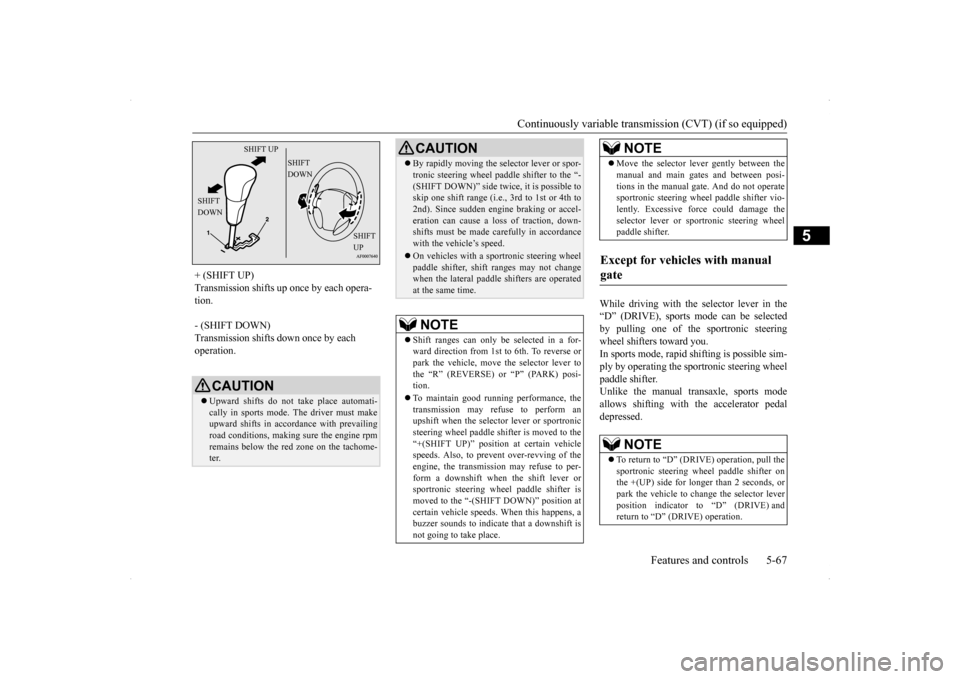
+ (SHIFT UP) Transmission shifts up once by each opera- tion. - (SHIFT DOWN) Transmission shifts down once by each operation.
CAUTION Upward shifts do not take place automati- cally in sports mode. The driver must make upward shifts in accordance with prevailingroad conditions, making sure the engine rpm remains below the red zone on the tachome- ter.
SHIFT UP
SHIFT DOWN
SHIFT DOWN
SHIFT UP
By rapidly moving the selector lever or spor- tronic steering wheel paddle shifter to the “- (SHIFT DOWN)” side twice, it is possible to skip one shift range (i.e., 3rd to 1st or 4th to 2nd). Since sudden engine braking or accel-eration can cause a loss of traction, down- shifts must be made carefully in accordance with the vehicle’s speed. On vehicles with a sportronic steering wheel paddle shifter, shift ranges may not changewhen the lateral paddle shifters are operated at the same time.NOTE
Shift ranges can only be selected in a for- ward direction from 1st to 6th. To reverse orpark the vehicle, move the selector lever to the “R” (REVERSE) or “P” (PARK) posi- tion. To maintain good running performance, the transmission may refuse to perform anupshift when the selector lever or sportronic steering wheel paddle shifter is moved to the “+(SHIFT UP)” position at certain vehicle speeds. Also, to prevent over-revving of the engine, the transmission may refuse to per-form a downshift when the shift lever or sportronic steering wheel paddle shifter is moved to the “-(SHIFT DOWN)” position atcertain vehicle speeds. When this happens, a buzzer sounds to indicate that a downshift is not going to take place.CAUTION
Move the selector lever gently between the manual and main gates and between posi- tions in the manual gate. And do not operate sportronic steering wheel paddle shifter vio- lently. Excessive force could damage theselector lever or sportronic steering wheel paddle shifter.
Except for vehicles with manual gate
NOTE
To return to “D” (DRIVE) operation, pull the sportronic steering wheel paddle shifter on the +(UP) side for longer than 2 seconds, or park the vehicle to change the selector leverposition indicator to “D” (DRIVE) and return to “D” (DRIVE) operation.NOTE
BK0200700US.bo
ok 67 ページ 2013年2月15日 金曜日 午後12時17分
Page 137 of 422
Twin Clutch SST (Sportronic Shif
t Transmission) (if so equipped)
5-70 Features and controls
5
N00515300208
If the CVT does not shift while driving, or your vehicle does not pick up enough speed when starting on an uphill slope, there may be something unusual happening in the transmis-sion, causing a safety device to activate. Have your vehicle checked at an authorized Mit- subishi Motors dealer or a repair facility ofyour choice as soon as possible. 1. If your vehicle has difficulty moving uphill, shift the selector lever into “L” (LOW) position (except for vehicles withsport mode) or 2nd shift range of the sports mode. This method might not work dependingon the type of transmission malfunction.
2. Once the vehicle is moving on a level road, move the selector lever back to “D” (DRIVE) position.
N00539700046
The Twin Clutch SST is a transmission that,through integrated control of the engine and transmission, is able to achieve both thesmooth shifting of an automatic transaxle and the acceleration and fuel economy close to a manual transaxle. In addition, the controlmode can be selected from two types to suit the driving conditions. Together with manual shifting, the transmis-sion is capable of responding to a variety of driving circumstances. Twin Clutch SST control mode
P.5-75
Manual shift
P.5-76
N00539800047
As an additional safety precaution, models equipped with a Twin Clutch SST have ashift-lock device that holds the gearshift lever in the “P” (PARK) position. To move the gearshift lever from the “P” (PARK) positionto another position, follow the steps below. 1. Press and hold the brake pedal down. 2. Move the gearshift lever to the desired position.
The Twin Clutch SST has 6 forward gears and 1 reverse gear. The individual gears are selected automati-cally, depending on the position of the gear- shift lever, the speed of the vehicle and the position of the accelerator pedal.The gearshift lever (A) has 2 gates; the main shift gate (B) and the manual shift gate (C).
NOTE
On a slope, be sure to apply the parking brake before moving the selector lever to the “P” (PARK) position. If you move the selec- tor lever to the “P” (PARK) position before applying the parking brake, it may be diffi-cult to disengage the selector lever from the “P” (PARK) position when next you drive the vehicle, requiring application of a strongforce to the selector lever to move from the “P” (PARK) position.
When the CVT makes no speed change
NOTE
When the warning display or the warning display appears on the information screen in the multi-information display, therecould be a malfunction in the CVT. Refer to “Continuously variable transmission (CVT): Warning display” on page 5-65.
Twin Clutch SST (Spor- tronic Shift Transmission)
(if
so equipped)
Gearshift lever operation
NOTE
The gearshift lever cannot be moved from “P” (PARK) to another position if the igni-tion switch is at the “LOCK” or “ACC” posi- tion, or the key has been removed, or if the brake pedal is not pressed and held down.
BK0200700US.bo
ok 70 ページ 2013年2月15日 金曜日 午後12時17分
Page 142 of 422
Twin Clutch SST (Sportronic Shif
t Transmission) (if so equipped) Features and controls 5-75
5
N00540200067
Select the control mode from the following two types to suit the driving conditions.
NOTE
For information on manual shift gate opera- tion, please refer to “Manual shift” on page 5-76. When the engine is cold, upshifts occur at a higher vehicle speed than when the engine is warm. This control is performed to quickly warmup the engine. It does not indicate a malfunc- tion. After the vehicle has been driven for a while, upshifts will occur at the regularengine speeds.
Twin Clutch SST control mode
Tw i n
Clutch SST control mode
Characteristic
NORMAL (Control mode when engine is started)
Control mode for normal driving on local roads, free-ways, and the like.Smooth shifting is performed at low engine speeds for eco- nomical driving with good ride quality.
SPORT
Control mode for driving on mountain roads, roads with uphill and downhill slopes, and freeways with long downhill slopes where engine braking is necessary.Compared to “NORMAL” mode, shifting occurs at higher engine speeds and is quicker. In addition, quick downshifting is possible when the accelerator pedal is depressed for quick accelera- tion or when the brakes are applied.
Tw i n
Clutch SST control mode
Characteristic
NOTE
When continuously driving on closed circuit tracks or at other locations where the engine is operated at high speeds and under a heavy load, the Twin Clutch SST fluid temperature will have a tendency to rise.In this case, if the temperature rises too high, the warning display will appear on the information screen in the multi-information display to alert the driver. If the warning display appears, be sure to refer to “Warning display” on page 5-73 and follow the appropriate measures. The Twin Clutch SST control mode can be selected both when “D” range operation is selected and when manual shifting is selected. If you select “SPORT” mode while the engine is cold, the transmission may shift upat different speeds compared to that when the engine is warm. This is simply the operation of the controlsystem to warm the engine quickly. It does not indicate a malfunction. For slippery road surfaces, such as roads with accumulated snow, “NORMAL” mode is recommended for smooth shifting at low engine speeds.
BK0200700US.bo
ok 75 ページ 2013年2月15日 金曜日 午後12時17分
Page 151 of 422
ACD (Active center differential system) (if so equipped) 5-84 Features and controls
5
N00545500036
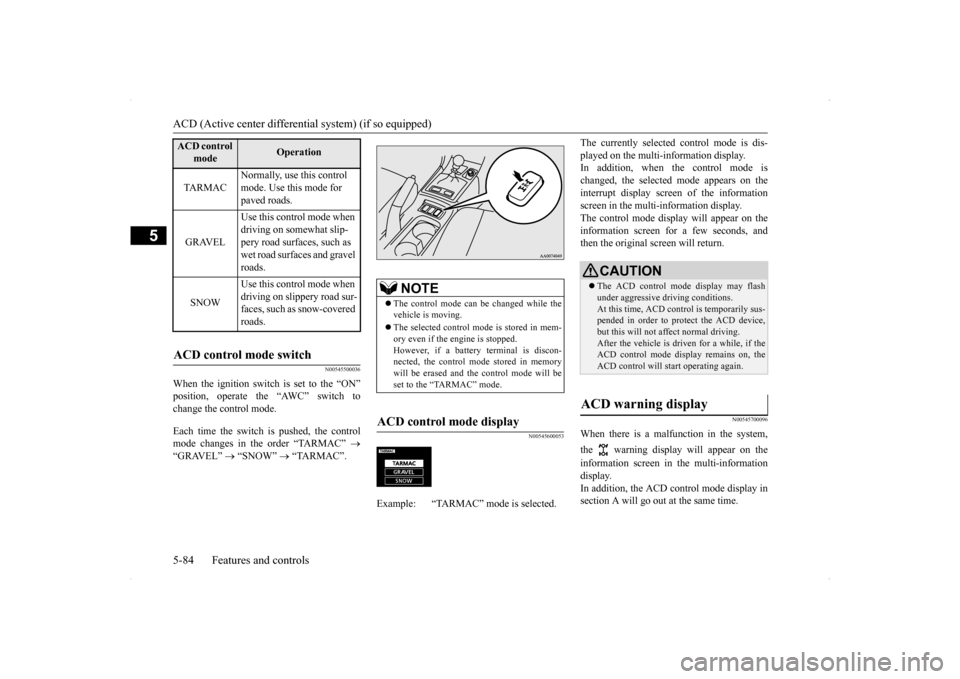
When the ignition switch is set to the “ON” position, operate the “AWC” switch to change the control mode. Each time the switch is pushed, the control mode changes in the order “TARMAC”
“GRAVEL”
“SNOW”
“TARMAC”.
N00545600053
The currently selected control mode is dis- played on the multi-information display. In addition, when the control mode is changed, the selected mode appears on theinterrupt display screen of the information screen in the multi-information display. The control mode display will appear on theinformation screen for a few seconds, and then the original screen will return.
N00545700096
When there is a malfunction in the system, the warning display will appear on the information screen in the multi-information display. In addition, the ACD control mode display in section A will go out at the same time.
ACD control
mode
Operation
TA R M A C
Normally, use this control mode. Use this mode for paved roads.
GRAVEL
Use this control mode when driving on somewhat slip- pery road surfaces, such as wet road surfaces and gravel roads.
SNOW
Use this control mode when driving on slippery road sur-faces, such as snow-covered roads.
ACD control mode switch
NOTE
The control mode can be changed while the vehicle is moving. The selected control mode is stored in mem- ory even if the engine is stopped. However, if a battery terminal is discon-nected, the control mode stored in memory will be erased and the control mode will be set to the “TARMAC” mode.
ACD control mode display
Example: “TARMAC” mode is selected.ç
CAUTION The ACD control mode display may flash under aggressive driving conditions. At this time, ACD control is temporarily sus- pended in order to protect the ACD device,but this will not affect normal driving. After the vehicle is driven for a while, if the ACD control mode display remains on, theACD control will start operating again.
ACD warning display
BK0200700US.bo
ok 84 ページ 2013年2月15日 金曜日 午後12時17分
Page 159 of 422
Active stability control (ASC) 5-92 Features and controls
5
Anti-lock braking system
P.5-88
Traction control function
P.5-92
Skid control function
P.5-92
N00559200047
On slippery surfaces, the traction control function prevents the drive wheels from spin-ning excessive, thus helping the vehicle to start moving from a stop
ped condition. It also
provides sufficient driving force and steeringperformance as the vehicle turns while press- ing the acceleration pedal.
N00546800023
The skid control function is designed to help the driver maintain control of the vehicle on
slippery roads or during rapid steering maneuvers. It works by controlling the engine output and the brake on each wheel.
N00559400212
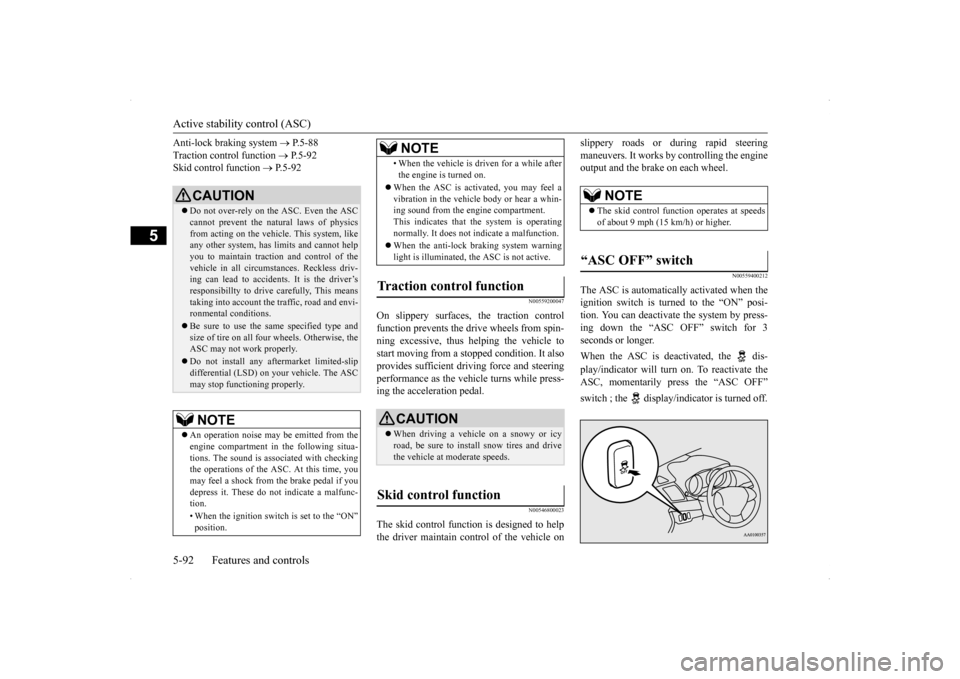
The ASC is automatically activated when the ignition switch is turned to the “ON” posi-tion. You can deactivate the system by press- ing down the “ASC OFF” switch for 3 seconds or longer. When the ASC is deactivated, the dis- play/indicator will turn on. To reactivate the ASC, momentarily press the “ASC OFF” switch ; the display/indicator is turned off.
CAUTION Do not over-rely on the ASC. Even the ASC cannot prevent the natural laws of physics from acting on the vehicl
e. This system, like
any other system, has limits and cannot helpyou to maintain traction and control of the vehicle in all circumstances. Reckless driv- ing can lead to accidents. It is the driver’sresponsibillty to drive carefully, This means taking into account the traffic, road and envi- ronmental conditions. Be sure to use the same specified type and size of tire on all four wheels. Otherwise, theASC may not work properly. Do not install any aftermarket limited-slip differential (LSD) on your vehicle. The ASC may stop functioning properly.NOTE
An operation noise may be emitted from the engine compartment in the following situa- tions. The sound is associated with checking the operations of the ASC. At this time, you may feel a shock from the brake pedal if you depress it. These do not indicate a malfunc-tion. • When the ignition switch is set to the “ON” position.
• When the vehicle is driven for a while after the engine is turned on.
When the ASC is activated, you may feel a vibration in the vehicle body or hear a whin-ing sound from the engine compartment. This indicates that the system is operating normally. It does not indicate a malfunction. When the anti-lock braking system warning light is illuminated, the ASC is not active.
Traction control function
CAUTION When driving a vehicle on a snowy or icy road, be sure to install snow tires and drive the vehicle at moderate speeds.
Skid control function
NOTE
NOTE
The skid control function operates at speeds of about 9 mph (15 km/h) or higher.
“ASC OFF” switch
BK0200700US.bo
ok 92 ページ 2013年2月15日 金曜日 午後12時17分
Page 166 of 422

Cruise control
Features and controls 5-99
5
Depress the brake pedal.
The set speed driving is deactivated automati- cally in any of the following ways. When you depress the clutch pedal (on vehicles equipped with manual transaxle). When your speed slow
s to about 10 mph
(15 km/h) or more below the set speed because of a hill, etc. When your speed slow
s to about 25 mph
(40 km/h) or less. When the Twin Clutch SST control mode is set to “Sport” mode (on vehicles equipped with Twin Clutch SST). Refer to “Twin Clutch SST control mode”on page 5-75.
When the active stability control (ASC) starts operating. Refer to “Active stability control (ASC)” on page 5-91.
Also, the set speed driving may be deacti- vated as follow: When the engine speed rises and approaches the tachometer’s red zone (the red-colored part of the tachometer dial).
N00518900250
If the set speed driving is deactivated by thecondition described in “To deactivate” onpage 5-98, you can resume the previously set speed by pressing the “ACC RES” switch (C) while driving at a speed of about 25 mph (40km/h) or higher.
Type 1 Type 2
WA R N I N G On vehicles equipped with continuously variable transmission (CVT) or TwinClutch SST, although the set speed driving will be deactivated when shifting to the “N” (NEUTRAL) position, never move theselector lever (CVT) or the gearshift lever (Twin Clutch SST) to the “N” (NEU- TRAL) position while driving.You would have no engine braking and could cause a serious accident.
CAUTION When the set speed driving is deactivated automatically in any situation other than those listed above, there may be a system malfunction. Press the “ON OFF” switch to turn off thecruise control and have your vehicle inspected by an authorized Mitsubishi Motors dealer or a repair facility of yourchoice.
To resume the set speed
BK0200700US.bo
ok 99 ページ 2013年2月15日 金曜日 午後12時17分
Page 176 of 422
Multi-information display
Features and controls 5-109
5
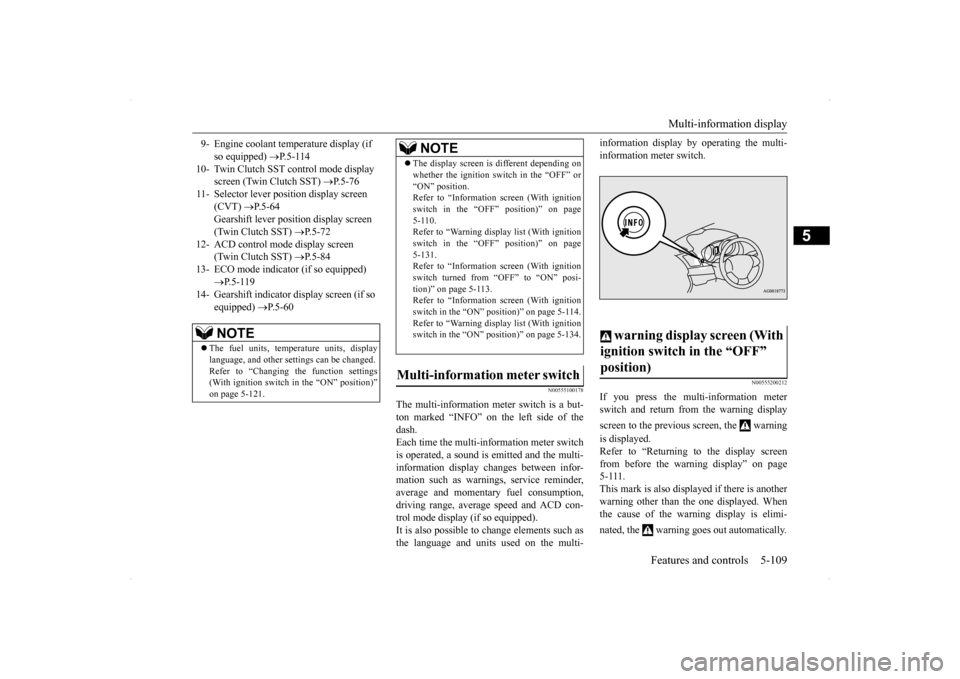
N00555100178
The multi-information meter switch is a but- ton marked “INFO” on the left side of thedash. Each time the multi-information meter switch is operated, a sound is emitted and the multi-information display changes between infor- mation such as warnings, service reminder, average and momentary fuel consumption,driving range, average speed and ACD con- trol mode display (if so equipped). It is also possible to change elements such asthe language and units used on the multi-
information display by operating the multi- information meter switch.
N00555200212
If you press the multi-information meter switch and return from the warning display screen to the previous screen, the warning is displayed. Refer to “Returning to the display screen from before the warning display” on page5-111. This mark is also displayed if there is another warning other than the one displayed. Whenthe cause of the warning display is elimi- nated, the warning goes out automatically.
9- Engine coolant temperature display (if
so equipped)
P.5-114
10- Twin Clutch SST control mode display
screen (Twin Clutch SST)
P. 5 - 7 6
11- Selector lever position display screen
(CVT)
P.5-64
Gearshift lever position display screen (Twin Clutch SST)
P. 5 - 7 2
12- ACD control mode display screen
(Twin Clutch SST)
P. 5 - 8 4
13- ECO mode indicator (if so equipped)
P. 5 - 1 1 9
14- Gearshift indicator display screen (if so
equipped)
P. 5 - 6 0
NOTE
The fuel units, temperature units, display language, and other settings can be changed.Refer to “Changing the function settings (With ignition switch in the “ON” position)” on page 5-121.
The display screen is different depending on whether the ignition switch in the “OFF” or “ON” position. Refer to “Information screen (With ignition switch in the “OFF” position)” on page5-110. Refer to “Warning displa
y list (With ignition
switch in the “OFF” position)” on page5-131. Refer to “Information screen (With ignition switch turned from “OFF” to “ON” posi-tion)” on page 5-113. Refer to “Information screen (With ignition switch in the “ON” position)” on page 5-114.Refer to “Warning displa
y list (With ignition
switch in the “ON” position)” on page 5-134.
Multi-information meter switch
NOTE
warning display screen (With ignition switch in the “OFF” position)
BK0200700US.book
109 ページ 2013年2月15日 金曜日 午後12時17分