Page 254 of 652

254
2-4. Using other driving systems
RX350/270_EE
■Sensor detection information
●Certain vehicle conditions and the surrounding environment may affect the
ability of a sensor to correctly detect an obstacle. Particular instances where this
may occur are listed below.
• There is dirt, snow or ice on a sensor.
• A sensor is frozen.
• A sensor is covered in any way.
• The vehicle is leaning considerably to one side.
• On an extremely bumpy road, on an incline, on gravel, or on grass
• The vicinity of the vehicle is noisy due to vehicle horns, motorcycle engines,
air brakes of large vehicles, or other loud noises producing ultrasonic waves.
• There is another vehicle equipped with parking assist sensors in the vicinity.
• A sensor is coated with a sheet of spray or heavy rain.
• The vehicle is equipped with a fender pole or radio antenna.
• Towing eyelets are installed.
• A bumper or sensor receives a strong impact.
• The vehicle is approaching a tall or right-angled curb.
• In harsh sunlight or intense cold weather.
• A non-genuine Lexus suspension (lowered suspension, etc.) is installed.
In addition to the examples above, there are instances in which, because of their
shapes, signs and other objects may be judged by a sensor to be closer than they
are.
●The shape of the obstacle may prevent a sensor from detecting it. Pay particular
attention to the following obstacles:
• Wires, fences, ropes, etc.
• Cotton, snow and other materials that absorb sound waves
• Sharply-angled objects
• Low obstacles
• Tall obstacles with upper sections projecting outwards in the direction of your
vehicle
■If a message is displayed
→P. 5 5 2
■Customization
Settings (e.g. buzzer volume) can be changed.
(Customizable features →P. 6 2 2 )
RX350_270_EE_48D77E.book 254 ページ 2014年1月24日 金曜日 午前10時4分
Page 312 of 652
312
RX350/270_EE
3-1. Using the air
conditioning system
and defogger
Automatic air
conditioning system ............. 314
Rear window defogger
switch ....................................... 321
Windshield wiper
de-icer ................................... 322
3-2. Using the audio system
Audio system .......................... 323
Using the radio........................ 326
Using the CD player ............ 330
Playing MP3 and WMA
discs ......................................... 337
Operating an iPod ................ 344
Operating a USB
memory ................................. 353
Bluetooth
® audio system...... 361
Using the Bluetooth®
audio system ......................... 366
Operating a Bluetooth
®
enabled portable
player ...................................... 369
RX350_270_EE_48D77E.book 312 ページ 2014年1月24日 金曜日 午前10時4分
Page 323 of 652
323
3
Interior features
RX350/270_EE
3-2. Using the audio system
Audio system
Vehicles with a navigation system
Owners of models equipped with a navigation system should refer to
the “Navigation System Owner’s Manual”.
Vehicles without a navigation system
CD player with a changer and AM/FM radio
RX350_270_EE_48D77E.book 323 ページ 2014年1月24日 金曜日 午前10時4分
Page 324 of 652
324
3-2. Using the audio system
RX350/270_EE
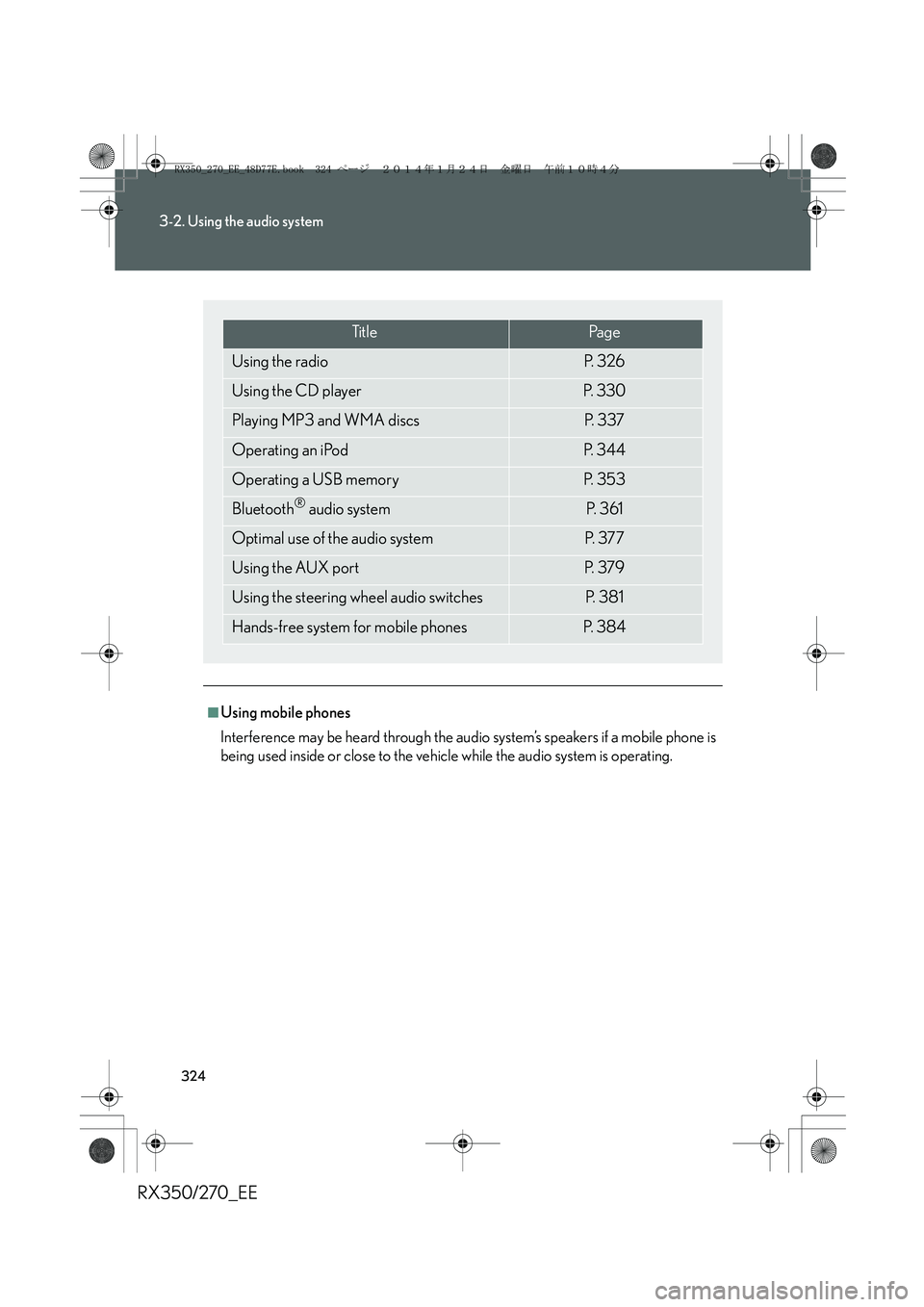
■Using mobile phones
Interference may be heard through the audio system’s speakers if a mobile phone is
being used inside or close to the vehicle while the audio system is operating.
Ti t l ePa g e
Using the radioP. 3 2 6
Using the CD playerP. 3 3 0
Playing MP3 and WMA discsP. 3 3 7
Operating an iPodP. 3 4 4
Operating a USB memoryP. 3 5 3
Bluetooth® audio systemP. 3 6 1
Optimal use of the audio systemP. 3 7 7
Using the AUX portP. 3 7 9
Using the steering wheel audio switchesP. 3 8 1
Hands-free system for mobile phonesP. 3 8 4
RX350_270_EE_48D77E.book 324 ページ 2014年1月24日 金曜日 午前10時4分
Page 325 of 652

325
3-2. Using the audio system
3
Interior features
RX350/270_EE
CAUTION
■Certification for the radio (for Italy)
IL PRODUTTORE PIONEER CORPORATION 4-1, Meguro 1-Chome, Meguro-
Ku, Tokyo, Japan DI QUESTO APPARECCHIO MODELLO 86120-48Q90
(radio-CD player) DICHIARA CHE ESSO E’ CONFORME AL D.M.28.08.1995
No.548, OTTEMPERANDO ALLE PRESCRIZIONI DI CUI AL D.M.25.6.1985
(PARAGRAFO 3,ALL.A) ED AL D.M.27.8.1987 (PARAGRAFO 3,ALL.I).
■Certification for the disc player with a changer
This product is a class 1 laser product classified under the Safety of laser products,
IEC 60825-1:2007, and contains a class 1 M laser module. To ensure continued
safety, do not remove any covers or attempt to gain access to the inside of the prod-
uct. Refer all servicing to qualified personnel.
NOTICE
■To prevent battery discharge
Do not leave the audio system on longer than necessary when the engine is off.
■To avoid damaging the audio system
Take care not to spill drinks or other fluids over the audio system.
CLASS 1 LASER PRODUCT
CAUTION - CLASS 1 M INVISIBLE LASER
RADIATION WHEN OPEN, DO NOT
VIEW DIRECTLY WITH OPTICAL
INSTRUMENTS.
RX350_270_EE_48D77E.book 325 ページ 2014年1月24日 金曜日 午前10時4分
Page 326 of 652
326
3-2. Using the audio system
RX350/270_EE
Using the radio
“PWR⋅VOL” knob
Pow e rVo l u m e
Auto preset
buttonProgram type button
Preset station buttons
Seek buttonAM/FM mode
buttons
TA mode buttonAF mode buttonFrequency adjustment
knob
RX350_270_EE_48D77E.book 326 ページ 2014年1月24日 金曜日 午前10時4分
Page 327 of 652

327
3-2. Using the audio system
3
Interior features
RX350/270_EE
Setting station presets
■Manual operation
Search for the desired stations by turning or pressing “>”
or “<” on .
Press and hold the button (from to ) the station is to
be set to until you hear a beep.
■Automatic operation
Press and hold until you hear a beep.
Up to 6 stations are set in order of reception quality. When the setting
is complete, 2 beeps will be heard.
In FM1 or FM2 mode, the stations automatically set by the audio sys-
tem will be set in the FM3 presets.
RDS (Radio Data System)
This feature allows your radio to receive station and program information
(classical, news, etc.) from radio stations which broadcast this informa-
tion.
■Listening to stations of the same network
Press .
“AF-ON”, “REG-OFF” modes: A station among those of the same net-
work with strong reception is selected.
“AF-ON”, “REG-ON” modes: A station among those of the same net-
work with strong reception and broad-
casting the same program is selected.
Each time is pressed, the mode changes in the following order: “AF-
ON”, “REG-OFF”→“AF-ON”, “REG-ON”→“AF-OFF”, “REG-OFF”
STEP1
STEP2
RX350_270_EE_48D77E.book 327 ページ 2014年1月24日 金曜日 午前10時4分
Page 328 of 652

328
3-2. Using the audio system
RX350/270_EE■Selecting a program type
Press .
Each time is pressed, the program type changes in the following order:
“NEWS”→“SPORTS”→“TALK”→“POP”→“CLASSICS”
■Traffic information
Press .
TP mode: The system automatically switches to traffic information
when a broadcast with a traffic information signal is
received.
The station returns to the previous one when the traffic informa-
tion ends.
TA mode: Traffic information can be heard only when a signal is
received. The system switches to mute mode when a signal
is not received. In CD or MP3/WMA mode, the system
automatically switches to traffic information when a signal is
received.
The audio system returns to mute, CD or MP3/WMA mode
when the traffic information ends.
Audio system mode changes as follows each time is pressed:
FM modes: “TP”→“TA”→off
Modes other than radio modes: “TA”→off
■Emergency broadcast reception mode
“ALARM” appears in the display in the event that an emergency
broadcast is received, and the emergency broadcast is aired.
RX350_270_EE_48D77E.book 328 ページ 2014年1月24日 金曜日 午前10時4分