2014 KIA Sportage audio
[x] Cancel search: audioPage 14 of 457
25
Your vehicle at a glance
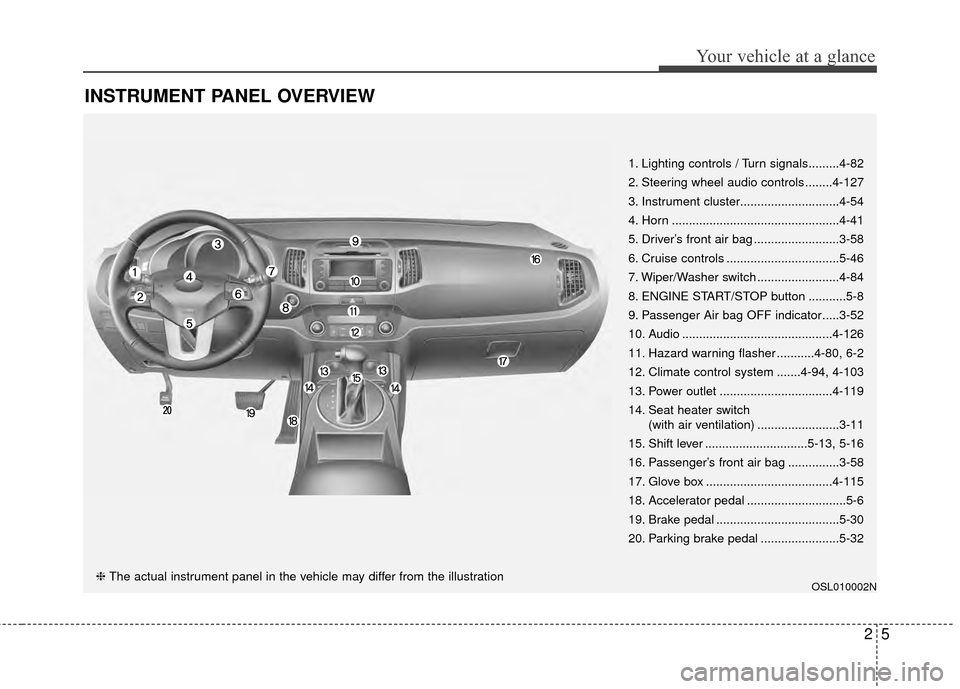
INSTRUMENT PANEL OVERVIEW
OSL010002N
1. Lighting controls / Turn signals.........4-82
2. Steering wheel audio controls ........4-127
3. Instrument cluster.............................4-54
4. Horn .................................................4-41
5. Driver’s front air bag .........................3-58
6. Cruise controls .................................5-46
7. Wiper/Washer switch ........................4-84
8. ENGINE START/STOP button ...........5-8
9. Passenger Air bag OFF indicator.....3-52
10. Audio ............................................4-126
11. Hazard warning flasher ...........4-80, 6-2
12. Climate control system .......4-94, 4-103
13. Power outlet .................................4-119
14. Seat heater switch(with air ventilation) ........................3-11
15. Shift lever ..............................5-13, 5-16
16. Passenger’s front air bag ...............3-58
17. Glove box .....................................4-115
18. Accelerator pedal .............................5-6
19. Brake pedal ....................................5-30
20. Parking brake pedal .......................5-32
❈ The actual instrument panel in the vehicle may differ from the illustration
Page 94 of 457

Lighting. . . . . . . . . . . . . . . . . . . . . . . . . . . . . . . . . . 4-81\
. . . . . . . . . . . . . . . . . . . . . . . . 4-81
. . . . . . . . . . . . . . . . . . . . . 4-81
. . . . . . . . . . . . . . . . . . 4-81
. . . . . . . . . . . . . . . . . . . . . . . . . . . . . 4-82
. . . . . . . . . . . . . . . . . . . . . . . . . 4-83
. . . . . . . . . . . . 4-84
. . . . . . . . . . . . . . . . . . . . . . . . 4-85
Wipers and washers . . . . . . . . . . . . . . . . . . . . . . . 4-86
Interior light . . . . . . . . . . . . . . . . . . . . . . . . . . . . . . 4-90
. . . . . . . . . . . . . . . . . . . . . . . . . . . . . . . . . 4-90
. . . . . . . . . . . . . . . . . . . . . . . . . . . . . . . . . . 4-91\
. . . . . . . . . . . . . . . . 4-91
. . . . . . . . . . . . . . . . . . . . . . . . . . . . . . . 4-92
. . . . . . . . . . . . . . . . . . . . . . . . . . . . . 4-92
. . . . . . . . . . . . . . . . . . . . . . . . . . 4-92
Defroster . . . . . . . . . . . . . . . . . . . . . . . . . . . . . . . . . 4-93
Manual climate control system. . . . . . . . . . . . . . . 4-94
Automatic climate control system . . . . . . . . . . . . 4-103
Windshield defrosting and defogging . . . . . . . . . 4-111
Storage compartments . . . . . . . . . . . . . . . . . . . . . 4-115
. . . . . . . . . . . . . . . . . . . . . . . . . . . . . . . . . . 4-11\
5
. . . . . . . . . . . . . . . . . . . . . . . . . . . . 4-116 . . . . . . . . . . . . . . . . . . . . . . . . . . . . . 4-116
. . . . . . . . . . . . . . . . . . . . . . . . . . . . . . . . 4-117
Interior features . . . . . . . . . . . . . . . . . . . . . . . . . . . 4-118
. . . . . . . . . . . . . . . . . . . . . . . . . . . . . . . . . 4-118
. . . . . . . . . . . . . . . . . . . . . . . . . . . . . . . . . . . 4-\
118
. . . . . . . . . . . . . . . . . . . . . . . . . . . . . . . . 4-119
. . . . . . . . . . . . . . . . . . . . . . . . . . . . . . . . 4-120
. . . . . . . . . . . . . . . . . . . . . . . . . . . . . . 4-120
. . . . . . . . . . . . . . . . . . . . . . . . . . . 4-121
. . . . . . . . . . . . . . . . . . . . . . . . . . 4-122
. . . . . . . . . . . . . . . . . . . . . . . . 4-122
Exterior features . . . . . . . . . . . . . . . . . . . . . . . . . . 4-124
. . . . . . . . . . . . . . . . . . . . . . . . . . . . . . . . . . 4-12\
4
Audio system . . . . . . . . . . . . . . . . . . . . . . . . . . . . . 4-126
. . . . . . . . . . . . . . . . . . . . . . . . . . . . . . . . . . . . \
4-126
. . . . . . . . . . . . . . . . . . 4-127
USB and iPod
®
port . . . . . . . . . . . . . . . . . . . . . 4-128
. . . . . . . . . . . 4-151
®
Wireless Technology . . . . . . . . . . . . . . . 4-161
4
Page 211 of 457
4119
Features of your vehicle
The ticket holder (5) is provided for
holding a tollgate ticket. (if equipped)
* The actual sunvisor lamp in thevehicle may differ from the illustra-
tion.
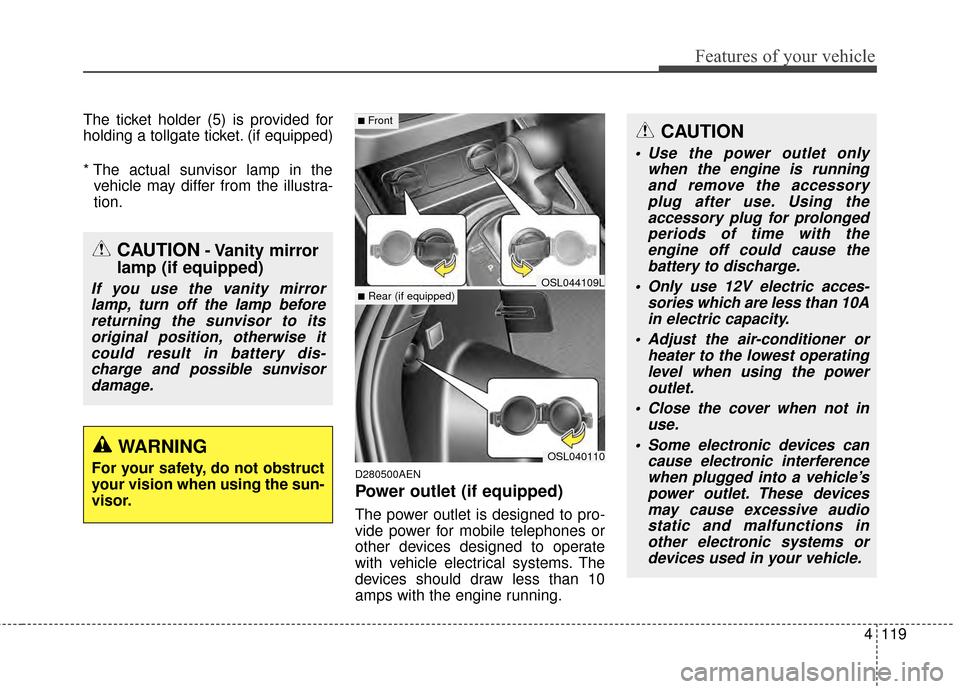
D280500AEN
Power outlet (if equipped)
The power outlet is designed to pro-
vide power for mobile telephones or
other devices designed to operate
with vehicle electrical systems. The
devices should draw less than 10
amps with the engine running.
CAUTION- Vanity mirror
lamp (if equipped)
If you use the vanity mirror
lamp, turn off the lamp beforereturning the sunvisor to itsoriginal position, otherwise itcould result in battery dis-charge and possible sunvisordamage.
OSL040110
■Front
■Rear (if equipped)OSL044109L
CAUTION
Use the power outlet only when the engine is runningand remove the accessoryplug after use. Using theaccessory plug for prolongedperiods of time with theengine off could cause thebattery to discharge.
Only use 12V electric acces- sories which are less than 10Ain electric capacity.
Adjust the air-conditioner or heater to the lowest operatinglevel when using the poweroutlet.
Close the cover when not in use.
Some electronic devices can cause electronic interferencewhen plugged into a vehicle’spower outlet. These devicesmay cause excessive audiostatic and malfunctions inother electronic systems ordevices used in your vehicle.
WARNING
For your safety, do not obstruct
your vision when using the sun-
visor.
Page 212 of 457
Features of your vehicle
120
4
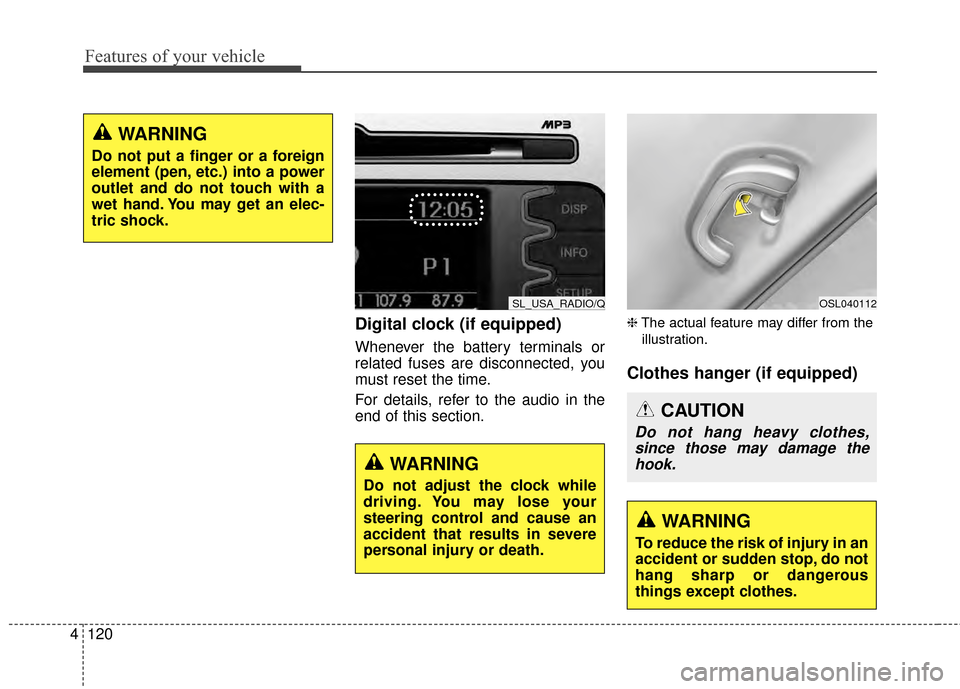
Digital clock (if equipped)
Whenever the battery terminals or
related fuses are disconnected, you
must reset the time.
For details, refer to the audio in the
end of this section.
❈ The actual feature may differ from the
illustration.
Clothes hanger (if equipped)
WARNING
Do not put a finger or a foreign
element (pen, etc.) into a power
outlet and do not touch with a
wet hand. You may get an elec-
tric shock.
SL_USA_RADIO/Q
WARNING
Do not adjust the clock while
driving. You may lose your
steering control and cause an
accident that results in severe
personal injury or death.
OSL040112
CAUTION
Do not hang heavy clothes, since those may damage thehook.
WARNING
To reduce the risk of injury in an
accident or sudden stop, do not
hang sharp or dangerous
things except clothes.
Page 218 of 457
Features of your vehicle
126
4
✽
✽
NOTICE
If you install an after market HID
head lamp, your vehicle’s audio and
electronic device may malfunction.
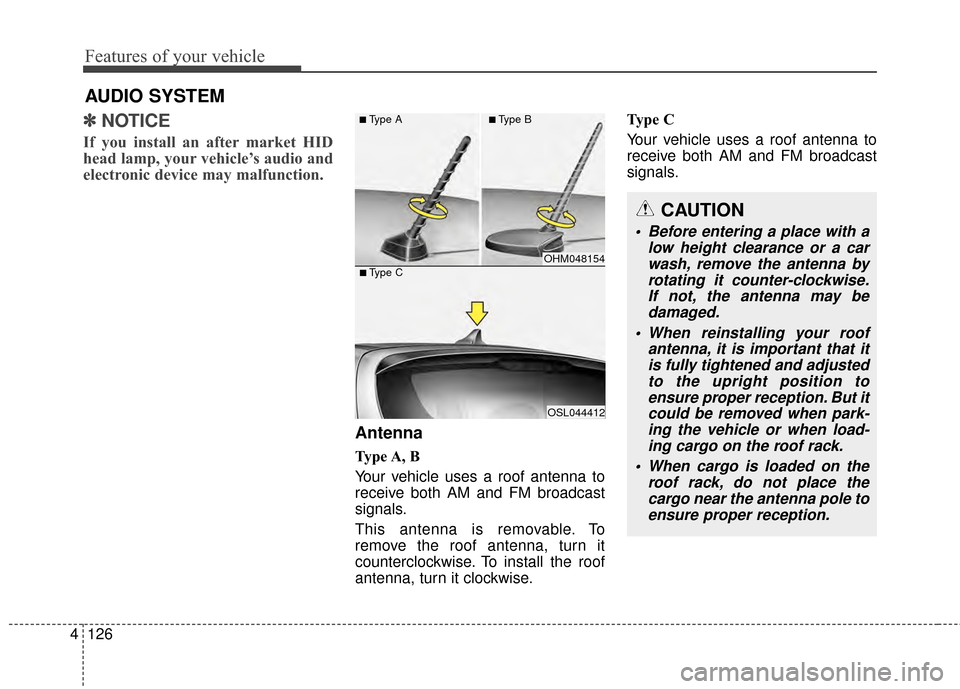
Antenna
Type A, B
Your vehicle uses a roof antenna to
receive both AM and FM broadcast
signals.
This antenna is removable. To
remove the roof antenna, turn it
counterclockwise. To install the roof
antenna, turn it clockwise. Type C
Your vehicle uses a roof antenna to
receive both AM and FM broadcast
signals.
AUDIO SYSTEM
CAUTION
• Before entering a place with a
low height clearance or a carwash, remove the antenna byrotating it counter-clockwise.If not, the antenna may bedamaged.
When reinstalling your roof antenna, it is important that itis fully tightened and adjustedto the upright position toensure proper reception. But itcould be removed when park-ing the vehicle or when load-ing cargo on the roof rack.
When cargo is loaded on the roof rack, do not place thecargo near the antenna pole toensure proper reception.
OHM048154
OSL044412
■Type C
■Type A■Type B
Page 219 of 457
4127
Features of your vehicle
❈The actual feature may differ from the
illustration.
D300200AEN
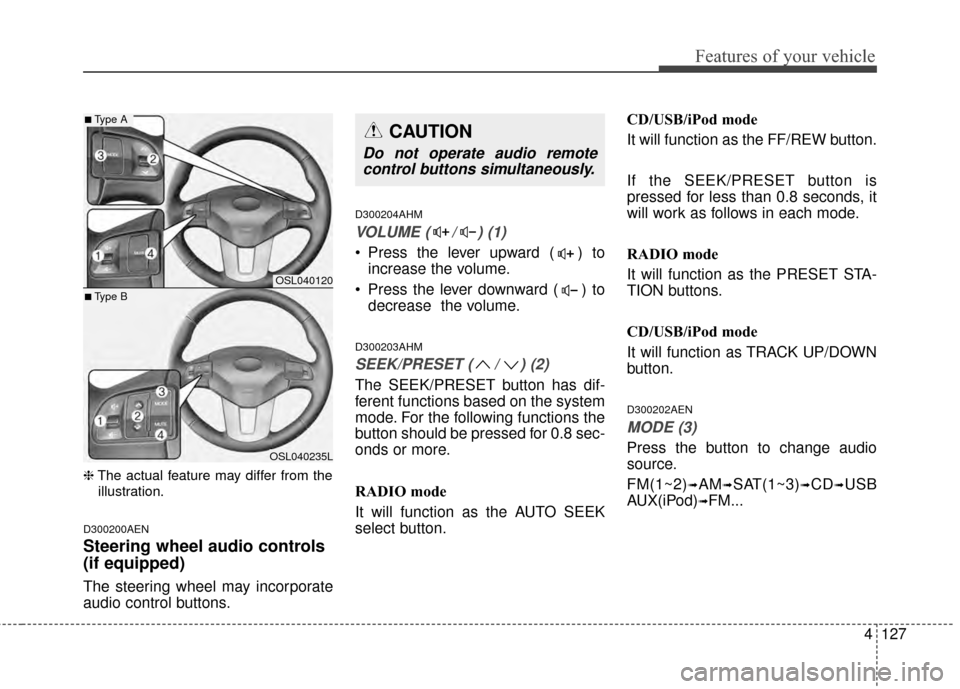
Steering wheel audio controls
(if equipped)
The steering wheel may incorporate
audio control buttons.
D300204AHM
VOLUME ( / ) (1)
• Press the lever upward ( ) to increase the volume.
Press the lever downward ( ) to decrease the volume.
D300203AHM
SEEK/PRESET ( / ) (2)
The SEEK/PRESET button has dif-
ferent functions based on the system
mode. For the following functions the
button should be pressed for 0.8 sec-
onds or more.
RADIO mode
It will function as the AUTO SEEK
select button. CD/USB/iPod mode
It will function as the FF/REW button.
If the SEEK/PRESET button is
pressed for less than 0.8 seconds, it
will work as follows in each mode.
RADIO mode
It will function as the PRESET STA-
TION buttons.
CD/USB/iPod mode
It will function as TRACK UP/DOWN
button.
D300202AEN
MODE (3)
Press the button to change audio
source.
FM(1~2)
➟AM➟SAT(1~3)➟CD➟USB
AUX(iPod)
➟FM...
OSL040120
OSL040235L
■Type A
■Type B
CAUTION
Do not operate audio remote control buttons simultaneously.
Page 220 of 457
Features of your vehicle
128
4
D300205AHM
MUTE (4)
Press the button to mute the
sound.
Press the button to turn off the microphone during a telephone
call.
Detailed information for audio control
buttons is described in the following
pages in this section.
D300600AHM-EE
Aux, USB and iPod®* port
(if equipped)
If your vehicle has an aux and/or
USB(universal serial bus) port or
iPod
®port, you can use an aux port
to connect audio devices and an
USB port to plug in an USB and also
an iPod
®port to plug in an iPod®.
✽ ✽ NOTICE
When using a portable audio device
connected to the power outlet, noise
may occur during playback. If this
happens, use the power source of the
portable audio device.
*iPod®is a trademark of Apple Inc.
D300800AHM
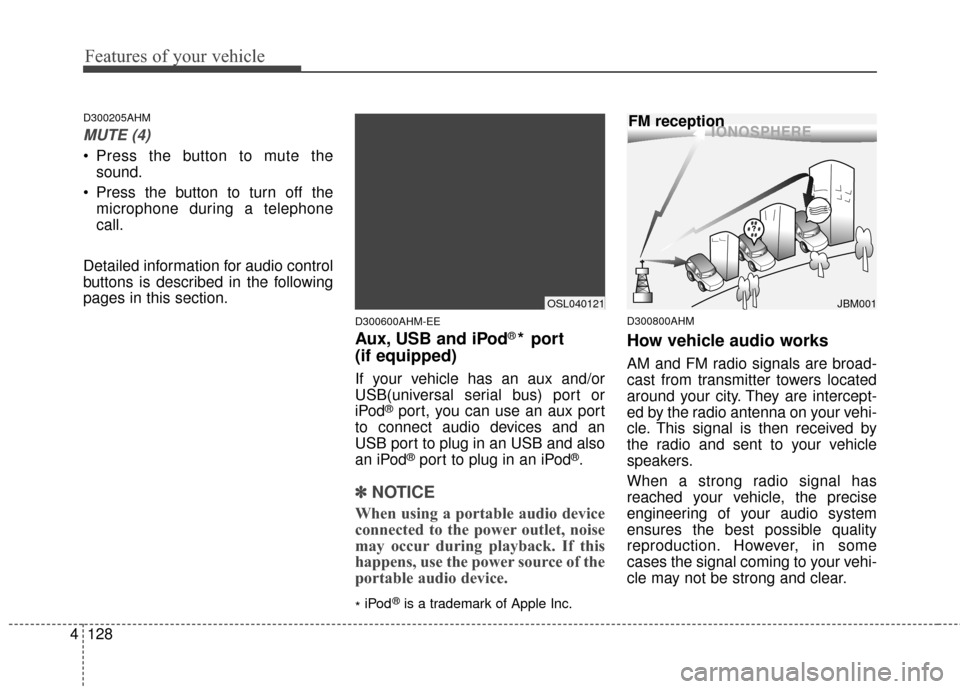
How vehicle audio works
AM and FM radio signals are broad-
cast from transmitter towers located
around your city. They are intercept-
ed by the radio antenna on your vehi-
cle. This signal is then received by
the radio and sent to your vehicle
speakers.
When a strong radio signal has
reached your vehicle, the precise
engineering of your audio system
ensures the best possible quality
reproduction. However, in some
cases the signal coming to your vehi-
cle may not be strong and clear.
¢¢¢
JBM001
FM reception
OSL040121
Page 221 of 457
4129
Features of your vehicle
This can be due to factors such as
the distance from the radio station,
closeness of other strong radio sta-
tions or the presence of buildings,
bridges or other large obstructions in
the area.How vehicle audio works
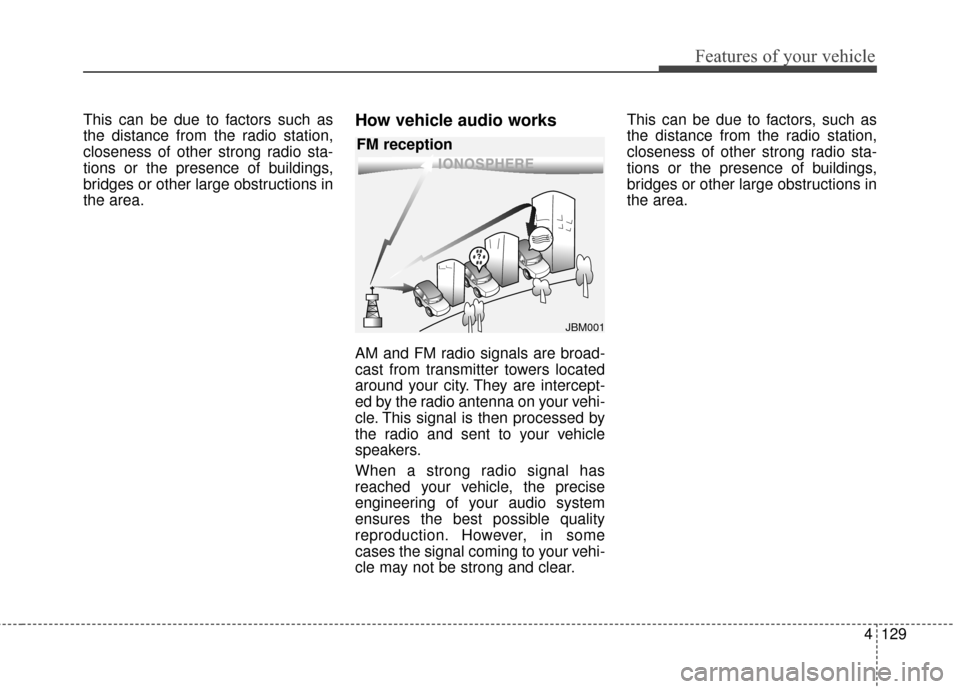
AM and FM radio signals are broad-
cast from transmitter towers located
around your city. They are intercept-
ed by the radio antenna on your vehi-
cle. This signal is then processed by
the radio and sent to your vehicle
speakers.
When a strong radio signal has
reached your vehicle, the precise
engineering of your audio system
ensures the best possible quality
reproduction. However, in some
cases the signal coming to your vehi-
cle may not be strong and clear.This can be due to factors, such as
the distance from the radio station,
closeness of other strong radio sta-
tions or the presence of buildings,
bridges or other large obstructions in
the area.
¢¢¢
JBM001
FM reception