2014 KIA Sportage light
[x] Cancel search: lightPage 125 of 457
433
Features of your vehicle
D100300AAM-EU
WARNING - Refueling
If pressurized fuel sprays out,it can cover your clothes or
skin and subject you to the
risk of fire and burns. Always
remove the fuel cap carefully
and slowly. If the cap is vent-
ing fuel or if you hear a hiss-
ing sound, wait until the con-
dition stops before complete-
ly removing the cap.
Do not "top off" after the noz- zle automatically shuts off
when refueling.
Tighten the cap until it clicks once. otherwise the Check
Engine light will illumi-
nate.
Always check that the fuel cap is installed securely to pre-
vent fuel spillage in the event
of an accident.
(Continued)
Do not get back into a vehicleonce you have begun refuel-
ing since you can generate
static electricity by touching,
rubbing or sliding against any
item or fabric (polyester, satin,
nylon, etc.) capable of produc-
ing static electricity. Static
electricity discharge can
ignite fuel vapors resulting in
rapid burning. If you must re-
enter the vehicle, you should
once again eliminate poten-
tially dangerous static elec-
tricity discharge by touching a
metal part of the vehicle, away
from the fuel filler neck, noz-
zle or other gasoline source.
(Continued)WARNING - Refuelingdangers
Automotive fuels are flammable
materials. When refueling,
please note the following guide-
lines carefully. Failure to follow
these guidelines may result in
severe personal injury, severe
burns or death by fire or explo-
sion.
Read and follow all warnings
posted at the gas station facil-
ity.
Before refueling, note the location of the Emergency
Gasoline Shut-Off, if available,
at the gas station facility.
Before touching the fuel noz- zle, you should eliminate
potentially dangerous static
electricity discharge by touch-
ing another metal part of the
vehicle, a safe distance away
from the fuel filler neck, noz-
zle, or other gas source.
(Continued)
Page 126 of 457
Features of your vehicle
34
4
(Continued)
When using an approved
portable fuel container, be
sure to place the container on
the ground prior to refueling.
Static electricity discharge
from the container can ignite
fuel vapors causing a fire.
Once refueling has begun,
contact with the vehicle
should be maintained until the
filling is complete.
Use only approved portable
plastic fuel containers
designed to carry and store
gasoline.
Do not use cellular phones while refueling. Electric cur-
rent and/or electronic interfer-
ence from cellular phones can
potentially ignite fuel vapors
causing a fire.
(Continued)(Continued)
When refueling, always shutthe engine off. Sparks pro-
duced by electrical compo-
nents related to the engine
can ignite fuel vapors causing
a fire. Once refueling is com-
plete, check to make sure the
filler cap and filler door are
securely closed, before start-
ing the engine.
DO NOT use matches or a lighter and DO NOT SMOKE or
leave a lit cigarette in your
vehicle while at a gas station
especially during refueling.
Automotive fuel is highly
flammable and can, when
ignited, result in fire.
If a fire breaks out during refu- eling, leave the vicinity of the
vehicle, and immediately con-
tact the manager of the gas
station and then contact the
local fire department. Follow
any safety instructions they
provide.CAUTION
Make sure to refuel your vehi- cle according to the “Fuelrequirements” suggested insection 1.
If the fuel filler cap requires replacement, use only a gen-uine Kia cap or the equivalentspecified for your vehicle. Anincorrect fuel filler cap canresult in a serious malfunctionof the fuel system or emissioncontrol system.
Do not spill fuel on the exteri- or surfaces of the vehicle. Anytype of fuel spilled on paintedsurfaces may damage thepaint.
After refueling, make sure the fuel cap is installed securelyto prevent fuel spillage in theevent of an accident.
Page 131 of 457
439
Features of your vehicle
Electric power steering
Power steering uses the motor to
assist you in steering the vehicle. If
the engine is off or if the power steer-
ing system becomes inoperative, the
vehicle may still be steered, but it will
require increased steering effort.
The motor driven power steering is
controlled by the power steering con-
trol unit which senses the steering
wheel torque and vehicle speed to
command the motor.
The steering wheel becomes heavier
as the vehicle’s speed increases and
becomes lighter as the vehicle’s
speed decreases for better control of
the steering wheel.
Should you notice any change in the
effort required to steer during normal
vehicle operation, have the power
steering checked by an authorized
Kia dealer.
✽ ✽NOTICE
The following symptoms may occur
during normal vehicle operation:
• The EPS warning light does not
illuminate.
• The steering effort is high immedi- ately after turning the ignition
switch on. This happens as the sys-
tem performs the EPS system
diagnostics. When the diagnostics
is completed, the steering wheel
will return to its normal condition.
• A click noise may be heard from the EPS relay after the ignition
switch is turned to the ON or
LOCK position.
• Motor noise may be heard when the vehicle is at a stop or at a low
driving speed.
• The steering effort can suddenly increase, if the operation of the
EPS system is stopped to prevent
serious accidents when it detects
malfunction of the EPS system by
self-diagnosis. (Continued)(Continued)
• The steering effort increases if the
steering wheel is rotated continu-
ously when the vehicle is not in
motion. However, after a few min-
utes, it will return to its normal
conditions.
• When you operate the steering wheel in low temperature, abnor-
mal noise could occur. If tempera-
ture rises, the noise will disappear.
This is a normal condition.
STEERING WHEEL
CAUTION
If the EPS system does not
operate normally, the warninglight will illuminate on theinstrument cluster. The steeringwheel may become difficult tocontrol or operate abnormally.Take your vehicle to an author-ized Kia dealer and have thevehicle checked as soon aspossible.
Page 132 of 457
Features of your vehicle
40
4
D130300AUN
Tilt steering/
Telescope steering
(if equipped)
Tilt steering allows you to adjust the
steering wheel before you drive.
You can also raise the steering wheel
to give your legs more room when
you exit and enter the vehicle (if
equipped).
The steering wheel should be posi-
tioned so that it is comfortable for
you to drive, while permitting you to
see the instrument panel warning
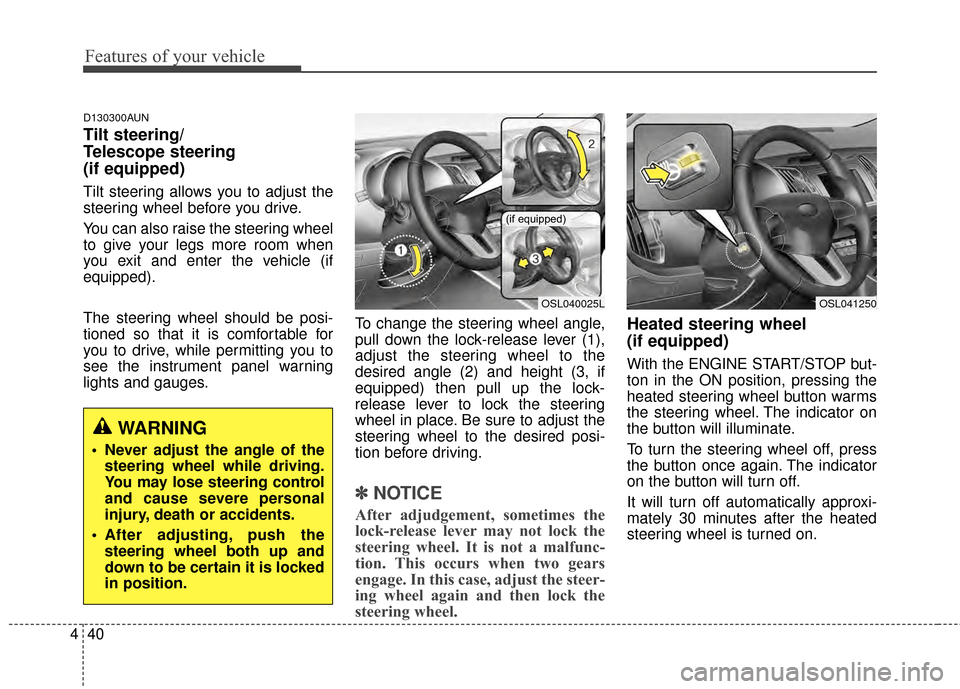
lights and gauges. To change the steering wheel angle,
pull down the lock-release lever (1),
adjust the steering wheel to the
desired angle (2) and height (3, if
equipped) then pull up the lock-
release lever to lock the steering
wheel in place. Be sure to adjust the
steering wheel to the desired posi-
tion before driving.
✽ ✽
NOTICE
After adjudgement, sometimes the
lock-release lever may not lock the
steering wheel. It is not a malfunc-
tion. This occurs when two gears
engage. In this case, adjust the steer-
ing wheel again and then lock the
steering wheel.
Heated steering wheel
(if equipped)
With the ENGINE START/STOP but-
ton in the ON position, pressing the
heated steering wheel button warms
the steering wheel. The indicator on
the button will illuminate.
To turn the steering wheel off, press
the button once again. The indicator
on the button will turn off.
It will turn off automatically approxi-
mately 30 minutes after the heated
steering wheel is turned on.
WARNING
Never adjust the angle of the
steering wheel while driving.
You may lose steering control
and cause severe personal
injury, death or accidents.
After adjusting, push the steering wheel both up and
down to be certain it is locked
in position.
OSL040025L
(if equipped)
OSL041250
Page 135 of 457
443
Features of your vehicle
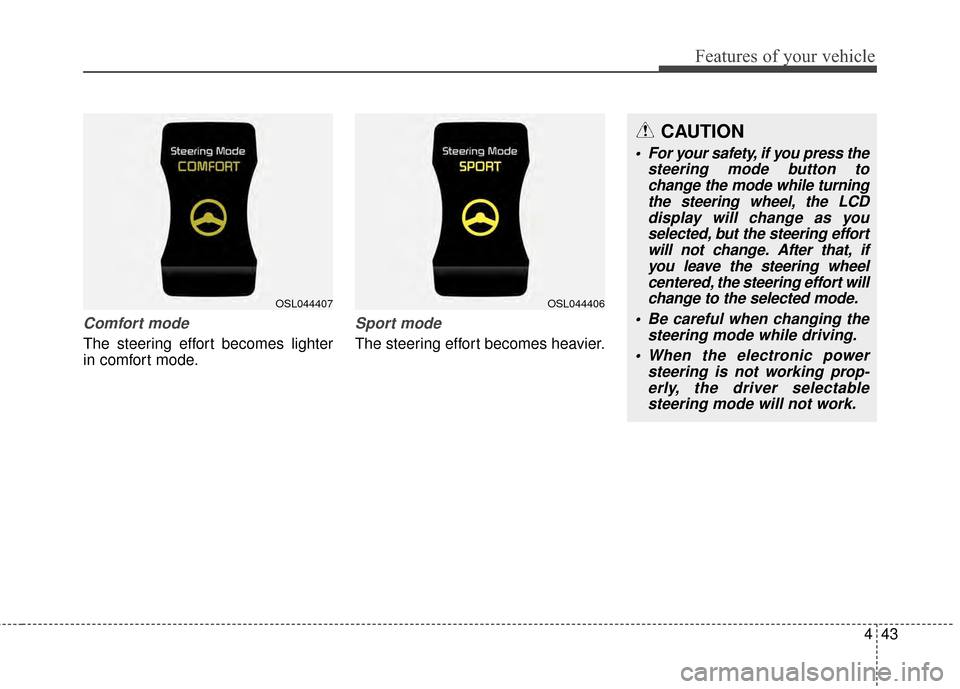
Comfort mode
The steering effort becomes lighter
in comfort mode.
Sport mode
The steering effort becomes heavier.
OSL044407OSL044406
CAUTION
For your safety, if you press thesteering mode button tochange the mode while turningthe steering wheel, the LCDdisplay will change as youselected, but the steering effortwill not change. After that, ifyou leave the steering wheelcentered, the steering effort willchange to the selected mode.
Be careful when changing the steering mode while driving.
When the electronic power steering is not working prop-erly, the driver selectablesteering mode will not work.
Page 136 of 457
Features of your vehicle
44
4
D140100AHM
Inside rearview mirror
Adjust the rearview mirror so that the
center view through the rear window
is seen. Make this adjustment before
you start driving.
D140101AHM
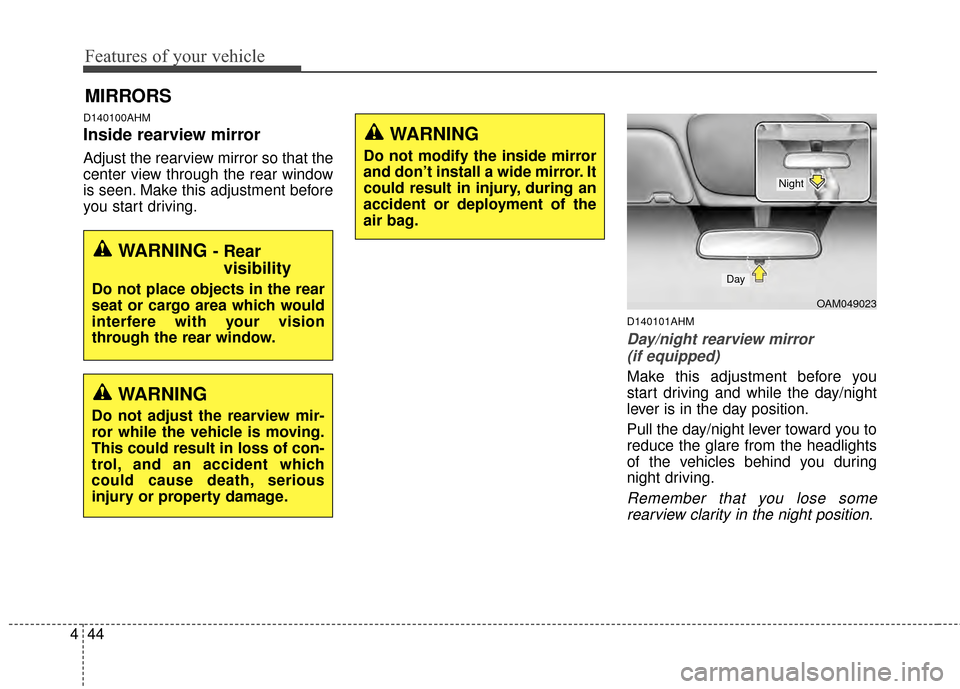
Day/night rearview mirror
(if equipped)
Make this adjustment before you
start driving and while the day/night
lever is in the day position.
Pull the day/night lever toward you to
reduce the glare from the headlights
of the vehicles behind you during
night driving.
Remember that you lose somerearview clarity in the night position.
MIRRORS
WARNING - Rear visibility
Do not place objects in the rear
seat or cargo area which would
interfere with your vision
through the rear window.
WARNING
Do not adjust the rearview mir-
ror while the vehicle is moving.
This could result in loss of con-
trol, and an accident which
could cause death, serious
injury or property damage.
WARNING
Do not modify the inside mirror
and don’t install a wide mirror. It
could result in injury, during an
accident or deployment of the
air bag.
OAM049023
Day
Night
Page 137 of 457
445
Features of your vehicle
D140102AHM-EE-C1
Electrochromic Mirror (ECM) (if equipped)
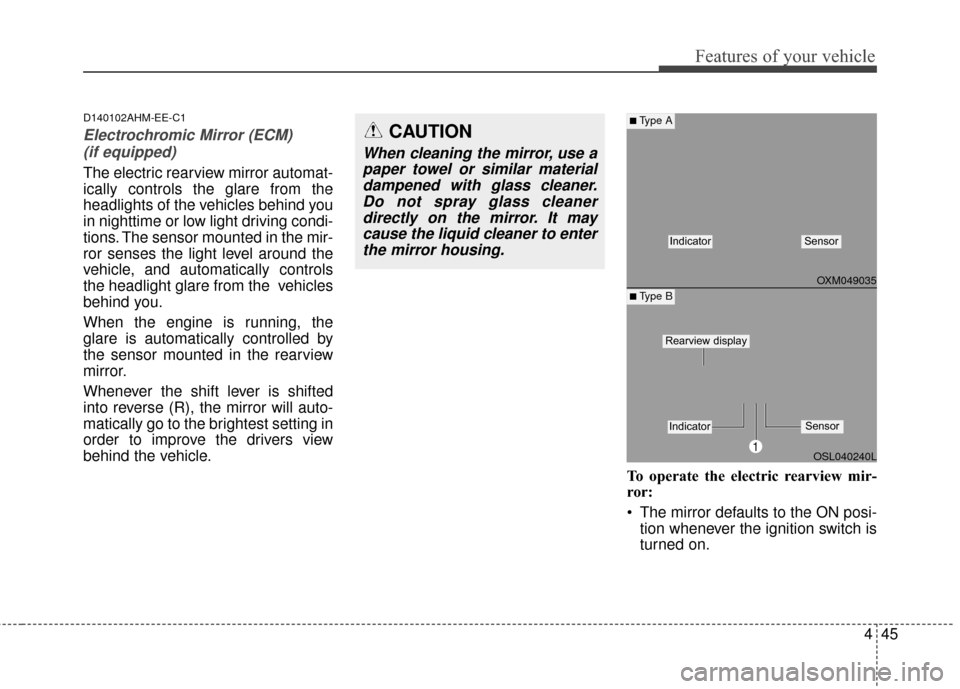
The electric rearview mirror automat-
ically controls the glare from the
headlights of the vehicles behind you
in nighttime or low light driving condi-
tions. The sensor mounted in the mir-
ror senses the light level around the
vehicle, and automatically controls
the headlight glare from the vehicles
behind you.
When the engine is running, the
glare is automatically controlled by
the sensor mounted in the rearview
mirror.
Whenever the shift lever is shifted
into reverse (R), the mirror will auto-
matically go to the brightest setting in
order to improve the drivers view
behind the vehicle.
To operate the electric rearview mir-
ror:
The mirror defaults to the ON posi-tion whenever the ignition switch is
turned on.
OXM049035
OSL040240L
■Type A
■ Type B
IndicatorSensor
1
IndicatorSensor
Rearview display
CAUTION
When cleaning the mirror, use apaper towel or similar materialdampened with glass cleaner.Do not spray glass cleanerdirectly on the mirror. It maycause the liquid cleaner to enterthe mirror housing.
Page 138 of 457
Features of your vehicle
46
4
Press the ON/OFF button (1) to
turn the automatic dimming func-
tion off. The mirror indicator light
will turn off.
Press the ON/OFF button (1) to
turn the automatic dimming func-
tion on. The mirror indicator light
will illuminate.
Electric chromic mirror with
homelink®system (if equipped)
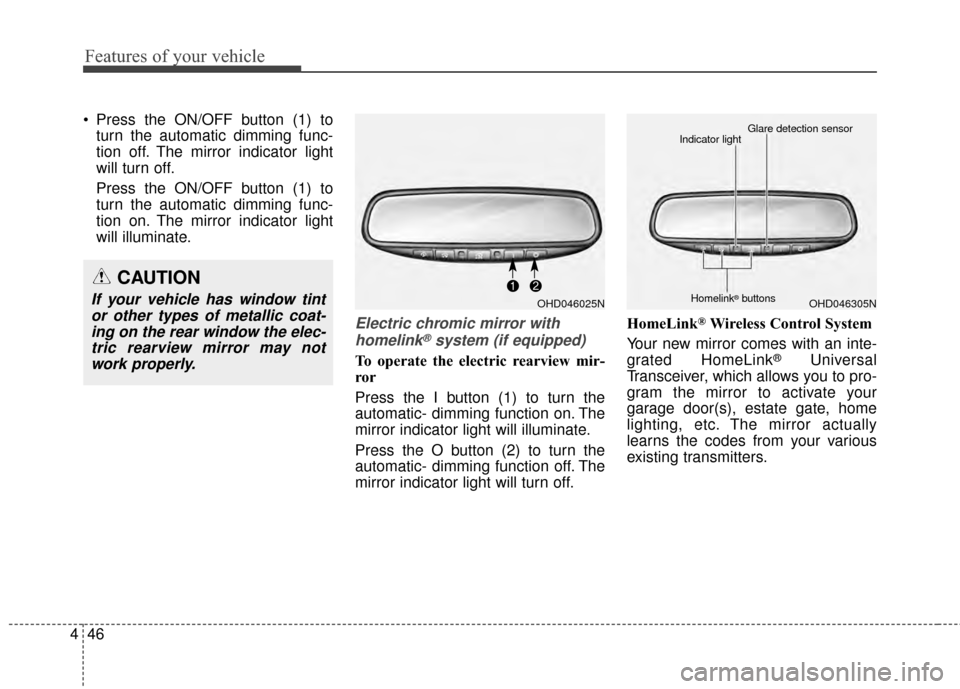
To operate the electric rearview mir-
ror
Press the I button (1) to turn the
automatic- dimming function on. The
mirror indicator light will illuminate.
Press the O button (2) to turn the
automatic- dimming function off. The
mirror indicator light will turn off. HomeLink
®Wireless Control System
Your new mirror comes with an inte-
grated HomeLink
®Universal
Transceiver, which allows you to pro-
gram the mirror to activate your
garage door(s), estate gate, home
lighting, etc. The mirror actually
learns the codes from your various
existing transmitters.
CAUTION
If your vehicle has window tint or other types of metallic coat-ing on the rear window the elec-tric rearview mirror may notwork properly.OHD046025NOHD046305N
Glare detection sensor
Indicator light
Homelink®buttons