2014 INFINITI Q50 Google
[x] Cancel search: GooglePage 8 of 274

The Bluetooth®word mark and logos are
registered trademarks owned by Bluetooth
SIG, Inc. and any use of such marks by
DENSO CORPORATION is under license.
Other trademarks and trade names are
those of their respective owners.
Required SiriusXM Satellite Radio and
SiriusXM Traffic monthly subscriptions are
sold separately. SiriusXM Traffic are only
available in select markets. For more
information,
see www.siriusxm.com/siriusxmtraffic
Required SiriusXM Satellite Radio and
SiriusXM Travel Link monthly subscriptions
are sold separately. SiriusXM Travel Link is
only available in select markets. For more information,
see www.siriusxm.com/travellink
App Store
SM
Apple and the Apple logo are trademarks
of Apple Inc., registered in the U.S. and
other countries. App Store is a service
mark of Apple Inc.
Google Play
TM
Google Play is a trademark of Google Inc.
Google
*
C2012 Google Inc. All rights reserved.
Google CalendarTMcalendaring application
is a trademark of Google Inc.
1. Introduction
1-5
Page 95 of 274
6. Infiniti InTouch Apps
6-2
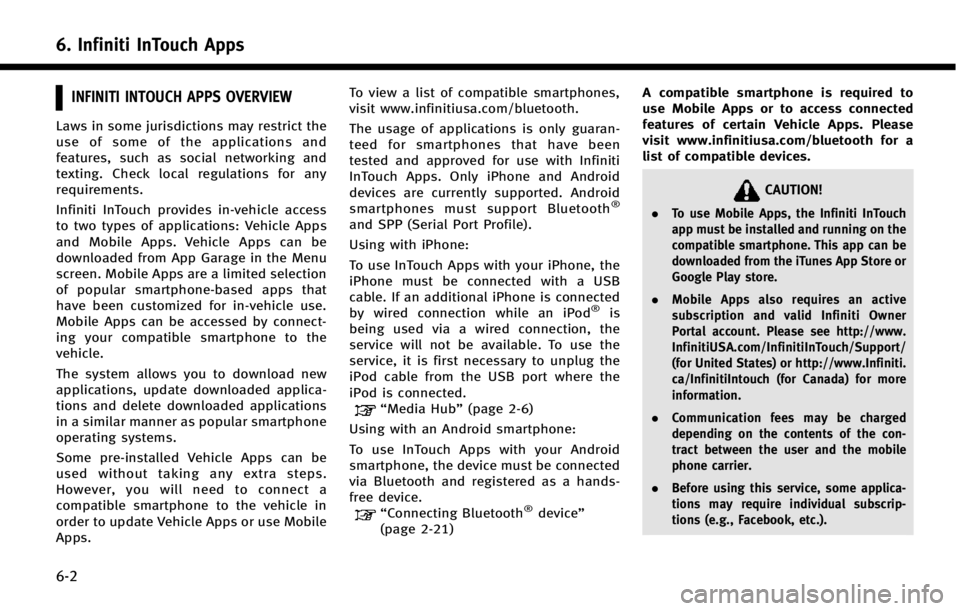
INFINITI INTOUCH APPS OVERVIEW
Laws in some jurisdictions may restrict the
use of some of the applications and
features, such as social networking and
texting. Check local regulations for any
requirements.
Infiniti InTouch provides in-vehicle access
to two types of applications: Vehicle Apps
and Mobile Apps. Vehicle Apps can be
downloaded from App Garage in the Menu
screen. Mobile Apps are a limited selection
of popular smartphone-based apps that
have been customized for in-vehicle use.
Mobile Apps can be accessed by connect-
ing your compatible smartphone to the
vehicle.
The system allows you to download new
applications, update downloaded applica-
tions and delete downloaded applications
in a similar manner as popular smartphone
operating systems.
Some pre-installed Vehicle Apps can be
used without taking any extra steps.
However, you will need to connect a
compatible smartphone to the vehicle in
order to update Vehicle Apps or use Mobile
Apps.To view a list of compatible smartphones,
visit www.infinitiusa.com/bluetooth.
The usage of applications is only guaran-
teed for smartphones that have been
tested and approved for use with Infiniti
InTouch Apps. Only iPhone and Android
devices are currently supported. Android
smartphones must support Bluetooth
®
and SPP (Serial Port Profile).
Using with iPhone:
To use InTouch Apps with your iPhone, the
iPhone must be connected with a USB
cable. If an additional iPhone is connected
by wired connection while an iPod
®is
being used via a wired connection, the
service will not be available. To use the
service, it is first necessary to unplug the
iPod cable from the USB port where the
iPod is connected.
“Media Hub” (page 2-6)
Using with an Android smartphone:
To use InTouch Apps with your Android
smartphone, the device must be connected
via Bluetooth and registered as a hands-
free device.
“Connecting Bluetooth®device ”
(page 2-21) A compatible smartphone is required to
use Mobile Apps or to access connected
features of certain Vehicle Apps. Please
visit www.infinitiusa.com/bluetooth for a
list of compatible devices.
CAUTION!
.
To use Mobile Apps, the Infiniti InTouch
app must be installed and running on the
compatible smartphone. This app can be
downloaded from the iTunes App Store or
Google Play store.
. Mobile Apps also requires an active
subscription and valid Infiniti Owner
Portal account. Please see http://www.
InfinitiUSA.com/InfinitiInTouch/Support/
(for United States) or http://www.Infiniti.
ca/InfinitiIntouch (for Canada) for more
information.
. Communication fees may be charged
depending on the contents of the con-
tract between the user and the mobile
phone carrier.
. Before using this service, some applica-
tions may require individual subscrip-
tions (e.g., Facebook, etc.).
Page 99 of 274
6. Infiniti InTouch Apps
6-6
APPSDescriptions
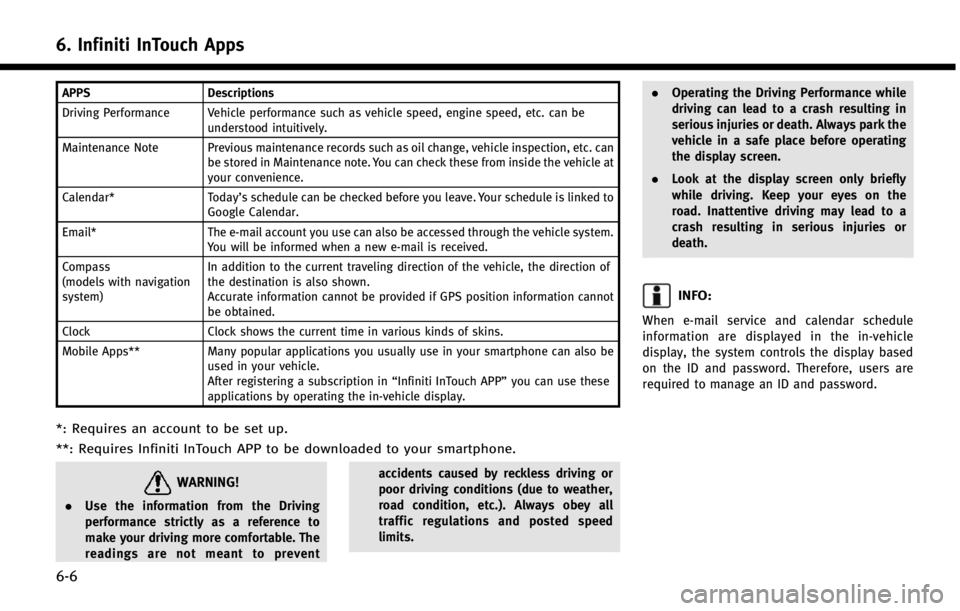
Driving Performance Vehicle performance such as vehicle speed, engine speed, etc. can be understood intuitively.
Maintenance Note Previous maintenance records such as oil change, vehicle inspection, etc. can be stored in Maintenance note. You can check these from inside the vehicle at
your convenience.
Calendar* Today’s schedule can be checked before you leave. Your schedule is linked to
Google Calendar.
Email* The e-mail account you use can also be accessed through the vehicle system.
You will be informed when a new e-mail is received.
Compass
(models with navigation
system) In addition to the current traveling direction of the vehicle, the direction of
the destination is also shown.
Accurate information cannot be provided if GPS position information cannot
be obtained.
Clock Clock shows the current time in various kinds of skins.
Mobile Apps** Many popular applications you usually use in your smartphone can also be
used in your vehicle.
After registering a subscription in “Infiniti InTouch APP”you can use these
applications by operating the in-vehicle display.
*: Requires an account to be set up.
**: Requires Infiniti InTouch APP to be downloaded to your smartphone.
WARNING!
. Use the information from the Driving
performance strictly as a reference to
make your driving more comfortable. The
readings are not meant to prevent accidents caused by reckless driving or
poor driving conditions (due to weather,
road condition, etc.). Always obey all
traffic regulations and posted speed
limits..
Operating the Driving Performance while
driving can lead to a crash resulting in
serious injuries or death. Always park the
vehicle in a safe place before operating
the display screen.
. Look at the display screen only briefly
while driving. Keep your eyes on the
road. Inattentive driving may lead to a
crash resulting in serious injuries or
death.
INFO:
When e-mail service and calendar schedule
information are displayed in the in-vehicle
display, the system controls the display based
on the ID and password. Therefore, users are
required to manage an ID and password.
Page 100 of 274
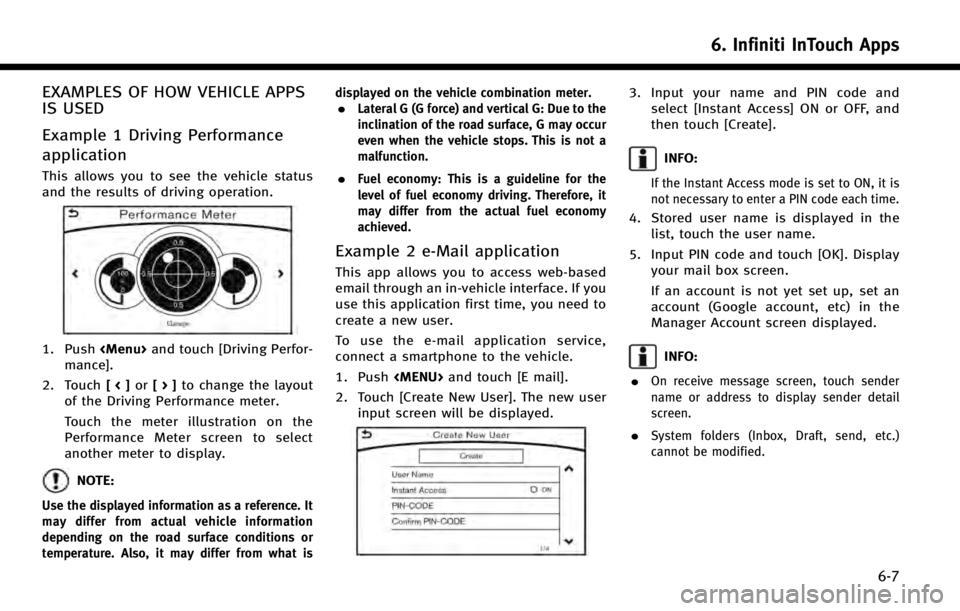
EXAMPLES OF HOW VEHICLE APPS
IS USED
Example 1 Driving Performance
application
This allows you to see the vehicle status
and the results of driving operation.
1. Push
Page 135 of 274

8. Information and settings
8-12
.Emergency Call:
The Emergency Call feature provides
emergency assistance by connecting to
a Response Specialist. In the event of
an emergency, by push the in‐vehicle
Response Specialist provides various
assistance depending on the situation
“Emergency support” (page 8-20)
. Enhanced Roadside Assistance:
Enhanced Roadside Assistance allows
you to receive assistance from the
Roadside Response Specialist for a
non‐emergency incident that requires
a towing or third-party response ser-
vice. The service is accessed by touch-
ing the IVR (Interactive Voice Response)
soft button on the navigation screen or
by pushing the in-vehicle
Roadside Assistance may also be used
in conjunction with the Emergency
Assistance service, if warranted.
“Emergency support” (page 8-20)
. My Schedule:
The My Schedule feature allows you to
access your personal online Google
Calendar
TMvia the navigation system,
and can display the calendar or read out the schedule. This service will also
allow you to review your appointments
and meetings, and select the meeting
location as a destination.
“Using My Schedule”
(page 8-16)
. Report Stolen Vehicle:
A Response Specialist will attempt to
obtain location information from a
reported stolen vehicle and provide
that information to local law enforce-
ment agencies to assist in the recovery
of your stolen vehicle.
. Remote Door Lock/Unlock:
The Remote Door Lock/Unlock feature
allows you to access the vehicle remo-
tely by calling to an Infiniti Connection
Response Specialist or from the Infiniti
Connection website to send lock or
unlock commands to the vehicle.
“Connecting to Interactive Voice
Menu” (page 8-15)
. Alarm Notification:
The Alarm Notification feature will
notify you via the chosen notification
method on the Infiniti Connection
website when your vehicle alarm sys-
tem is activated. .
Scheduled Maintenance Notification:
The Maintenance Alert Notification pro-
vides your vehicle’s mileage data to
INFINITI. INFINITI notifies you of main-
tenance notifications using this mile-
age data.
. Maintenance Alert:
Maintenance Alert allows you to receive
notifications via the chosen notification
method set in the Infiniti Connection
website in the event of a vehicle sub-
system malfunction. The service is
managed through the Infiniti Connec-
tion website.
. Destination Assistance:
The Destination Assistance helps you to
search a destination via the Interactive
Voice Response (IVR) system or a live
Response Specialist by pushing the IVR
soft button on the navigation screen.
The IVR system will ask you for a name,
item or address, etc. to locate your
requested point of interest and ac-
cesses a third-party service to bring
up the most applicable results. A
Response Specialist will assist you if
your request is not recognized in the
IVR session.
Page 139 of 274
![INFINITI Q50 2014 Infiniti Intouch 8. Information and settings
8-16
INFO:
.
You can also connect to an Infiniti Connec-
tion Interactive Voice Menu by touching the
IVR soft button
*1on the map.
.After selecting [Connect to Voice Menu],](/manual-img/42/34966/w960_34966-138.png "INFINITI Q50 2014 Infiniti Intouch 8. Information and settings
8-16
INFO:
.
You can also connect to an Infiniti Connec-
tion Interactive Voice Menu by touching the
IVR soft button
*1on the map.
.After selecting [Connect to Voice Menu],")
8. Information and settings
8-16
INFO:
.
You can also connect to an Infiniti Connec-
tion Interactive Voice Menu by touching the
IVR soft button
*1on the map.
.After selecting [Connect to Voice Menu], it
may take some time until the system
initiates connection, depending on the
technical environment and whether the
TCU (Telematics Control Unit) is being used
by other services.
.To avoid disconnecting the line, do not turn
off the engine or hybrid system.
.If a phone call is received while the system
is connecting to the operator at the Infiniti
Connection Response Center, a message
asking if you would like to answer the
phone will be displayed.
USING MY SCHEDULE
Allows you to provide in-vehicle access to
your personal Google CalendarTM
1. Push
Page 172 of 274
![INFINITI Q50 2014 Infiniti Intouch Step 1Step 2 Setting item Action
Push <MENU> [Destination] [City Center] Sets the center of a city as the destination.
“Setting city center”(page 9-23)
[Phone Numbers] Searches for a point of inte](/manual-img/42/34966/w960_34966-171.png "INFINITI Q50 2014 Infiniti Intouch Step 1Step 2 Setting item Action
Push <MENU> [Destination] [City Center] Sets the center of a city as the destination.
“Setting city center”(page 9-23)
[Phone Numbers] Searches for a point of inte")
Step 1Step 2 Setting item Action
Push
Page 181 of 274
![INFINITI Q50 2014 Infiniti Intouch 9. Navigation (if so equipped)
9-26
INFO:
The search history can also be reused by
touch [History].
4. Touch the preferred destination fromthe list.
INFO:
.Touch [info] to display the facility infor-m](/manual-img/42/34966/w960_34966-180.png "INFINITI Q50 2014 Infiniti Intouch 9. Navigation (if so equipped)
9-26
INFO:
The search history can also be reused by
touch [History].
4. Touch the preferred destination fromthe list.
INFO:
.Touch [info] to display the facility infor-m")
9. Navigation (if so equipped)
9-26
INFO:
The search history can also be reused by
touch [History].
4. Touch the preferred destination fromthe list.
INFO:
.Touch [info] to display the facility infor-mation on the upper display.
.Touch [Details] to display the informationfeeds screen.
“Screen information” (page 8-17)
5. The entire destination is shown on the
upper display. Touch [Start] to start
route guidance.
Searching by using IVR soft button
on map
It is possible to set a destination by touching the IVR (Interactive Voice Re-
sponse) soft button
*1on the map. You
can choose from the options provided by
the voice guidance and speak your choice,
or ask the Infiniti Connection Response
Specialists directly to search for your
destination.
“ Connecting to Interactive Voice
Menu” (page 8-15)
Using Google send-to-car
It is possible to search for a location using
Google maps, and to download the infor-
mation to set the destination via the
INFINITI Connection Data Center.
1. Push