Page 209 of 665
3-113
Convenient features of your vehicle
3
•When washing the vehicle,set
the wiper switch in the OFF (O)
position to stop the auto wiper
operation. The wiper may oper-
ate and be damaged if the switch
is set in the AUTO mode while
washing the vehicle.
•Do not remove the sensor cover
located on the upper end of the
passenger side windshield
glass. Damage to system parts
could occur and may not be cov-
ered by your vehicle warranty.
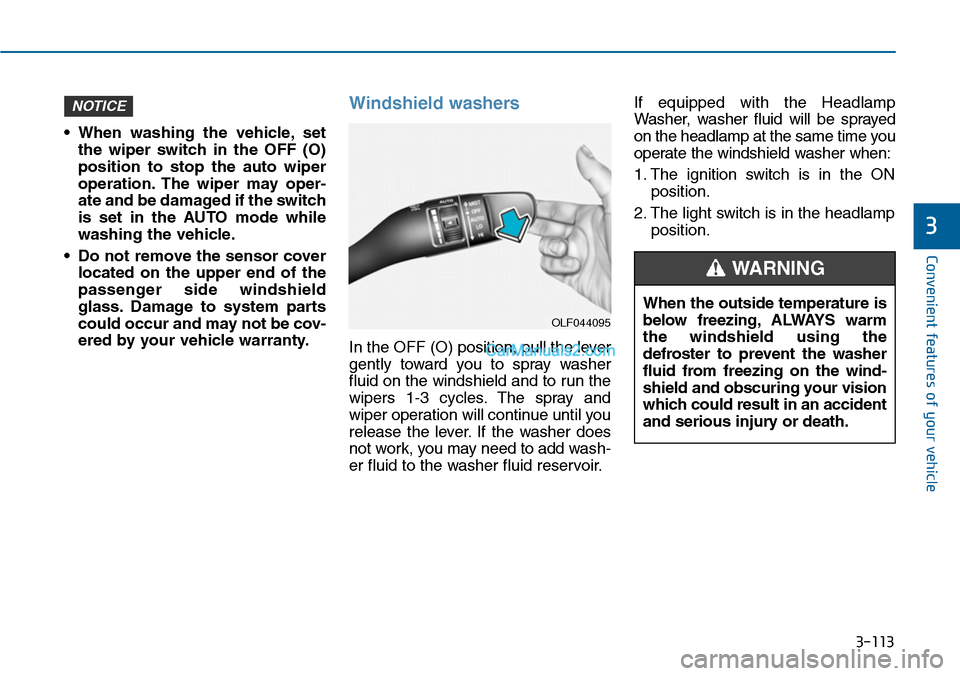
Windshield washers
In the OFF (O) position, pull the lever
gently toward you to spray washer
fluid on the windshield and to run the
wipers 1-3 cycles. The spray and
wiper operation will continue until you
release the lever. If the washer does
not work, you may need to add wash-
er fluid to the washer fluid reservoir.
If equipped with the Headlamp
Washer, washer fluid will be sprayed
on the headlamp at the same time you
operate the windshield washer when:
1. The ignition switch is in the ON
position.
2. The light switch is in the headlamp
position.
NOTICE
OLF044095
When the outside temperature is
below freezing, ALWAYS warm
the windshield using the
defroster to prevent the washer
fluid from freezing on the wind-
shield and obscuring your vision
which could result in an accident
and serious injury or death.
WARNING
Page 211 of 665
3-115
Convenient features of your vehicle
3
DRIVER ASSIST SYSTEM
Rear view camera
(if equipped)
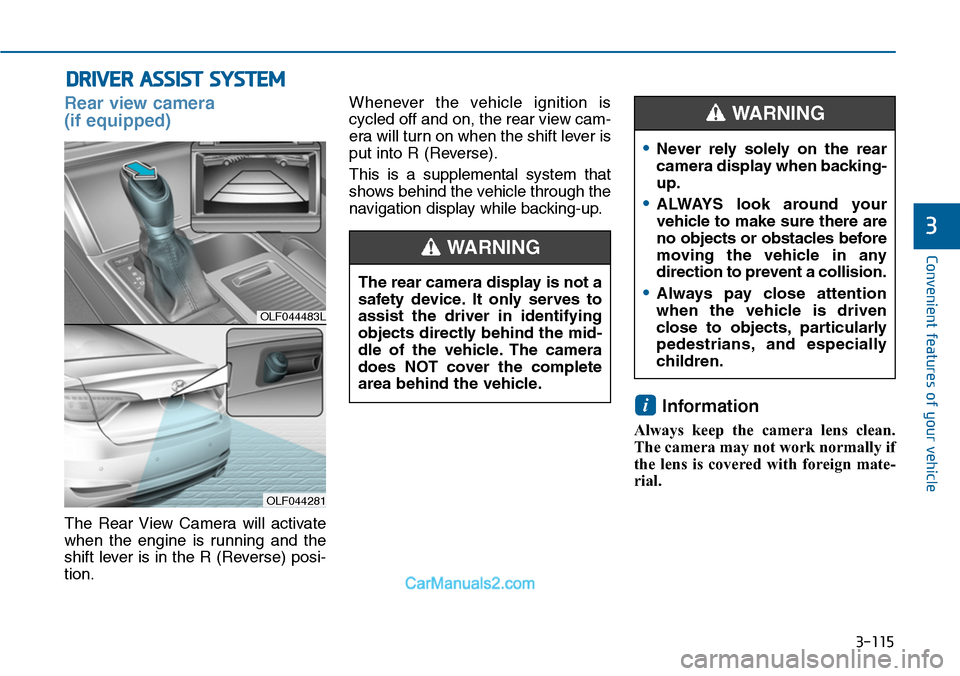
The Rear View Camera will activate
when the engine is running and the
shift lever is in the R (Reverse) posi-
tion.
Whenever the vehicle ignition is
cycled off and on, the rear view cam-
era will turn on when the shift lever is
put into R (Reverse).
This is a supplemental system that
shows behind the vehicle through the
navigation display while backing-up.
Information
Always keep the camera lens clean.
The camera may not work normally if
the lens is covered with foreign mate-
rial.
i
OLF044483L
OLF044281
The rear camera display is not a
safety device. It only serves to
assist the driver in identifying
objects directly behind the mid-
dle of the vehicle. The camera
does NOT cover the complete
area behind the vehicle.
WARNING
•Never rely solely on the rear
camera display when backing-
up.
•ALWAYS look around your
vehicle to make sure there are
no objects or obstacles before
moving the vehicle in any
direction to prevent a collision.
•Always pay close attention
when the vehicle is driven
close to objects, particularly
pedestrians, and especially
children.
WARNING
Page 225 of 665
3-129
Convenient features of your vehicle
3
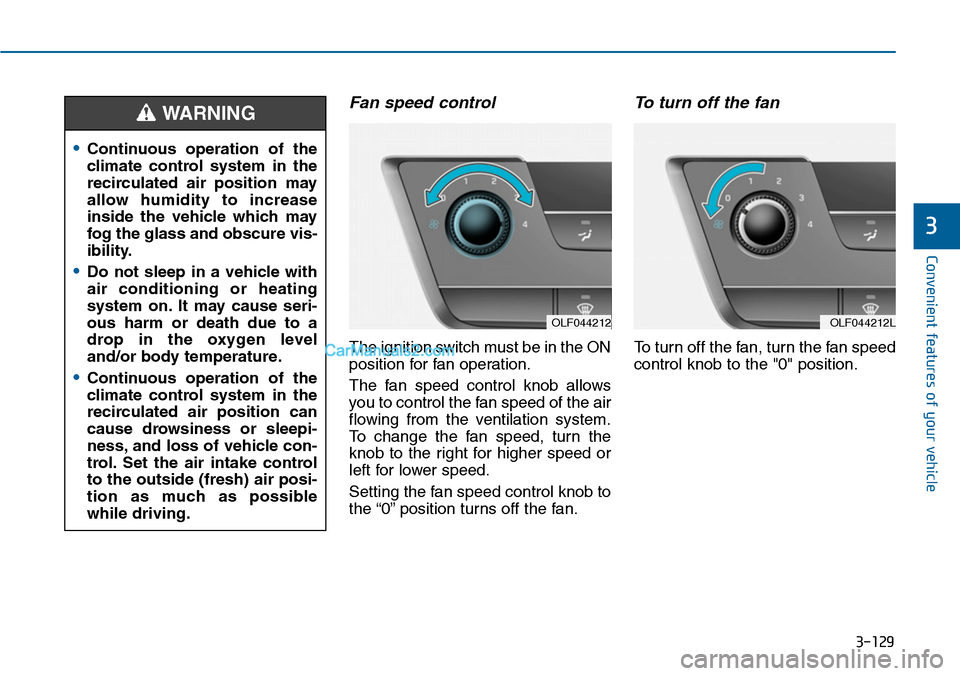
Fan speed control
The ignition switch must be in the ON
position for fan operation.
The fan speed control knob allows
you to control the fan speed of the air
flowing from the ventilation system.
To change the fan speed, turn the
knob to the right for higher speed or
left for lower speed.
Setting the fan speed control knob to
the “0” position turns off the fan.
To turn off the fan
To turn off the fan, turn the fan speed
control knob to the "0" position.
•Continuous operation of the
climate control system in the
recirculated air position may
allow humidity to increase
inside the vehicle which may
fog the glass and obscure vis-
ibility.
•Do not sleep in a vehicle with
air conditioning or heating
system on. It may cause seri-
ous harm or death due to a
drop in the oxygen level
and/or body temperature.
•Continuous operation of the
climate control system in the
recirculated air position can
cause drowsiness or sleepi-
ness, and loss of vehicle con-
trol. Set the air intake control
to the outside (fresh) air posi-
tion as much as possible
while driving.
WARNING
OLF044212OLF044212L
Page 230 of 665
3-134
Convenient features of your vehicle
AUTOMATIC CLIMATE CONTROL SYSTEM (IF EQUIPPED)
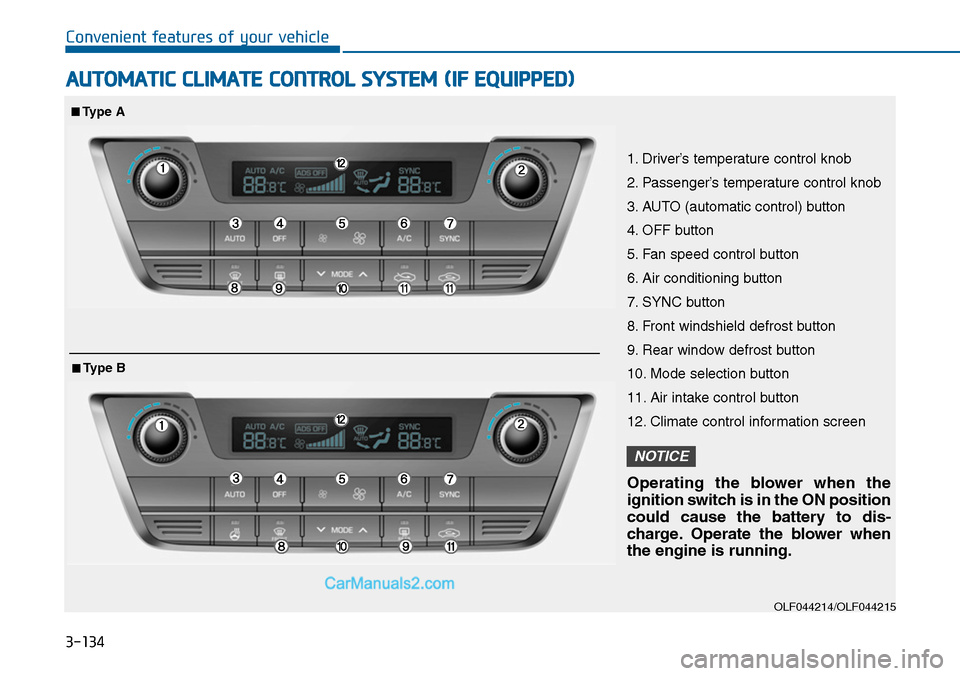
OLF044214/OLF044215
1. Driver’s temperature control knob
2. Passenger’s temperature control knob
3. AUTO (automatic control) button
4. OFF button
5. Fan speed control button
6. Air conditioning button
7. SYNC button
8. Front windshield defrost button
9. Rear window defrost button
10. Mode selection button
11. Air intake control button
12. Climate control information screen
Operating the blower when the
ignition switch is in the ON position
could cause the battery to dis-
charge. Operate the blower when
the engine is running.
NOTICE
■Type A
■Type B
Page 238 of 665
3-142
Convenient features of your vehicle
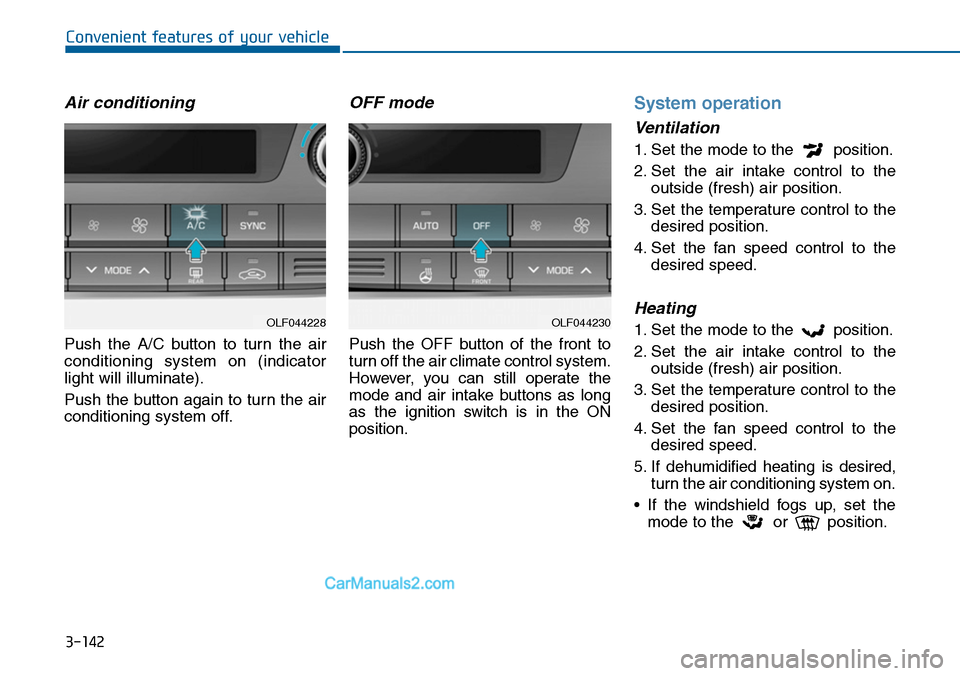
Air conditioning
Push the A/C button to turn the air
conditioning system on (indicator
light will illuminate).
Push the button again to turn the air
conditioning system off.
OFF mode
Push the OFF button of the front to
turn off the air climate control system.
However, you can still operate the
mode and air intake buttons as long
as the ignition switch is in the ON
position.
System operation
Ventilation
1. Set the mode to the position.
2. Set the air intake control to the
outside (fresh) air position.
3. Set the temperature control to the
desired position.
4. Set the fan speed control to the
desired speed.
Heating
1. Set the mode to the position.
2. Set the air intake control to the
outside (fresh) air position.
3. Set the temperature control to the
desired position.
4. Set the fan speed control to the
desired speed.
5. If dehumidified heating is desired,
turn the air conditioning system on.
•If the windshield fogs up, set the
mode to the or position.
OLF044230OLF044228
Page 244 of 665
3-148
Convenient features of your vehicle
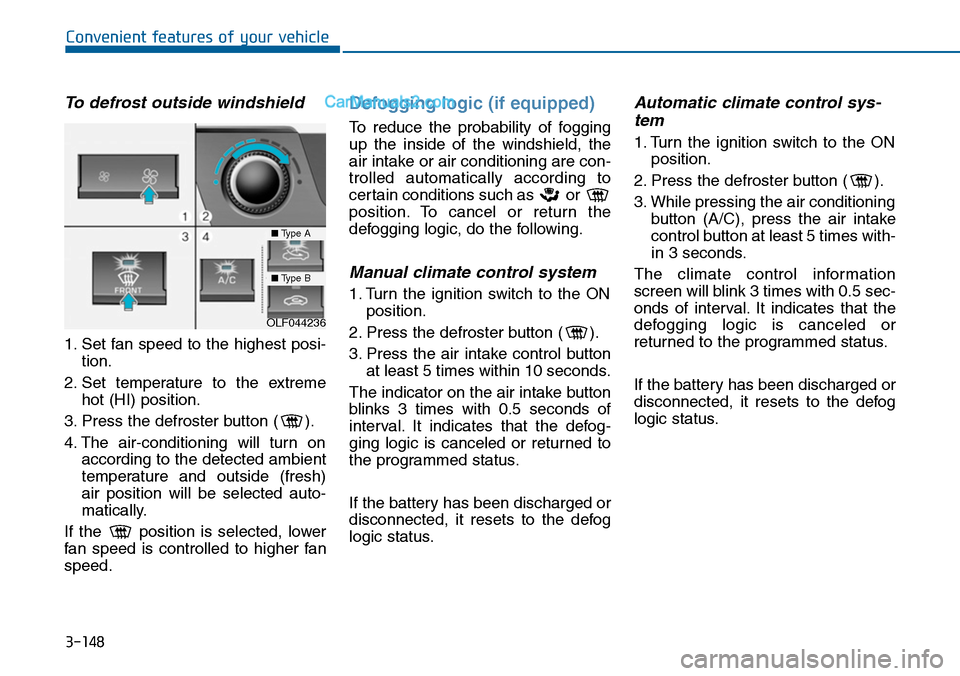
To defrost outside windshield
1. Set fan speed to the highest posi-
tion.
2. Set temperature to the extreme
hot (HI) position.
3. Press the defroster button ( ).
4. The air-conditioning will turn on
according to the detected ambient
temperature and outside (fresh)
air position will be selected auto-
matically.
If the position is selected, lower
fan speed is controlled to higher fan
speed.
Defogging logic (if equipped)
To reduce the probability of fogging
up the inside of the windshield, the
air intake or air conditioning are con-
trolled automatically according to
certain conditions such as or
position. To cancel or return the
defogging logic, do the following.
Manual climate control system
1. Turn the ignition switch to the ON
position.
2. Press the defroster button ( ).
3. Press the air intake control button
at least 5 times within 10 seconds.
The indicator on the air intake button
blinks 3 times with 0.5 seconds of
interval. It indicates that the defog-
ging logic is canceled or returned to
the programmed status.
If the battery has been discharged or
disconnected, it resets to the defog
logic status.
Automatic climate control sys-
tem
1. Turn the ignition switch to the ON
position.
2. Press the defroster button ( ).
3. While pressing the air conditioning
button (A/C), press the air intake
control button at least 5 times with-
in 3 seconds.
The climate control information
screen will blink 3 times with 0.5 sec-
onds of interval. It indicates that the
defogging logic is canceled or
returned to the programmed status.
If the battery has been discharged or
disconnected, it resets to the defog
logic status.
OLF044236
■Type A
■Type B
Page 246 of 665
3-150
Convenient features of your vehicle
CLIMATE CONTROL ADDITIONAL FEATURES
Cluster ionizer (if equipped)
When the ignition switch is in the ON
position, the clean air function turns
on automatically.
Also, the clean air function turns off
automatically, when the ignition
switch is in the OFF position.
Sunroof inside air recirculation
(if equipped)
If the sunroof opens while the heater
or Air Conditioning system operates,
the outside (fresh) air will be select-
ed automatically for ventilating the
car. Then, if you select the recirculat-
ed air position, the outside (fresh) air
will be selected automatically after 3
minutes.
If you close the sunroof, the intake
mode will be changed to the previous
selected mode.
Page 255 of 665
3-159
Convenient features of your vehicle
3
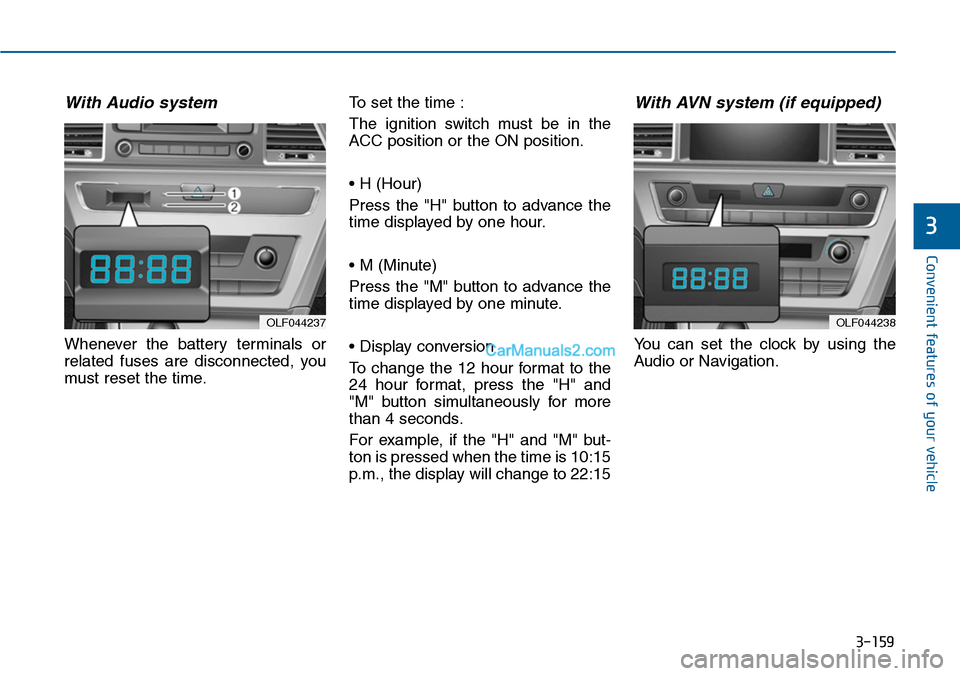
With Audio system
Whenever the battery terminals or
related fuses are disconnected, you
must reset the time.
To set the time :
The ignition switch must be in the
ACC position or the ON position.
• H (Hour)
Press the "H" button to advance the
time displayed by one hour.
• M (Minute)
Press the "M" button to advance the
time displayed by one minute.
• Display conversion
To change the 12 hour format to the
24 hour format, press the "H" and
"M" button simultaneously for more
than 4 seconds.
For example, if the "H" and "M" but-
ton is pressed when the time is 10:15
p.m., the display will change to 22:15
With AVN system (if equipped)
Yo u c a n s e t t h e c l o c k b y u s i n g t h e
Audio or Navigation.
OLF044237OLF044238