2014 Hyundai Sonata ignition
[x] Cancel search: ignitionPage 447 of 665
4-189
Multimedia System
4
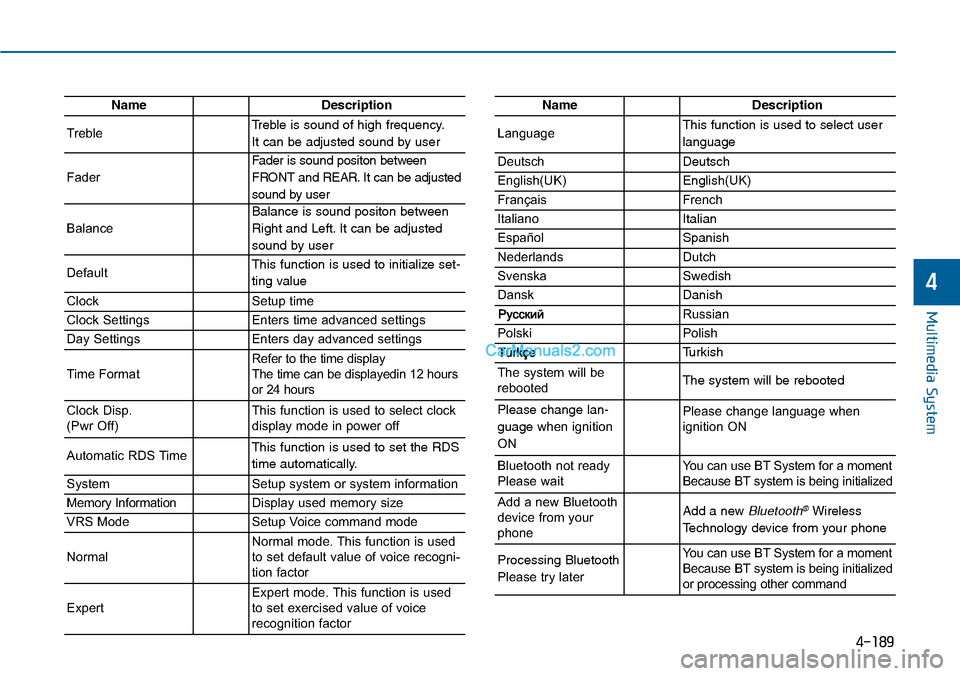
NameDescription
TrebleTreble is sound of high frequency.
It can be adjusted sound by user
Fader
Fader is sound positon between
FRONT and REAR. It can be adjusted
sound by user
Balance
Balance is sound positon between
Right and Left. It can be adjusted
sound by user
DefaultThis function is used to initialize set-
ting value
ClockSetup time
Clock SettingsEnters time advanced settings
Day SettingsEnters day advanced settings
Time FormatRefer to the time display The time can be displayedin 12 hoursor 24 hours
Clock Disp.(Pwr Off)This function is used to select clockdisplay mode in power off
Automatic RDS TimeThis function is used to set the RDS
time automatically.
SystemSetup system or system information
Memory InformationDisplay used memory size
VRS ModeSetup Voice command mode
NormalNormal mode. This function is usedto set default value of voice recogni-tion factor
ExpertExpert mode. This function is usedto set exercised value of voicerecognition factor
NameDescription
LanguageThis function is used to select user
language
DeutschDeutsch
English(UK)English(UK)
FrançaisFrench
Italiano Italian
EspañolSpanish
NederlandsDutch
SvenskaSwedish
DanskDanish
Russian
PolskiPolish
Turkish
The system will berebootedThe system will be rebooted
Please change lan-
guage when ignition
ON
Please change language when ignition ON
Bluetooth not readyPlease waitYo u c a n u s e B T S y s t e m f o r a m o m e n tBecause BT system is being initialized
Add a new Bluetoothdevice from yourphone
Add a new Bluetooth®Wireless
Technology device from your phone
Processing Bluetooth
Please try later
Yo u c a n u s e B T S y s t e m f o r a m o m e n tBecause BT system is being initializedor processing other command
Page 450 of 665
Driving your vehicle
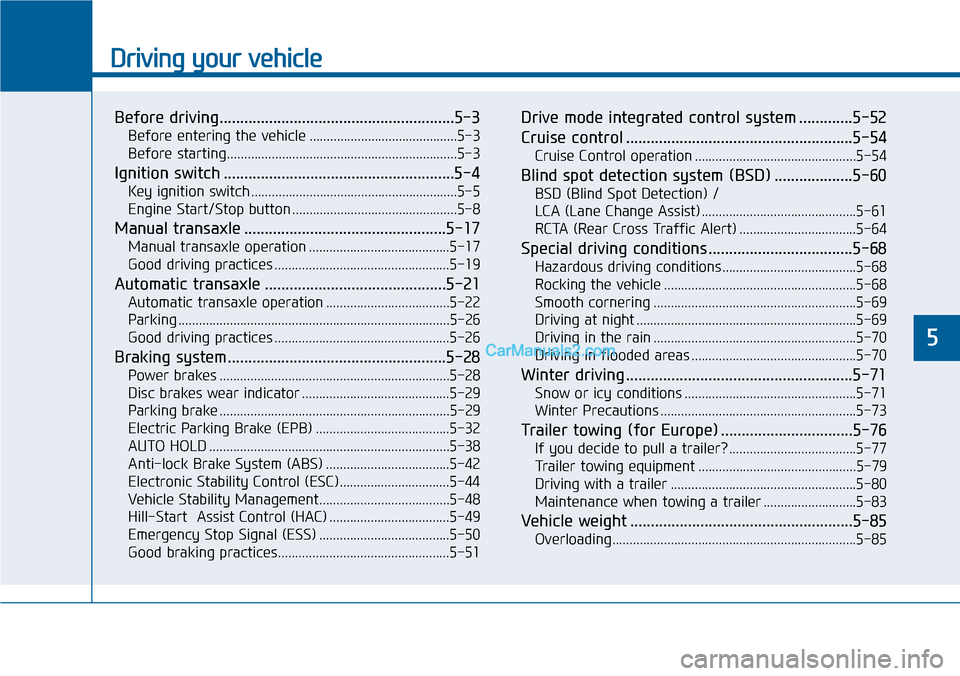
Before driving.........................................................5-3
Before entering the vehicle ...........................................5-3
Before starting...................................................................5-3
Ignition switch ........................................................5-4
Key ignition switch ............................................................5-5
Engine Start/Stop button ................................................5-8
Manual transaxle .................................................5-17
Manual transaxle operation .........................................5-17
Good driving practices ...................................................5-19
Automatic transaxle ............................................5-21
Automatic transaxle operation ....................................5-22
Parking ...............................................................................5-26
Good driving practices ...................................................5-26
Braking system.....................................................5-28
Power brakes ...................................................................5-28
Disc brakes wear indicator ...........................................5-29
Parking brake ...................................................................5-29
Electric Parking Brake (EPB) .......................................5-32
AUTO HOLD ......................................................................5-38
Anti-lock Brake System (ABS) ....................................5-42
Electronic Stability Control (ESC)................................5-44
Vehicle Stability Management......................................5-48
Hill-Start Assist Control (HAC) ...................................5-49
Emergency Stop Signal (ESS) ......................................5-50
Good braking practices..................................................5-51
Drive mode integrated control system .............5-52
Cruise control .......................................................5-54
Cruise Control operation ...............................................5-54
Blind spot detection system (BSD) ...................5-60
BSD (Blind Spot Detection) /
LCA (Lane Change Assist) .............................................5-61
RCTA (Rear Cross Traffic Alert) ..................................5-64
Special driving conditions ...................................5-68
Hazardous driving conditions.......................................5-68
Rocking the vehicle ........................................................5-68
Smooth cornering ...........................................................5-69
Driving at night ................................................................5-69
Driving in the rain ...........................................................5-70
Driving in flooded areas ................................................5-70
Winter driving .......................................................5-71
Snow or icy conditions ..................................................5-71
Winter Precautions .........................................................5-73
Tr a i l e r t o w i n g ( fo r E u r o p e ) . . . . . . . . . . . . . . . . . . . . . . . . . . . . . . . . 5 - 7 6
If you decide to pull a trailer? .....................................5-77
Tr a i l e r t o w i n g e q u i p m e n t . . . . . . . . . . . . . . . . . . . . . . . . . . . . . . . . . . . . . . . . . . . . . . 5 - 7 9
Driving with a trailer ......................................................5-80
Maintenance when towing a trailer ...........................5-83
Vehicle weight ......................................................5-85
Overloading.......................................................................5-85
5
Page 452 of 665
5-3
Driving your vehicle
5
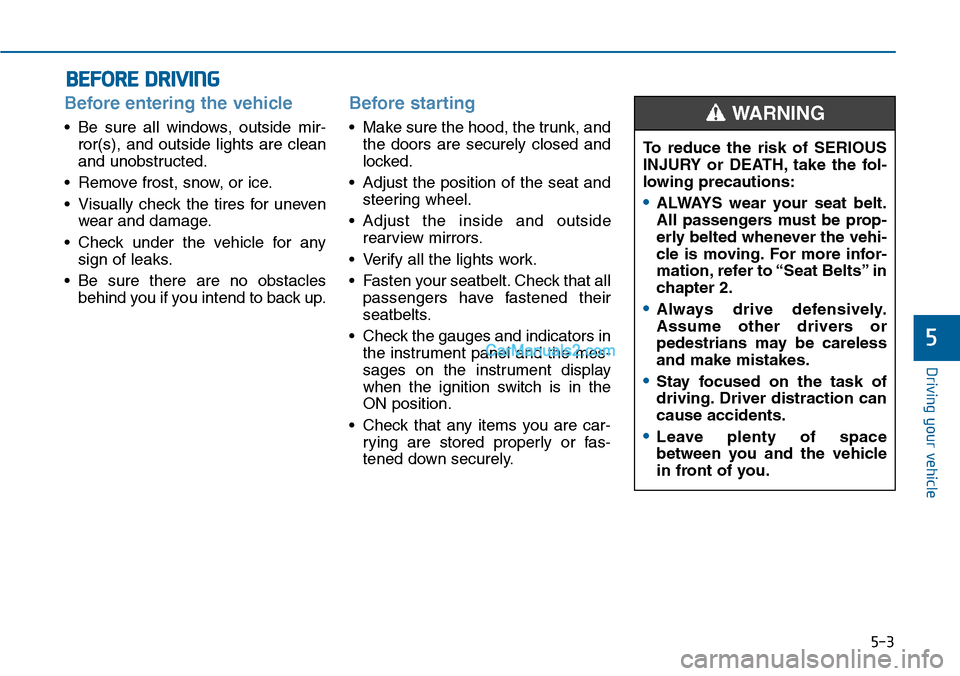
Before entering the vehicle
•Be sure all windows, outside mir-
ror(s), and outside lights are clean
and unobstructed.
•Remove frost, snow, or ice.
•Visually check the tires for uneven
wear and damage.
•Check under the vehicle for any
sign of leaks.
•Be sure there are no obstacles
behind you if you intend to back up.
Before starting
•Make sure the hood, the trunk, and
the doors are securely closed and
locked.
•Adjust the position of the seat and
steering wheel.
•Adjust the inside and outside
rearview mirrors.
•Verify all the lights work.
•Fasten your seatbelt.Check that all
passengers have fastened their
seatbelts.
•Check the gauges and indicators in
the instrument panel and the mes-
sages on the instrument display
when the ignition switch is in the
ON position.
•Check that any items you are car-
rying are stored properly or fas-
tened down securely.
BEFORE DRIVING
To reduce the risk of SERIOUS
INJURY or DEATH, take the fol-
lowing precautions:
•ALWAYS wear your seat belt.
All passengers must be prop-
erly belted whenever the vehi-
cle is moving. For more infor-
mation, refer to “Seat Belts” in
chapter 2.
•Always drive defensively.
Assume other drivers or
pedestrians may be careless
and make mistakes.
•Stay focused on the task of
driving. Driver distraction can
cause accidents.
•Leave plenty of space
between you and the vehicle
in front of you.
WARNING
Page 453 of 665
5-4
Driving your vehicle
NEVER drink or take drugs and
drive.
Drinking or taking drugs and
driving is dangerous and may
result in an accident and SERI-
OUS INJURY or DEATH.
Drunk driving is the number
one contributor to the highway
death toll each year. Even a
small amount of alcohol will
affect your reflexes, percep-
tions and judgment. Just one
drink can reduce your ability to
respond to changing conditions
and emergencies and your reac-
tion time gets worse with each
additional drink.
Driving while under the influ-
ence of drugs is as dangerous
or more dangerous than driving
under the influence of alcohol.
(Continued)
WARNING (Continued)
Yo u a r e m u c h m o r e l i k e l y t o
have a serious accident if you
drink or take drugs and drive. If
you are drinking or taking
drugs, don’t drive. Do not ride
with a driver who has been
drinking or taking drugs.
Choose a designated driver or
call a taxi.
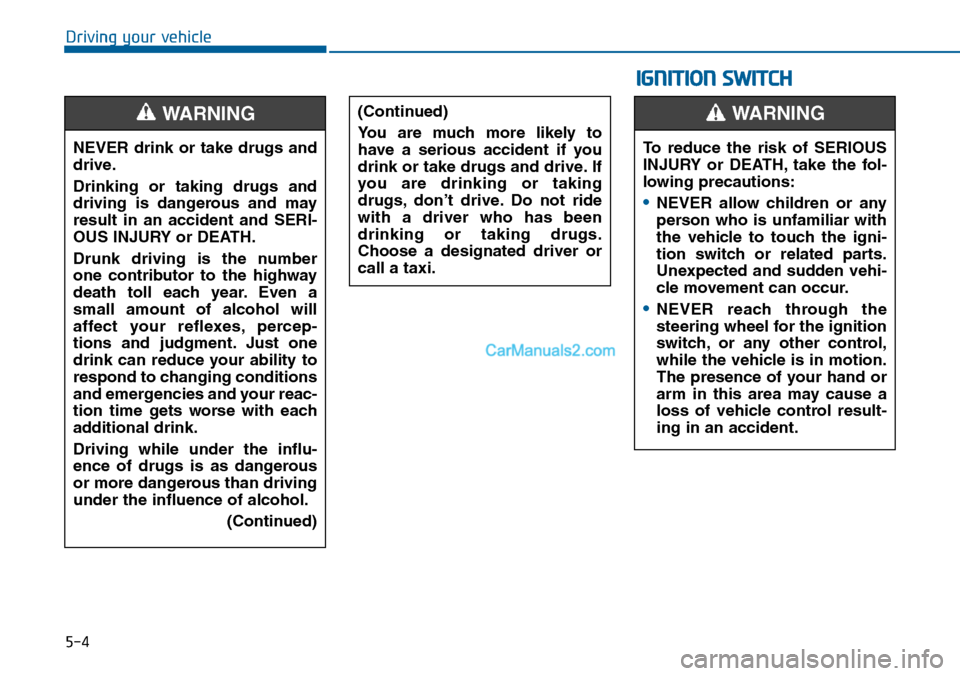
IGNITION SWITCH
To reduce the risk of SERIOUS
INJURY or DEATH, take the fol-
lowing precautions:
•NEVER allow children or any
person who is unfamiliar with
the vehicle to touch the igni-
tion switch or related parts.
Unexpected and sudden vehi-
cle movement can occur.
•NEVER reach through the
steering wheel for the ignition
switch, or any other control,
while the vehicle is in motion.
The presence of your hand or
arm in this area may cause a
loss of vehicle control result-
ing in an accident.
WARNING
Page 454 of 665
5-5
Driving your vehicle
5
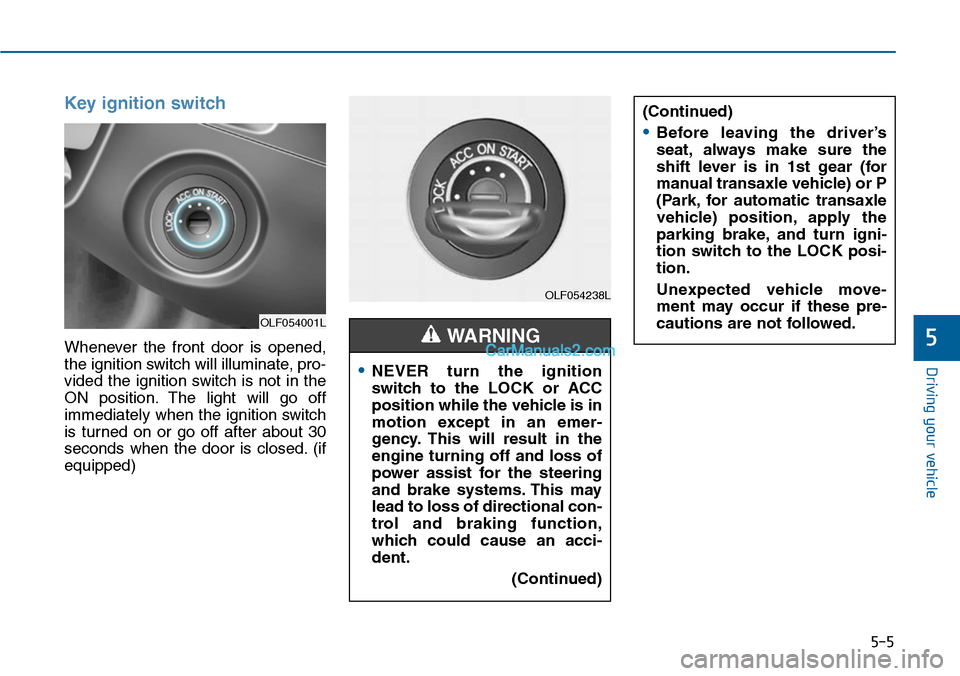
Key ignition switch
Whenever the front door is opened,
the ignition switch will illuminate, pro-
vided the ignition switch is not in the
ON position. The light will go off
immediately when the ignition switch
is turned on or go off after about 30
seconds when the door is closed. (if
equipped)
OLF054001L
OLF054238L
•NEVER turn the ignition
switch to the LOCK or ACC
position while the vehicle is in
motion except in an emer-
gency. This will result in the
engine turning off and loss of
power assist for the steering
and brake systems. This may
lead to loss of directional con-
trol and braking function,
which could cause an acci-
dent.
(Continued)
WARNING
(Continued)
•Before leaving the driver’s
seat, always make sure the
shift lever is in 1st gear (for
manual transaxle vehicle) or P
(Park, for automatic transaxle
vehicle) position, apply the
parking brake, and turn igni-
tion switch to the LOCK posi-
tion.
Unexpected vehicle move-
ment may occur if these pre-
cautions are not followed.
Page 455 of 665
5-6
Driving your vehicle
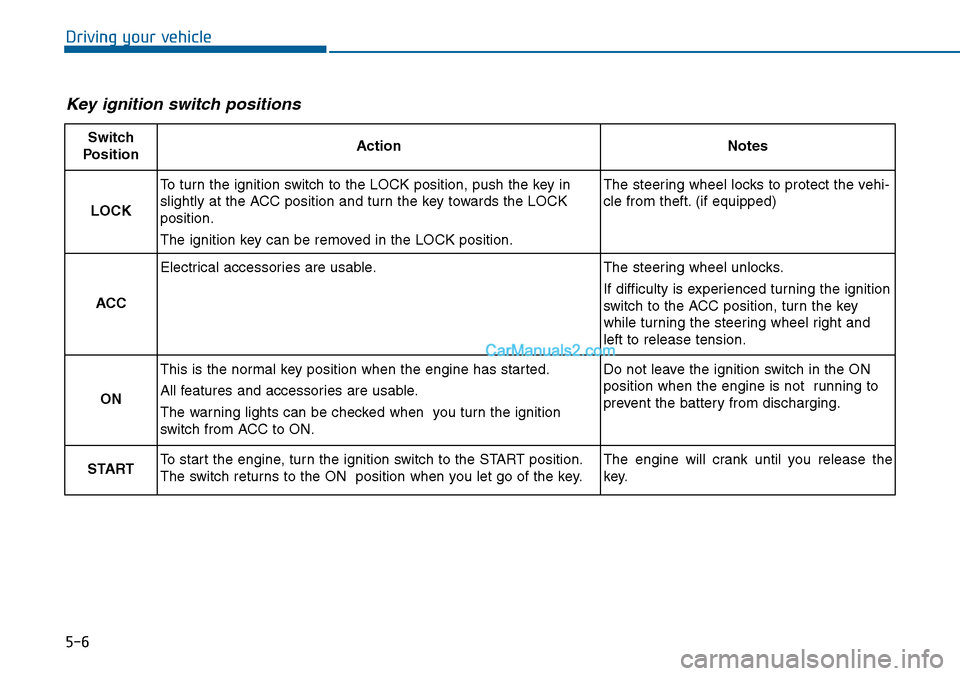
Key ignition switch positions
Switch
PositionActionNotes
LOCK
To turn the ignition switch to the LOCK position, push the key in
slightly at the ACC position and turn the key towards the LOCK
position.
The ignition key can be removed in the LOCK position.
The steering wheel locks to protect the vehi-
cle from theft. (if equipped)
ACC
Electrical accessories are usable.The steering wheel unlocks.
If difficulty is experienced turning the ignition
switch to the ACC position, tur n the key
while turning the steering wheel right and
left to release tension.
ON
This is the normal key position when the engine has started.
All features and accessories are usable.
The warning lights can be checked when you turn the ignition
switch from ACC to ON.
Do not leave the ignition switch in the ON
position when the engine is not running to
prevent the battery from discharging.
STARTTo start the engine, turn the ignition switch to the START position.
The switch returns to the ON position when you let go of the key.
The engine will crank until you release the
key.
Page 456 of 665
5-7
Driving your vehicle
5
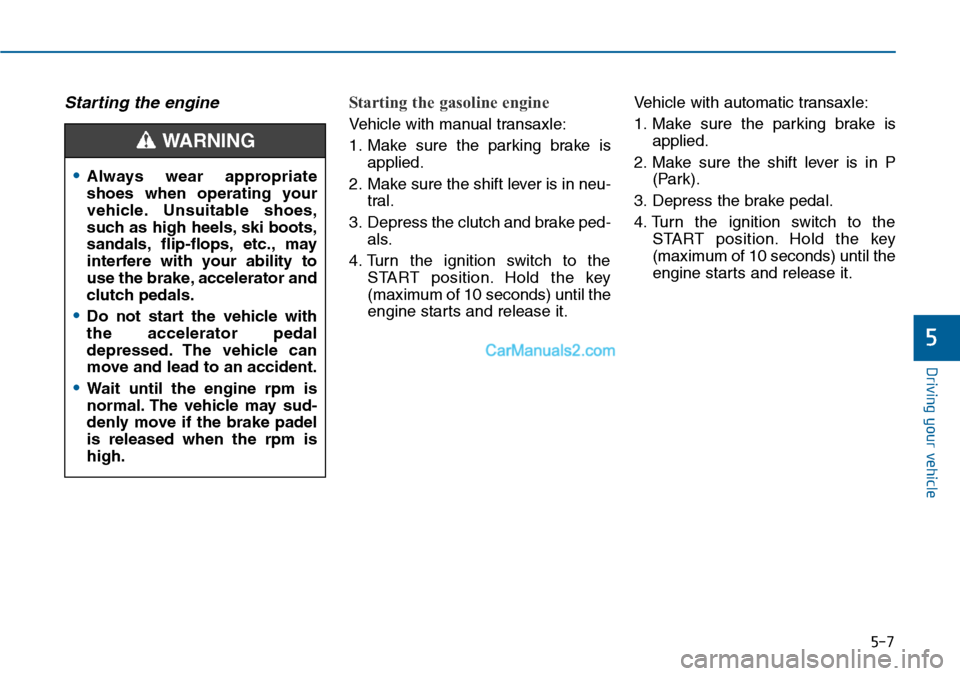
Starting the engine Starting the gasoline engine
Ve h i c l e w i t h m a n u a l t r a n s a x l e :
1. Make sure the parking brake is
applied.
2. Make sure the shift lever is in neu-
tral.
3. Depress the clutch and brake ped-
als.
4. Turn the ignition switch to the
START position. Hold the key
(maximum of 10 seconds) until the
engine starts and release it.
Ve h i c l e w i t h a u t o m a t i c t r a n s a x l e :
1. Make sure the parking brake is
applied.
2. Make sure the shift lever is in P
(Park).
3. Depress the brake pedal.
4. Turn the ignition switch to the
START position. Hold the key
(maximum of 10 seconds) until the
engine starts and release it.
•Always wear appropriate
shoes when operating your
vehicle. Unsuitable shoes,
such as high heels, ski boots,
sandals, flip-flops, etc., may
interfere with your ability to
use the brake, accelerator and
clutch pedals.
•Do not start the vehicle with
the accelerator pedal
depressed. The vehicle can
move and lead to an accident.
•Wait until the engine rpm is
normal. The vehicle may sud-
denly move if the brake padel
is released when the rpm is
high.
WARNING
Page 457 of 665
5-8
Driving your vehicle
Information
• Do not wait for the engine to warm
up while the vehicle remains station-
ary.
Start driving at moderate engine
speeds. (Steep accelerating and
decelerating should be avoided.)
• Always start the vehicle with your
foot on the brake pedal. Do not
depress the accelerator while start-
ing the vehicle. Do not race the
engine while warming it up.
To prevent damage to the vehicle:
•Do not hold the ignition key in
the START position for more
than 10 seconds. Wait 5 to 10
seconds before trying again.
•Do not turn the ignition switch to
the START position with the
engine running. It may damage
the starter.
•If traffic and road conditions
permit, you may put the shift
lever in the N (Neutral) position
while the vehicle is still moving
and turn the ignition switch to
the START position in an
attempt to restart the engine.
•Do not push or tow your vehicle
to start the engine.
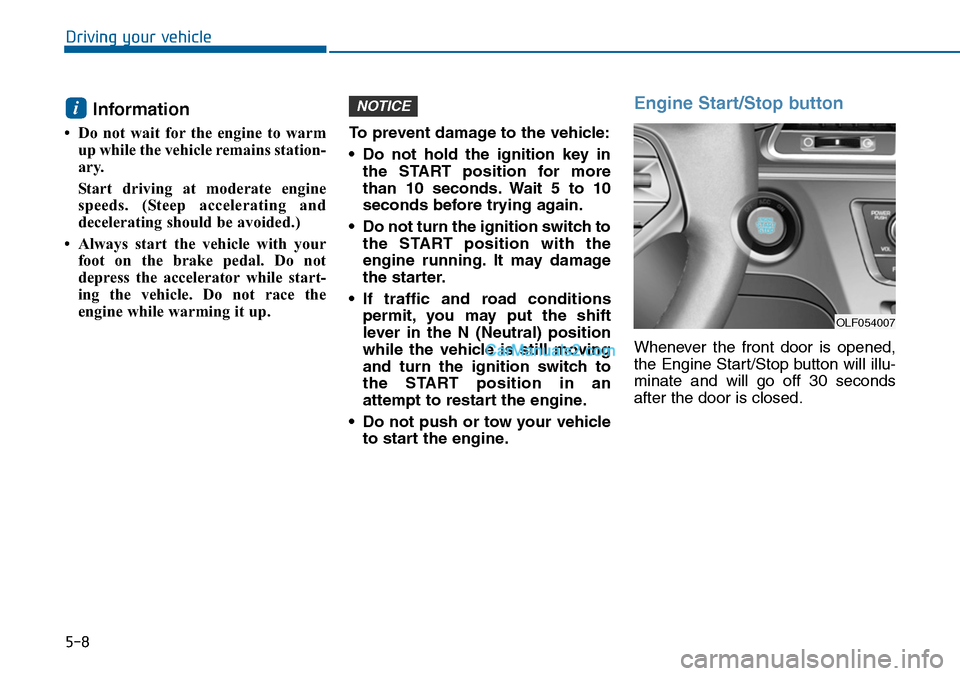
Engine Start/Stop button
Whenever the front door is opened,
the Engine Start/Stop button will illu-
minate and will go off 30 seconds
after the door is closed.
NOTICEi
OLF054007