Page 154 of 665
3-58
Convenient features of your vehicle
Instrument cluster control
Instrument panel illumination
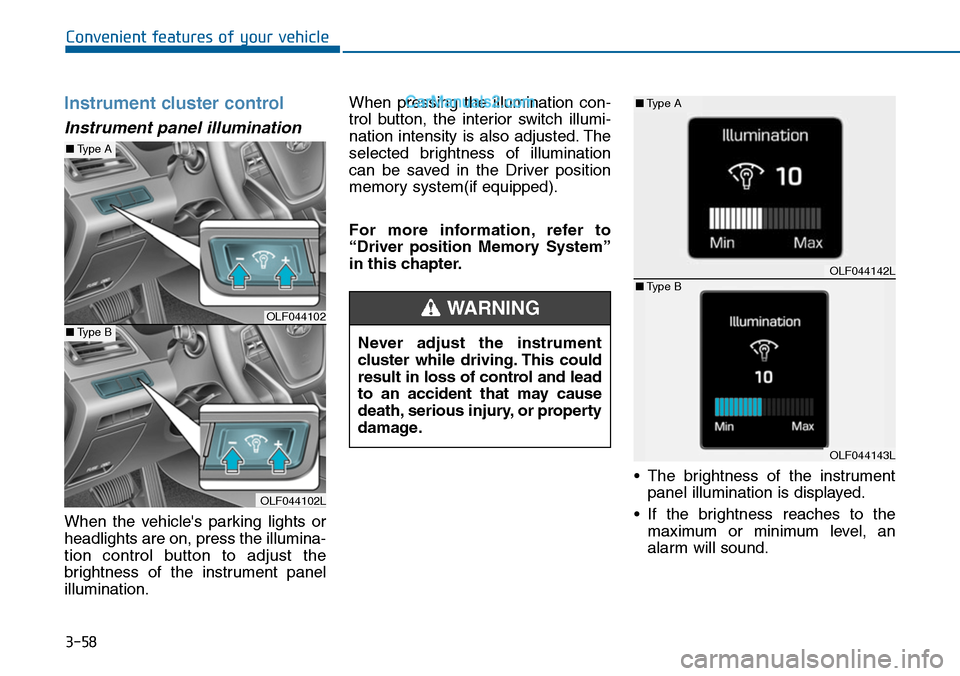
When the vehicle's parking lights or
headlights are on, press the illumina-
tion control button to adjust the
brightness of the instrument panel
illumination.
When pressing the illumination con-
trol button, the interior switch illumi-
nation intensity is also adjusted. The
selected brightness of illumination
can be saved in the Driver position
memory system(if equipped).
For more information, refer to
“Driver position Memory System”
in this chapter.
•The brightness of the instrument
panel illumination is displayed.
•If the brightness reaches to the
maximum or minimum level, an
alarm will sound.
Never adjust the instrument
cluster while driving. This could
result in loss of control and lead
to an accident that may cause
death, serious injury, or property
damage.
WARNINGOLF044102
OLF044102L
■Type A
■Type B
OLF044142L
OLF044143L
■Type A
■Type B
Page 155 of 665
3-59
Convenient features of your vehicle
3
LCD display control
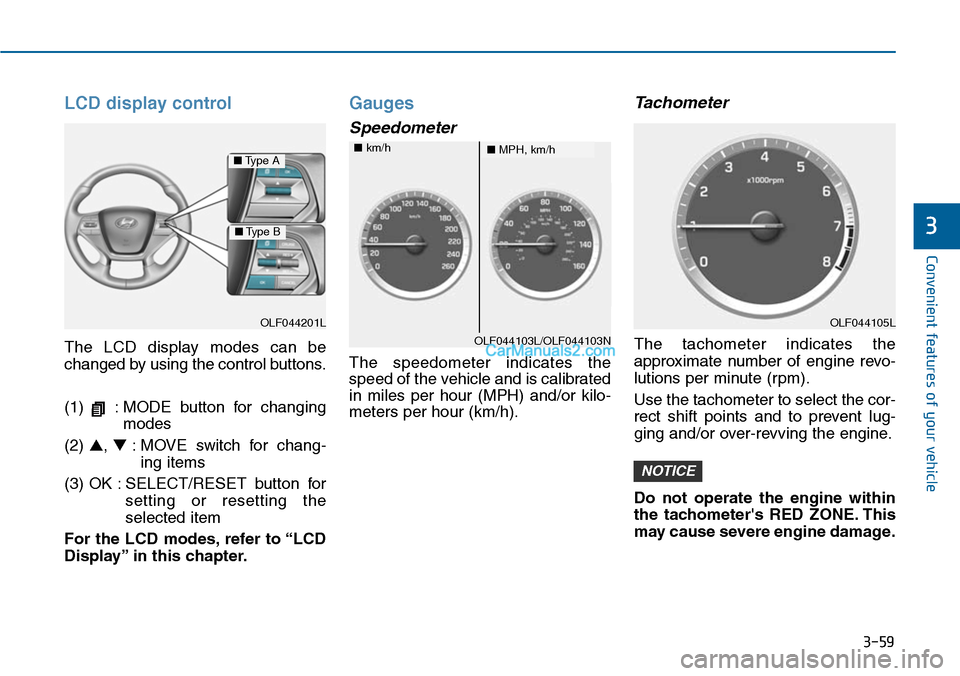
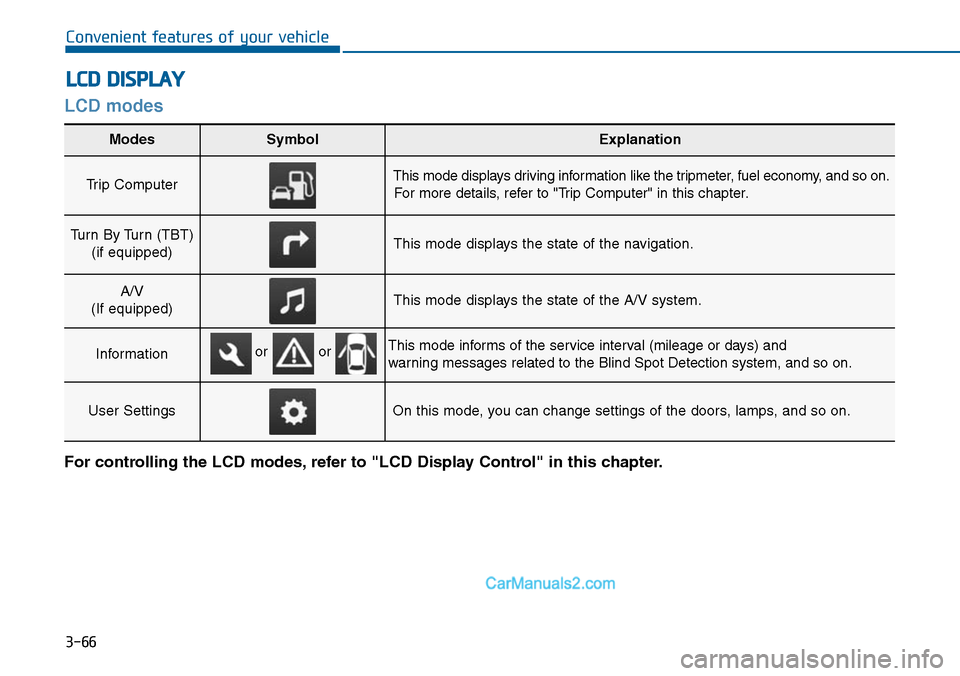
The LCD display modes can be
changed by using the control buttons.
(1) : MODE button for changing
modes
(2) ▲, ▼:MOVE switch for chang-
ing items
(3) OK : SELECT/RESET button for
setting or resetting the
selected item
For the LCD modes, refer to “LCD
Display” in this chapter.
Gauges
Speedometer
The speedometer indicates the
speed of the vehicle and is calibrated
in miles per hour (MPH) and/or kilo-
meters per hour (km/h).
Tachometer
The tachometer indicates the
approximate number of engine revo-
lutions per minute (rpm).
Use the tachometer to select the cor-
rect shift points and to prevent lug-
ging and/or over-revving the engine.
Do not operate the engine within
the tachometer's RED ZONE. This
may cause severe engine damage.
NOTICE
OLF044201L
■Type A
■Type B
OLF044103L/OLF044103N
■MPH, km/h■km/h
OLF044105L
Page 157 of 665
3-61
Convenient features of your vehicle
3
Information
• The fuel tank capacity is given in
chapter 8.
• The fuel gauge is supplemented by a
low fuel warning light, which will
illuminate when the fuel tank is
nearly empty.
• On inclines or curves, the fuel gauge
pointer may fluctuate or the low fuel
warning light may come on earlier
than usual due to the movement of
fuel in the tank.
Avoid driving with a extremely low
fuel level. Running out of fuel
could cause the engine to misfire
damaging the catalytic converter.
Outside Temperature Gauge
This gauge indicates the current out-
side air temperatures by 1°C (1°F).
- Temperature range : -40°C ~ 60°C
(-40°F ~ 140°F)
The outside temperature on the dis-
play may not change immediately
like a general thermometer to pre-
vent the driver from being inattentive.
The temperature unit (from °C to °F
or from °F to °C) can be changed as
below procedures.
And, the temperature unit of the clus-
ter and the climate control display is
changed at the same time.
NOTICE
i
Fuel Gauge
Running out of fuel can expose
vehicle occupants to danger.
Yo u m u s t s t o p a n d o b t a i n a d d i -
tional fuel as soon as possible
after the warning light comes
on or when the gauge indicator
comes close to the "0 or E
(Empty)" level.
WARNING
OLF044110L/OLF044111L
■Type A■Type B
Page 159 of 665
3-63
Convenient features of your vehicle
3
Transaxle Shift Indicator
Automatic Transaxle Shift
Indicator (if equipped)
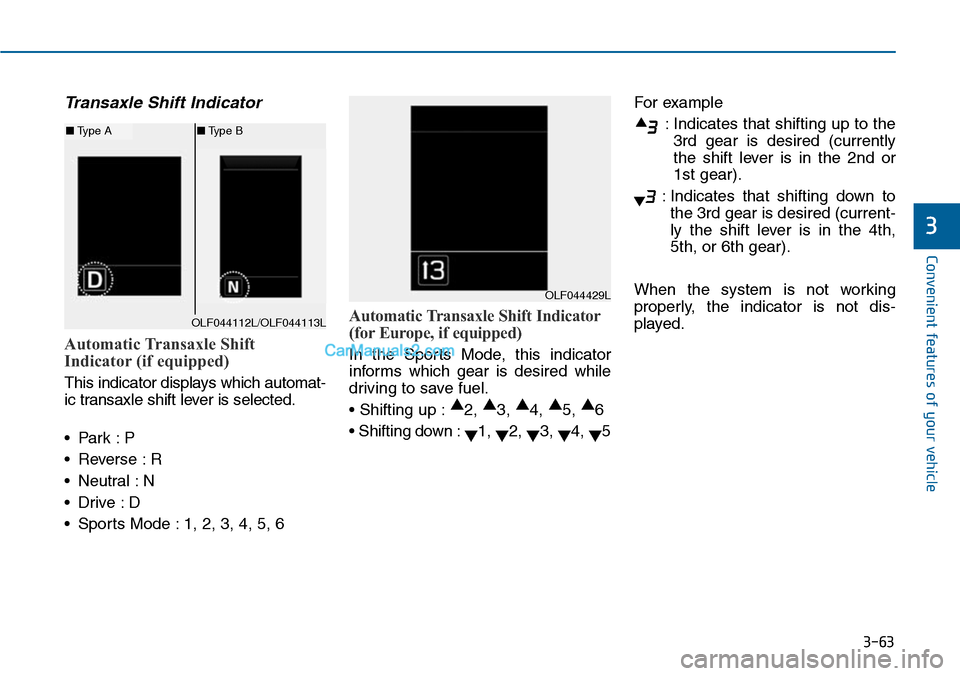
This indicator displays which automat-
ic transaxle shift lever is selected.
•Park :P
•Reverse :R
•Neutral :N
•Drive :D
•Sports Mode :1, 2, 3, 4, 5, 6
Automatic Transaxle Shift Indicator
(for Europe, if equipped)
In the Sports Mode, this indicator
informs which gear is desired while
driving to save fuel.
• Shifting up :▲2, ▲3, ▲4, ▲5, ▲6
• Shifting down :▼1, ▼2, ▼3, ▼4, ▼5
For example
:Indicates that shifting up to the
3rd gear is desired (currently
the shift lever is in the 2nd or
1st gear).
:Indicates that shifting down to
the 3rd gear is desired (current-
ly the shift lever is in the 4th,
5th, or 6th gear).
When the system is not working
properly, the indicator is not dis-
played.
OLF044429L
OLF044112L/OLF044113L
■Type A■Type B
Page 160 of 665
3-64
Convenient features of your vehicle
Manual Transaxle Shift Indicator
(if equipped)
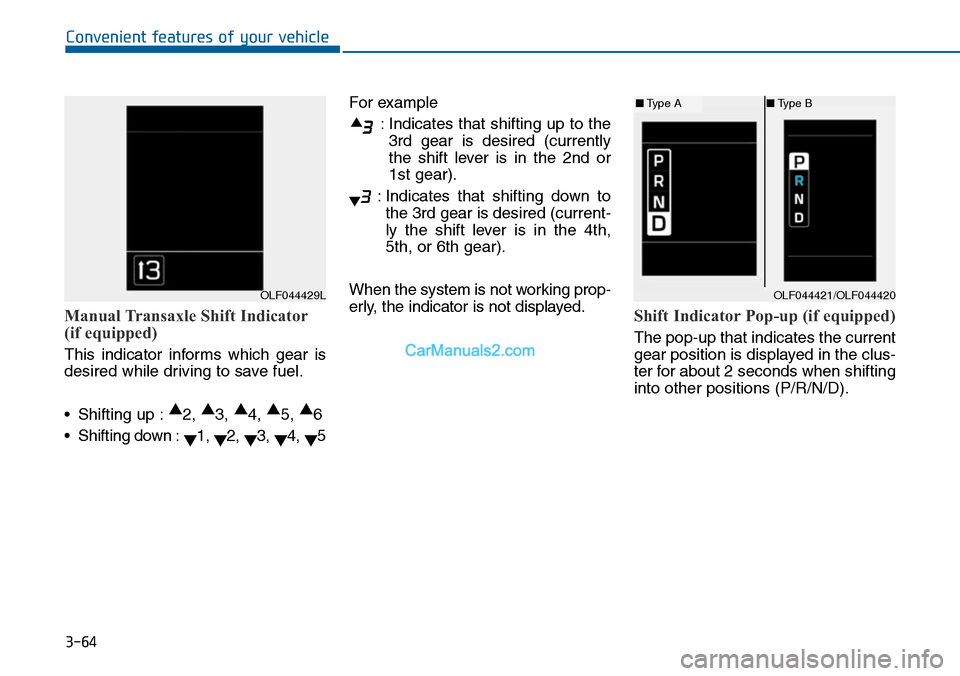
This indicator informs which gear is
desired while driving to save fuel.
•Shifting up :▲2, ▲3, ▲4, ▲5, ▲6
•Shifting down :▼1, ▼2, ▼3, ▼4, ▼5
For example
:Indicates that shifting up to the
3rd gear is desired (currently
the shift lever is in the 2nd or
1st gear).
:Indicates that shifting down to
the 3rd gear is desired (current-
ly the shift lever is in the 4th,
5th, or 6th gear).
When the system is not working prop-
erly, the indicator is not displayed.Shift Indicator Pop-up (if equipped)
The pop-up that indicates the current
gear position is displayed in the clus-
ter for about 2 seconds when shifting
into other positions (P/R/N/D).
OLF044429LOLF044421/OLF044420
■Type A■Type B
Page 162 of 665
3-66
Convenient features of your vehicle
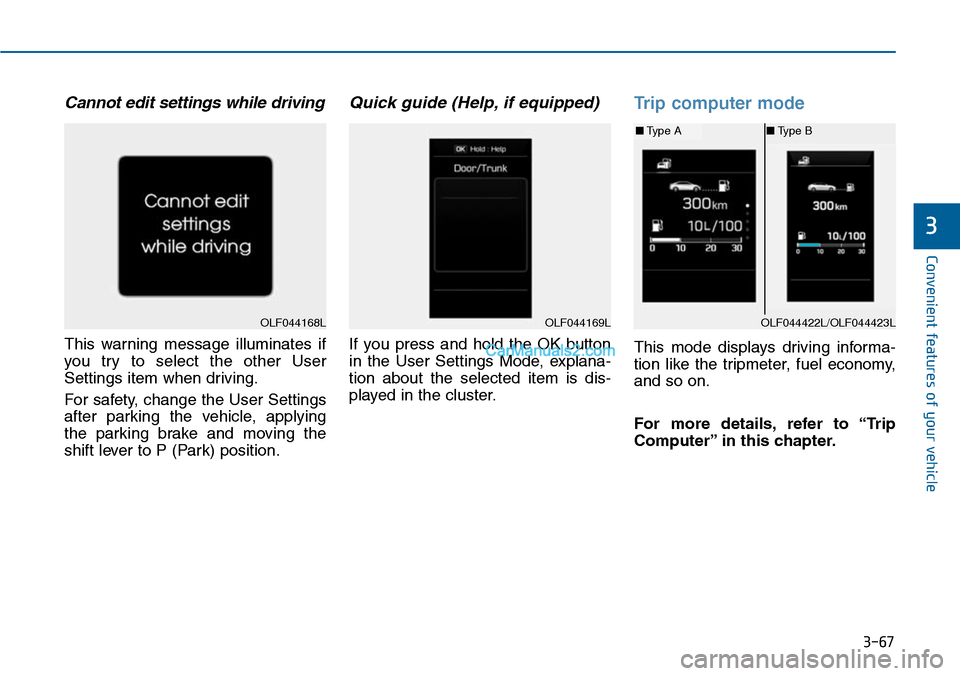
LCD modes
LCD DISPLAY
For controlling the LCD modes, refer to "LCD Display Control" in this chapter.
Modes SymbolExplanation
Trip Computer This mode displays driving information like the tripmeter, fuel economy, and so on.
For more details, refer to "Trip Computer" in this chapter.
Turn By Turn (TBT)
(if equipped)This mode displays the state of the navigation.
A/V
(If equipped)This mode displays the state of the A/V system.
InformationThis mode informs of the service interval (mileage or days) and
warning messages related to the Blind Spot Detection system, and so on.
User SettingsOn this mode, you can change settings of the doors, lamps, and so on.
or or
Page 163 of 665
3-67
Convenient features of your vehicle
3
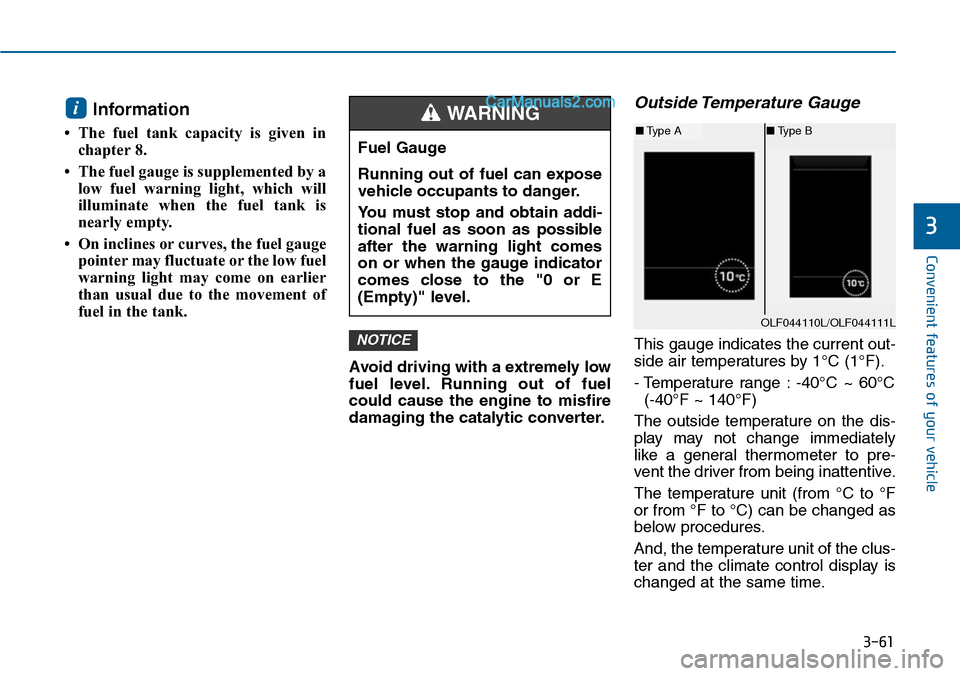
Cannot edit settings while driving
This warning message illuminates if
you try to select the other User
Settings item when driving.
For safety, change the User Settings
after parking the vehicle, applying
the parking brake and moving the
shift lever to P (Park) position.
Quick guide (Help, if equipped)
If you press and hold the OK button
in the User Settings Mode, explana-
tion about the selected item is dis-
played in the cluster.
Trip computer mode
This mode displays driving informa-
tion like the tripmeter, fuel economy,
and so on.
For more details, refer to “Trip
Computer” in this chapter.
OLF044168LOLF044169LOLF044422L/OLF044423L
■Type A■Type B
Page 164 of 665
3-68
Convenient features of your vehicle
Turn By Turn (TBT) mode
(if equipped)
This mode displays the state of the
navigation.
A/V mode (if equipped)
This mode displays the state of the
A/V system.
Information mode
Service Interval
Service in
It calculates and displays when you
need a scheduled maintenance
service (mileage or days).
If the remaining mileage or time
reaches 1,500 km (900 miles) or 30
days, "Service in" message is dis-
played for several seconds each time
you set the ignition switch or Engine
Start/Stop button to the ON position.
For the setting of the service inter-
val, refer to "User Settings Mode"
of the LCD display.
OLF044172/OLF044173
■Type A■Type B
OLF044175/OLF044176
■Type A■Type B
OLF044179N/OLF044180N
■Type A■Type B