Page 258 of 711
4157
Features of your vehicle
Automatic heating and air con-
ditioning
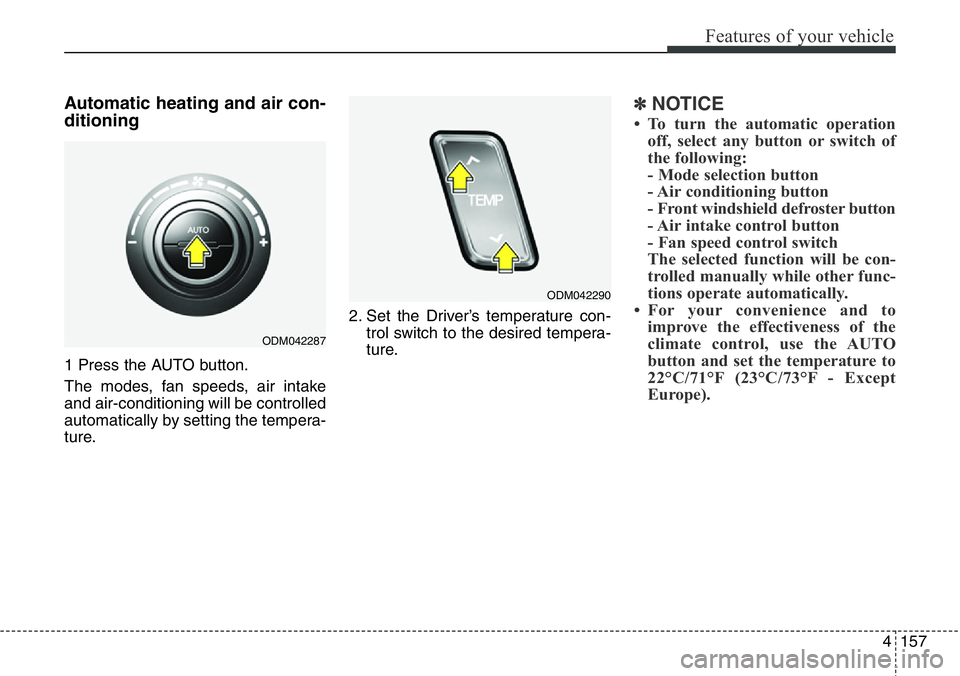
1 Press the AUTO button.
The modes, fan speeds, air intake
and air-conditioning will be controlled
automatically by setting the tempera-
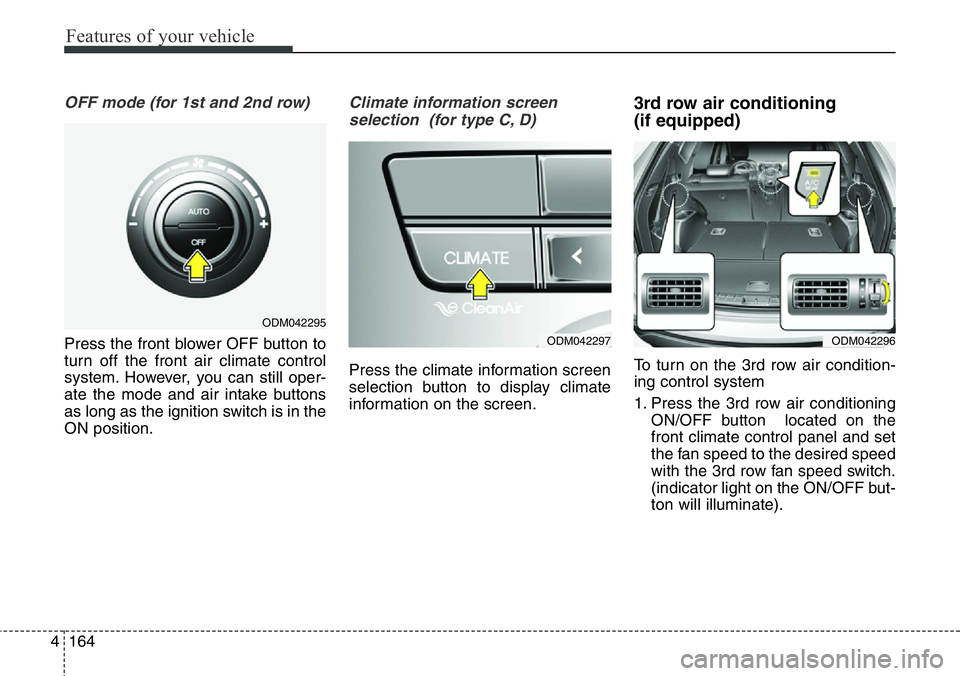
ture.2. Set the Driver’s temperature con-
trol switch to the desired tempera-
ture.
✽NOTICE
• To turn the automatic operation
off, select any button or switch of
the following:
- Mode selection button
- Air conditioning button
- Front windshield defroster button
- Air intake control button
- Fan speed control switch
The selected function will be con-
trolled manually while other func-
tions operate automatically.
• For your convenience and to
improve the effectiveness of the
climate control, use the AUTO
button and set the temperature to
22°C/71°F (23°C/73°F - Except
Europe).
ODM042287
ODM042290
Page 259 of 711
Features of your vehicle
158 4
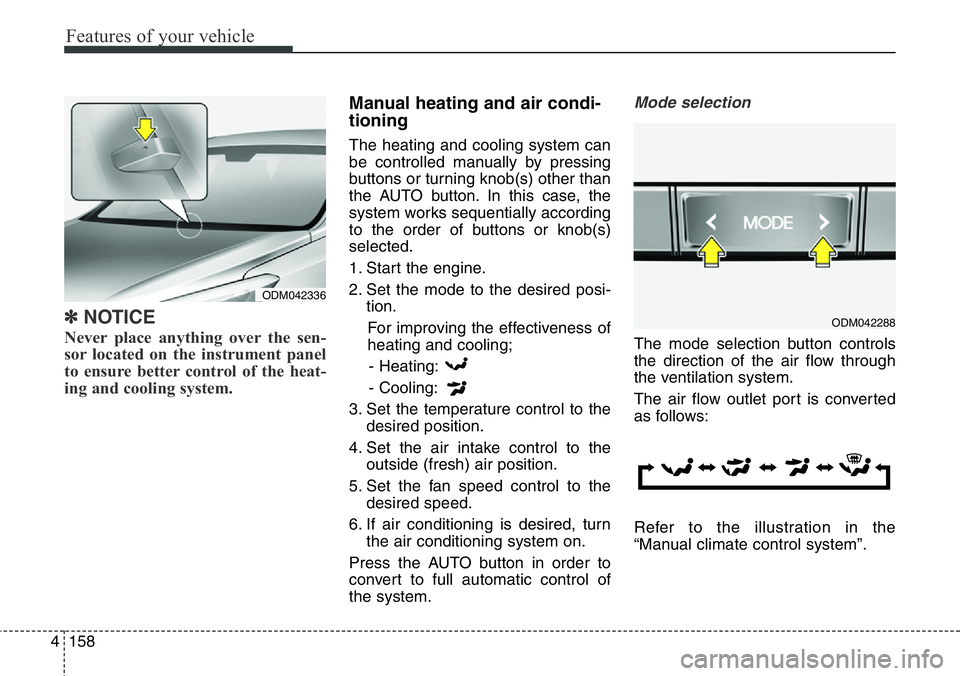
✽NOTICE
Never place anything over the sen-
sor located on the instrument panel
to ensure better control of the heat-
ing and cooling system.
Manual heating and air condi-
tioning
The heating and cooling system can
be controlled manually by pressing
buttons or turning knob(s) other than
the AUTO button. In this case, the
system works sequentially according
to the order of buttons or knob(s)
selected.
1. Start the engine.
2. Set the mode to the desired posi-
tion.
For improving the effectiveness of
heating and cooling;
- Heating:
- Cooling:
3. Set the temperature control to the
desired position.
4. Set the air intake control to the
outside (fresh) air position.
5. Set the fan speed control to the
desired speed.
6. If air conditioning is desired, turn
the air conditioning system on.
Press the AUTO button in order to
convert to full automatic control of
the system.
Mode selection
The mode selection button controls
the direction of the air flow through
the ventilation system.
The air flow outlet port is converted
as follows:
Refer to the illustration in the
“Manual climate control system”.
ODM042336
ODM042288
Page 261 of 711

Features of your vehicle
160 4
Instrument panel vents
The outlet vents can be opened or
closed separately using the thumb-
wheel.
Also, you can adjust the direction of
air delivery from these vents using
the vent control lever as shown.
Temperature control
The temperature will increase to the
maximum (HIGH) by holding the
button.
The temperature will decrease to the
minimum (LOW) by holding the
button.
The temperature will increase or
decrease by 0.5°C/1°F. When set to
the lowest temperature, the air condi-
tioning will operate continuously.Adjusting the driver and passenger
side temperature individually
1. Press the DUAL button to operate
the driver and passenger side
temperature individually. Also, if
the passenger side temperature
control button is operated, it will
automatically change to the DUAL
mode as well.
2. Operate the driver side tempera-
ture control to adjust the driver
side temperature. Operate the
passenger side temperature con-
trol to adjust the passenger side
temperature.
ODM042279
ODMECL2003 ■The driver’s side
■The passenger’s side
ODM042291 ■Type A, B
■Type C, D
Page 262 of 711
4161
Features of your vehicle
When the driver side temperature is
set to the highest (HIGH) or lowest
(LOW) temperature, the DUAL mode
deactivates for maximum heating or
cooling.Adjusting the driver and passenger
side temperature equally
1. Press the DUAL button again to
deactivate DUAL mode. The pas-
senger side temperature will be
set to the same temperature as
the driver side.
2. Operate the driver side tempera-
ture control button. The driver and
passenger side temperature will
be adjusted equally.
Temperature conversion
You can switch the temperature
mode between Centigrade to
Fahrenheit as follows:
While pressing the OFF button,
press the AUTO button for 3 seconds
or more.
The display will change from
Centigrade to Fahrenheit, or from
Fahrenheit to Centigrade.Air intake control
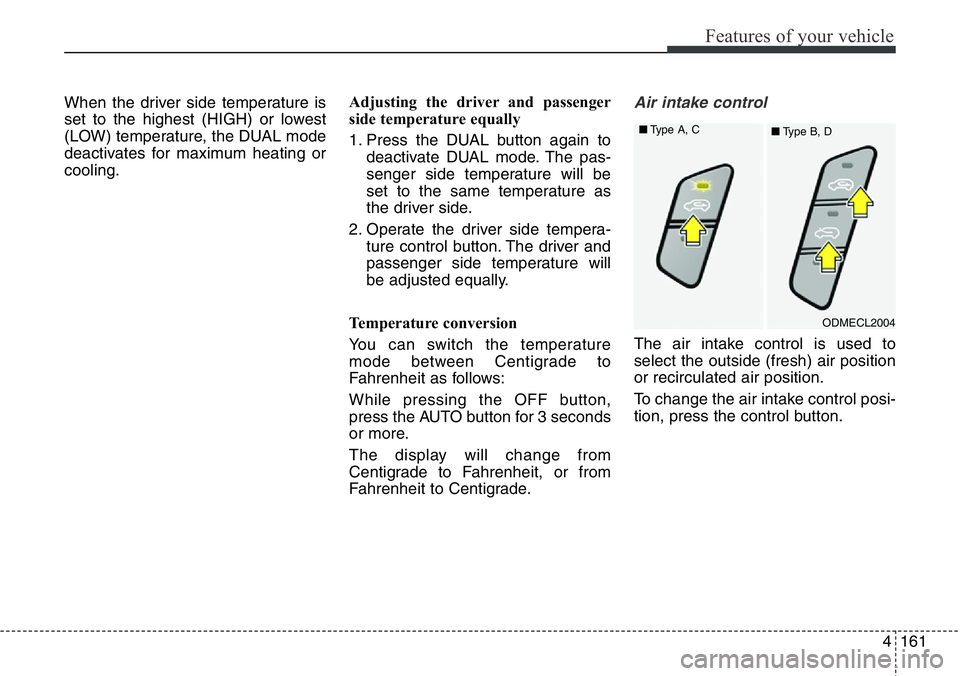
The air intake control is used to
select the outside (fresh) air position
or recirculated air position.
To change the air intake control posi-
tion, press the control button.
ODMECL2004 ■Type A, C
■Type B, D
Page 264 of 711
4163
Features of your vehicle
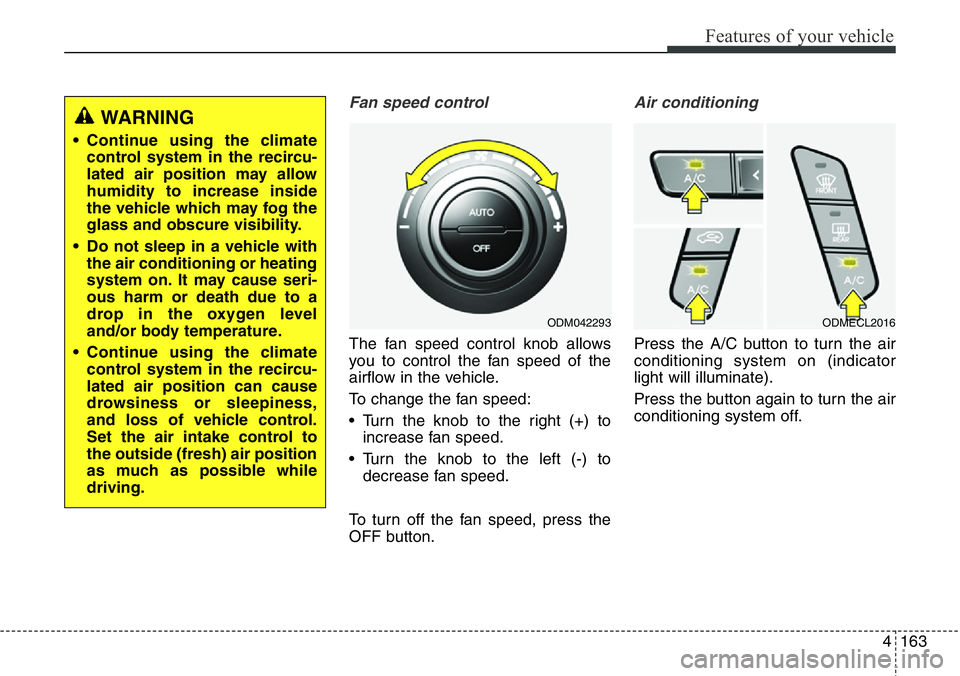
Fan speed control
The fan speed control knob allows
you to control the fan speed of the
airflow in the vehicle.
To change the fan speed:
• Turn the knob to the right (+) to
increase fan speed.
• Turn the knob to the left (-) to
decrease fan speed.
To turn off the fan speed, press the
OFF button.
Air conditioning
Press the A/C button to turn the air
conditioning system on (indicator
light will illuminate).
Press the button again to turn the air
conditioning system off.
WARNING
• Continue using the climate
control system in the recircu-
lated air position may allow
humidity to increase inside
the vehicle which may fog the
glass and obscure visibility.
• Do not sleep in a vehicle with
the air conditioning or heating
system on. It may cause seri-
ous harm or death due to a
drop in the oxygen level
and/or body temperature.
• Continue using the climate
control system in the recircu-
lated air position can cause
drowsiness or sleepiness,
and loss of vehicle control.
Set the air intake control to
the outside (fresh) air position
as much as possible while
driving.
ODM042293ODMECL2016
Page 265 of 711
Features of your vehicle
164 4
OFF mode (for 1st and 2nd row)
Press the front blower OFF button to
turn off the front air climate control
system. However, you can still oper-
ate the mode and air intake buttons
as long as the ignition switch is in the
ON position.
Climate information screen
selection (for type C, D)
Press the climate information screen
selection button to display climate
information on the screen.
3rd row air conditioning
(if equipped)
To turn on the 3rd row air condition-
ing control system
1. Press the 3rd row air conditioning
ON/OFF button located on the
front climate control panel and set
the fan speed to the desired speed
with the 3rd row fan speed switch.
(indicator light on the ON/OFF but-
ton will illuminate).
ODM042295
ODM042296ODM042297
Page 266 of 711
4165
Features of your vehicle
2. To turn off the 3rd row air condi-
tioning control system, press the
3rd row air conditioning ON/OFF
button once more located on the
front climate control panel or set
the fan speed to the OFF position
with the 3rd row fan speed switch
(indicator light on the ON/OFF but-
ton is not illuminated).System operation
Ventilation
1. Set the mode to the position.
2. Set the air intake control to the
outside (fresh) air position.
3. Set the temperature control to the
desired position.
4. Set the fan speed control to the
desired speed.
Heating
1. Set the mode to the position.
2. Set the air intake control to the
outside (fresh) air position.
3. Set the temperature control to the
desired position.
4. Set the fan speed control to the
desired speed.
5. If dehumidified heating is desired,
turn the air conditioning system (if
equipped) on.
• If the windshield fogs up, set the
mode to the or position.Operation Tips
• To keep dust or unpleasant fumes
from entering the vehicle through
the ventilation system, temporarily
set the air intake control to the
recirculated air position. Be sure to
return the control to the fresh air
position when the irritation has
passed to keep fresh air in the
vehicle. This will help keep the driv-
er alert and comfortable.
• Air for the heating/cooling system
is drawn in through the grilles just
ahead of the windshield. Care
should be taken that these are not
blocked by leaves, snow, ice or
other obstructions.
• To prevent interior fog on the wind-
shield, set the air intake control to
the fresh air position and fan speed
to the desired position, turn on the
air conditioning system, and adjust
the temperature control to desired
temperature.
Page 267 of 711
Features of your vehicle
166 4
Air conditioning (if equipped)
HYUNDAI Air Conditioning Systems
are filled with environmentally friend-
ly refrigerant*.
1. Start the engine. Push the air con-
ditioning button.
2. Set the mode to the position.
3. Set the air intake control to the
outside air or recirculated air posi-
tion.
4. Adjust the fan speed control and
temperature control to maintain
maximum comfort.
*: Your vehicle is filled with R-134a or
R-1234yf according to the regula-
tion in your country at the time of
producing. You can find out which
air conditioning refrigerant is
applied your vehicle at the label
inside of hood. Refer to section 8
for more detail location of air con-
ditioning refrigerant label.
✽NOTICE
• When using the air conditioning
system, monitor the temperature
gauge closely while driving up
hills or in heavy traffic when out-
side temperatures are high. Air
conditioning system operation
may cause engine overheating.
Continue to use the blower fan but
turn the air conditioning system
off if the temperature gauge indi-
cates engine overheating.
• When opening the windows in
humid weather air conditioning
may create water droplets inside
the vehicle. Since excessive water
droplets may cause damage to
electrical equipment, air condi-
tioning should only be used with
the windows closed.CAUTION
• The refrigerant system should
only be serviced by trained
and certified technicians to
insure proper and safe opera-
tion.
• The refrigerant system should
be serviced in a well-ventilat-
ed place.
• The air conditioning evapora-
tor (cooling coil) shall never
be repaired or replaced with
one removed from a used or
salvaged vehicle and new
replacement MAC evaporators
shall be certified (and labeled)
as meeting SAE Standard
J2842.