Page 225 of 476
Features of your vehicle
140 4
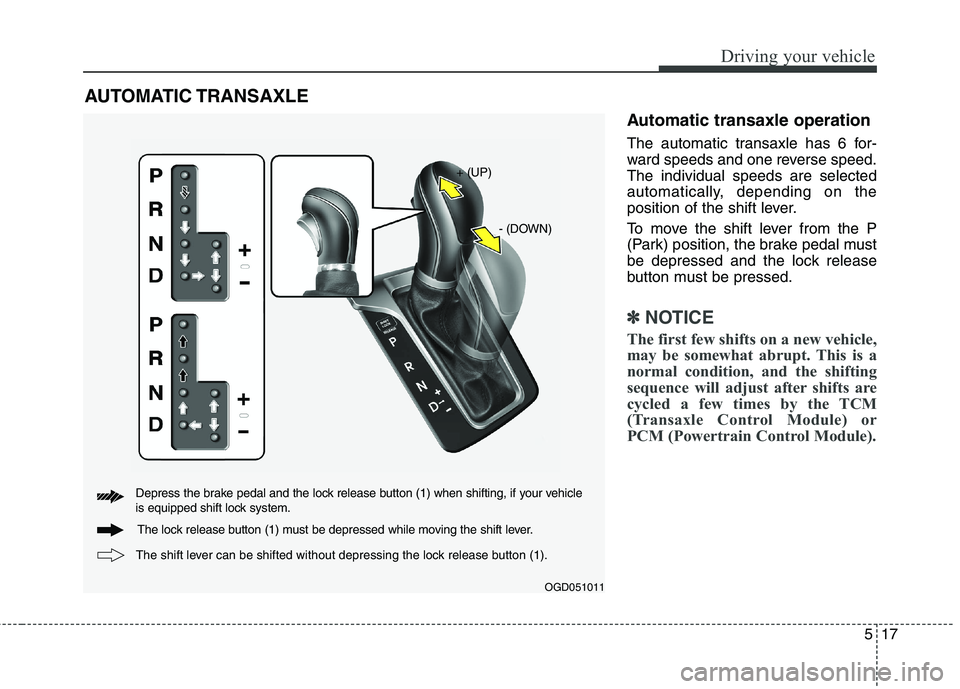
CLOCK SETTINGS
Press the key Select [Clock]
through TUNE knob or key
Select menu through TUNE knobClock Settings
This menu is used to set the time.
Select [Clock Settings] Set through
TUNE knob Press TUNE knob
❈Adjust the number currently in
focus to set the [hour] and press
the tune knob to set the [minute].Calendar Settings
This menu is used to set the date
(MM/DD/YYYY).
Select [Calendar Settings]] Set
through TUNE knob Press
TUNE knob
❈Adjust the number currently in
focus to make the settings and
press the tune knob to move to the
next setting. (Set in order of
Day/Month/Year) 3
SETUPCLOCK
Page 226 of 476
4141
Features of your vehicle
Time Format
This function is used to set the 12/24
hour time format of the audio system.
Select [Time Format] Set 12Hr /
24Hr through TUNE knob
Clock Display when Power is OFF
Select [Clock Disp.(Pwr Off) Set
/ through TUNE knob
: Displays time/date on screen
: Turn off.140
Off
On
OffOn
Page 239 of 476
Features of your vehicle
154 4
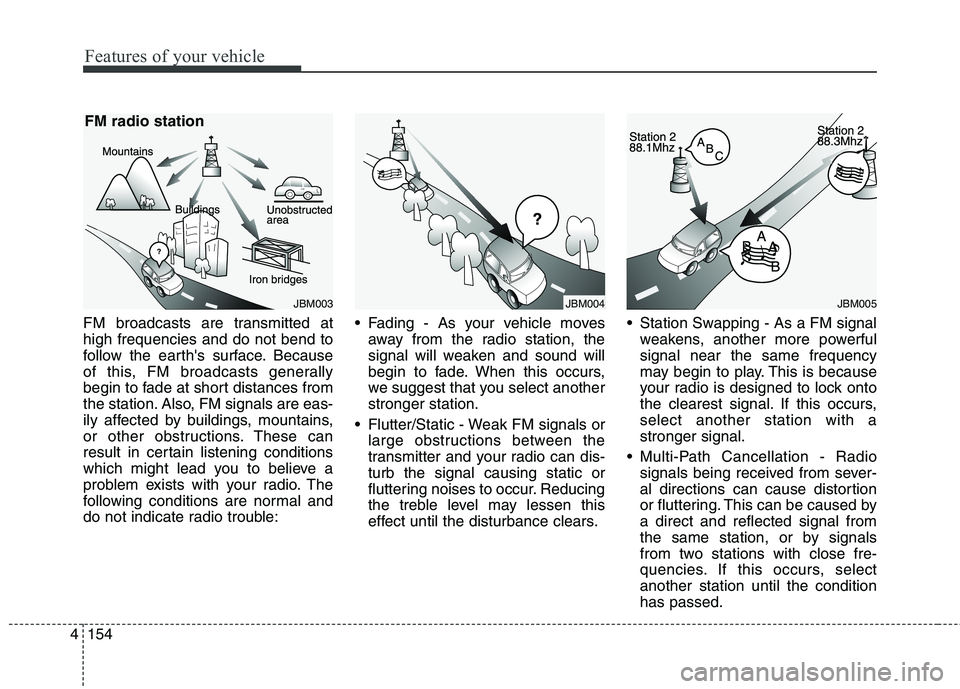
FM broadcasts are transmitted at
high frequencies and do not bend to
follow the earth's surface. Because
of this, FM broadcasts generally
begin to fade at short distances from
the station. Also, FM signals are eas-
ily affected by buildings, mountains,
or other obstructions. These can
result in certain listening conditions
which might lead you to believe a
problem exists with your radio. The
following conditions are normal and
do not indicate radio trouble: Fading - As your vehicle moves
away from the radio station, the
signal will weaken and sound will
begin to fade. When this occurs,
we suggest that you select another
stronger station.
Flutter/Static - Weak FM signals or
large obstructions between the
transmitter and your radio can dis-
turb the signal causing static or
fluttering noises to occur. Reducing
the treble level may lessen this
effect until the disturbance clears. Station Swapping - As a FM signal
weakens, another more powerful
signal near the same frequency
may begin to play. This is because
your radio is designed to lock onto
the clearest signal. If this occurs,
select another station with a
stronger signal.
Multi-Path Cancellation - Radio
signals being received from sever-
al directions can cause distortion
or fluttering. This can be caused by
a direct and reflected signal from
the same station, or by signals
from two stations with close fre-
quencies. If this occurs, select
another station until the condition
has passed.
JBM005JBM004JBM003
FM radio station
Page 240 of 476
4155
Features of your vehicle
Using a cellular phone or a two-
way radio
When a cellular phone is used inside
the vehicle, noise may be produced
from the audio system. This does not
mean that something is wrong with the
audio equipment. In such a case, use
the cellular phone at a place as far as
possible from the audio equipment.
Satellite radio reception
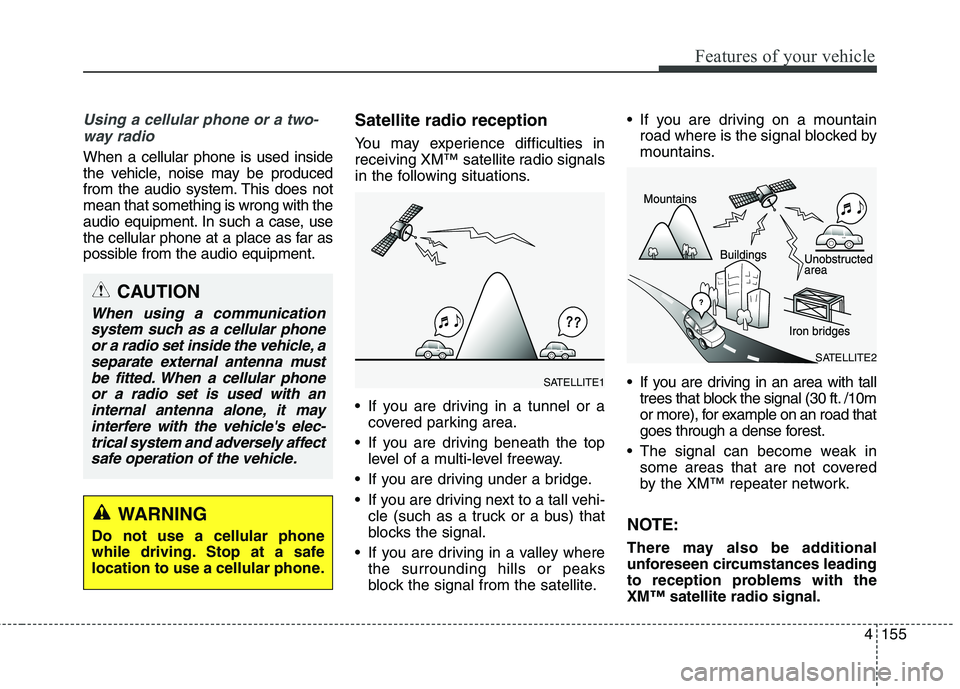
You may experience difficulties in
receiving XM™ satellite radio signals
in the following situations.
If you are driving in a tunnel or a
covered parking area.
If you are driving beneath the top
level of a multi-level freeway.
If you are driving under a bridge.
If you are driving next to a tall vehi-
cle (such as a truck or a bus) that
blocks the signal.
If you are driving in a valley where
the surrounding hills or peaks
block the signal from the satellite. If you are driving on a mountain
road where is the signal blocked by
mountains.
If you are driving in an area with tall
trees that block the signal (30 ft. /10m
or more), for example on an road that
goes through a dense forest.
The signal can become weak in
some areas that are not covered
by the XM™ repeater network.
NOTE:
There may also be additional
unforeseen circumstances leading
to reception problems with the
XM™ satellite radio signal.
CAUTION
When using a communication
system such as a cellular phone
or a radio set inside the vehicle, a
separate external antenna must
be fitted. When a cellular phone
or a radio set is used with an
internal antenna alone, it may
interfere with the vehicle's elec-
trical system and adversely affect
safe operation of the vehicle.
WARNING
Do not use a cellular phone
while driving. Stop at a safe
location to use a cellular phone.
SATELLITE2
SATELLITE1
Page 277 of 476

55
Driving your vehicle
Before starting
Close and lock all doors.
Position the seat so that all con-
trols are easily reached.
Adjust the inside and outside
rearview mirrors.
Be sure that all lights work.
Check all gauges.
Check the operation of warning
lights when the ignition switch is
turned to the ON position.
Release the parking brake and
make sure the brake warning light
goes out.
For safe operation, be sure you are
familiar with your vehicle and its
equipment.WARNING
Always check the surrounding
areas near your vehicle for peo-
ple, especially children, before
putting a car into D (Drive) or R
(Reverse).
WARNING -
Driving under the influence
of alcohol or drugs
Drinking and driving is danger-
ous. Impaired driving is the
number one contributor to the
highway death toll each year.
Even a small amount of alcohol
will affect your reflexes, percep-
tions and judgment. Driving
while under the influence of
drugs is as dangerous or more
dangerous than driving drunk.
You are much more likely to
have a serious accident if you
drink or take drugs and drive.
If you are drinking or taking
drugs, don’t drive. Do not ride
with a driver who has been drink-
ing or taking drugs. Choose a
designated driver or call a cab.
WARNING
All passengers must be proper-
ly belted whenever the vehicle
is moving. Refer to “Seat belts”
in section 3 for more informa-
tion on their proper use.
WARNING
When you intend to park or
stop the vehicle with the
engine on, be careful not to
depress the accelerator pedal
for a long period of time. It may
overheat the engine or exhaust
system and cause fire.
When you make a sudden
stop or turn the steering
wheel rapidly, loose objects
may drop on the floor and it
could interfere with the opera-
tion of the foot pedals, possi-
bly causing an accident. Keep
all things in the vehicle safely
stored.
If you do not focus on driving,
it may cause an accident. Be
careful when operating
devices that may disturb driv-
ing such as the audio system
or the heater. It is the respon-
sibility of the driver to always
drive safely.
Page 278 of 476
Driving your vehicle
6 5
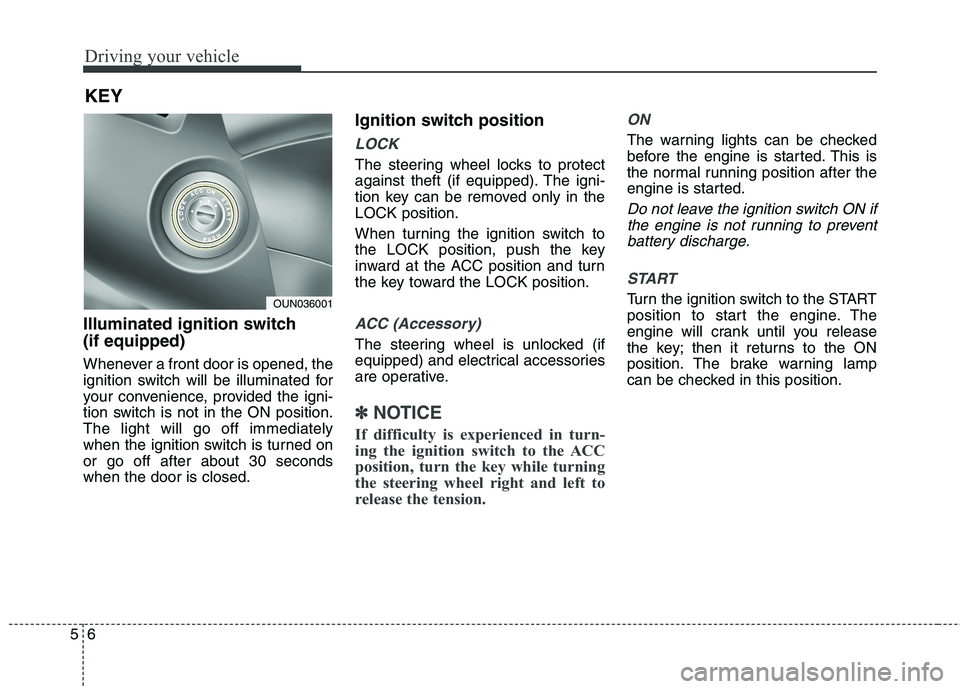
Illuminated ignition switch
(if equipped)
Whenever a front door is opened, the
ignition switch will be illuminated for
your convenience, provided the igni-
tion switch is not in the ON position.
The light will go off immediately
when the ignition switch is turned on
or go off after about 30 seconds
when the door is closed.
Ignition switch position
LOCK
The steering wheel locks to protect
against theft (if equipped). The igni-
tion key can be removed only in the
LOCK position.
When turning the ignition switch to
the LOCK position, push the key
inward at the ACC position and turn
the key toward the LOCK position.
ACC (Accessory)
The steering wheel is unlocked (if
equipped) and electrical accessories
are operative.
✽ ✽
NOTICE
If difficulty is experienced in turn-
ing the ignition switch to the ACC
position, turn the key while turning
the steering wheel right and left to
release the tension.
ON
The warning lights can be checked
before the engine is started. This is
the normal running position after the
engine is started.
Do not leave the ignition switch ON if
the engine is not running to prevent
battery discharge.
START
Turn the ignition switch to the START
position to start the engine. The
engine will crank until you release
the key; then it returns to the ON
position. The brake warning lamp
can be checked in this position.
KEY
OUN036001
Page 279 of 476
57
Driving your vehicle
Starting the engine
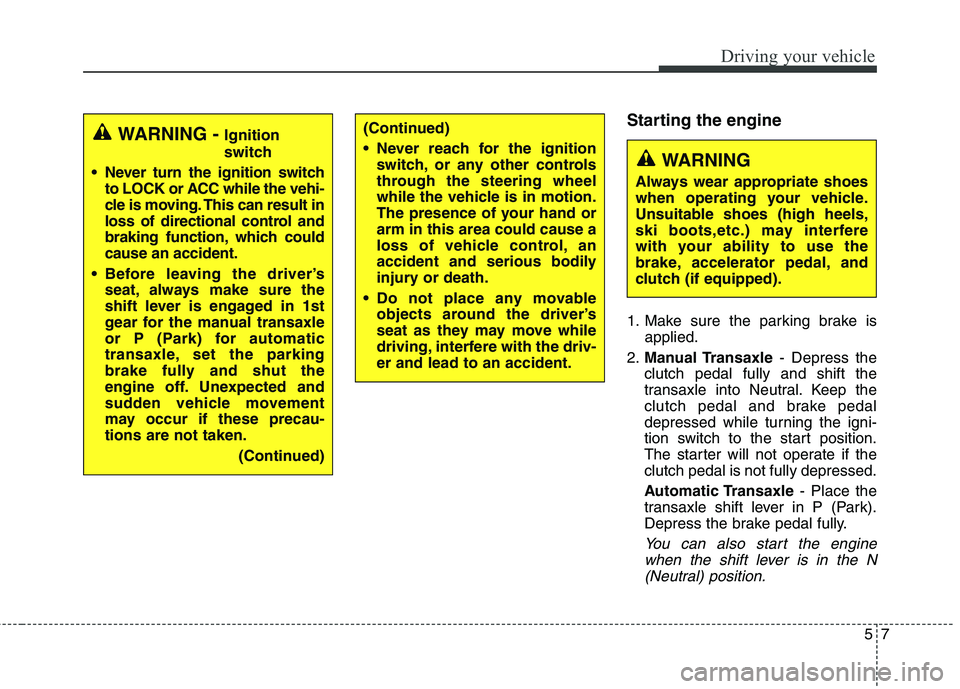
1. Make sure the parking brake is
applied.
2.Manual Transaxle- Depress the
clutch pedal fully and shift the
transaxle into Neutral. Keep the
clutch pedal and brake pedal
depressed while turning the igni-
tion switch to the start position.
The starter will not operate if the
clutch pedal is not fully depressed.
Automatic Transaxle- Place the
transaxle shift lever in P (Park).
Depress the brake pedal fully.
You can also start the engine
when the shift lever is in the N
(Neutral) position.
WARNING - Ignition
switch
Never turn the ignition switch
to LOCK or ACC while the vehi-
cle is moving. This can result in
loss of directional control and
braking function, which could
cause an accident.
Before leaving the driver’s
seat, always make sure the
shift lever is engaged in 1st
gear for the manual transaxle
or P (Park) for automatic
transaxle, set the parking
brake fully and shut the
engine off. Unexpected and
sudden vehicle movement
may occur if these precau-
tions are not taken.
(Continued)(Continued)
Never reach for the ignition
switch, or any other controls
through the steering wheel
while the vehicle is in motion.
The presence of your hand or
arm in this area could cause a
loss of vehicle control, an
accident and serious bodily
injury or death.
Do not place any movable
objects around the driver’s
seat as they may move while
driving, interfere with the driv-
er and lead to an accident.
WARNING
Always wear appropriate shoes
when operating your vehicle.
Unsuitable shoes (high heels,
ski boots,etc.) may interfere
with your ability to use the
brake, accelerator pedal, and
clutch (if equipped).
Page 289 of 476
517
Driving your vehicle
Automatic transaxle operation
The automatic transaxle has 6 for-
ward speeds and one reverse speed.
The individual speeds are selected
automatically, depending on the
position of the shift lever.
To move the shift lever from the P
(Park) position, the brake pedal must
be depressed and the lock release
button must be pressed.
✽ ✽
NOTICE
The first few shifts on a new vehicle,
may be somewhat abrupt. This is a
normal condition, and the shifting
sequence will adjust after shifts are
cycled a few times by the TCM
(Transaxle Control Module) or
PCM (Powertrain Control Module).
AUTOMATIC TRANSAXLE
OGD051011
+ (UP)
- (DOWN)
Depress the brake pedal and the lock release button (1) when shifting, if your vehicle
is equipped shift lock system.
The shift lever can be shifted without depressing the lock release button (1).
The lock release button (1) must be depressed while moving the shift lever.
![HYUNDAI ELANTRA GT 2014 Owners Manual Features of your vehicle
140 4
CLOCK SETTINGS
Press the key Select [Clock]
through TUNE knob or key
Select menu through TUNE knobClock Settings
This menu is used to set the time.
Select [Clock Set](/manual-img/35/56097/w960_56097-224.png "HYUNDAI ELANTRA GT 2014 Owners Manual Features of your vehicle
140 4
CLOCK SETTINGS
Press the key Select [Clock]
through TUNE knob or key
Select menu through TUNE knobClock Settings
This menu is used to set the time.
Select [Clock Set")
![HYUNDAI ELANTRA GT 2014 Owners Manual 4141
Features of your vehicle
Time Format
This function is used to set the 12/24
hour time format of the audio system.
Select [Time Format] Set 12Hr /
24Hr through TUNE knob
Clock Display when Power](/manual-img/35/56097/w960_56097-225.png "HYUNDAI ELANTRA GT 2014 Owners Manual 4141
Features of your vehicle
Time Format
This function is used to set the 12/24
hour time format of the audio system.
Select [Time Format] Set 12Hr /
24Hr through TUNE knob
Clock Display when Power")