Page 169 of 476

Features of your vehicle
84 4
Headlamp welcome function
(if equipped)
When the headlight switch is in the
ON or AUTO position and all doors
(and trunk) are closed and locked, if
you press the door unlock button on
the transmitter (or the smart key), the
headlights will come on for about 15
seconds. At this time, if you press the
door lock button on the transmitter
(or smart key) the headlights will turn
off immediately.
You can activate or deactivate this
feature. Refer to “User Settings” in
this section.
Daytime running light
(if equipped)
Daytime Running Lights (DRL) can
make it easier for others to see the
front of your vehicle during the day.
DRL can be helpful in many different
driving conditions, and it is especially
helpful after dawn and before sunset.
The DRL system will turn OFF when:
The headlights are ON.
Engine stops.
The multifuntion switch is in the
“DRL OFF” position.
The parking brake is applied.
Lighting control
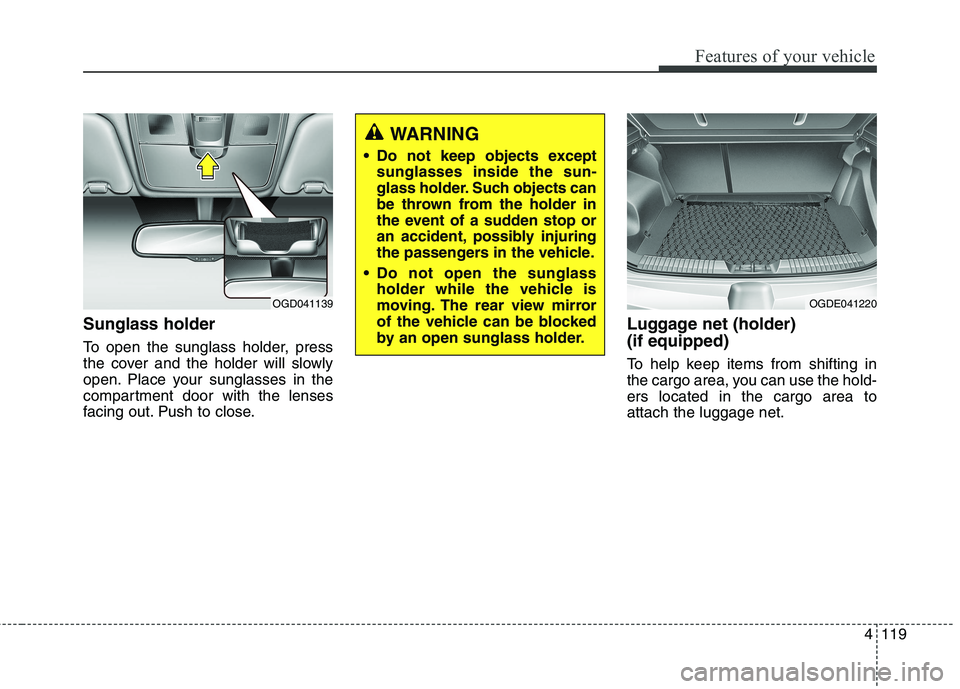
The light switch has a Headlight and
a Parking light position.
To operate the lights, turn the knob at
the end of the control lever to one of
the following positions:
(1) OFF position (DRL OFF position)
(2) Parking light position
(3) Headlight position
(4) Auto light position (if equipped)
OYFH041900N
Page 177 of 476
Features of your vehicle
92 4
Automatic turn off function
(if equipped)
The interior lights automatically turn
off approximately 20 minutes after
the ignition switch is turned off.
If your vehicle is equipped with the
theft alarm system, the interior lights
automatically turn off approximately
5 seconds after the system is in the
armed stage.
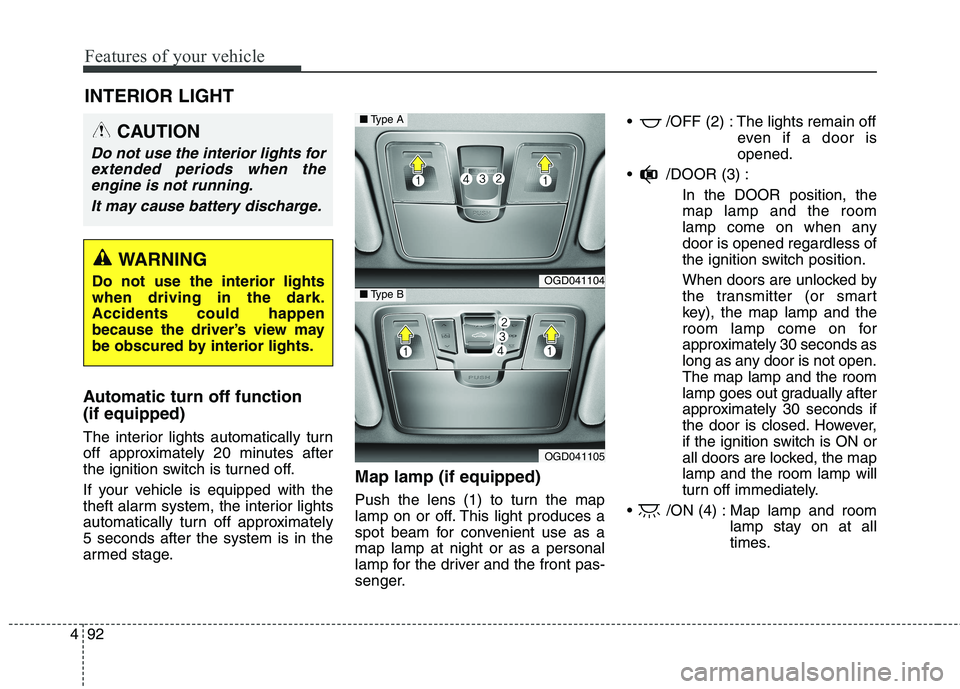
Map lamp (if equipped)
Push the lens (1) to turn the map
lamp on or off. This light produces a
spot beam for convenient use as a
map lamp at night or as a personal
lamp for the driver and the front pas-
senger. /OFF (2) : The lights remain off
even if a door is
opened.
/DOOR (3) :
In the DOOR position, the
map lamp and the room
lamp come on when any
door is opened regardless of
the ignition switch position.
When doors are unlocked by
the transmitter (or smart
key), the map lamp and the
room lamp come on for
approximately 30 seconds as
long as any door is not open.
The map lamp and the room
lamp goes out gradually after
approximately 30 seconds if
the door is closed. However,
if the ignition switch is ON or
all doors are locked, the map
lamp and the room lamp will
turn off immediately.
/ON (4) : Map lamp and room
lamp stay on at all
times.
INTERIOR LIGHT
CAUTION
Do not use the interior lights for
extended periods when the
engine is not running.
It may cause battery discharge.
WARNING
Do not use the interior lights
when driving in the dark.
Accidents could happen
because the driver’s view may
be obscured by interior lights.OGD041104
OGD041105
■Type A
■Type B
Page 180 of 476

495
Features of your vehicle
Headlamp welcome
When the headlight(light switch in
the headlight or AUTO position) is on
and all doors (and tailgate) are
locked and closed, the headlight,
position light and tail light will come
on for 15 seconds if any of the below
is performed.
- When the door unlock button is
pressed on the transmitter.
- When the door unlock button is
pressed on the smart key.
At this time, if you press the door lock
button (on the transmitter or smart
key), the lights will turn off immedi-
ately.
Interior light
When the interior light switch is in the
DOOR position and all doors (and
tailgate) are locked and closed, the
room lamp will come on for 30 sec-
onds if any of the below is per-
formed.
- When the door unlock button is
pressed on the transmitter.
- When the door unlock button is
pressed on the smart key.
- When the button of the outside
door handle is pressed.
At this time, if you press the door lock
button, the lamps will turn off imme-
diately.
WELCOME SYSTEM (IF EQUIPPED)
Page 188 of 476
4103
Features of your vehicle
System operation
Ventilation
1. Set the mode to the position.
2. Set the air intake control to the
outside (fresh) air position.
3. Set the temperature control to the
desired position.
4. Set the fan speed control to the
desired speed.
Heating
1. Set the mode to the position.
2. Set the air intake control to the
outside (fresh) air position.
3. Set the temperature control to the
desired position.
4. Set the fan speed control to the
desired speed.
5. If dehumidified heating is desired,
turn the air conditioning system (if
equipped) on.
If the windshield fogs up, set the
mode to the or position.Operation Tips
To prevent dust or unpleasant
fumes from entering the vehicle
through the ventilation system,
temporarily set the air intake con-
trol to the recirculated air position.
Be sure to return the control to the
fresh air position when the irritation
has passed to keep fresh air in the
vehicle. This will help keep the driv-
er alert and comfortable.
Air for the heating/cooling system
is drawn in through the grilles just
ahead of the windshield. Care
should be taken that these are not
blocked by leaves, snow, ice or
other obstructions.
To prevent interior fog on the wind-
shield, set the air intake control to
the fresh air position and fan speed
to the desired position, turn on the
air conditioning system, and adjust
the temperature control to desired
temperature.
Air conditioning
All HYUNDAI Air Conditioning
Systems are filled with environmen-
tally friendly R-134a refrigerant which
does not damage the ozone layer.
1. Start the engine. Push the air con-
ditioning button.
2. Set the mode to the position.
3. Set the air intake control to the
recirculated air position. However,
prolonged operation of the recircu-
lated air position will excessively
dry the air. In this case, change the
air position.
4. Adjust the fan speed control and
temperature control to maintain
maximum comfort.
When maximum cooling is desired,
set the temperature control to the
extreme left position then set the
fan speed control to the highest
speed.
Page 203 of 476
Features of your vehicle
118 4
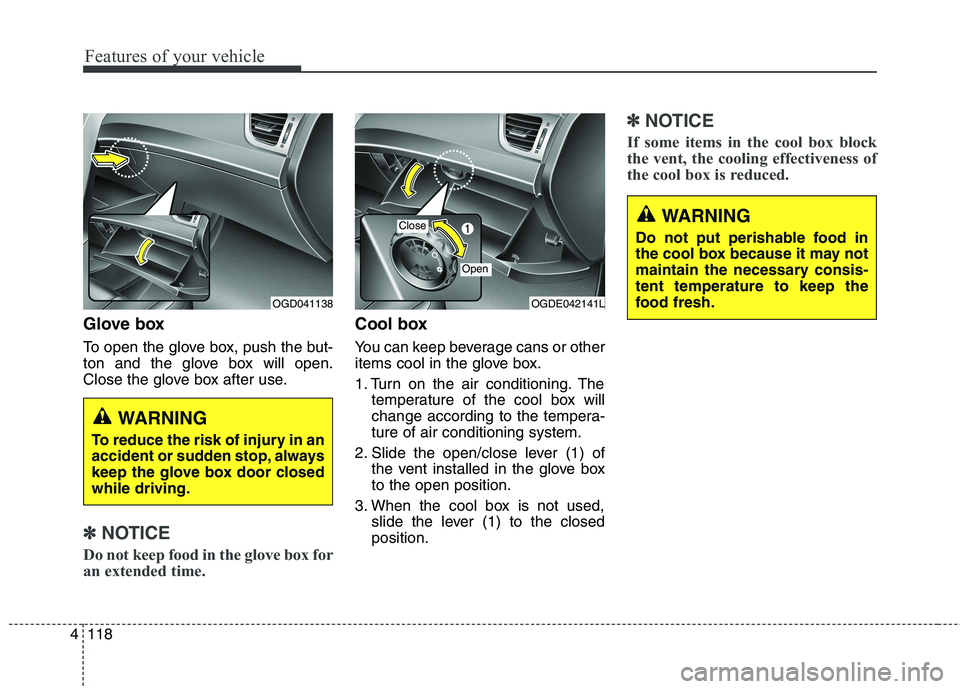
Glove box
To open the glove box, push the but-
ton and the glove box will open.
Close the glove box after use.
✽ ✽
NOTICE
Do not keep food in the glove box for
an extended time.
Cool box
You can keep beverage cans or other
items cool in the glove box.
1. Turn on the air conditioning. The
temperature of the cool box will
change according to the tempera-
ture of air conditioning system.
2. Slide the open/close lever (1) of
the vent installed in the glove box
to the open position.
3. When the cool box is not used,
slide the lever (1) to the closed
position.
✽ ✽
NOTICE
If some items in the cool box block
the vent, the cooling effectiveness of
the cool box is reduced.
WARNING
To reduce the risk of injury in an
accident or sudden stop, always
keep the glove box door closed
while driving.
OGDE042141LOGD041138
Close
Open
WARNING
Do not put perishable food in
the cool box because it may not
maintain the necessary consis-
tent temperature to keep the
food fresh.
Page 204 of 476
4119
Features of your vehicle
Sunglass holder
To open the sunglass holder, press
the cover and the holder will slowly
open. Place your sunglasses in the
compartment door with the lenses
facing out. Push to close.
Luggage net (holder)
(if equipped)
To help keep items from shifting in
the cargo area, you can use the hold-
ers located in the cargo area to
attach the luggage net.
WARNING
Do not keep objects except
sunglasses inside the sun-
glass holder. Such objects can
be thrown from the holder in
the event of a sudden stop or
an accident, possibly injuring
the passengers in the vehicle.
Do not open the sunglass
holder while the vehicle is
moving. The rear view mirror
of the vehicle can be blocked
by an open sunglass holder.
OGD041139OGDE041220
Page 215 of 476
Features of your vehicle
130 4
✽
✽
NOTICE
If you install an aftermarket HID
headlamp, your vehicle's audio and
electronic device may malfunction.
Antenna
Roof antenna
Your vehicle uses a roof antenna to
receive both AM and FM broadcast
signals. This antenna is removable.
To remove the antenna, turn it coun-
terclockwise. To install the antenna,
turn it clockwise.
AUDIO SYSTEM
OHM048154
■Type A■Type BCAUTION
Before entering a place with a
low height clearance or a car
wash, remove the antenna by
rotating it counterclockwise. If
not, the antenna may be dam-
aged.
Page 220 of 476

4135
Features of your vehicle
9.
Radio Mode
- Shortly press the key (under 0.8
seconds): Previews each broadcast
for 5 seconds each.
- Press and hold the key (over 0.8
seconds): Previews the broadcasts
saved in Preset ~ for 5
seconds each.
❈Press the key again to
continue listening to the current
frequency.
❈XM Radio does not support the
Preset scan feature.
CD, USB, iPod mode
- Shortly press the key (under 0.8
seconds): Previews each song (file)
for 10 seconds each
❈Press the key again to
continue listening to the current
song (file).10.
Shortly press the key (under 0.8
seconds) : Moves to the Display,
Sound, Clock, Phone, System set-
ting modes
Press and hold the key (over 0.8
seconds) : Move to the Time set-
ting screen
11.
Displays menus for the current mode.
12. ,
Radio Mode
- XM RADIO : Category Search
MP3, CD, USB mode : Folder Search
iPod mode: Moves to parent folder
❈May differ depending on the
selected audio.13. TUNE knob
Radio mode : Changes frequency
by turning the knob left/right
CD, USB, iPod mode: Searches
songs (files) by turning the knob
left/right
❈When the desired song is displayed,
press the knob to play the song.
Moves focus in all selection menus
and selects menus.
FOLDERCAT
MENU
SETUPCLOCK
SCAN
SCAN
61
SCAN