2014 HONDA CROSSTOUR bluetooth
[x] Cancel search: bluetoothPage 404 of 573
Continued
403
uuBluetooth® HandsFreeLink®uHFL Menus
Features
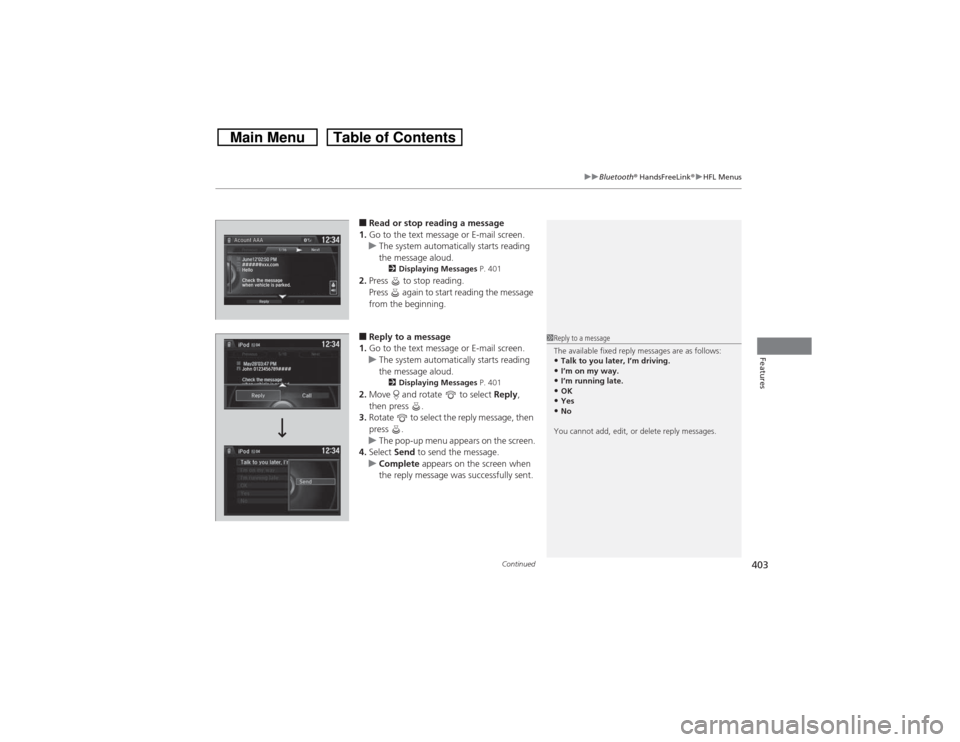
■Read or stop reading a message
1.Go to the text message or E-mail screen.
uThe system automatically starts reading
the message aloud.
2Displaying Messages P. 401
2.Press to stop reading.
Press again to start reading the message
from the beginning.■Reply to a message
1.Go to the text message or E-mail screen.
uThe system automatically starts reading
the message aloud.
2Displaying Messages P. 401
2.Move and rotate to select Reply,
then press .
3.Rotate to select the reply message, then
press .
uThe pop-up menu appears on the screen.
4.Select Send to send the message.
uComplete appears on the screen when
the reply message was successfully sent.
1Reply to a message
The available fixed reply messages are as follows:•Talk to you later, I’m driving.•I’m on my way.•I’m running late.•OK•Yes•No
You cannot add, edit, or delete reply messages.
Page 405 of 573
404
uuBluetooth® HandsFreeLink®uHFL Menus
Features
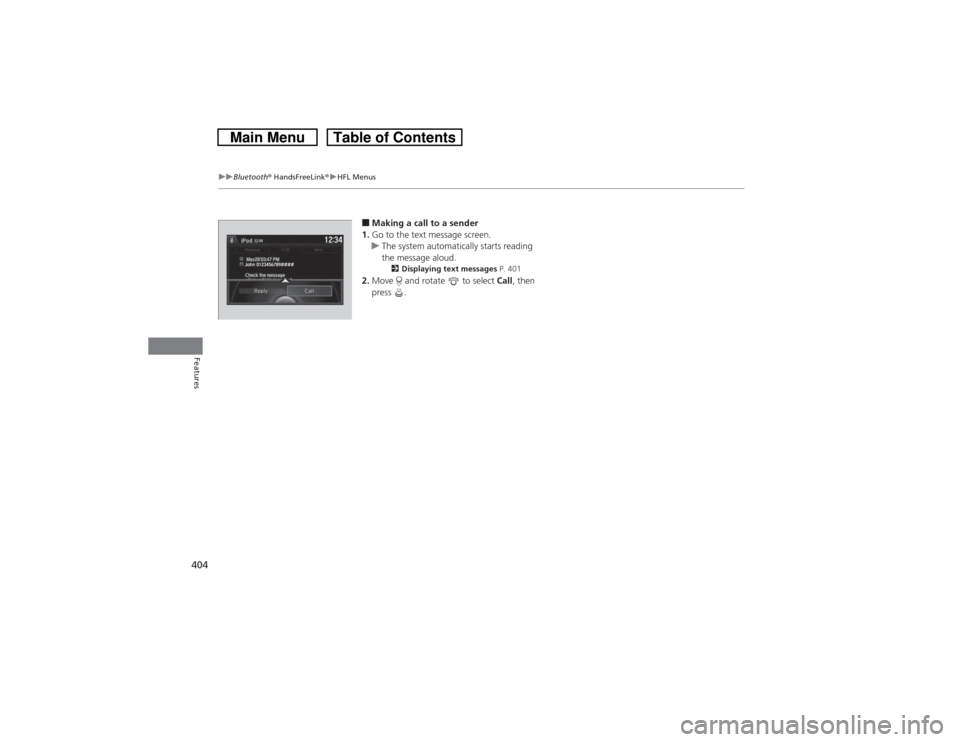
■Making a call to a sender
1.Go to the text message screen.
uThe system automatically starts reading
the message aloud.
2Displaying text messages P. 401
2.Move and rotate to select Call, then
press .
John 0123456789####Reply Call
Page 552 of 573

551Information
Devices that Emit Radio WavesThe following products and systems on your vehicle emit radio waves when in operation.Each of the above complies with the appropriate requirements or the required
standards of FCC (Federal Communications Commission) and Industry Canada
Standard, described below:As required by the FCC:
This device complies with Part 15 of the FCC rules. Operation is
subject to the following two conditions: (1) This device may not
cause harmful interference, and (2) this device must accept any
interference received, including interference that may cause
undesired operation.
Changes or modifications not expressly approved by the party
responsible for compliance could void the user’s authority to
operate the equipment.This device complies with Industry Canada Standard RSS-Gen/210/310. Operation is
subject to the following two conditions: (1) this device may not cause interference,
and (2) this device must accept any interference, including interference that may
cause undesired operation of the device.Audio SystemBluetooth® AudioBluetooth® HandsFreeLink®HomeLink® Universal TransceiverImmobilizer SystemSmart Entry SystemRemote TransmitterTire Pressure Monitoring System (TPMS)
Page 561 of 573
560
uuCustomer Service Informationu
Information
Gracenote reserves all rights in Gracenote
Data, the Gracenote Software, and the
Gracenote Servers, including all ownership
rights. Under no circumstances will
Gracenote become liable for any payment
to you for any information that you provide.
You agree that Gracenote, Inc. may enforce
its rights under this Agreement against you
directly in its own name.
The Gracenote service uses a unique
identifier to track queries for statistical
purposes. The purpose of a randomly
assigned numeric identifier is to allow the
Gracenote service to count queries without
knowing anything about who you are. For
more information, see the web page for the
Gracenote Privacy Policy for the Gracenote
service.
The Gracenote Software and each item of
Gracenote Data are licensed to you “AS IS.”
Gracenote makes no representations or
warranties, express or implied, regarding
the accuracy of any Gracenote Data from in
the Gracenote Servers. Gracenote reserves
the right to delete data from the Gracenote
Servers or to change data categories for any cause that Gracenote deems sufficient. No
warranty is made that the Gracenote
Software or Gracenote Servers are error-
free or that functioning of Gracenote
Software or Gracenote Servers will be
uninterrupted.
Gracenote is not obligated to provide you
with new enhanced or additional data types
or categories that Gracenote may provide in
the future and is free to discontinue its
services at any time.
GRACENOTE DISCLAIMS ALL WARRANTIES
EXPRESS OR IMPLIED, INCLUDING, BUT
NOT LIMITED TO, IMPLIED WARRANTIES OF
MERCHANTABILITY, FITNESS FOR A
PARTICULAR PURPOSE, TITLE, AND
NONINFRINGEMENT. GRACENOTE DOES
NOT WARRANT THE RESULTS THAT WILL BE
OBTAINED BY YOUR USE OF THE
GRACENOTE SOFTWARE OR ANY
GRACENOTE SERVER. IN NO CASE WILL
GRACENOTE BE LIABLE FOR ANY
CONSEQUENTIAL OR INCIDENTAL
DAMAGES OR FOR ANY LOST PROFITS OR
LOST REVENUES.
copyright © 2000 to present GracenoteRequirements to access Pandora®
•Latest version of the Pandora application
installed on your mobile device. (Visit the
Apple iTunes® store or Google Play
Marketplace to download the latest
version.)
•Registered Pandora account (you can
create a free account at
www.pandora.com
smartphone)
•Connection to the internet via WiFi or
cellular data network.
•Android devices must be connected to
the vehicle via Bluetooth, iPhone® devices
may be connected via Bluetooth or USB.
■Disclaimer of Pandora®
Page 564 of 573

563Index
Bluetooth® Audio............................. 213, 266
Bluetooth® HandsFreeLink®.... 320, 332, 367
Booster Seats (For Children)...................... 65
Brake System............................................ 449
Anti-lock Brake System (ABS) .................. 451
Brake Assist System................................. 452
Fluid ....................................................... 481
Foot Brake .............................................. 450
Indicator ........................................... 70, 536
Parking Brake.......................................... 449
Brightness Control (Instrument Panel)... 125
Bulb Replacement.................................... 484
Brake Light, Taillight, Back-Up Light, Rear
Turn Signal Light and Lower Rear Side
Marker Light ....................................... 490
Fog Lights ............................................... 486
Front Turn Signal/Parking Light ............... 489
Headlights .............................................. 484
High-Mount Brake Light.......................... 492
Rear License Plate Light ........................... 492
Side Marker Lights .................................. 488
Bulb Specifications........................... 546, 548CCarbon Monoxide Gas............................... 66
Cargo Hook.............................................. 149
Carrying Cargo................................. 411, 413
CD Player.................................. 173, 200, 239
Center Pocket........................................... 152
Certification Label................................... 550Changing Bulbs......................................... 484
Charging System Indicator................. 71, 534
Child Safety................................................. 54
Childproof Door Locks ............................. 100
Child Seat.................................................... 54
Booster Seats............................................. 65
Child Seat for Infants ................................. 56
Child Seat for Small Children ..................... 57
Installing a Child Seat with a Lap/Shoulder
Seat Belt .................................................. 61
Larger Children.......................................... 64
Rear-facing Child Seat ............................... 56
Selecting a Child Seat ................................ 58
Childproof Door Locks............................. 100
Cleaning the Exterior............................... 512
Cleaning the Interior................................ 510
Climate Control System............................ 157
Changing the Mode ................................ 157
Defrosting the Windshield and
Windows ............................................... 159
Dust and Pollen Filter ............................... 509
Recirculation and Fresh Air Mode ............ 158
Recirculation/Fresh Air Mode ................... 157
Sensors.................................................... 162
Synchronized Mode ................................. 161
Using Automatic Climate Control ............ 157
Clock............................................................ 88
Coat Hook................................................. 148
Compact Spare Tire.................. 517, 547, 549
Compass............................................ 405, 407
Console Compartment............................. 145Controls....................................................... 87
Coolant (Engine)...................................... 478
Adding to the Radiator ............................ 479
Adding to the Reserve Tank..................... 478
Overheating ............................................ 532
Creeping (Automatic Transmission)........ 425
Cruise Control........................................... 432
Indicator.................................................... 81
Cup Holders.............................................. 146
Customer Service Information................. 558
Customized Features................................ 281
DDaytime Running Lights.......................... 122
Dead Battery............................................. 528
Defrosting the Windshield and
Windows......................................... 156, 159
Devices that Emit Radio Waves............... 551
Dimming
Headlights ............................................... 119
Rearview Mirror....................................... 130
Dipstick (Engine Oil)................................. 473
Directional Signals (Turn Signal)............. 119
Display Button.................................. 186, 218
Door Mirrors............................................. 131