Page 388 of 573
387
uuBluetooth® HandsFreeLink®uHFL Menus
Continued
Features
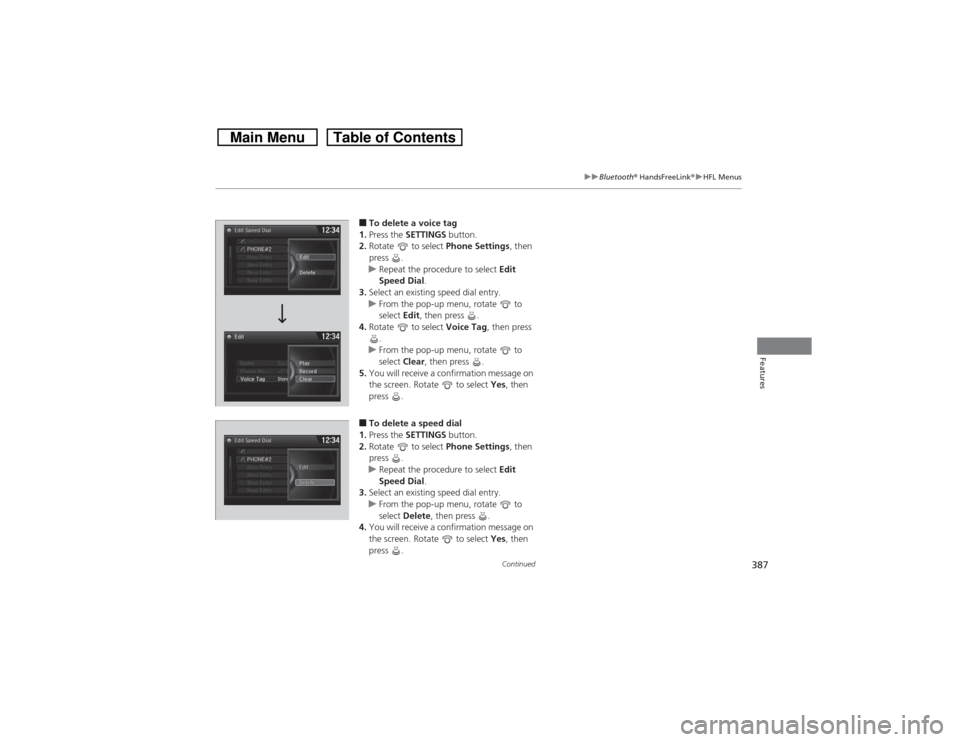
■To delete a voice tag
1.Press the SETTINGS button.
2.Rotate to select Phone Settings, then
press .
uRepeat the procedure to select Edit
Speed Dial.
3.Select an existing speed dial entry.
uFrom the pop-up menu, rotate to
select Edit, then press .
4.Rotate to select Voice Tag, then press
.
uFrom the pop-up menu, rotate to
select Clear, then press .
5.You will receive a confirmation message on
the screen. Rotate to select Yes, then
press .■To delete a speed dial
1.Press the SETTINGS button.
2.Rotate to select Phone Settings, then
press .
uRepeat the procedure to select Edit
Speed Dial.
3.Select an existing speed dial entry.
uFrom the pop-up menu, rotate to
select Delete, then press .
4.You will receive a confirmation message on
the screen. Rotate to select Yes, then
press .
Page 389 of 573
uuBluetooth® HandsFreeLink®uHFL Menus
388Features
Add phonetic modifications or a new voice tag to the phone’s contact name so that
it is easier for HFL to recognize voice commands.
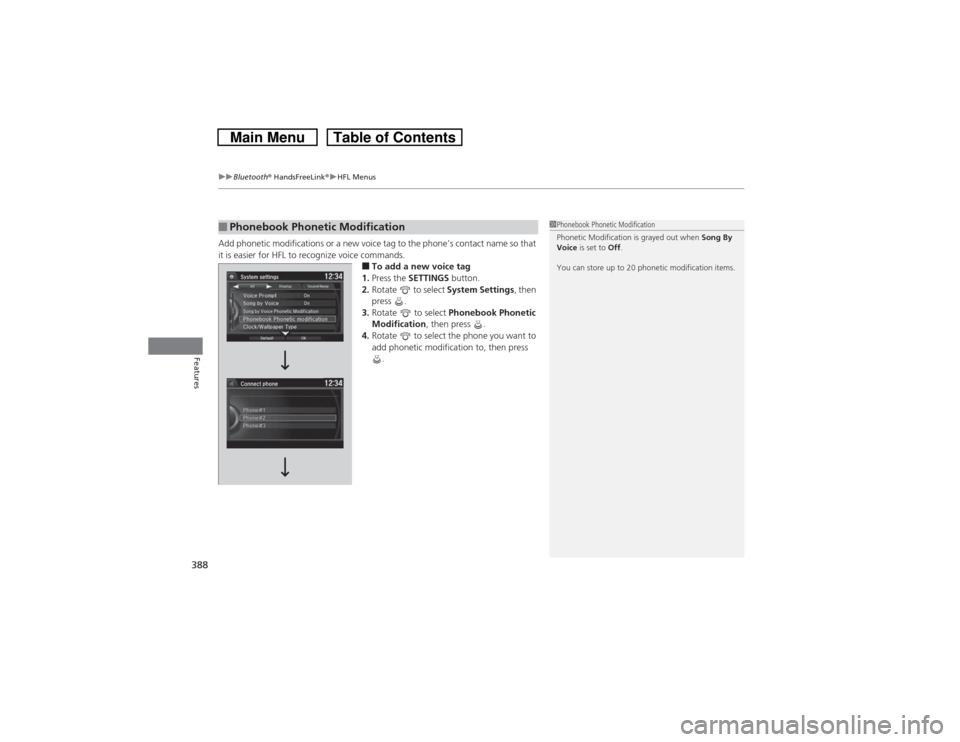
■To add a new voice tag
1.Press the SETTINGS button.
2.Rotate to select System Settings, then
press .
3.Rotate to select Phonebook Phonetic
Modification, then press .
4.Rotate to select the phone you want to
add phonetic modification to, then press
.
■Phonebook Phonetic Modification
1Phonebook Phonetic Modification
Phonetic Modification is grayed out when Song By
Voice is set to Off.
You can store up to 20 phonetic modification items.
Page 390 of 573
389
uuBluetooth® HandsFreeLink®uHFL Menus
Continued
Features
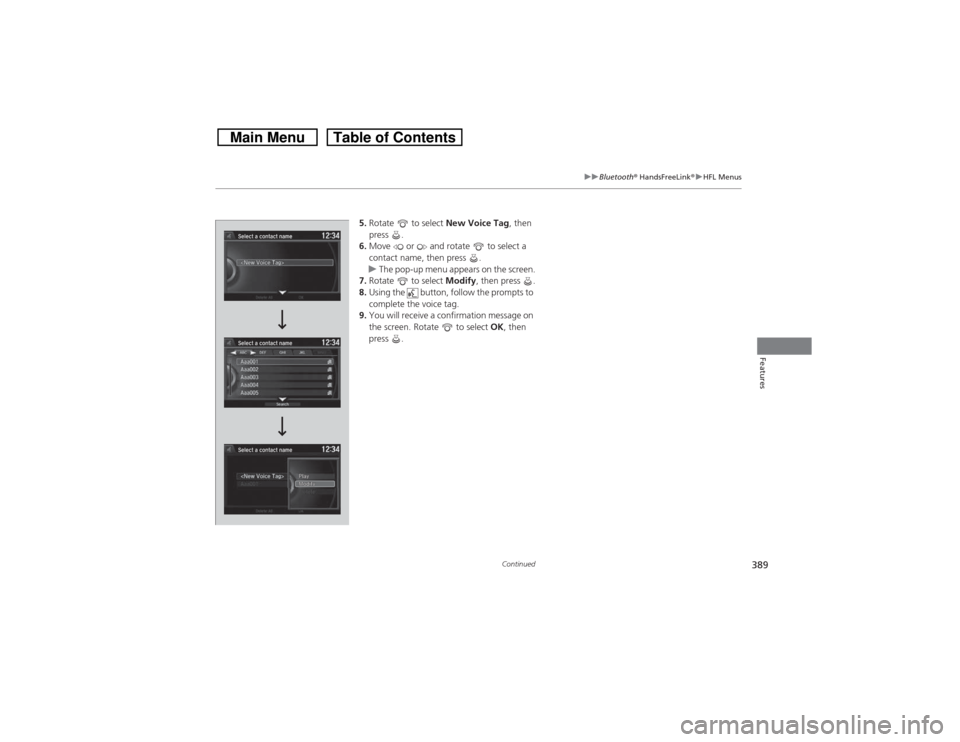
5.Rotate to select New Voice Tag, then
press .
6.Move or and rotate to select a
contact name, then press .
uThe pop-up menu appears on the screen.
7.Rotate to select Modify, then press .
8.Using the button, follow the prompts to
complete the voice tag.
9.You will receive a confirmation message on
the screen. Rotate to select OK, then
press .
Page 391 of 573
uuBluetooth® HandsFreeLink®uHFL Menus
390Features
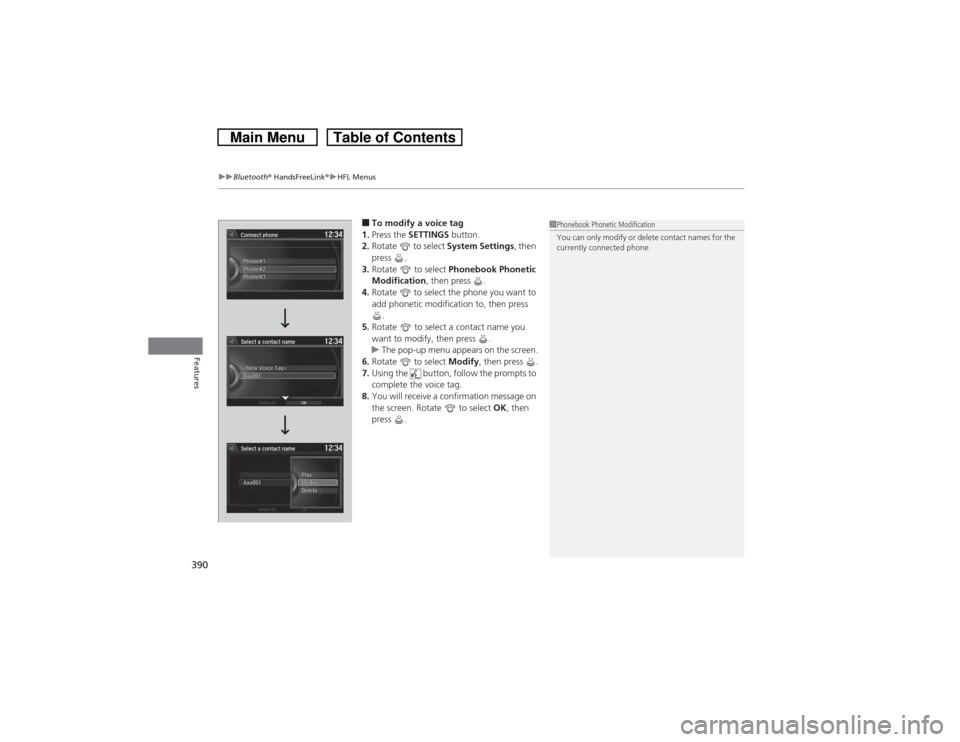
■To modify a voice tag
1.Press the SETTINGS button.
2.Rotate to select System Settings, then
press .
3.Rotate to select Phonebook Phonetic
Modification, then press .
4.Rotate to select the phone you want to
add phonetic modification to, then press
.
5.Rotate to select a contact name you
want to modify, then press .
uThe pop-up menu appears on the screen.
6.Rotate to select Modify, then press .
7.Using the button, follow the prompts to
complete the voice tag.
8.You will receive a confirmation message on
the screen. Rotate to select OK, then
press .
1Phonebook Phonetic Modification
You can only modify or delete contact names for the
currently connected phone.
Page 392 of 573
391
uuBluetooth® HandsFreeLink®uHFL Menus
Continued
Features
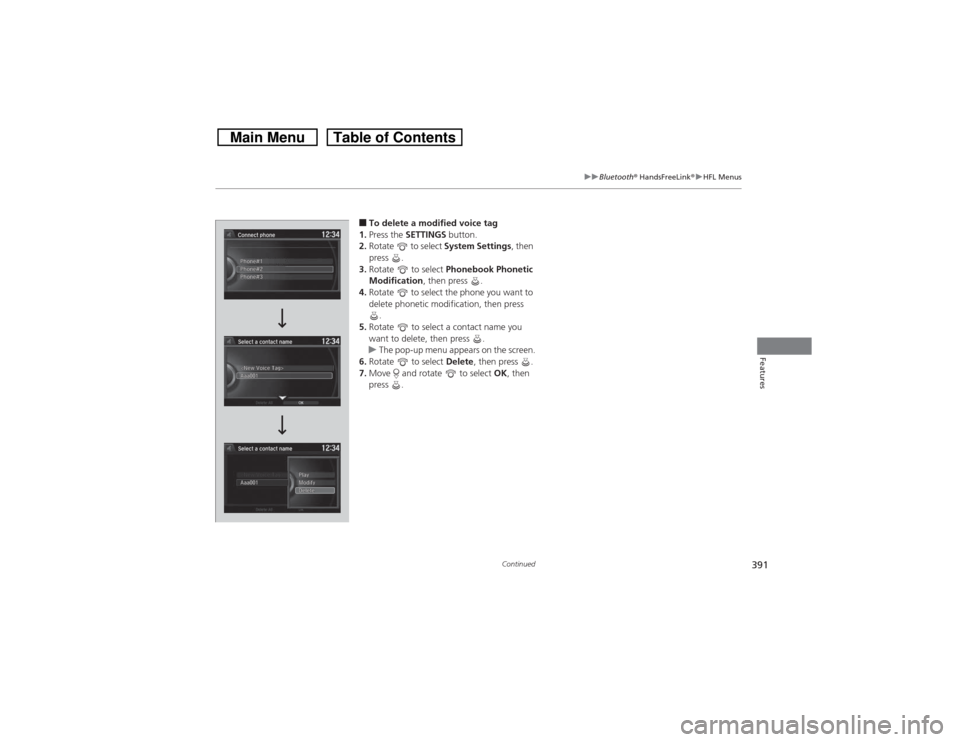
■To delete a modified voice tag
1.Press the SETTINGS button.
2.Rotate to select System Settings, then
press .
3.Rotate to select Phonebook Phonetic
Modification, then press .
4.Rotate to select the phone you want to
delete phonetic modification, then press
.
5.Rotate to select a contact name you
want to delete, then press .
uThe pop-up menu appears on the screen.
6.Rotate to select Delete, then press .
7.Move and rotate to select OK, then
press .
Page 393 of 573
392
uuBluetooth® HandsFreeLink®uHFL Menus
Features
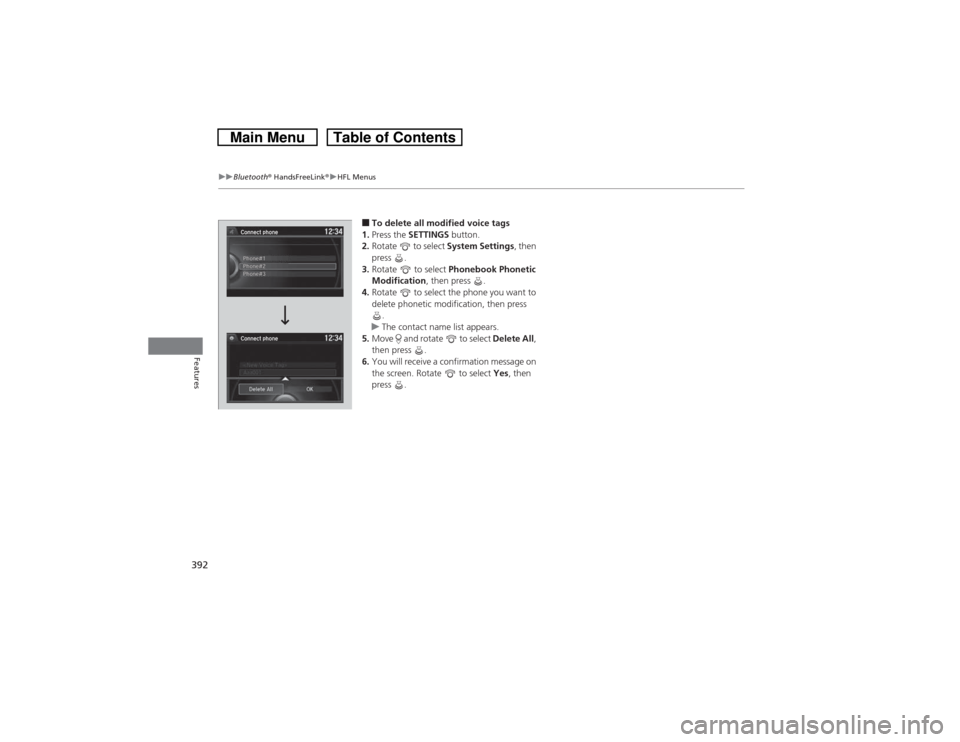
■To delete all modified voice tags
1.Press the SETTINGS button.
2.Rotate to select System Settings, then
press .
3.Rotate to select Phonebook Phonetic
Modification, then press .
4.Rotate to select the phone you want to
delete phonetic modification, then press
.
uThe contact name list appears.
5.Move and rotate to select Delete All,
then press .
6.You will receive a confirmation message on
the screen. Rotate to select Yes, then
press .
Connect phone
Connect phonePhone#2 Phone#1
Phone#3
Page 394 of 573
Continued
393
uuBluetooth® HandsFreeLink®uHFL Menus
Features
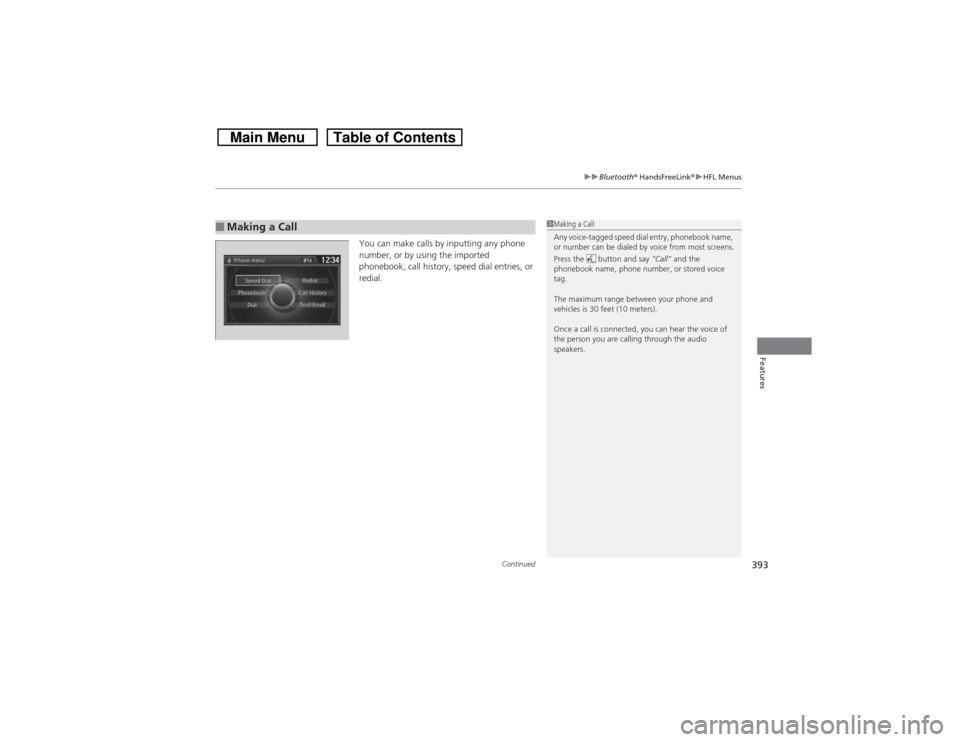
You can make calls by inputting any phone
number, or by using the imported
phonebook, call history, speed dial entries, or
redial.
■Making a Call
1Making a Call
Any voice-tagged speed dial entry, phonebook name,
or number can be dialed by voice from most screens.
Press the button and say “Call” and the
phonebook name, phone number, or stored voice
tag.
The maximum range between your phone and
vehicles is 30 feet (10 meters).
Once a call is connected, you can hear the voice of
the person you are calling through the audio
speakers.
Page 395 of 573
uuBluetooth® HandsFreeLink®uHFL Menus
394Features
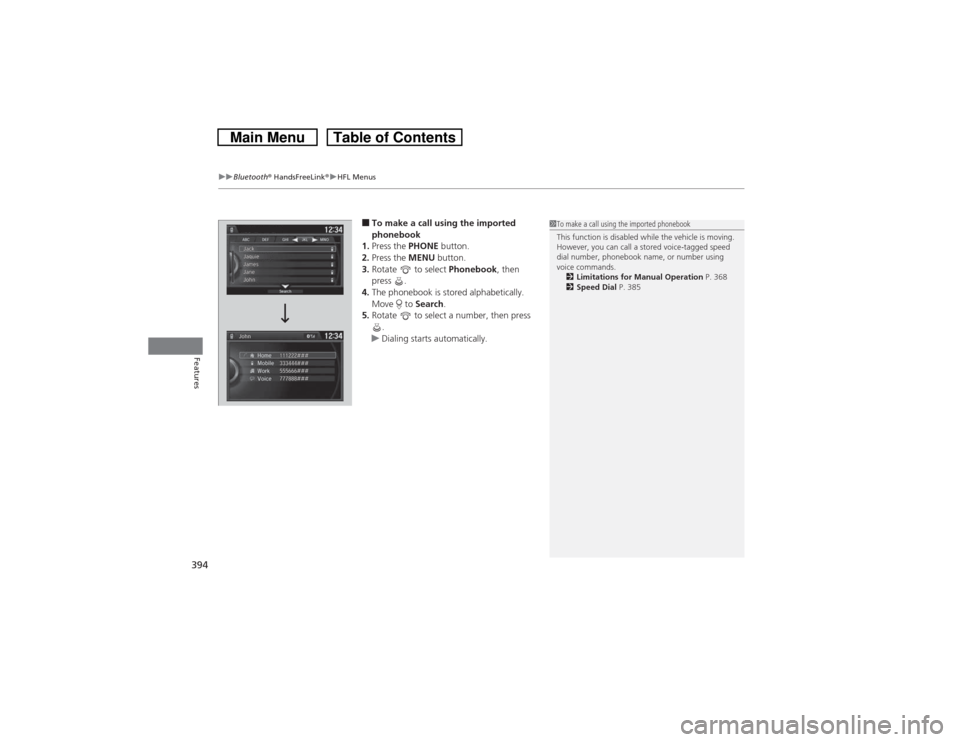
■To make a call using the imported
phonebook
1.Press the PHONE button.
2.Press the MENU button.
3.Rotate to select Phonebook, then
press .
4.The phonebook is stored alphabetically.
Move to Search.
5.Rotate to select a number, then press
.
uDialing starts automatically.
1To make a call using the imported phonebook
This function is disabled while the vehicle is moving.
However, you can call a stored voice-tagged speed
dial number, phonebook name, or number using
voice commands.
2Limitations for Manual Operation P. 368
2Speed Dial P. 385