2014 FORD MUSTANG fuel
[x] Cancel search: fuelPage 355 of 461
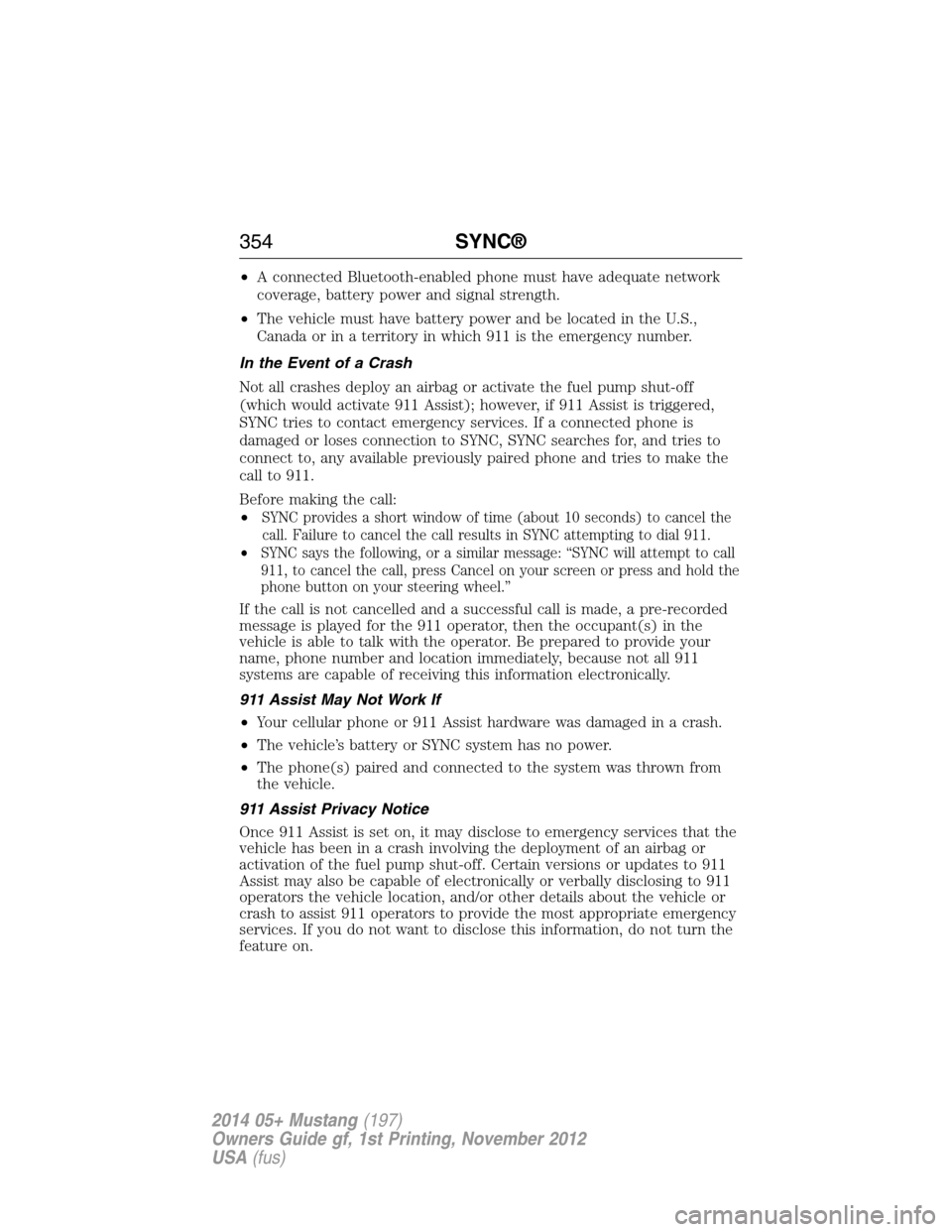
•A connected Bluetooth-enabled phone must have adequate network
coverage, battery power and signal strength.
•The vehicle must have battery power and be located in the U.S.,
Canada or in a territory in which 911 is the emergency number.
In the Event of a Crash
Not all crashes deploy an airbag or activate the fuel pump shut-off
(which would activate 911 Assist); however, if 911 Assist is triggered,
SYNC tries to contact emergency services. If a connected phone is
damaged or loses connection to SYNC, SYNC searches for, and tries to
connect to, any available previously paired phone and tries to make the
call to 911.
Before making the call:
•
SYNC provides a short window of time (about 10 seconds) to cancel the
call. Failure to cancel the call results in SYNC attempting to dial 911.
•SYNC says the following, or a similar message: “SYNC will attempt to call
911, to cancel the call, press Cancel on your screen or press and hold the
phone button on your steering wheel.”
If the call is not cancelled and a successful call is made, a pre-recorded
message is played for the 911 operator, then the occupant(s) in the
vehicle is able to talk with the operator. Be prepared to provide your
name, phone number and location immediately, because not all 911
systems are capable of receiving this information electronically.
911 Assist May Not Work If
•Your cellular phone or 911 Assist hardware was damaged in a crash.
•The vehicle’s battery or SYNC system has no power.
•The phone(s) paired and connected to the system was thrown from
the vehicle.
911 Assist Privacy Notice
Once 911 Assist is set on, it may disclose to emergency services that the
vehicle has been in a crash involving the deployment of an airbag or
activation of the fuel pump shut-off. Certain versions or updates to 911
Assist may also be capable of electronically or verbally disclosing to 911
operators the vehicle location, and/or other details about the vehicle or
crash to assist 911 operators to provide the most appropriate emergency
services. If you do not want to disclose this information, do not turn the
feature on.
354SYNC®
2014 05+ Mustang(197)
Owners Guide gf, 1st Printing, November 2012
USA(fus)
Page 416 of 461
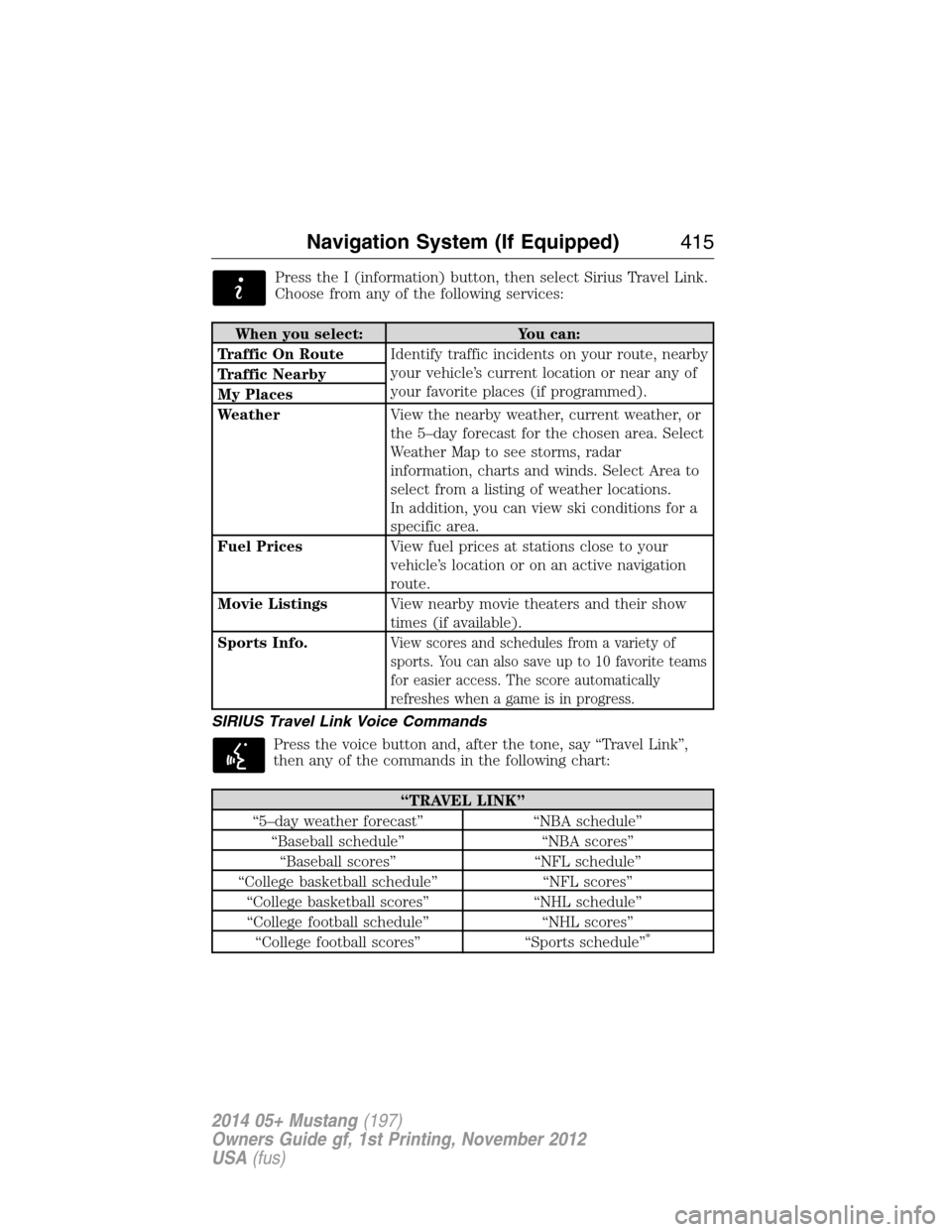
Press the I (information) button, then select Sirius Travel Link.
Choose from any of the following services:
When you select: You can:
Traffic On RouteIdentify traffic incidents on your route, nearby
your vehicle’s current location or near any of
your favorite places (if programmed). Traffic Nearby
My Places
WeatherView the nearby weather, current weather, or
the 5–day forecast for the chosen area. Select
Weather Map to see storms, radar
information, charts and winds. Select Area to
select from a listing of weather locations.
In addition, you can view ski conditions for a
specific area.
Fuel PricesView fuel prices at stations close to your
vehicle’s location or on an active navigation
route.
Movie ListingsView nearby movie theaters and their show
times (if available).
Sports Info.
View scores and schedules from a variety of
sports. You can also save up to 10 favorite teams
for easier access. The score automatically
refreshes when a game is in progress.
SIRIUS Travel Link Voice Commands
Press the voice button and, after the tone, say “Travel Link”,
then any of the commands in the following chart:
“TRAVEL LINK”
“5–day weather forecast” “NBA schedule”
“Baseball schedule” “NBA scores”
“Baseball scores” “NFL schedule”
“College basketball schedule” “NFL scores”
“College basketball scores” “NHL schedule”
“College football schedule” “NHL scores”
“College football scores” “Sports schedule”
*
Navigation System (If Equipped)415
2014 05+ Mustang(197)
Owners Guide gf, 1st Printing, November 2012
USA(fus)
Page 417 of 461
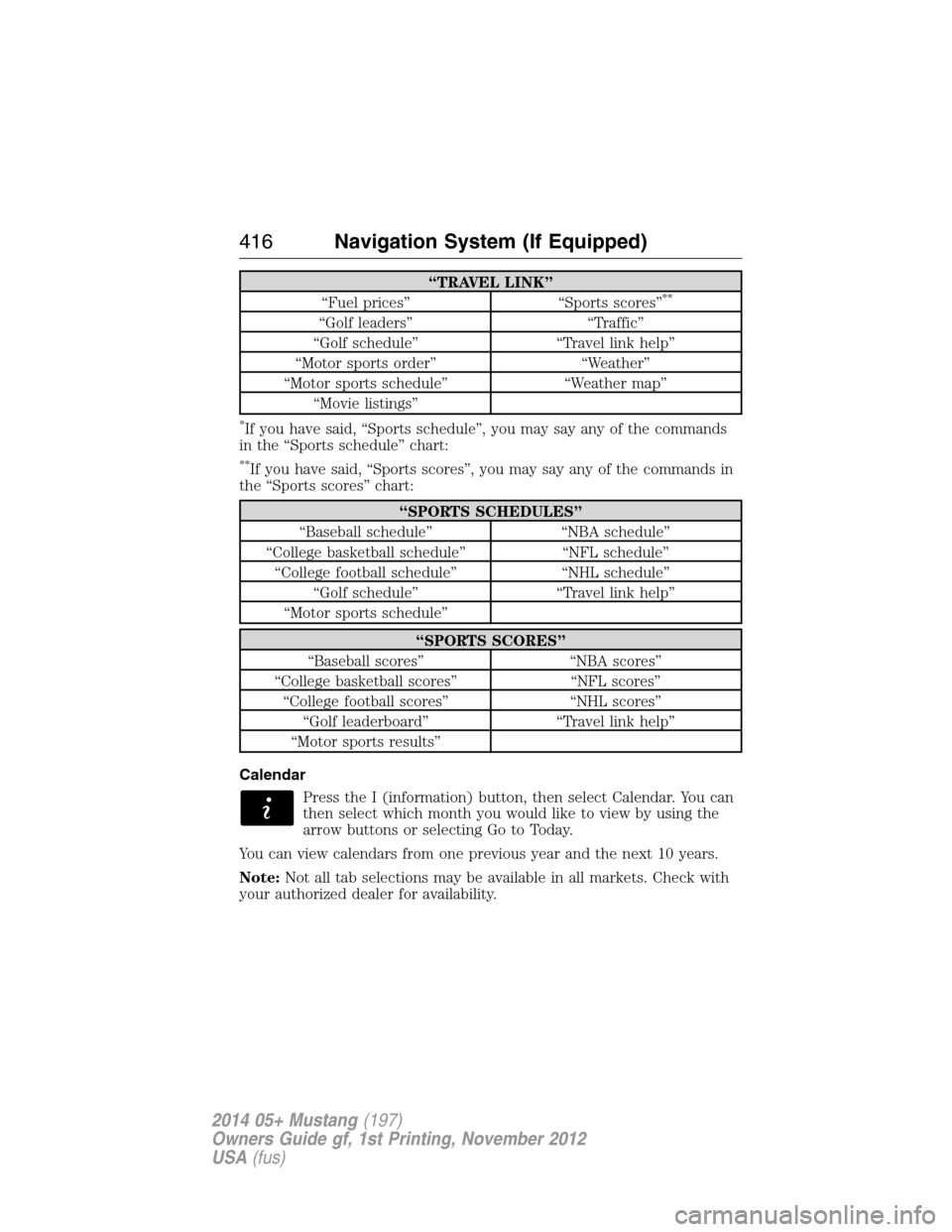
“TRAVEL LINK”
“Fuel prices” “Sports scores”**
“Golf leaders” “Traffic”
“Golf schedule” “Travel link help”
“Motor sports order” “Weather”
“Motor sports schedule” “Weather map”
“Movie listings”
*If you have said, “Sports schedule”, you may say any of the commands
in the “Sports schedule” chart:
**If you have said, “Sports scores”, you may say any of the commands in
the “Sports scores” chart:
“SPORTS SCHEDULES”
“Baseball schedule” “NBA schedule”
“College basketball schedule” “NFL schedule”
“College football schedule” “NHL schedule”
“Golf schedule” “Travel link help”
“Motor sports schedule”
“SPORTS SCORES”
“Baseball scores” “NBA scores”
“College basketball scores” “NFL scores”
“College football scores” “NHL scores”
“Golf leaderboard” “Travel link help”
“Motor sports results”
Calendar
Press the I (information) button, then select Calendar. You can
then select which month you would like to view by using the
arrow buttons or selecting Go to Today.
You can view calendars from one previous year and the next 10 years.
Note:Not all tab selections may be available in all markets. Check with
your authorized dealer for availability.
416Navigation System (If Equipped)
2014 05+ Mustang(197)
Owners Guide gf, 1st Printing, November 2012
USA(fus)
Page 433 of 461

Navigation Preferences
Avg. Speed:
ResidentialWhen this feature is on, the system displays
the average speed on a residential road,
initially set to 25 mph (40 km/h). You can
change the setting for your driving
preferences. This setting helps estimate your
arrival time at a destination based on your
driving preferences.
Avg. Speed: Main
RoadsWhen this feature is on, the system displays
the average speed on a main road, initially set
to 45 mph (72 km/h). You can change the
setting for specific roads and for your driving
preferences. This setting helps estimate your
arrival time at a destination based on your
driving preferences.
Avg. Speed: FreewaysWhen this feature is on, the system displays
the average speed on a freeway, initially set to
65 mph (105 km/h). You can change the
setting for specific roads and for your driving
preferences. This setting helps estimate your
arrival time at a destination based on your
driving preferences.
Parking POI
NotificationWhen this feature is on, the system displays
available parking accommodations around a
destination that is part of your route.
Low Fuel POI
NotificationWhen this feature is on, the system displays
gas station icons when the fuel level is low.
Fuel Price DisplayWhen this feature is on, the system displays
fuel prices at local stations. You can choose to
display prices forUnleadedorDiesel.
*
432Navigation System (If Equipped)
2014 05+ Mustang(197)
Owners Guide gf, 1st Printing, November 2012
USA(fus)
Page 456 of 461

D
Defrost ...............................131, 133
rear window ............................136
Dipstick
automatic transmission
fluid ..........................................248
engine oil .................................242
Driving under special
conditions ..................................172
through water .........................213
Dual automatic temperature
control (DATC) .........................133
E
Electronic message center .........99
Electronic stability control ......183
Emergencies, roadside
jump-starting ..........................218
running out of fuel .................161
Emission control system ..........166
End user license agreement ....440
Engine ........................................305
cleaning ...................................262
coolant .....................................243
fail-safe cooling .......................246
idle speed control ...................250
lubrication specifications .......306
refill capacities ........................306
service points ..................240–241
Engine block heater .................157
Engine oil
checking and adding ..............242
dipstick ....................................242
filter, specifications ................310
refill capacities ........................306
specifications ..........................306Event data recording ..................12
Exhaust fumes ..........................157
F
Fail safe cooling ........................246
Fleet MyKey programming ........58
Flexible Fuel Vehicle (FFV) ....159
Floor mats .................................214
Fluid capacities .........................306
Fuel
calculating fuel economy .......100
cap ...........................................163
capacity ...................................306
choosing the right fuel ...........160
filler funnel .............................161
filling your vehicle with fuel ..163
filter, specifications ........249, 310
fuel pump shut-off ..................218
octane rating ...................161, 305
quality ......................................160
running out of fuel .................161
safety information relating to
automotive fuels .....................159
Fuel and distance computer ....110
outside temperature
indicator ..................................110
to empty indicator ..................110
trip distance ............................110
trip/reset button .....................110
Fuel - flex fuel
vehicle (FFV) ............................159
Fuses ..................................230–231
G
Garage door opener ..................147
Gas cap (see Fuel cap) ............163
Gauges ...........................92–93, 111
Index455
2014 05+ Mustang(197)
Owners Guide gf, 1st Printing, November 2012
USA(fus)