2014 FORD MONDEO sensor
[x] Cancel search: sensorPage 201 of 446

Downloaded from www.Manualslib.com manuals search engine Note:Keep the windshield free fromobstructions such as bird droppings, insectsand snow or ice.
Note:The system may not detect all trafficsigns and may read signs incorrectly.
Note:The system is designed toautomatically detect traffic signs meetingthe Vienna convention.
Note:Traffic sign data provided by thenavigation system contains informationintegrated to the data carrier release.
There is a sensor mounted behind theinterior rear view mirror. It continuouslymonitors road signs to inform you of thecurrent speed limit and overtakingregulations.
The system automatically detectsrecognisable traffic signs, such as:
•Speed limit signs.
•No overtaking signs.
•Speed limit cancellation signs.
When the system recognises a traffic sign,it will be shown in the display.
Using the System
Switching the System On and Off
Note:The system status and settings willremain unchanged during ignition cycles.
You can switch the system on and off usingthe information display. See GeneralInformation (page 86).
Setting the System Speed Warning
The system has a number of speedwarning levels which can be set using theinformation display. See GeneralInformation (page 86).
System Display
The system can display two traffic signsin parallel.
You can view the status at any time usingthe information display.
The system display is in four stages asfollows:
1.All new recognizable traffic signs willappear brighter than the other trafficsigns in the display.
2.After a predetermined time they willbe shown normally.
3.After a predetermined distance theywill be shown greyed out.
4.After another predetermined distancethey will be deleted.
If the system detects a supplementarytraffic sign, this sign is indicated as a boxbelow the respective traffic sign. Forexample, when passing a reduced speedlimit in wet road conditions sign.
If your vehicle has a navigation system,stored traffic sign data may influence theindicated speed limit value.
199Mondeo (CNG) Vehicles Built From: 08-09-2014 Vehicles Built Up To: 19-04-2015, CG3633en enGBR, Edition date: 10/2014, First PrintingDriving Aids
Page 202 of 446
Downloaded from www.Manualslib.com manuals search engine ACTIVE CITY STOP
Principle of Operation
WARNINGS
You are responsible for controllingyour vehicle at all times. The systemdoes not relieve you of yourresponsibility to drive with due care andattention. Failure to take care may resultin the loss of control of your vehicle, seriouspersonal injury or death.
To achieve full system performanceyou must break in the brakingsystem. See Breaking-In (page 221).Failure to take care may result in the lossof control of your vehicle, serious personalinjury or death.
If the system applies the brakes andthe engine stops the hazard warningflashers will automatically turn on.Failure to take care may lead to a crash orpersonal injury.
The system does not react tocyclists, motorcyclists, pedestrians,animals or vehicles that are drivingin a different direction. Failure to take caremay result in the loss of control of yourvehicle, serious personal injury or death.
The system does not operate duringharsh acceleration or steering. Failureto take care may lead to a crash orpersonal injury.
The system may not operate duringcold or severe weather conditions.Snow, ice, heavy rain and spray caninfluence the system. Keep the hood freeof snow and ice. Failure to take care mayresult in the loss of control of your vehicle,serious personal injury or death.
The system may not operate whendriving around sharp curves. Failureto take care may lead to a crash orpersonal injury.
WARNINGS
The system may not operatecorrectly if you replace thewindshield with a non-Fordwindshield. Do not carry out windshieldrepairs in front of the sensor. Failure toadhere to this warning may lead to anaccident or injury.
The system may not detect objectswith surfaces that absorb reflections.Failure to take care may result in theloss of control of your vehicle, seriouspersonal injury or death.
The system will not operate correctlyif the sensor is blocked. Keep thewindshield free from obstructions,for example, bird droppings, insects, snowor ice. Failure to adhere to this warning maylead to an accident or injury.
When you switch the ignition on thesensor transmits a laser beam. Neverlook directly into the sensor with anytype of object, there is a risk of eye injury.
The sensor is on the rear of the interiormirror. It continuously monitors conditionsto decide when to intervene.
The system operates at speeds belowapproximately 25 mph (40 km/h) byapplying the brakes if it detects that acrash is likely. If the system applies thebrakes, a message appears in theinformation display.
The system may reduce the risk of a lowspeed crash into another vehicle. It alsohelps reduce impact damage or may avoidthe crash completely.
Note:You must depress the brake pedal toobtain full braking force.
200Mondeo (CNG) Vehicles Built From: 08-09-2014 Vehicles Built Up To: 19-04-2015, CG3633en enGBR, Edition date: 10/2014, First PrintingDriving Aids
Page 205 of 446
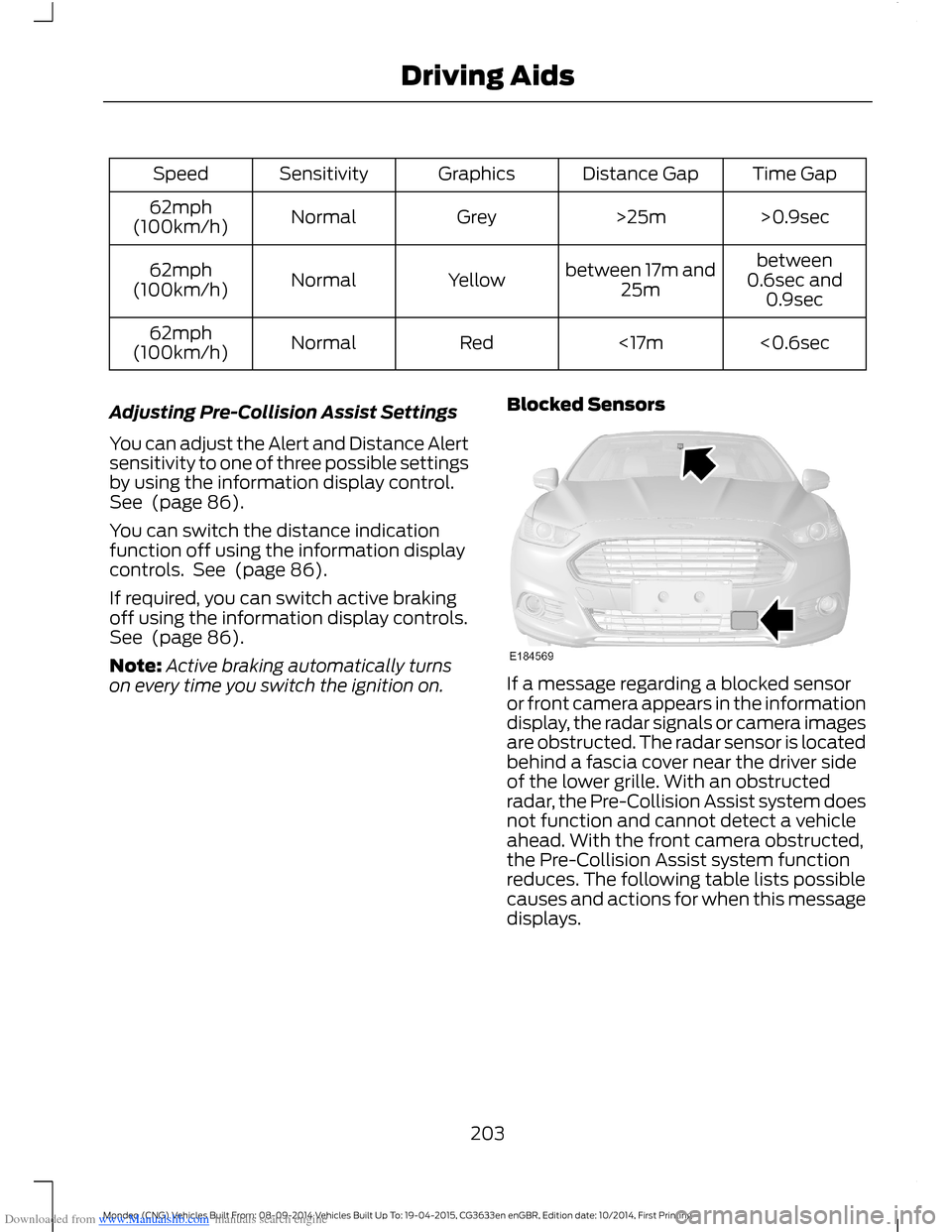
Downloaded from www.Manualslib.com manuals search engine Time GapDistance GapGraphicsSensitivitySpeed
>0.9sec>25mGreyNormal62mph(100km/h)
between0.6sec and0.9sec
between 17m and25mYellowNormal62mph(100km/h)
<0.6sec<17mRedNormal62mph(100km/h)
Adjusting Pre-Collision Assist Settings
You can adjust the Alert and Distance Alertsensitivity to one of three possible settingsby using the information display control.See (page 86).
You can switch the distance indicationfunction off using the information displaycontrols. See (page 86).
If required, you can switch active brakingoff using the information display controls.See (page 86).
Note:Active braking automatically turnson every time you switch the ignition on.
Blocked Sensors
If a message regarding a blocked sensoror front camera appears in the informationdisplay, the radar signals or camera imagesare obstructed. The radar sensor is locatedbehind a fascia cover near the driver sideof the lower grille. With an obstructedradar, the Pre-Collision Assist system doesnot function and cannot detect a vehicleahead. With the front camera obstructed,the Pre-Collision Assist system functionreduces. The following table lists possiblecauses and actions for when this messagedisplays.
203Mondeo (CNG) Vehicles Built From: 08-09-2014 Vehicles Built Up To: 19-04-2015, CG3633en enGBR, Edition date: 10/2014, First PrintingDriving Aids
Page 206 of 446

Downloaded from www.Manualslib.com manuals search engine ActionCause
Clean the grille surface in front of the radaror remove the object causing the obstruc-tion.
The surface of the radar in the grille is dirtyor obstructed in some way.
Wait a short time. It may take severalminutes for the radar to detect that thereis no obstruction.
The surface of the radar in the grille is cleanbut the message remains in the display.
The Pre-Collision Assist system is tempor-arily disabled. Pre-Collision Assist shouldautomatically reactivate a short time afterthe weather conditions improve.
Heavy rain, spray, snow, or fog is interferingwith the radar signals.
The Pre-Collision Assist system is tempor-arily disabled. Pre-Collision Assist shouldautomatically reactivate a short time afterthe weather conditions improve.
Swirling water, or snow or ice on the surfaceof the road may interfere with the radarsignals.
Contact an authorized dealer to have theradar checked for proper coverage andoperation.
Radar is out of alignment due to a front endimpact.
Clean the outside of the windshield in frontof the camera.The windshield in front of the camera isdirty or obstructed in some way.
Wait a short time. It may take severalminutes for the camera to detect that thereis no obstruction.
The windshield in front of the camera isclean but the message remains in thedisplay.
Note:Proper system operation requires aclear view of the road by the camera. Haveany windshield damage in the area of thecamera's field of view repaired.
Note:If something hits the front end of yourvehicle or damage occurs, the radar sensingzone may change. This could cause missedor false vehicle detections. Contact anauthorized dealer to have the radar checkedfor proper coverage and operation.
Note:If your vehicle detects excessive heatat the camera or a potential misalignmentcondition, a message may display in theinformation display indicating temporarysensor unavailability. This messagedeactivates automatically when operationalconditions are corrected (for example, whenthe ambient temperature around the sensordecreases or the sensor automaticallyrecalibrates successfully).
204Mondeo (CNG) Vehicles Built From: 08-09-2014 Vehicles Built Up To: 19-04-2015, CG3633en enGBR, Edition date: 10/2014, First PrintingDriving Aids
Page 230 of 446

Downloaded from www.Manualslib.com manuals search engine Protected componentsFuse amp ratingFuse or relay number
Powertrain control module relay.—9
Driver front auxiliary power point.20A310
Powertrain control module.15A211
Powertrain control module.15A212
Powertrain control module.10A213
Powertrain control module.10A214
Run-start relay.—15
Console auxiliary power point.20A316
Auxiliary power point.20A317
Powertrain control module.10A118
Power steering.10A119
Run-start lighting.10A120
Transmission control module.15A121Transmission oil pump.
Air conditioning.10A122
Blind spot monitor.15A123Rear view camera.Adaptive Cruise Control.Pre-collision warning indicator.Voltage quality module.Air quality sensor.
Not used (spare).10A124
Anti-lock brake system.10A225
Powertrain control module.10A226
Not used (spare).10A127
Rear washer pump.10A128
228Mondeo (CNG) Vehicles Built From: 08-09-2014 Vehicles Built Up To: 19-04-2015, CG3633en enGBR, Edition date: 10/2014, First PrintingFuses
Page 267 of 446
Downloaded from www.Manualslib.com manuals search engine As a driver assistance feature, your vehiclehas a tire pressure monitoring system. Awarning lamp will illuminate when one ormore of the tires are significantlyunder-inflated. If the low tire pressurewarning lamp illuminates, you should stopyour vehicle as soon as it is safe to do so,check the tires and inflate them to thecorrect pressure.
Driving on under-inflated tires can:
•Cause them to overheat.
•Lead to tire failure.
•Reduce fuel efficiency.
•Reduce tire life.
•Affect vehicle handling or stoppingability.
The system is not a substitute for correcttire maintenance.
You must maintain the correct tirepressures, even if low tire pressure has notilluminated the warning lamp.
The tire pressure monitoring system has asystem malfunction indicator to warn youwhen the system is not operating correctly.The malfunction indicator and low tirepressure warning lamp have a combinedfunction. When the system detects amalfunction, the warning lamp will flashfor approximately one minute and thenremain illuminated. This sequence willoccur every time you switch the ignition onwhile the malfunction remains. The systemhas detected a fault that requires service.
When the malfunction indicator isilluminated, the system may not be ableto detect or signal low tire pressures. Amalfunction may occur for a variety ofreasons, including the installation of areplacement tire or wheel that preventsthe system from functioning correctly.Always check the tire pressure monitoringsystem malfunction warning after
replacing one or more tires or wheels onyour vehicle. Make sure the replacementtires or wheels allow the system tocontinue to function correctly. See Whenthe Temporary Spare Tire is Installedin this section.
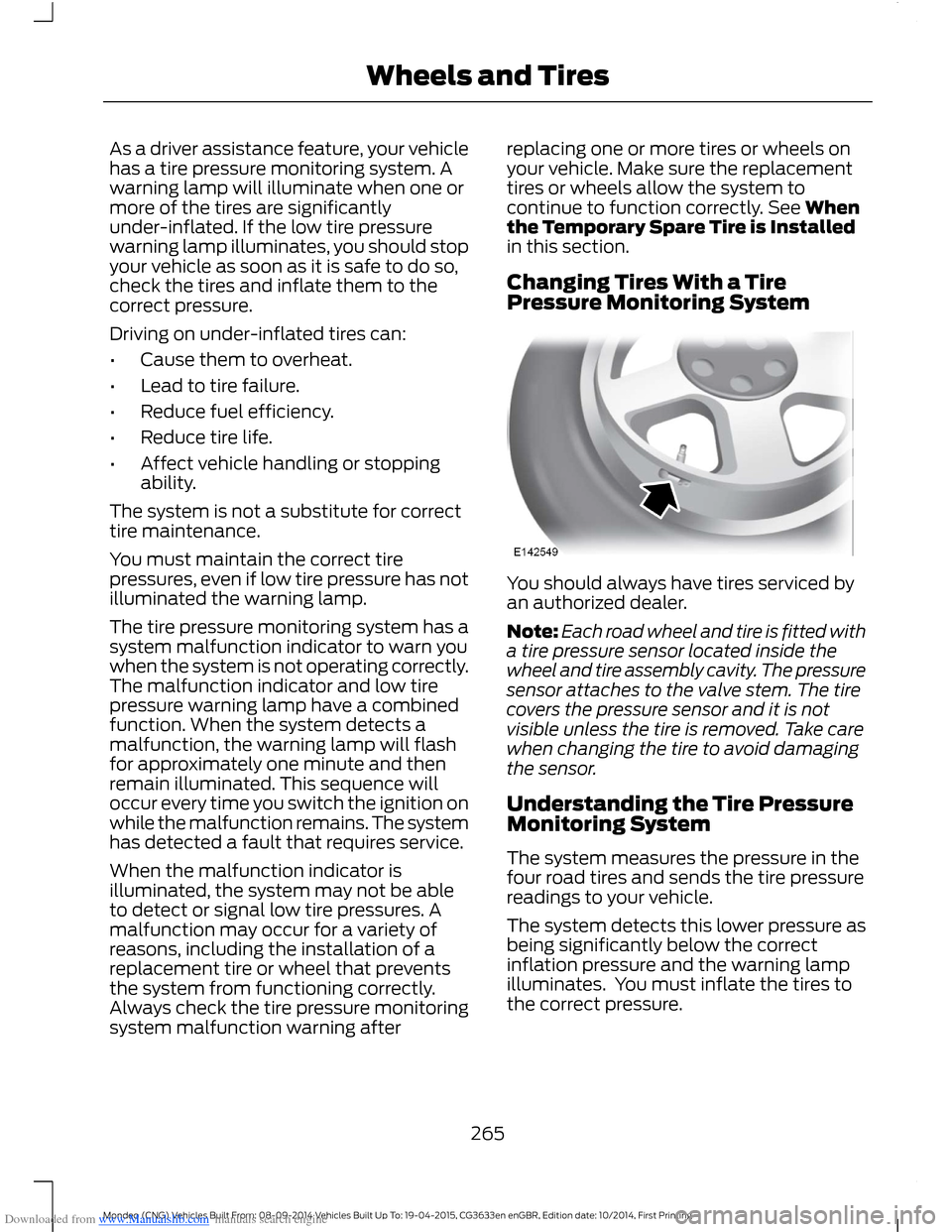
Changing Tires With a TirePressure Monitoring System
You should always have tires serviced byan authorized dealer.
Note:Each road wheel and tire is fitted witha tire pressure sensor located inside thewheel and tire assembly cavity. The pressuresensor attaches to the valve stem. The tirecovers the pressure sensor and it is notvisible unless the tire is removed. Take carewhen changing the tire to avoid damagingthe sensor.
Understanding the Tire PressureMonitoring System
The system measures the pressure in thefour road tires and sends the tire pressurereadings to your vehicle.
The system detects this lower pressure asbeing significantly below the correctinflation pressure and the warning lampilluminates. You must inflate the tires tothe correct pressure.
265Mondeo (CNG) Vehicles Built From: 08-09-2014 Vehicles Built Up To: 19-04-2015, CG3633en enGBR, Edition date: 10/2014, First PrintingWheels and Tires
Page 433 of 446
Downloaded from www.Manualslib.com manuals search engine A
A/CSee: Climate Control...........................................111About This Manual...........................................7ABSSee: Brakes...........................................................160ABS driving hintsSee: Hints on Driving With Anti-LockBrakes................................................................160AccessoriesSee: Replacement PartsRecommendation............................................10ACCSee: Using Adaptive Cruise Control.............182Active City Stop...........................................200Principle of Operation.....................................200Switching the System Off and On...............201Active Park Assist..........................................172Deactivating the Active Park AssistFeature...............................................................175Parallel Parking, Perpendicular Parking,Park Out Assist................................................172Troubleshooting the System..........................176Adaptive Headlamps...................................68Adjusting the Steering Wheel - VehiclesWith: Manual Adjustable SteeringColumn...........................................................56Adjusting the Steering Wheel - VehiclesWith: Power Adjustable SteeringColumn...........................................................56Easy Entry and Exit Feature..............................57Memory Feature....................................................57AFSSee: Adaptive Headlamps...............................68Air ConditioningSee: Climate Control...........................................111Air Vents.............................................................111Center Air Vents.....................................................111Side Air Vents.........................................................111AlarmSee: Anti-Theft Alarm - Vehicles With: IntegralBattery.................................................................53See: Anti-Theft Alarm - Vehicles With: InteriorSensor...................................................................51Ambient Lighting.............................................71
Anti-Theft Alarm - Vehicles With:Integral Battery............................................53Alarm System........................................................53Arming the Alarm.................................................54Disarming the Alarm...........................................54Full and Reduced Guard....................................53Triggering the Alarm............................................53Anti-Theft Alarm - Vehicles With: InteriorSensor...............................................................51Alarm System.........................................................51Arming the Alarm.................................................52Disarming the Alarm...........................................52Full and Reduced Guard....................................52Triggering the Alarm.............................................51Appendices...................................................408Ashtray..............................................................137At a Glance.........................................................11Audible Warnings and Indicators.............85Headlamps On Warning Chime......................85Key in Ignition Warning Chime........................85Keyless Warning Alert........................................85Parking Brake On Warning Chime.................85Audio Control...................................................57MODE........................................................................57Seek, Next or Previous........................................57Audio Input Jack..........................................303Audio System................................................292General Information.........................................292Audio Unit.......................................................293Audio Unit - Vehicles With: AM/FM/CD/SYNC.............................................................296Audio Unit - Vehicles With: Sony AM/FM/CD...........................................................297Menu Structure..................................................298Autolamps........................................................64Windshield Wiper ActivatedHeadlamps........................................................64Automatic Climate Control - VehiclesWith: Heated Windshield.........................114Automatic Climate Control - VehiclesWith: Sony Audio System........................117Automatic Climate Control - VehiclesWithout: Heated Windshield..................116Automatic High Beam Control.................65Activating the System........................................66Manually Overriding the System....................66
431Mondeo (CNG) Vehicles Built From: 08-09-2014 Vehicles Built Up To: 19-04-2015, CG3633en enGBR, Edition date: 10/2014, First PrintingIndex
Page 442 of 446
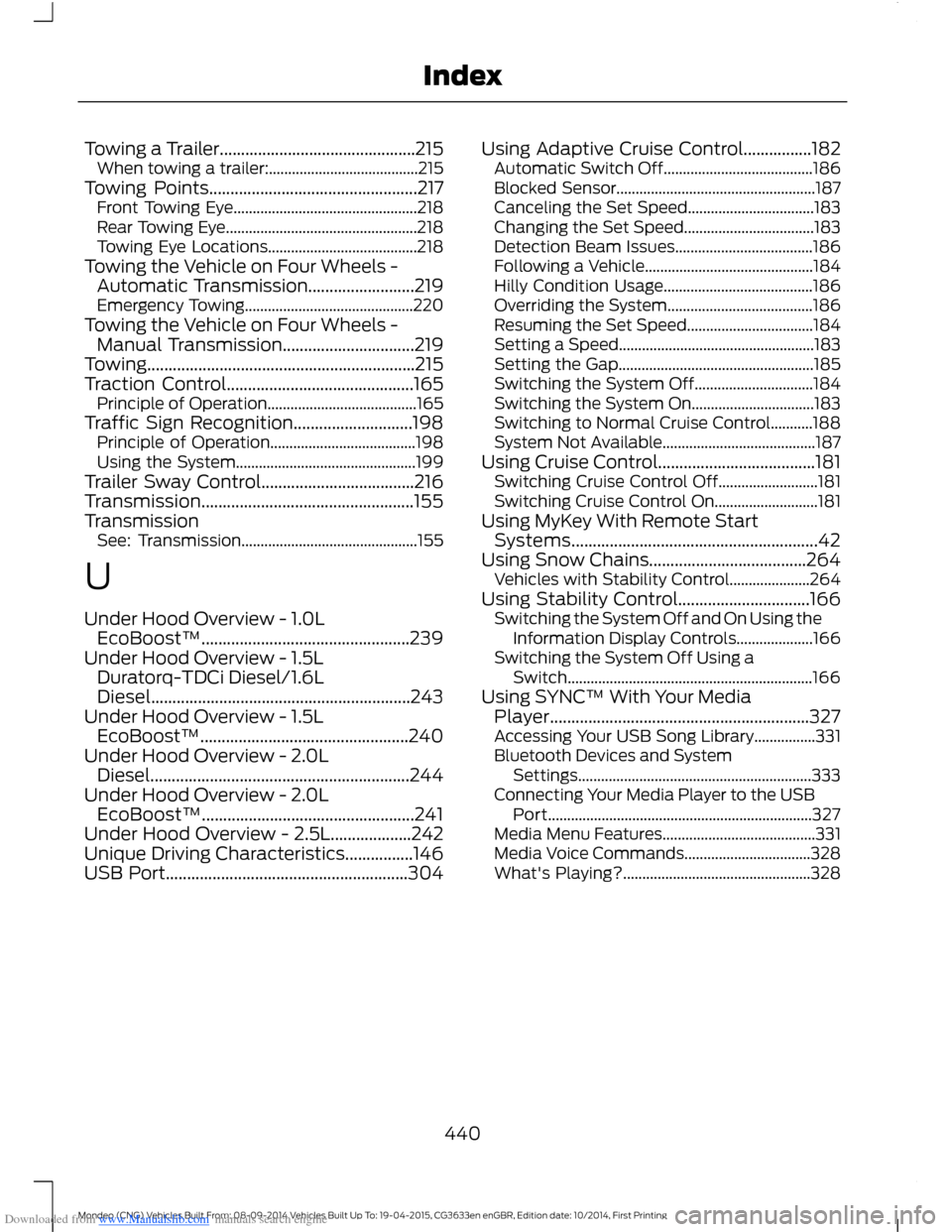
Downloaded from www.Manualslib.com manuals search engine Towing a Trailer..............................................215When towing a trailer:.......................................215Towing Points.................................................217Front Towing Eye................................................218Rear Towing Eye..................................................218Towing Eye Locations.......................................218Towing the Vehicle on Four Wheels -Automatic Transmission.........................219Emergency Towing............................................220Towing the Vehicle on Four Wheels -Manual Transmission...............................219Towing...............................................................215Traction Control............................................165Principle of Operation.......................................165Traffic Sign Recognition............................198Principle of Operation......................................198Using the System...............................................199Trailer Sway Control....................................216Transmission..................................................155TransmissionSee: Transmission..............................................155
U
Under Hood Overview - 1.0LEcoBoost™.................................................239Under Hood Overview - 1.5LDuratorq-TDCi Diesel/1.6LDiesel.............................................................243Under Hood Overview - 1.5LEcoBoost™.................................................240Under Hood Overview - 2.0LDiesel.............................................................244Under Hood Overview - 2.0LEcoBoost™..................................................241Under Hood Overview - 2.5L...................242Unique Driving Characteristics................146USB Port.........................................................304
Using Adaptive Cruise Control................182Automatic Switch Off.......................................186Blocked Sensor....................................................187Canceling the Set Speed.................................183Changing the Set Speed..................................183Detection Beam Issues....................................186Following a Vehicle............................................184Hilly Condition Usage.......................................186Overriding the System......................................186Resuming the Set Speed.................................184Setting a Speed...................................................183Setting the Gap...................................................185Switching the System Off...............................184Switching the System On................................183Switching to Normal Cruise Control...........188System Not Available........................................187Using Cruise Control.....................................181Switching Cruise Control Off..........................181Switching Cruise Control On...........................181Using MyKey With Remote StartSystems..........................................................42Using Snow Chains.....................................264Vehicles with Stability Control.....................264Using Stability Control...............................166Switching the System Off and On Using theInformation Display Controls....................166Switching the System Off Using aSwitch................................................................166Using SYNC™ With Your MediaPlayer.............................................................327Accessing Your USB Song Library................331Bluetooth Devices and SystemSettings.............................................................333Connecting Your Media Player to the USBPort.....................................................................327Media Menu Features........................................331Media Voice Commands.................................328What's Playing?.................................................328
440Mondeo (CNG) Vehicles Built From: 08-09-2014 Vehicles Built Up To: 19-04-2015, CG3633en enGBR, Edition date: 10/2014, First PrintingIndex