2014 FORD MONDEO ECU
[x] Cancel search: ECUPage 376 of 446

Downloaded from www.Manualslib.com manuals search engine WARNINGS
against the use of any handheld devicewhile driving and encourage the use ofvoice-operated systems when possible.Make sure you are aware of all applicablelocal laws that may affect the use ofelectronic devices while driving.
For safety reasons, do not connector adjust the settings on yourportable music player while yourvehicle is moving.
Store the portable music player in asecure location, such as the centerconsole or the glove box, when yourvehicle is moving. Hard objects maybecome projectiles in a crash or suddenstop, which may increase the risk of seriousinjury. The audio extension cable must belong enough to allow the portable musicplayer to be safely stored while yourvehicle is moving.
The A/V inputs allow you to connect anauxiliary audio/video source (for examplegaming systems or a personal camcorder)by connecting RCA cords (not included)to these input jacks. The jacks are yellow,red and white and are located eitherbehind a small access door on theinstrument panel or in your center console.
You can also use the A/V inputs as anauxiliary input jack to play music from yourportable music player over your vehicle'sspeakers. Plug in your 1/8 inch (3.5millimeter) RCA adapter into the two leftA/V input jacks (red and white).
To use the auxiliary input jack feature,make sure that your portable music playeris designed for use with headphones andthat it is fully charged. You also need anaudio extension cable with stereo male1/8-inch (3.5 millimeter) connectors at oneend and a RCA jack at the other.
1.Switch off the engine, radio andportable music player. Set the parkingbrake and put the transmission inposition P.
2.Attach one end of the audio extensioncable to the headphone output of yourplayer and the other end into theadapter in one of the two left A/V inputjacks (white or red) inside the centerconsole.
3.Press the lower left corner on thetouchscreen. Select a tuned FM station.
4.Adjust the volume as desired.
5.Switch the portable music player onand adjust the volume to ½ themaximum.
6.Press the lower left corner on thetouchscreen, then select:
Menu Item
You should hear audiofrom your portable musicplayer although it may below.
A/V In
374Mondeo (CNG) Vehicles Built From: 08-09-2014 Vehicles Built Up To: 19-04-2015, CG3633en enGBR, Edition date: 10/2014, First PrintingSYNC™ 2
Page 379 of 446
Downloaded from www.Manualslib.com manuals search engine Action and DescriptionMenu Item
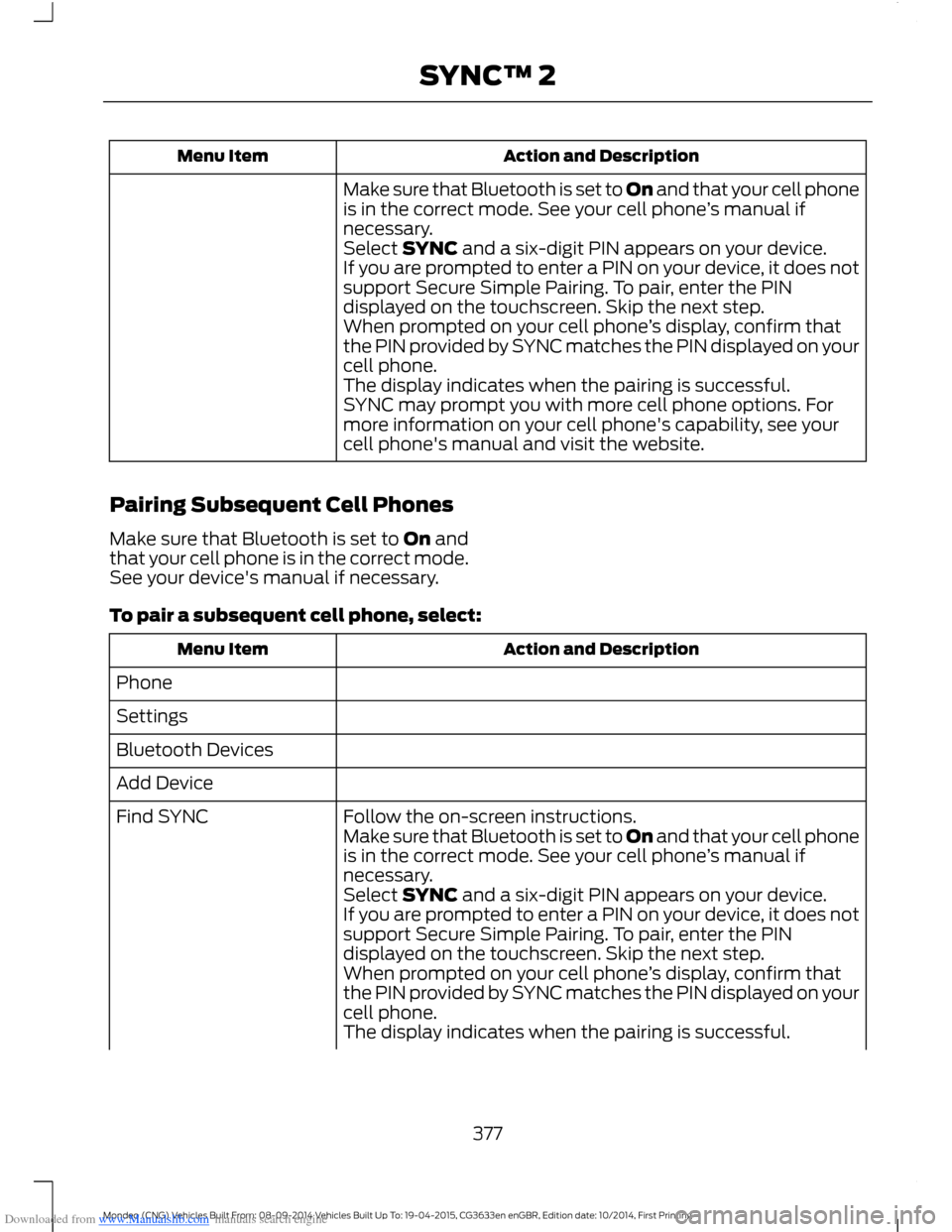
Make sure that Bluetooth is set to On and that your cell phoneis in the correct mode. See your cell phone’s manual ifnecessary.Select SYNC and a six-digit PIN appears on your device.If you are prompted to enter a PIN on your device, it does notsupport Secure Simple Pairing. To pair, enter the PINdisplayed on the touchscreen. Skip the next step.When prompted on your cell phone’s display, confirm thatthe PIN provided by SYNC matches the PIN displayed on yourcell phone.The display indicates when the pairing is successful.SYNC may prompt you with more cell phone options. Formore information on your cell phone's capability, see yourcell phone's manual and visit the website.
Pairing Subsequent Cell Phones
Make sure that Bluetooth is set to On andthat your cell phone is in the correct mode.See your device's manual if necessary.
To pair a subsequent cell phone, select:
Action and DescriptionMenu Item
Phone
Settings
Bluetooth Devices
Add Device
Follow the on-screen instructions.Find SYNCMake sure that Bluetooth is set to On and that your cell phoneis in the correct mode. See your cell phone’s manual ifnecessary.Select SYNC and a six-digit PIN appears on your device.If you are prompted to enter a PIN on your device, it does notsupport Secure Simple Pairing. To pair, enter the PINdisplayed on the touchscreen. Skip the next step.When prompted on your cell phone’s display, confirm thatthe PIN provided by SYNC matches the PIN displayed on yourcell phone.The display indicates when the pairing is successful.
377Mondeo (CNG) Vehicles Built From: 08-09-2014 Vehicles Built Up To: 19-04-2015, CG3633en enGBR, Edition date: 10/2014, First PrintingSYNC™ 2
Page 386 of 446
Downloaded from www.Manualslib.com manuals search engine Press Notifications, and then choose from any of the following services:
Action and DescriptionMenu Item
The complete messageView
The messageDelete
MessagesDelete All
This screen displays any system messages(such as an SD card fault).
Note:The system alerts you to anymessages by turning the information iconyellow. After you read or delete themessages, the icon returns to white.
Calendar
If your vehicle is equipped withNavigation, touch the I(Information) button to accessthese features. If your vehicle is notequipped with Navigation, touch the cornerof the touchscreen with the green tab.
Press Calendar. You can view the currentcalendar by day, week or month.
Emergency Assistance (If Equipped)
WARNINGS
For this feature to work, your mobilephone must be Bluetooth capableand compatible with the system.
Always place your mobile phone ina secure location inside your vehicle.Failure to do so may cause seriousinjury to someone or damage the phonewhich could prevent Emergency Assistancefrom working correctly.
Unless the Emergency Assistancesetting is set to on prior to a collision,the system will not attempt to placean emergency call which could delay theresponse time, potentially increasing therisk of serious injury or death. Do not wait
WARNINGS
for Emergency Assistance to make anemergency call if you can do it yourself.Dial emergency services immediately toavoid a delayed response time. If you donot hear Emergency Assistance within fiveseconds of the crash, the system or cellphone may be damaged or non-functional.
Note:Before setting the feature on, pleaseread the important notice about theEmergency Assistance feature and theEmergency Assistance privacy notice laterin this section for important information.
Note:When you switch EmergencyAssistance on or off, the setting apply to allpaired mobile phones. If you switchEmergency Assistance off and a previouslypaired phone connects when you switch theignition on, either a voice message plays, adisplay message or icon is shown, or both.
Note:Note: Every mobile phone operatesdifferently. While Emergency Assistanceworks with most mobile phones, somemobile phones may experience difficultiesusing this feature.
384Mondeo (CNG) Vehicles Built From: 08-09-2014 Vehicles Built Up To: 19-04-2015, CG3633en enGBR, Edition date: 10/2014, First PrintingSYNC™ 2
Page 387 of 446
Downloaded from www.Manualslib.com manuals search engine In the event of a collision which deploysan airbag or activates the fuel pumpshut-off, the system may contact theemergency services (including call center)through a paired and connected mobilephone. The emergency services operatorcontacts the relevant police agency andestablishes communication among threeparties (you, call center and the policeagency). In the end, the local police agencycoordinates the rescue.
Note:In case of an emergency, EmergencyAssistance, as a means of communicationaid, can help you contact specific rescuedepartments of public security. EmergencyAssistance does not implement the rescueoperations. The local public securitydepartment deploys specific rescueoperations according to the actual situation.
See Supplementary Restraints System(page 27). Important informationregarding airbag deployment is in thischapter.
See Roadside Emergencies (page 224).Important information regarding the fuelpump shut-off is in this chapter.
Setting Emergency Assistance On
If your vehicle is equipped withNavigation, touch the I (Information)button to access these features. If yourvehicle is not equipped withNavigation, touch the corner of thetouchscreen with the green tab. Thenselect:
Menu Item
Apps
Emergency Assistance
On
Display Options
If you switch on this feature, a confirmationmessage appears in the display when yourcell phone connects and your vehiclestarts.
If you switch off this feature, the dialogallows you to set a reminder.
Off with reminder provides a display andvoice reminder when your cell phoneconnects and your vehicle starts.
Off without reminder provides a displayreminder only without a voice reminderwhen your cell phone connects.
To make sure that Emergency Assistanceworks correctly:
•The system must have power and beworking correctly at the time of thecrash and during feature activation anduse.
•You must switch on the feature beforea crash.
•You must have a cell phone connectedto the system.
•In certain countries, it may benecessary to have a valid andregistered SIM card with credit in orderto place and maintain an emergencycall.
•A connected cell phone must have theability to make and maintain anoutgoing call at the time of the crash.
•A connected cell phone must haveadequate network coverage, batterypower and signal strength.
•Your vehicle must have battery power.
385Mondeo (CNG) Vehicles Built From: 08-09-2014 Vehicles Built Up To: 19-04-2015, CG3633en enGBR, Edition date: 10/2014, First PrintingSYNC™ 2
Page 403 of 446

Downloaded from www.Manualslib.com manuals search engine Cell phone issues
Possible solutionPossible causeIssue
Try pushing your phonebook contacts toSYNC by selecting the option to add.
Limitations on your cellphone's capability.
The systemsays "Phone-book down-loaded" but mySYNC phone-book is empty oris missingcontacts.
If the missing contacts are stored on yourSIM card, try moving them to your cellphone's memory.
Remove any pictures or special ring tonesassociated with the missing contact.
You must switch on your cell phone andthe automatic phonebook downloadfeature on SYNC.
Check your cell phone's compatibility.This is a cell phone-dependent feature.
I am havingtroubleconnecting mycell phone toSYNC.
Try switching off your cell phone, resettingit or removing the battery, then trying again.
Possible cell phonemalfunction.
Try deleting your device from SYNC anddeleting SYNC from your device, then tryingagain.
Always check the security and auto acceptprompt settings relative to the SYNCBluetooth connection on your cell phone.
Update your cell phone's firmware.
Switch off the auto download setting.
Check your cell phone's compatibility.This is a cell phone-dependent feature.
Text messagingis not workingon SYNC.
Try switching off your cell phone, resettingit or removing the battery, then trying again.Possible cell phonemalfunction.
iPhone•Go to your cell phone's Settings.
•Go to the Bluetooth Menu.
•Make sure the connection status showsNot Connected.
•Press the blue circle to enter the nextmenu.
•Turn on Show Notifications.
•Turn on Sync Contacts.
401Mondeo (CNG) Vehicles Built From: 08-09-2014 Vehicles Built Up To: 19-04-2015, CG3633en enGBR, Edition date: 10/2014, First PrintingSYNC™ 2
Page 404 of 446

Downloaded from www.Manualslib.com manuals search engine Cell phone issues
Possible solutionPossible causeIssue
Your iPhone is now set up to forwardincoming text messages to SYNC.Repeat these steps for every other Syncvehicle you are connected to.Your iPhone will only forward incoming textmessages to SYNC if it is unlocked.Replying to text messages using SYNC isnot supported by iPhone.Text messages from WhatsApp and Face-book Messenger are not supported.
Your cell phone must support downloadingtext messages through Bluetooth to receiveincoming text messages.
This is a cell phone-dependent feature.
Audible textmessages donot work on mycell phone.
Access the text messaging menu of SYNCto see if your cell phone supports thefeature. Press the PHONE button and thenscroll and select the option for textmessaging, then press OK.
Because each cell phone is different, referto your device's manual for the specific cellphone you are pairing. In fact, there can bedifferences between cell phones due tobrand, model, service provider and softwareversion.
This is a cell phone limita-tion.
USB and media issues
Possible solutionPossible causeIssue
Try switching off the device, resetting it orremoving the battery, then trying again.
Possible device malfunc-tion.
I am havingtroubleconnecting mydevice.
Make sure you are using the manufacturer'scable.
Make sure correctly insert the USB cable tothe device and your vehicle's USB port.
Make sure that the device does not havean auto-install program or active securitysettings.
402Mondeo (CNG) Vehicles Built From: 08-09-2014 Vehicles Built Up To: 19-04-2015, CG3633en enGBR, Edition date: 10/2014, First PrintingSYNC™ 2
Page 407 of 446
Downloaded from www.Manualslib.com manuals search engine Voice command issues
Possible solutionPossible causeIssue
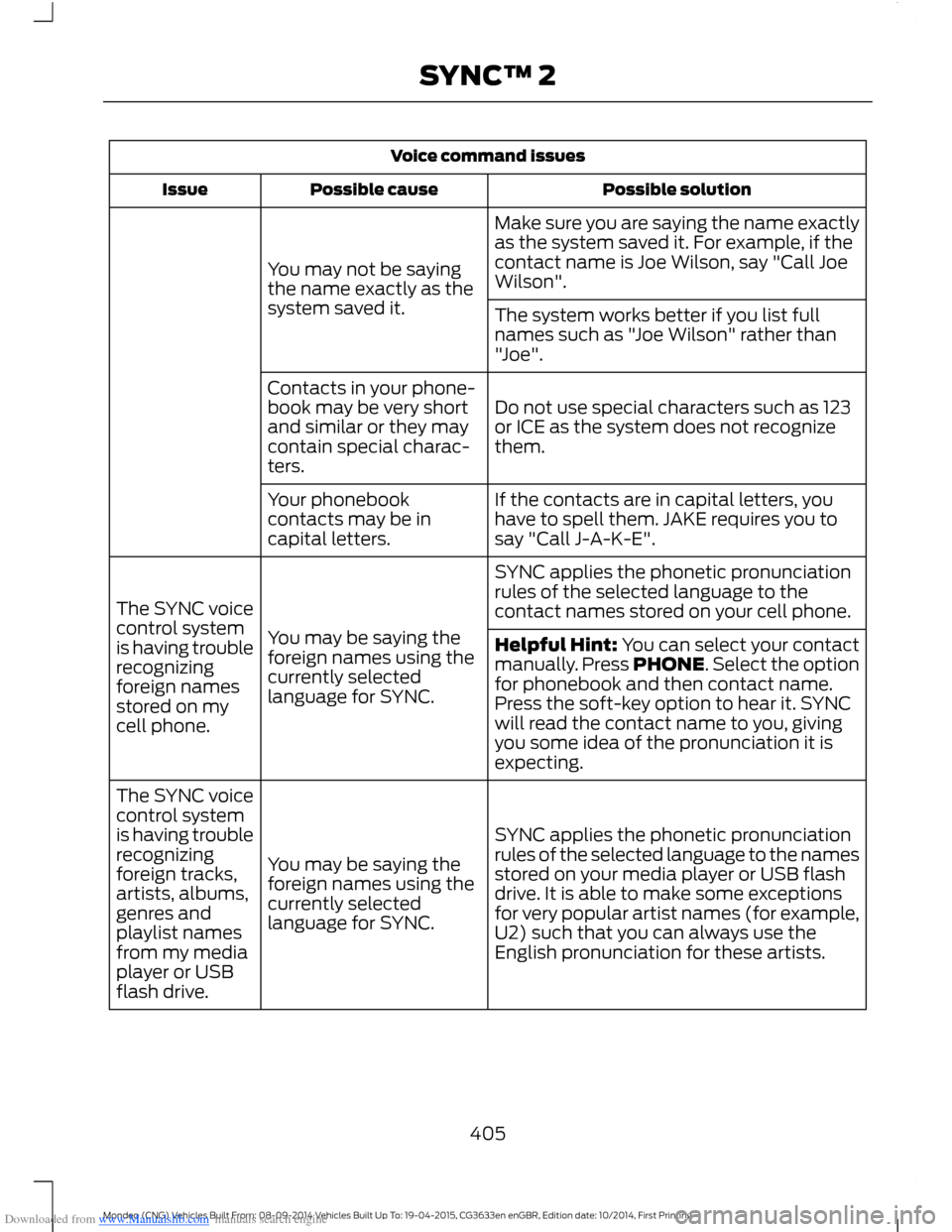
Make sure you are saying the name exactlyas the system saved it. For example, if thecontact name is Joe Wilson, say "Call JoeWilson".You may not be sayingthe name exactly as thesystem saved it.The system works better if you list fullnames such as "Joe Wilson" rather than"Joe".
Do not use special characters such as 123or ICE as the system does not recognizethem.
Contacts in your phone-book may be very shortand similar or they maycontain special charac-ters.
If the contacts are in capital letters, youhave to spell them. JAKE requires you tosay "Call J-A-K-E".
Your phonebookcontacts may be incapital letters.
SYNC applies the phonetic pronunciationrules of the selected language to thecontact names stored on your cell phone.
You may be saying theforeign names using thecurrently selectedlanguage for SYNC.
The SYNC voicecontrol systemis having troublerecognizingforeign namesstored on mycell phone.
Helpful Hint: You can select your contactmanually. Press PHONE. Select the optionfor phonebook and then contact name.Press the soft-key option to hear it. SYNCwill read the contact name to you, givingyou some idea of the pronunciation it isexpecting.
SYNC applies the phonetic pronunciationrules of the selected language to the namesstored on your media player or USB flashdrive. It is able to make some exceptionsfor very popular artist names (for example,U2) such that you can always use theEnglish pronunciation for these artists.
You may be saying theforeign names using thecurrently selectedlanguage for SYNC.
The SYNC voicecontrol systemis having troublerecognizingforeign tracks,artists, albums,genres andplaylist namesfrom my mediaplayer or USBflash drive.
405Mondeo (CNG) Vehicles Built From: 08-09-2014 Vehicles Built Up To: 19-04-2015, CG3633en enGBR, Edition date: 10/2014, First PrintingSYNC™ 2
Page 409 of 446
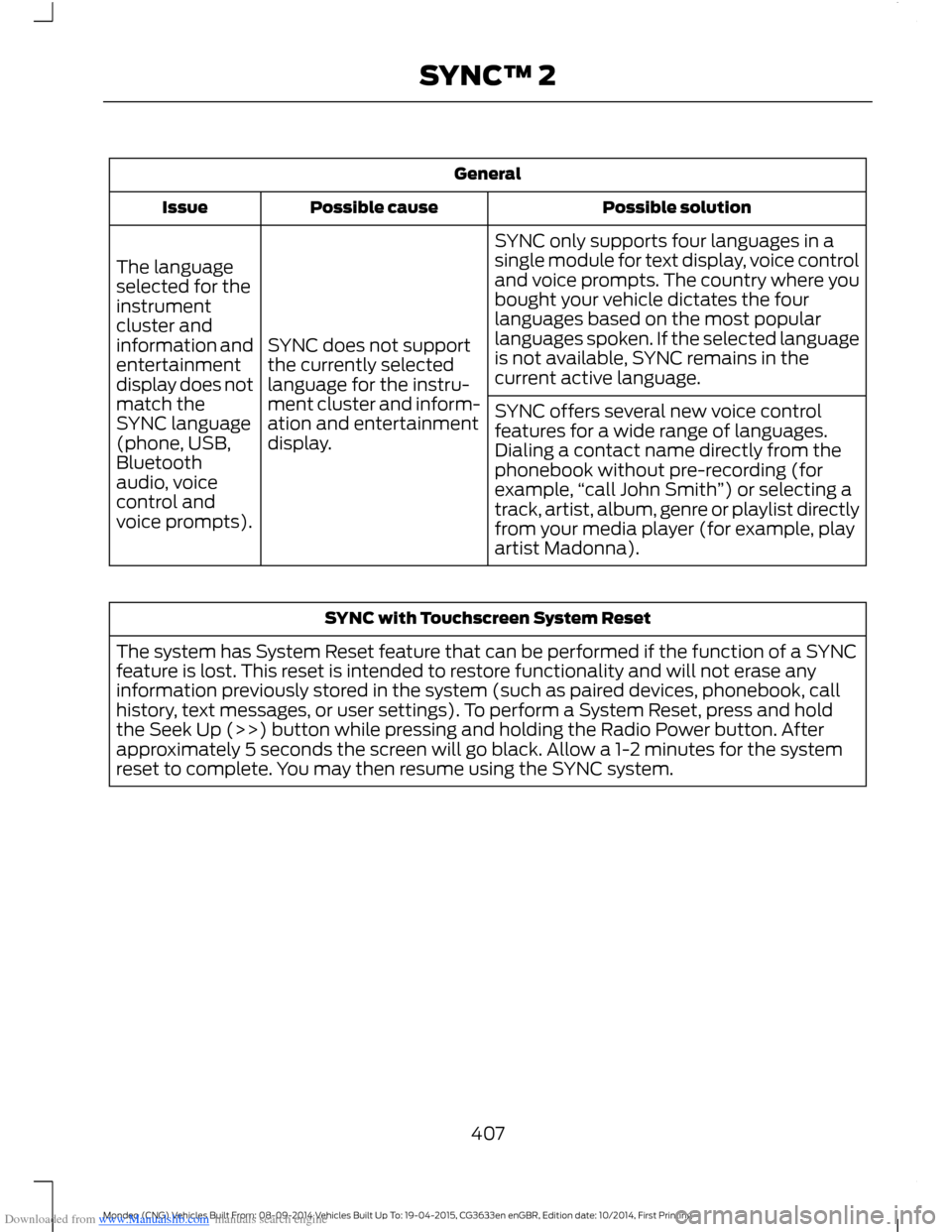
Downloaded from www.Manualslib.com manuals search engine General
Possible solutionPossible causeIssue
SYNC only supports four languages in asingle module for text display, voice controland voice prompts. The country where youbought your vehicle dictates the fourlanguages based on the most popularlanguages spoken. If the selected languageis not available, SYNC remains in thecurrent active language.
SYNC does not supportthe currently selectedlanguage for the instru-ment cluster and inform-ation and entertainmentdisplay.
The languageselected for theinstrumentcluster andinformation andentertainmentdisplay does notmatch theSYNC language(phone, USB,Bluetoothaudio, voicecontrol andvoice prompts).
SYNC offers several new voice controlfeatures for a wide range of languages.Dialing a contact name directly from thephonebook without pre-recording (forexample,“call John Smith”) or selecting atrack, artist, album, genre or playlist directlyfrom your media player (for example, playartist Madonna).
SYNC with Touchscreen System Reset
The system has System Reset feature that can be performed if the function of a SYNCfeature is lost. This reset is intended to restore functionality and will not erase anyinformation previously stored in the system (such as paired devices, phonebook, callhistory, text messages, or user settings). To perform a System Reset, press and holdthe Seek Up (>>) button while pressing and holding the Radio Power button. Afterapproximately 5 seconds the screen will go black. Allow a 1-2 minutes for the systemreset to complete. You may then resume using the SYNC system.
407Mondeo (CNG) Vehicles Built From: 08-09-2014 Vehicles Built Up To: 19-04-2015, CG3633en enGBR, Edition date: 10/2014, First PrintingSYNC™ 2