Page 130 of 403
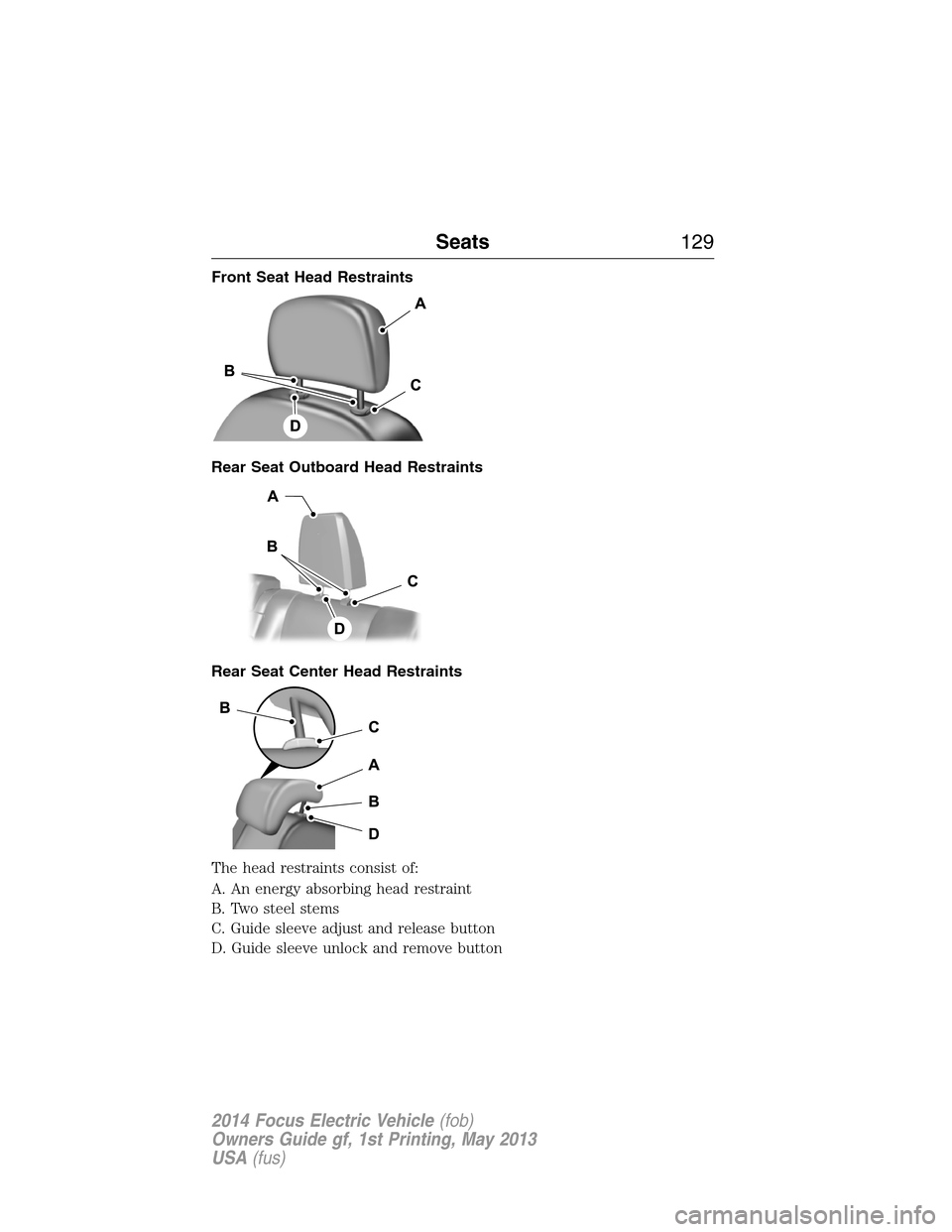
Front Seat Head Restraints
Rear Seat Outboard Head Restraints
Rear Seat Center Head Restraints
The head restraints consist of:
A. An energy absorbing head restraint
B. Two steel stems
C. Guide sleeve adjust and release button
D. Guide sleeve unlock and remove button
Seats129
2014 Focus Electric Vehicle(fob)
Owners Guide gf, 1st Printing, May 2013
USA(fus)
Page 131 of 403
Adjusting the Head Restraint
Raise: Pull up the head restraint.
Lower:
1. Press and hold button C.
2. Push the head restraint down.
Remove:
1. Pull up the head restraint until it reaches the highest adjustment
position.
2. Press and hold buttons C and D.
3. Pull the head restraint up.
Note:For the front head restraints, you may need to use a key or
similar object to release the head restraint. Press the key into the guide
sleeve unlock and remove button to release the head restraint.
Install: Align the steel stems into the guide sleeves and push the head
restraint down until it locks. Make sure the front of the head restraint
faces the front of the vehicle.
Tilting Head Restraints (If Equipped)
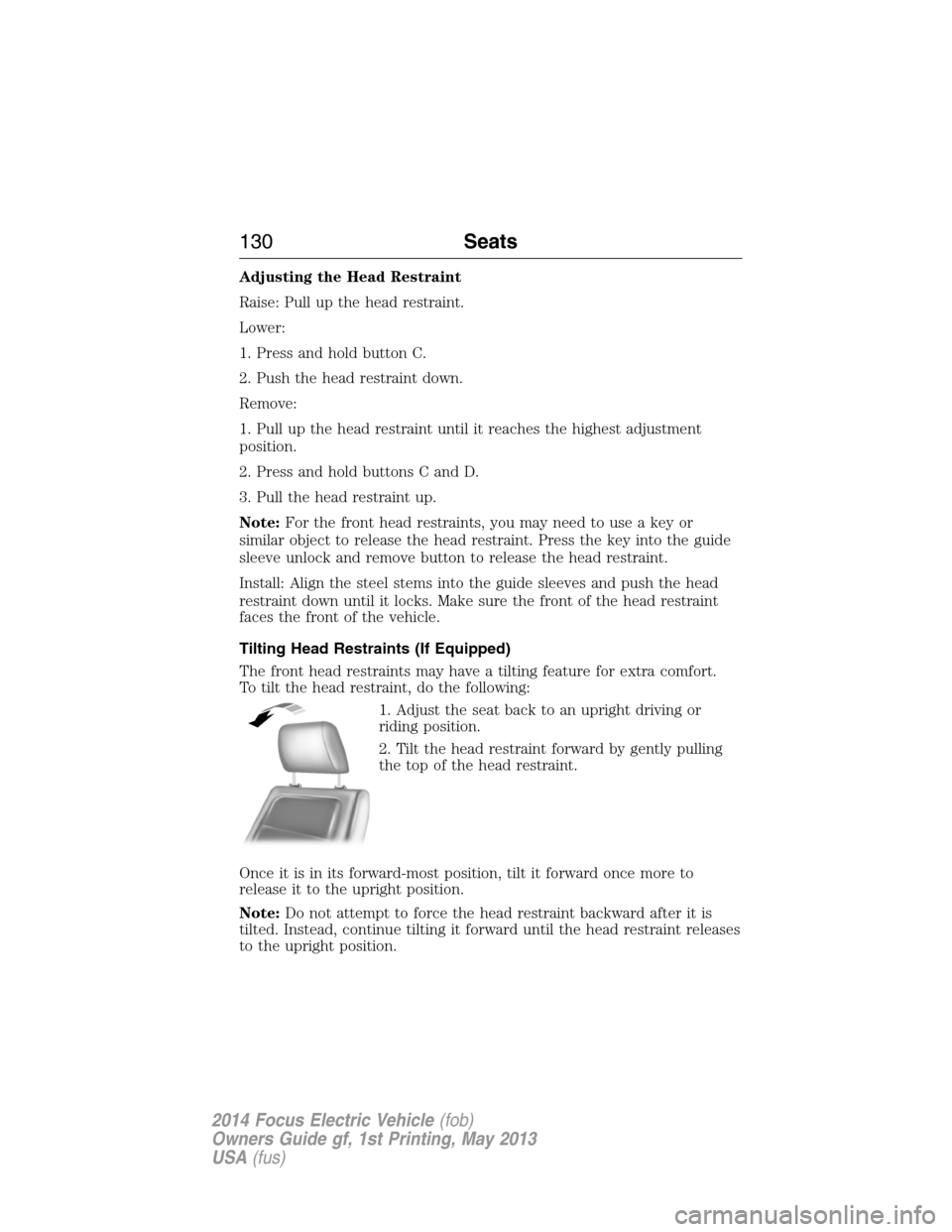
The front head restraints may have a tilting feature for extra comfort.
To tilt the head restraint, do the following:
1. Adjust the seat back to an upright driving or
riding position.
2. Tilt the head restraint forward by gently pulling
the top of the head restraint.
Once it is in its forward-most position, tilt it forward once more to
release it to the upright position.
Note:Do not attempt to force the head restraint backward after it is
tilted. Instead, continue tilting it forward until the head restraint releases
to the upright position.
130Seats
2014 Focus Electric Vehicle(fob)
Owners Guide gf, 1st Printing, May 2013
USA(fus)
Page 136 of 403
REAR SEATS
Folding the Rear Seats
Note:Before lowering the seatback(s), remove the outboard head
restraints.
To lower the seatback(s) from inside the vehicle, do the following:
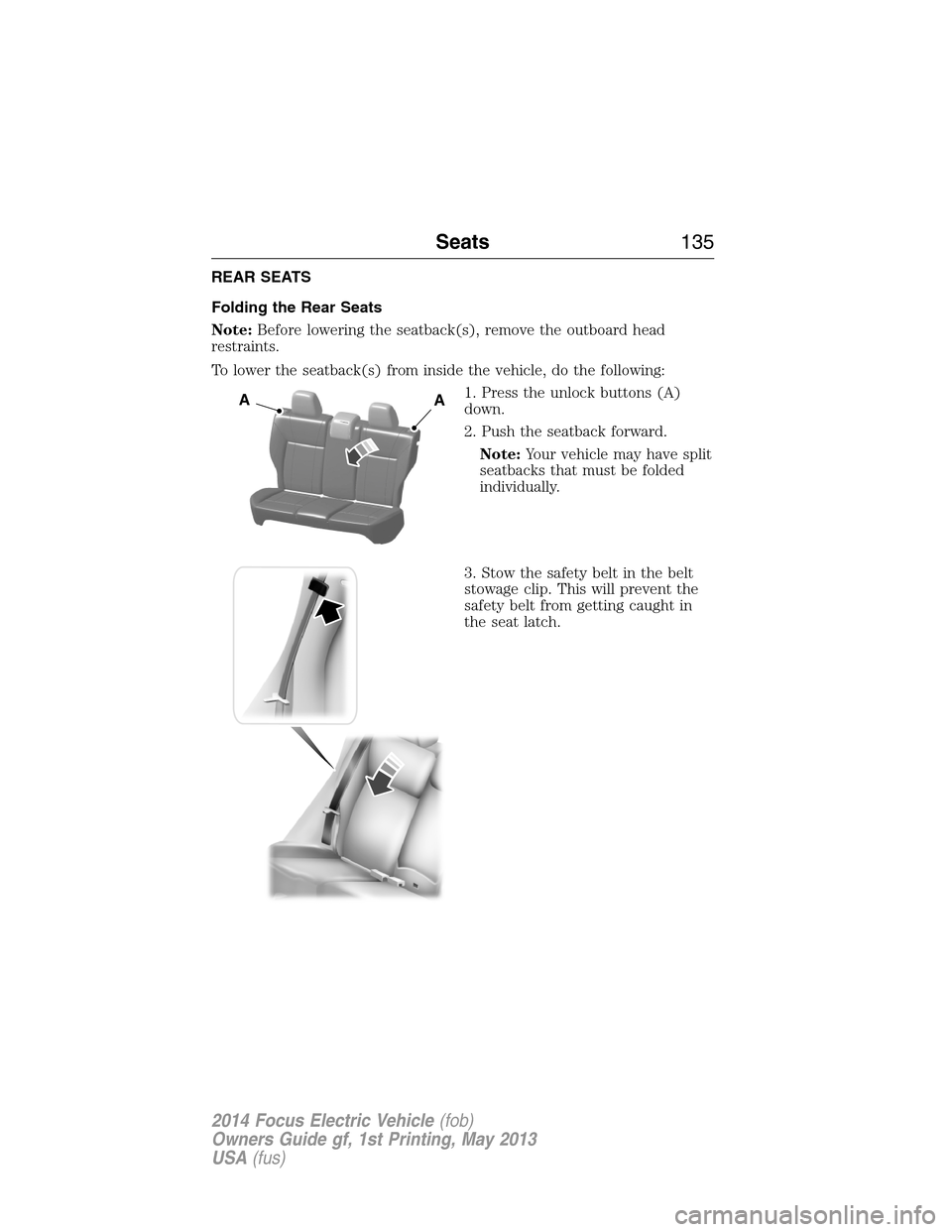
1. Press the unlock buttons (A)
down.
2. Push the seatback forward.
Note:Your vehicle may have split
seatbacks that must be folded
individually.
3. Stow the safety belt in the belt
stowage clip. This will prevent the
safety belt from getting caught in
the seat latch.
AA
Seats135
2014 Focus Electric Vehicle(fob)
Owners Guide gf, 1st Printing, May 2013
USA(fus)
Page 140 of 403
GENERAL INFORMATION
The powertrain control system meets all Canadian interference-causing
equipment standard requirements regulating the impulse electrical field
or radio noise.
KEYLESS STARTING
Note:The keyless starting system may not function if the key is close to
metal objects or electronic devices such as cellular phones.
Note:A valid key must be located inside your vehicle to switch the
ignition on and start the vehicle.
Note:When locking your vehicle, any remote controls left inside the
vehicle may become disabled. A message may appear in the information
display indicating that there is no key detected if you try to start the
vehicle. Press the unlock button on the remote control to enable it, and
then start the vehicle.
Ignition Modes
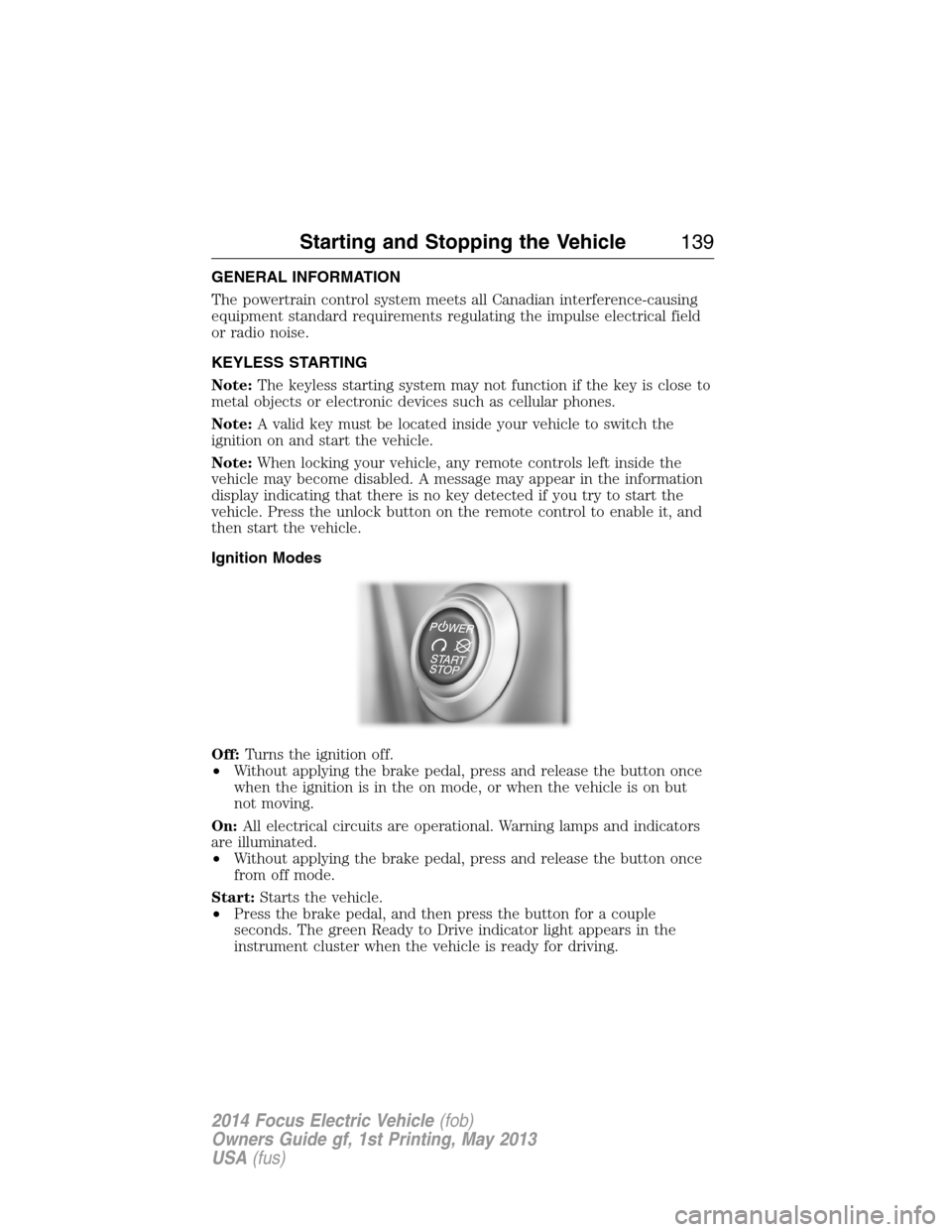
Off:Turns the ignition off.
•Without applying the brake pedal, press and release the button once
when the ignition is in the on mode, or when the vehicle is on but
not moving.
On:All electrical circuits are operational. Warning lamps and indicators
are illuminated.
•Without applying the brake pedal, press and release the button once
from off mode.
Start:Starts the vehicle.
•Press the brake pedal, and then press the button for a couple
seconds. The green Ready to Drive indicator light appears in the
instrument cluster when the vehicle is ready for driving.
Starting and Stopping the Vehicle139
2014 Focus Electric Vehicle(fob)
Owners Guide gf, 1st Printing, May 2013
USA(fus)
Page 142 of 403
Stopping the Electric Vehicle’s Motor When the Vehicle Is
Stationary
1. Move the transmission selector lever to positionP.
2. Press the button once.
3. Apply the parking brake.
Note:This switches off the ignition, all electrical circuits, warning lamps
and indicators.
Stopping the Electric Vehicle’s Motor When the Vehicle Is Moving
WARNING:Switching off the vehicle when it is still moving will
result in a loss of brake and steering assistance. The steering
will not lock, but higher effort will be required. When the ignition is
switched off, some electrical circuits, warning lamps and indicators may
also be off.
1. Move the transmission selector lever to positionNand use the brakes
to bring your vehicle to a safe stop.
2. When your vehicle has stopped, move the transmission selector lever
to positionP.
3. Switch the ignition off by pressing and holding the button for one
second, or pressing it three times within two seconds.
4. Apply the parking brake.
Starting and Stopping the Vehicle141
2014 Focus Electric Vehicle(fob)
Owners Guide gf, 1st Printing, May 2013
USA(fus)
Page 145 of 403
Charge (green light) — Indicates status of charging:
•No light means the cord is not connected to the vehicle.
•Blinking light means that the charging is in process.
•Solid light means that the vehicle is connected but not charging.
Fault (red triangle light) — Lights up in case of a detected failure.
No charging is possible:
•Blinking red triangle light – means that the 120 volt convenience cord
is trying to reset the failure and could restart the charging cycle.
•Solid red triangle light – means that the fault is permanent. The cord
needs to be unplugged and re-plugged to reset the fault. If the fault
persists, contact your authorized dealer.
Charge Port and Light Ring
The charge port is located between the front left side door and front left
wheel well. There is an indentation located on the charge port door.
Press with your thumb to open and to close the door.
Note:Do not force the charge port door open or closed. Forcing the
door open or closed will damage the charge port.
The light ring located around the charge port indicates the charge status
of your vehicles battery. The charge port light ring is divided into four
quadrants which display state of charge in 25 percent increments.
There is a cord acknowledgement feature that will be activated when a
charge cycle is initiated. The four light quadrants will each individually
flash clockwise starting with the top right light and ending with the top
left, two full times confirming a charging coupler has been detected.
You can use your keyfob to view the vehicles charge status at any
time by pressing the unlock button. The light ring will light up the
corresponding quadrant(s) so that the current state of charge can be
determined. If the charge is below 25 percent the light ring will not
illuminate. Don’t forget to press the lock button on your keyfob to
re-lock the vehicle.
The light ring will also display the current state of charge when opening
the doors.
144High Voltage Battery
2014 Focus Electric Vehicle(fob)
Owners Guide gf, 1st Printing, May 2013
USA(fus)
Page 147 of 403
Note:Do not pull the wall plug
from the wall while the vehicle is
charging. Doing so may damage the
outlet and the cord.
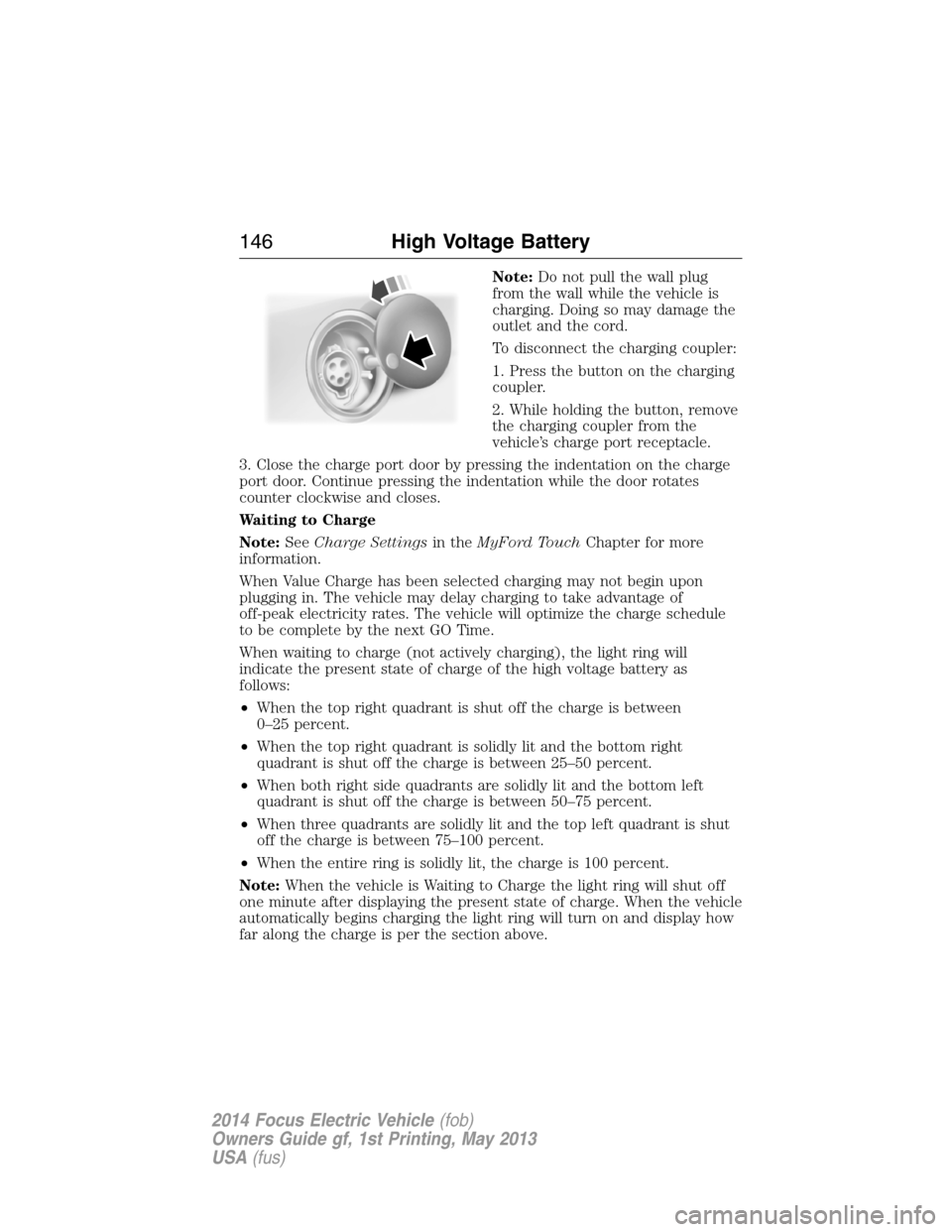
To disconnect the charging coupler:
1. Press the button on the charging
coupler.
2. While holding the button, remove
the charging coupler from the
vehicle’s charge port receptacle.
3. Close the charge port door by pressing the indentation on the charge
port door. Continue pressing the indentation while the door rotates
counter clockwise and closes.
Waiting to Charge
Note:SeeCharge Settingsin theMyFord TouchChapter for more
information.
When Value Charge has been selected charging may not begin upon
plugging in. The vehicle may delay charging to take advantage of
off-peak electricity rates. The vehicle will optimize the charge schedule
to be complete by the next GO Time.
When waiting to charge (not actively charging), the light ring will
indicate the present state of charge of the high voltage battery as
follows:
•When the top right quadrant is shut off the charge is between
0–25 percent.
•When the top right quadrant is solidly lit and the bottom right
quadrant is shut off the charge is between 25–50 percent.
•When both right side quadrants are solidly lit and the bottom left
quadrant is shut off the charge is between 50–75 percent.
•When three quadrants are solidly lit and the top left quadrant is shut
off the charge is between 75–100 percent.
•When the entire ring is solidly lit, the charge is 100 percent.
Note:When the vehicle is Waiting to Charge the light ring will shut off
one minute after displaying the present state of charge. When the vehicle
automatically begins charging the light ring will turn on and display how
far along the charge is per the section above.
146High Voltage Battery
2014 Focus Electric Vehicle(fob)
Owners Guide gf, 1st Printing, May 2013
USA(fus)
Page 148 of 403
Note:If a vehicle charging system fault is detected at any point in a
charge cycle the entire light ring will flash continuously for one minute
and then shut off. If this happens unplug, and then re-plug the charging
coupler into the charge port receptacle. If the problem persists contact
your authorized dealer.
The light ring illumination conditions can be modified. See theCharge
Port Light Ring Settingsin theMyFord Touchchapter.
Disconnecting the Charging Coupler
Note:Do not pull the wall plug from the wall while the vehicle is
charging. Doing so may damage the outlet and the cord.
To disconnect the charging coupler:
1. Press the button on the charging coupler with your thumb.
2. While holding the button, remove the charging coupler from the
vehicle’s charge port receptacle.
3. Close the charge port door by pressing the indentation on the charge
port door. Continue pressing the indentation while the door rotates
counter clockwise and closes.
Convenience Charging and MyFord® Mobile
The setting up of the charging convenience features is primarily done with
the MyFord Mobile smart phone application. Visit myfordmobile.com for
more complete information and to set up your MyFord Mobile account.
Your electric vehicle also has some convenience features to improve your
charging experience:
•Value Charge:The vehicle schedules charging at the lowest available
utility rates. Contact your utility company to see what rates are
available.
•Charge Now:Fully charge your vehicle at the quickest rate. The
vehicle starts charging immediately after you connect the charging
plug into the vehicle.
•My GO Time:Setting My GO times through the MyFord Mobile
application allows you to set charging schedules and cabin
preconditioning settings so your vehicle is ready to drive when you
are. By setting a My GO time the vehicles charge can be completed
before your next set drive time. A calendar view allows you to
program two My GO Times per day for each of the seven days of the
week. Remember, your vehicle must be plugged in for My GO time to
work.
High Voltage Battery147
2014 Focus Electric Vehicle(fob)
Owners Guide gf, 1st Printing, May 2013
USA(fus)