Page 73 of 403
TRUNK RELEASE
With the Remote Control
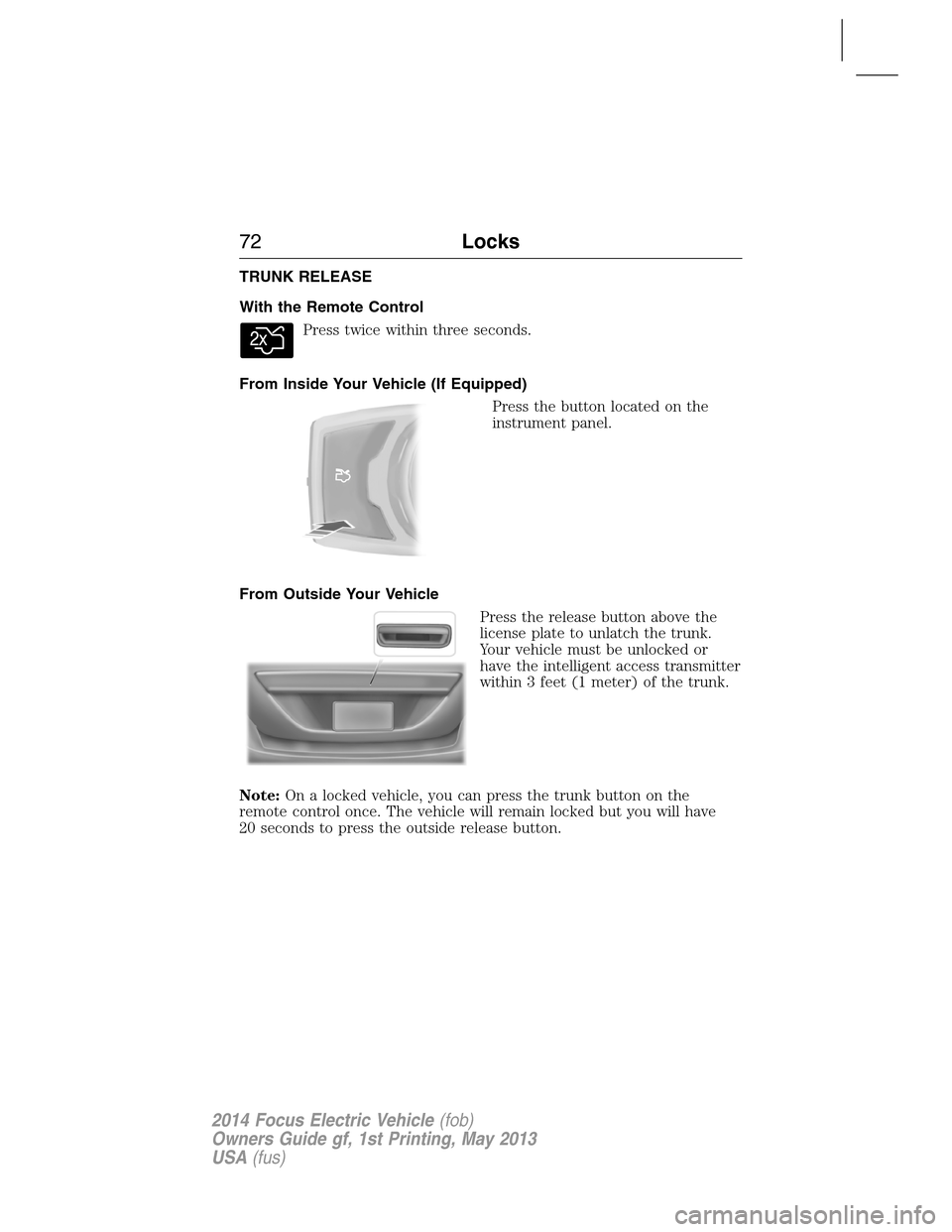
Press twice within three seconds.
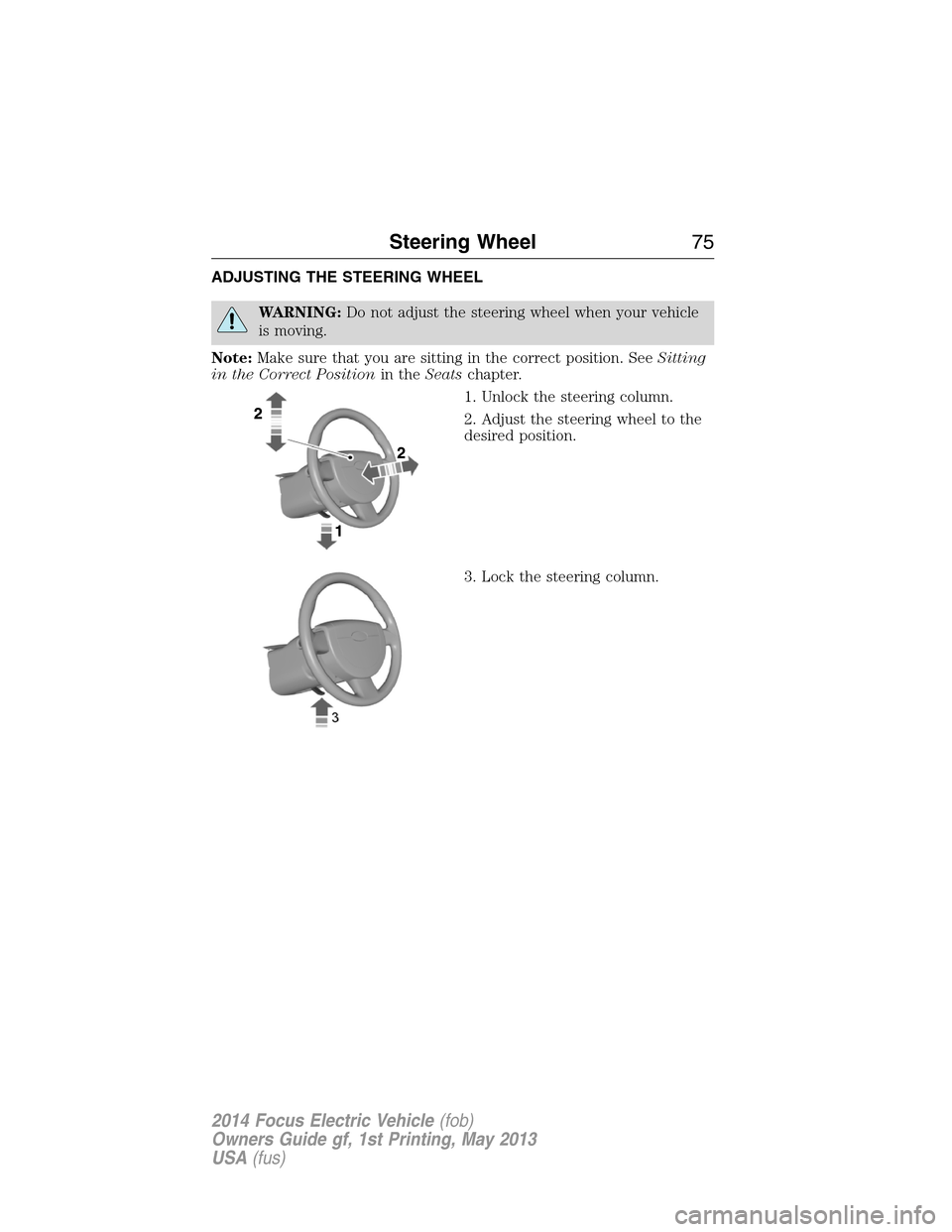
From Inside Your Vehicle (If Equipped)
Press the button located on the
instrument panel.
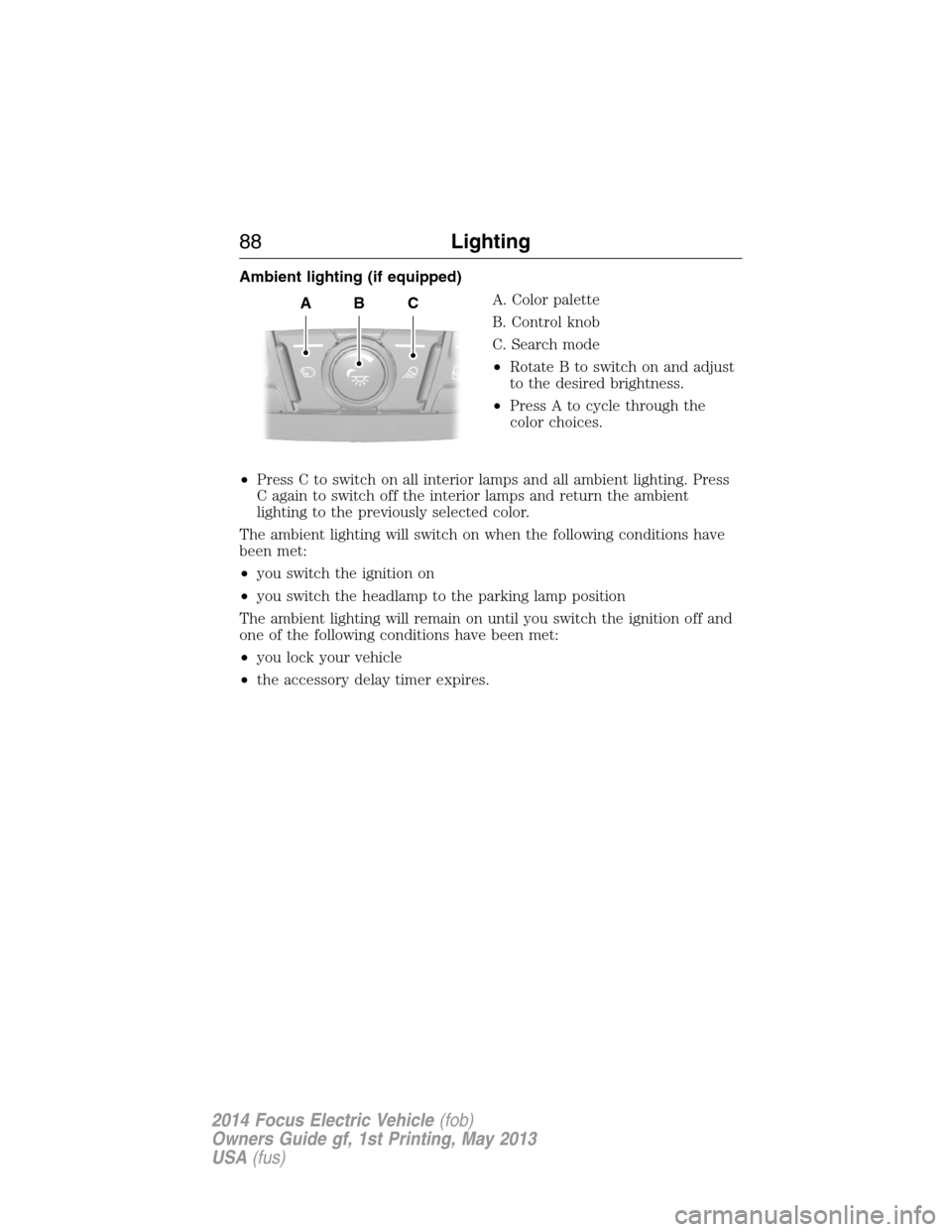
From Outside Your Vehicle
Press the release button above the
license plate to unlatch the trunk.
Your vehicle must be unlocked or
have the intelligent access transmitter
within 3 feet (1 meter) of the trunk.
Note:On a locked vehicle, you can press the trunk button on the
remote control once. The vehicle will remain locked but you will have
20 seconds to press the outside release button.
72Locks
2014 Focus Electric Vehicle(fob)
Owners Guide gf, 1st Printing, May 2013
USA(fus)
Page 74 of 403
SECURILOCK® PASSIVE ANTI-THEFT SYSTEM
Note:The system is not compatible with non-Ford aftermarket remote
start systems. Use of these systems may result in vehicle starting
problems and a loss of security protection.
Note:Metallic objects, electronic devices or a second coded key on the
same key chain may cause vehicle starting issues if they are too close to
the key when starting your vehicle. Prevent these objects from touching
the coded key while starting your vehicle. Switch the ignition off, move
all objects on the key chain away from the coded key and restart the
vehicle if a problem occurs.
Note:Do not leave a duplicate coded key in the vehicle. Always take
your keys and lock all doors when leaving the vehicle.
The system helps prevent the vehicle from starting unless you use a
coded key programmed to your vehicle. Using the wrong key may
prevent your vehicle from starting. A message may appear in the
information display.
If you are unable to start your vehicle with a correctly coded key, a
malfunction has happened and a message may appear in the information
display.
Automatic Arming
Your vehicle arms immediately after you switch the ignition off.
Automatic Disarming
Your vehicle disarms when you switch the ignition on with a coded key.
Replacement Keys
Note:Your vehicle comes with two intelligent access keys.
The intelligent access key functions as a programmed key that operates
the driver door lock and activates the intelligent access with push button
start systems, as well as a remote control.
If your intelligent access key is lost or stolen and you do not have
an extra coded key, you will need to have your vehicle towed to an
authorized dealer. The key codes need to be erased from your vehicle
and new coded keys will need to be programmed.
Store an extra programmed key away from your vehicle in a safe place to
help prevent any inconveniences. See an authorized dealer to purchase
additional spare or replacement keys.
Security73
2014 Focus Electric Vehicle(fob)
Owners Guide gf, 1st Printing, May 2013
USA(fus)
Page 75 of 403
Programming a Spare Intelligent Access Key
See your authorized dealer to have additional keys programmed to your
vehicle.
ANTI-THEFT ALARM
The system will warn you of an unauthorized entry to your vehicle.
The park and turn lamps flash and the horn sounds if unauthorized entry
is attempted while the alarm is armed. It triggers immediately if the
luggage compartment or the hood opens, and after a 12-second delay if
any door opens.
Take all remote controls to an authorized dealer if there is any potential
alarm problem with your vehicle.
Arming the Alarm
The alarm is ready to arm when there is not a key in the ignition. Lock
the vehicle to arm the alarm.
The message indicator flashes when theft protection is active.
Disarming the alarm
Disarm the alarm by any of the following actions:
•Unlock the doors or luggage compartment with the remote control.
•Turn the ignition on or start the vehicle.
•Use a key in the driver door to unlock your vehicle, then turn the
ignition on within 12 seconds.
74Security
2014 Focus Electric Vehicle(fob)
Owners Guide gf, 1st Printing, May 2013
USA(fus)
Page 76 of 403
ADJUSTING THE STEERING WHEEL
WARNING:Do not adjust the steering wheel when your vehicle
is moving.
Note:Make sure that you are sitting in the correct position. SeeSitting
in the Correct Positionin theSeatschapter.
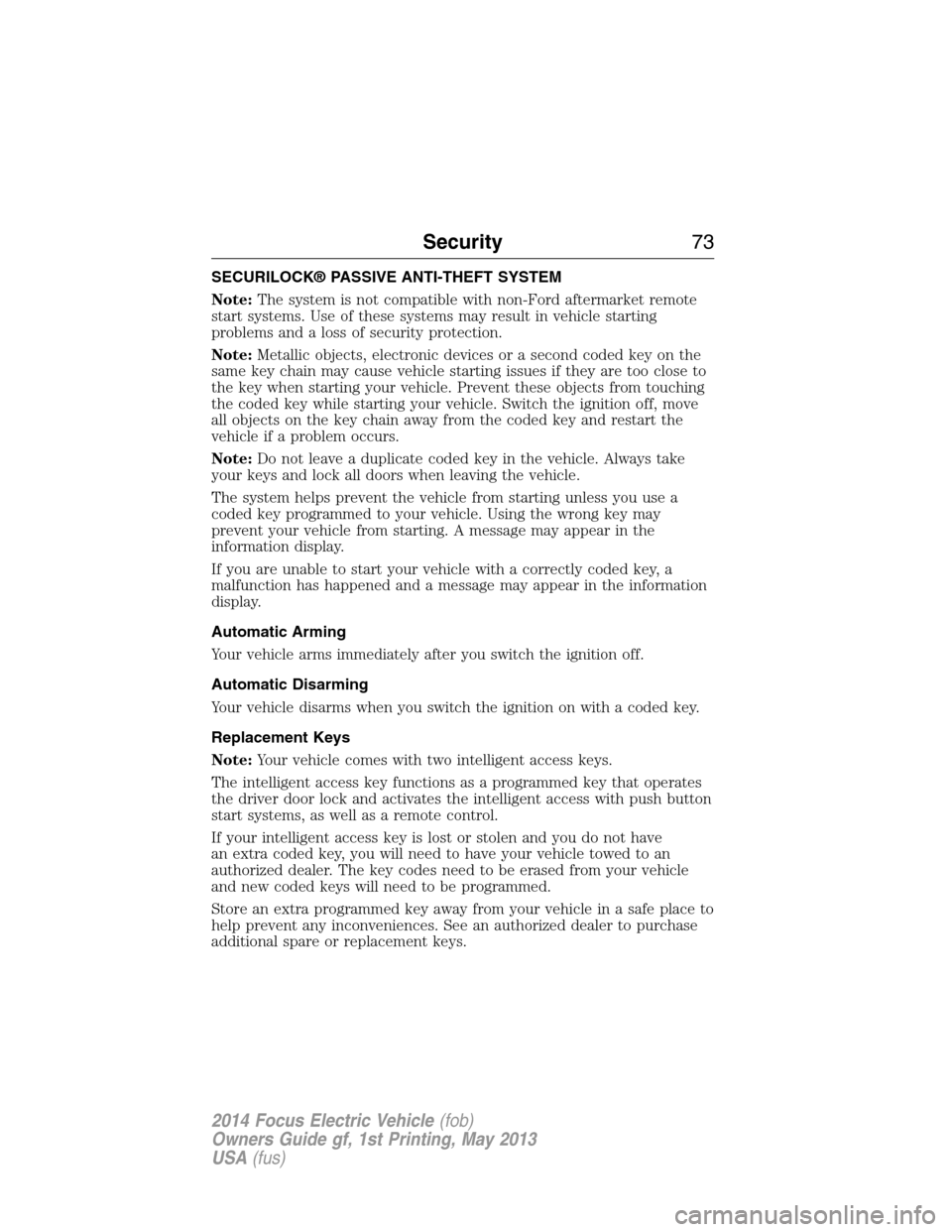
1. Unlock the steering column.
2. Adjust the steering wheel to the
desired position.
3. Lock the steering column.
Steering Wheel75
2014 Focus Electric Vehicle(fob)
Owners Guide gf, 1st Printing, May 2013
USA(fus)
Page 87 of 403
Front/Rear Interior lamp (if equipped)
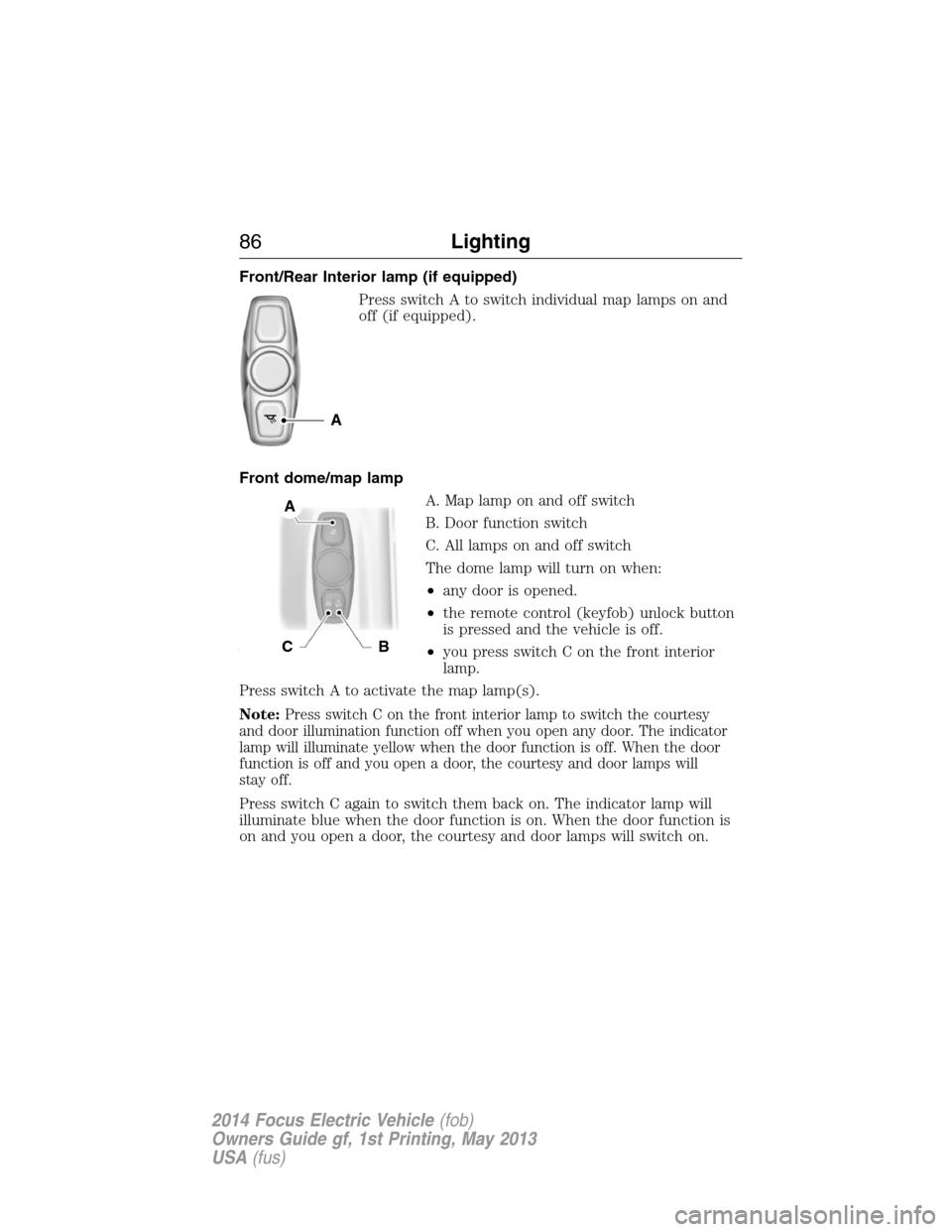
Press switch A to switch individual map lamps on and
off (if equipped).
Front dome/map lamp
A. Map lamp on and off switch
B. Door function switch
C. All lamps on and off switch
The dome lamp will turn on when:
•any door is opened.
•the remote control (keyfob) unlock button
is pressed and the vehicle is off.
•you press switch C on the front interior
lamp.
Press switch A to activate the map lamp(s).
Note:
Press switch C on the front interior lamp to switch the courtesy
and door illumination function off when you open any door. The indicator
lamp will illuminate yellow when the door function is off. When the door
function is off and you open a door, the courtesy and door lamps will
stay off.
Press switch C again to switch them back on. The indicator lamp will
illuminate blue when the door function is on. When the door function is
on and you open a door, the courtesy and door lamps will switch on.
A
A
CB
86Lighting
2014 Focus Electric Vehicle(fob)
Owners Guide gf, 1st Printing, May 2013
USA(fus)
Page 89 of 403
Ambient lighting (if equipped)
A. Color palette
B. Control knob
C. Search mode
•Rotate B to switch on and adjust
to the desired brightness.
•Press A to cycle through the
color choices.
•Press C to switch on all interior lamps and all ambient lighting. Press
C again to switch off the interior lamps and return the ambient
lighting to the previously selected color.
The ambient lighting will switch on when the following conditions have
been met:
•you switch the ignition on
•you switch the headlamp to the parking lamp position
The ambient lighting will remain on until you switch the ignition off and
one of the following conditions have been met:
•you lock your vehicle
•the accessory delay timer expires.
ABC
88Lighting
2014 Focus Electric Vehicle(fob)
Owners Guide gf, 1st Printing, May 2013
USA(fus)
Page 91 of 403

Window Lock
Press the control to lock or unlock the rear
window controls. It illuminates when you lock
the rear window controls.
Bounce-Back (If Equipped)
The window will stop automatically while closing. It will reverse some
distance if there is an obstacle in the way.
Overriding the Bounce-Back Feature
WARNING:When you override the bounce-back feature the
window will not reverse if it detects an obstacle. Take care when
closing the windows to avoid personal injury or damage to your vehicle.
Proceed as follows to override this protection function when there is a
resistance, for example in the winter:
1. Close the window twice until it reaches the resistance and let it
reverse.
2. Close the window a third time to the resistance. The bounce-back
function is disabled and you can close the window manually. The window
will override the resistance and you can close it fully.
Contact your authorized dealer as soon as possible if the window does
not close after the third attempt.
Resetting the Bounce-Back Feature
WARNING:The bounce-back function remains deactivated until
you have reset the memory.
You must reset the bounce-back memory separately for each window
after the battery has been disconnected.
1. Lift and hold the switch until the window is fully closed.
2. Release the switch.
90Windows and Mirrors
2014 Focus Electric Vehicle(fob)
Owners Guide gf, 1st Printing, May 2013
USA(fus)
Page 98 of 403

WARNING LAMPS AND INDICATORS
These indicators can alert you to a vehicle condition that may become
serious enough to cause expensive repairs. Many lights will illuminate
when you start your vehicle to make sure they work. If any light remains
on after starting the vehicle, refer to the respective system warning light
for additional information.
Note:Some warning indicators are reconfigurable telltales (RTT). These
indicators appear in the information display and function the same as a
warning light, but do not display on startup.
Airbag readiness
If this light fails to illuminate when the ignition is turned on,
continues to flash or remains on, contact your authorized dealer
as soon as possible. A chime will sound when there is a
malfunction in the indicator light.
Anti-lock brake system
If the ABS light stays illuminated or continues to flash, a
malfunction has been detected. Contact your authorized dealer
as soon as possible. Normal braking is still functional unless the
brake warning light also is illuminated.
Brake system warning light
To confirm the brake system warning light is functional, it will
momentarily illuminate when the vehicle is switched on, to
accessory or Ready to Drive mode.
If it illuminates when you are driving, check that the parking brake is not
engaged. If the parking brake is not engaged, this indicates low brake
fluid level or a brake system malfunction. Have the system checked
immediately by your authorized dealer.
WARNING:Driving a vehicle with the brake system warning
light on is dangerous. A significant decrease in braking
performance may occur. It will take you longer to stop the vehicle.
Have the vehicle checked by your authorized dealer as soon as possible.
Driving extended distances with the parking brake engaged can cause
brake failure and the risk of personal injury.
Instrument Cluster97
2014 Focus Electric Vehicle(fob)
Owners Guide gf, 1st Printing, May 2013
USA(fus)