2014 FORD FOCUS ELECTRIC transmission
[x] Cancel search: transmissionPage 160 of 403
SENSING SYSTEM (IF EQUIPPED)
WARNING:To help avoid personal injury, please read and
understand the limitations of the system as contained in this
section. Sensing is only an aid for some (generally large and fixed)
objects when moving in reverse on a flat surface at parking speeds.
Traffic control systems, inclement weather, air brakes, and external
motors and fans may also affect the function of the sensing system; this
may include reduced performance or a false activation.
WARNING:To help avoid personal injury, always use caution
when the transmission is inRand when using the sensing system.
WARNING:This system is not designed to prevent contact with
small or moving objects. The system is designed to provide a
warning to assist the driver in detecting large stationary objects to
avoid damaging the vehicle. The system may not detect smaller objects,
particularly those close to the ground.
WARNING:Certain add-on devices, such as large trailer hitches,
bike or surfboard racks and any device that may block the normal
detection zone of the system, may create false beeps.
Note:
Keep the sensors (located on the bumper/fascia) free from snow, ice
and large accumulations of dirt. If the sensors are covered, the system’s
accuracy can be affected. Do not clean the sensors with sharp objects.
Note:If your vehicle sustains damage to the bumper/fascia, leaving it
misaligned or bent, the sensing zone may be altered causing inaccurate
measurement of obstacles or false alarms.
The sensing system warns the driver of obstacles within a certain range
of the bumper area. The system turns on automatically whenever the
ignition is switched on.
When receiving a detection warning, the radio volume is reduced to a
predetermined level. After the warning goes away, the radio volume
returns to the previous level.
The system can be turned off using the information display control. See
theInformation Displaychapter. If a fault is present in the system, a
warning message appears in the information display and does not allow
the driver to switch the faulted system on.
Parking Aids159
2014 Focus Electric Vehicle(fob)
Owners Guide gf, 1st Printing, May 2013
USA(fus)
Page 161 of 403
Using the Rear Sensing System
The rear sensors are only active when the transmission is inR.Asthe
vehicle moves closer to the obstacle, the rate of the audible warning
increases. When the obstacle is fewer than 12 inches (30 centimeters)
away, the warning sounds continuously. If a stationary or receding object
is detected farther than 12 inches (30 centimeters) from the side of the
vehicle, the tone sounds for only three seconds. Once the system detects
an object approaching, the warning sounds again.
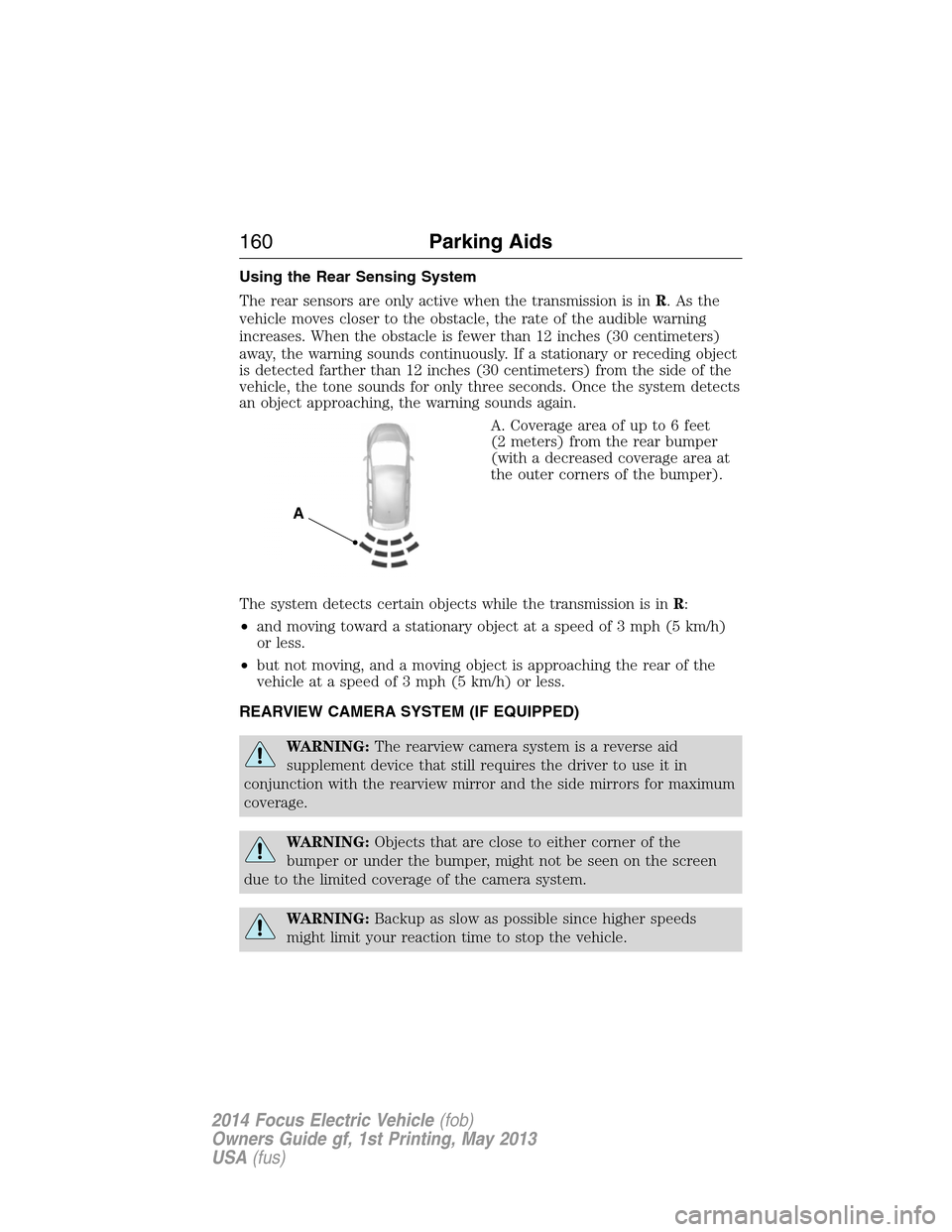
A. Coverage area of up to 6 feet
(2 meters) from the rear bumper
(with a decreased coverage area at
the outer corners of the bumper).
The system detects certain objects while the transmission is inR:
•and moving toward a stationary object at a speed of 3 mph (5 km/h)
or less.
•but not moving, and a moving object is approaching the rear of the
vehicle at a speed of 3 mph (5 km/h) or less.
REARVIEW CAMERA SYSTEM (IF EQUIPPED)
WARNING:The rearview camera system is a reverse aid
supplement device that still requires the driver to use it in
conjunction with the rearview mirror and the side mirrors for maximum
coverage.
WARNING:Objects that are close to either corner of the
bumper or under the bumper, might not be seen on the screen
due to the limited coverage of the camera system.
WARNING:Backup as slow as possible since higher speeds
might limit your reaction time to stop the vehicle.
A
160Parking Aids
2014 Focus Electric Vehicle(fob)
Owners Guide gf, 1st Printing, May 2013
USA(fus)
Page 162 of 403
WARNING:Use caution when using the rear video camera and
the liftgate is ajar. If the liftgate is ajar, the camera will be out of
position and the video image may be incorrect. All guidelines (if enabled)
have been removed when the liftgate is ajar.
WARNING:Use caution when turning ON or OFF camera features
while in R (Reverse). Make sure the vehicle is not moving.
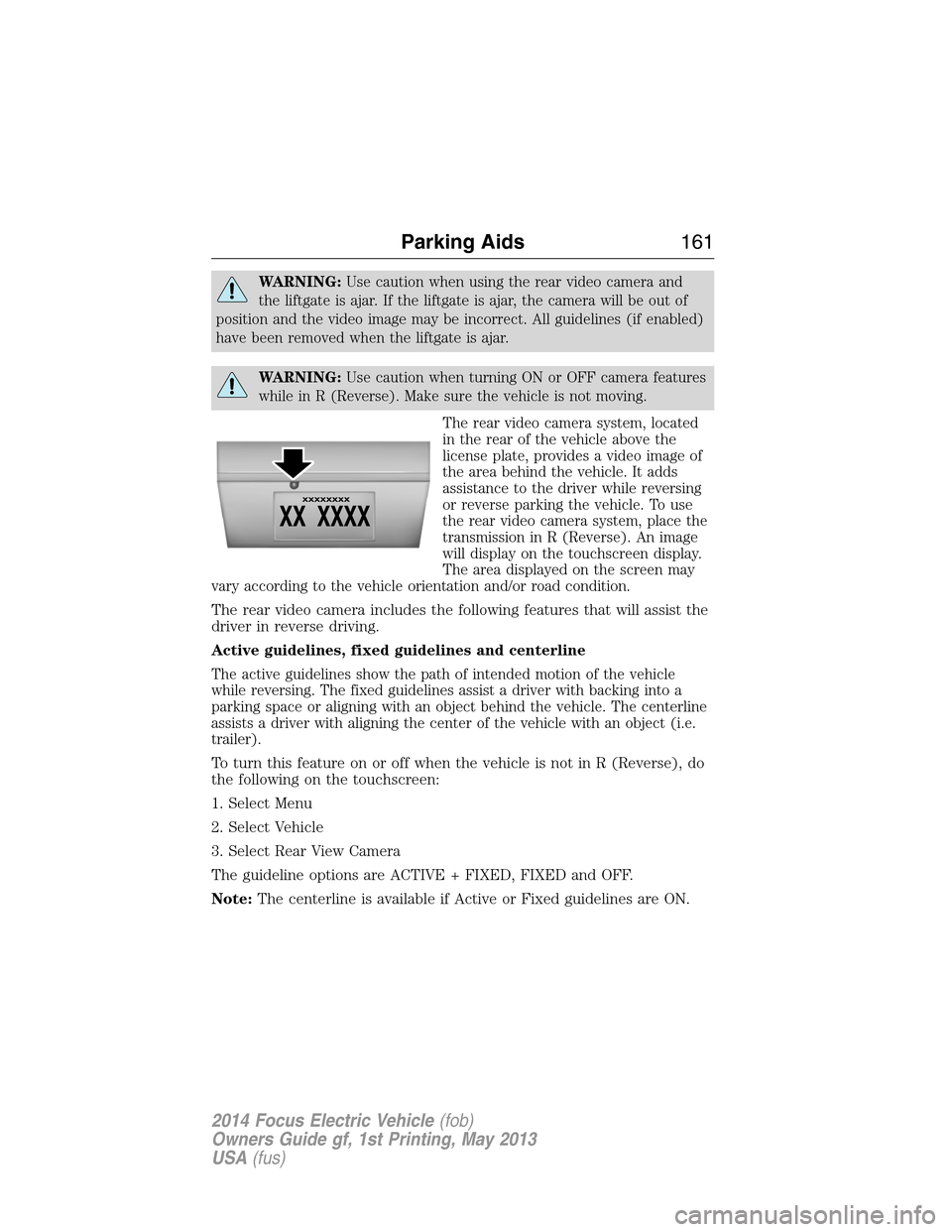
The rear video camera system, located
in the rear of the vehicle above the
license plate, provides a video image of
the area behind the vehicle. It adds
assistance to the driver while reversing
or reverse parking the vehicle. To use
the rear video camera system, place the
transmission in R (Reverse). An image
will display on the touchscreen display.
The area displayed on the screen may
vary according to the vehicle orientation and/or road condition.
The rear video camera includes the following features that will assist the
driver in reverse driving.
Active guidelines, fixed guidelines and centerline
The active guidelines show the path of intended motion of the vehicle
while reversing. The fixed guidelines assist a driver with backing into a
parking space or aligning with an object behind the vehicle. The centerline
assists a driver with aligning the center of the vehicle with an object (i.e.
trailer).
To turn this feature on or off when the vehicle is not in R (Reverse), do
the following on the touchscreen:
1. Select Menu
2. Select Vehicle
3. Select Rear View Camera
The guideline options are ACTIVE + FIXED, FIXED and OFF.
Note:The centerline is available if Active or Fixed guidelines are ON.
Parking Aids161
2014 Focus Electric Vehicle(fob)
Owners Guide gf, 1st Printing, May 2013
USA(fus)
Page 164 of 403
Visual park aid alert (if equipped)
Visual park aid alert allows the driver to see the area that is causing the
reverse sensing system to beep. The visual alerts are red, yellow or green
highlights which appear on top of the video image when an object is
detected by the reverse sensing system. The visual alert will highlight
the closest object detected by the reverse sensing system. The reverse
sensing alert can be disabled and if visual park aid alert is enabled,
highlighted areas will still be displayed.
To turn this feature on or off when the vehicle is not in R (Reverse), do
the following on the touchscreen:
1. Select Menu
2. Select Vehicle
3. Select Rear View Camera
The visual park aid alert options are ON and OFF.
Note:The reverse sensing system is not effective at speeds above 8 mph
(12 km/h) and may not detect certain angular or moving objects.
Manual zoom
WARNING:When manual zoom is on, the full area behind the
vehicle is not shown. Be aware of your surroundings when using
the manual zoom feature.
Note:Manual zoom is only available when the transmission is in R
(Reverse).
Note:When manual zoom is enabled, only the centerline is shown.
Allows the driver to get a closer view of an object behind the vehicle.
The zoomed image keeps the bumper in the image to provide a
reference. The zoom is only active while the transmission is in R
(Reverse), When the transmission is shifted out of R (Reverse), the
feature automatically turns off and must be reset when it is used again.
Selectable settings for this feature are (+) and (-). The default setting
for the manual zoom is OFF.
Parking Aids163
2014 Focus Electric Vehicle(fob)
Owners Guide gf, 1st Printing, May 2013
USA(fus)
Page 175 of 403
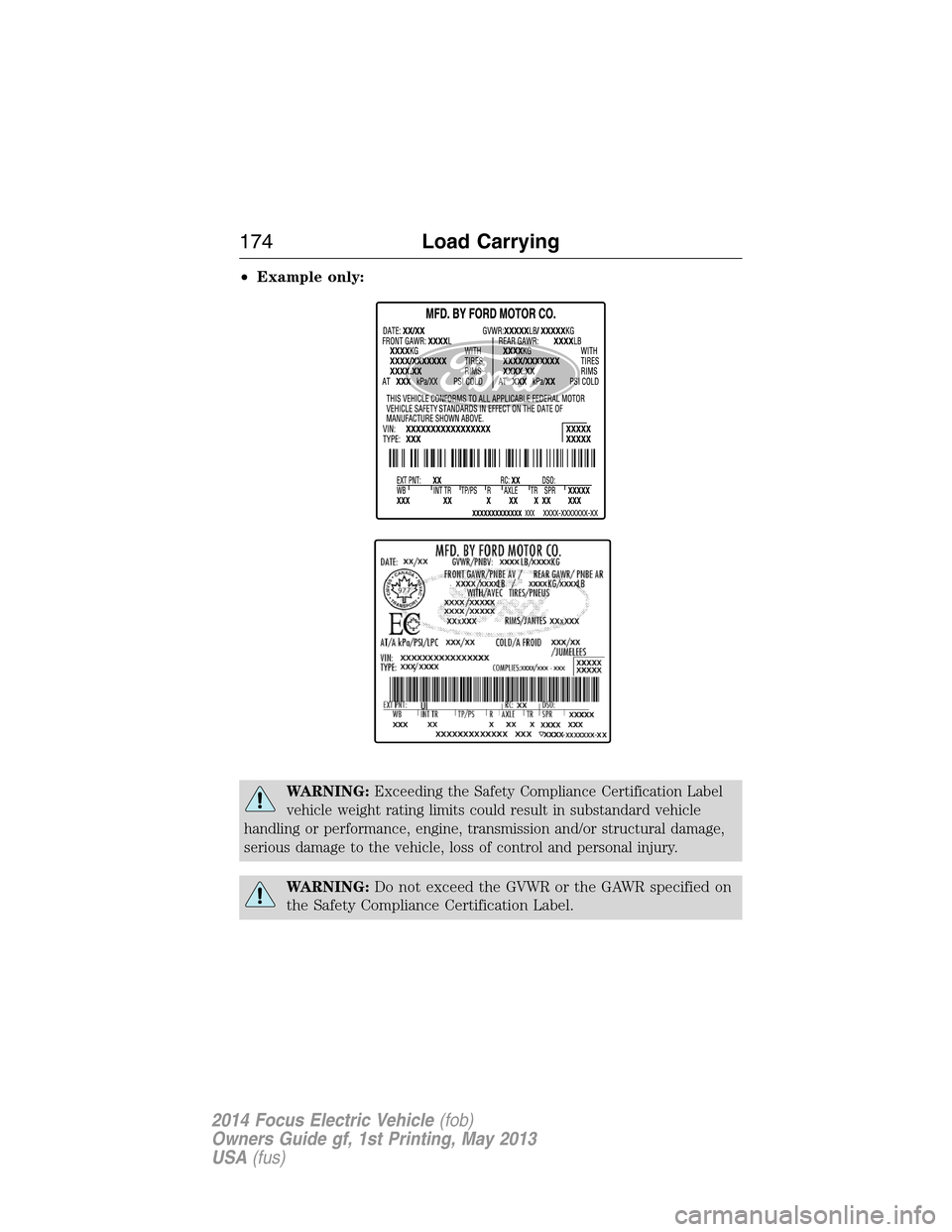
•Example only:
WARNING:Exceeding the Safety Compliance Certification Label
vehicle weight rating limits could result in substandard vehicle
handling or performance, engine, transmission and/or structural damage,
serious damage to the vehicle, loss of control and personal injury.
WARNING:Do not exceed the GVWR or the GAWR specified on
the Safety Compliance Certification Label.
174Load Carrying
2014 Focus Electric Vehicle(fob)
Owners Guide gf, 1st Printing, May 2013
USA(fus)
Page 179 of 403
Ford Motor Company produces a towing manual for all authorized tow
truck operators. Have your tow truck operator refer to this manual for
proper hook-up and towing procedures for your vehicle.
It is acceptable to have your vehicle towed from the front if using proper
wheel lift equipment to raise the front wheels off the ground. When
towing in this manner, the rear wheels can remain on the ground.
The front wheels must be on a tow dolly when towing your vehicle from
the rear using wheel lift equipment. This prevents damage to the
transmission.
TOWING THE VEHICLE ON FOUR WHEELS
Emergency Towing
If your vehicle becomes inoperable (without access to wheel dollies,
car-hauling trailer, or flatbed transport vehicle), it can be flat-towed (all
wheels on the ground, regardless of the powertrain and transmission
configuration) under the following conditions:
•Your vehicle is facing forward for towing in a forward direction.
•
Place the transmission in positionN.SeeAutomatic transmissionin
theTransmissionchapter if you cannot move the transmission intoN.
•Maximum speed is 35 mph (56 km/h).
•Maximum distance is 50 miles (80 kilometers).
Recreational Towing
Follow these guidelines if you have a need for recreational towing,
such as towing your vehicle behind a motorhome. We designed these
guidelines to prevent damage to your transmission.
Do not tow your vehicle with any wheels on the ground, as vehicle or
transmission damage may occur. It is recommended to tow your vehicle
with all four (4) wheels off the ground such as when using a car-hauling
trailer. Otherwise, you cannot tow your vehicle.
178Towing
2014 Focus Electric Vehicle(fob)
Owners Guide gf, 1st Printing, May 2013
USA(fus)
Page 180 of 403

BREAKING-IN
You need to break in new tires for approximately 300 miles
(480 kilometers). During this time, your vehicle may exhibit some unique
driving characteristics. Avoid driving too fast during the first 1000 miles
(1600 kilometers). Vary your speed frequently and change up through
the gears early. Do not labor the engine. Do not tow during the first
1000 miles (1600 kilometers).
DRIVING THROUGH WATER
Note:Driving through deep water may allow water into the transmission
and motor causing internal damage. If you drove through deep water,
check the transmission and engine; if water is found, replace the fluid.
Do not drive quickly through standing water, especially if the depth is
unknown. Traction or brake capability may be limited and if enough
water is present, the vehicle may stall.
If driving through deep or standing
water is unavoidable , proceed very
slowly. Never drive through water
that is higher than the bottom of
the wheel rims.
Once through the water, always try the brakes. Wet brakes do not stop
the vehicle as effectively as dry brakes. Drying can be improved by
moving your vehicle slowly while applying light pressure on the brake
pedal.
Driving Hints179
2014 Focus Electric Vehicle(fob)
Owners Guide gf, 1st Printing, May 2013
USA(fus)
Page 185 of 403
HIGH-VOLTAGE SHUTOFF
In the event of a crash:
•Take the same actions as you would take in a crash involving a
gasoline-powered vehicle — exit the vehicle safely or await the
assistance of an emergency responder if they are unable to get out on
their own, move a safe distance away from the vehicle, and notify the
authorities of the crash.
•If possible, inform emergency responders that the vehicle is electric
powered.
•Vehicle owners should not store a severely damaged vehicle in a
garage or near other vehicles.
The high-voltage shutoff operation shuts off power from the high voltage
battery after a collision, or if your vehicle receives a substantial physical
jolt.
To reactivate the vehicle after either event perform the following steps:
1. Press the POWER START/STOP button to power the vehicle on.
2. Press the POWER START/STOP button to power the vehicle off.
3. Press the POWER START/STOP button to power the vehicle on again.
Note:After completing this procedure the vehicle will detect if the
electrical system is safe and reactivate automatically. Once your vehicle
determines the electrical system safe you can start your vehicle as you
would normally by pressing the brake pedal in combination with the
POWER START/STOP button.
JUMP STARTING THE VEHICLE (12 VOLT BATTERY ONLY)
WARNING:Batteries contain sulfuric acid which can burn skin,
eyes and clothing, if contacted.
Note:This procedure is only for the low voltage, 12 volt underhood
battery only. Do not attempt to jump start your high-voltage battery.
Do not attempt to push-start your automatic transmission vehicle.
Automatic transmissions do not have push-start capability. Attempting
to push-start a vehicle with an automatic transmission may cause
transmission damage.
184Roadside Emergencies
2014 Focus Electric Vehicle(fob)
Owners Guide gf, 1st Printing, May 2013
USA(fus)