2014 FORD F150 ESP
[x] Cancel search: ESPPage 85 of 472

Engine Oil Pressure Gauge
Indicates engine oil pressure. The needle
should stay in the normal operating range
(between L and H). If the needle falls
below the normal range, stop the vehicle,
turn off the engine and check the engine
oil level. Add oil if needed. If the oil level is
correct, have your vehicle checked by your
authorized dealer.
Engine Coolant Temperature
Gauge
WARNING
Never remove the coolant reservoir
cap while the engine is running or hot.
Indicates engine coolant temperature. At
normal operating temperature, the level
indicator will be in the normal range. If the
engine coolant temperature exceeds the
normal range, stop the vehicle as soon as
safely possible, switch off the engine and
let the engine cool.
Fuel Gauge
Switch the ignition on. The fuel gauge will
indicate approximately how much fuel is
left in the fuel tank. The fuel gauge may
vary slightly when your vehicle is moving
or on a gradient. The arrow adjacent to the
fuel pump symbol indicates on which side
of the vehicle the fuel filler door is located.
Transmission Fluid Temperature
Gauge
Indicates transmission fluid temperature.
At normal operating temperature, the level
indicator will be in the normal range. If the
transmission fluid temperature exceeds
the normal range, stop the vehicle as soon
as safely possible and verify the airflow is
not restricted such as snow or debris
blocking airflow through the grill. Also,
higher than normal operating temperature can be caused by special operation
conditions (i.e. snowplowing, towing or
off-road use). Refer to Special operating
conditions in the scheduled maintenance
information for instructions. Operating the
transmission for extended periods of time
with the gauge in the higher than normal
area may cause internal transmission
damage. Altering the severity of the driving
conditions is recommended to lower the
transmission temperature into the normal
range. If the gauge continues to show high
temperatures, see your authorized dealer.
Information Display
Odometer
Located in the bottom of the information
display Registers the accumulated
distance your vehicle has traveled.
Trip Computer
See General Information (page 87).
Vehicle Settings and Personalization
See
General Information (page 87).
WARNING LAMPS AND
INDICATORS
The following warning lamps and
indicators will alert you to a vehicle
condition that may become serious. Some
lamps will illuminate when you start your
vehicle to make sure they work. If any
lamps remain on after starting your vehicle,
refer to the respective system warning
lamp for further information.
Note: Some warning indicators appear in
the information display and function the
same as a warning lamp but do not display
when you start your vehicle.
82
F150 (TF6) , enUSA Instrument Cluster
Page 87 of 472

Note:
Do not resume your journey if it
illuminates despite the level being correct.
Have the system checked by your authorized
dealer immediately.
Fasten Safety Belt It will illuminate and a chime will
sound to remind you to fasten
your safety belt.
Front Airbag If it fails to illuminate when you
start your vehicle, continues to
flash or remains on, it indicates
a malfunction. Have the system checked
by your authorized dealer.
High Beam Illuminates when you switch the
high beam headlamps on. It will
flash when you use the
headlamp flasher.
Hill Descent (If Equipped) Illuminates when hill descent is
switched on.
Low Fuel Level Illuminates when the fuel level
is low or the fuel tank is nearly
empty. Refuel as soon as
possible.
Low Tire Pressure Warning Illuminates when your tire
pressure is low. If the lamp
remains on with the engine
running or when driving, check
your tire pressure as soon as possible. It will also illuminate momentarily when
you switch the ignition on to confirm the
lamp is functional. If it does not illuminate
when you switch the ignition on, or begins
to flash at any time, have the system
checked by your authorized dealer.
Powertrain Malfunction/Reduced
Power/Electronic Throttle Control
Illuminates when a powertrain
or an AWD fault has been
detected. Contact your
authorized dealer as soon as possible.
Service Engine Soon If the service engine soon
indicator light stays illuminated
after the engine is started, it
indicates that the On-Board Diagnostics
(OBD-II) system has detected a
malfunction of the vehicle emissions
control system. Refer to On-Board
Diagnostics (OBD-II) in the Fuel and
Refueling chapter for more information
about having your vehicle serviced. See
Emission Control System
(page 144).
If the light is blinking, engine misfire is
occurring which could damage your
catalytic converter. Drive in a moderate
fashion (avoid heavy acceleration and
deceleration) and have your vehicle
serviced immediately.
Note: Under engine misfire conditions,
excessive exhaust temperatures could
damage the catalytic converter or other
vehicle components.
The service engine soon indicator light
illuminates when the ignition is first turned
on prior to engine start to check the bulb
and to indicate whether the vehicle is ready
for Inspection/Maintenance (I/M) testing.
84
F150 (TF6) , enUSA Instrument Cluster E163171
Page 90 of 472
GENERAL INFORMATION
WARNING
Driving while distracted can result in
loss of vehicle control, crash and
injury. We strongly recommend that
you use extreme caution when using any
device that may take your focus off the
road. Your primary responsibility is the safe
operation of your vehicle. We recommend
against the use of any handheld device
while driving and encourage the use of
voice-operated systems when possible.
Make sure you are aware of all applicable
local laws that may affect the use of
electronic devices while driving. Various systems on your vehicle can be
controlled using the information display
controls on the steering wheel.
Corresponding information is displayed in
the information display.
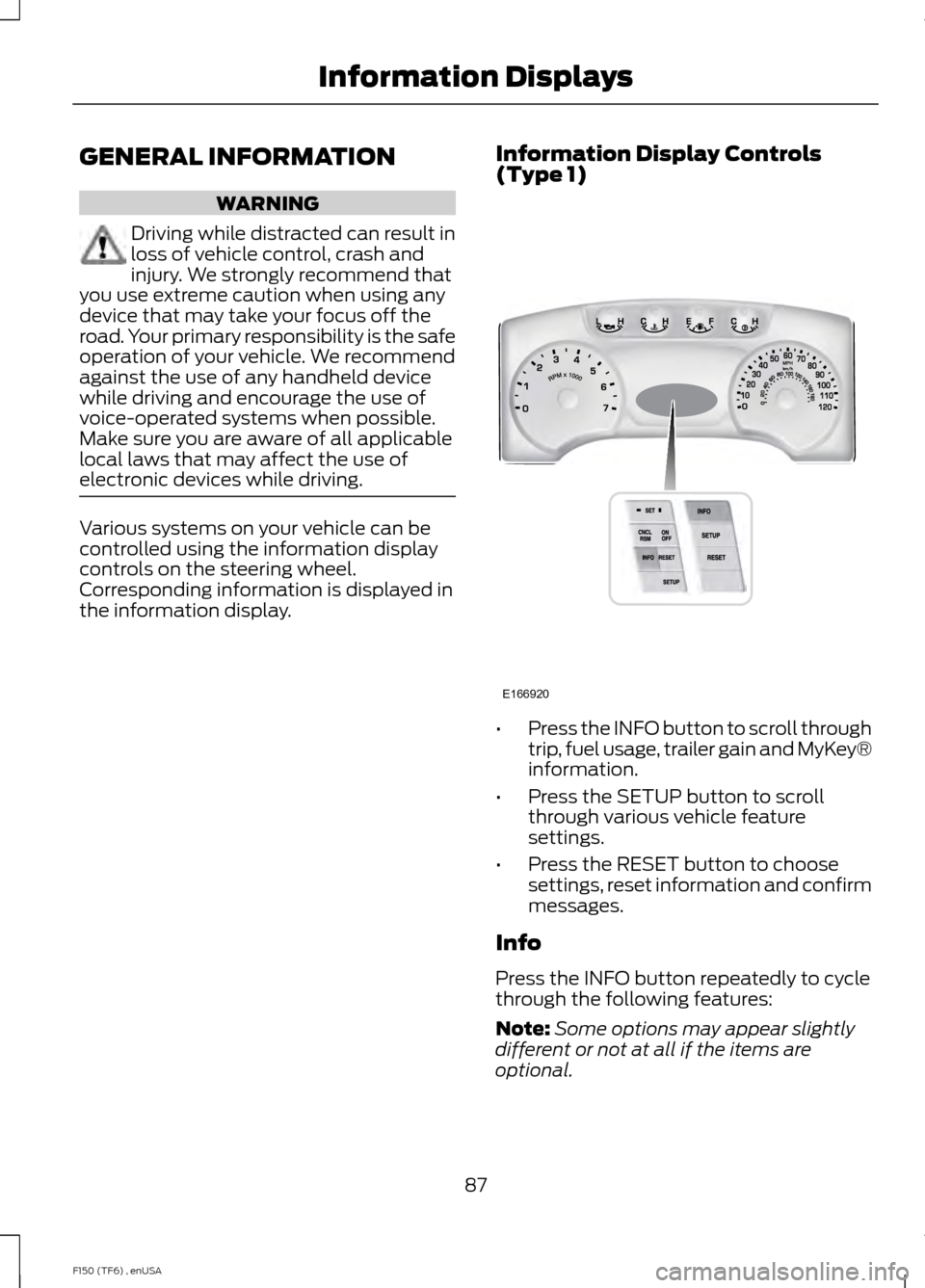
Information Display Controls
(Type 1) •
Press the INFO button to scroll through
trip, fuel usage, trailer gain and MyKey®
information.
• Press the SETUP button to scroll
through various vehicle feature
settings.
• Press the RESET button to choose
settings, reset information and confirm
messages.
Info
Press the INFO button repeatedly to cycle
through the following features:
Note: Some options may appear slightly
different or not at all if the items are
optional.
87
F150 (TF6) , enUSA Information DisplaysE166920
Page 100 of 472
Settings (cont’
d)
Hold OK to create MyKey
Create MyKey
MyKey
Always On or Selectable
AdvanceTrac
80 MPH (130 km/h) or Off
MAX Speed
45, 55 or 65 MPH (75, 90 or 105 km/h), Off
Speed Warning
On or Off
Volume Limiter
Hold OK to Clear MyKey
Clear MyKey
English, Español, Français (Hold OK to Set)
Language
Miles & Gallons
Distance
Units
L/100km
km/L
Celsius (°C)
Temperature
Fahrenheit (°F)
Information In this mode, you can view
different vehicle system
information and perform a
system check. Information
MyKeys (Number of MyKeys programmed)
MyKey
Admin Keys (Number of admin keys)
MyKey Miles (km) (Distance traveled using a programmed
MyKey)
Some items will only display during a system check if a
problem has been detected. If an issue exists on one of
the monitored systems, the number of warnings that need
immediate attention will display in red and the number of
informational warnings will display in amber. Use the up/
down arrow buttons to scroll through the list; press the
right arrow button to display specific information on the
highlighted warning
System Check
97
F150 (TF6) , enUSA Information DisplaysE144642
Page 107 of 472

Tire Pressure Monitoring System
Action
Message
Displays when one or more tires on your vehicle have low tire
pressure. See Tire Pressure Monitoring System (page 283).
LOW TIRE PRESSURE
Displays when the tire pressure monitoring system is
malfunctioning. If the warning stays on or continues to come on, contact your authorized dealer. See
Tire Pressure
Monitoring System (page 283).
TIRE PRESSURE
MONITOR FAULT
Displayed when a tire pressure sensor is malfunctioning, oryour spare tire is in use. For more information on how the
system operates under these conditions, see See Tire Pres-
sure Monitoring System (page 283). If the warning stays on or continues to come on, contact your authorized dealer as soon as possible.
TIRE PRESSURE
SENSOR FAULT
Trailer Action
Message
Displays the current gain setting for the trailer brake.
TRAILER BRAKE GAIN: XX.X
[OUTPUT]
Displays the current gain setting for the trailer brakewhen a trailer is not connected.
TRAILER BRAKE GAIN: XX.X NO
TRAILER
Displayed and accompanied by a single chime, in
response to faults sensed by the TBC. See
Trailer
Sway Control (page 192).
TRAILER BRAKE MODULE
FAULT
Displays when a correct trailer connection (a trailerwith electric trailer brakes) is sensed during a given ignition cycle.
TRAILER CONNECTED
104
F150 (TF6) , enUSA Information Displays
Page 123 of 472
Returning the Seat to the Seating
Position
WARNING
Make sure that cargo or any objects
are not trapped underneath the seat
cushion before returning the seat
cushion to its original position, and that the
seat cushion locks into place. Failure to do
so may prevent the seat from operating
properly in the event of a crash, which
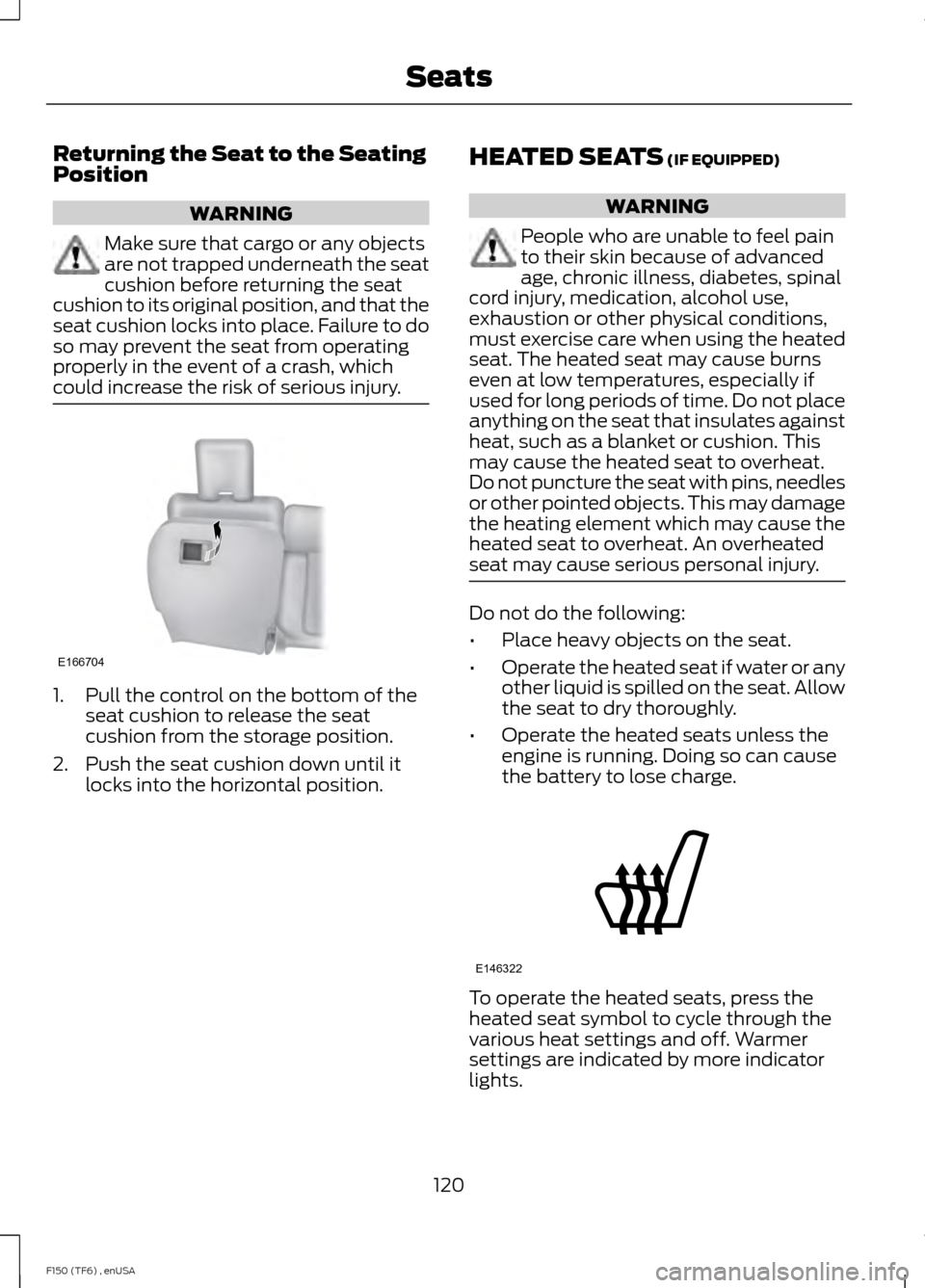
could increase the risk of serious injury. 1. Pull the control on the bottom of the
seat cushion to release the seat
cushion from the storage position.
2. Push the seat cushion down until it locks into the horizontal position. HEATED SEATS (IF EQUIPPED) WARNING
People who are unable to feel pain
to their skin because of advanced
age, chronic illness, diabetes, spinal
cord injury, medication, alcohol use,
exhaustion or other physical conditions,
must exercise care when using the heated
seat. The heated seat may cause burns
even at low temperatures, especially if
used for long periods of time. Do not place
anything on the seat that insulates against
heat, such as a blanket or cushion. This
may cause the heated seat to overheat.
Do not puncture the seat with pins, needles
or other pointed objects. This may damage
the heating element which may cause the
heated seat to overheat. An overheated
seat may cause serious personal injury. Do not do the following:
•
Place heavy objects on the seat.
• Operate the heated seat if water or any
other liquid is spilled on the seat. Allow
the seat to dry thoroughly.
• Operate the heated seats unless the
engine is running. Doing so can cause
the battery to lose charge. To operate the heated seats, press the
heated seat symbol to cycle through the
various heat settings and off. Warmer
settings are indicated by more indicator
lights.
120
F150 (TF6) , enUSA SeatsE166704 E146322
Page 124 of 472
Rear Heated Seats (If Equipped)
WARNING
People who are unable to feel pain
to the skin because of advanced age,
chronic illness, diabetes, spinal cord
injury, medication, alcohol use, exhaustion,
or other physical conditions, must exercise
care when using the seat heater. The seat
heater may cause burns even at low
temperatures, especially if used for long
periods of time. Do not place anything on
the seat that insulates against heat, such
as a blanket or cushion, because this may
cause the seat heater to overheat. Do not
puncture the seat with pins, needles, or
other pointed objects because this may
damage the heating element which may
cause the seat heater to overheat. An
overheated seat may cause serious
personal injury. Do not do the following:
•
Place heavy objects on the seat.
• Operate the seat heater if water or any
other liquid is spilled on the seat. Allow
the seat to dry thoroughly.
The rear seat heat controls are located on
the rear door armrest.
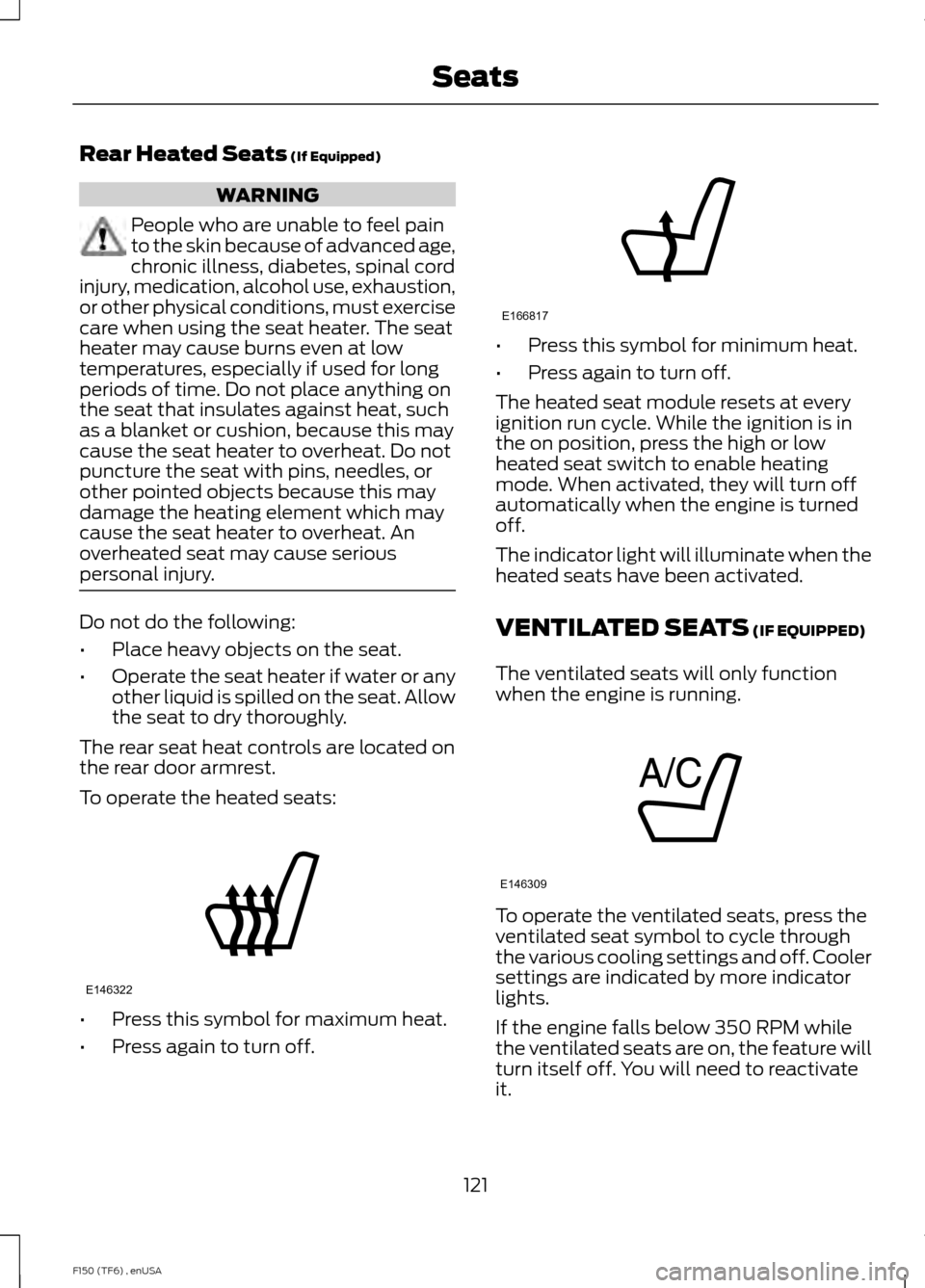
To operate the heated seats: •
Press this symbol for maximum heat.
• Press again to turn off. •
Press this symbol for minimum heat.
• Press again to turn off.
The heated seat module resets at every
ignition run cycle. While the ignition is in
the on position, press the high or low
heated seat switch to enable heating
mode. When activated, they will turn off
automatically when the engine is turned
off.
The indicator light will illuminate when the
heated seats have been activated.
VENTILATED SEATS
(IF EQUIPPED)
The ventilated seats will only function
when the engine is running. To operate the ventilated seats, press the
ventilated seat symbol to cycle through
the various cooling settings and off. Cooler
settings are indicated by more indicator
lights.
If the engine falls below 350 RPM while
the ventilated seats are on, the feature will
turn itself off. You will need to reactivate
it.
121
F150 (TF6) , enUSA SeatsE146322 E166817 E146309
Page 128 of 472
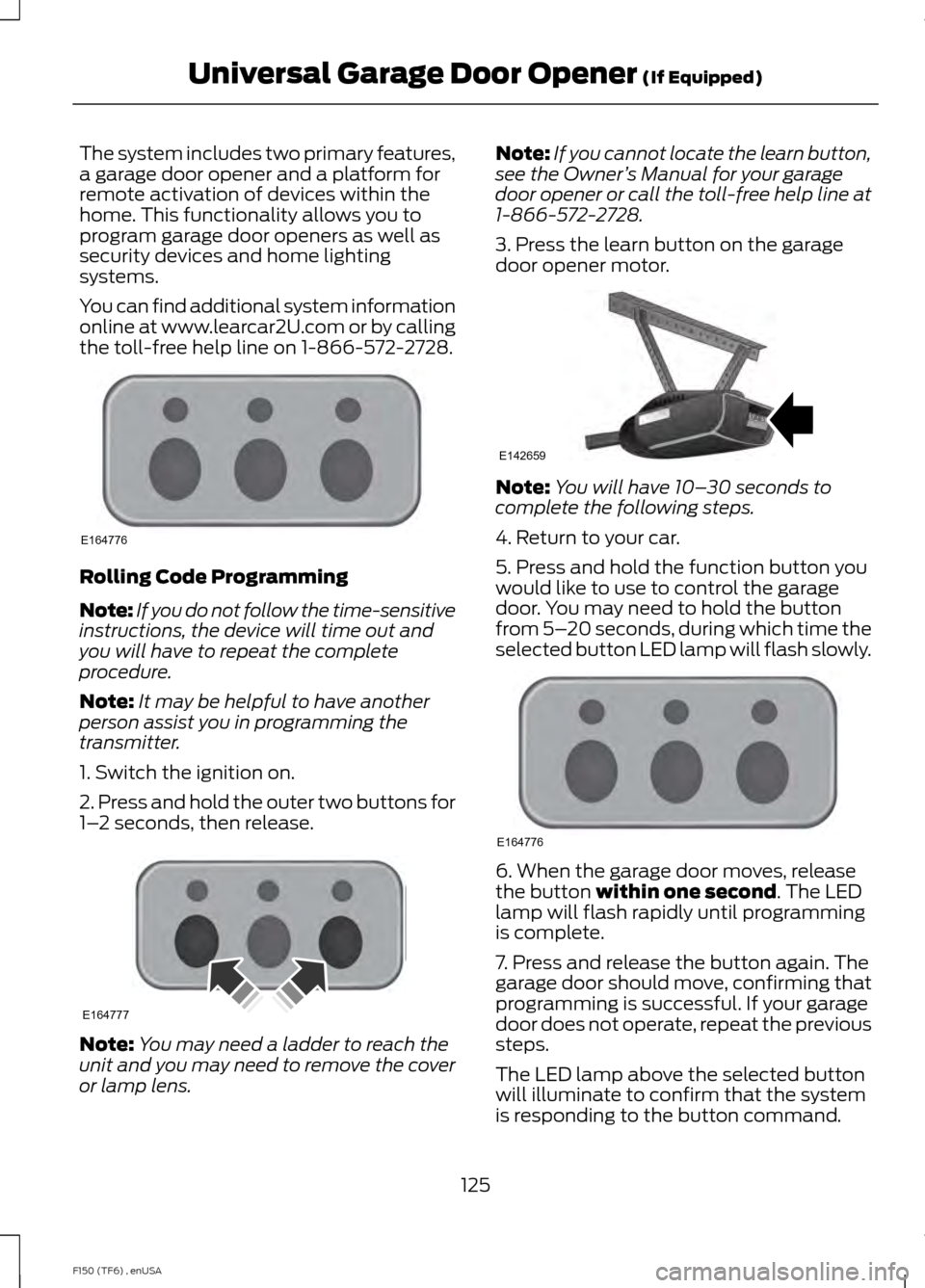
The system includes two primary features,
a garage door opener and a platform for
remote activation of devices within the
home. This functionality allows you to
program garage door openers as well as
security devices and home lighting
systems.
You can find additional system information
online at www.learcar2U.com or by calling
the toll-free help line on 1-866-572-2728.
Rolling Code Programming
Note:
If you do not follow the time-sensitive
instructions, the device will time out and
you will have to repeat the complete
procedure.
Note: It may be helpful to have another
person assist you in programming the
transmitter.
1. Switch the ignition on.
2. Press and hold the outer two buttons for
1– 2 seconds, then release. Note:
You may need a ladder to reach the
unit and you may need to remove the cover
or lamp lens. Note:
If you cannot locate the learn button,
see the Owner ’s Manual for your garage
door opener or call the toll-free help line at
1-866-572-2728.
3. Press the learn button on the garage
door opener motor. Note:
You will have 10– 30 seconds to
complete the following steps.
4. Return to your car.
5. Press and hold the function button you
would like to use to control the garage
door. You may need to hold the button
from 5– 20 seconds, during which time the
selected button LED lamp will flash slowly. 6. When the garage door moves, release
the button within one second. The LED
lamp will flash rapidly until programming
is complete.
7. Press and release the button again. The
garage door should move, confirming that
programming is successful. If your garage
door does not operate, repeat the previous
steps.
The LED lamp above the selected button
will illuminate to confirm that the system
is responding to the button command.
125
F150 (TF6) , enUSA Universal Garage Door Opener
(If Equipped)E164776 E164777 E142659 E164776