Page 95 of 476

The Climate Control system carries out the following
operations:
•Turns on the air conditioning compressor when en-
vironmental conditions are suitable.
• Turns air recirculation off.
• Sets blower fan to the maximum speed.
• Directs air flow to windshield and front side window
diffusers.
• Activates the heated rear window defrost.
• Activates the heated windshield (if equipped).
• Displays the fan speed (Blower Control Indicator
LED illuminated).
When the function is activated, the AUTO button LED
turns off. With the function activated, the only possible
manual adjustments are pushing the A/C control but-
ton, adjusting the fan speed and turning the heated rear
window off.
When the Recirculation Control or AUTO buttons are
pushed, the Climate Control system will deactivate the
Front Defrost (MAX-DEF) function. Selecting the footwell/windshield or only windshield
distribution activates the Climate Control system com-
pressor and the air recirculation is set to outside air
intake.
This logic guarantees optimum visibility at the win-
dows. Max-defrost is also available in manual mode.
Rear Window Defrosting
Push and release the rear window defrost button to turn
the function on/off.
Activation of this function is indicated by the rear
defrost indicator light on the instrument panel turning
on. The function is automatically deactivated after 20
minutes. If equipped, push the rear defrost button to
activate the defrosting of door mirrors and heated rear
window.
CAUTION!
To avoid causing damage to the rear window de-
froster heating filaments do not affix stickers or
other objects to the inside of the rear glass.
4
GETTING TO KNOW YOUR VEHICLE 93
Page 102 of 476
NOTE:
•If the window runs into any obstacle during auto-
closure, it will reverse direction and then go back
down. Remove the obstacle and use the window
switch again to close the window.
• Any impact due to rough road conditions may trig-
ger the auto-reverse function unexpectedly during
auto-closure. If this happens, pull the switch lightly
and hold to close the window manually.
WARNING!
There is no anti-pinch protection when the window
is almost closed. Be sure to clear all objects from the
window before closing.
Reset Auto-Up
Should the Auto-Up feature stop working, the window
probably needs to be reset. To reset Auto-Up:
1. Pull the window switch up to close the window completely and continue to hold the switch up for an
additional two seconds after the window is closed.
Wind Buffeting
Wind buffeting can be described as the perception of
pressure on the ears or a helicopter-type sound in the
ears. Your vehicle may exhibit wind buffeting with the
windows down, or the sunroof in certain open or
partially open positions. This is a normal occurrence
and can be minimized. If the buffeting occurs with the
rear windows open, open the front and rear windows
together to minimize the buffeting. If the buffeting
occurs with the sunroof open, adjust the sunroof open-
ing to minimize the buffeting or open any window.
POWER SUNROOF — IF EQUIPPED
The sunroof has two glass panels (the front one is
operational and the rear one fixed) and is equipped
with two manual operated sun blinds, front and rear.
The power sunroof can be operated only with the
ignition is placed in RUN mode.
The power sunroof switches are located in the overhead
console.
100 GETTING TO KNOW YOUR VEHICLE
Page 108 of 476
LIFTGATE
The liftgate release function is disabled when the ve-
hicle is in motion.
Opening
Opening From Outside
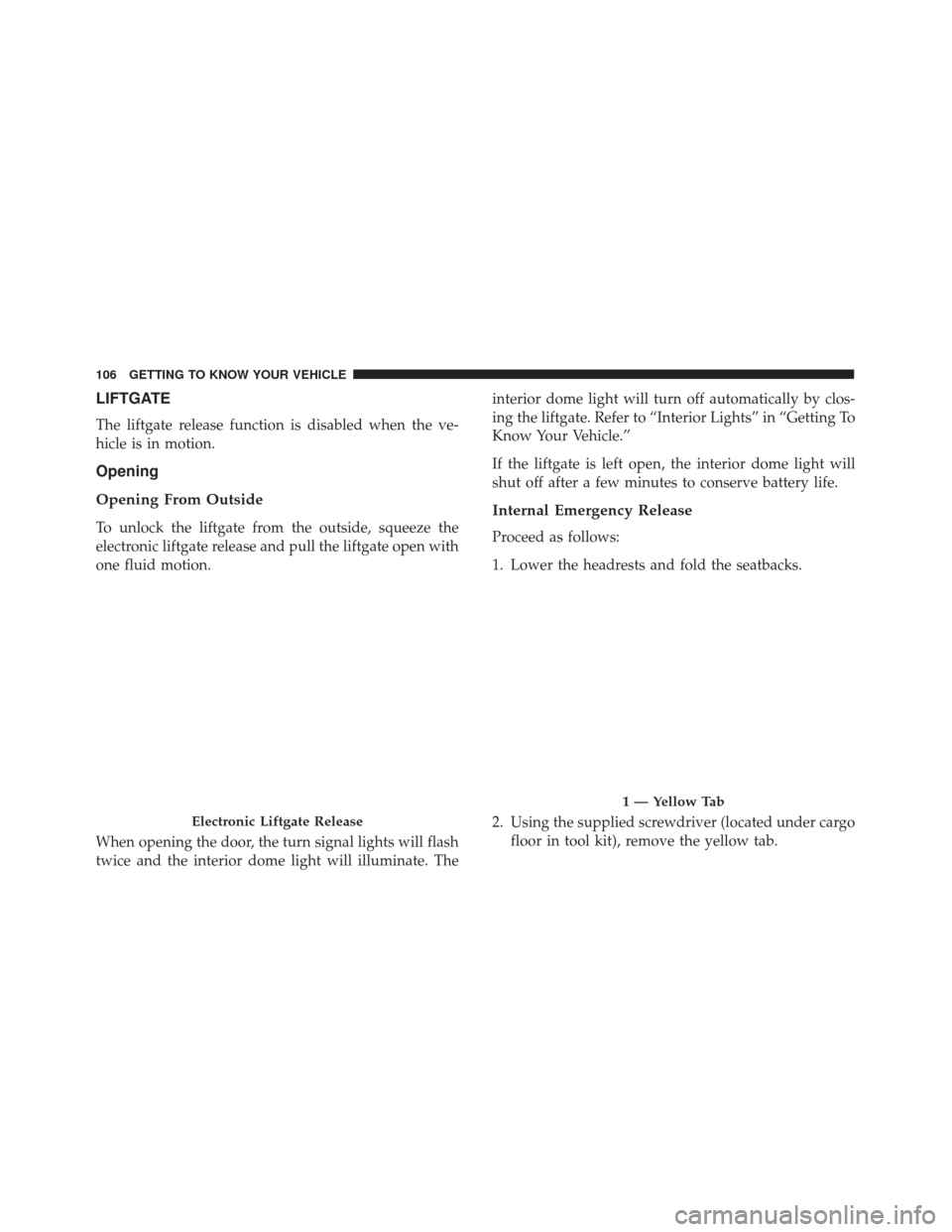
To unlock the liftgate from the outside, squeeze the
electronic liftgate release and pull the liftgate open with
one fluid motion.
When opening the door, the turn signal lights will flash
twice and the interior dome light will illuminate. Theinterior dome light will turn off automatically by clos-
ing the liftgate. Refer to “Interior Lights” in “Getting To
Know Your Vehicle.”
If the liftgate is left open, the interior dome light will
shut off after a few minutes to conserve battery life.
Internal Emergency Release
Proceed as follows:
1. Lower the headrests and fold the seatbacks.
2. Using the supplied screwdriver (located under cargo
floor in tool kit), remove the yellow tab.
Electronic Liftgate Release
1 — Yellow Tab
106 GETTING TO KNOW YOUR VEHICLE
Page 113 of 476
Lower Glove Compartment
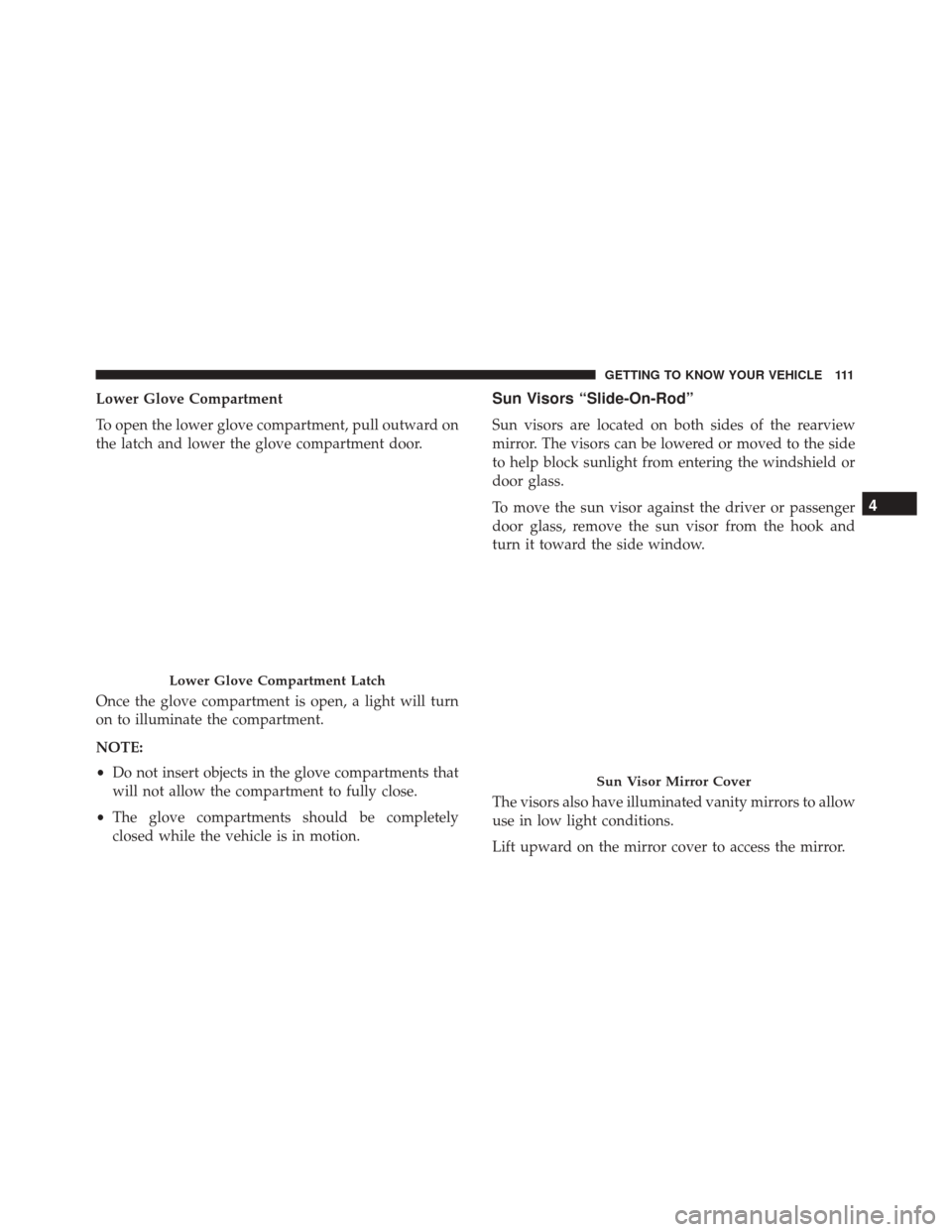
To open the lower glove compartment, pull outward on
the latch and lower the glove compartment door.
Once the glove compartment is open, a light will turn
on to illuminate the compartment.
NOTE:
•Do not insert objects in the glove compartments that
will not allow the compartment to fully close.
• The glove compartments should be completely
closed while the vehicle is in motion.Sun Visors “Slide-On-Rod”
Sun visors are located on both sides of the rearview
mirror. The visors can be lowered or moved to the side
to help block sunlight from entering the windshield or
door glass.
To move the sun visor against the driver or passenger
door glass, remove the sun visor from the hook and
turn it toward the side window.
The visors also have illuminated vanity mirrors to allow
use in low light conditions.
Lift upward on the mirror cover to access the mirror.
Lower Glove Compartment Latch
Sun Visor Mirror Cover
4
GETTING TO KNOW YOUR VEHICLE 111
Page 114 of 476
Extendible Sun Visor
To extend the sun visor, proceed as follows:
1. Place the sun visor against the door glass by detach-ing it from the hook and turning it toward the side
window.
2. Slide the visor.
3. Slide out the sun visor extender.Power Outlets
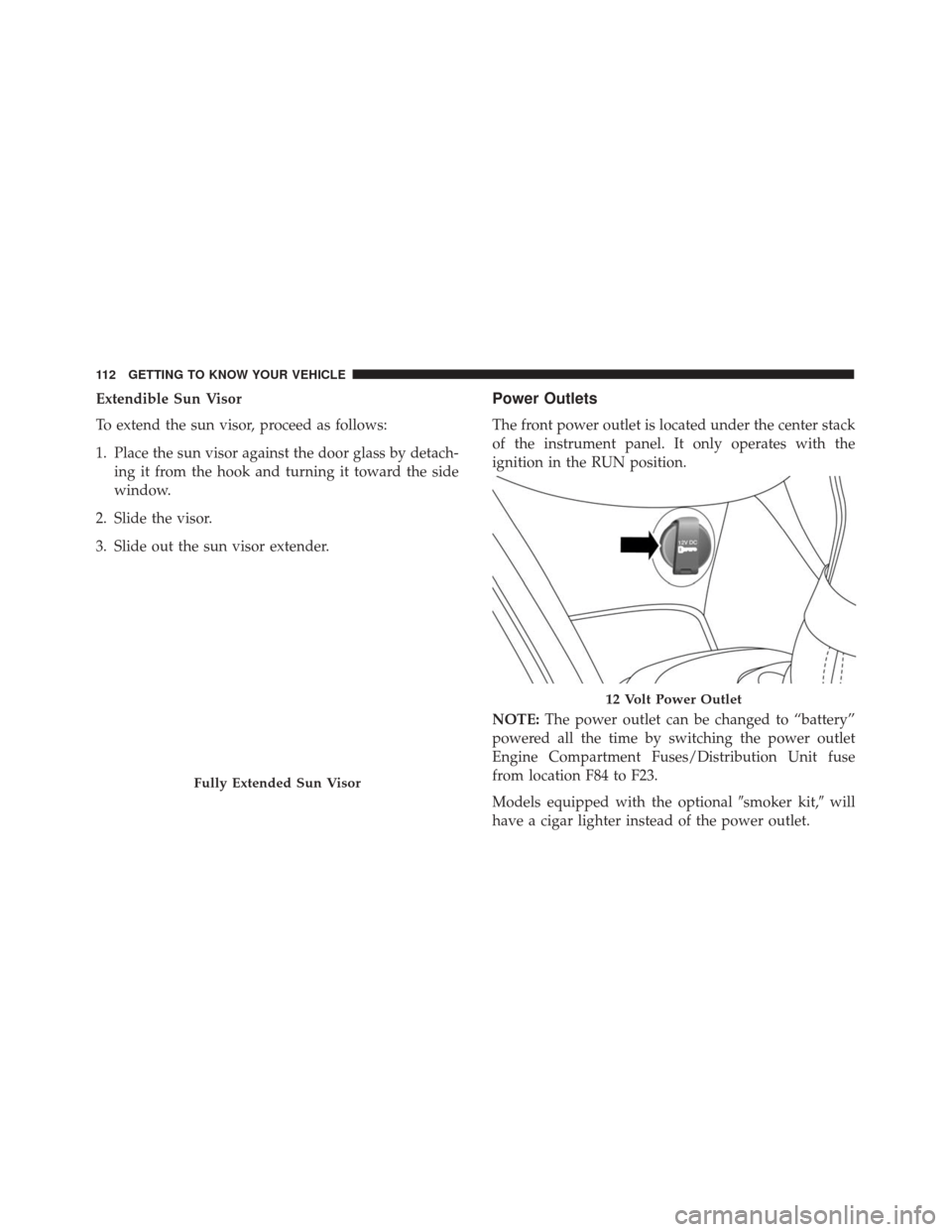
The front power outlet is located under the center stack
of the instrument panel. It only operates with the
ignition in the RUN position.
NOTE: The power outlet can be changed to “battery”
powered all the time by switching the power outlet
Engine Compartment Fuses/Distribution Unit fuse
from location F84 to F23.
Models equipped with the optional �smoker kit,�will
have a cigar lighter instead of the power outlet.
Fully Extended Sun Visor
12 Volt Power Outlet
112 GETTING TO KNOW YOUR VEHICLE
Page 115 of 476
WARNING!
To avoid serious injury or death:
•Only devices designed for use in this type of
outlet should be inserted into any 12 Volt outlet.
• Do not touch with wet hands.
• Close the lid when not in use and while driving
the vehicle.
• If this outlet is mishandled, it may cause an
electric shock and failure.
CAUTION!
Do not connect devices with power higher than 180
Watts (15 Amps) to the socket. Do not damage the
socket by using unsuitable adaptors. If the 180 Watt
(15 Amp) power rating is exceeded the fuse protect-
ing the system will need to be replaced.
CAUTION!
• Many accessories that can be plugged in draw
power from the vehicle’s battery, even when not
in use (i.e., cellular phones, etc.). Eventually, if
(Continued)
CAUTION! (Continued)
plugged in long enough, the vehicle’s battery will
discharge sufficiently to degrade battery life
and/or prevent the engine from starting.
• Accessories that draw higher power (i.e., coolers,
vacuum cleaners, lights, etc.) will degrade the
battery even more quickly. Only use these inter-
mittently and with greater caution.
• After the use of high power draw accessories, or
long periods of the vehicle not being started (with
accessories still plugged in), the vehicle must be
driven a sufficient length of time to allow the
generator to recharge the vehicle’s battery.
Cigar Lighter — If Equipped
NOTE: Cigar lighters can be purchased at an autho-
rized dealer through MOPAR parts. To ensure proper
cigar lighter operation, a MOPAR knob and element
must be used.
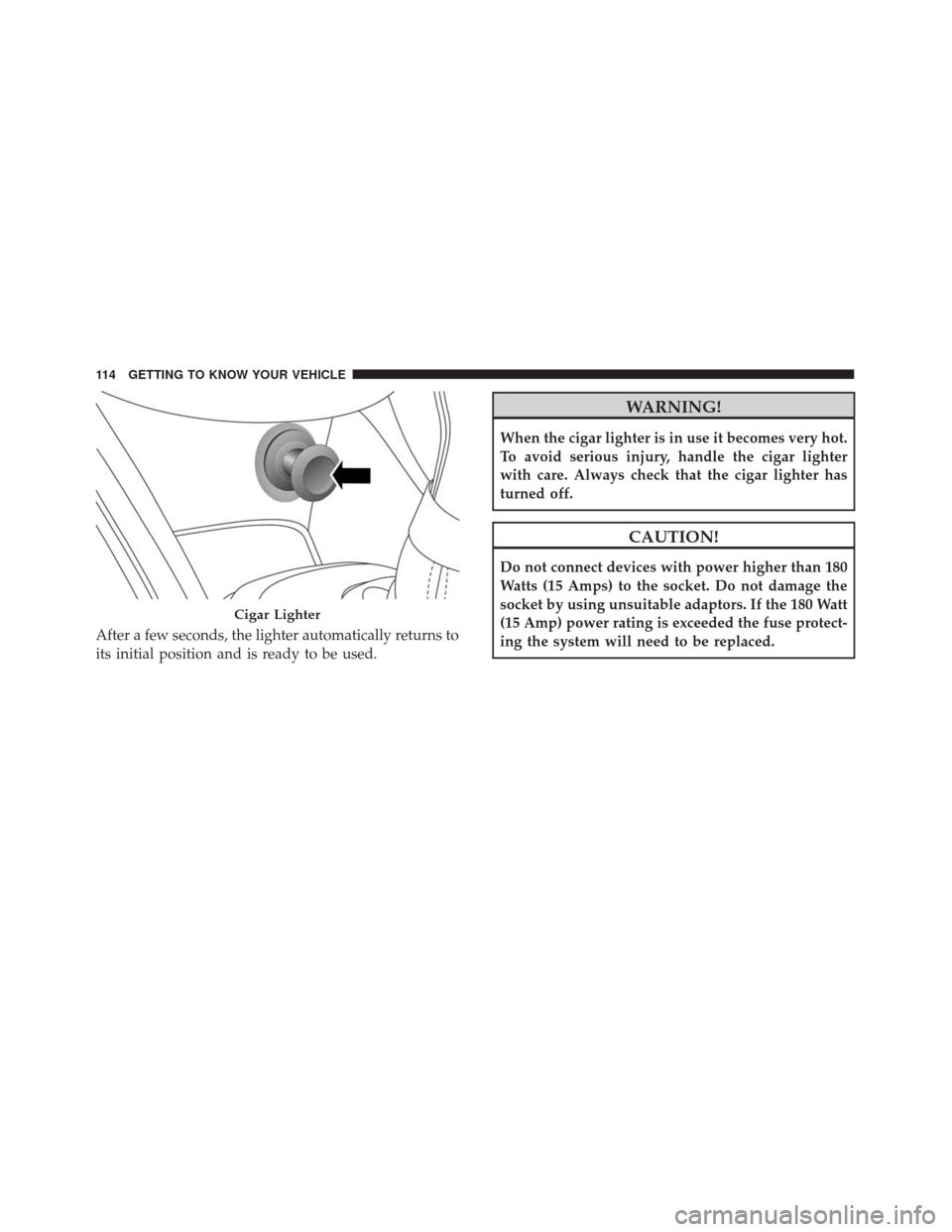
The cigar lighter is located on the center console. Push
lighter inward to heat.
4
GETTING TO KNOW YOUR VEHICLE 113
Page 116 of 476
After a few seconds, the lighter automatically returns to
its initial position and is ready to be used.
WARNING!
When the cigar lighter is in use it becomes very hot.
To avoid serious injury, handle the cigar lighter
with care. Always check that the cigar lighter has
turned off.
CAUTION!
Do not connect devices with power higher than 180
Watts (15 Amps) to the socket. Do not damage the
socket by using unsuitable adaptors. If the 180 Watt
(15 Amp) power rating is exceeded the fuse protect-
ing the system will need to be replaced.
Cigar Lighter
114 GETTING TO KNOW YOUR VEHICLE
Page 121 of 476
GETTING TO KNOW YOUR INSTRUMENT PANEL
CONTENTS
�INSTRUMENT CLUSTER ................120
� ONBOARD DIAGNOSTIC SYSTEM (OBD II) . .121
▫ Onboard Diagnostic System (OBD II)
Cybersecurity ...................... .122
� INSTRUMENT CLUSTER DISPLAY .........123
▫ Instrument Cluster Display Description .....123
▫ Mapping And Reconfigurable Zone Display — If
Equipped ......................... .123
▫ Instrument Cluster Display Control Buttons .124 ▫
Engine Oil Change Reset ...............125
▫ Instrument Cluster Display Main Menu .....125
� WARNING AND INDICATOR LIGHTS ......132
▫ Red Telltale Indicator Lights .............132
▫ Yellow Telltale Indicator Lights ...........140
▫ Green Telltale Indicator Lights ...........150
▫ White Telltale Indicator Lights ...........152
▫ Blue Telltale Indicator Lights ............152
5