Page 371 of 420
NOTE Not allBluetooth® devices enable to scroll
the information on the tracks. To consult the list of
audioBluetooth® devices and supported functions,
visit the www.fiat.it website (for Italy) or the
www.fiat.com website (for other countries) or call
Customer Service on 00800.3428.0000 (the number
may vary depending on the country: please refer to
the reference table in the "Customer Service number
list" paragraph herein).
Press the "Browse" button to activate this function
on the source being played.
Turn the BROWSE ENTER (7-fig. 1) button/knob to
select the desired category and then press the
button/knob to confirm the selection.
Press the "X" button to cancel the function.
NOTE The indexing time of a USB device can vary
according to the media inserted (in some cases it can
take a few minutes).
AUDIO SOURCE SELECTION
Press the "Source" button to select the desired audio
source among those available: CD, AUX, USB/iPod or
Bluetooth®.
If no source is selected, the screen disappears after a
few seconds and the display shows the main screen
again.TRACK INFORMATION DISPLAY
Press the "Info" button to show on the display the
information on the track being listened to for devices
that support the function.
Press the "X" button to exit the screen.
RANDOM TRACK REPRODUCTION
Press the ">" button then the "Shuffle" button to play
the tracks on CD, USB/iPod orBluetooth®in
random mode.
Press the "Shuffle" button again to deactivate the
function.
TRACK REPETITION
Press the ">" button then the "Repeat" button to
activate the function.
Press the "Repeat" button again to deactivate the
function.
367
Page 374 of 420
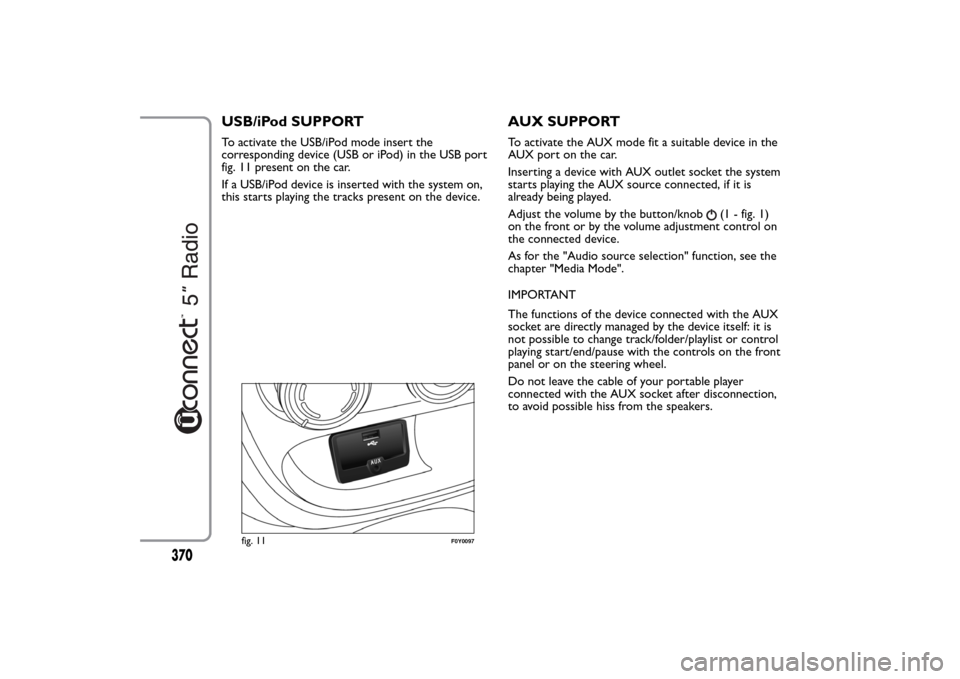
USB/iPod SUPPORTTo activate the USB/iPod mode insert the
corresponding device (USB or iPod) in the USB port
fig. 11 present on the car.
If a USB/iPod device is inserted with the system on,
this starts playing the tracks present on the device.
AUX SUPPORTTo activate the AUX mode fit a suitable device in the
AUX port on the car.
Inserting a device with AUX outlet socket the system
starts playing the AUX source connected, if it is
already being played.
Adjust the volume by the button/knob
(1 - fig. 1)
on the front or by the volume adjustment control on
the connected device.
As for the "Audio source selection" function, see the
chapter "Media Mode".
IMPORTANT
The functions of the device connected with the AUX
socket are directly managed by the device itself: it is
not possible to change track/folder/playlist or control
playing start/end/pause with the controls on the front
panel or on the steering wheel.
Do not leave the cable of your portable player
connected with the AUX socket after disconnection,
to avoid possible hiss from the speakers.
fig. 11
F0Y0097
370
Page 384 of 420
Activation
Press the "eco:Drive" button (see fig. 13) to interact
with the function.
To activate the function press the "eco:Drive ON"
button.
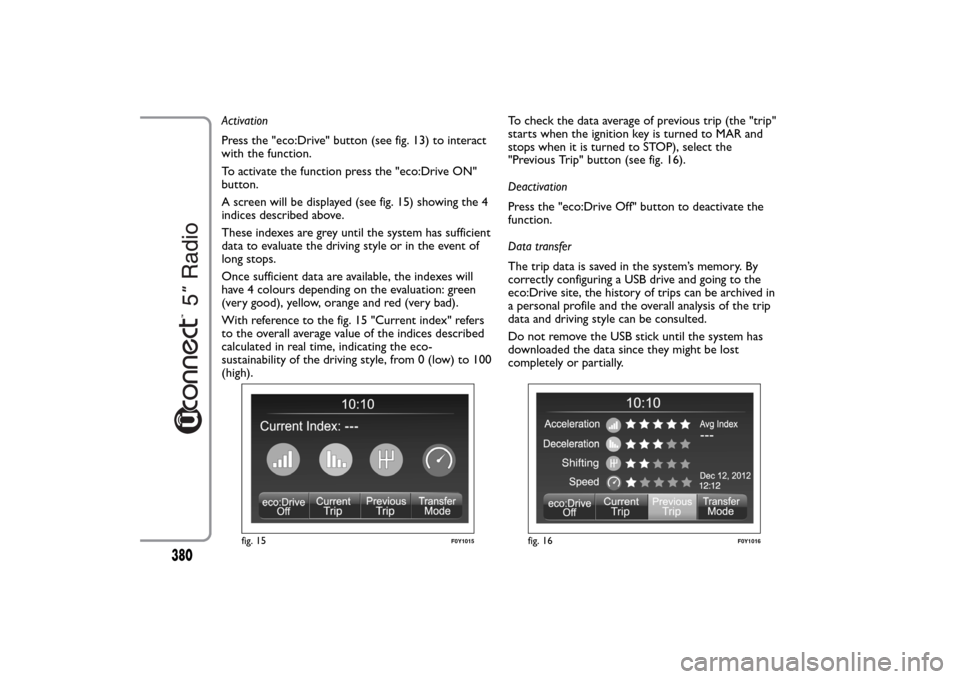
A screen will be displayed (see fig. 15) showing the 4
indices described above.
These indexes are grey until the system has sufficient
data to evaluate the driving style or in the event of
long stops.
Once sufficient data are available, the indexes will
have 4 colours depending on the evaluation: green
(very good), yellow, orange and red (very bad).
With reference to the fig. 15 "Current index" refers
to the overall average value of the indices described
calculated in real time, indicating the eco-
sustainability of the driving style, from 0 (low) to 100
(high).To check the data average of previous trip (the "trip"
starts when the ignition key is turned to MAR and
stops when it is turned to STOP), select the
"Previous Trip" button (see fig. 16).
Deactivation
Press the "eco:Drive Off" button to deactivate the
function.
Data transfer
The trip data is saved in the system’s memory. By
correctly configuring a USB drive and going to the
eco:Drive site, the history of trips can be archived in
a personal profile and the overall analysis of the trip
data and driving style can be consulted.
Do not remove the USB stick until the system has
downloaded the data since they might be lost
completely or partially.
fig. 15
F0Y1015
fig. 16
F0Y1016
380
Page 385 of 420
During the transfer of data to the USB drive,
messages may appear on the display to guide the user
correctly through the operation; follow these
instructions.
These messages are only displayed with ignition key
in STOP position and system off delay longer than 0
minutes.
NOTES
Warning messages will be displayed when the USB
storage device is full.
When the eco:Drive data is not transferred to USB
storage device for a long time, the internal memory
of theuconnect™ system may be exhausted.
Warning messages will also be displayed in these
circumstances: it will be necessary to connect the
USB storage device configured for eco:Drive in order
not to lose the saved data.
SETTINGS
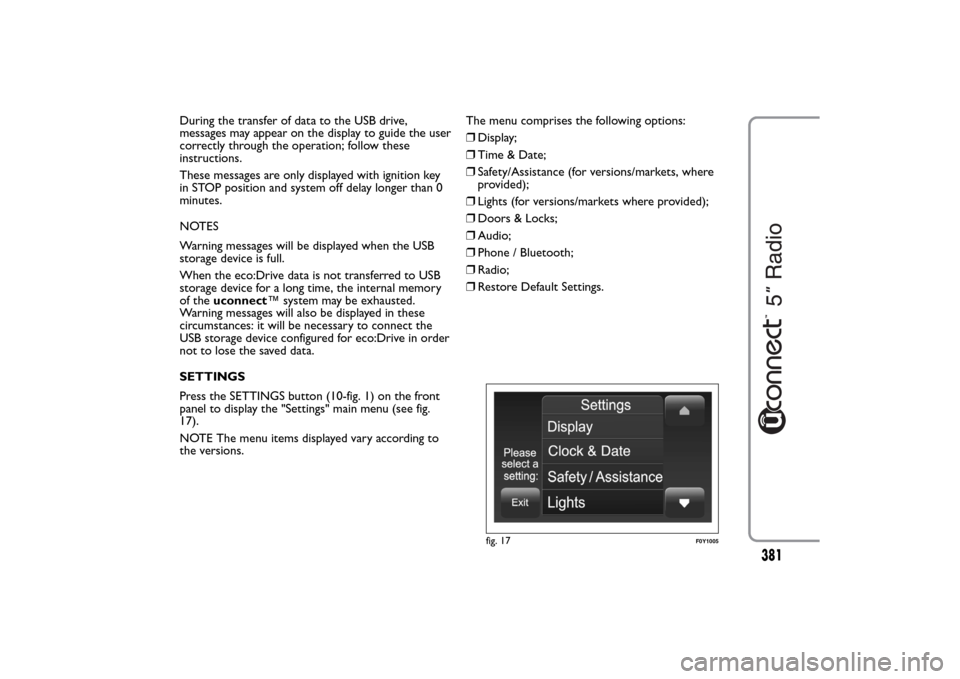
Press the SETTINGS button (10-fig. 1) on the front
panel to display the "Settings" main menu (see fig.
17).
NOTE The menu items displayed vary according to
the versions.The menu comprises the following options:
❒Display;
❒Time & Date;
❒Safety/Assistance (for versions/markets, where
provided);
❒Lights (for versions/markets where provided);
❒Doors & Locks;
❒Audio;
❒Phone / Bluetooth;
❒Radio;
❒Restore Default Settings.
fig. 17
F0Y1005
381
Page 389 of 420
VOICE COMMANDSUSE OF THE VOICE COMMANDS
Please follow the suggestions below to be sure that
the voice commands are always recognised by the
system:
❒speak at a normal volume;
❒always wait for the "beep" before speaking;
❒the system is capable of recognising the voice
commands given, irrespective of gender, by the
tone of voice and intonation of the person giving
the instructions;
❒if possible, try and keep the noise in the passenger
compartment to a minimum;
❒before giving voice commands, ask other
passengers not to talk. This is to prevent
misunderstanding since the system may recognise
other words (in addition to or different from your
voice command) if several people are speaking;
❒for optimum operation it is advisable to close the
windows and the sun roof (for versions/markets,
where provided) to avoid external interference.
IMPORTANT Voice commands must always be given
in safe driving conditions, in compliance with the laws
in force in the country where you are driving and
using the mobile phone correctly.USE OF STEERING WHEEL CONTROLS TO
ACTIVATE VOICE COMMANDS
"Phone" button
The button
on the steering wheel controls
activates the "Phone" voice recognition system to
make calls, display recent incoming and outgoing calls
and phonebook, etc.
Every time the button
is pressed, there is a "beep"
and the display shows a suggestion screen inviting the
user to say a command.
"Voice" button
The button
on the steering wheel controls
activates the "Radio/Media" voice recognition system
to:
❒tune to a specific radio station;
❒tune to a specific AF/FM radio frequency;
❒play a track on a USB memory stick/iPod/CD MP3;
❒play an album track on a USB memory
stick/iPod/CD MP3.
Every time the button
is pressed, there is a "beep"
and the display shows a suggestion screen inviting the
user to say a command.
385