2014 CHEVROLET CAMARO radio
[x] Cancel search: radioPage 107 of 432

Black plate (3,1)Chevrolet Camaro Owner Manual (GMNA-Localizing-U.S./Canada/Mexico-
6042601) - 2014 - CRC - 1/21/14
Instruments and Controls 5-3
b/g(Press to Talk):For vehicles
with Bluetooth®or OnStar®, press to
interact with those systems. See
Bluetooth (Voice Recognition) on
page 7-25 orBluetooth
(Infotainment Controls) on
page 7-21 orBluetooth (Overview)
on page 7-20 orOnStar Overview
on page 14-1.
$/i(Mute/End Call): Press to
reject an incoming call, or end a
current call. Press to silence the
vehicle speakers while using the
infotainment system. Press again to
turn the sound on.
_SRC^(Toggle Switch): Press to
select an audio source.
Turn up or down to select the next
or previous favorite radio station,
CD, or MP3 track.
+
x− (Volume): Press + or−to
increase or decrease the volume.
Horn
Pressaon the steering wheel pad
to sound the horn.
Windshield Wiper/Washer
The windshield wiper/washer lever
is on the right side of the steering
column. With the ignition in ACC/
ACCESSORY or ON/RUN, move
the windshield wiper lever to select
the wiper speed.
HI: Use for fast wipes.
LO: Use for slow wipes.
INT (Intermittent Wipes): Move
the lever up to INT for intermittent
wipes, then turn the
xINT band
up for more frequent wipes or down
for less frequent wipes.
OFF: Use to turn the wipers off.
8(Mist): For a single wipe, briefly
move the wiper lever down. For
several wipes, hold the wiper
lever down.
Clear snow and ice from the wiper
blades and windshield before using
them. If frozen to the windshield,
carefully loosen or thaw them.
Damaged blades should be
replaced. See Wiper Blade
Replacement on page 10-43.
Heavy snow or ice can overload the
wiper motor.
Page 108 of 432

Black plate (4,1)Chevrolet Camaro Owner Manual (GMNA-Localizing-U.S./Canada/Mexico-
6042601) - 2014 - CRC - 1/21/14
5-4 Instruments and Controls
Wiper Parking
If the ignition is turned to LOCK/
OFF while the wipers are on LO, HI,
or INT, they will immediately stop.
If the windshield wiper lever is then
moved to off before the driver door
is opened or within 10 minutes, the
wipers will restart and move to the
base of the windshield.
If the ignition is turned to LOCK/
OFF while the wipers are performing
wipes due to windshield washing,
the wipers continue to run until they
reach the base of the windshield.
nL(Windshield Washer): Pull
the windshield wiper lever toward
you to spray windshield washer fluid
and activate the wipers. The wipers
will continue until the lever is
released or the maximum wash time
is reached. When the windshield
wiper lever is released, additional
wipes may occur depending on how long the windshield washer had
been activated. See
Washer Fluid
on page 10-38 for information on
filling the windshield washer fluid
reservoir.
{Warning
In freezing weather, do not use
the washer until the windshield is
warmed. Otherwise the washer
fluid can form ice on the
windshield, blocking your vision.
Compass
The vehicle may have a compass
display in the Driver Information
Center (DIC). The compass receives
its heading and other information
from the Global Positioning
System (GPS) antenna, StabiliTrak,
and vehicle speed information. Avoid covering the GPS antenna,
located on the roof, for long periods
of time with objects that may
interfere with the antenna's ability to
receive a satellite signal. The
compass system is designed to
operate for a certain number of
miles or degrees of turn before
needing a signal from the GPS
satellites. When the compass
display shows CAL, drive the
vehicle for a short distance in an
open area where it can receive a
GPS signal. The compass system
will automatically determine when
the GPS signal is restored and
provide a heading again.
Clock
The infotainment system controls
are used to access the time and
date settings through the menu
system. The clock menu can only
be used with the radio on while in
ON/RUN or ACC/ACCESSORY.
Page 120 of 432
Black plate (16,1)Chevrolet Camaro Owner Manual (GMNA-Localizing-U.S./Canada/Mexico-
6042601) - 2014 - CRC - 1/21/14
5-16 Instruments and Controls
{Warning
If the airbag readiness light ever
comes on and stays on, it means
that something may be wrong
with the airbag system. To help
avoid injury to yourself or others,
have the vehicle serviced right
away. SeeAirbag Readiness
Light on page 5-14 for more
information, including important
safety information.
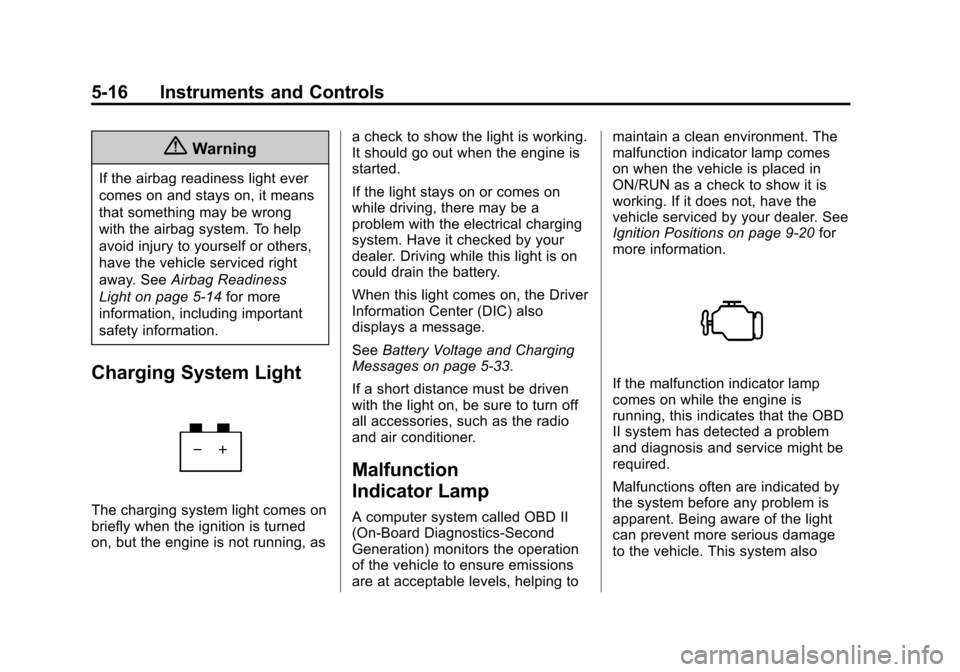
Charging System Light
The charging system light comes on
briefly when the ignition is turned
on, but the engine is not running, as a check to show the light is working.
It should go out when the engine is
started.
If the light stays on or comes on
while driving, there may be a
problem with the electrical charging
system. Have it checked by your
dealer. Driving while this light is on
could drain the battery.
When this light comes on, the Driver
Information Center (DIC) also
displays a message.
See
Battery Voltage and Charging
Messages on page 5-33.
If a short distance must be driven
with the light on, be sure to turn off
all accessories, such as the radio
and air conditioner.
Malfunction
Indicator Lamp
A computer system called OBD II
(On-Board Diagnostics-Second
Generation) monitors the operation
of the vehicle to ensure emissions
are at acceptable levels, helping to maintain a clean environment. The
malfunction indicator lamp comes
on when the vehicle is placed in
ON/RUN as a check to show it is
working. If it does not, have the
vehicle serviced by your dealer. See
Ignition Positions on page 9-20
for
more information.
If the malfunction indicator lamp
comes on while the engine is
running, this indicates that the OBD
II system has detected a problem
and diagnosis and service might be
required.
Malfunctions often are indicated by
the system before any problem is
apparent. Being aware of the light
can prevent more serious damage
to the vehicle. This system also
Page 128 of 432

Black plate (24,1)Chevrolet Camaro Owner Manual (GMNA-Localizing-U.S./Canada/Mexico-
6042601) - 2014 - CRC - 1/21/14
5-24 Instruments and Controls
Information Displays
Driver Information
Center (DIC)
The DIC displays information about
your vehicle. It also displays
warning messages if a system
problem is detected. SeeVehicle
Messages on page 5-32. All
messages appear in the DIC display
in the center of the instrument
cluster.
The vehicle may also have features
that can be customized through the
controls on the radio. See Vehicle
Personalization on page 5-43.
DIC Operation and Displays
The DIC has different displays
which can be accessed by using the
DIC buttons on the turn signal lever
on the left side of the steering
wheel. The DIC displays trip, fuel,
vehicle system information, and
warning messages if a system
problem is detected. The bottom of the DIC display
shows what position the shift lever
is in (automatic transmission only),
the odometer, and the direction the
vehicle is driving.
DIC Buttons
1.
SET/CLR (Set/Clear): Press to
set, or press and hold to clear,
the menu item displayed.
2.
w/x(Band): Use the band to
scroll through the items in
each menu.
3. MENU: Press this button to get
to the Trip/Fuel Menu and the
Vehicle Information Menu. Some
models may also have a
Performance Menu. This button is also used to return to or exit
the last screen displayed on
the DIC.
Trip/Fuel Menu Items
Press the MENU button on the turn
signal lever until Trip/Fuel
Information Menu is displayed. Use
the band to scroll through the
following menu items:
.Digital Speedometer
.Trip 1
.Trip 2
.Fuel Range
.Average Fuel Economy
.Average Vehicle Speed
.Turn-by-Turn
.Blank
Digital Speedometer
The speedometer shows how fast
the vehicle is moving in either
kilometers per hour (km/h) or miles
per hour (mph). The speedometer
cannot be reset.
Page 132 of 432

Black plate (28,1)Chevrolet Camaro Owner Manual (GMNA-Localizing-U.S./Canada/Mexico-
6042601) - 2014 - CRC - 1/21/14
5-28 Instruments and Controls
Acceleration
Longitudinal and lateral
accelerations are displayed showing
the vehicle's current acceleration
levels.
Compass
The vehicle may have a compass
display in the Driver Information
Center (DIC). SeeCompass on
page 5-4.
Head-Up Display (HUD)
{Warning
If the HUD image is too bright or
too high in your field of view, it
may take you more time to see
things you need to see when it is
dark outside. Be sure to keep the
HUD image dim and placed low in
your field of view. If equipped with HUD, some
information concerning the
operation of the vehicle is projected
onto the windshield. This includes
but is not limited to the speedometer
reading, rpm reading, transmission
position, outside air temperature,
compass heading, and a brief
display of the current radio station,
including Sirius XM information or
CD track. It will also display
Turn-by-Turn Navigation information
if the vehicle has OnStar
®. The
images are projected through the
HUD lens on the driver side of the
instrument panel.
{Caution
If you try to use the HUD image
as a parking aid, you may
misjudge the distance and
damage your vehicle. Do not use
the HUD image as a parking aid. The tap shift gear will appear on the
HUD if the vehicle has tap shift and
it is active. The shift timing lights
and a lateral acceleration (G-Force)
indicator may also appear.
The language of the HUD
information displayed can be
changed. The speedometer reading
and other numerical values can be
displayed in either English or metric
units.
The language selection is changed
through the radio and the units of
measurement selection is changed
through the trip computer in the
Driver Information Center (DIC).
See the Infotainment Manual and
Driver Information Center (DIC) on
page 5-24.
Page 133 of 432

Black plate (29,1)Chevrolet Camaro Owner Manual (GMNA-Localizing-U.S./Canada/Mexico-
6042601) - 2014 - CRC - 1/21/14
Instruments and Controls 5-29
HUD Display on the VehicleWindshield
The HUD information appears as an
image focused out toward the front
of the vehicle.
When the ignition key is turned to
ON/RUN, the HUD will display when
ready.
The following indicator lights come
on in the instrument cluster when
activated and may also appear on
the HUD:
.Turn Signal Indicators
.High-Beam Indicator Symbol The HUD also temporarily displays
the following messages on vehicles
with these systems, when they are
active:
.Check Tire Pressure
.Cruise Set To
.Fuel Level Low
.Speed Limited To
.Traction Control Active
.Stabilitrak Active
.Park Distance Unavailable
.Gap Alert Off
When the HUD is on, the
speedometer reading is continually
displayed. The current radio station
or CD track number may display for
a short period of time after the radio
or CD track status changes. This
may happen whenever radio
information is changed. The
speedometer size is reduced when
radio, CD information, or warnings
are displayed on the HUD. When the phone feature is
activated, the HUD will briefly
display phone information,
if available.
The HUD control is to the right of
the steering wheel.
To adjust the HUD image so that
items are properly displayed:
1. Adjust the driver seat to a
comfortable position.
2. Start the engine.
3. Adjust the HUD controls.
Page 135 of 432

Black plate (31,1)Chevrolet Camaro Owner Manual (GMNA-Localizing-U.S./Canada/Mexico-
6042601) - 2014 - CRC - 1/21/14
Instruments and Controls 5-31
English
Metric
Format Three: This display
includes the information in Format
One along with a circular
tachometer, but without outside air
temperature and compass heading.
English
Metric
Format Four: This display gives
the speedometer reading (in English
or metric units), transmission
positions (for automatic
transmission vehicles only), Shift
Timing Light Position and lateral
acceleration (G) indicators. The
radio, CD, navigation, and phone
information do not appear in the
Format Four HUD display. The shift timing lights at the top of
the display will appear with
increases in engine rpm. See
Automatic Transmission on
page 9-28
orManual Transmission
on page 9-34.
All formats, except Format Four, will
show Turn-by-Turn Navigation
information and provide details
about the next driving maneuver to
be made.
English
Metric
Page 150 of 432
Black plate (46,1)Chevrolet Camaro Owner Manual (GMNA-Localizing-U.S./Canada/Mexico-
6042601) - 2014 - CRC - 1/21/14
5-46 Instruments and Controls
Universal Remote
System
SeeRadio Frequency Statement on
page 13-15.
Universal Remote System
Programming
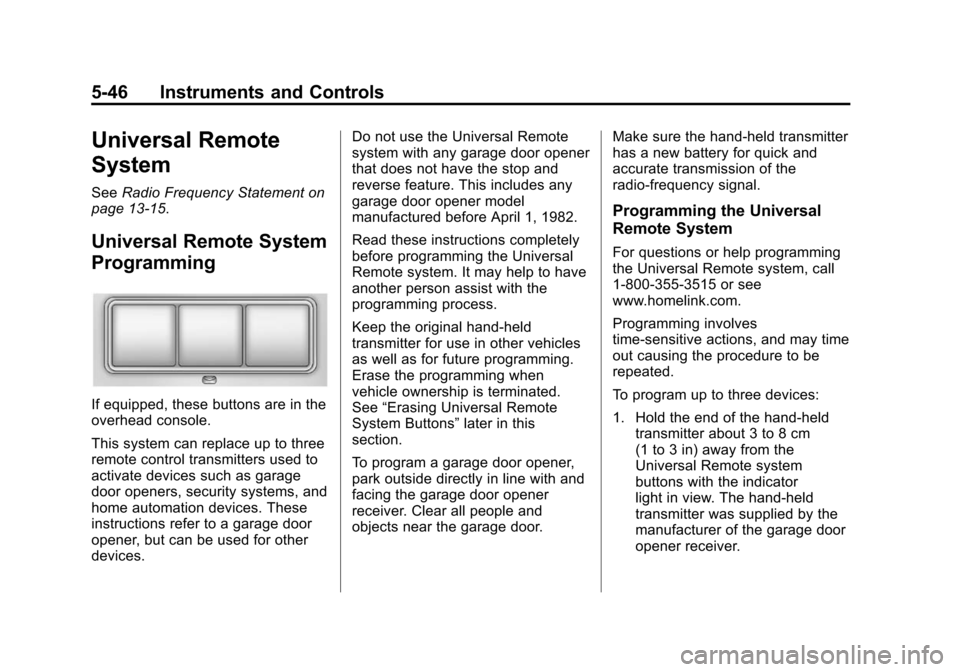
If equipped, these buttons are in the
overhead console.
This system can replace up to three
remote control transmitters used to
activate devices such as garage
door openers, security systems, and
home automation devices. These
instructions refer to a garage door
opener, but can be used for other
devices. Do not use the Universal Remote
system with any garage door opener
that does not have the stop and
reverse feature. This includes any
garage door opener model
manufactured before April 1, 1982.
Read these instructions completely
before programming the Universal
Remote system. It may help to have
another person assist with the
programming process.
Keep the original hand-held
transmitter for use in other vehicles
as well as for future programming.
Erase the programming when
vehicle ownership is terminated.
See
“Erasing Universal Remote
System Buttons” later in this
section.
To program a garage door opener,
park outside directly in line with and
facing the garage door opener
receiver. Clear all people and
objects near the garage door. Make sure the hand-held transmitter
has a new battery for quick and
accurate transmission of the
radio-frequency signal.
Programming the Universal
Remote System
For questions or help programming
the Universal Remote system, call
1-800-355-3515 or see
www.homelink.com.
Programming involves
time-sensitive actions, and may time
out causing the procedure to be
repeated.
To program up to three devices:
1. Hold the end of the hand-held
transmitter about 3 to 8 cm
(1 to 3 in) away from the
Universal Remote system
buttons with the indicator
light in view. The hand-held
transmitter was supplied by the
manufacturer of the garage door
opener receiver.