2014 AUDI RS7 SPORTBACK warning light
[x] Cancel search: warning lightPage 92 of 292
90 Audi acti ve lane a ssi st
Audi active lane assist
Active lane assist
Description
App lies to vehicles: with active lane assist
Active lane assist helps you keep your vehicle
in your lane .
Active lane assist detects lane marker lines
within the limits of the system using a camera
in the windshield . If you are approaching a de
tected lane marker line and it appears likely
that you w ill leave the lane, the system will
warn you by means of corrective steer ing . T he
d river can over ride the correct ive steer ing at
any time. If the veh icle crosses a line, the d riv
er is also warned by a light
vibration in the
steering wheel. The vibration warning must be switched on in the MMI for this to happen.
Active lane ass ist is operable when the line
marking the lane is detected on at least one
side of the vehicle .
If the system is in active standby mode and
the turn signa l is activated before driving over
the lane marker line, the warning does not oc
cur since the system allows for intentional lane changes.
The system is designed for driv ing on free
ways and expanded highways and thus works
only at speeds of 40 mph (65 km/h) or more .
If the vehicle is also equ ipped with Audi adap
tive cruise control*, the corrective steering
will be more specific in regard to the driving
situation . In addition to the lane marker lines,
the system can also take into account other
objects such as guard rails . If they are detect
ed i n close prox imity to the veh icle, Audi ac
tive lane ass ist helps prevent the vehicle from
driving too close to them . There is also pass
ing assistance. The system does not provide
any corrective steering if it detects that you
are passing another vehicle.
A WARNING , ~
- The system warns the driver that the ve
hicle is leaving the lane us ing corrective steer
ing. The driver is always responsible
for keeping the vehicle within the lane .
- The system can assist the driver in keep
ing the vehicle in the lane, but it does
not steer by itself. Always keep your
hands on the steering wheel.
- Corrective steer ing may not occur in cer
tain situat ions, such as dur ing heavy
brak ing .
- The camera does not recognize all lane
marker lines. Corrective steer ing can only
take p lace on the side of the vehicle
where lane marker lines are detected .
- Other road structures or objects cou ld
possibly be identified un intent ional ly as
lane marker lines . As a res ult, correct ive
steer ing may be unexpected or may not
occ ur.
- The camera view can be restricted, for
examp le by vehicles driving ahead o r by
r ai n, snow, heavy spray or light shining
into the camera. T his can result in act ive
lane assist not detecting the lane marker
lines or detect ing them incorrectly .
- Unde r ce rtain condi tions such as ruts in
the road, a banked roadway or cross
winds, the co rrective steering alone may
not be eno ugh to keep the vehicle in the
lane.
- For safety reasons, active lane ass ist
must not be used when there are poor
road and/or weather conditions such as
slippery roads, fog, grave l, heavy rain,
snow and the potential for hydroplaning.
Using act ive lane assist under these con
d itions may increase the risk of a crash.
Page 93 of 292
Activating and deactivating
Applies to vehicles: with active lane assist
•
Fig. 97 Turn signal leve r: Act ive lan e ass ist button
Fig . 98 Windsh ield: Active lane assist came ra v iew ing
window
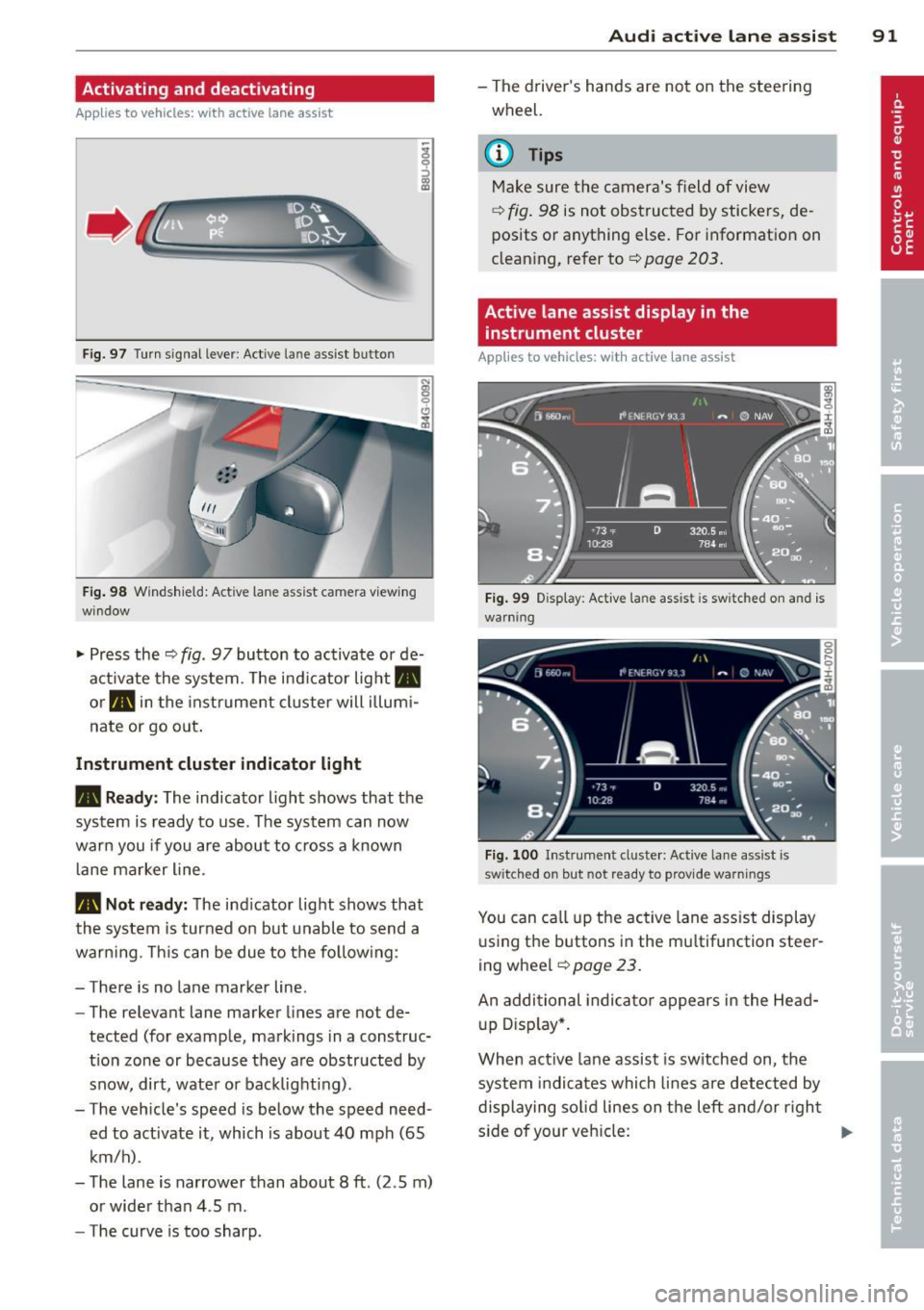
.. Press the¢ fig. 97 button to activate or de
activate the system. The ind icator light.
or . in the instrume nt cluster will illumi
nate or go o ut.
Instrument cluster indicator li ght
• Read y:
The indicator light shows that the
system is ready to use . T he system can now
warn you if you are about to cross a known
l ane marker line .
• Not r ead y: The ind icator light shows that
the system is turned on but unabl e to send a
warning. This can be due to the follow ing :
- There is no lane marker line.
- The relevant lane marker lines are not de-
tected (for example, markings in a construc
t ion zone or because they a re obstructed by
snow, dirt, wate r or backlighting) .
- The vehicle 's speed is below the speed need
ed to activate it , which is about 40 mph (65
km/h) .
- The lane is narrower than about 8
ft. (2 .5 m)
or wide r than 4 .5 m.
- The curve is too sharp.
Audi acti ve lane a ssis t 91
- The driver 's hands are not on the stee ring
wheel.
a) Tips
Make sure the camera's field of view
¢ fig . 98 is not obstructed by stickers, de
posits or anything else. For information on
clean ing, refer to¢
page 203.
Active lane assist display in the
instrument cluster
App lies to vehicles: with active lane assist
Fi g. 99 D isplay: Act ive lane assist is switched on and is
warning
Fi g. 100 I nstrument clus ter: Act ive lane ass ist is
switched on but not re ady to provid e warnings
You can ca ll up the active lane ass ist display
u sing t he buttons in the multifunction steer
ing wheel
¢ page 23.
An additional indica to r appears in the Head
up D isp lay*.
When act ive lane assist is sw itched on, the
system i ndi cates which lines are detected by
displaying so lid lines on the left and/or righ t
s ide of your veh icle: ..,.
Page 99 of 292
(dynamic). The goal is a high level of agility
and ability to accelerate on curves. The vehicle
is very responsive to steering.
Curve light*
The curve light adapts to driving on curves.
The pivoting action and the lighting are also
adapted to the mode.
Adaptive cruise control*
The behavior when accelerating can be adjust
ed from comfo rtable to sporty, depending on
the drive se lect mode . Adaptive cruise control
also responds to the driving behavior of the
vehicle ahead in a more conservative or sporty
manner .
Engine sound
The sound of the engine is adapted to these
l ected mode and ranges from subtle to sporty.
(D Note
-Make sure there is enough clearance
above and below the vehicle when park
in g. The height of the vehicle can change
once it is parked due to temperature
fluctuations, changes to the load condi
tions and changes to the driving modes,
which can affect clearance.
- When transporting the vehicle on a car
carrier, train, ship or by other means, on
ly tie the veh icle down at the running
surface of the tires, which is the outer
circumference. Securing the vehicle at
the axle components, suspension struts
or tow ing eyes is not permitted because
the pressure in the air suspension struts
can change during transport. The vehicle
may not be secured sufficiently if this
happens.
(D} Tips
- In some models, the maximum vehicle
speed can only be reached in the
Auto
and Dynamic modes.
- Se lecting the
Dynamic mode results in
spo rty shifting characteristics. The S
gear position engages automatically .
Audi drive select 97
-In vehicles that have dynamic steering*,
operating noise is heard when starting or
stopping the engine. This does not indi
cate a problem.
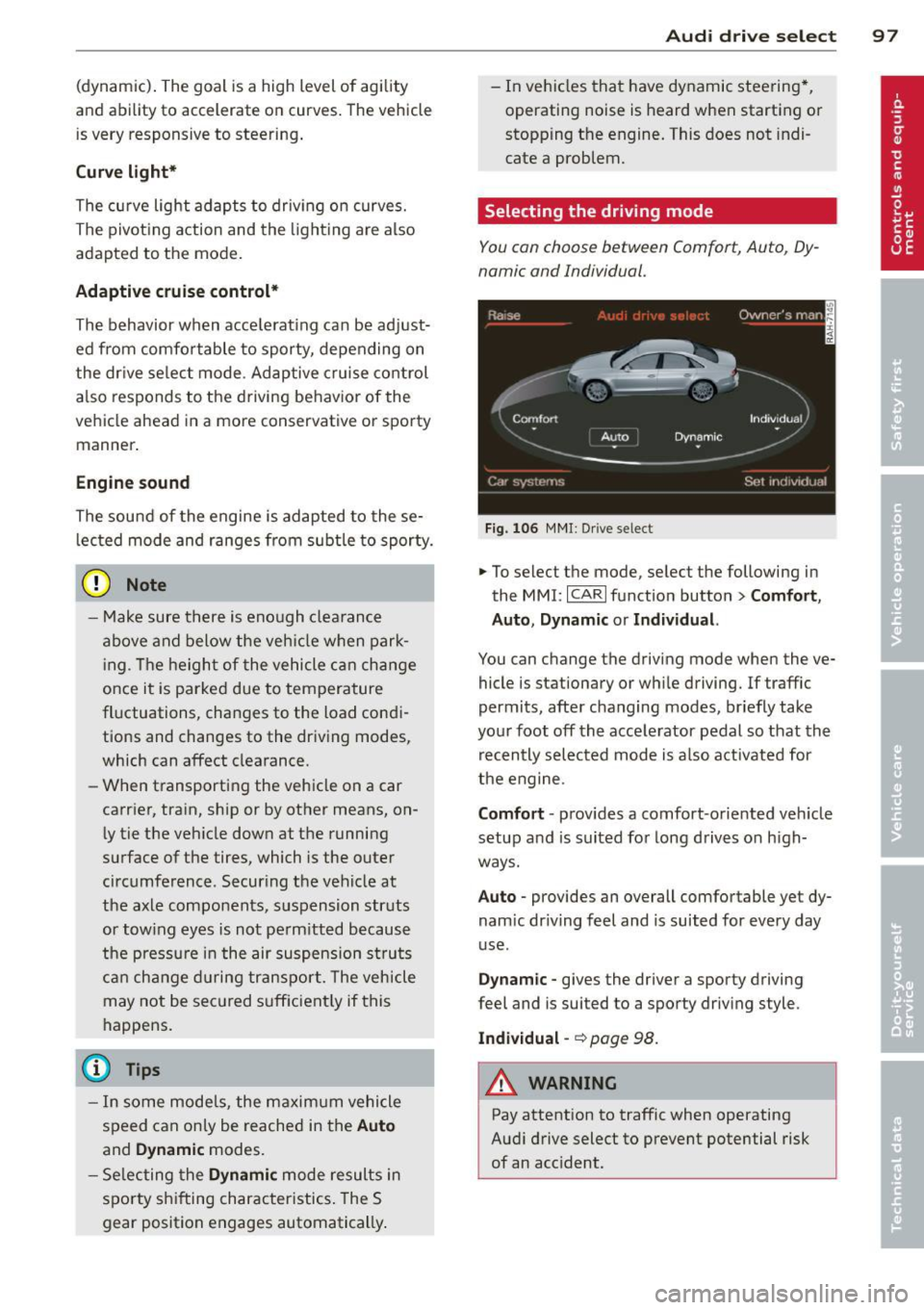
Selecting the driving mode
You can choose between Comfort, Auto, Dy
namic and Individual.
Fig. 106 MMI: Drive select
.,. To select the mode, select the following in
the
MMI: ICARI function button> Comfort,
Auto, Dynamic or Individual.
You can change the driving mode when the ve
hicle is stationary or wh ile driving. If traffic
permits, after changing modes, briefly take
your foot off the accelerator pedal so that the
recently selected mode is also activated for
the engine.
Comfort · provides a comfort-oriented veh icle
setup and is suited for long drives on h igh
ways.
Auto · provides an overall comfortable yet dy
nam ic dr iving feel and is suited for every day
use .
Dynamic -gives the driver a sporty driving
feel and is suited to a sporty driving style.
Individual -~page 98.
&_ WARNING
Pay attention to traffic when operating
Audi drive select to prevent potential risk
of an acc ident.
-
Page 103 of 292
Pedestrian warning
Applies to vehicles: with nig ht v ision assistant
F ig. 110 D isplay : pedestri an w arning
Fig . 1 11 D isp lay: pedestr ian warning w it h an ot her di s
p lay
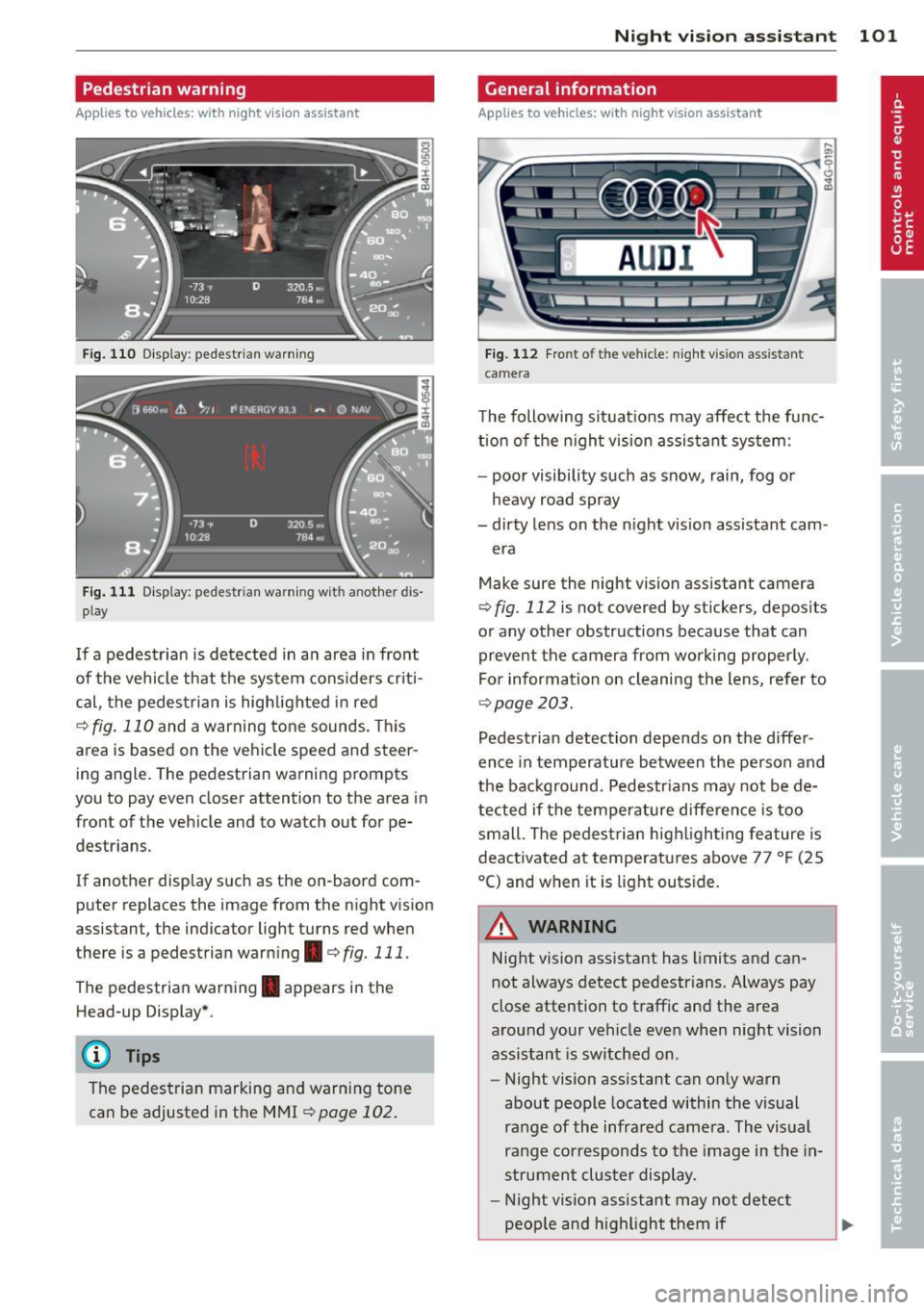
I f a pedestrian is detected in a n area in front
of the vehicle that the sys tem considers cr iti
cal, the pedestria n is high lighted in red
¢ fig . 110 and a warning tone sounds. This
area is based on the ve hicle speed and steer
ing angle. The pedestrian warning prompts
you to pay even close r attention to the area in
front of the vehicle and to watch out for pe
destrians.
If another display such as the on-baord com puter replaces the image from the night vision
assistant, the indicator light turns red when
there is a pedestrian warning . ¢
fig. 111 .
The pedestrian warn ing . appears in the
Head-up Display* .
(D Tips
The pedestrian marking and warn ing tone
can be adjusted in the MMI
¢page 102.
N ig ht visi on ass is ta n t 101
General information
Applies to vehicles: with night vision assistant
...
-. . .--:::: ====::;;; ::;;;::;;;== ===--......._--~
Fig. 112 Fro nt o f th e ve hicle : n ight v is ion ass istant
camera
il!,
T he following situations may affect the func
tion o f the nigh t vision assis tant sys tem:
- poor visibility such as snow, rain, fog or
heavy road spray
- dirty lens on the n ight vision assistant cam -
era
Make sure the night vision assistant camera
¢
fig . 112 is not covered by stickers, depos its
or any other obstructions because that can
prevent the camera from work ing properly .
For information on cleaning the lens, refer to
¢ page 203.
Pedestrian detection depends on the differ
ence in temperature between the person and
the background. Pedestr ians may not be de
tected if the temperature difference is too small . T he pedestrian high ligh ting feature is
deactivated at temperatures above 77 °F (25
°C) and when it is light outs ide.
A WARNING
-
Night vision assistant has limits and can
not always detect pedestr ians. Always pay
close attention to traffic and the area
around your vehicle even when night vision
assistant is sw itched on .
- Night vision assistant can only warn
about people located within the visual
range of the infra red camera. The visual
range corresponds to the image in th e in
s trument clus ter di splay.
- Night vision assistant may not detect
peop le and highlight them if
Page 104 of 292
102 Night vision assistant
-they are not in an upright position, for
example if they are s itting, crouching
or lying down and/or
- if the o utline in the display is inc om
plete or interrupted, fo r example be
cause the person is partially hidden by
a parked vehicle.
{D) Tips
- Pedestrian detection and the pedestrian
warming are lim ited to objects that are
detected as pedestrians. The system
does not detect animals. Even though
the shape and warmth radiated by each
object detected is evaluated, the system
does have limitat ions and it can give in
correct warnings.
- For techn ical reasons, the image pauses
in split second intervals .
Switching on and off
Applies to vehicles: with night visio n ass istant
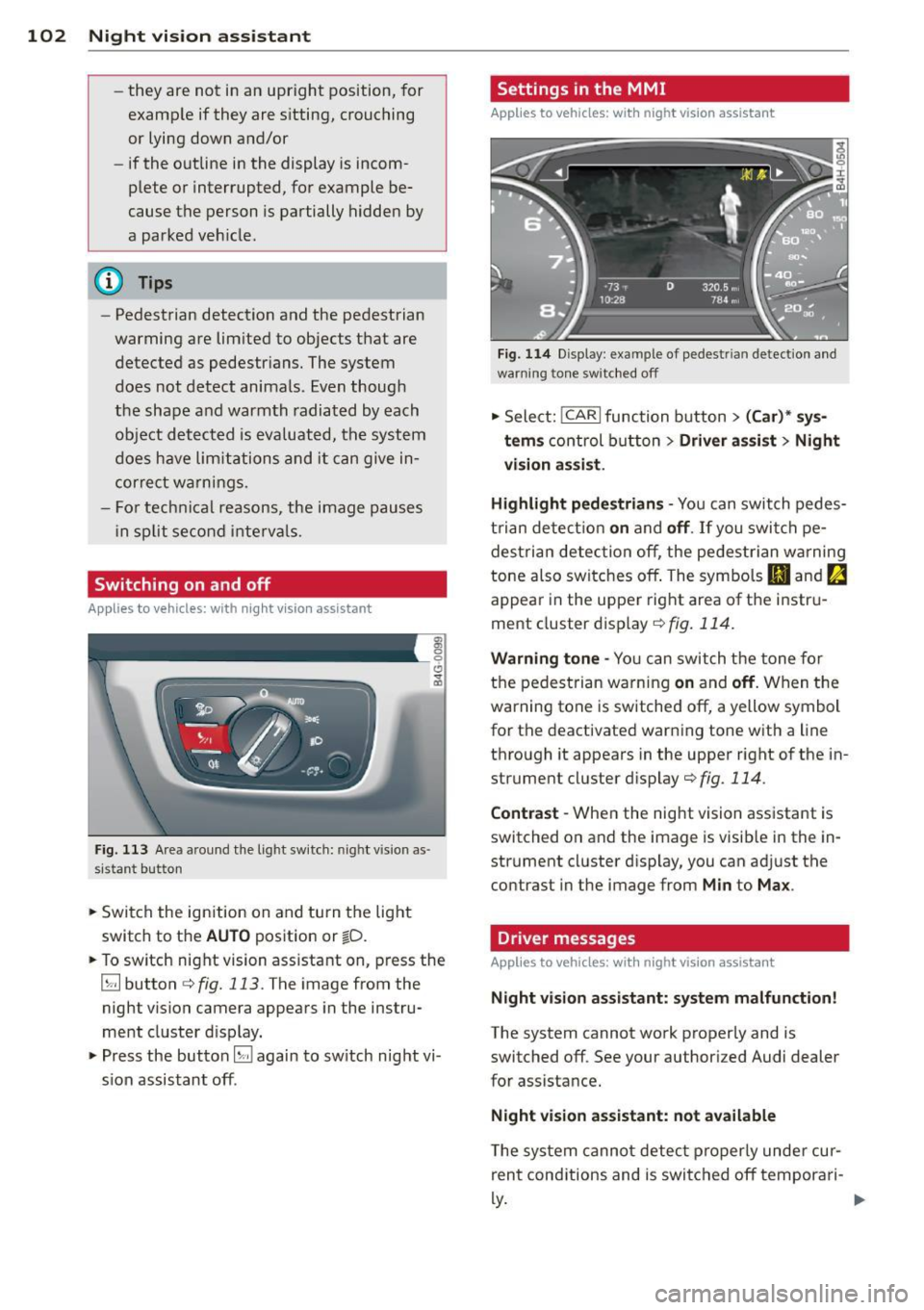
Fig. 113 Area a round the light switch: night vision as ·
sistant button
• Switch the ignition on and turn the light
switch to the
AUTO position or ~D.
• To switch night vision assistant on, press the
~ button c:> fig. 113. The image from the
night vision camera appears in the instru
ment cluster d isplay.
• Press the button~ again to switch night vi
s ion assistant off .
Settings in the MMI
Applies to vehicles: wit h night vision assistant
Fig. 114 Display : example of pedestrian detection and
warning to ne switc hed off
• Select: !CAR I function button > (Car)* sys
tems
control button > Driver assist > Night
vision assist.
Highlight pedestrians -
You can switch pedes
trian detect ion
on and off. If you switch pe
destria n detection off, the pedestrian warning
tone also switches off. The symbols
Bl and ~
appear in the uppe r right area of the instru
ment cluster disp lay
c:> fig. 114.
Warning tone -You can switch the tone for
the pedestrian warning
on and off. When the
warning tone is sw itched off, a yellow symbol
for the deactivated warning tone with a line
through it appears in the upper right of the in
strument cluster display
c:> fig. 114 .
Contrast -When the nig ht vision ass istant is
switched on and the image is visib le in the in
strument cluster display, you can adj ust the
contrast in the image from
Min to Max .
Driver messages
Applies to vehicles: wit h night vision assista nt
Night vision assistant: system malfunction!
The system cannot work properly and is
switched off. See your authorized Audi dealer
for assistance.
Night vision assistant: not available
T he system cannot detect properly under cur
rent conditions and is switched off tempora ri-
~-~
Page 108 of 292
106 Automatic Transmission
lever is left in N (Neutral) for more than ap
proximately 2 second, without the brake ped
a l being pressed .
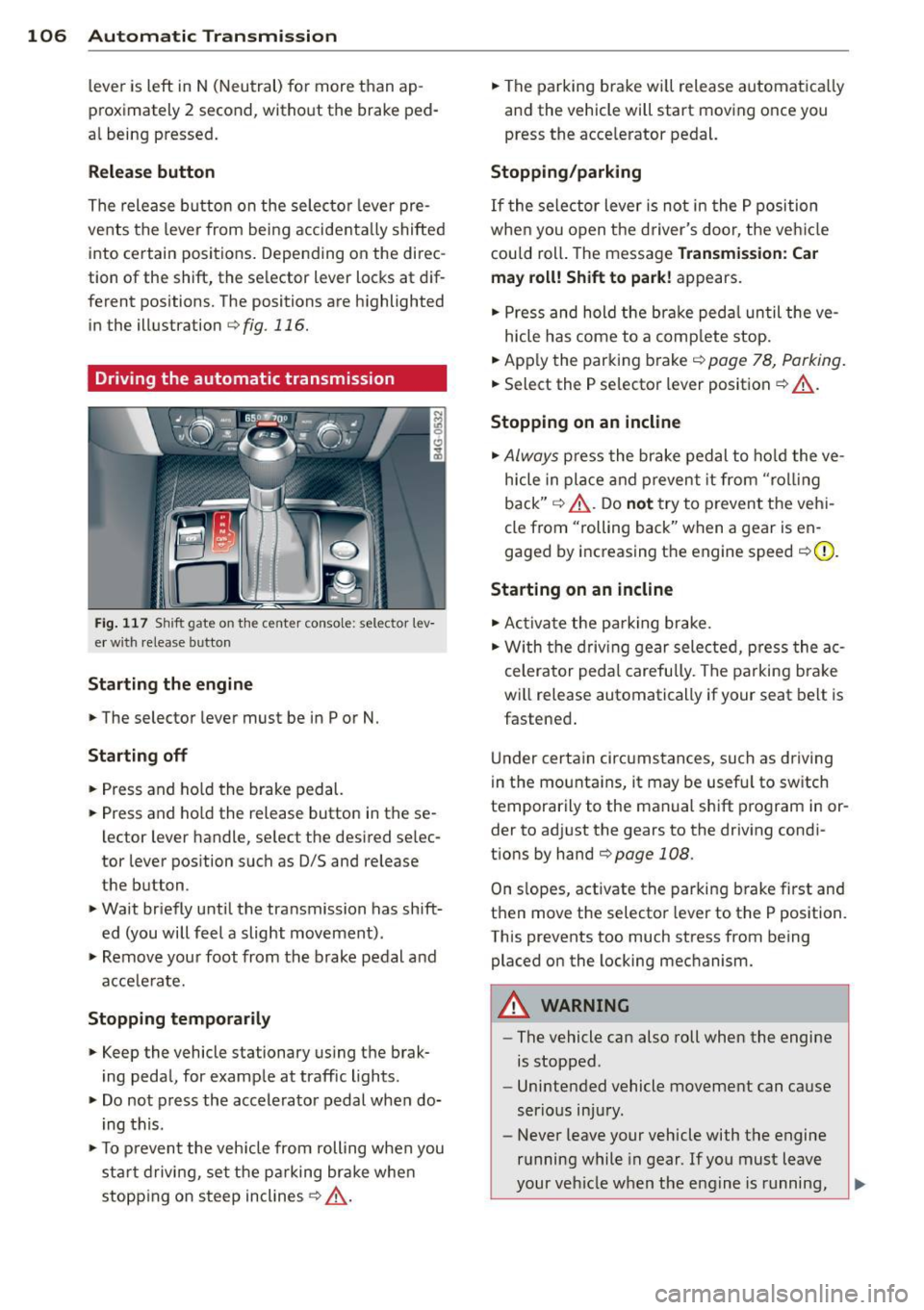
Release button
The release button on the selector lever pre
vents the lever from being accidentally shifted
into certain positions. Depending on the direc
tion of the shift, the se lector lever locks at d if
ferent positions. The positions are highlighted in the illustration
c:;, fig. 116.
Driving the automatic transmission
Fig. 117 Sh ift gate on the center conso le: selector lev
er w ith release button
Starting the engine
,.. The selector lever must be in P or N.
Starting off
,.. Press and ho ld the brake pedal.
,.. Press and ho ld the release button in these
lector lever handle, se lect the desired se lec
tor lever position such as 0/5 and release
the button .
,.. Wait briefly until the transmission has shift
ed (you will feel a slight movement) .
,.. Remove your foot from the brake pedal and
acce le rate.
Stopping temporarily
,.. Keep the vehicle stationary us ing the brak
ing peda l, for example at traffic lights.
,.. Do not press the accelerator pedal when do
ing this .
,.. To prevent the veh icle from rolling when you
sta rt driving, set the parking brake whe n
stopping on steep inclines
c:;, _& .
,.. The parking brake will release automatica lly
and the vehicle will start moving once you
press the acce lerator pedal.
Stopping/parking
If the sele ctor lever is not in the P position
whe n you open t he driver's door, the veh icle
could roll. The message
Transmission: Car
may roll! Shift to park!
appears.
,.. Press and hold the brake pedal until the ve-
hicle has come to a complete stop.
,.. App ly the parking brake
c::> page 78, Parking.
,.. Select the P selector lever position c:;, _& .
Stopping on an incline
,.. Always press the brake pedal to hold the ve
hicle in place and prevent it from "rol ling
back"
c:;, _& . Do not try to prevent the vehi
cle from "rolling back" when a gear is en
gaged by increasing the engine speed
c::>(D .
Starting on an incline
,.. Activate the parking brake.
,.. With the driving gear selected, press the ac
celerator pedal carefully. The parking brake
will release automatically if your seat belt is
fastened .
Under certain circumstances, such as driving
in the mounta ins, it may be usefu l to sw itch
temporarily to the manual shift program in or
der to adj ust the gears to the driving condi
t ions by hand
c::>page 108 .
On slopes, activate the parking brake first and
then move the selector lever to the P position.
This prevents too much stress from being placed on the locking mechanism.
A WARNING
-
- The vehicle can also roll when the engine
is stopped .
- Unintended vehicle movement can cause
serious injury.
- Never leave your vehicle with the engine
running while in gear . If you must leave
your vehicle when the engine is running,
Page 112 of 292
110 Parking system s
Parking systems
General information
A ppl ies to vehicles: with parkin g system plus/rear view
camera/peripheral cameras
Depending on your vehicle's equ ipment, vari
ous parking a ids wi ll help you when pa rk ing
and maneuvering.
The
p ar king sy st e m plu s assists you when
pa rking by audib ly and visually indicat ing ob
jects detected
in front of and behind the vehi
cle
~ page 111.
The rear view ca m era shows the area behind
the vehicle in the Infotainment d isp lay. This
d isplay assists you when you are c ross o r par
allel parking
q page 112. In addit ion, you are
assisted by the functions from the parking
system plus
~ page 111 .
The peripher al cam era s ass ist you with park
ing and maneuvering. You are aided by var ious
cameras depending on the vehicle equipment leve l
¢page 115. In addition, you are assist
ed by the functions from the parking system
plus ¢ page 111.
A WARNING
- Always look for traff ic and check the area
around your vehicle by looking at it di
rectly as well . The parking system cannot
rep lace the d river's attent ion. The dr iver
is always respons ible for safety during
p arki ng and for all other maneuvers.
- Please note that some surfaces, such as
clothing, a re not detected by the system.
- Senso rs and cameras have blind spots in
wh ich peop le and objects ca nnot be de
te cted. Be especially cau tious of children
and animals.
- T he sensors can be displaced by impacts
or damage to the radia to r grille, bumpe r,
wheel housing and the unde rbody. The
par king systems may become impaired
as a resu lt . Have your authorized Audi
dealer or qualified workshop check their
function. -
Make s ure the sensors are not covered by
stickers, deposits or any other obstruc
tions as it may impair the sensor func
tion . For information on cleaning, refer
to
~ page 203 .
(D Note
- Some objects are not detected by the
system under certain c ircumstances:
- Obje cts su ch as ba rrie r chains, trailer
draw bars, vertical po les or fences
- Objects above t he senso rs such as wall
extensions
- Objects w ith specific surfaces or struc
tures su ch as chain link fences or pow
der snow.
- If you conti nue d riving closer to a low- ly
ing object, it may disappea r from the
sensor range. Note th at yo u w ill no lon
ger be warned abo ut this obstacle.
(j) Tips
- T he system may provide a wa rni ng even
t ho ugh the re are no obs ta cl es in the cov
erage a rea in some situa tions, such as:
- certain road surfaces or for long grass.
- externa l ultrasonic sources e.g. from
clean ing vehicles.
- heavy rain, snow or thick vehicle ex
ha ust.
- We recommend that you practice park
ing in a traff ic-free location or park ing
lot to become familiar w ith the system.
When doing this, there should be good light and weather cond itions .
- You can change the volume and pitch of
the s ignals as we ll as the disp lay
¢page 120.
- What appears in the infotainment dis
play is somewhat time-delayed .
Page 123 of 292

Homelink
Universal remote
control
General information
Applies to vehicles: with Home link unive rsal remote con
tro l
The Homelink universal remote control can
be programmed with hand-held transmitters
from existing equipment
With Home link, you can control devices such
as the garage door, security systems, house
lights, etc. comfortably from the inside of you
vehicle.
Homelink makes it possible for you to replace
three different remote controls from devices
in your home with one universal remote . This
feature works for most garage door and exte rior door motor signals. Programmi ng the in
d iv idual remote control for your remote con
trol takes place near the center of the radiator
grille. There is a control module attached at
this location .
A one-t ime programming of the sensor must
be performed before you are able to use sys
tems with Homelink.
A WARNING , .,.
- Never use the Homelink transmitter
with any garage door opener that does
have not the safety stop and reverse fea
ture as required by federal safety stand
ards . Th is includes any garage door open
er model manufactured before April 1, 1982.
- A garage door opener which cannot de
tect an object, signaling the door to stop
and reverse does not meet current feder
al safety standards . Us ing a garage door
opener without these features increases
risk of serious injury or death.
- For safety reasons
never release the
parking brake or start the engine while
anyone is standing in front of the vehicle .
- A garage door or an estate gate may sometimes be set in motion when the
H ome link 121
Homelink remote control is being pro
grammed. If the device is repeatedly ac
tivated, this can overstrain motor and
damage its electrical components -an
overheated motor is a fire hazard!
- To avoid possible injuries or property
damage, please always make absolutely
certa in that no persons or objects are lo
cated in the range of motion of any
equipment being ope rated.
(D Tips
- If you would like additional information
on the Home link Universal Transce iver
I
Homel ink compatib le products, or to
purchase other accessories such as the
Homelink Lighting Package, please con
tact Homelink at 1-800-355 -3515 or on
the Internet at www. homelink.com.
- For Declaration of Comp liance to United
States FCC and Ind ustry Canada reg ula
tions~
page 2 76.
- For security reasons, we recommend that
you clear the programmed buttons be
fore selling the vehicle .
Operation
Applies to vehicles: with Homelink
Fig. 144 Headliner : cont rols
Req uirement: The bu ttons must be program
med
~ page 122.
.,. To open the garage door, press the program
med button . The LED @ will light up or
flash.
... To close the garage door , press the button
again .
II>