2014 AUDI RS7 SPORTBACK warning lights
[x] Cancel search: warning lightsPage 82 of 292
80 On the road
th e dista nce between yo ur vehicle and
other vehicles .
- For safet y rea son s, the cruise control
should not be used in the city, i n stop
and-go traff ic, on twist ing roads and
when road conditions are poor (such as ice, fog, gravel, heavy rain and hydro
planing) -risk of accident .
- Turn off the cruise control temporar ily
when ente ring turn lanes, highway exit
lanes or in construct ion zones.
- Please note that inadvertent ly "rest ing"
yo ur foot on the accelerator pedal causes
the cruise control not to brake. This is
because t he cr uise con trol is overridden
by the d river 's a cce le rat ion.
- If a bra ke system malfunction such as
overheat ing occurs when the cru ise con
t ro l system is sw itched on, the braking
f unction in the system may be switched
off. The other cruise control f unctions re
ma in active as long as the indicator light
[~ jrn~14 (US models) !El (Canad ian mod
els) is on.
The brake lights illuminate as soon as the brakes decelerate a utomat ica lly.
Changing speed
Applies to vehicles: with cru ise control
.,. To increase/decrease the speed in incre
me nts, tap the lever in t he
0 10 d irection
¢ page 79, fig . 84
.,. To increase/dec rease the speed qu ickly, hold
the leve r in the
010 direction until the de
s ir ed speed is d isplayed.
You can a lso p ress the accelerato r pedal down
to inc rease your speed, e .g . if you want to
pass someone. The speed yo u saved earlier
will resume as soon as you release the acceler
ator peda l.
I f, however, you exceed your saved speed by
6 mp h (1 0 km/h) fo r longe r th an 5 m inutes,
the cruise cont ro l w ill tu rn off tempora rily.
The green symbo l
@;\1)~14 (US models) !El
(Canadian mode ls) in the display will go out
but the saved speed remains the same .
Presetting your speed
Applies to vehicles: with cruise control
You can preset your desired speed while the
vehicle is not moving .
.,. Swi tch on the ign ition.
.,. Pull lever in to posi tion @¢
page 79,
fig. 84.
.,. Press the lever in the 0 or 0 direction to
increase or decrease your speed .
.,. Release the lever to save that speed.
This function makes it possib le, for examp le,
to save the speed you want before driving on
the highway. Once on the h ighway, act ivate
the cru ise control by pulling the lever toward
@ .
Switching the system off
Applies to vehicles: with cruise control
Temporary deactivation
.,. Press the brake pedal, or
.,. Press the lever into position @(not cl icked
into place)
~ page 79, fig . 84, or
.,. Dr ive fo r longer t han 5 m inutes at mo re
t han 5 mph (10 km/h) above the stored
spee d.
Switching off completely
.,. Press lever into position @ (clicked into
p lace), or
.,. Switch the ignit ion off .
The system retains t he saved speed if you de
activate the c ruise control temporar ily . To re
s u me the saved speed, re lease the brake ped
al a nd pull the leve r to pos it ion @.
Switch ing the ignition off erases the saved
speed .
A WARNING
-You sho ul d only ret urn to the saved speed
if it is no t too fast for the cur ren t traffi c
condi tions -ris k of an a cci dent!
Page 86 of 292
84 Audi adaptive cruise control and braking guard
tachometer ® and is also shown briefly in
the display @¢fig.
91.
• You must also press the brake pedal when
the vehicle is stopped.
Switching adaptive cruise control off
• Push the lever away from you into position
@ until it clicks into place. The message
ACC off appears.
@ Indicator lights
f. j. Adap tive cruise control is switched on . No
vehicles are detected up ahead. The stored
speed is ma intained.
I -A moving vehicle is detected up ahead.
The adaptive cruise control system regulates
the speed and distance to the moving veh icle
ahead and acce lerates/brakes automat ica lly.
Si-Adaptive cruise control is switched on. A
moving vehicle up ahead was detected. You r
vehi cle remains stopped.
I-When automatic braking is not able to
keep enough distance to a previously detected
moving vehicle up ahead, you must take con
trol and brake ¢
page 86, Prompt for driver
intervention.
© Display
If adaptive cruise control is not shown in the
display, you can call it up with the multifunc
tion steering wheel buttons¢
page 23.
Based on the symbols in the display, you can
determ ine if the system is maintaining a dis
tance to the vehicle ahead and what that dis
tance is.
No vehicle -No vehicle ahead was detected .
White vehicle -A vehicle ahead was detected.
Red vehicle -Prompt for the driver to take ac
tion
c:::> page 86.
Both arrows on the scale © indicate the dis
tance to the vehicle ahead. No arrow appears
when the vehicle is on an open road and there
is no object ahead . If an object is detected
ahead, the arrow moves on the scale . T
he green zone on the scale shows the stored
distance. For information on changing the
stored distance, refer to ¢
page 85. If the
distance se lected is too close or may soon be
come too close, the arrows move into the red
zone on the sca le .
_&. WARNING
Improper use of the adaptive cruise con
trol can cause collisions, other accidents
and serious personal injur ies.
- Pressing the
ISET ! button when driv ing at
speeds be low 20 mph (30 km/h), will au
tomatically accelerate the vehicle to 20
mph (30 km/h), which is the minimum
speed that can be set.
© Tips
-If you switch the ignit ion or the adaptive
cruise control off, the set speed is erased
from the system memory.
- Th e electronic stabilizat ion contro l (ESC)
and the anti-s lip-regulat ion (ASR) are au
tomatically turned on when the adaptive
cruise control is turned on. Both systems
cannot be turned off if the adaptive
cruise contro l is turned on.
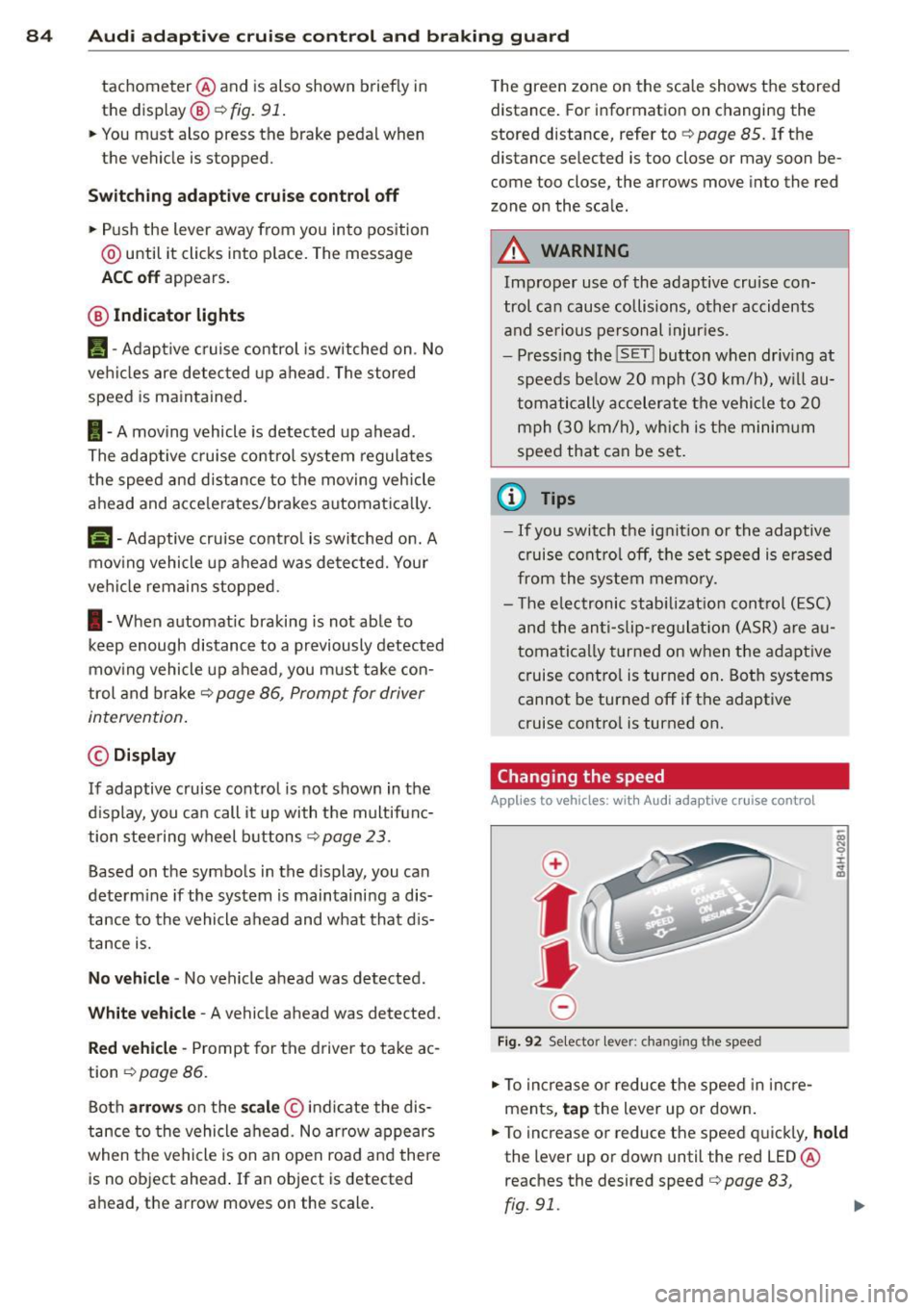
Changing the speed
Applies to veh icles: w ith Aud i adaptive cruise control
0
f
jJ
0
Fi g. 92 Selecto r lever: chang ing t he speed
• To increase or reduce the speed in incre
ments,
tap the lever up or down.
• To increase or reduce the speed quickly,
hold
the lever up or down until the red LED ®
reaches the desired speed
c:::> page 83,
rg . 91. ~
Page 108 of 292
106 Automatic Transmission
lever is left in N (Neutral) for more than ap
proximately 2 second, without the brake ped
a l being pressed .
Release button
The release button on the selector lever pre
vents the lever from being accidentally shifted
into certain positions. Depending on the direc
tion of the shift, the se lector lever locks at d if
ferent positions. The positions are highlighted in the illustration
c:;, fig. 116.
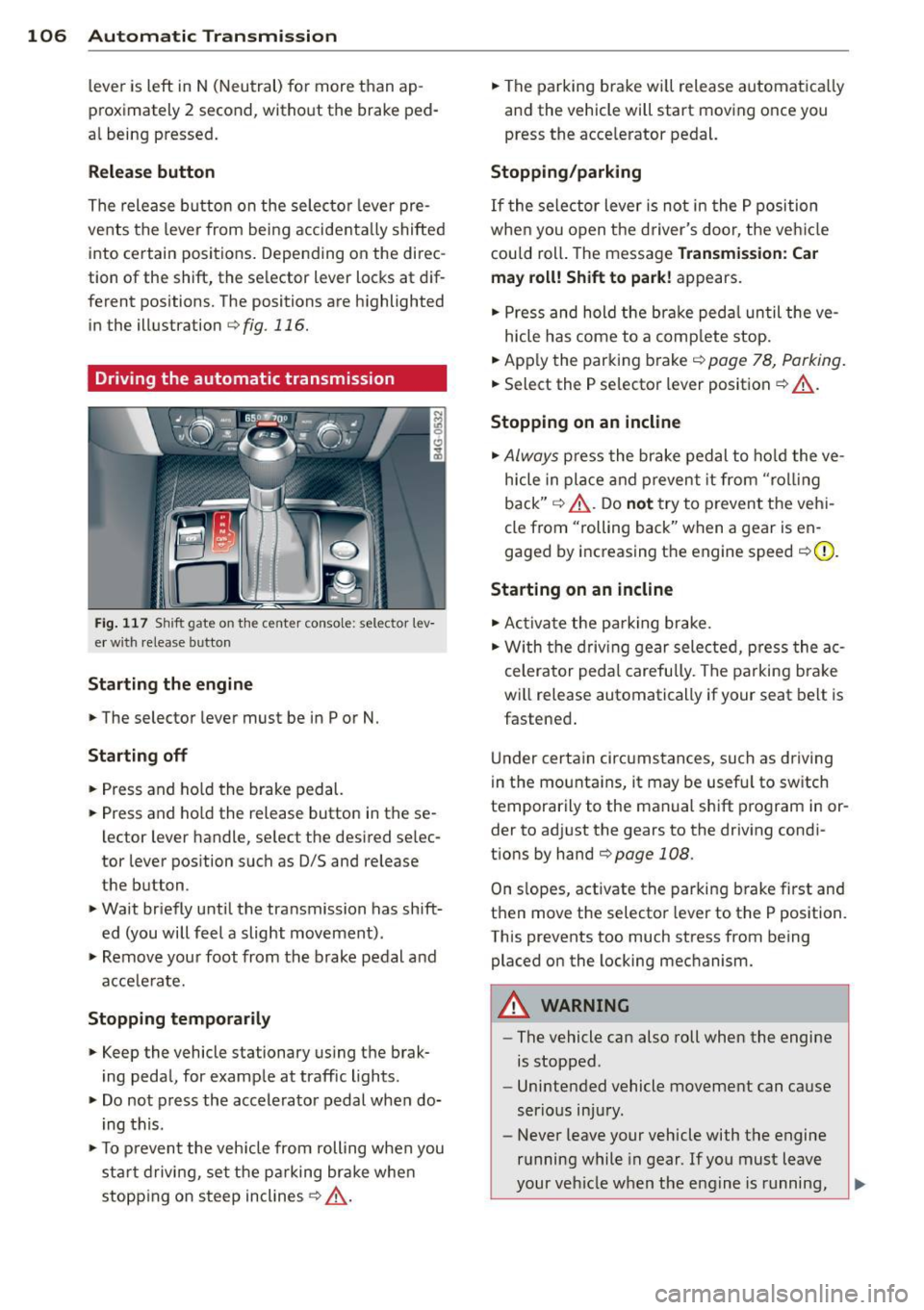
Driving the automatic transmission
Fig. 117 Sh ift gate on the center conso le: selector lev
er w ith release button
Starting the engine
,.. The selector lever must be in P or N.
Starting off
,.. Press and ho ld the brake pedal.
,.. Press and ho ld the release button in these
lector lever handle, se lect the desired se lec
tor lever position such as 0/5 and release
the button .
,.. Wait briefly until the transmission has shift
ed (you will feel a slight movement) .
,.. Remove your foot from the brake pedal and
acce le rate.
Stopping temporarily
,.. Keep the vehicle stationary us ing the brak
ing peda l, for example at traffic lights.
,.. Do not press the accelerator pedal when do
ing this .
,.. To prevent the veh icle from rolling when you
sta rt driving, set the parking brake whe n
stopping on steep inclines
c:;, _& .
,.. The parking brake will release automatica lly
and the vehicle will start moving once you
press the acce lerator pedal.
Stopping/parking
If the sele ctor lever is not in the P position
whe n you open t he driver's door, the veh icle
could roll. The message
Transmission: Car
may roll! Shift to park!
appears.
,.. Press and hold the brake pedal until the ve-
hicle has come to a complete stop.
,.. App ly the parking brake
c::> page 78, Parking.
,.. Select the P selector lever position c:;, _& .
Stopping on an incline
,.. Always press the brake pedal to hold the ve
hicle in place and prevent it from "rol ling
back"
c:;, _& . Do not try to prevent the vehi
cle from "rolling back" when a gear is en
gaged by increasing the engine speed
c::>(D .
Starting on an incline
,.. Activate the parking brake.
,.. With the driving gear selected, press the ac
celerator pedal carefully. The parking brake
will release automatically if your seat belt is
fastened .
Under certain circumstances, such as driving
in the mounta ins, it may be usefu l to sw itch
temporarily to the manual shift program in or
der to adj ust the gears to the driving condi
t ions by hand
c::>page 108 .
On slopes, activate the parking brake first and
then move the selector lever to the P position.
This prevents too much stress from being placed on the locking mechanism.
A WARNING
-
- The vehicle can also roll when the engine
is stopped .
- Unintended vehicle movement can cause
serious injury.
- Never leave your vehicle with the engine
running while in gear . If you must leave
your vehicle when the engine is running,
Page 123 of 292

Homelink
Universal remote
control
General information
Applies to vehicles: with Home link unive rsal remote con
tro l
The Homelink universal remote control can
be programmed with hand-held transmitters
from existing equipment
With Home link, you can control devices such
as the garage door, security systems, house
lights, etc. comfortably from the inside of you
vehicle.
Homelink makes it possible for you to replace
three different remote controls from devices
in your home with one universal remote . This
feature works for most garage door and exte rior door motor signals. Programmi ng the in
d iv idual remote control for your remote con
trol takes place near the center of the radiator
grille. There is a control module attached at
this location .
A one-t ime programming of the sensor must
be performed before you are able to use sys
tems with Homelink.
A WARNING , .,.
- Never use the Homelink transmitter
with any garage door opener that does
have not the safety stop and reverse fea
ture as required by federal safety stand
ards . Th is includes any garage door open
er model manufactured before April 1, 1982.
- A garage door opener which cannot de
tect an object, signaling the door to stop
and reverse does not meet current feder
al safety standards . Us ing a garage door
opener without these features increases
risk of serious injury or death.
- For safety reasons
never release the
parking brake or start the engine while
anyone is standing in front of the vehicle .
- A garage door or an estate gate may sometimes be set in motion when the
H ome link 121
Homelink remote control is being pro
grammed. If the device is repeatedly ac
tivated, this can overstrain motor and
damage its electrical components -an
overheated motor is a fire hazard!
- To avoid possible injuries or property
damage, please always make absolutely
certa in that no persons or objects are lo
cated in the range of motion of any
equipment being ope rated.
(D Tips
- If you would like additional information
on the Home link Universal Transce iver
I
Homel ink compatib le products, or to
purchase other accessories such as the
Homelink Lighting Package, please con
tact Homelink at 1-800-355 -3515 or on
the Internet at www. homelink.com.
- For Declaration of Comp liance to United
States FCC and Ind ustry Canada reg ula
tions~
page 2 76.
- For security reasons, we recommend that
you clear the programmed buttons be
fore selling the vehicle .
Operation
Applies to vehicles: with Homelink
Fig. 144 Headliner : cont rols
Req uirement: The bu ttons must be program
med
~ page 122.
.,. To open the garage door, press the program
med button . The LED @ will light up or
flash.
... To close the garage door , press the button
again .
II>
Page 125 of 292
Driving Safely
General notes
Safe driving habits
Please remember -safety first!
This chapter contains important information,
tips, instructions and warnings that you need
to read and observe for your own safety, the
safety of your passengers and others. We have
summarized here what you need to know
about safety belts, airbags, child restraints as
well as child safety. Your safety is for us
priori
ty number 1.
Always observe the information
and warnings in this section - for your own
safety as well as that of your passengers.
The information in this section applies to all
model versions of your vehicle. Some of the
features described in this sections may be
standard equipment on some models, or may
be optional equipment on others. If you are
not sure, ask your authorized Audi dealer.
A WARNING
-Always make sure that you follow the in
structions and heed the WARNINGS in
this Manual. It is in your interest and in
the interest of your passengers.
- Always keep the complete Owner's Liter
ature in your Audi when you lend or sell
your vehicle so that this important infor
mation will always be available to the
driver and passengers.
- Always keep the Owner's literature handy
so that you can find it easily if you have
questions.
Safety equipment
The safety features are part of the occupant
restraint system and work together to help
reduce the risk of injury in a wide variety of
accident situations.
Your safety and the safety of your passengers
should not be left to chance. Advances in
technology have made a variety of features
available to help reduce the risk of injury in an
Driving Safely 123
accident. The following is a list of just a few of
the safety features in your Audi:
- sophisticated safety belts for driver and all
passenger seating positions,
- safety belt pretensioners,
- safety belt force limiters for the front seats,
- safety belt height adjustment systems for the front seats,
- front airbags,
- knee airbags for the front seats*
- side airbags in the front seats and outer rear
seats*,
- side curtain airbags,
- special LATCH anchorages for child re-
straints,
- head restraints for each seating position,
- adjustable steering column.
These individual safety features, can work to
gether as a system to help protect you and
your passengers in a wide range of accidents.
These features cannot work as a system if
they are not always correctly adjusted and cor
rectly used.
Safety is everybody's responsibility!
Important things to do before driving
Safety is everybody's job! Vehicle and occu
pant safety always depends on the informed and careful driver.
Fo r your safety and the safety of your passen
gers,
before driving always:
.. Make sure that all lights and signals are op
erating correctly.
.,. Make sure that the tire pressure is correct .
.. Make sure that all windows are clean and af
ford good visibility to the outside.
.,. Secure all luggage and other items carefully
I::!) page 64, I::!) page 61.
.. Make sure that nothing can interfere with
the pedals.
.. Adjust front seat, head restraint and mirrors
correctly for your height.
.. Instruct passengers to adjust the head re-
straints according to the ir height. .,.. •
•
Page 135 of 292
Safety belts
General notes
Always wear safety belts!
Wearing safety belts correctly saves lives!
This chapter explains why safety belts are nec
essary, how they work and how to adjust and
wear them correctly.
~ Read all the information that follows and
heed all of the instructions and WARNINGS.
A WARNING
Not wearing safety belts or wearing them
improperly increases the risk of serious
personal injury and death.
- Safety belts are the single most effective
means available to reduce the risk of se
rious injury and death in automobile acci
dents. For your protection and that of
your passengers, always correctly wear
safety belts when the vehicle is moving.
- Pregnant women, injured, or physically
impaired persons must also use safety
belts. Like all vehicle occupants, they are
more likely to be seriously injured if they
do not wear safety belts. The best way to
protect a fetus is to protect the mother -
throughout the entire pregnancy.
Number of seats
Your Audi has a total of four seating positions:
two in the front and two in the rear. Each seat ing position has a safety belt.
A WARNING
Not wearing safety belts or wearing them
improperly increases the risk of serious
personal injury and death.
- Never strap more than one person, in
cluding small children, into any belt. It is
especially dangerous to place a safety
belt over a child sitting on your lap.
- Never let more people ride in the vehicle
than there are safety belts available.
Safety belts 13 3
-Be sure everyone riding in the vehicle is
properly restrained with a separate safe
ty belt or child restraint.
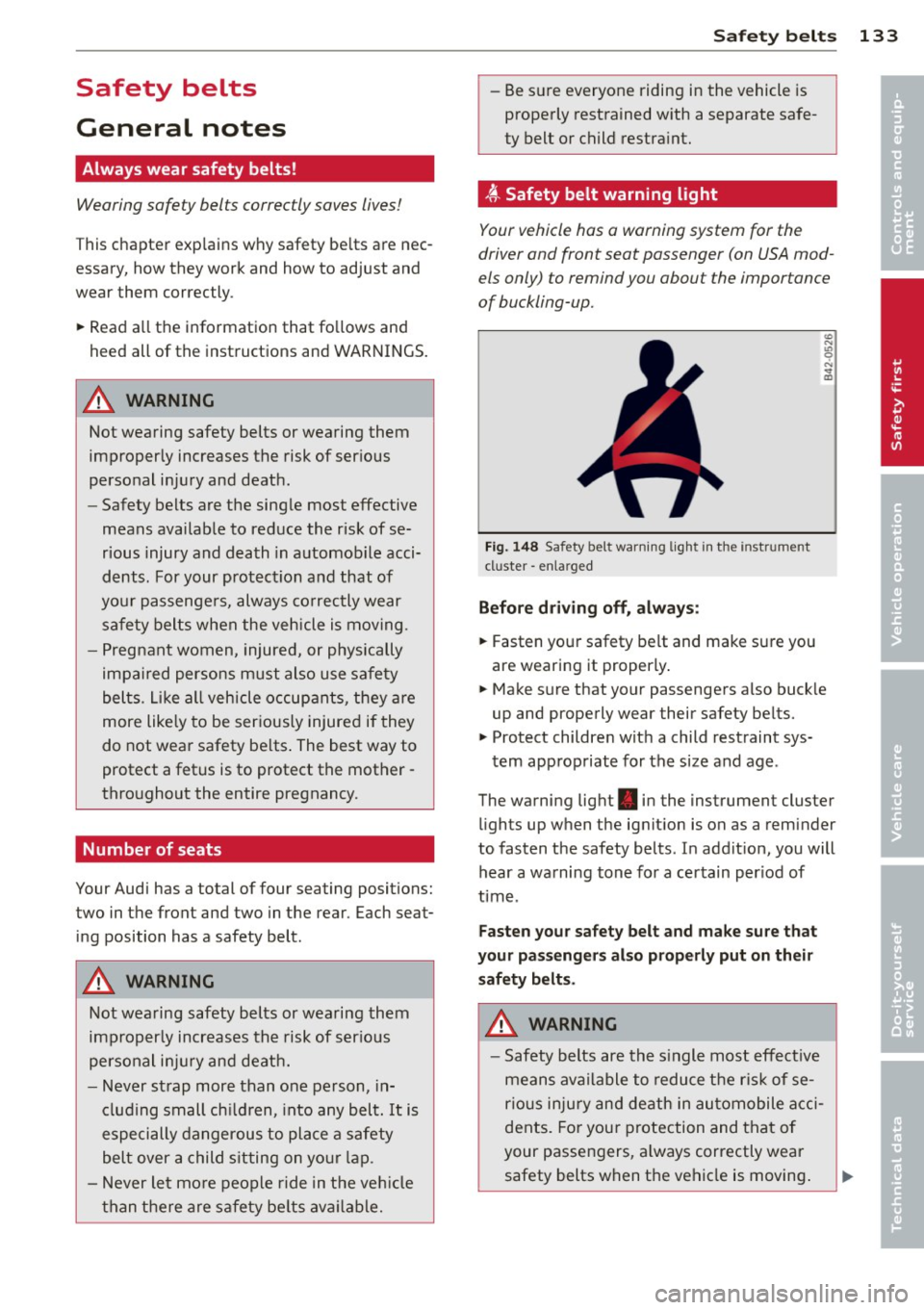
~ Safety belt warning light
Your vehicle has a warning system for the
driver and front seat passenger (on USA mod
els only) to remind you about the importance
of buckling-up.
Fig. 148 Safety belt warning light in the instr ument
cl uster -enla rged
Before driving off, always:
~ Fasten your safety belt and make sure you
are wearing it properly.
~ Make sure that your passengers also buckle
up and properly wear their safety belts.
~ Protect children with a child restraint sys-
tem appropriate for the size and age .
The warning light . in the instrument cluster
lights up when the ignition is on as a reminder
to fasten the safety belts. In addition, you will
hear a warning tone for a certain period of
time .
Fasten your safety belt and make sure that
your passengers also properly put on their
safety belts.
A WARNING
- Safety belts are the single most effective
means available to reduce the risk of se
rious injury and death in automobile acci
dents. For your protection and that of
your passengers, always correctly wear
safety belts when the vehicle is moving.
•
•
Page 194 of 292
192 Intelligent technology
Rear spoiler
The rear spoiler improves vehicle handling
and enhances driver control.
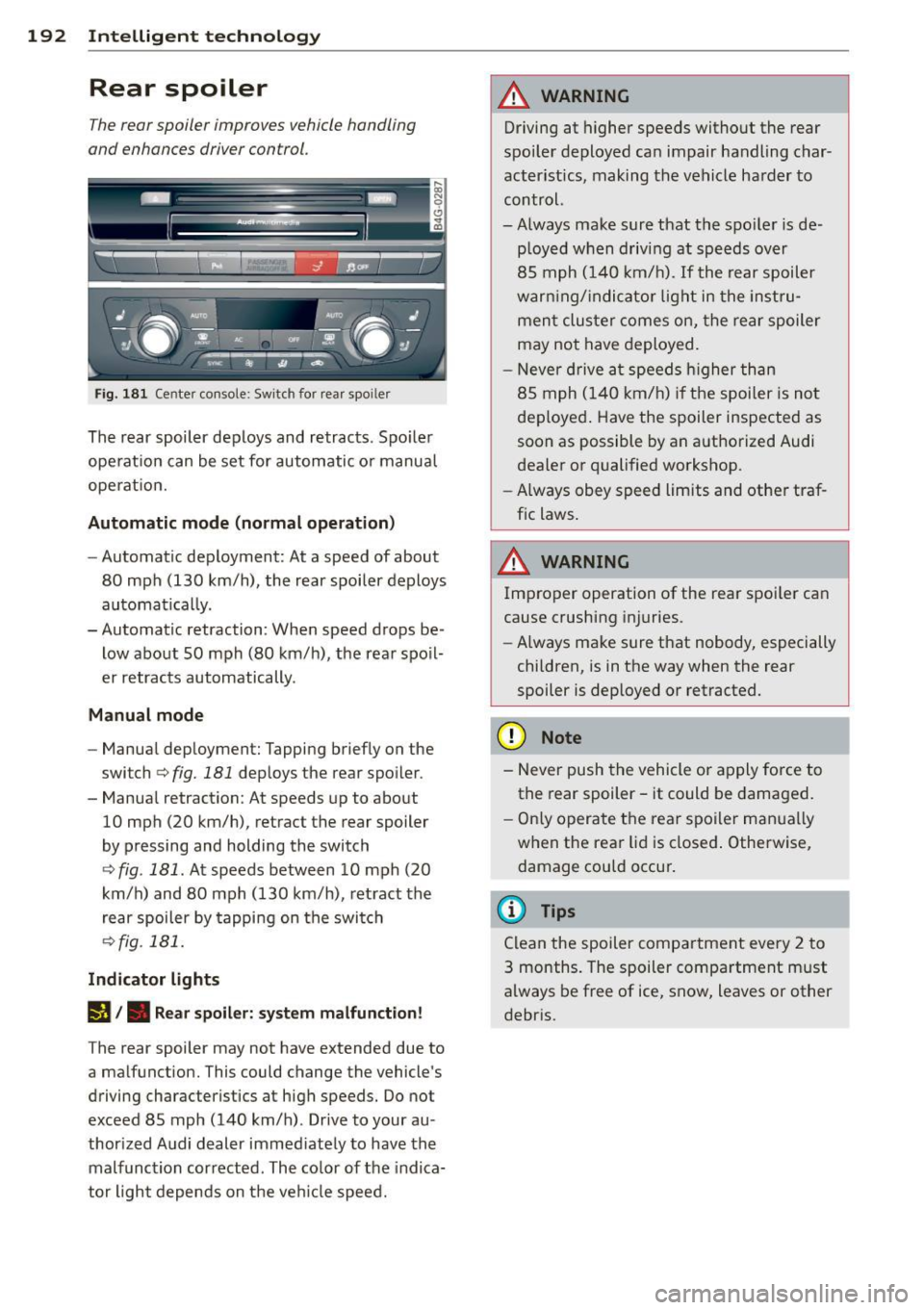
Fig. 181 Center console: Switch for rear spo iler
The rear spoiler deploys and retracts. Spoiler
operation can be set for automatic or manual
operat ion.
Automatic mode (normal operation)
-Automatic deployment: At a speed of about
80 mph (130 km/h), the rear spoiler deploys
automatically.
- Automatic retraction: When speed drops be
low about SO mph (80 km/h), the rear spoil
er retracts automatically.
Manual mode
- Manual deployment: Tapping briefly on the
switch
c:> fig. 181 deploys the rear spoiler .
- Manual retraction: At speeds up to about
10 mph (20 km/h), retract the rear spoiler
by pressing and holding the switch
c:> fig. 181 . At speeds between 10 mph (20
km/h) and 80 mph (130 km/h), retract the
rear spoiler by tapping on the switch
<=?fig. 181.
Indicator lights
I§!/. Rear spoiler: system malfunction!
The rear spoiler may not have extended due to
a malfunction. This could change the vehicle's
driving characteristics at high speeds. Do not
exceed 85 mph (140 km/h). Drive to your au
thorized Audi dealer immed iately to have the
malfunction corrected . The co lor of the indica
tor light depends on the veh icle speed.
A WARNING
-Driving at higher speeds without the rear
spoiler deployed can impair handling char
acteristics, making the vehicle harder to
control.
-Always make sure that the spo iler is de
p loyed when driving at speeds over
85 mph (140 km/h) . If the rear spoiler
warn ing/ indicator light in the instru
ment cluster comes on, the rear spoiler
may not have deployed.
- Never drive at speeds higher than
85 mph (140 km/h) if the spoiler is not
deployed. Have the spoiler inspected as
soon as possible by an authorized Audi
dealer or qualified workshop.
- Always obey speed limits and other traf
fic laws.
A WARNING
Improper operation of the rear spoi ler can
cause crushing injuries.
- Always make sure that nobody, especially
children, is in the way when the rear
spoiler is deployed or retracted.
(D Note
- Never push the vehicle or apply force to
the rear spoiler -it could be damaged.
- Only operate the rear spoiler manua lly
when the rear lid is closed . Otherwise,
damage could occur.
(I} Tips
Clean the spoiler compartment every 2 to
3 months. The spoiler compartment must
always be free of ice, snow, leaves or other
debris.
Page 196 of 292
194 Intelligent technology
overheat, premature wear and increased
stopping distance.
- Under certain climatic and operating
condit ions such as passing through wa
ter, driving in heavy ra in or after wash ing
the vehicle, the effect iveness of the
brakes can be reduced. In winter, ice ca n
accumulate on the brake pads, linings ,
discs and d rums . Carefully apply brakes
for a test . B rakes wi ll dry a nd ice coat
ings will be cleaned off after a few c are
f ul brake app lications .
- Driv ing fo r an ex tende d pe riod of time on
salt-covere d roads w ithout us ing yo ur
brakes can also affect braking efficiency.
Clean off accumulated salt coating from
brake discs and pads w ith a few caref ul
brake applicat ions.
- If you damage the front spoiler, or if you
install a different spoiler, be sure the air
flow to the front brakes is not obstruct ed. Otherwise the brake system could
overheat reducing the effectiveness of
the ent ire brake system .
- Failure of one brake c ircuit will impair
the braking capability res ulting in an in
creased stopp ing distance. Avoid driv ing
the vehicle and have it towed to t he near
est Au di dea le r o r q ualified w ork sh o p.
- Never let the vehicle ro ll to a stop w ith
the e ngine shu t off.
- If the brake booster is not working, the
bra ke pedal must be p ressed conside ra
bly harder to make up for the la ck of
booster assistance.
Electro-mechanical
power assist, dynamic
steering
The electro-mechanical power assist helps
the driver when steering .
Power steering adapts electronically based on
the vehicle speed .
Indicator lights and messages
• Steering defective! Stop the vehicle
If this indicato r light turns on and stays on
and t his message appears, the power steering
may have failed.
D o
not con tinue dr iv ing . See your author ized
Audi dealer or other qualified repair facility
for assistance .
'I-lj Steering: Sy stem fault You can continue
driving
If the indicato r light turns on and the mes
sage appea rs, the stee ring may be more diffi
cul t to move o r more sens itive th an usua l. The
stee ring wheel may a lso be at an ang le when
driving straight .
D rive slowly to you r authorized Aud i dea le r or
qualified wo rkshop to have the ma lf u nct ion
corre cted.
(:rij Dynamic st eering: Initializing
If this driver message appears and the indica
tor light is f lashing on the instrument panel,
dynam ic steer ing* is being rei nitia lized . Afte r
sta rting the engine, the stee ring wheel will
move s ligh tly. Re- ini tiali zation mig ht be ne c
essa ry if the stee ring wheel w as moved h ard
to the left and r ight wh ile the vehicle was not
moving . The display goes out as soon as initi
alization is complete.
D rive slowly to you r authorized Audi de aler or
qualified wo rkshop to have the ma lf u nct ion
corrected.
_& WARNING
Have t he dynamic stee ring * system mal
f u nction repa ired as soon as possible by an
a uthorized Audi dea ler or qua lified wor k
shop - risk of acc ident !
(D Tips
If the . or (:rij indicator light on ly stays
on for a short time, yo u may continue driv
i ng.
- The dynamic steering * stab ility systems
are not avai lab le in the event of a system
ma lf u nction.
- For add itiona l information on dynamic
steering *, refer to
c> page 96.