Page 41 of 415
39
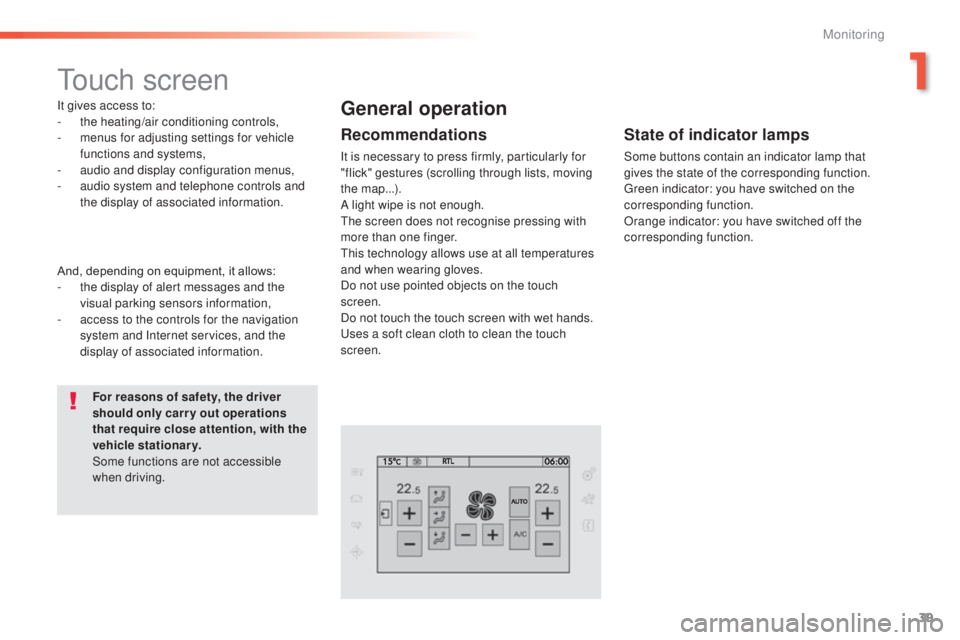
touch screen
It gives access to:
- the heating/air conditioning controls,
-
m
enus for adjusting settings for vehicle
functions and systems,
-
a
udio and display configuration menus,
-
a
udio system and telephone controls and
the display of associated information.
For reasons of safety, the driver
should only carr y out operations
that require close attention, with the
vehicle stationary.
Some functions are not accessible
when driving.General operation
Recommendations
It is necessary to press firmly, particularly for
"flick" gestures (scrolling through lists, moving
the map...).
A light wipe is not enough.
th
e screen does not recognise pressing with
more than one finger.
th
is technology allows use at all temperatures
and when wearing gloves.
Do not use pointed objects on the touch
screen.
Do not touch the touch screen with wet hands.
us
es a soft clean cloth to clean the touch
screen.
And, depending on equipment, it allows:
-
t
he display of alert messages and the
visual parking sensors information,
-
a
ccess to the controls for the navigation
system and Internet services, and the
display of associated information.
State of indicator lamps
Some buttons contain an indicator lamp that
gives the state of the corresponding function.
gr
een indicator: you have switched on the
corresponding function.
Orange indicator: you have switched off the
corresponding function.
1
Monitoring
Page 42 of 415
40
use this button to go to the
secondary page.
us
e this button to return to the
primary page.
us
e this button for access to
additional information and to the
settings for certain functions.
us
e this button to confirm.
Use this button to quit.
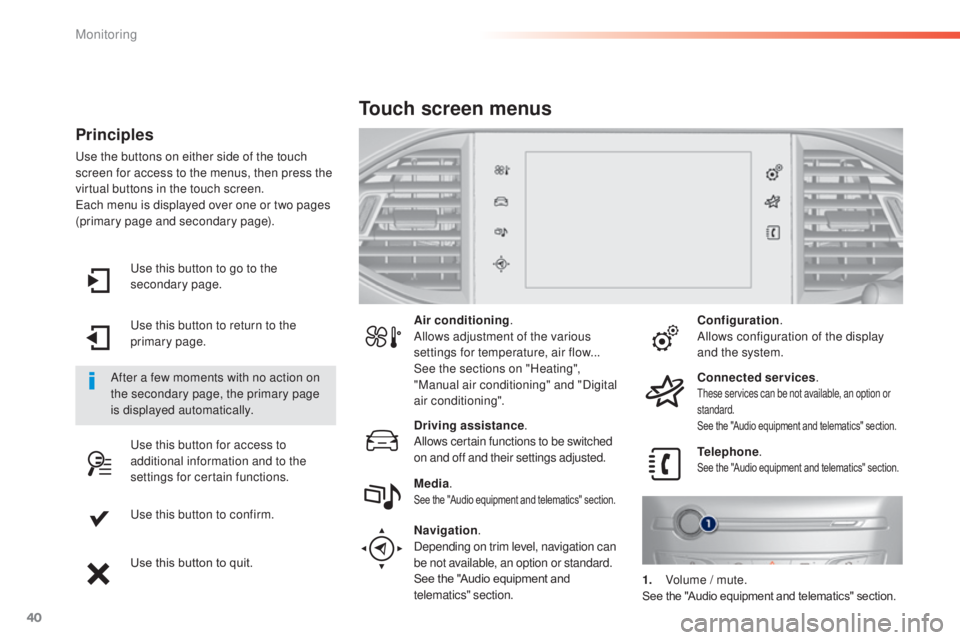
Principles
use the buttons on either side of the touch
screen for access to the menus, then press the
virtual buttons in the touch screen.
ea
ch menu is displayed over one or two pages
(primary page and secondary page).
After a few moments with no action on
the secondary page, the primary page
is displayed automatically. Air conditioning
.
Allows adjustment of the various
settings for temperature, air flow...
See the sections on "Heating",
"Manual air conditioning" and "Digital
air conditioning".
Touch screen menus
Driving assistance .
Allows certain functions to be switched
on and off and their settings adjusted. Telephone
.
See the "Audio equipment and telematics" section.Media.See the "Audio equipment and telematics" section.
Navigation .
Depending on trim level, navigation can
be not available, an option or standard.
See the "Audio equipment and
telematics" section. Configuration
.
Allows configuration of the display
and the system.
Connected services .
these services can be not available, an option or
standard.
See the "Audio equipment and telematics" section.
1. Volume / mute.See the "Audio equipment and telematics" section.
Monitoring
Page 303 of 415
301
t
he system is protected in such a way that it will only
operate in your vehicle.
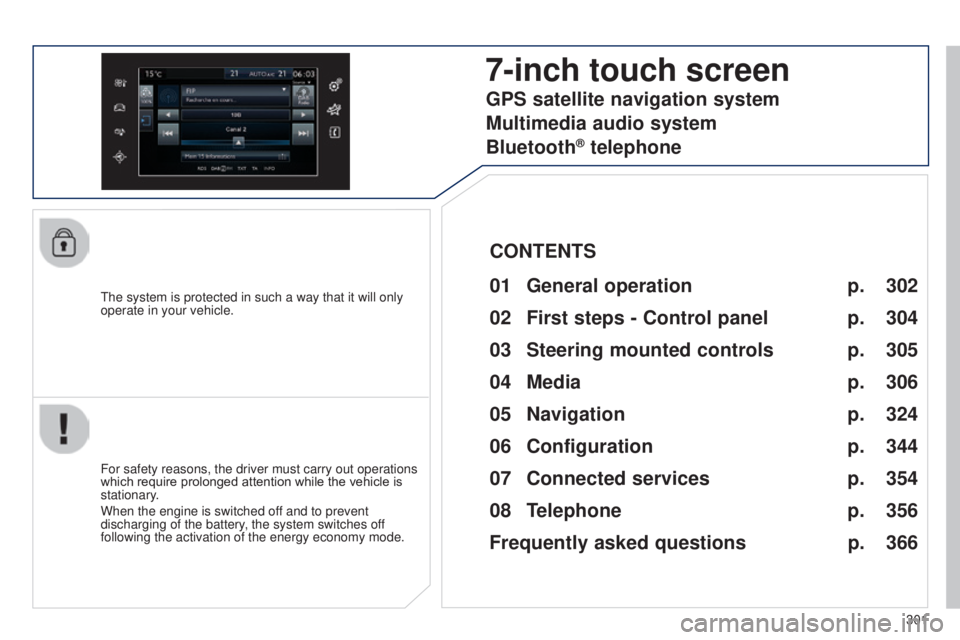
7-inch touch screen
01 General operation
For safety reasons, the driver must carry out operations
which require prolonged attention while the vehicle is
stationary.
When the engine is switched off and to prevent
discharging of the battery, the system switches off
following the activation of the energy economy mode.
CONTENTS
02
First steps - Control
panel
04
Media
05
Navigation
06
Configuration
07
Connected service
s
08
Telephone p.
p.
p.
p.
p.
p.
p.
Frequently asked questions p.
GPS satellite navigation system
Multimedia audio system
Bluetooth
® telephone
302
304
324 306
344
354
356
366
03
Steering mounted
controls p. 305
Page 304 of 415
01GENERAL OPERATION
* Depending on equipment.
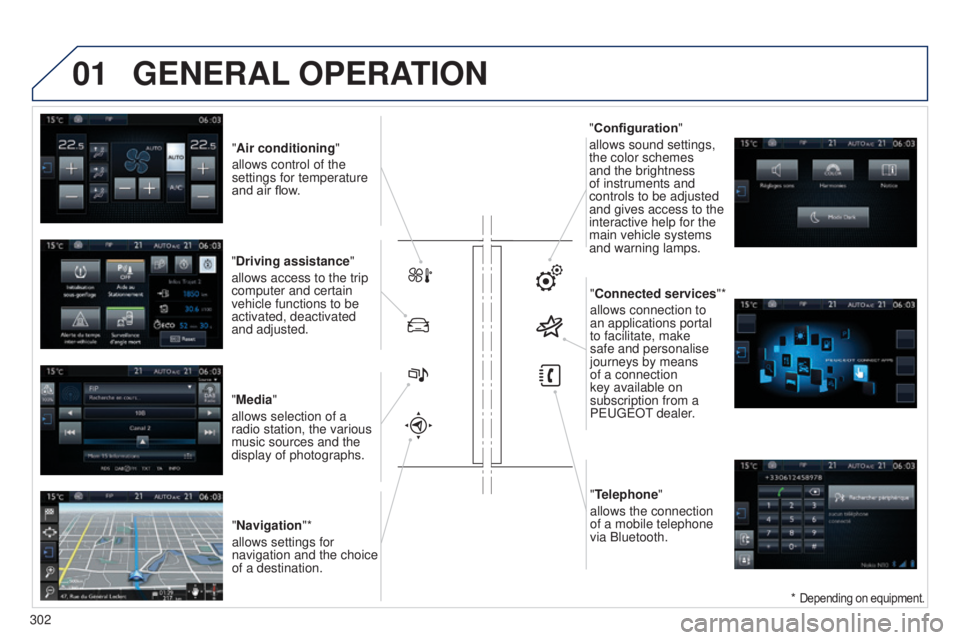
"Air conditioning "
allows control of the
settings for temperature
and air flow.
"Driving assistance"
allows access to the trip
computer and certain
vehicle functions to be
activated, deactivated
and adjusted.
"Media"
allows selection of a
radio station, the various
music sources and the
display of photographs. "Navigation"*
allows settings for
navigation and the choice
of a destination. "Configuration
"
allows sound settings,
the color schemes
and the brightness
of instruments and
controls to be adjusted
and gives access to the
interactive help for the
main vehicle systems
and warning lamps.
"Connected services "*
allows connection to
an applications portal
to facilitate, make
safe and personalise
journeys by means
of a connection
key available on
subscription from a
P
euge O t
dealer
.
"Telephone"
allows the connection
of a mobile telephone
via Bluetooth.
302
Page 306 of 415
02
304
FIRST STEPS
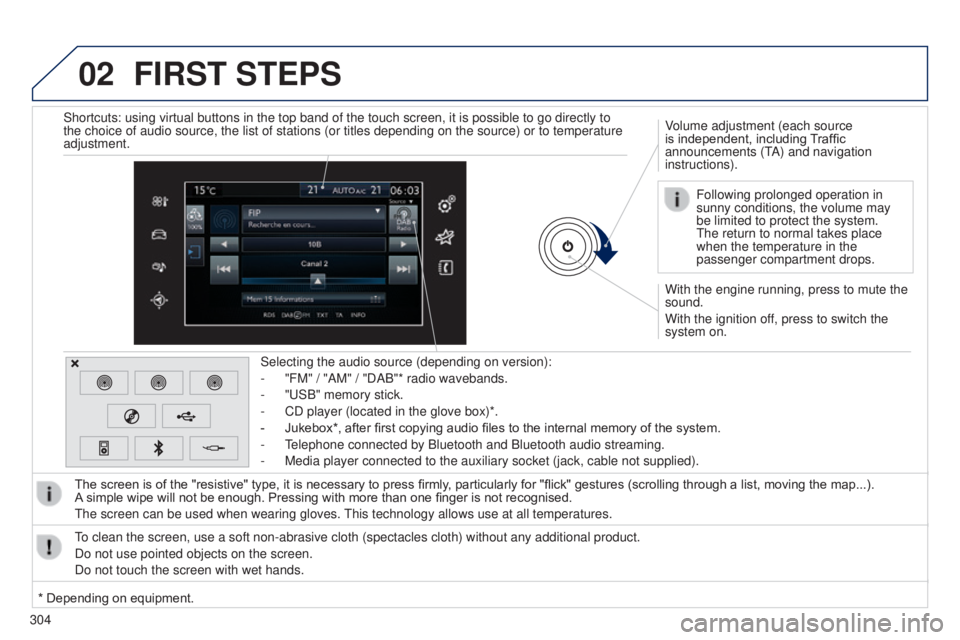
With the engine running, press to mute the
sound.
With the ignition off, press to switch the
system on. Volume adjustment (each source
is independent, including Traffic
announcements (t
A) and navigation
instructions).
Selecting the audio source (depending on version):
-
"FM" / "AM" / "DAB"* radio wavebands.
-
"
u
SB" memory stick.
-
CD player (located in the glove box)*.
-
Jukebox*, after first copying audio files to the internal memory of the system.
-
t
elephone connected by Bluetooth and Bluetooth audio streaming.
-
Media player connected to the auxiliary socket (jack, cable not supplie\
d).
The screen is of the "resistive" type, it is necessary to press firmly , particularly for "flick" gestures (scrolling through a list, moving the map...).
A
simple wipe will not be enough. Pressing with more than one finger is not recognised.
t
he screen can be used when wearing gloves.
t
his technology allows use at all temperatures.
to clean the screen, use a soft non-abrasive cloth (spectacles cloth) w\
ithout any additional product.
Do not use pointed objects on the screen.
Do not touch the screen with wet hands. Following prolonged operation in
sunny conditions, the volume may
be limited to protect the system.
t
he return to normal takes place
when the temperature in the
passenger compartment drops.
Shortcuts: using virtual buttons in the top band of the touch screen, it\
is possible to go directly to
the choice of audio source, the list of stations (or titles depending o\
n the source) or to temperature
adjustment.
* Depending on equipment.
Page 326 of 415
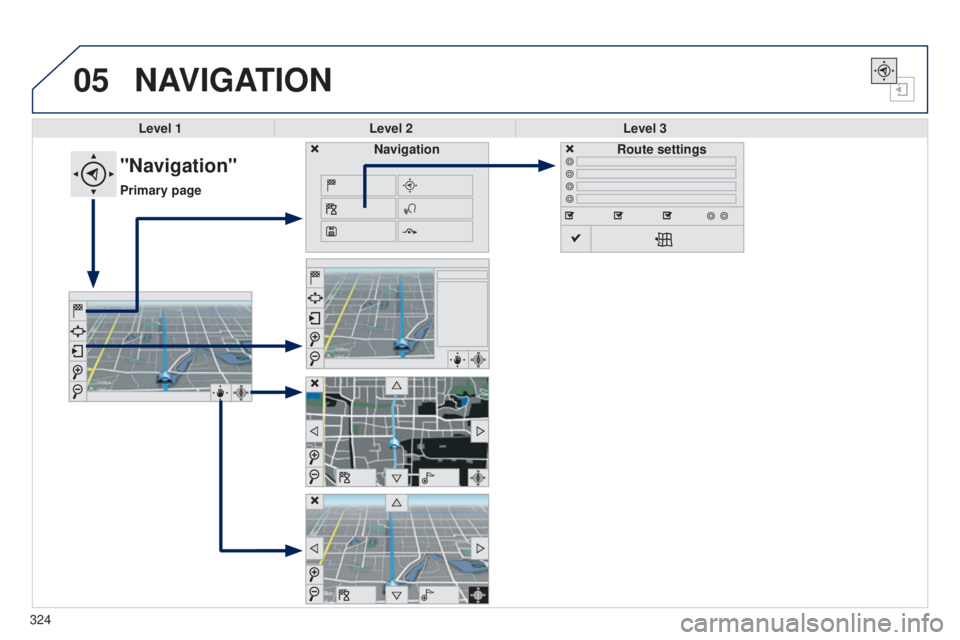
05NAVIGATION
Level 1Level 2 Level 3
"Navigation"
Primary page Route settings
Navigation
324
Page 327 of 415
325
Level 1
Level 2 Level 3 Comments
Navigation Settings
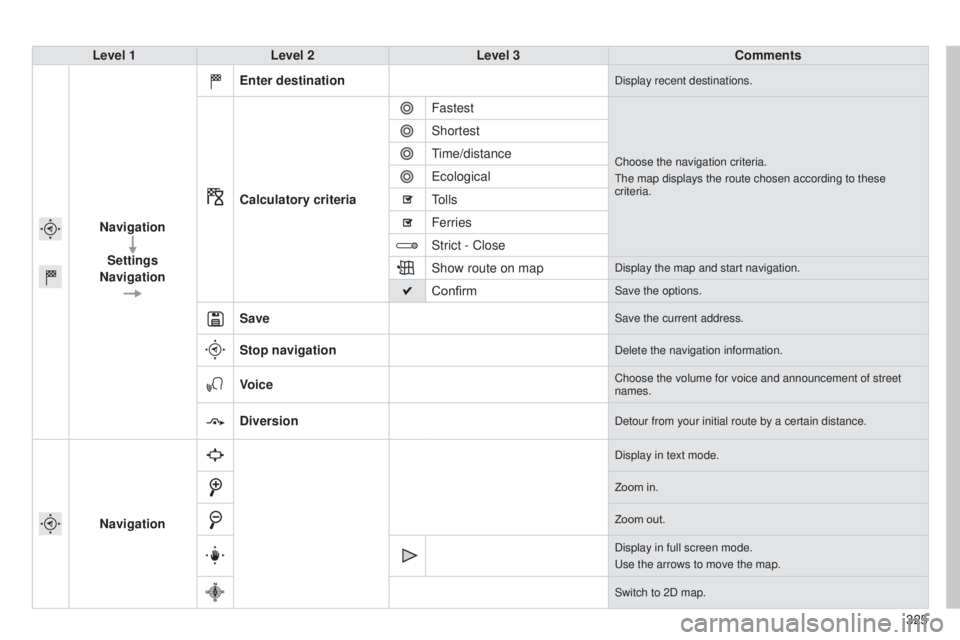
Navigation Enter destination
Display recent destinations.
Calculatory criteria
Fastest
Choose the navigation criteria.
t
he map displays the route chosen according to these
criteria.
Shortest
time/distance
e
cological
tolls
Ferries
Strict - Close
Show route on map
Display the map and start navigation.
ConfirmSave the options.
SaveSave the current address.
Stop navigationDelete the navigation information.
VoiceChoose the volume for voice and announcement of street
names.
DiversionDetour from your initial route by a certain distance.
Navigation
Display in text mode.
Zoom in.
Zoom out.
Display in full screen mode.
u
se the arrows to move the map.
Switch to 2D map.
Page 328 of 415
05
326
to use the telephone functions,
refer to the "Communications"
section. For managing contacts and
their addresses, refer to the
"Communications" section.
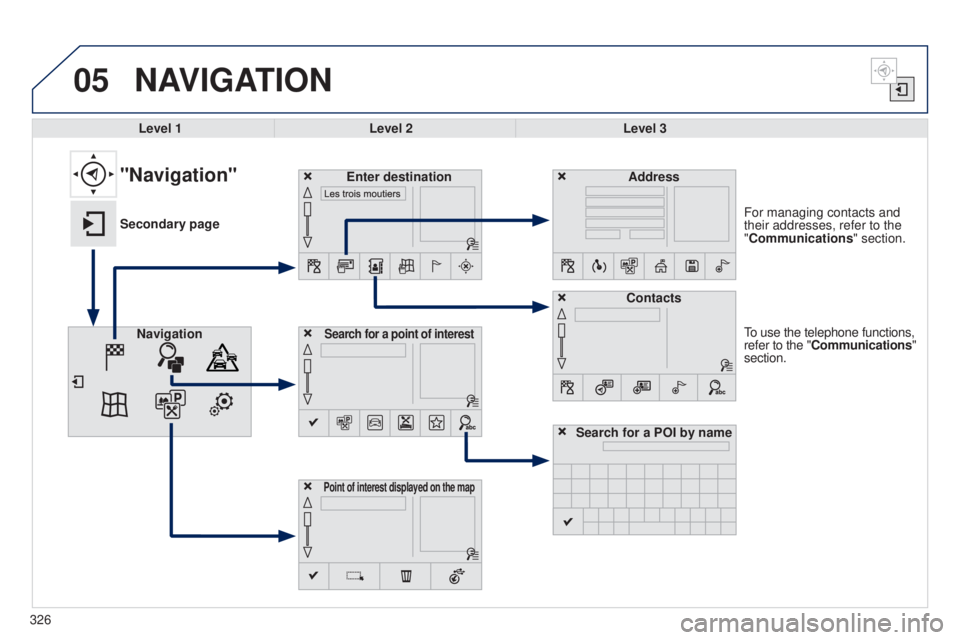
NAVIGATION
Search for a point of interestNavigation Address
Enter destination
Contacts
Point of interest displayed on the map
Level 1Level 2 Level 3
"Navigation"
Secondary page
Search for a POI by name