2013 VOLVO V60 key
[x] Cancel search: keyPage 108 of 422

03 Your driving environment
Compass*
03
106* Option/accessory, for more information, see Introduction.
Operation
Rearview mirror with compass.
The upper right-hand corner of the rearview
mirror has an integrated display that shows the
compass direction in which the front of the car
is pointing. Eight different directions are shown
with English abbreviations:
N (north), NE (north
east), E (east), SE (south east), S (south), SW(south west), W (west) and NW (north west).
The compass is activated automatically when
the car is started or in key position II, see
page 78. To deactivate/activate the compass -
press in the button on the underside of the mir-
ror using a paper clip for example.
CalibrationThe earth is divided into 15 magnetic zones.
The compass is set for the geographic area to
which the car was delivered. The compassshould be calibrated if the car is moved across
several magnetic zones. Proceed as follows:
1. Stop the car in a large open area free from
steel structures and high-voltage power
lines.
2. Start the car.
NOTE
For optimum calibration - switch off all elec-
trical equipment (climate control system,
wipers etc.) and make sure that all doors are
closed.
3. Hold the button on the underside of the
rearview mirror depressed
approx. 6 seconds (using a paper clip for
example) until the character
C is shown.
G030295
Magnetic zones.
4. Hold the button on the underside of the
rearview mirror depressed
approx. 3 seconds. The number of the cur-
rent magnetic zone is shown.
5. Press the button repeatedly until the
required magnetic zone (
1–15) is shown.
See the map of magnetic zones for the
compass.
6. Wait until the display resumes showing the
character
C.
7. Drive slowly in a circle at a speed of no
more than 10 km/h until a compass direc-
tion is shown in the display, indicating that
calibration is complete. Then drive a further
2 circles to fine-tune calibration.
8. Repeat the above procedure as necessary.
ProCarManuals.com
Page 109 of 422
03 Your driving environment
Power sunroof*
03
* Option/accessory, for more information, see Introduction.107 General
The sunroof controls are located in the roof
panel. The sunroof can be opened vertically at
the rear edge and horizontally. Key position I or
II is required for the sunroof to be opened.
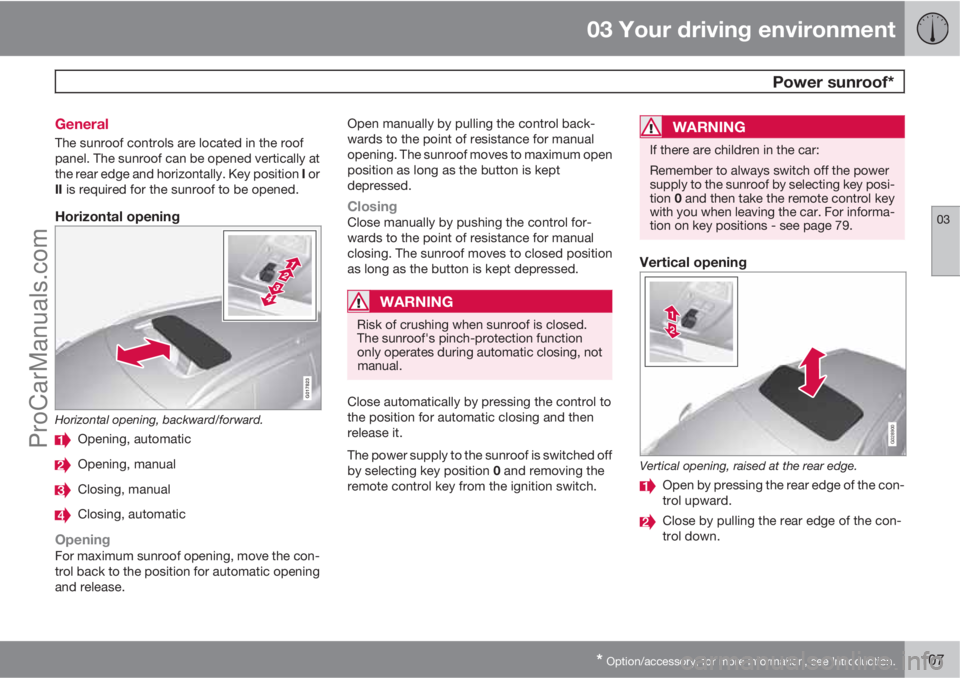
Horizontal opening
G017823
Horizontal opening, backward/forward.
Opening, automatic
Opening, manual
Closing, manual
Closing, automatic
OpeningFor maximum sunroof opening, move the con-
trol back to the position for automatic opening
and release.Open manually by pulling the control back-
wards to the point of resistance for manual
opening. The sunroof moves to maximum open
position as long as the button is kept
depressed.
ClosingClose manually by pushing the control for-
wards to the point of resistance for manual
closing. The sunroof moves to closed position
as long as the button is kept depressed.
WARNING
Risk of crushing when sunroof is closed.
The sunroof's pinch-protection function
only operates during automatic closing, not
manual.
Close automatically by pressing the control to
the position for automatic closing and then
release it.
The power supply to the sunroof is switched off
by selecting key position 0 and removing the
remote control key from the ignition switch.
WARNING
If there are children in the car:
Remember to always switch off the power
supply to the sunroof by selecting key posi-
tion 0 and then take the remote control key
with you when leaving the car. For informa-
tion on key positions - see page 79.
Vertical opening
G028900
Vertical opening, raised at the rear edge.
Open by pressing the rear edge of the con-
trol upward.
Close by pulling the rear edge of the con-
trol down.
ProCarManuals.com
Page 110 of 422
03 Your driving environment
Power sunroof*
03
108* Option/accessory, for more information, see Introduction.
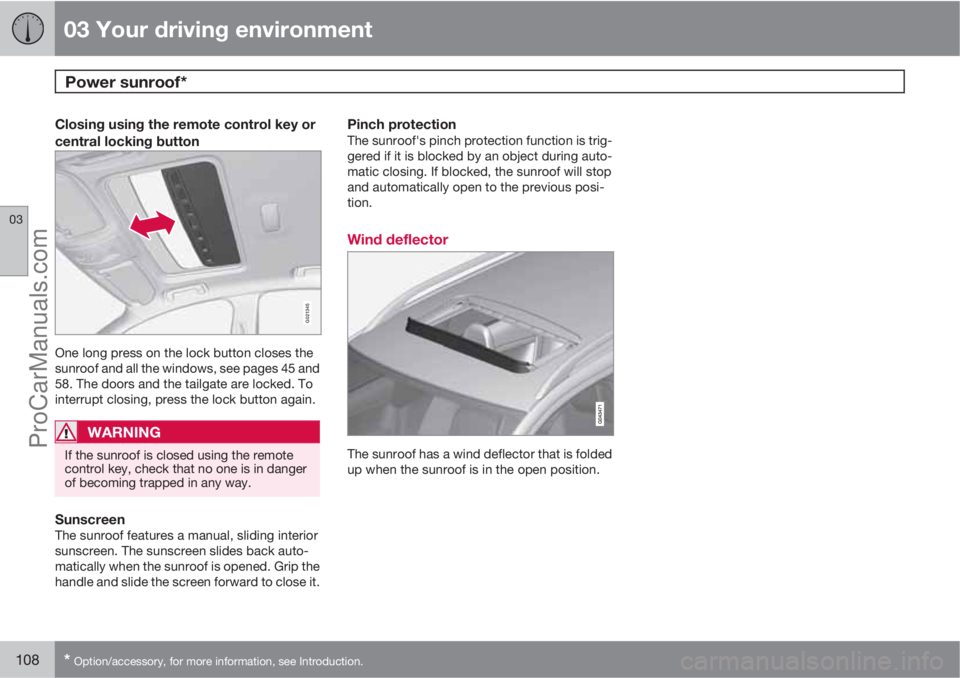
Closing using the remote control key or
central locking button
G021345
One long press on the lock button closes the
sunroof and all the windows, see pages 45 and
58. The doors and the tailgate are locked. To
interrupt closing, press the lock button again.
WARNING
If the sunroof is closed using the remote
control key, check that no one is in danger
of becoming trapped in any way.
SunscreenThe sunroof features a manual, sliding interior
sunscreen. The sunscreen slides back auto-
matically when the sunroof is opened. Grip the
handle and slide the screen forward to close it.
Pinch protectionThe sunroof's pinch protection function is trig-
gered if it is blocked by an object during auto-
matic closing. If blocked, the sunroof will stop
and automatically open to the previous posi-
tion.
Wind deflector
The sunroof has a wind deflector that is folded
up when the sunroof is in the open position.
ProCarManuals.com
Page 115 of 422

03 Your driving environment
Starting the engine
03
* Option/accessory, for more information, see Introduction.113 Petrol and diesel engines
Ignition switch with remote control key extracted/
inserted. and START/STOP ENGINE button.
IMPORTANT
Do not press in the remote control key incor-
rectly turned - Hold the end with the detach-
able key blade, see page 48.
1. Insert the remote control key in the ignition
switch and press it in to its end position.
Note that if the car is equipped with an
alcolock then a breath test must first be
approved before the engine can be started
- see page 109.2.
Hold the clutch pedal fully depressed
1. (For
cars with automatic gearbox - Depress the
brake pedal.)
3.
Press the START/STOP ENGINE button
and then release it.
The starter motor works until the engine starts
or until its overheating protection triggers.
IMPORTANT
If the engine fails to start after 3 attempts -
wait for 3 minutes before making a further
attempt. Starting capacity increases if the
battery is allowed to recover.
WARNING
Never remove the remote control key from
the ignition switch after starting the engine
or when the car is being towed.
WARNING
Always remove the remote control key from
the ignition switch when leaving the car, and
make sure that the key position is 0 - in par-
ticular if there are children in the car. For
information on how this works - see
page 79.
NOTE
The idling speed can be noticeably higher
than normal for certain engine types during
cold starting. This is so that the emissions
system can reach normal operating tem-
perature as quickly as possible, which min-
imises exhaust emissions and protects the
environment.
Keyless drive*Follow steps 2–3 for starting petrol and diesel
engines. For more information on Keyless drive
- see page 53.
NOTE
A prerequisite for the car to start is that one
of the car's remote control keys with the
Keyless drive* function is in the passenger
compartment or cargo area.
WARNING
Never remove the remote control key from
the car while driving or during towing.
Stop the engineTo switch off the engine:
•Press START/STOP ENGINE - the engine
stops.
1If the car is moving then it is enough to press the START/STOP ENGINE button to start the car.
ProCarManuals.com
Page 116 of 422
03 Your driving environment
Starting the engine
03
114* Option/accessory, for more information, see Introduction.
If the gear selector is not in P position or if the
car is moving:
•Press twice on START/STOP ENGINE or
hold the button depressed until the engine
stops.
Steering lockA mechanical noise can be perceived when the
steering lock unlocks or locks.
•The steering lock unlocks when the remote
control key is in the ignition switch2 and the
START/STOP ENGINE button is
depressed.
•The steering lock locks when the driver's
door is opened after the engine has been
switched off.
Key positionsFor information on the remote control key's dif-
ferent key positions - see page 78
Remote start - ERS*
General information on ERSRemote start (ERS – Engine Remote Start)
means that the car's engine can be started
remotely using the remote control key. This is
so that the passenger compartment can be
warmed up/cooled down before departure.
The climate control starts with the same set-
tings that were being used when the car was
parked.
An ERS-started engine is activated for a maxi-
mum of 15 minutes, then it is switched off. After
two ERS-activations the engine must be
started in the normal way before ERS can be
re-used.
The ERS option is only available on cars with
automatic gearbox.
NOTE
Follow local/national rules/regulations on
idling.
WARNING
To remote-start the engine, the following
criteria must be met:
•The car must be supervised
•There must be no people or animals
inside the car
•The car must not be parked in a closed,
unventilated area - the exhaust gases
may seriously injure humans and ani-
mals.
2Cars with Keyless drive must have a remote control key inside the passenger compartment.
ProCarManuals.com
Page 117 of 422

03 Your driving environment
Starting the engine
03
115
Operation
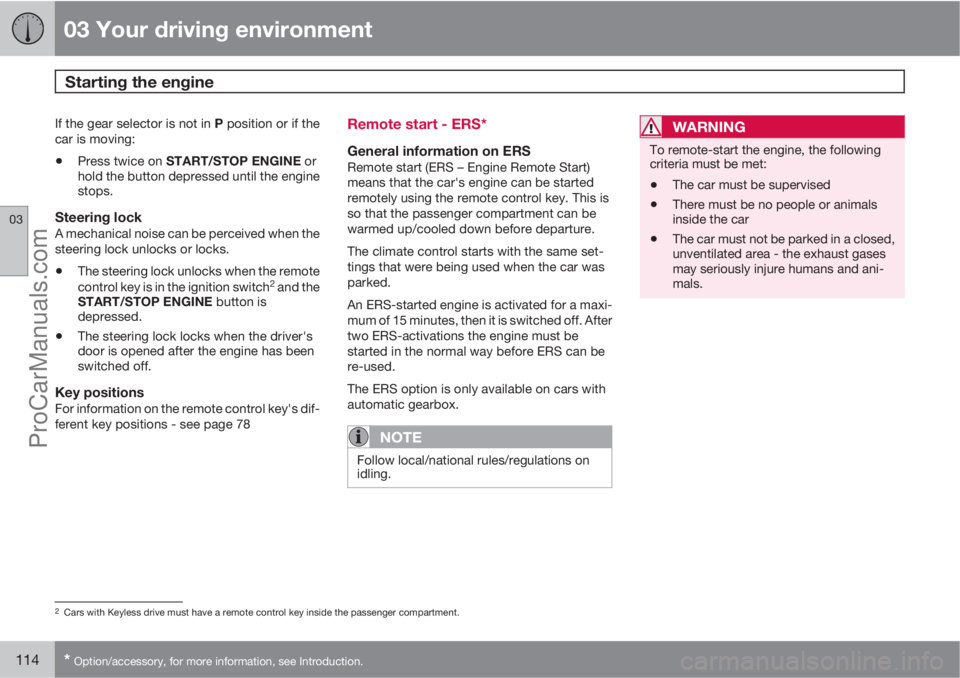
Remote control buttons for remote start.
Locking
Approach lighting
Information3
Remote starting the engineMaximum distance for enabling remote star-
ting of the engine is approx. 30 metres in unob-
structed space - in addition, the car must be
locked.
To remote start the engine:1. Briefly press on the remote control key's
lock button (1).
2. Follow this immediately afterwards with a
long press - at least 2 seconds - on
button (2).
If the conditions for ERS are fulfilled then the
following takes place:
1. All direction indicators flash quickly several
times.
2. The engine starts.
3. All direction indicators illuminate with a
constant glow for 3 seconds to verify that
the engine has started.
NOTE
After remote starting, the car continues to
be locked but with the alarm deactivated.
With PCC4 keyThe light indication for Approach
lighting5 flashes several times when
the button is pressed and then goes
to constant glow if all criteria for ERS
have been fulfilled. However, this does not
mean that ERS has started the engine.
To check whether ERS has started the engine,
the user can press the Information button (3) -
if the engine has started, there is a light indi-
cation on the button for Approach lighting (2).
Active functionsThe following functions are activated with a
remote started engine:
•Ventilation system
•Audio/video system.
Deactivated functionsThe following functions are deactivated with a
remote started engine:
•headlamps
•Position lamps
•Number plate lighting
•Windscreen wiper.
the engine is switched offThe following steps switch off an ERS-started
engine:
•The remote control key's lock button (1) is
depressed
•The car is unlocked
•A door is opened
3Only on PCC key, see page 47.4Read about the PCC key on page 47.5Read about Approach lighting on page 46 and 94.
ProCarManuals.com
Page 122 of 422

03 Your driving environment
Starting the engine – external battery
03
120
Jump starting
If the battery is flat then the car can be started
with current from another battery.
When jump starting the car, the following steps
are recommended to avoid short circuits or
other damage:
1. Insert the remote control key in key posi-
tion 0, see page 78.
2. Check that the donor battery has a voltage
of 12 V.
3. If the donor battery is installed in another
car - switch off the donor car's engine and
make sure that the two cars do not touch
each other.4. Connect one of the red jump lead's clamps
to the donor battery's positive terminal (1).
IMPORTANT
Connect the start cable carefully to avoid
short circuits with other components in the
engine compartment.
5. Open the clips on the front cover of the
battery in your car and remove the cover,
see page 345.
6. Connect the red jump lead's other clamp
onto the car's positive terminal (2).
7. Connect one of the black jump lead's
clamps to the donor battery's negative ter-
minal (3).
8. Connect the other clamp to a grounding
point, e.g. right-hand engine mounting at
the top, the outer screw head (4).
9. Check that the jump lead clamps are
affixed securely so that there are no sparks
during the starting procedure.
10. Start the engine of the "donor car" and
allow it to run a few minutes at a speed
slightly higher than idle approx. 1500 rpm.
11. Start the engine in the car with the dis-
charged battery.
IMPORTANT
Do not touch the crocodile clips during the
start procedure. There is a risk of sparks
forming.
12. Remove the jump leads in reverse order -
first the black and then the red.
> Make sure that none of the black jump
lead's clamps comes into contact with
the battery's positive terminal or the
clamp connected to the red jump lead!
WARNING
•The battery can generate oxyhydrogen
gas, which is highly explosive. A spark
can be formed if a jump lead is con-
nected incorrectly, and this can be
enough for the battery to explode.
•The battery contains sulphuric acid,
which can cause serious burns.
•If sulphuric acid comes into contact
with eyes, skin or clothing, flush with
large quantities of water. If acid
splashes into the eyes - seek medical
attention immediately.
For more information on the car's battery - see
page 344.
ProCarManuals.com
Page 126 of 422
03 Your driving environment
Gearboxes
03
124
Geartronic does not permit downshifting/kick-
down which would result in an engine speed
high enough to damage the engine. Nothing
happens if the driver still tries to shift down in
this way at high engine speed – the original
gear remains engaged.
When kick-down is activated the car can
change one or more gears at a time depending
on engine speed. The car changes up when the
engine reaches its maximum speed in order to
prevent damage to the engine.
Mechanical gear selector inhibitor
G021351
The gear selector can be moved forward and
back freely between N and D. Other positions
are locked with a latch that is released with the
inhibitor button on the gear selector.With the inhibitor button depressed the lever
can be moved forwards or backwards between
P, R, N and D.
Automatic gear selector inhibitorThe automatic gearbox has special safety sys-
tems:
Parking position (P)Stationary car with engine running:
Keep your foot on the brake pedal when mov-
ing the gear selector to another position.
Electric gear inhibitor – Shiftlock Parking
position (P)
To be able to move the gear selector from P to
other gear positions, the brake pedal must be
depressed and the remote control key must be
in position II, see page 78.
Shiftlock – Neutral (N)If the gear selector is in N position and the car
has been stationary for at least 3 seconds (irre-
spective of whether the engine is running) then
the gear selector is locked.
To be able to move the gear selector from N to
other gear positions, the brake pedal must be
depressed and the remote control key must be
in position II, see page 78.
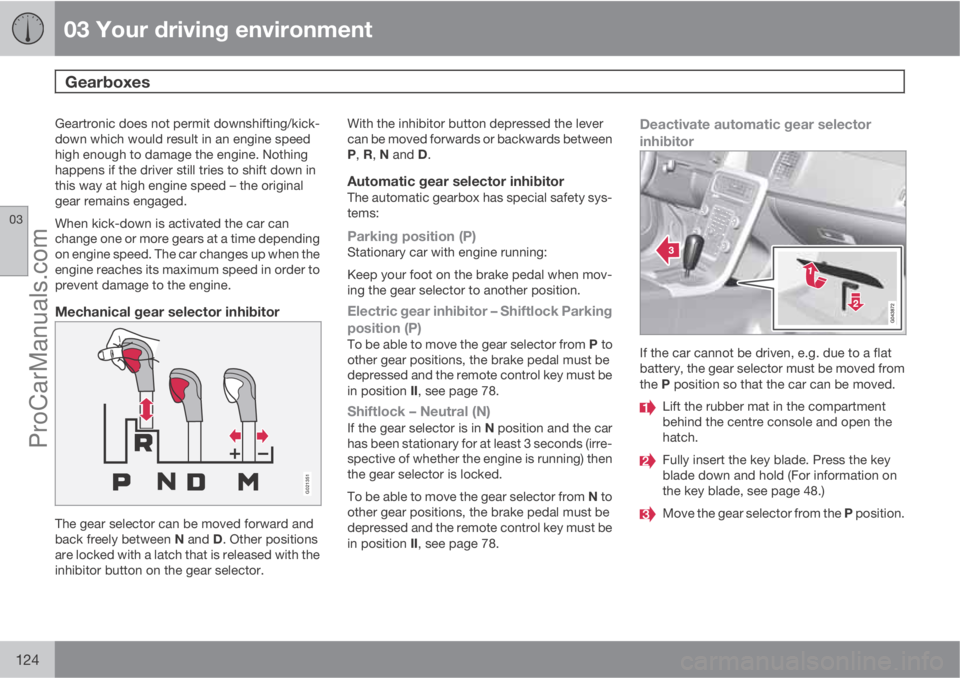
Deactivate automatic gear selector
inhibitor
If the car cannot be driven, e.g. due to a flat
battery, the gear selector must be moved from
the P position so that the car can be moved.
Lift the rubber mat in the compartment
behind the centre console and open the
hatch.
Fully insert the key blade. Press the key
blade down and hold (For information on
the key blade, see page 48.)
Move the gear selector from the P position.
ProCarManuals.com