Page 482 of 876
482 3-2. Using the audio system
SIENNA_OM_OM45472U_(U)
■About the wrench
After using the included wrench, store it in the glove box for safekeeping\
.
■ Installing the antenna
Tighten the antenna by one
hand until it will not turn any
more.
Using the wrench, tighten the
antenna an additional 1/8th
turn (20 to 45 degrees) to
secure it in place.
After tightening the antenna,
remove the wrench.
STEP1
STEP2
Page 544 of 876
544 3-5. Using the hands-free phone system (for cellular phone)
SIENNA_OM_OM45472U_(U)
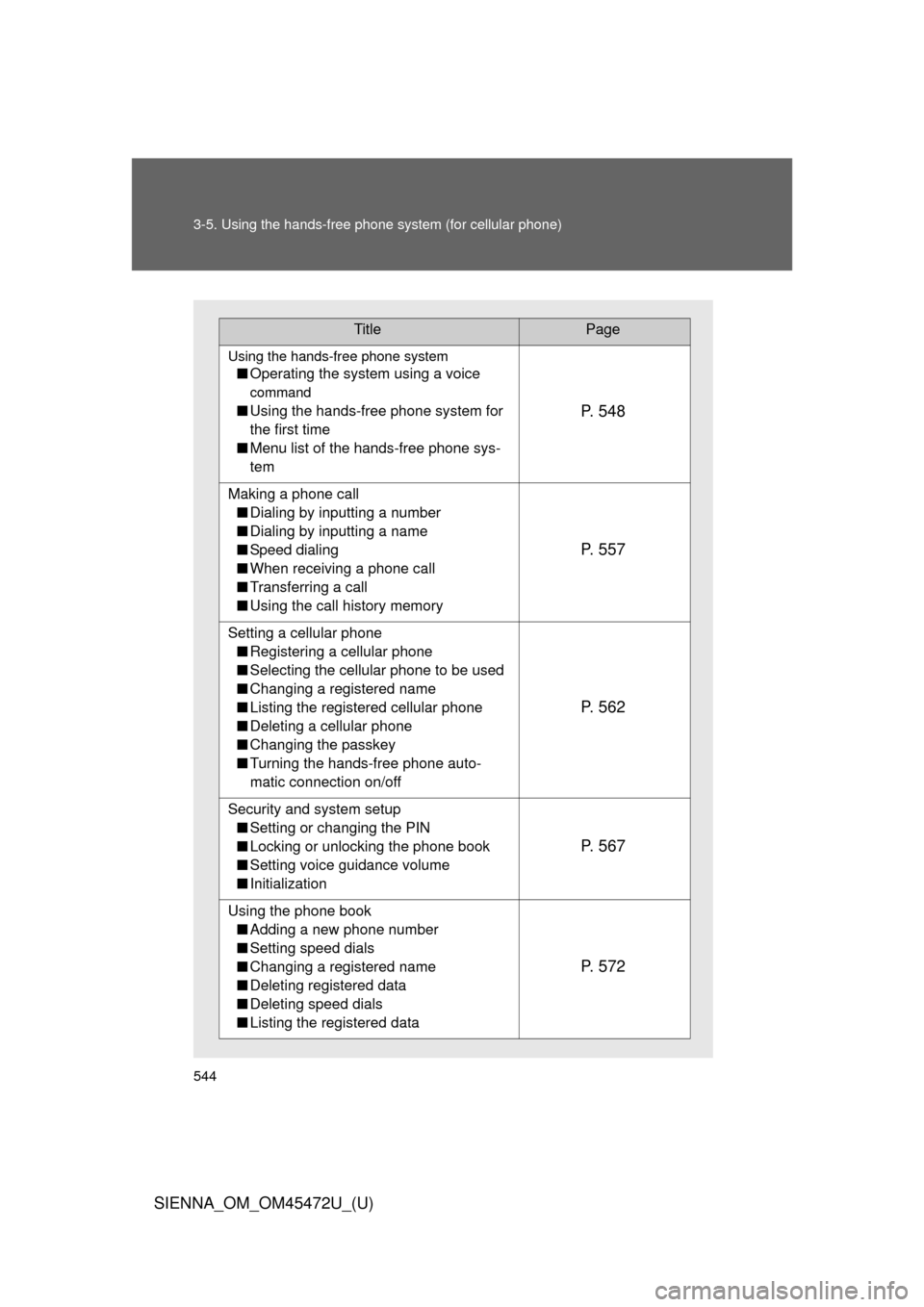
TitlePage
Using the hands-free phone system
■Operating the system using a voice
command
■Using the hands-free phone system for
the first time
■ Menu list of the hands-free phone sys-
temP. 5 4 8
Making a phone call
■ Dialing by inputting a number
■ Dialing by inputting a name
■ Speed dialing
■ When receiving a phone call
■ Transferring a call
■ Using the call history memory
P. 5 5 7
Setting a cellular phone
■ Registering a cellular phone
■ Selecting the cellular phone to be used
■ Changing a registered name
■ Listing the registered cellular phone
■ Deleting a cellular phone
■ Changing the passkey
■ Turning the hands-free phone auto-
matic connection on/off
P. 5 6 2
Security and system setup
■ Setting or changing the PIN
■ Locking or unlocking the phone book
■ Setting voice guidance volume
■ Initialization
P. 5 6 7
Using the phone book
■ Adding a new phone number
■ Setting speed dials
■ Changing a registered name
■ Deleting registered data
■ Deleting speed dials
■ Listing the registered data
P. 5 7 2
Page 554 of 876
554 3-5. Using the hands-free phone system (for cellular phone)
SIENNA_OM_OM45472U_(U)
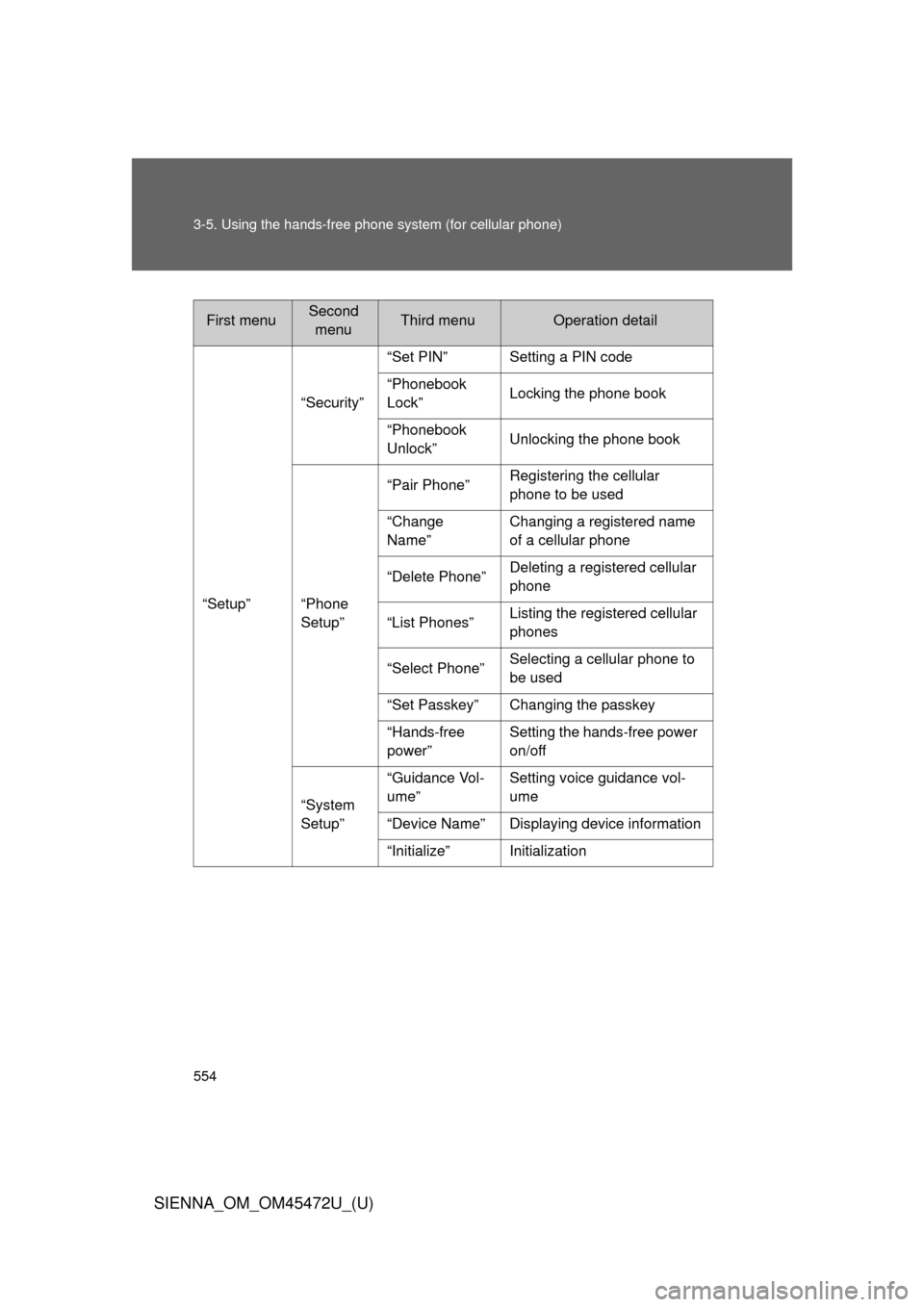
First menuSecond
menuThird menuOperation detail
“Setup” “Security”
“Set PIN” Setting a PIN code
“Phonebook
Lock”
Locking the phone book
“Phonebook
Unlock” Unlocking the phone book
“Phone
Setup” “Pair Phone”
Registering the cellular
phone to be used
“Change
Name” Changing a registered name
of a cellular phone
“Delete Phone” Deleting a registered cellular
phone
“List Phones” Listing the registered cellular
phones
“Select Phone” Selecting a cellular phone to
be used
“Set Passkey” Changing the passkey
“Hands-free
power” Setting the hands-free power
on/off
“System
Setup” “Guidance Vol-
ume”
Setting voice guidance vol-
ume
“Device Name” Displaying device information
“Initialize” Initialization
Page 567 of 876
567
3-5. Using the hands-free phone system (for cellular phone)
3
Interior features
SIENNA_OM_OM45472U_(U)
Security and system setup
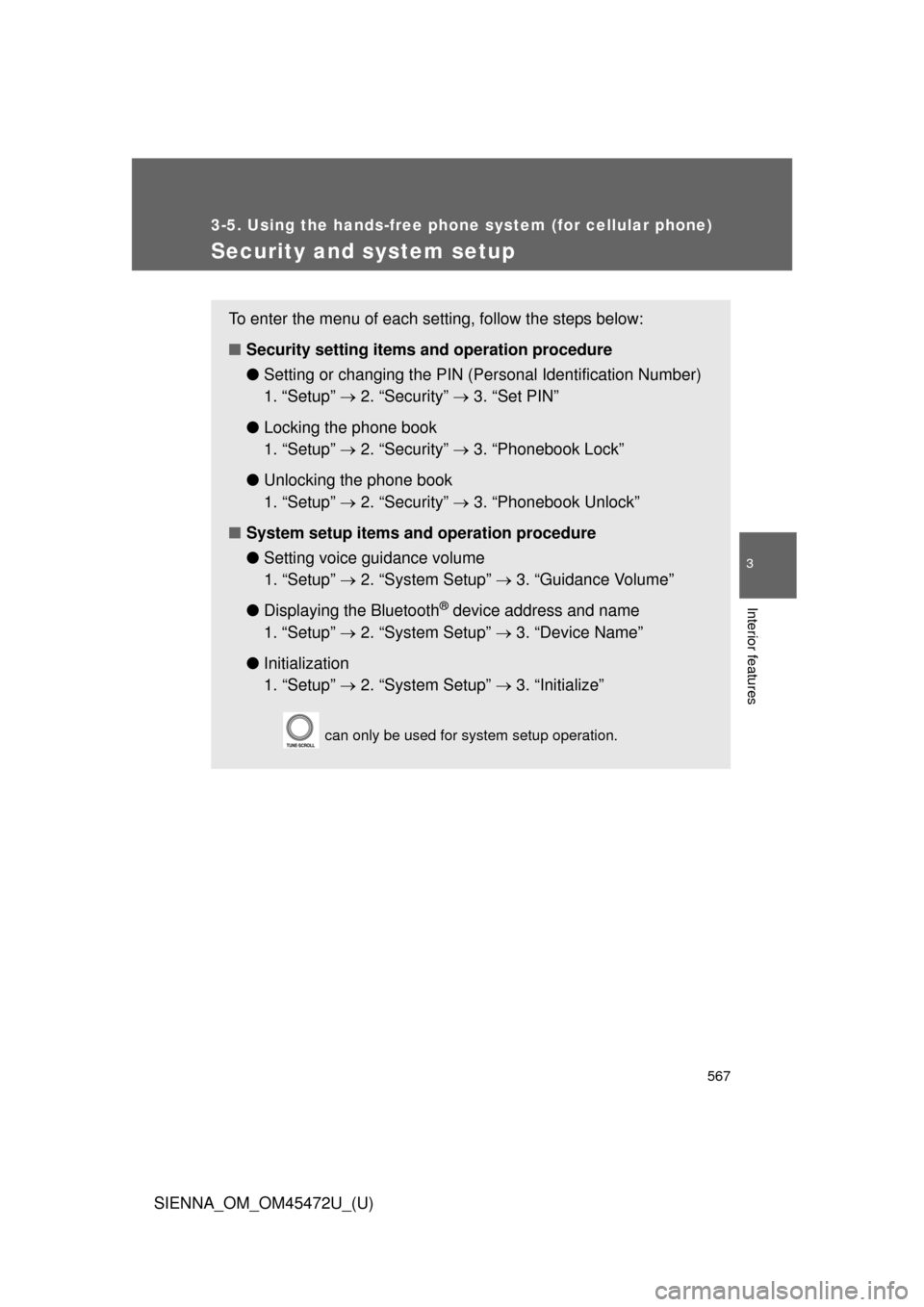
To enter the menu of each setting, follow the steps below:
■Security setting items and operation procedure
● Setting or changing t he PIN (Personal Identification Number)
1. “Setup” 2. “Security” 3. “Set PIN”
● Locking the phone book
1. “Setup” 2. “Security” 3. “Phonebook Lock”
● Unlocking the phone book
1. “Setup” 2. “Security” 3. “Phonebook Unlock”
■ System setup items and operation procedure
●Setting voice guidance volume
1. “Setup” 2. “System Setup” 3. “Guidance Volume”
● Displaying the Bluetooth
® device address and name
1. “Setup” 2. “System Setup” 3. “Device Name”
● Initialization
1. “Setup” 2. “System Setup” 3. “Initialize”
can only be used for system setup operation.
Page 571 of 876
571
3-5. Using the hand
s-free phone system (for cellular phone)
3
Interior features
SIENNA_OM_OM45472U_(U)
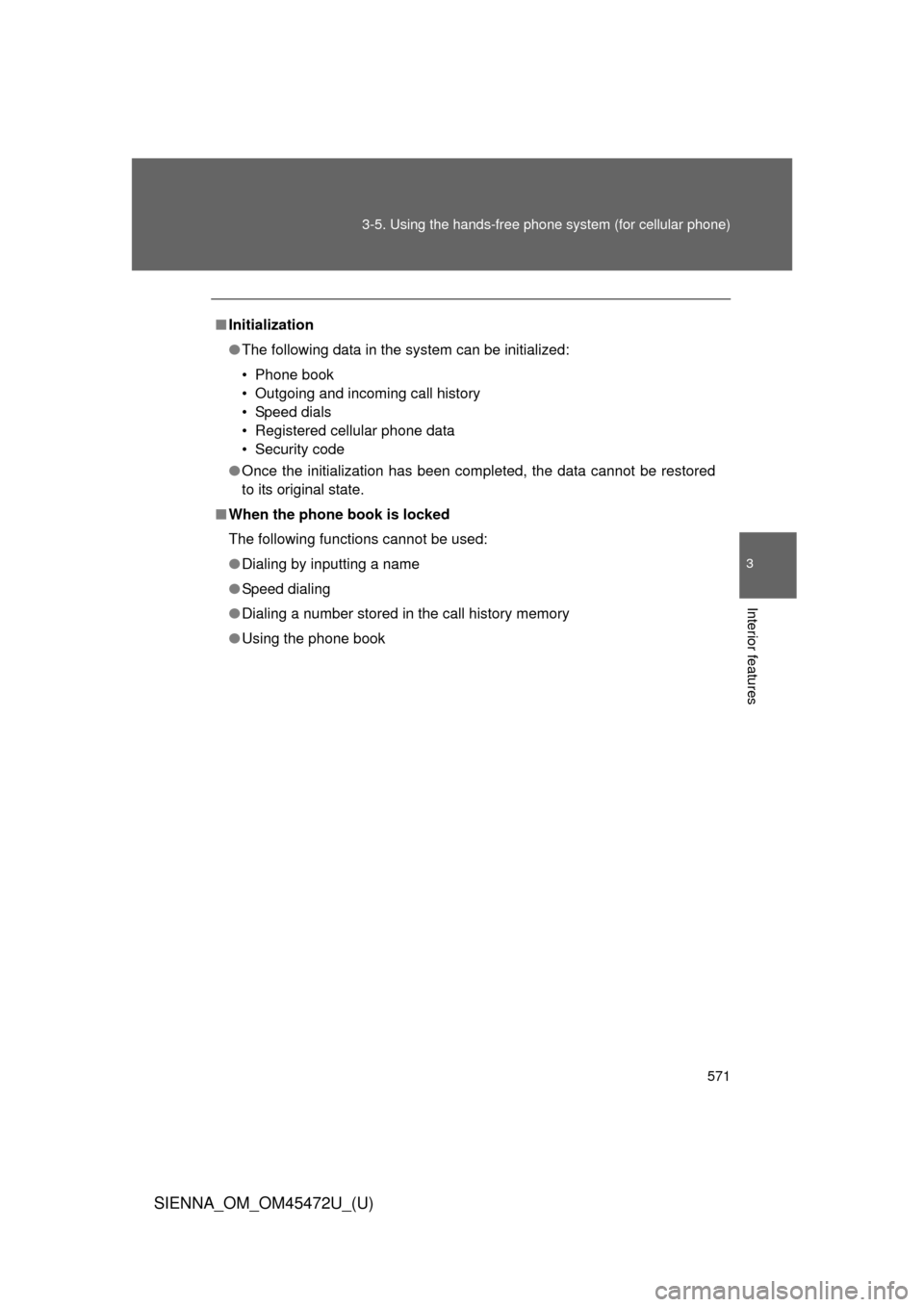
■Initialization
● The following data in the system can be initialized:
• Phone book
• Outgoing and incoming call history
• Speed dials
• Registered cellular phone data
• Security code
● Once the initialization has been completed, the data cannot be restored
to its original state.
■ When the phone book is locked
The following functions cannot be used:
● Dialing by inputting a name
● Speed dialing
● Dialing a number stored in the call history memory
● Using the phone book
Page 591 of 876
591
3-7. Using the
storage features
3
Interior features
SIENNA_OM_OM45472U_(U)
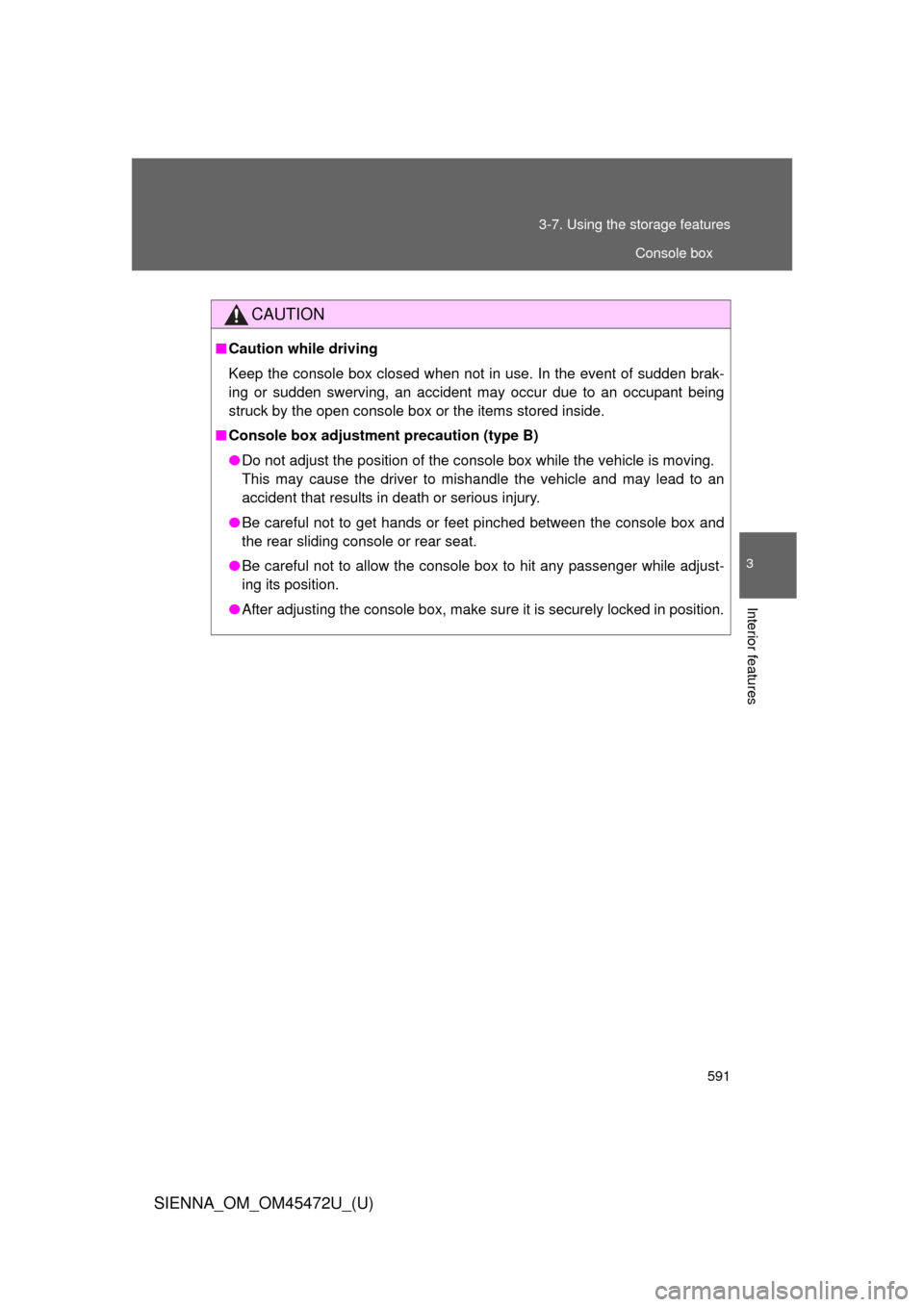
CAUTION
■Caution while driving
Keep the console box closed when not in use. In the event of sudden brak-
ing or sudden swerving, an accident may occur due to an occupant being
struck by the open console box or the items stored inside.
■ Console box adjustment precaution (type B)
● Do not adjust the position of the console box while the vehicle is moving.
This may cause the driver to mishandle the vehicle and may lead to an
accident that results in death or serious injury.
● Be careful not to get hands or feet pinched between the console box and
the rear sliding console or rear seat.
● Be careful not to allow the console box to hit any passenger while adjust-
ing its position.
● After adjusting the console box, make sure it is securely locked in position.
Console box
Page 617 of 876
617
3-8. Other interior features
3
Interior features
SIENNA_OM_OM45472U_(U)
Rear side sunshades
: If equipped
NOTICE
■To ensure normal operation of the sunshade
Observe the following precautions.
● Do not place anything where it may hinder the opening/closing of the sun-
shade.
● Do not place anything on the sunshade.
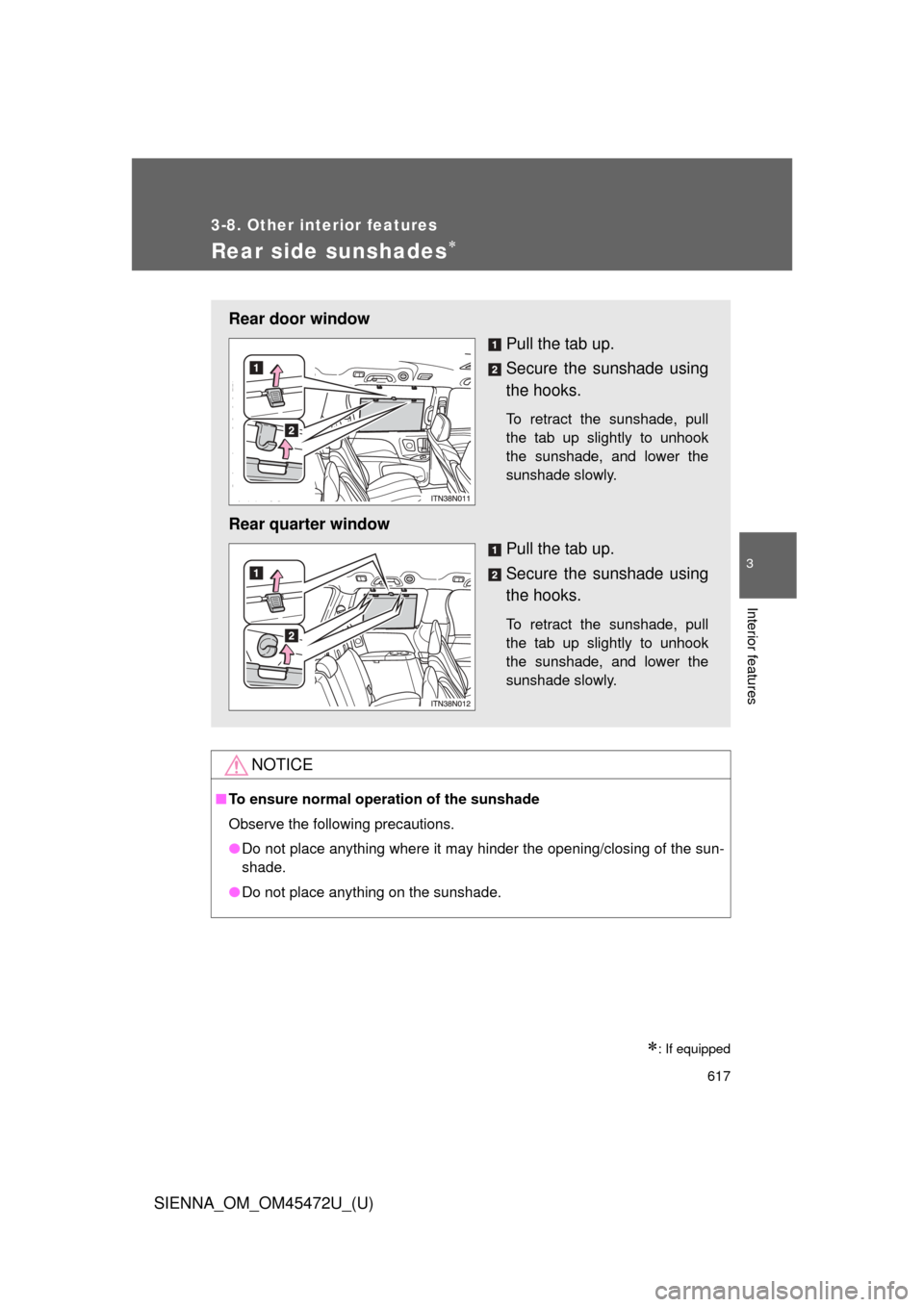
Rear door window
Pull the tab up.
Secure the sunshade using
the hooks.
To retract the sunshade, pull
the tab up slightly to unhook
the sunshade, and lower the
sunshade slowly.
Rear quarter windowPull the tab up.
Secure the sunshade using
the hooks.
To retract the sunshade, pull
the tab up slightly to unhook
the sunshade, and lower the
sunshade slowly.
Page 620 of 876
620
3-8. Other interior features
SIENNA_OM_OM45472U_(U)
Floor mat
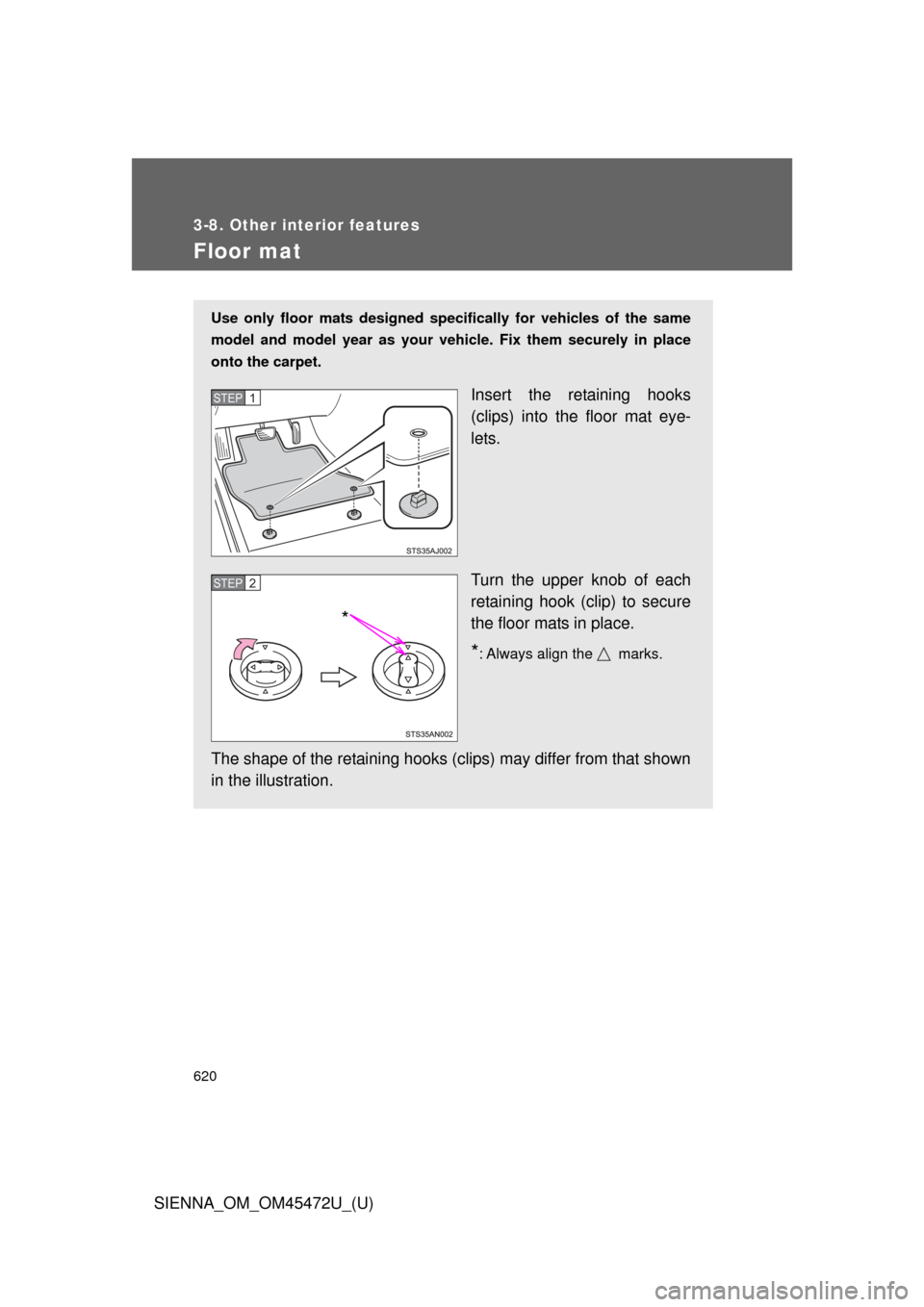
Use only floor mats designed specifically for vehicles of the same
model and model year as your vehicle. Fix them securely in place
onto the carpet.
Insert the retaining hooks
(clips) into the floor mat eye-
lets.
Turn the upper knob of each
retaining hook (clip) to secure
the floor mats in place.
*: Always align the marks.
The shape of the retaining hooks (clip s) may differ from that shown
in the illustration.
STEP1
STEP2
*

■About the wrench
After using the included wrench, store it in the glove box for safekeeping\
.
■ Installing the antenna
Tighten the antenna")