Page 239 of 556
239
3-1. Using the air conditioning system
and defogger
3
Interior features
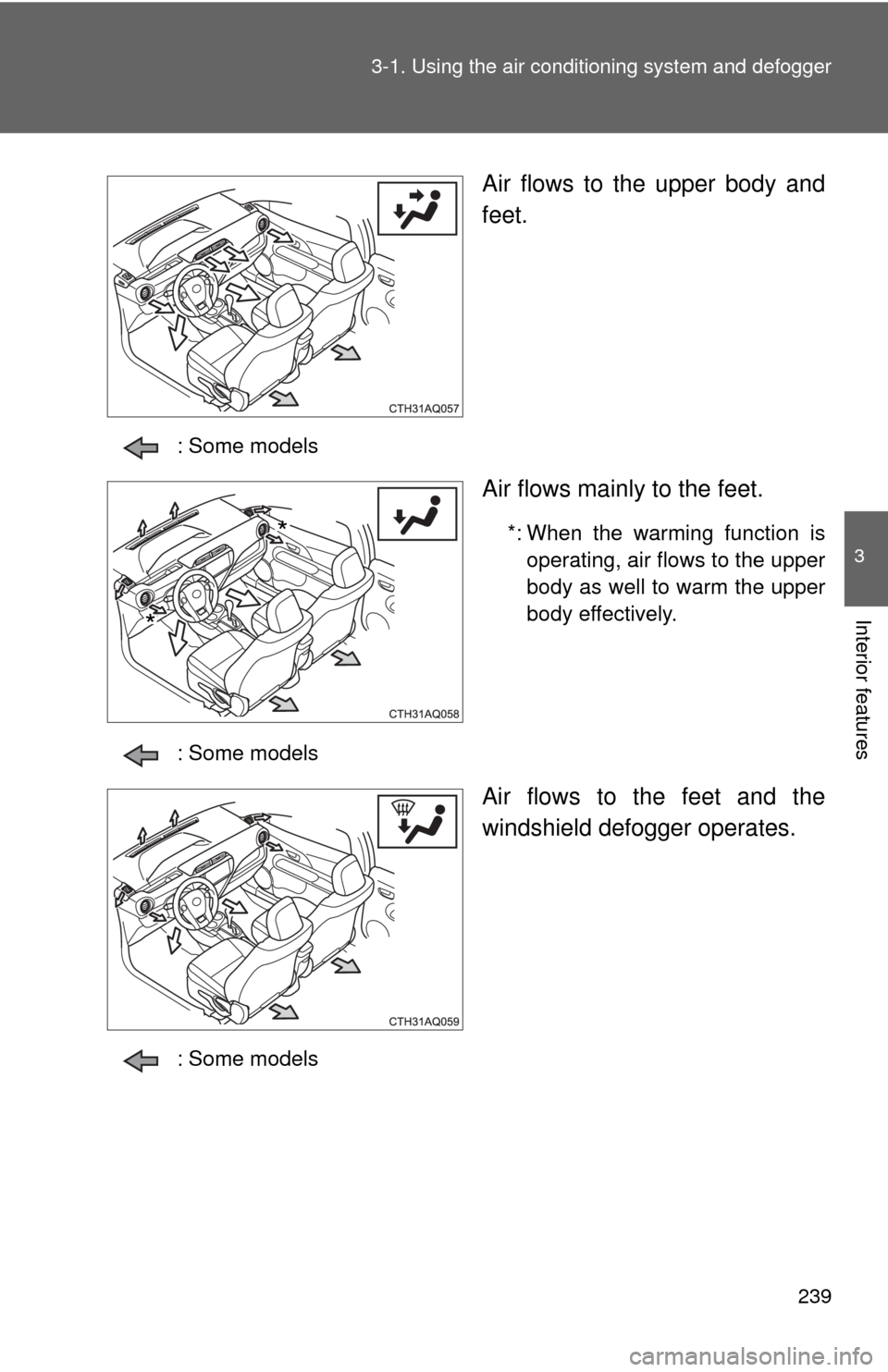
Air flows to the upper body and
feet.
: Some models
Air flows mainly to the feet.
*: When the warming function is
operating, air flows to the upper
body as well to warm the upper
body effectively.
: Some models
Air flows to the feet and the
windshield defogger operates.
: Some models
*
*
Page 241 of 556
241
3-1. Using the air conditioning system
and defogger
3
Interior features
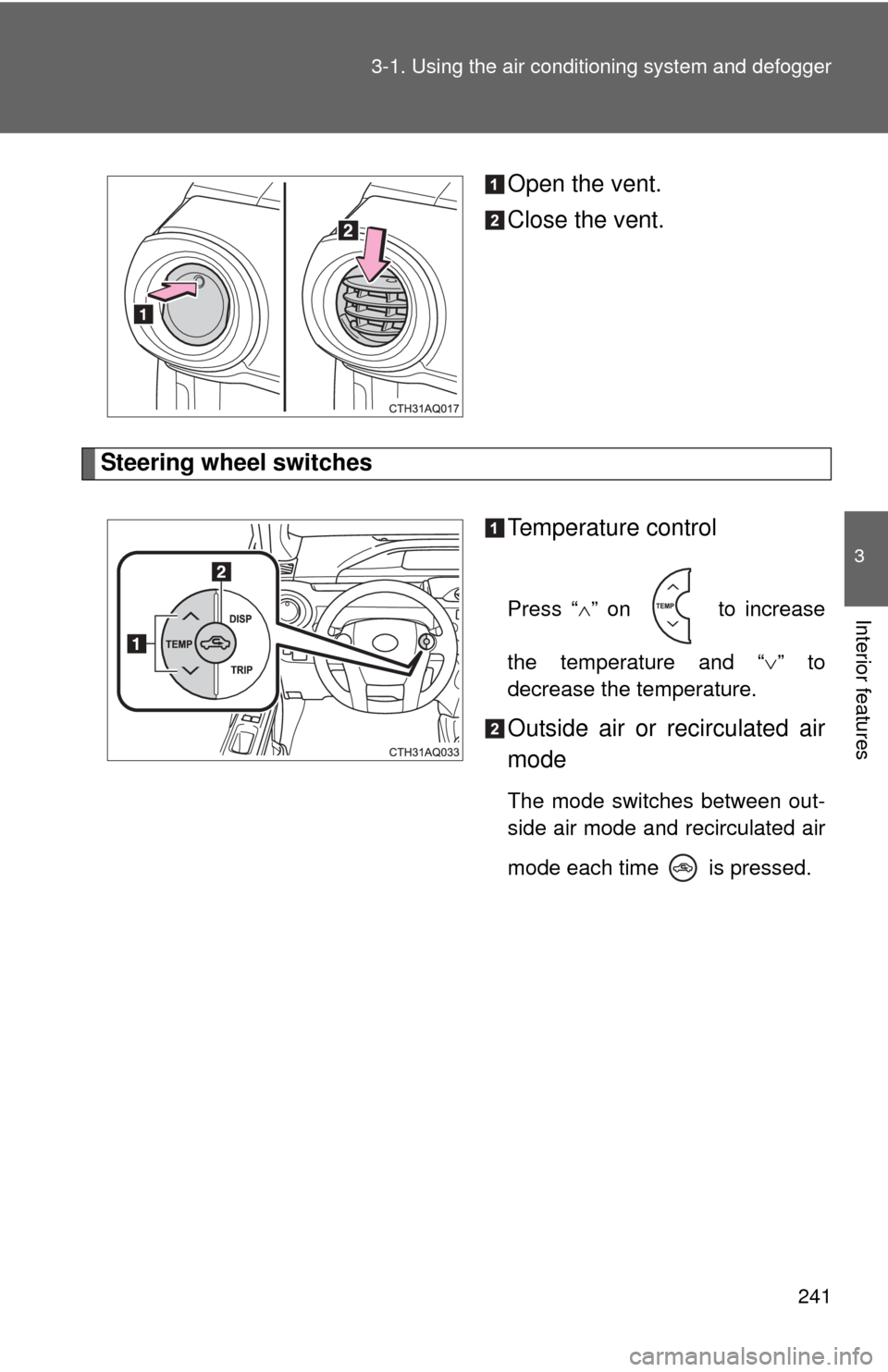
Open the vent.
Close the vent.
Steering wheel switches
Temperature control
Press “” on to increase
the temperature and “ ” to
decrease the temperature.
Outside air or recirculated air
mode
The mode switches between out-
side air mode and recirculated air
mode each time is pressed.
Page 243 of 556
243
3-1. Using the air conditioning system
and defogger
3
Interior features
■Outside/recirculated air mode
●When driving on dusty roads such as tunnels or in heavy traffic, set the
outside/recirculated air mode button to the recirculated air mode. This is
effective in preventing outside air from entering the vehicle interior. Dur-
ing cooling operation, setting the recirculated air mode will also cool the
vehicle interior effectively.
● Outside/recirculated air mode may automatically switch depending on
the temperature setting or the inside temperature.
■ When the outside temperature exceeds 75 F (24C) and the air condi-
tioning system is on
● In order to reduce the air conditioning power consumption, the air condi-
tioning system may switch to recirculated air mode automatically. This
may also reduce fuel consumption.
● Recirculated air mode is selected as a default mode when the engine
switch is turned to the “ON” position (vehicles without a smart key sys-
tem) or the “POWER” switch is turned to ON mode (vehicles with a smart
key system).
● It is possible to switch to outside air mode at any time by pressing
.
■ When the outside temperature falls to nearly 32 F (0 C)
The dehumidification function may not operate even when is
pressed.
■ Air conditioning odors
●During use, various odors from inside and outside the vehicle may enter
into and accumulate in the air conditioning system. This may then cause
odor to be emitted from the vents.
● To reduce potential odors from occurring:
• It is recommended that the air conditioning system be set to outside air
mode prior to turning the vehicle off.
• The start timing of the blower may be delayed for a short period of time immediately after the air conditioning system is started in automatic
mode.
Page 245 of 556
245
3-1. Using the air conditioning system and defogger
3
Interior features
Rear window and outside rear view mirror defoggers
■The defoggers can be operated when
Vehicles without a smart key system
The engine switch is in the “ON” position.
Vehicles with a smart key system
The “POWER” switch is in ON mode.
■ The outside rear view mirr or defoggers (if equipped)
Turning the rear window defogger on will turn the outside rear view mirror
defoggers on.
CAUTION
■ When the outside rear view mirr or defoggers are on (if equipped)
Do not touch the outside surface of the rear view mirrors, as they can
become very hot and burn you.
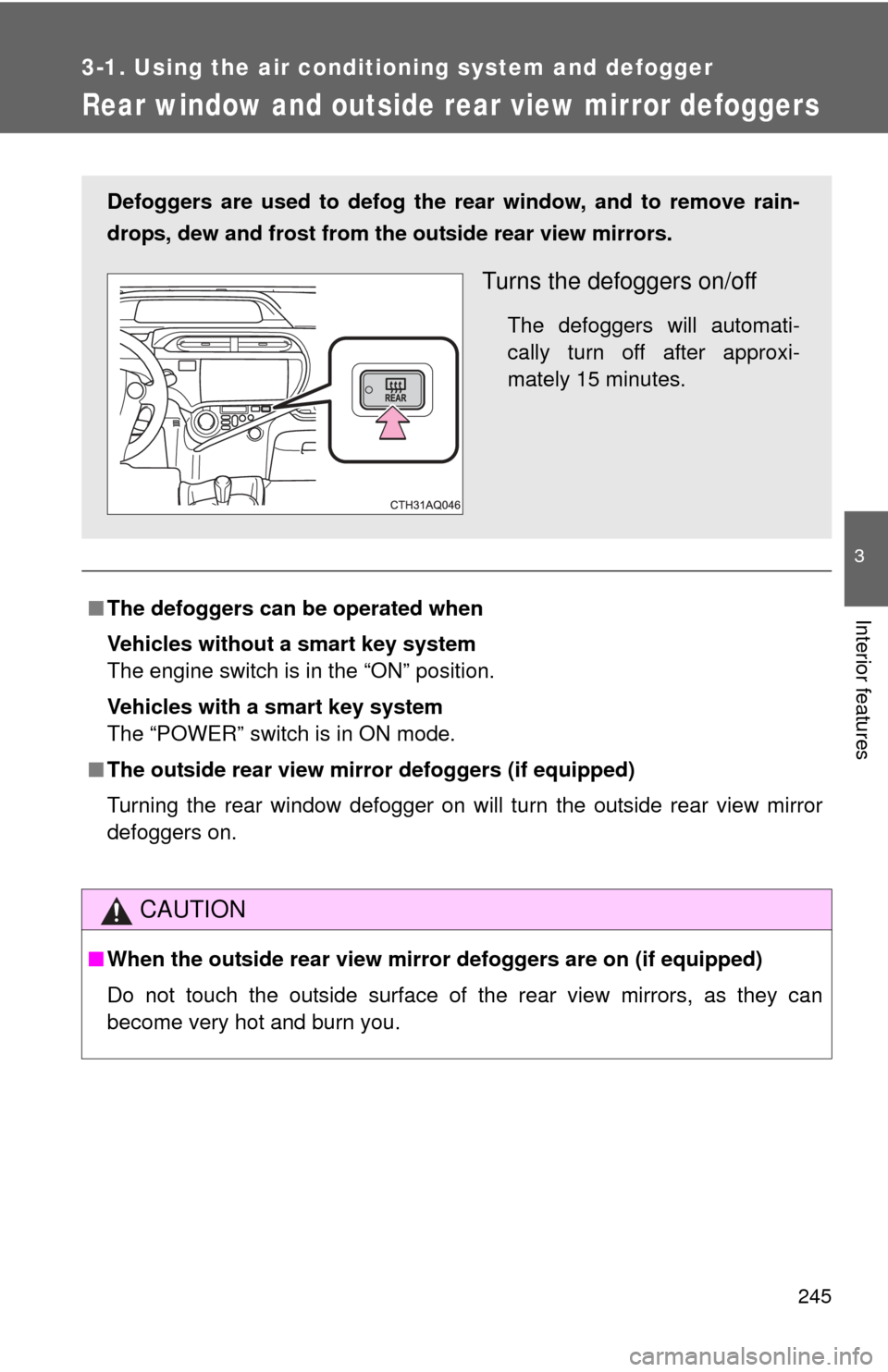
Defoggers are used to defog the rear window, and to remove rain-
drops, dew and frost from the outside rear view mirrors.
Turns the defoggers on/off
The defoggers will automati-
cally turn off after approxi-
mately 15 minutes.
Page 247 of 556
247
3-2. Using the audio system
3
Interior features
■
About Bluetooth®
The Bluetooth wordmark and logo are owned by Bluetooth SIG. and
permission has been granted to use the trademark of the licensee
Panasonic Corporation. Other trademarks and trade names are owned by
various different owners.
With Display Audio system
Owners of models equipped with a Display Audio system should
refer to the “Display Audio System Owner's Manual”.
Page 249 of 556
249
3-2. Using the audio system
3
Interior features
CAUTION
Under Industry Canada regulations, this radio transmitter may only operate
using an antenna of a type and maximum (or lesser) gain approved for the
transmitter by Industry Canada. To reduce potential radio interference to
other users, the antenna type and its gain should be so chosen that the
equivalent isotropically radiated power (e.i.r.p.) is not more than that neces-
sary for successful communication.
Conformément à la réglementation d'Industrie Canada, le présent émetteur
radio peut fonctionner avec une antenne d'un type et d'un gain maximal (ou
inférieur) approuvé pour l'émetteur par Industrie Canada. Dans le but de
réduire les risques de brouillage radioélectrique à l'intention des autres utili-
sateurs, il faut choisir le type d'antenne et son gain de sorte que la puis-
sance isotrope rayonnée équivalente (p.i.r.e.) ne dépasse pas l'intensité
nécessaire à l'établissement d'une communication satisfaisante.
This equipment complies with IC radiation exposure limits set forth for an
uncontrolled environment and meets RSS-102 of the IC radio frequency
(RF) Exposure rules. This equipment has very low levels of RF energy that it
deemed to comply without maximum permissive exposure evaluation
(MPE). But it is desirable that it should be installed and operated keeping the
radiator at least 20cm or more away from person’s body (excluding extremi-
ties: hands, wrists, feet and ankles).
Cet équipement est conforme aux limites d’exposition aux rayonnements
énoncées pour un environnement non contrôlé et respecte les règles
d’exposition aux fréquences radioélectriques (RF) CNR-102 de l’IC. Cet
équipement émet une énergie RF très faible qui est considérée conforme
sans évaluation de l’exposition maximale autorisée.
Cependant, cet équipement doit être installé et utilisé en gardant une dis-
tance de 20 cm ou plus entre le dispositif rayonnant et le corps (à l’exception
des extrémités : mains, poignets, pieds et chevilles).
Page 251 of 556

251
3-2. Using the audio system
3
Interior features
CAUTION
■
For vehicles sold in Canada (with Display Audio system)
IC: 2024B-FT0032A
CAUTION: Radio Frequency Radiation Exposure
This equipment complies with IC radiation exposure limits set forth for
uncontrolled equipment and meets RSS-102 of the IC radio frequency (RF)
Exposure rules. This equipment has very low levels of RF energy that it
deemed to comply without maximum permissive exposure evaluation
(MPE). But it is desirable that it should be installed and operated with at least
20cm and more between the radiator and person’s body (excluding extremi-
ties: hands, wrists, feet and ankles).
This Category II radiocommunication device complies with Industry Canada
Standard RSS-310.
Ce dispositif de radiocommunication de catégorie II respecte la norme CNR-
310 d’Industrie Canada.
This device complies with Industry Canada licence-exempt RSS stan-
dard(s). Operation is subject to the following two conditions: (1) this device
may not cause interference, and (2) this device must accept any interfer-
ence, including interference that may cause undesired operation of the
device.
Le présent appareil est conforme aux CNR d’Industrie Canada applicables
aux appareils radio exempts de licence. L’exploitation est autorisée aux
deux conditions suivantes : (1) l’appareil ne doit pas produire de brouillage,
et (2) l’utilisateur de l’appareil doit accepter tout brouillage radioélectrique
subi, même si le brouillage est susceptible d’en compromettre le fonctionne-
ment.
NOTICE
■To prevent 12-volt battery discharge
Do not leave the audio system on longer than necessary when the hybrid
system is off.
■ To avoid damaging the audio system
Take care not to spill drinks or other fluids over the audio system.
Page 253 of 556
253
3-2. Using the audio system
3
Interior features
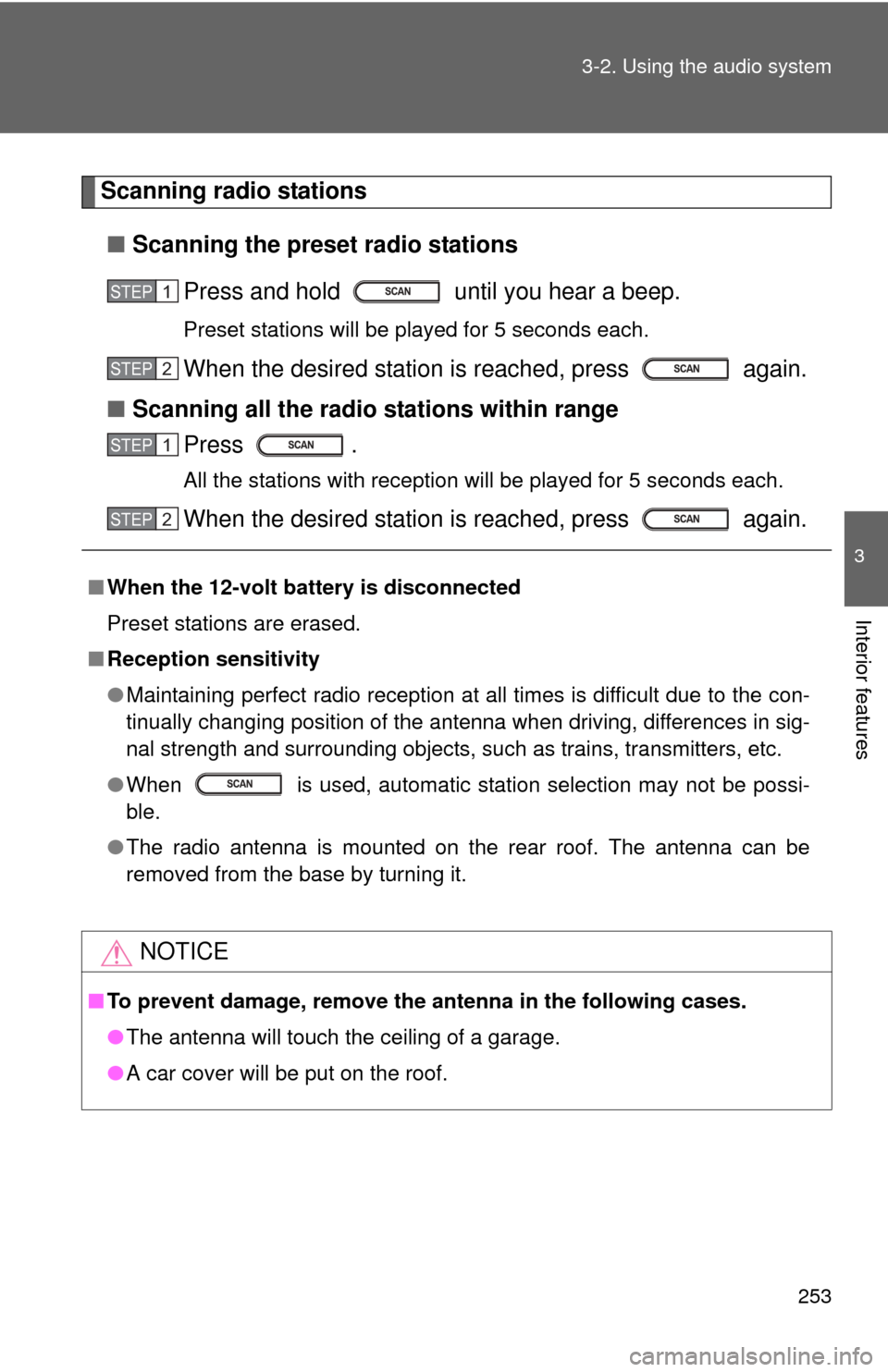
Scanning radio stations
■ Scanning the preset radio stations
Press and hold until you hear a beep.
Preset stations will be played for 5 seconds each.
When the desired station is reached, press again.
■ Scanning all the radio stations within range
Press .
All the stations with reception will be played for 5 seconds each.
When the desired station is reached, press again.
■ When the 12-volt battery is disconnected
Preset stations are erased.
■ Reception sensitivity
●Maintaining perfect radio reception at all times is difficult due to the con-
tinually changing position of the antenna when driving, differences in sig-
nal strength and surrounding objects, such as trains, transmitters, etc.
● When is used, automatic station selection may not be possi-
ble.
● The radio antenna is mounted on the rear roof. The antenna can be
removed from the base by turning it.
NOTICE
■To prevent damage, remove the antenna in the following cases.
●The antenna will touch the ceiling of a garage.
● A car cover will be put on the roof.
STEP1
STEP2
STEP1
STEP2