2013 SUZUKI ERTIGA light
[x] Cancel search: lightPage 23 of 207
Downloaded from www.Manualslib.com manuals search engine 2-8
BEFORE DRIVING
60MK0-14E
NOTE:
The theft deterrent alarm system gener-
ates alarms when any of the predeter-
mined conditions is met. However, the
system does not have any function of
blocking unauthorized entry into your
vehicle.
Always use the keyless entry system
transmitter to unlock the doors when the
theft deterrent alarm system has been
armed. Using a key instead will trigger
the alarm.
If a person who does not know the theft
deterrent alarm system is going to drive
your vehicle, we recommend you explain
the system and its operation to the per-
son, or disable the system beforehand.
Mistakenly triggering the alarm may
cause a nuisance to others.
Even if the theft deterrent alarm system
is armed, you should still be careful to
guard against theft. Do not leave money
or things of value in your vehicle.How to arm the theft deterrent alarm
system (when enabled)
Lock the doors using the keyless entry sys-
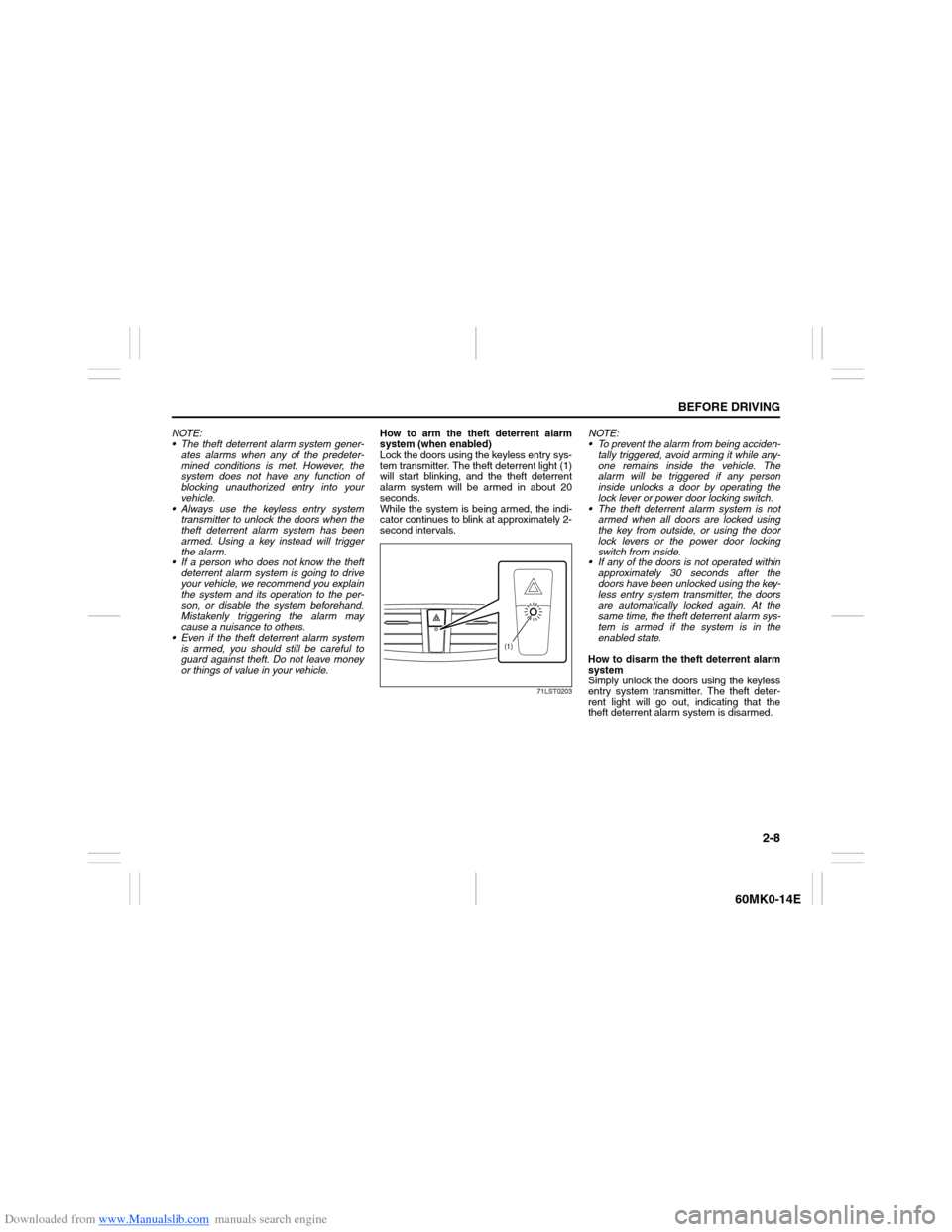
tem transmitter. The theft deterrent light (1)
will start blinking, and the theft deterrent
alarm system will be armed in about 20
seconds.
While the system is being armed, the indi-
cator continues to blink at approximately 2-
second intervals.
71LST0203
NOTE:
To prevent the alarm from being acciden-
tally triggered, avoid arming it while any-
one remains inside the vehicle. The
alarm will be triggered if any person
inside unlocks a door by operating the
lock lever or power door locking switch.
The theft deterrent alarm system is not
armed when all doors are locked using
the key from outside, or using the door
lock levers or the power door locking
switch from inside.
If any of the doors is not operated within
approximately 30 seconds after the
doors have been unlocked using the key-
less entry system transmitter, the doors
are automatically locked again. At the
same time, the theft deterrent alarm sys-
tem is armed if the system is in the
enabled state.
How to disarm the theft deterrent alarm
system
Simply unlock the doors using the keyless
entry system transmitter. The theft deter-
rent light will go out, indicating that the
theft deterrent alarm system is disarmed.
(1)
Page 24 of 207

Downloaded from www.Manualslib.com manuals search engine 2-9BEFORE DRIVING
60MK0-14E
How to stop the alarm
Should the alarm be triggered accidentally,
turn the ignition switch to “ON” position.
The alarm will then stop.
NOTE:
Even after the alarm has stopped, if you
lock the doors using the keyless entry
system transmitter, the theft deterrent
alarm system will be rearmed with a
delay of about 20 seconds.
If you disconnect the battery while the
theft deterrent alarm system is in the
armed condition or the alarm is actually
in operation, the alarm will be triggered
or re-triggered when the battery is then
reconnected, although, in the latter case,
the alarm remains stopped for the period
between disconnection and reconnec-
tion of the battery.
Even after the alarm has stopped at the
end of the predetermined operation time,
it will be triggered again if any door is
opened without disarming the theft
deterrent alarm system.Checking whether the alarm has been
triggered during parking
If the alarm was triggered due to an unau-
thorized entry into the vehicle and you then
turn the ignition switch to “ON” position, the
theft deterrent light will blink rapidly for
about 8 seconds and a buzzer will beep 4
times during this period. If this happens,
check whether your vehicle has been bro-
ken into while you were away from it.
Enabling and disabling the theft deter-
rent alarm system
The theft deterrent alarm system can be
either “enabled” or “disabled”.
When enabled (factory setting)
When the system is enabled, it causes the
hazard warning lights to flash for about 40
seconds if any of the alarm trigger condi-
tions is met. The system also causes the
interior buzzer to beep intermittently for
about 10 seconds, which is followed by
intermittent sounding of the horn for about
30 seconds.
The theft deterrent light continues to blink
during this time.
When disabled
When the system is disabled, it stays dis-
armed even if you perform any system
arming operation.How to switch the state of the theft
deterrent alarm system
You can switch the theft deterrent alarm
system from the enabled state to the dis-
abled state, and vice versa, using the fol-
lowing method.
58MST0204
(1)(3)
(2)
EXAMPLE
Page 25 of 207

Downloaded from www.Manualslib.com manuals search engine 2-10
BEFORE DRIVING
60MK0-14E
60MK034
(2) UNLOCK
(3) LOCK
60MK035
1) With the ignition switch in the “ON”
position, close all the doors and turn
the lock knob (1) on the driver’s door in
the unlocking direction (2) (rearward).
Turn the knob on the lighting control
lever to the OFF position (5).
NOTE:
All operations included in the following
steps 2) and 3) must be completed within
15 seconds.
2) Turn the knob on the lighting control
lever to the position (6) and then to
the OFF position (5). Repeat this opera-
tion 4 times with the control finally lever
set to the OFF position.
3) Push the lock end (3) (forward end) of
the power door lock switch (4) to lock
the doors, and then the unlock end (2)
(backward end) to unlock the doors.
Repeat these operations 3 times and
finally push the lock end of the switch.Every time you perform the series of the
above steps, the state of the theft deterrent
alarm system changes from the currently
selected one to the other. You can check
whether the system is enabled or disabled
by the number of interior buzzer beeps at
the end of the procedure as follows.
NOTE:
You cannot disable the theft deterrent
alarm system while it is in the armed
condition.
If you fail to complete the operations in
step 2) and 3) within 15 seconds, per-
form the procedure again from the
beginning.
Make sure all doors are closed when
performing the above procedure.
(2) (3)
(4)
EXAMPLE
(5) (6)
EXAMPLE
System state Number of beeps
DisabledOnce
Enabled 4 times
Page 40 of 207

Downloaded from www.Manualslib.com manuals search engine 2-25BEFORE DRIVING
60MK0-14E
Driver’s Seat Belt Reminder
60MK026
When the driver does not buckle his or her
seat belt with the ignition switch in the “ON”
position, the driver’s seat belt reminder
light in the instrument cluster will blink until
the driver’s seat belt is buckled.
The reminder will be automatically can-
celed when the driver’s seat belt is buckled
or the ignition switch is turned off.
Shoulder Anchor Height Adjuster
(if equipped)
64J198
Adjust the shoulder anchor height so that
the shoulder belt rides on the center of the
outboard shoulder. To move upward, slide
the anchor up. To move downward, slide
the anchor down while pulling the lock
knob out. After adjustment, make sure that
the anchor is securely locked.
EXAMPLE
WARNING
It is absolutely essential that the
driver and passengers wear their seat
belts at all times. Persons who are
not wearing seat belts have a much
greater risk of injury if an accident
occurs. Make a regular habit of buck-
ling your seat belt before putting the
key in the ignition.
WARNING
Be sure that the shoulder belt is posi-
tioned on the center of the outside
shoulder. The belt should be away
from your face and neck, but not fall-
ing off your shoulder. Misadjustment
of the belt could reduce the effective-
ness of the safety belt in a crash.
EXAMPLE
Page 46 of 207
Downloaded from www.Manualslib.com manuals search engine 2-31BEFORE DRIVING
60MK0-14E
63J030
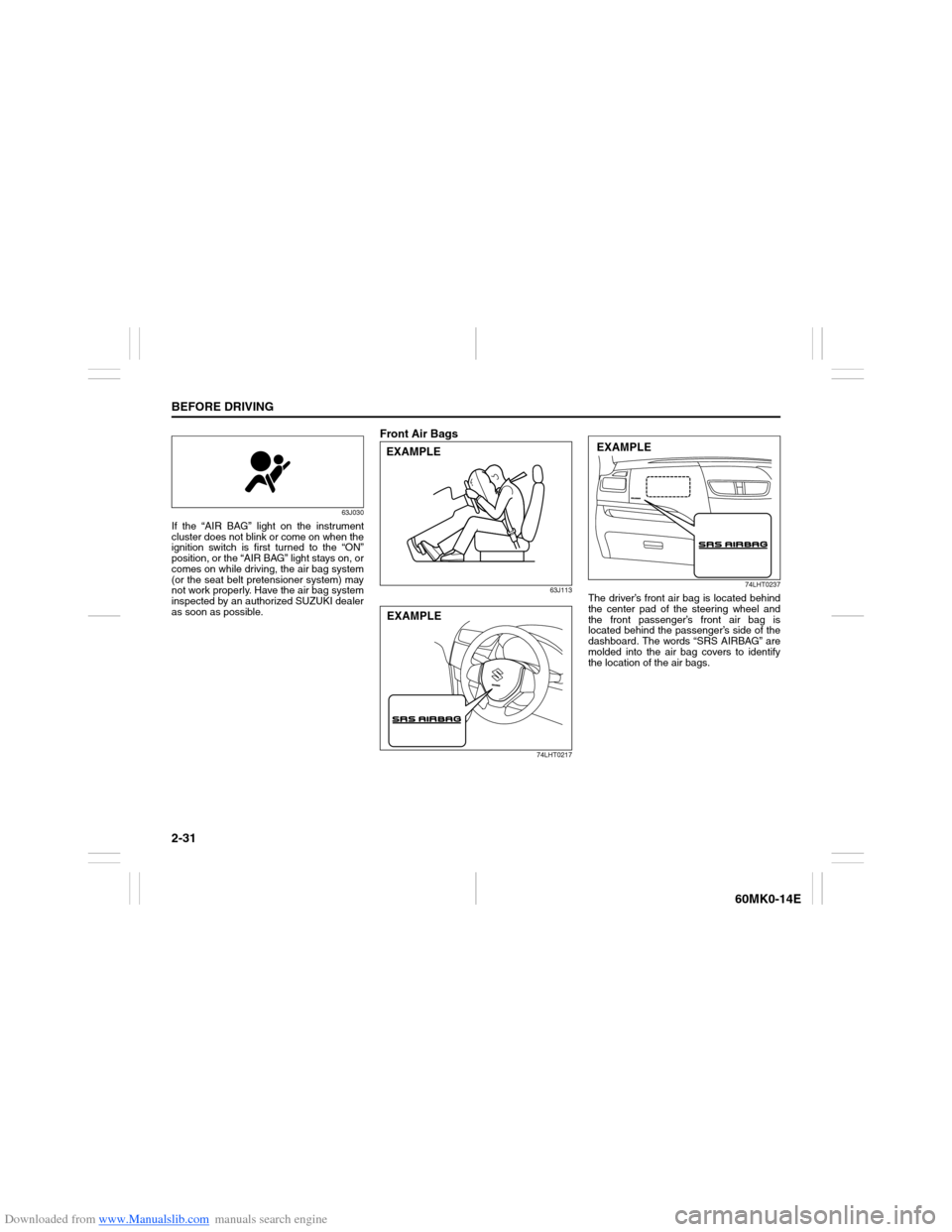
If the “AIR BAG” light on the instrument
cluster does not blink or come on when the
ignition switch is first turned to the “ON”
position, or the “AIR BAG” light stays on, or
comes on while driving, the air bag system
(or the seat belt pretensioner system) may
not work properly. Have the air bag system
inspected by an authorized SUZUKI dealer
as soon as possible.
Front Air Bags
63J113
74LHT021774LHT0237
The driver’s front air bag is located behind
the center pad of the steering wheel and
the front passenger’s front air bag is
located behind the passenger’s side of the
dashboard. The words “SRS AIRBAG” are
molded into the air bag covers to identify
the location of the air bags.
EXAMPLEEXAMPLE
EXAMPLE
Page 48 of 207
Downloaded from www.Manualslib.com manuals search engine 2-33BEFORE DRIVING
60MK0-14E
58MS030
If you must use a front-facing child restraint
in the front passenger’s seat, be sure to
move the front passenger’s seat as far
back as possible. Please refer to “Seat
Belts and Child Restraint Systems” in this
section for details on securing your child.Air bag symbol (if equipped) meaning
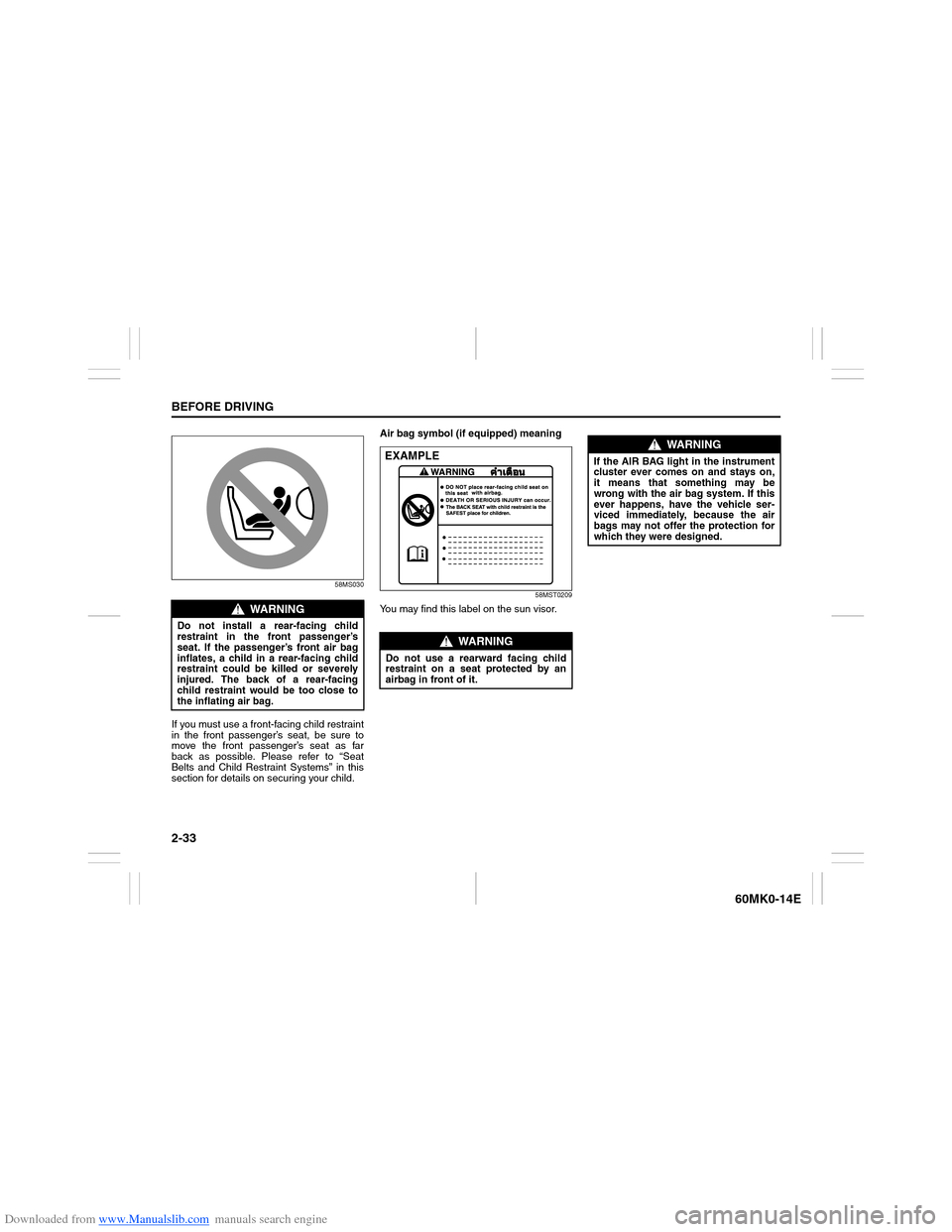
58MST0209
You may find this label on the sun visor.
WARNING
Do not install a rear-facing child
restraint in the front passenger’s
seat. If the passenger’s front air bag
inflates, a child in a rear-facing child
restraint could be killed or severely
injured. The back of a rear-facing
child restraint would be too close to
the inflating air bag.
WARNING
Do not use a rearward facing child
restraint on a seat protected by an
airbag in front of it.EXAMPLE
WARNING
If the AIR BAG light in the instrument
cluster ever comes on and stays on,
it means that something may be
wrong with the air bag system. If this
ever happens, have the vehicle ser-
viced immediately, because the air
bags may not offer the protection for
which they were designed.
Page 51 of 207

Downloaded from www.Manualslib.com manuals search engine 2-36
BEFORE DRIVING
60MK0-14E
Instrument Cluster1. Speedometer
2. Tachometer (if equipped)
3. Fuel gauge4. Temperature gauge
5. Information display
6. Trip meter selector knob7. Indicator selector knob
8. Warning and indicator lights
with tachometer
60MK027
* These marks are explanation of the knobs 6 and 7. Refer to “Brightness Control” or “Information Display” in this section for detail of
knobs.
1 2
3 45
6
*
*7 888
EXAMPLE
Page 53 of 207

Downloaded from www.Manualslib.com manuals search engine 2-38
BEFORE DRIVING
60MK0-14E
Warning and Indicator LightsBrake System Warning Light
65D477
Three different types of operations exist
depending on the vehicle’s specification.
1) The light comes on briefly when the
ignition switch is turned to the “ON”
position.
2) The light comes on when the parking
brake is engaged with the ignition
switch in the “ON” position.
3) The light comes on when under either
or both of above two conditions.
The light also comes on when the fluid in
the brake fluid reservoir falls below the
specified level.
The light should go out after starting the
engine and fully releasing the parking
brake, if the fluid level in the brake fluid res-
ervoir is adequate.
The light also comes on together with the
ABS warning light when the rear brake
force control function (proportioning valve
function) of the ABS system fails.If the brake system warning light comes on
while you are driving the vehicle, it may
mean that there is something wrong with
the vehicle’s brake system. If this happens,
you should:
1) Pull off the road and stop carefully.
2) Test the brakes by carefully starting and
stopping on the shoulder of the road.
– If you determine that it is safe, drive
cautiously at low speed to the nearest
dealer for repairs, or
– Have the vehicle towed to the nearest
dealer for repairs.NOTE:
Because the brake system is self-adjust-
ing, the fluid level will drop as the brake
pads become worn. Replenishing the
brake fluid reservoir is considered normal
periodic maintenance.
NOTE:
(Parking Brake Reminder Buzzer)
A buzzer sounds intermittently to remind
you to release the parking brake if you
start the vehicle without releasing the park-
ing brake. Make sure that the parking
brake is fully released and the brake sys-
tem warning light turns off.
WARNING
Remember that stopping distance
may be longer, you may have to push
harder on the pedal, and the pedal
may go down farther than normal.
WARNING
If any of the following conditions
occur, you should immediately ask
your SUZUKI dealer to inspect the
brake system.
If the brake system warning light
does not go out after the engine
has been started and the parking
brake has been fully released.
If the brake system warning light
does not come on when the igni-
tion switch is turned to the “ON”
position.
If the brake system warning light
comes on at any time during vehi-
cle operation.