2013 SKODA YETI warning light
[x] Cancel search: warning lightPage 30 of 266

Driving time
The time travelled since the memory was last erased is displayed.
If you want to measure the time travelled from a particular moment in time on, at
this moment, reset the memory by setting the button to zero » page 26, Memory .
The maximum time indicated in both memories is 19 hours and 59 minutes and on vehicles which are fitted with a MAXI DOT display, it is 99 hours and 59 minutes.
The indicator is set back to zero if this period is exceeded.
Current fuel consumption
The current fuel consumption level is displayed in litres/100 km 1)
. You can use this
information to adapt your driving style to the desired fuel consumption.
The display appears in litres/hour if the vehicle is stationary or driving at a low
speed 2)
.
Average fuel consumption
The average fuel consumption since the memory was last erased is displayed in
litres/100 km 1)
.
If you wish to determine the average fuel consumption over a certain period of
time, you must set the memory at the start of the new measurement to zero » page 26 , Memory . After erasing the memory, no value is displayed until you
have driven approx. 300 m.
The display is updated regularly while you are driving.
Range
The range indicates the distance you can still drive with your vehicle based on the level of fuel in the tank and the same style of driving as before.
The display is shown in steps of 10 km. After lighting up of the indicator light
the display is shown in steps of 5 km.
The fuel consumption over the last 50 km is used to calculate the information.The range will increase if you drive in a more economical manner.
If the memory is set to zero (after disconnecting the battery), a fuel consumptionof 10 l./100 km is calculated for the range; afterwards the value is updated ac-
cording to the style of driving.
Distance travelled
The distance travelled since the memory was last erased is displayed.If you want to measure the distance travelled from a particular moment in time
on, at this moment, reset the memory by setting the button to zero » page 26,
Memory .
The maximum distance indicated in both memories is 1 999 km or 9 999 km on
vehicles with a MAXI DOT display. The indicator is set back to zero if this period is exceeded.
Average speed
The average speed since the memory was last erased is displayed in km/hour .
To determine the average speed over a certain period of time, set the memory tozero at the start of the measurement » page 26, Memory .
After erasing the memory, no data will appear for the first 300 m driven.
The display is updated regularly while you are driving.
Current driving speed
The current speed displayed is identical to the display on the speedometer2
» Fig. 2 on page 10 .
Oil temperature
If the engine oil temperature is in the range 80-110 °C, the engine operating tem-
perature is reached.
If the oil temperature is lower than 80 °C or above 110 °C, avoid high engine revs,
full throttle and high engine loads.
If the oil temperature is lower than 50 °C or if a fault in the system for checking
the oil temperature is present,
.
symbols are displayed instead of the oil tem-
perature.
Warning against excessive speeds
Set the speed limit, for example, for the maximum permissible speed in
town » page 28 , Warning at excessive speeds .
1)
On some models in certain countries, the display appears in kilometres/litre.
2)
On some models in certain countries, – -.- km/ltr. is displayed when the vehicle is stationary.
27Information system
Page 32 of 266

Main menu points
The following information can be selected (depending on the equipment installed in the vehicle).
■ MFD (Multifunction display) » page 25
■ Audio » Operating instructions for the radio
■ Navigation » Operating instructions for the navigation system
■ Phone » page 100 ;
■ Aux. heating » page 97
■ Assistants » page 151
■ Vehicle status » page 13
■ Settings » page 29
The Audio and Navigation menu items are only displayed when the factory-fitted
radio or navigation system is switched on.
The Aux. heating menu item is only displayed if the vehicle is equipped with fac-
tory-fitted auxiliary heating.
The menu item Assistants is only displayed if the vehicle is fitted with fatigue de-
tection.
Note
■ If warning messages are displayed, these messages must be verified to access
the main menu » page 23, Using the information system .■
If the display is not activated at that moment, the menu always shifts to one of
the higher levels after approx. 10 seconds.
■
Using the factory-fitted radio or navigation system » Radio operating instruc-
tions or» navigation system operating instructions .
Settings
First read and observe the introductory information and safety warn-
ings
on page 28.
You can change certain settings by means of the MAXI DOT display. The current
menu item is shown in the top of the display under a line.
The following information can be selected (depending on the equipment installed in the vehicle).
Language
You can set the language for the display texts here.
MFD data
Activate or deactivate certain displays of the multifunction display here.
Convenience
The following functions can be activated, deactivated or adjusted here:
Rain closing
Switch on/off the function for automatically closing the window and panoramic tilt/slide sunroof in a locked ve-
hicle when it starts raining a)
. If the function is set and it
is not raining, the windows including the panoramic tilt/
slide sunroof will close automatically after approx.
12 hours.ATA confirmSwitch on/off the audible signal indicating activation of the anti-theft alarm system. Further informa-
tion » page 39 , Anti-theft alarm system .Central lockingSwitch on/off the central locking and automatic locking
function. Further information » page 36, Individual
settings .Window op.Only convenience mode for the driver window or for all
of the windows can be adjusted here. Further informa-tion » page 43 , Window convenience operation .
Mirror down
Switch on/off the function for mirror lowering on the
front passenger side when engaging the reverse gear b)
.
Further information » page 60, Fold in passenger's
mirror .
Mirror adjust.
Switch on/off the function for left and right exterior
mirror setting simultaneously. Further informa-
tion » page 59 , Synchronous adjustment of both mirr-
rors .Factory settingRestore the Convenience factory setting.a)
This function is only available on vehicles with a rain sensor.
b)
This function is only available on vehicles with an electrically adjustable driver seat.
Lights & Vision
The following functions can be activated, deactivated or adjusted here:
29Information system
Page 35 of 266

Unlocking and opening
Unlocking and locking
Introduction
This chapter contains information on the following subjects:
Vehicle key
33
Unlocking/locking with the key
33
Unlocking/locking with the remote control
34
Synchronising the remote control
34
Unlocking/locking – KESSY
35
Safe securing system
35
Individual settings
36
Locking/unlocking the vehicle from the inside
36
Child safety lock
37
Opening/closing a door
37
Your car is equipped with a central locking system.
The central locking system allows you to lock and unlock all doors, the fuel filler
flap 1)
and tailgate 2)
at the same time.
The safe securing system » page 35 is integrated in the central locking system.
Once the car is locked from the outside, the door locks 3)
are automatically blocked
by the safe securing system »
.
The following is true after unlocking 2)
.
› The doors, the boot lid and the fuel filler flap 1)
are unlocked.
› The interior light operated via the door contact illuminates.
› The safe securing system is switched off 3)
.
› The indicator light in the driver door stops flashing.
› The anti-theft alarm system is deactivated.
The following is true after locking 2)
.
› The doors, the boot lid and the fuel filler flap 1)
are locked.
› The interior light operated via the door contact goes out.
› The safe securing system is switched on 3)
.
› The indicator light in the driver door begins flashing.
› The anti-theft alarm system is activated.
Displaying an error
If the warning light in the driver's door initially flashes quickly for around 2 sec-
onds, and then lights up for 30 seconds without interruption before flashing
again slowly, you will need to seek the assistance of a specialist garage.WARNINGIf the car is locked and the safe securing system activated, no people must re-
main in the car as it will then not be possible to either unlock a door or open a
window from the inside. The locked doors make it more difficult for rescuers
to get into the vehicle in an emergency – risk to life!
Note
■ In the event of an accident in which the airbags are deployed, the locked doors
are automatically unlocked in order to enable rescuers to gain access to the vehi- cle.■
Only the driver's door can be unlocked or locked using the key if the central
locking system fails » page 33. The other doors and the boot lid can be emer-
gency locked or unlocked. ■ Emergency locking of the door » page 232.
■ Emergency unlocking of the boot lid » page 233.
1)
Applies to vehicles with a lockable fuel filler cap.
2)
Depending on the individual setting » page 36.
3)
This function only applies to certain countries.
32Using the system
Page 37 of 266

Unlocking/locking with the remote controlFig. 13
Remote control key
First read and observe the introductory information and safety warn-
ings on page 32.
Explanation of graphic » Fig. 13
Unlocking the vehicle
Locking the vehicle
Unlocking the boot lid
Folding out/folding up of the key bit Warning light
Unlocking
The turn signal lights flash twice as confirmation that the vehicle has been un-
locked.
If you unlock the vehicle and do not open a door or the boot lid within the next
30 seconds, the vehicle will lock again automatically and the safelock system 1)
or
anti-theft alarm system will be switched on. This function is intended to prevent
the car being unlocked unintentionally.
Locking
The turn signal lights flash once as confirmation that the vehicle has been locked.
If the doors or the boot lid remain open after the vehicle has been locked, the
turn signal lights do not flash until they have been closed.
Checking the battery condition
If the red indicator light
B
» Fig. 13 does not flash when you press a button on
the remote control key, the battery is empty. Replace the battery » page 231.
ABWARNINGIf the car is locked from the outside and the safelock system is switched on,
there must not be any person in the car as it is then not possible to open ei-
ther a door or a window from the inside. The locked doors make it more diffi-
cult for rescuers to get into the vehicle in an emergency – risk to life!
CAUTION
■ Only operate the remote control when the doors and boot lid are closed and the
vehicle is in your line of sight.■
If the driver door is open, the vehicle cannot be locked using the remote control
key.
■
The operation of the remote control may temporarily be affected by signal inter-
ference from transmitters close to the car and which operate in the same fre-
quency range.
Note
For vehicles with anti-theft alarm the acoustic signals can also be activated/deac-
tivated by locking/unlocking » page 29.
Synchronising the remote control
First read and observe the introductory information and safety warn-
ings
on page 32.
If the vehicle does not unlock when pressing the remote control, the key may not
be synchronised. This can occur when the buttons on the remote control key are
actuated a number of times outside of the operative range of the equipment or
the battery in the remote control key was replaced.
Synchronise the key as follows.
›
Press any button on the remote control key.
›
Pressing of the button means that the door will unlock with the key within 1 mi-
nute.
1)
This function only applies to certain countries.
34Using the system
Page 39 of 266

Switch-on display
The indicator light flashes for around 2 seconds in quick succession, afterwards it
begins to flash evenly at longer intervals.
Switch-off display
The indicator light in the driver door flashes for about 2 seconds fast, goes out
and starts to flash at longer intervals after about 30 seconds.WARNINGIf the car is locked and the safe securing system activated, no people must re-
main in the car as it will then not be possible to either unlock a door or open a
window from the inside. The locked doors make it more difficult for rescuers
to get into the vehicle in an emergency – risk to life!
Note
This function only applies to certain countries.
Individual settings
First read and observe the introductory information and safety warn-
ings
on page 32.
The following central locking functions can be set via the MAXI DOT dis-
play » page 29 , Settings .
Opening a single door
This function makes it possible to only unlock the driver's door. The other doors,
the fuel filler flap and the boot lid remain locked and are only unlocked after be- ing opened again.
Unlocking a vehicle side door
This function enables you to unlock both doors on the driver's side. The other doors, the fuel filler flap and the boot lid remain locked and are only unlocked af-
ter being opened again.
Unlocking the vehicle with the KESSY system
This function enables you to unlock all the doors, individual doors, both doors on the left or right vehicle side. The other doors, the fuel filler flap and the boot lid
remain locked and are only unlocked after being opened again.
Automatic locking/unlocking
All doors are locked from a speed of around 15 km/h. The button in the handle of
the boot lid is deactivated.
If the ignition key is withdrawn, the car is then automatically unlocked again. In
addition, it is possible for the driver or front passenger to unlock the car by press- ing the central locking button .
The vehicle doors can be unlocked and opened at any time by pulling once on the door opening lever.WARNINGLocked doors prevent unwanted entry into the vehicle from outside, for exam-ple at road crossings.
Locking/unlocking the vehicle from the inside
Fig. 15
Central locking button
First read and observe the introductory information and safety warn-ings on page 32.
If the vehicle was not locked from the outside, you can also unlock or lock it with
the button » Fig. 15 , even without the ignition being switched on. While a door is
opened, the vehicle cannot be locked.
Locking
›
Press on the button in the
» Fig. 15 area.
The symbol
in the button comes on.
Unlocking
›
Press the button in the
» Fig. 15 area.
36Using the system
Page 40 of 266

The symbol in the button is no longer illuminated.
The following applies if your vehicle has been locked using the central locking button.
› It is not possible to open the doors or the boot lid from the outside (safety fea-
ture, e.g. when stopping at traffic lights etc.).
› The doors can be unlocked and opened from the inside by a single pull on the
opening lever of the respective door.
› In the event of an accident in which the airbags are deployed, the locked doors
are automatically unlocked in order to enable rescuers to gain access to the ve-
hicle.WARNING■ Doors locked from the inside make it difficult for rescuers to get into the ve-
hicle in an emergency – risk to life!■
Never leave children unattended in the vehicle.
■
If the safelock system is switched on » page 35, the door opening lever and
the central locking buttons do not operate.
Child safety lock
Fig. 16
Parental Control: Left rear door
First read and observe the introductory information and safety warn-
ings on page 32.
The child safety lock prevents the rear door from being opened from the inside.
The door can only be opened from the outside.
You can switch the child safety lock on and off using the vehicle key.
Switching on›Turn the slot of the safety lock in the direction of the arrow » Fig. 16 (mirror-
inverted on the right-hand door).
Switching off›
Turn the slot of the safety lock in the opposite direction to the arrow » Fig. 16
(mirror-inverted on the right-hand door).
Opening/closing a door
Fig. 17
Door handle/door opening lever:
First read and observe the introductory information and safety warn- ings
on page 32.
Opening from the outside
›
Unlock the vehicle and pull on door handle
A
» Fig. 17 on the door you wish to
open.
Opening from the inside
›
Pull on door opening lever
B
of the respective door and push the door away
from you.
Closing from the inside
›
Grasp pull handle
C
and close the door.
37Unlocking and opening
Page 41 of 266

WARNING■Make sure that the door has closed correctly as it can open suddenly while
driving – risk of death!■
Only open and close the door when there is no one in the opening/closing
range – risk of injury!
■
An opened door can close automatically if there is a strong wind or the vehi-
cle is on an incline – risk of injury!
■
Never drive with the doors open - it can be fatal!
KESSY
Introduction
This chapter contains information on the following subjects:
Information messages
38
Parking vehicle
38
The KESSY system (Keyless Entry Start Exit System) enables unlocking and lock-
ing of the vehicle without actively using the remote control key.
Information messages
First read and observe the introductory information given on page 38.
Key in the vehicle
The protection against inadvertently locking the key in the vehicle unlocks the vehicle automatically if the following conditions are met.
The vehicle, including the boot lit, has been locked.The key with which the vehicle has been locked remains in the vehicle in the
zone
D
» Fig. 14 on page 35.
The turn signal lights flash four times as confirmation that the vehicle has been
unlocked again.
The following message is shown in the information cluster display. Key in vehicle.
KEY IN VEHICLE
Additionally, on vehicles which are fitted with the anti-theft alarm system, an au-
dible signal sounds.
The system has not found a key
If the system has not found a key in the vehicle, the following message appears in the display of the instrument cluster.
Key not found.
NO KEY
This can occur if the key is outside the vehicle, the battery in the key is dis-
charged, the key is defective or the electromagnetic field is strongly disturbed.
Fault in KESSY system
If there is a fault in the KESSY system, the following message will appear in the display of the instrument cluster.
Keyless faulty.
CHECK KEYLESS
Low voltage of the key battery
If the voltage of the battery in the remote control key is too low, the following
message appears in the display of the instrument cluster.
Renew key battery!
KEY BATTERY
Change the key battery » page 231.
Parking vehicle
First read and observe the introductory information given on page 38.
If the vehicle is not unlocked within 60 or 90 hours, the sensors in the handle of
the driver or front passenger's door are deactivated automatically » Fig. 14 on
page 35.
Activation after 60 hours
›
Unlock the driver's door using the sensor
2
» Fig. 14 on page 35.
›
Press the handle of the boot lid.
›
Unlock the vehicle using the symbol button
on the remote control key.
›
Unlocking the driver's door in an emergency » page 232.
38Using the system
Page 43 of 266
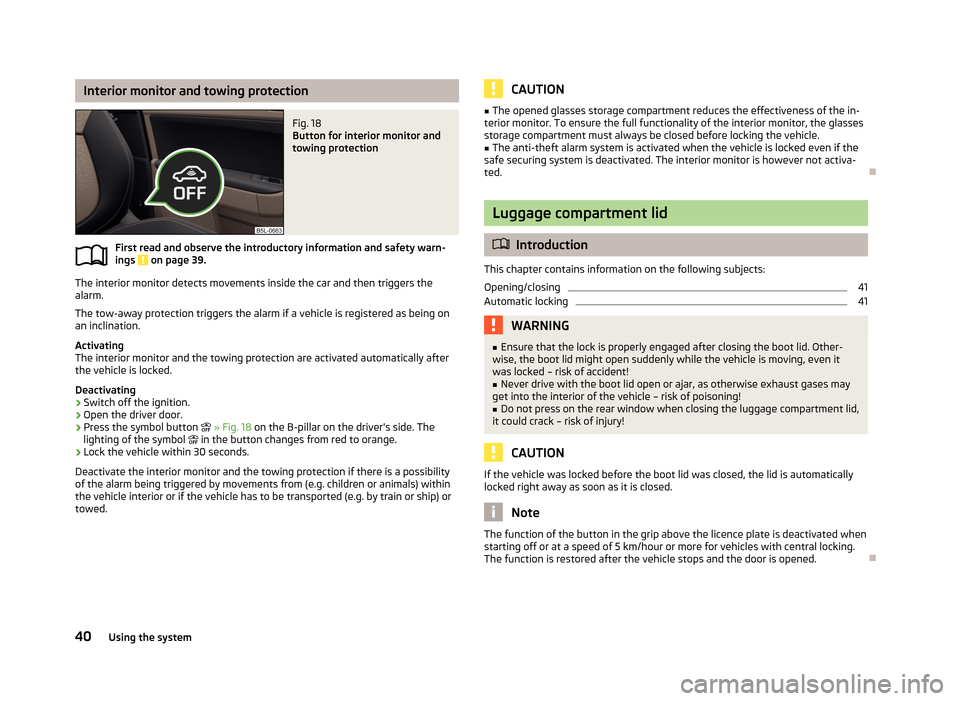
Interior monitor and towing protectionFig. 18
Button for interior monitor and
towing protection
First read and observe the introductory information and safety warn-
ings on page 39.
The interior monitor detects movements inside the car and then triggers the alarm.
The tow-away protection triggers the alarm if a vehicle is registered as being on
an inclination.
Activating
The interior monitor and the towing protection are activated automatically after
the vehicle is locked.
Deactivating
›
Switch off the ignition.
›
Open the driver door.
›
Press the symbol button
» Fig. 18 on the B-pillar on the driver's side. The
lighting of the symbol
in the button changes from red to orange.
›
Lock the vehicle within 30 seconds.
Deactivate the interior monitor and the towing protection if there is a possibility
of the alarm being triggered by movements from (e.g. children or animals) within
the vehicle interior or if the vehicle has to be transported (e.g. by train or ship) or towed.
CAUTION■ The opened glasses storage compartment reduces the effectiveness of the in-
terior monitor. To ensure the full functionality of the interior monitor, the glasses storage compartment must always be closed before locking the vehicle.■
The anti-theft alarm system is activated when the vehicle is locked even if the
safe securing system is deactivated. The interior monitor is however not activa-
ted.
Luggage compartment lid
Introduction
This chapter contains information on the following subjects:
Opening/closing
41
Automatic locking
41WARNING■ Ensure that the lock is properly engaged after closing the boot lid. Other-
wise, the boot lid might open suddenly while the vehicle is moving, even it
was locked – risk of accident!■
Never drive with the boot lid open or ajar, as otherwise exhaust gases may
get into the interior of the vehicle – risk of poisoning!
■
Do not press on the rear window when closing the luggage compartment lid,
it could crack – risk of injury!
CAUTION
If the vehicle was locked before the boot lid was closed, the lid is automatically
locked right away as soon as it is closed.
Note
The function of the button in the grip above the licence plate is deactivated when
starting off or at a speed of 5 km/hour or more for vehicles with central locking.
The function is restored after the vehicle stops and the door is opened.
40Using the system