2013 SKODA ROOMSTER back light
[x] Cancel search: back lightPage 71 of 219
■If electrical consumers are switched on when the engine is not running, this will
cause the car battery to discharge – risk of battery discharge!■
Only use matching plugs to avoid damaging the 12-volt power socket.
■
Only use accessories that have been tested for electromagnetic compatibility in
accordance with the applicable directives.
■
Before turning the ignition on or off, and before starting the car, switch off the
device connected to the 12-volt power socket to prevent any damage caused by
voltage fluctuations.
■
Observe the operating instructions for the connected devices!
Clothes hook
First read and observe the introductory information and safety warn-ings
on page 65.
The clothes hooks are located on the handle of the headliner above each of therear doors.
WARNING■ Ensure that any clothes hanging from the hooks do not impair your vision to
the rear.■
Only use the hooks for hanging light items of clothing and ensure that there
are no heavy or sharp-edged objects in the pockets.
■
Do not use clothes hangers for hanging up items of clothing otherwise this
may reduce the effectiveness of head airbags.
CAUTION
The maximum permissible load of the hooks is 2 kg.
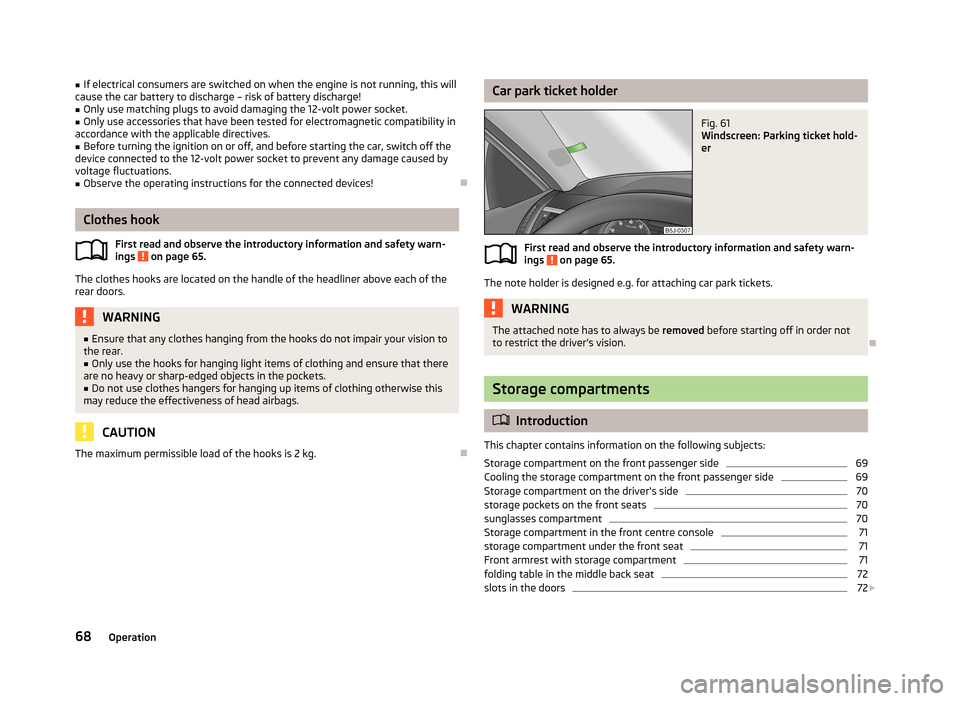
Car park ticket holderFig. 61
Windscreen: Parking ticket hold-
er
First read and observe the introductory information and safety warn-
ings on page 65.
The note holder is designed e.g. for attaching car park tickets.
WARNINGThe attached note has to always be removed before starting off in order not
to restrict the driver's vision.
Storage compartments
Introduction
This chapter contains information on the following subjects:
Storage compartment on the front passenger side
69
Cooling the storage compartment on the front passenger side
69
Storage compartment on the driver's side
70
storage pockets on the front seats
70
sunglasses compartment
70
Storage compartment in the front centre console
71
storage compartment under the front seat
71
Front armrest with storage compartment
71
folding table in the middle back seat
72
slots in the doors
72
68Operation
Page 73 of 219
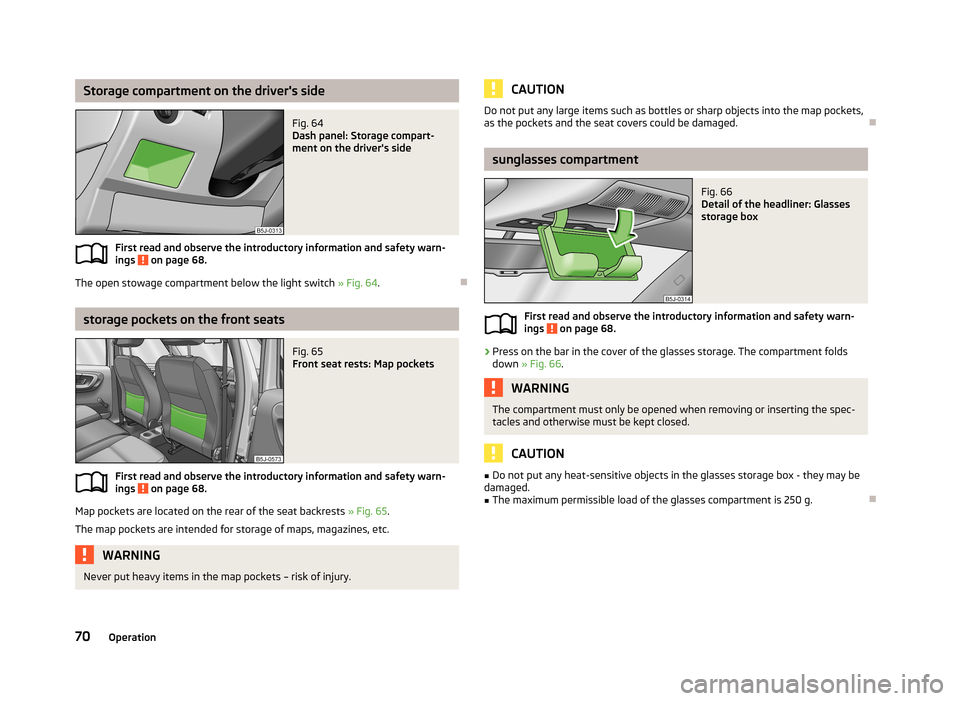
Storage compartment on the driver's sideFig. 64
Dash panel: Storage compart-
ment on the driver's side
First read and observe the introductory information and safety warn-
ings on page 68.
The open stowage compartment below the light switch » Fig. 64.
storage pockets on the front seats
Fig. 65
Front seat rests: Map pockets
First read and observe the introductory information and safety warn-
ings on page 68.
Map pockets are located on the rear of the seat backrests » Fig. 65.
The map pockets are intended for storage of maps, magazines, etc.
WARNINGNever put heavy items in the map pockets – risk of injury.CAUTIONDo not put any large items such as bottles or sharp objects into the map pockets,
as the pockets and the seat covers could be damaged.
sunglasses compartment
Fig. 66
Detail of the headliner: Glasses
storage box
First read and observe the introductory information and safety warn- ings on page 68.
›
Press on the bar in the cover of the glasses storage. The compartment folds down » Fig. 66 .
WARNINGThe compartment must only be opened when removing or inserting the spec-
tacles and otherwise must be kept closed.
CAUTION
■ Do not put any heat-sensitive objects in the glasses storage box - they may be
damaged.■
The maximum permissible load of the glasses compartment is 250 g.
70Operation
Page 78 of 219
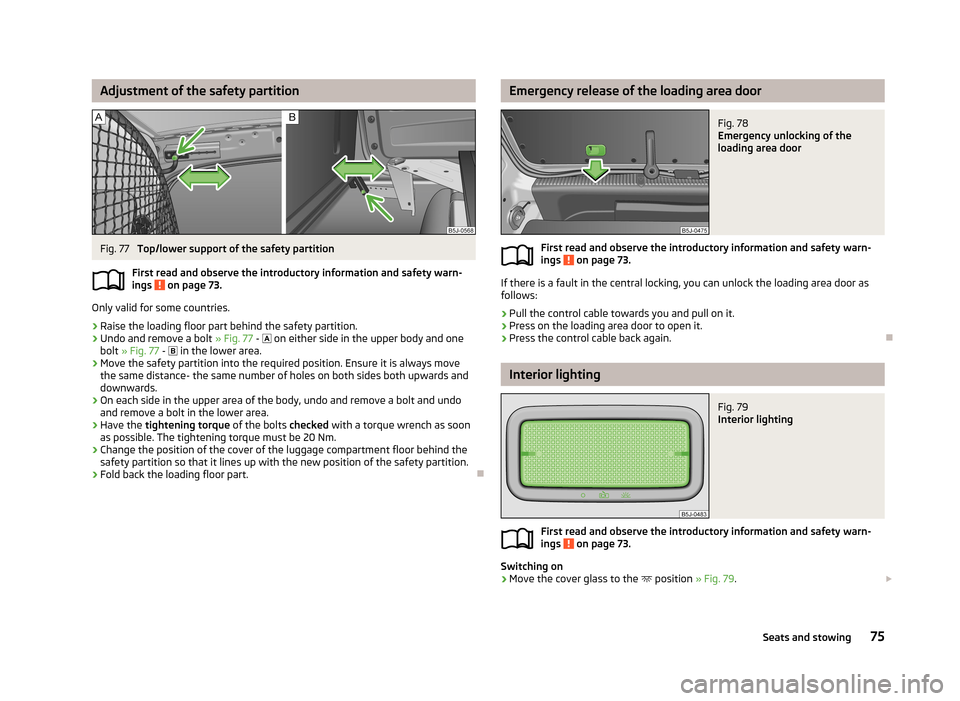
Adjustment of the safety partitionFig. 77
Top/lower support of the safety partition
First read and observe the introductory information and safety warn-
ings
on page 73.
Only valid for some countries.
›
Raise the loading floor part behind the safety partition.
›
Undo and remove a bolt » Fig. 77 -
on either side in the upper body and one
bolt » Fig. 77 -
in the lower area.
›
Move the safety partition into the required position. Ensure it is always move
the same distance- the same number of holes on both sides both upwards anddownwards.
›
On each side in the upper area of the body, undo and remove a bolt and undoand remove a bolt in the lower area.
›
Have the tightening torque of the bolts checked with a torque wrench as soon
as possible. The tightening torque must be 20 Nm.
›
Change the position of the cover of the luggage compartment floor behind the safety partition so that it lines up with the new position of the safety partition.
›
Fold back the loading floor part.
Emergency release of the loading area doorFig. 78
Emergency unlocking of the
loading area door
First read and observe the introductory information and safety warn-
ings on page 73.
If there is a fault in the central locking, you can unlock the loading area door as
follows:
›
Pull the control cable towards you and pull on it.
›
Press on the loading area door to open it.
›
Press the control cable back again.
Interior lighting
Fig. 79
Interior lighting
First read and observe the introductory information and safety warn- ings on page 73.
Switching on
›
Move the cover glass to the position
» Fig. 79.
75Seats and stowing
Page 90 of 219
The universal telephone preinstallation GSM II comprises the following functions.› Phone Phonebook
» page 87.
› Convenience operation of the telephone via the multifunction steering
wheel » page 87 .
› Managing telephone calls via the adapter
» page 89.
› Telephone operation in the MAXI DOT display
» page 90.
› Voice control of the telephone
» page 91.
› Music playback from the telephone or other multimedia units
» page 92.
All communication between a mobile phone and your vehicle's hands-free system is established with the help of Bluetooth ®
technology. The adapter serves only
for charging the telephone and for transmitting the signal to the vehicle's exter-
nal aerial.
Note
The following guidelines must be observed » page 86, Mobile phones and two-
way radio systems .
Phone Phonebook
First read and observe the introductory information given on page 86.
A phone phonebook is part of the hands-free system. This phone phonebook can
be used depending on the type of mobile phone.
After the first connection of the telephone, the system begins to load the phone
book from the phone and the SIM card into the memory of the control unit.
Each time the telephone has established a new connection with the hands-free
system, an update of the relevant phone book is performed. The updating can
take a few minutes. During this time the phone book, which was stored after the
last update was completed, is available. Newly stored telephone numbers are on- ly shown after the updating has ended.
The update is interrupted if a telephone event (e.g. incoming or outgoing call,
voice control dialogue) occurs during the updating procedure. After the telephone event has ended, the updating starts anew.
The internal phonebook provides 2 500 free memory locations. Each contact can contain up to 4 numbers.
If the number of contacts loaded exceeds 2 500, the phone book is not complete.
Operating the phone on the multifunction steering wheel
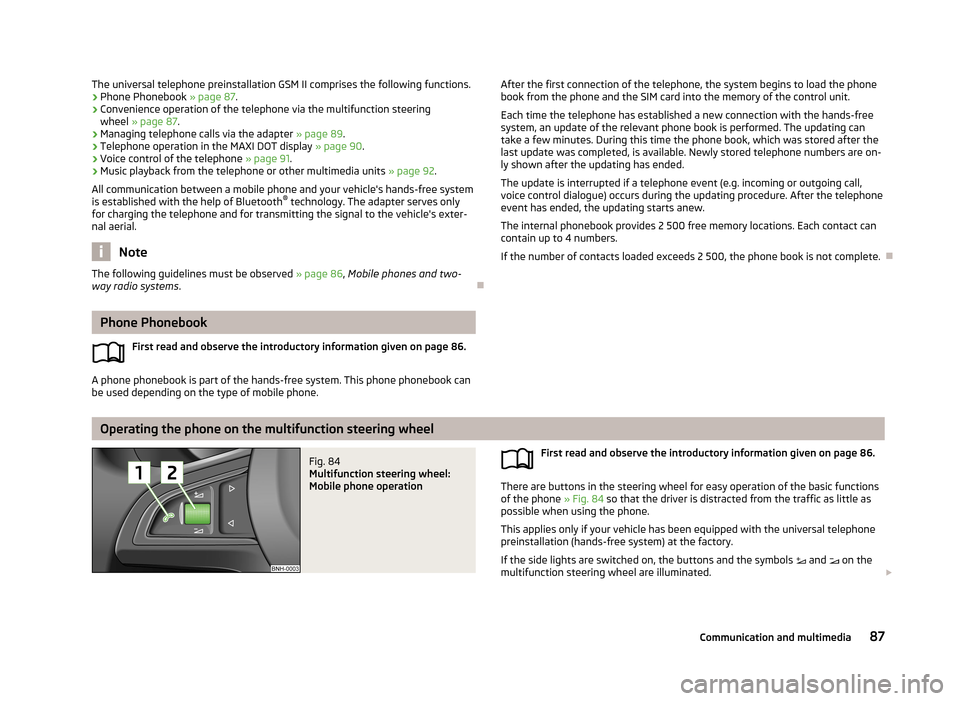
Fig. 84
Multifunction steering wheel:
Mobile phone operation
First read and observe the introductory information given on page 86.
There are buttons in the steering wheel for easy operation of the basic functions
of the phone » Fig. 84 so that the driver is distracted from the traffic as little as
possible when using the phone.
This applies only if your vehicle has been equipped with the universal telephone
preinstallation (hands-free system) at the factory.
If the side lights are switched on, the buttons and the symbols and on the
multifunction steering wheel are illuminated.
87Communication and multimedia
Page 96 of 219

Operating the radio and navigation system on the multifunction steering wheelFig. 87
Multifunction steering wheel:
control buttons
First read and observe the introductory information given on page 92.
The multifunction steering wheel has buttons for operating the basic functions of factory-fitted radio and navigation system » Fig. 87.
The radio and navigation system can of course still be operated on the devices. A
description is included in the relevant operating instructions.
If the side lights are switched on, the buttons on the multifunction steering
wheel are illuminated.
The buttons apply for the respective operating mode of the current radio or navi- gation system.
The following functions can be completed by pressing or turning the buttons.Button/
wheel » Fig. 87ActionRadio, traffic informationCD/MP3/Navigation1Press brieflySwitch off/on tone1Press button for a
long period of timeSwitch the unit on/off1Turn upwardsIncrease the volume1Turn downwardsDecrease volume2Press brieflyChange to the next preset radio station Interruption of the traffic reportChanging to the next title2Press button for a
long period of timeSearch forwardsFast forward3Press brieflyChange to the previous preset radio station Interruption of the traffic reportChanging to the previous title3Press button for a
long period of timeSearch backwardsFast rewind 93Communication and multimedia
Page 100 of 219
NoteAfter switching off the ignition, the radiator fan can intermittently continue to op-
erate for approx. 10 minutes.
Electronic immobilizer
First read and observe the introductory information and safety warn-ings
on page 96.
An electronic chip is integrated in the head of the key. The immobiliser is deacti-
vated with the aid of this chip when the key is inserted in the ignition lock. The
electronic immobiliser is automatically activated when the ignition key is with-
drawn from the lock.
The engine will not start if a non-authorized ignition key is used.
The MAXI DOT display shows the following: Immobilizer active.
Ignition lock
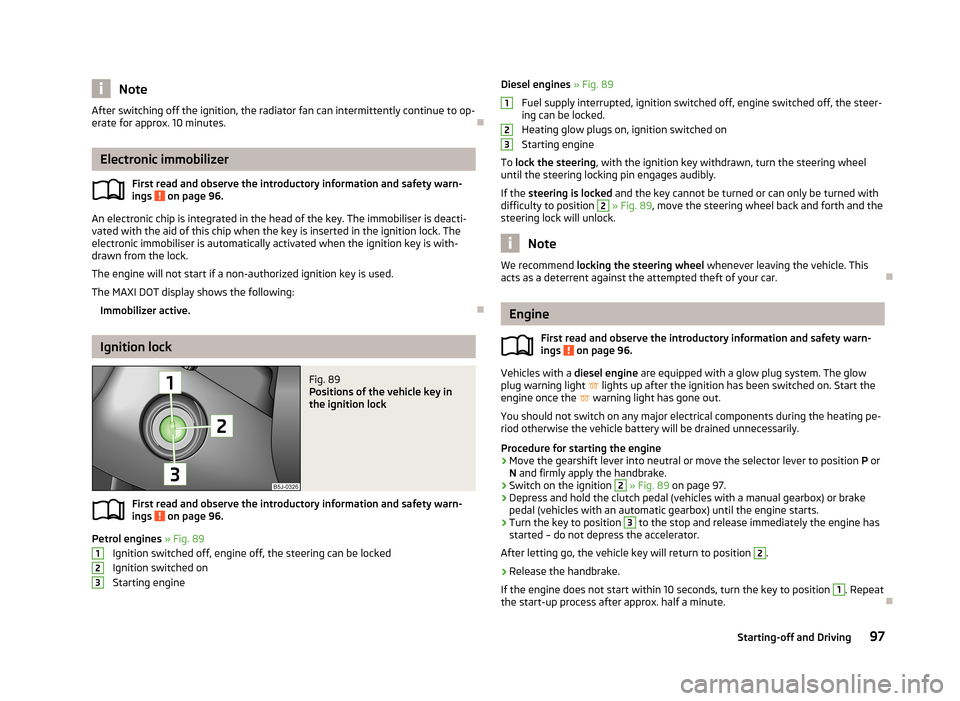
Fig. 89
Positions of the vehicle key in
the ignition lock
First read and observe the introductory information and safety warn-
ings on page 96.
Petrol engines » Fig. 89
Ignition switched off, engine off, the steering can be locked
Ignition switched on Starting engine
123Diesel engines » Fig. 89
Fuel supply interrupted, ignition switched off, engine switched off, the steer-
ing can be locked.
Heating glow plugs on, ignition switched on
Starting engine
To lock the steering , with the ignition key withdrawn, turn the steering wheel
until the steering locking pin engages audibly.
If the steering is locked and the key cannot be turned or can only be turned with
difficulty to position 2
» Fig. 89 , move the steering wheel back and forth and the
steering lock will unlock.
Note
We recommend locking the steering wheel whenever leaving the vehicle. This
acts as a deterrent against the attempted theft of your car.
Engine
First read and observe the introductory information and safety warn-
ings
on page 96.
Vehicles with a diesel engine are equipped with a glow plug system. The glow
plug warning light
lights up after the ignition has been switched on. Start the
engine once the
warning light has gone out.
You should not switch on any major electrical components during the heating pe- riod otherwise the vehicle battery will be drained unnecessarily.
Procedure for starting the engine
›
Move the gearshift lever into neutral or move the selector lever to position P or
N and firmly apply the handbrake.
›
Switch on the ignition
2
» Fig. 89 on page 97.
›
Depress and hold the clutch pedal (vehicles with a manual gearbox) or brake
pedal (vehicles with an automatic gearbox) until the engine starts.
›
Turn the key to position
3
to the stop and release immediately the engine has
started – do not depress the accelerator.
After letting go, the vehicle key will return to position
2
.
›
Release the handbrake.
If the engine does not start within 10 seconds, turn the key to position
1
. Repeat
the start-up process after approx. half a minute.
12397Starting-off and Driving
Page 114 of 219
Hill Hold Control (HHC)
When driving on slopes, HHC allows you to move your foot from the brake pedal
to the accelerator pedal without having to use the handbrake.
The system holds the brake pressure produced by the activation of the brakepedal for approx. 2 seconds after the brake pedal is released.
The brake pressure drops gradually the more you operate the accelerator pedal. Ifthe vehicle does not start off within 2 seconds, it starts to roll back.
HHC is active on slopes of >5 % when the driver door is closed. HHC is always only
active on slopes when in forward or reverse start off. When driving downhill, it is inactive.
Antilock Braking System (ABS)
First read and observe the introductory information and safety warn-
ings
on page 110.
ABS prevents the wheels locking when braking. Thus helping the driver to main-
tain control of the vehicle.
The intervention of the ABS is noticeable from the pulsating movements of the
brake pedal which is accompanied by noises.
When the ABS system is active, do not brake periodically or reduce the pressure
on the brake pedal.
Traction Control System (ASR)
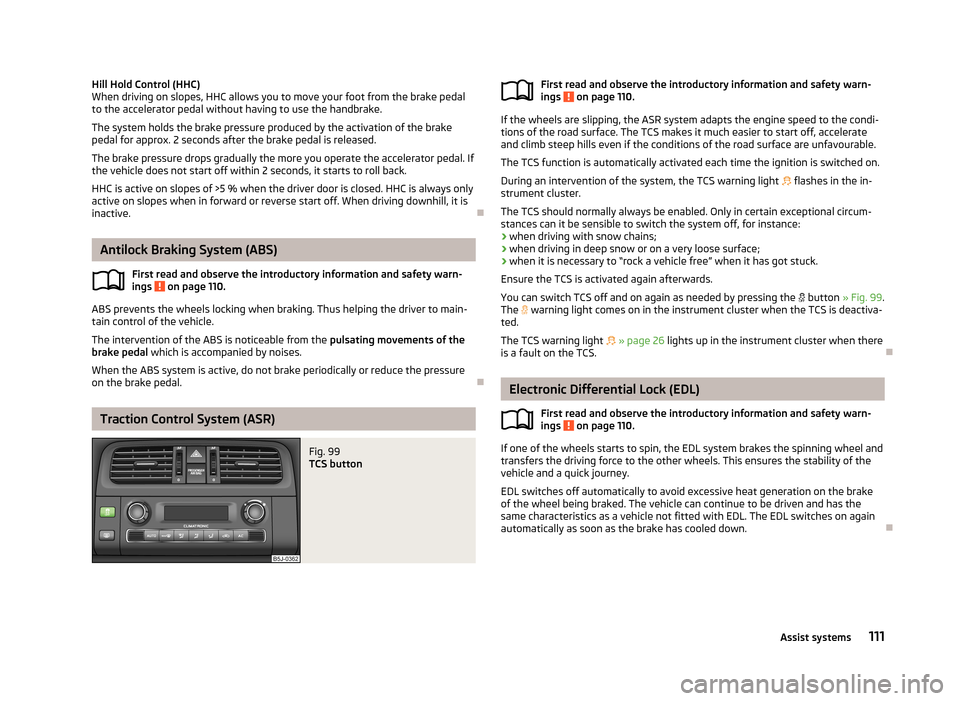
Fig. 99
TCS buttonFirst read and observe the introductory information and safety warn-
ings on page 110.
If the wheels are slipping, the ASR system adapts the engine speed to the condi-
tions of the road surface. The TCS makes it much easier to start off, accelerate
and climb steep hills even if the conditions of the road surface are unfavourable.
The TCS function is automatically activated each time the ignition is switched on.
During an intervention of the system, the TCS warning light flashes in the in-
strument cluster.
The TCS should normally always be enabled. Only in certain exceptional circum-
stances can it be sensible to switch the system off, for instance:
› when driving with snow chains;
› when driving in deep snow or on a very loose surface;
› when it is necessary to “rock a vehicle free” when it has got stuck.
Ensure the TCS is activated again afterwards.
You can switch TCS off and on again as needed by pressing the
button » Fig. 99 .
The
warning light comes on in the instrument cluster when the TCS is deactiva-
ted.
The TCS warning light
» page 26 lights up in the instrument cluster when there
is a fault on the TCS.
Electronic Differential Lock (EDL)
First read and observe the introductory information and safety warn-
ings
on page 110.
If one of the wheels starts to spin, the EDL system brakes the spinning wheel and
transfers the driving force to the other wheels. This ensures the stability of the
vehicle and a quick journey.
EDL switches off automatically to avoid excessive heat generation on the brake of the wheel being braked. The vehicle can continue to be driven and has the
same characteristics as a vehicle not fitted with EDL. The EDL switches on again
automatically as soon as the brake has cooled down.
111Assist systems
Page 128 of 219
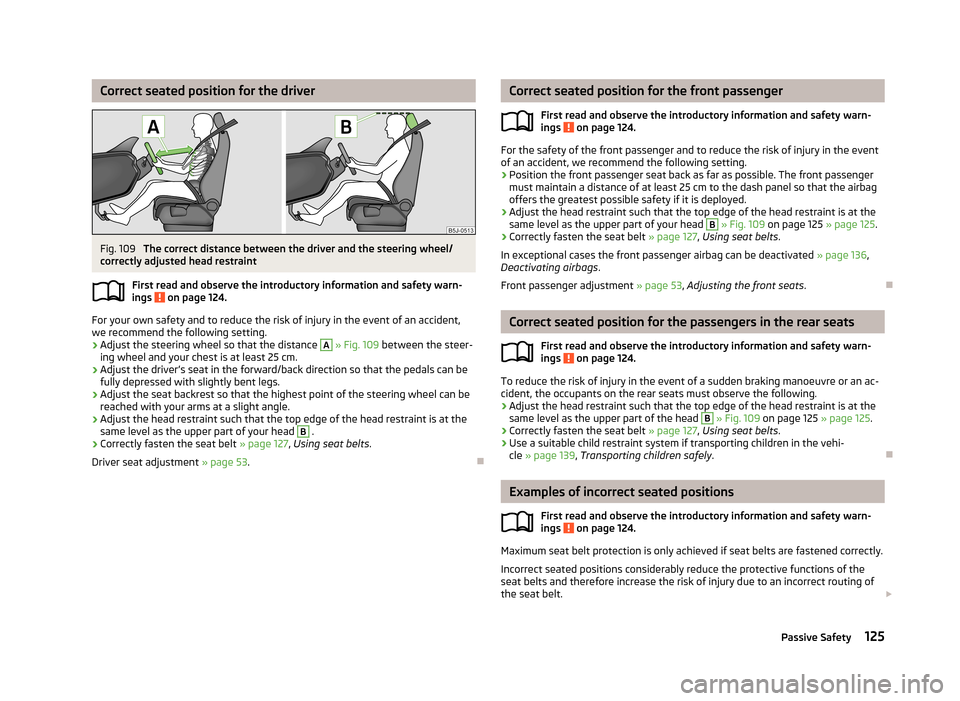
Correct seated position for the driverFig. 109
The correct distance between the driver and the steering wheel/
correctly adjusted head restraint
First read and observe the introductory information and safety warn-ings
on page 124.
For your own safety and to reduce the risk of injury in the event of an accident,
we recommend the following setting.
› Adjust the steering wheel so that the distance
A
» Fig. 109 between the steer-
ing wheel and your chest is at least 25 cm.
› Adjust the driver’s seat in the forward/back direction so that the pedals can be
fully depressed with slightly bent legs.
› Adjust the seat backrest so that the highest point of the steering wheel can be
reached with your arms at a slight angle.
› Adjust the head restraint such that the top edge of the head restraint is at the
same level as the upper part of your head
B
.
› Correctly fasten the seat belt
» page 127, Using seat belts .
Driver seat adjustment » page 53.
Correct seated position for the front passenger
First read and observe the introductory information and safety warn-ings
on page 124.
For the safety of the front passenger and to reduce the risk of injury in the event
of an accident, we recommend the following setting.
› Position the front passenger seat back as far as possible. The front passenger
must maintain a distance of at least 25 cm to the dash panel so that the airbag
offers the greatest possible safety if it is deployed.
› Adjust the head restraint such that the top edge of the head restraint is at the
same level as the upper part of your head
B
» Fig. 109 on page 125 » page 125.
› Correctly fasten the seat belt
» page 127, Using seat belts .
In exceptional cases the front passenger airbag can be deactivated » page 136,
Deactivating airbags .
Front passenger adjustment » page 53, Adjusting the front seats .
Correct seated position for the passengers in the rear seats
First read and observe the introductory information and safety warn-
ings
on page 124.
To reduce the risk of injury in the event of a sudden braking manoeuvre or an ac-
cident, the occupants on the rear seats must observe the following.
› Adjust the head restraint such that the top edge of the head restraint is at the
same level as the upper part of the head
B
» Fig. 109 on page 125 » page 125.
› Correctly fasten the seat belt
» page 127, Using seat belts .
› Use a suitable child restraint system if transporting children in the vehi-
cle » page 139 , Transporting children safely .
Examples of incorrect seated positions
First read and observe the introductory information and safety warn-
ings
on page 124.
Maximum seat belt protection is only achieved if seat belts are fastened correctly.
Incorrect seated positions considerably reduce the protective functions of the
seat belts and therefore increase the risk of injury due to an incorrect routing of
the seat belt.
125Passive Safety