2013 SKODA OCTAVIA door lock
[x] Cancel search: door lockPage 65 of 287

Front interior lightFig. 34
Switch for front interior light - 2 versions
Fig. 35
Switch for reading lights - 2 versions
First read and observe the introductory information given on page 61.
Rocker switch positions » Fig. 34 .
switching on
switching off
Operation using the door contact switch (middle position)
For vehicles with interior monitoring there is no icon for the center position (oper-
ation with the door contact switch) » Fig. 34 -
.
Reading lights Switch the reading light on/off » Fig. 35
If light operation with the door contact switch is enabled, the light will come on
when one of the following events occurs:
› The vehicle is unlocked.
› One of the doors or the luggage compartment lid is being opened.
› The ignition key is removed.
If light operation with the door contact switch is enabled, the light will go off
when one of the following events occurs:
› The vehicle is locked.
› The ignition is switched on.
› About 30 seconds after all the doors have been closed.
Note
■
If the interior light remains switched on when the ignition is switched off or if
one of the doors is open, the light will automatically go out after around 10 mi- nutes.■
Two diffuse lights are integrated in the front interior lighting, that illuminate
the gearshift lever and the middle of the dash panel. These are switched on auto-
matically when the parking light is activated. Also, after switching on the ignition when the parking lights are switched on, the door handle lighting comes on.
Rear interior light
Applies to vehicles without a panoramic sliding roof.
Fig. 36
Interior light without reading lights/interior light with reading lights
First read and observe the introductory information given on page 61.
The rear interior light is operated together with the front interior light » page 62.
62Using the system
Page 66 of 287

Switching lamp without reading lights on/off›Press the button » Fig. 36 - .
Switching the reading light on/off›
Press the button or
» Fig. 36 - .
Rear interior light
Applies to vehicles with a panoramic sliding roof.
Fig. 37
Interior lights at the rear
First read and observe the introductory information given on page 61.
The light can be operated by moving the lens into one of the following posi-
tions » Fig. 37 .
switching on
switching off
Operation using the door contact switch (middle position) 1)
Front door warning lightFig. 38
Warning light
First read and observe the introductory information given on page 61.
The warning light is located in the lower door trim panel
» Fig. 38.
The light switches on/off when the front door is opened or closed.
Vehicles without this warning light have only a reflector at this point.
Note
If the door is open and the ignition switched off, the light will extinguish auto-
matically after around 10 minutes.
Entry space lighting
First read and observe the introductory information given on page 61.
The lighting is positioned on the bottom edge of the exterior mirror and illumi-
nates the entry area of the front door.
The light comes on after the vehicle has been unlocked or on opening the front
door. The lighting goes out about 30 seconds after the doors are closed or if the
ignition is switched on.
1)
In this position, the same rules apply to this light as for the front interior light
» page 62.
63Lights and visibility
Page 77 of 287

›Hold the
rear head restraints on the sides with both hands and move them up-
wards » Fig. 49 .›
To move the head restraint downwards , press and hold the safety button
1
with one hand and press the head restraint downwards with the other hand.
The head restraints and the front seats must be adjusted to match the body size at all times and the seat belt must always be fastened properly to provide the
most effective levels of protection to the passengers » page 177, Correct seated
position .
Removing/installing
Only the real head restraints may be removed.
›
Pull the head restraint out of the seat backrest as far as the stop.
›
Press the locking button in the direction of arrow
1
» Fig. 49 simultaneously
press the locking button into the opening
2
using a flat screwdriver with a
width of maximum 5 mm and pull out the head rest.
›
To re-insert the head restraint, push it far enough down into the seat backrest until the locking button clicks into place.
WARNING■ The head restraints must be correctly adjusted in order to offer effective
protection for the occupants in the event of an accident.■
Never drive with the head restraints removed - risk of injury.
■
If the rear seats are occupied, the respective rear head restraint must not be
in the lower position.
Note
■ For the sports seats, the head restraints are integrated into the front seat
backrests. These headrests cannot be adjusted by height or removed.■
The middle rear head restraint is only adjustable in two positions.
Memory function of the electrically adjustable seatFig. 50
Memory buttons and SET button
First read and observe the introductory information and safety warn-
ings on page 71.
The memory function for the driver's seat provides the option to store the posi-
tions of the driver's seat and the external mirrors. Each of the three memory but- tons
B
» Fig. 50 can be assigned a set position.
Storing seat and exterior mirror settings for driving forward
›
Switch on the ignition.
›
Adjust the seat to the desired position.
›
Adjust both of the exterior mirrors » page 69.
›
Press the button SET
A
» Fig. 50 .
›
Within 10 seconds after pressing the SET button, press the desired memory
button
B
.
An acknowledgment sound confirms the storage.
Saving front passenger mirror settings when reversing
›
Switch on the ignition.
›
Press the required memory button
B
» Fig. 50 .
›
Adjust the rotary knob for the mirrors to the position
or in right-hand drive to
the position
» page 69 .
›
Engage reverse gear.
›
Adjust the front passenger's mirror to the desired position » page 69.
›
Disengage reverse gear.
The set position of the exterior mirror is stored.
Retrieving the saved setting
›
Tap the desired memory button
B
» Fig. 50 when the ignition is switched off
and the driver's door is opened.
74Using the system
Page 78 of 287

or›
Press down on the desired memory button
B
when the ignition is switched on
and the driver's door is closed.
Stopping the ongoing adjustment
›
Press any button on the driver's seat or the button on the remote control
key.
Note
Each time you store the seat and exterior mirror settings for driving forward you
also have to re-store the setting of the exterior mirror on the passenger side for
reversing.
Memory function of the remote control key
First read and observe the introductory information and safety warn-ings
on page 71.
The automatic storage of the driver's seat and exterior mirror positions when
locking the vehicle can be turned on in the memory of the remote control key (af-
terwards only as function of automatic storage).
This function can also be activated or deactivated in the Infotainment » Bedie-
nungsanleitung Infotainment, chapter Vehicle settings (CAR button)..
Storing seat and exterior mirror settings for driving forward
›
Enable automatic storage.
When automatic storage is activated, the current positions of the driver's seat
and the external mirrors are saved in the memory of the remote control key each
time the vehicle is locked. When the vehicle is next unlocked using the same key,
the driver's seat and the external mirrors assume the positions stored in the
memory of this key 1)
.
Saving front passenger mirror settings when reversing
›
Unlock the vehicle with the remote control key.
›
Switch on the ignition.
›
Adjust the rotary knob for the mirrors to the position
or in right-hand drive to
the position
» page 69 .
›Engage reverse gear.›Adjust the front passenger's mirror to the desired position
» page 69.›
Disengage reverse gear.
The adjusted position of the exterior mirror is stored in the remote control key
memory.
Enable automatic storage
›
Unlock the vehicle with the remote control key.
›
Press and hold any memory button
B
» Fig. 50 on page 74. After the seat has
assumed the position stored under this button, at the same time press the but-
ton
on the remote control key within 10 seconds.
The successful activation of the automatic storage function for each key is con-
firmed by an acoustic signal.
The seat and exterior mirror settings are not saved in the memory of the key,
which is already saved in the memory button.
The seat can be adjusted to the required position if necessary » page 73.
After locking the vehicle, the current positions of the driver's seat and the exter-
nal mirrors are saved in the memory of the remote control key.
Disable the function of automatic storage
›
Unlock the vehicle with the remote control key.
›
Press and hold the SET button
A
» Fig. 50 on page 74. At the same time, press
the button on the remote control key within 10 seconds.
The successful deactivation of the automatic storage function for each key is con-
firmed by an acoustic signal.
Stopping the ongoing adjustment
›
Press any button on the driver's seat or the button on the remote control
key.
1)
The vehicle must be locked and unlocked with the same key to save the seat and exterior mirror po-
sition to the key.
75Seats and useful equipment
Page 82 of 287

Folding forward
Before folding the seat backrests forwards, adapt the position of the front seats
in such a way that they are not damaged by the folded seat backrests 1)
.›
Push the lever
A
» Fig. 55 and fold the seat backrest completely forwards.
Fold forward from the luggage compartment
The rear seat backrests can also be unlocked and folded forward from the lug-
gage compartment.
There is a lever on the right side of the luggage compartment for unlocking the
right and the middle rear seat backrests.
There is a lever on the left side of the luggage compartment for unlocking the left
rear seat backrest.
›
Pull the corresponding lever in the direction of the arrow » Fig. 56.
The corresponding rear seat backrest is unlocked and can be folded forward.
Folding backwards
›
Hold the rear outer seat belt
C
» Fig. 55 against the side trim panel.
›
Then push the seat backrest back into the upright position until the securing
knob
A
clicks into place – check by pulling on the seat backrest » .
›
Make sure that the red pin
B
is hidden.
WARNING■
The belts and the belt locks must be in their original position after folding
back the seat backrests – they must be ready to use.■
The seat backrests must be securely locked in position so that no objects in
the luggage compartment can slide into the passenger compartment on sud- den braking – risk of injury.
■
Ensure that the rear seat backrests are properly engaged. Only then can the
seat belt for the middle seat reliably fulfil its function.
CAUTION■ Before folding the seat backrest forward from the luggage compartment, check
that there are no objects on the rear seat. When folding the seat backrest for-
ward, they could be damaged or cause damage to the seat backrest and the seat.■
Ensure that the seat belts are not damaged when operating the seat backrests.
Under no circumstances must the rear seat belts be jammed by the folded back
seat backrests.
■
On vehicles with a net partition first the left and then the right and middle rear
seat backrest must be unlocked 2)
.
Practical equipment
Introduction
This chapter contains information on the following subjects:
Car park ticket holder
80
Storage compartment on the driver's side
80
Storage compartments in the doors
81
Holder for reflective vest
81
storage compartment in the front center console - not lockable
82
Storage compartment in the front centre console
82
Cup holders
82
Cigarette lighter
83
Ashtray
83
12-volt power outlet
84
Waste container
85
Multimedia holder
85
Storage compartment under the front armrest
86
Glasses storage box
86
Storage compartment on the passenger side
87
Storage compartment under the passenger seat
87
Clothes hook
88
1)
If the front seats are too far back, we recommend that you have the rear head restraints removed
before the seat backrests are folded forward. Store the removed head restraints in such a way that
they are not be damaged or soiled.
2)
Applies to the Octavia Estate.
79Seats and useful equipment
Page 106 of 287

Using the net partition behind the front seatsFig. 103
Net partition behind the front
seats in the pulled-out state
First read and observe the introductory information and safety warn-
ings on page 101.
Extending
›
Fold the rear seats forward » page 78.
›
Pull out the net partition at the upper crossbar
A
from the housing
B
» Fig. 103 .
›
Hook the crossbar into one of the receptacles
C
.
›
On the other side, press on the crossbar and hook it into the appropriate recep-
tacle
C
.
If the crossbar is hooked into the receptacle
C
to the left for example, then press
on the crossbar in the direction of the arrow 1 and insert into the receptacle
C
to
the right.
Retracting
›
Press on the crossbar and remove it from the receptacles
C
, first on one side,
then on the other side.
›
Hold the crossbar
A
in such a way that the net partition can slowly roll up into
the housing
B
without being damaged.
›
Fold the rear seats back into their original positions » page 78.
CAUTION
If the net partition blocks when pulling it out of the housing, push the release lev-
er E in the direction of the arrow » Fig. 102 on page 102.
Removing and refitting the net partition housingFig. 104
Rear seats: Removing the net
partition housing
First read and observe the introductory information and safety warn-
ings on page 101.
Removing
›
Fold the rear seats forward » page 78.
›
Open the rear right door » page 40.
›
Push the net partition housing
A
in the direction of the arrow
1
and remove it
from the mounts on the right seat backrests in the direction of the arrow
2
» Fig. 104 .
Installing
›
Insert the recesses on the net partition housing into the mounts on the rear seat backrests.
›
Push the net partition housing in the opposite direction of the arrow
1
» Fig. 104 as far as the stop.
›
Fold the rear seats back into their original positions » page 78.
Roof rack system
Introduction
This chapter contains information on the following subjects:
Attachment points
104
Roof load
105
103Seats and useful equipment
Page 125 of 287
WARNING■Never leave the engine running in unventilated or closed rooms. The ex-
haust gases from the engine contain substances such as odourless and col-
ourless carbon monoxide (a poisonous gas) – risk to life! ■ Carbon monoxide can cause unconsciousness and death.
CAUTION
■The system can recognize the valid key, even if it has been forgotten, for exam-
ple, in the front of the vehicle roof D » Fig. 14 on page 38 - There is danger of
loss or damage to the key! It is therefore not always necessary to know where
the key is.■
The starter must only be operated when the engine is not running and the vehi-
cle is at a standstill. The starter or engine may be damaged if the starter is activa- ted when the engine is running.
■
Do not tow start the engine – there is a risk of damaging the engine and the
catalytic converter. The battery from another vehicle can be used as a jump-start
aid » page 243 , Jump-starting using the battery from another vehicle .
CAUTION
■
Avoid high engine revolutions, full throttle and high engine loads before the en-
gine has reached its operating temperature – risk of damaging the engine!■
Do not switch the engine off immediately at the end of your journey after the
engine has been operated over a prolonged period at high loads but leave it to
run at an idling speed for about 1 minute. This prevents any possible accumulation
of heat when the engine is switched off.
For the sake of the environment
Do not warm up the engine while the vehicle is stationary. If possible, start your
journey as soon as the engine has started. Through this the engine reaches its operating temperature more rapidly and the pollutant emissions are lower.
Note
■ The vehicle can not be locked if the ignition has not been turned off.■The system is protected against inadvertently switching off the engine while
driving, this means that the engine can only be switched off in an emergen- cy » page 124 .■
After switching off the ignition, the radiator fan may intermittently continue to
operate for approx. 10 minutes.■
Under certain circumstances (e.g. after switching off the ignition and opening
the driver's door), the steering is enabled only when the ignition is switched on or the engine is started.
Steering lock / unlock
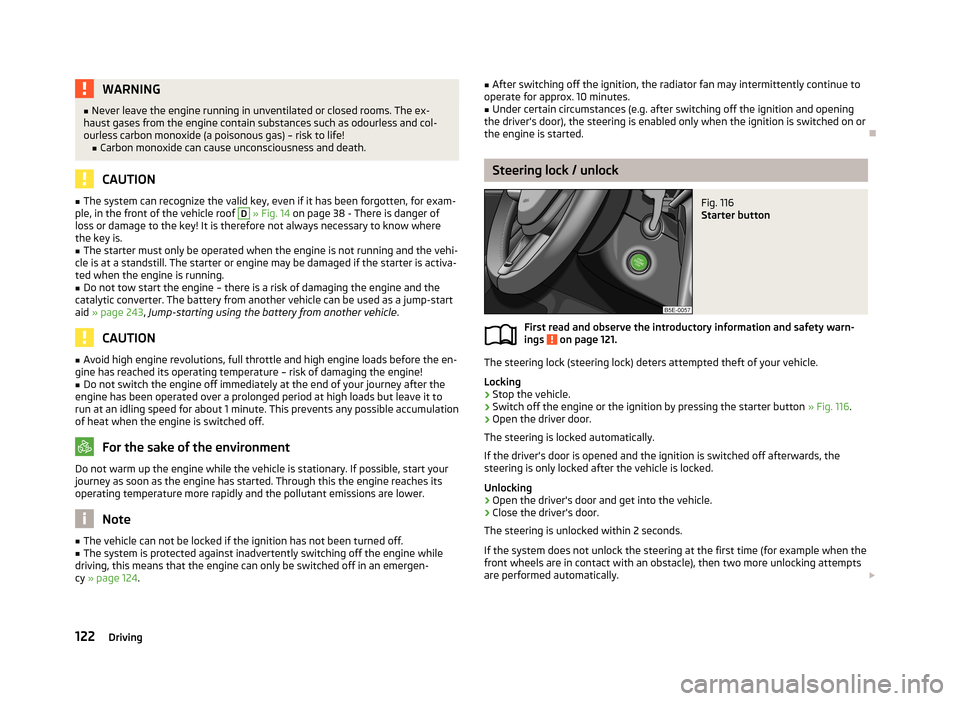
Fig. 116
Starter button
First read and observe the introductory information and safety warn-
ings on page 121.
The steering lock (steering lock) deters attempted theft of your vehicle.
Locking
›
Stop the vehicle.
›
Switch off the engine or the ignition by pressing the starter button » Fig. 116.
›
Open the driver door.
The steering is locked automatically.
If the driver's door is opened and the ignition is switched off afterwards, the
steering is only locked after the vehicle is locked.
Unlocking
›
Open the driver's door and get into the vehicle.
›
Close the driver's door.
The steering is unlocked within 2 seconds.
If the system does not unlock the steering at the first time (for example when the
front wheels are in contact with an obstacle), then two more unlocking attempts
are performed automatically.
122Driving
Page 126 of 287

If the steering is still not unlocked, then the following message is displayed on
the display of the instrument cluster.
Move the steering wheel!
MOVE STEERING WHEEL
Slightly move the steering wheel and the system will make up to 3 more attempts
to unlock after 2 seconds. At the same time, the indicator light flashes.
If the steering is still not unlocked, to try to eliminate the possible cause and then
repeat the unlocking attempt.
Switching on the ignition
First read and observe the introductory information and safety warn-
ings
on page 121.
›
Press the starter button » Fig. 116 on page 122 briefly.
The ignition is switched on.
Note
The ignition is switched on when indicated by the lighting up of certain indicator
lamps in the instrument cluster.
Starting the engine
First read and observe the introductory information and safety warn-
ings
on page 121.
Vehicles with a diesel engine are equipped with a glow plug system. The glow
plug warning light
illuminates after the ignition has been switched on. Start
the engine after the warning light
has gone out.
You should not switch on any major electrical components during the heating pe- riod otherwise the vehicle battery will be drained unnecessarily.
Procedure for starting the engine
›
Firmly apply the handbrake.
›
Move the gearshift lever into neutral or move the selector lever into position P
or N.
›
Depress and hold the clutch pedal (vehicles with a manual gearbox) or brake
pedal (vehicles with an automatic gearbox) until the engine starts.
› Press the starter button
» Fig. 116 on page 122 briefly – the engine starts auto-
matically.›
Release the handbrake.
CAUTION
■ If the engine does not start up after a second attempt, one of the following
fuses may be defective. ■Petrol engine - fuse for the fuel pump.
■ Diesel engine - fuse for the glow plug control unit or fuel pump.■
Check the fuse and replace if necessary » page 251, or seek assistance from a
specialist garage.
Switching off the ignition
First read and observe the introductory information and safety warn-ings
on page 121.
›
Press the starter button » Fig. 116 on page 122 briefly.
The ignition is switched off.
The ignition can be switched off up to a speed of 2 km/h.
On vehicles fitted with a manual gearbox, the clutch pedal must not be de-
pressed after switching off the ignition, otherwise the system would try to start.
For automatic transmission vehicles, the brake pedal must not be depressed,
otherwise the system will try to start.
If the driver's door is opened while the igition is on, an audible signal sounds andthe following message appears in the instrument cluster display.
Ignition on!
IGNITION STILL ON
When leaving the vehicle always switch off the ignition.
Switching off the engine
First read and observe the introductory information and safety warn-ings
on page 121.
›
Stop the vehicle.
›
Press the starter button » Fig. 116 on page 122 .
123Starting-off and Driving