2013 PEUGEOT 5008 ignition
[x] Cancel search: ignitionPage 208 of 364

PRACTICAL INFORMATION
206
Fuse
N°
Rating
(A)
Functions
F12
30
Windscreen wipers slow / fast speed.
F13
40
Built-in systems interface supply (ignition positive).
F14
30
Air pump.
F15
10
Right-hand main beam headlamp.
F16
10
Left-hand main beam headlamp.
F17
15
Left-hand dipped headlamp.
F18
15
Right-hand dipped headlamp.
F19
15
Oil vapour heater (1.6 litre VTi), Turbo pressure
regulation electrovalve (Diesel), engine coolant
level detector (Diesel).
F20
10
Electronic thermostat, variable timing electrovalves,
Turbo pressure regulation electrovalve (Diesel),
engine coolant level detector (Diesel).
F21
5
Fan assembly relay supply, Valvetronic relay
control (1.6 litre VTi), Turbo cooling (1.6 litre THP),
air fl ow sensor (1.6 litre HDI).
Page 211 of 364

PRACTICAL INFORMATION
209
Starting using another battery
When your vehicle's battery is dis-
charged, the engine can be started using
a slave battery (external or on another
vehicle) and jump lead cables.
First check that the slave battery has a
nominal voltage of 12 V and a capacity
at least equal to that of the discharged
battery.
Do not try to start the engine by connecting
a battery charger.
Do not disconnect the (+) terminal when
the engine is running.
)
Connect the red cable to the posi-
tive terminal (+) of the fl at battery A
,
then to the positive terminal (+) of
the slave battery B
.
)
Connect one end of the green or
black cable to the negative terminal
(-) of the slave battery B
(or earth
point on the other vehicle).
)
Connect the other end of the green
or black cable to the earth point C
on the broken down vehicle (or on
the engine mounting).
)
Start the engine of the vehicle with
the good battery and leave it run-
ning for a few minutes.
)
Operate the starter on the broken
down vehicle and let the engine run
If the engine does not start straight
away, switch off the ignition and wait
a few moments before trying again.
)
Wait until the engine returns to idle
then disconnect the jump lead ca-
bles in the reverse order.
Charging the battery using a
battery charger
)
Disconnect the battery from the ve-
hicle.
)
Follow the instructions for use pro-
vided by the manufacturer of the
charger.
)
Connect the battery starting with the
negative terminal (-).
)
Check that the terminals and connec-
tors are clean. If they are covered with
sulphate (whitish or greenish deposit),
remove them and clean them.
The batteries contain harmful
substances such as sulphuric
acid and lead. They must be dis-
posed of in accordance with regulations
and must not, in any circumstances, be
discarded with household waste.
Take used remote control batteries
and vehicle batteries to a special col-
lection point.
It is advisable to disconnect the
battery if the vehicle is to be left
unused for more than one month.
Page 212 of 364

PRACTICAL INFORMATION
210
Protect your eyes and face
before handling the battery.
All operations on the battery
must be carried out in a well ventilat-
ed area and away from naked fl ames
and sources of sparks, so as to avoid
the risk of explosion or fi re.
Do not try to charge a frozen battery;
the battery must fi rst be thawed out to avoid the risk of explosion. If the bat-
tery has been frozen, before charg-
ing have it checked by a PEUGEOT
dealer or a qualifi ed workshop who
will check that the internal compo-
nents have not been damaged and
the casing is not cracked, which
could cause a leak of toxic and cor-
rosive acid.
Do not reverse the polarity and use
only a 12 V charger.
Do not disconnect the terminals while
the engine is running.
Do not charge the batteries without
disconnecting the terminals fi rst.
Wash your hands afterwards.
Do not push the vehicle to start the
engine if you have an electronic
gearbox or automatic gearbox.
Before disconnecting the battery
Wait 2 minutes after switching off the ig-
nition before disconnecting the battery.
Close the windows and the doors be-
fore disconnecting the battery.
Following reconnection of the battery
Following reconnection of the battery,
switch on the ignition and wait 1 minute
before starting to permit initialisation of
the electronic systems. However, if prob-
lems remain following this operation,
contact a PEUGEOT dealer or a quali-
fi ed workshop.
Referring to the corresponding section,
you must yourself reinitialise (depending
on version):
- the remote control key,
- the electric blind(s),
- ...
Page 213 of 364
PRACTICAL INFORMATION
211
Let the engine run for the
duration specifi ed to ensure
that the battery charge is suf-
fi cient.
Do not repeatedly and continuously
restart the engine in order to charge
the battery.
A fl at battery prevents the engine
from starting (refer to the "Battery"
paragraph). If the telephone is being used
at this time:
- i
t will be maintained for 5 minutes with
the hands-free kit of your Peugeot
Connect Sound or Peugeot Connect
Navigation,
- it will still be possible to fi nish the
call with the Peugeot Connect
Media.
Exiting economy mode
These functions are reactivated auto-
matically next time the vehicle is driven.
To restore the use of these functions im-
mediately, start the engine and let it run
for at least 5 minutes.
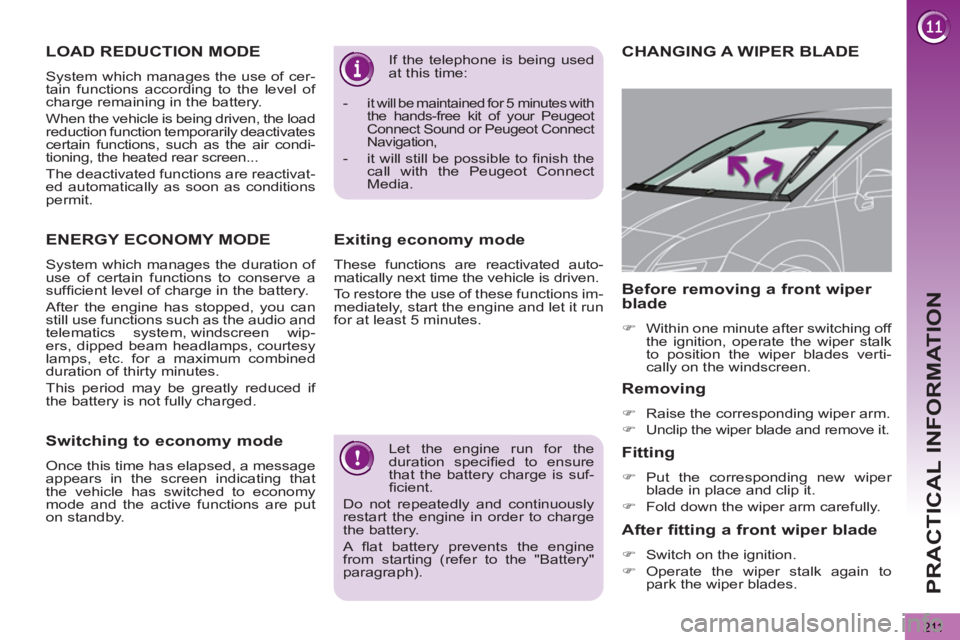
CHANGING A WIPER BLADE
Removing
)
Raise the corresponding wiper arm.
)
Unclip the wiper blade and remove it.
Fitting
)
Put the corresponding new wiper
blade in place and clip it.
)
Fold down the wiper arm carefully.
Before removing a front wiper
blade
)
Within one minute after switching off
the ignition, operate the wiper stalk
to position the wiper blades verti-
cally on the windscreen.
After fitting a front wiper blade
)
Switch on the ignition.
)
Operate the wiper stalk again to
park the wiper blades.
LOAD REDUCTION MODE
System which manages the use of cer-
tain functions according to the level of
charge remaining in the battery.
When the vehicle is being driven, the load
reduction function temporarily deactivates
certain functions, such as the air condi-
tioning, the heated rear screen...
The deactivated functions are reactivat-
ed automatically as soon as conditions
permit.
ENERGY ECONOMY MODE
System which manages the duration of
use of certain functions to conserve a
suffi cient level of charge in the battery.
After the engine has stopped, you can
still use functions such as the audio and
telematics system, windscreen wip-
ers, dipped beam headlamps, courtesy
lamps, etc. for a maximum combined
duration of thirty minutes.
This period may be greatly reduced if
the battery is not fully charged.
Switching to economy mode
Once this time has elapsed, a message
appears in the screen indicating that
the vehicle has switched to economy
mode and the active functions are put
on standby.
Page 230 of 364
228
EMERGENCY OR ASSISTANCE CALL
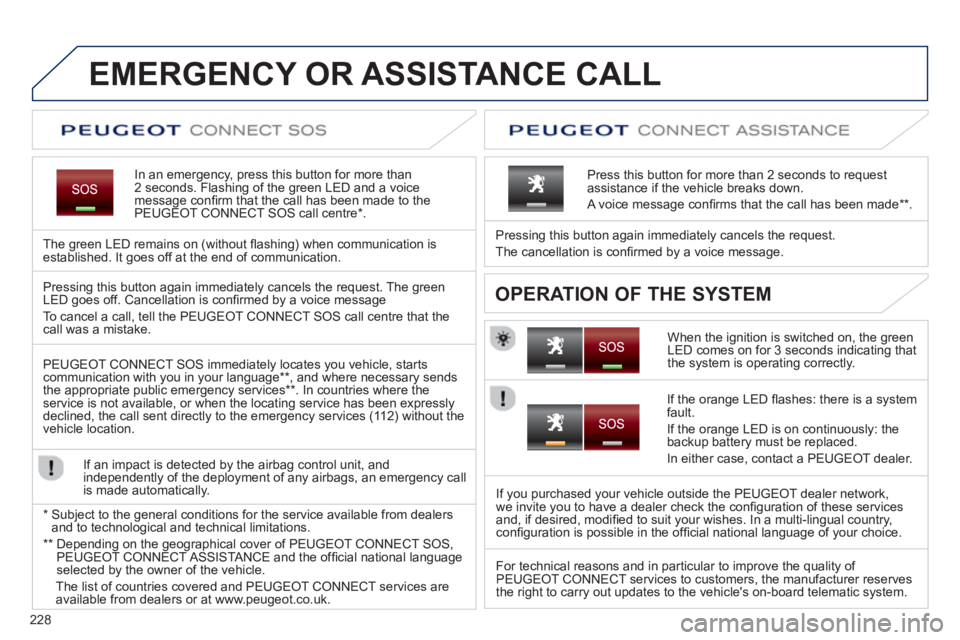
In an emergency, press this button for more than2 seconds. Flashing of the green LED and a voice
message confi rm that the call has been made to the
PEUGEOT CONNECT SOS call centre * .
The
green LED remains on (without fl ashing) when communication is established. It goes off at the end of communication.
When the ignition is switched on, the green
LED comes on for 3 seconds indicating that
the system is operating correctly. Pressin
g this button again immediately cancels the request.
The cancellation is confi rmed b
y a voice message.
Press this button for more than 2 seconds to request
assistance if the vehicle breaks down.
A voice message confi rms that the call has been made **
.
OPERATION OF THE SYSTEM Pressing this button again immediately cancels the request. The green LED goes off. Cancellation is confi rmed by a voice message
To cancel a call, tell the PEUGE
OT CONNECT SOS call centre that thecall was a mistake.
PEUGE
OT CONNECT SOS immediately locates you vehicle, starts communication with you in your language ** , and where necessary sends
the appropriate public emergency services ** . In countries where theservice is not available, or when the locating service has been expresslydeclined, the call sent directly to the emergency services (11 2) without the
vehicle location.
If an impact is detected b
y the airbag control unit, and
independently of the deployment of any airbags, an emergency call
is made automatically.
*
Sub
ject to the general conditions for the service available from dealersand to technological and technical limitations.
**
Depending on the geographical cover of PEUGEOT CONNECT SOS,
PEUGEOT CONNECT ASSISTA NCE and the offi cial national languageselected by the owner of the vehicle.
Th
e list of countries covered and PEUGEOT CONNECT services are available from dealers or at www.peugeot.co.uk.
If the oran
ge LED fl ashes: there is a system
fault.
If the oran
ge LED is on continuously: the backup battery must be replaced.
In either case, contact a PEU
GEOT dealer.
I
f you purchased your vehicle outside the PEUGEOT dealer network,
we invite you to have a dealer check the confi guration of these services
and, if desired, modifi ed to suit your wishes. In a multi-lingual country,confi guration is possible in the offi cial national language of your choice.
For technical reasons and in particular to improve the qualit
y of PEUGEOT CONNECT services to customers, the manufacturer reserves
the right to carry out updates to the vehicle's on-board telematic system.
Page 258 of 364
256
07
MEDIA
2ABC3DEF5JKL4GHI6MNO8TUV7PQRS9WXYZ0*#
1RADIO MEDIANAV ESC TRAFFIC
SETUPADDR
BOOK
2ABC3DEF5JKL4GHI6MNO8TUV7PQRS9WXYZ0*#
1RADIO MEDIANAV TRAFFIC
SETUPADDR
BOOK
2ABC3DEF5JKL4GHI6MNO8TUV7PQRS9WXYZ0*#
1RADIO MEDIANAV TRAFFIC
SETUPADDR
BOOK
2ABC3DEF5JKL4GHI6MNO8TUV7PQRS9WXYZ0*#
1RADIO MEDIANAV TRAFFIC
SETUPADDR
BOOK
2ABC3DEF5JKL4GHI6MNO8TUV7PQRS9WXYZ0*#
1RADIO MEDIANAV TRAFFIC
SETUPADDR
BOOK
2ABC3DEF5JKL4GHI6MNO8TUV7PQRS9WXYZ0*#
1RADIO MEDIANAV TRAFFIC
SETUPADDR
BOOK
2ABC3DEF5JKL4GHI6MNO8TUV7PQRS9WXYZ0*#
1RADIO MEDIANAV TRAFFIC
SETUPADDR
BOOK
2ABC3DEF5JKL4GHI6MNO8TUV7PQRS9WXYZ0*#
1RADIO MEDIANAV TRAFFIC
SETUPADDR
BOOK
RADIONAV TRAFFICMEDIA
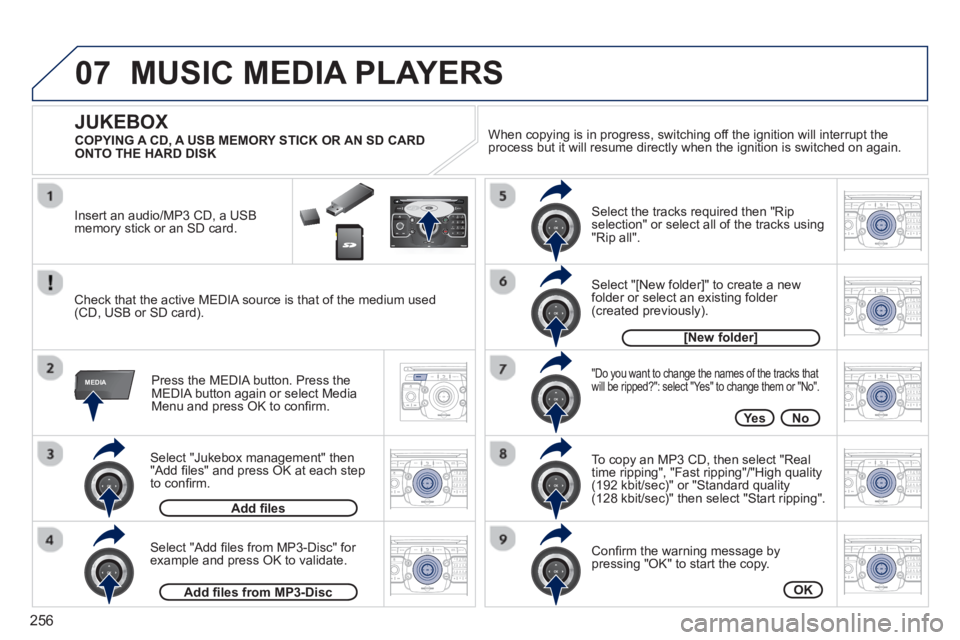
Select "Jukebox management" then"Add fi les" and press OK at each step
to confi rm. Pr
ess the MEDIA button. Press theMEDIA button again or select MediaMenu and press OK to confi rm.
Insert an audio
/MP3 CD, a USBmemory stick or an SD card.
JUKEBOX
Add fi les
Check that the active MEDIA source is that of the medium used(CD, USB or SD card).
Select "Add fi les from MP3-Disc" for example and press OK to validate.
Select the tracks required then "Rip
selection" or select all of the tracks using "Rip all".
Select "[New folder]" to create a new folder or select an existing folder (created previously).
Add fi les from MP3-Disc
[New folder]
"Do you want to change the names of the tracks that
will be ripped?": select "Yes" to change them or "No".
To copy an MP3 CD, then select "Real
time ripping", "Fast ripping"/"High quality(192 kbit/sec)" or "Standard quality(128 kbit/sec)" then select "Start ripping".
Confi rm the warning message bypressing "OK" to start the copy.
OK
Yes No When cop
ying is in progress, switching off the ignition will interrupt the
process but it will resume directly when the ignition is switched on again.
MUSIC MEDIA PLAYERS
COPYING A CD, A USB MEMORY STICK OR AN SD CARD
ONTO THE HARD DISK
Page 262 of 364
260
08
2ABC3DEF5JKL4GHI6MNO8TUV7PQRS9WXYZ0*#
1RADIO MEDIANAV TRAFFIC
SETUPADDR
BOOK
2ABC3DEF5JKL4GHI6MNO8TUV7PQRS9WXYZ0*#
1RADIO MEDIANAV TRAFFIC
SETUPADDR
BOOK
2ABC3DEF5JKL4GHI6MNO8TUV7PQRS9WXYZ0*#
1RADIO MEDIANAV TRAFFIC
SETUPADDR
BOOK
2ABC3DEF5JKL4GHI6MNO8TUV7PQRS9WXYZ0*#
1RADIO MEDIANAV TRAFFIC
SETUPADDR
BOOK
2ABC3DEF5JKL4GHI6MNO8TUV7PQRS9WXYZ0*#
1RADIO MEDIANAV TRAFFIC
SETUPADDR
BOOK2ABC3DEF5JKL4GHI6MNO8TUV7PQRS9WXYZ0*#
1RADIO MEDIANAV TRAFFIC
SETUPADDR
BOOK
*
The services available via the telephone depend on the network, the SIMcard and the compatibility of the Bluetooth equipment used. Refer to your
telephone's manual and your operator to check which services you haveaccess to.
USING THE TELEPHONE
PAIRING A BLUETOOTH TELEPHONE
/
FIRST CONNECTION
For safety reasons and because they require prolonged attentionon the part of the driver, the operations for pairing the Bluetooth yygy
mobile telephone to the hands-free system of the Peugeot ConnectMedia must be carried out with the vehicle stationary and the
ignition on.
Visit www.peugeot.co.uk for more information (compatibility, more help, ...).
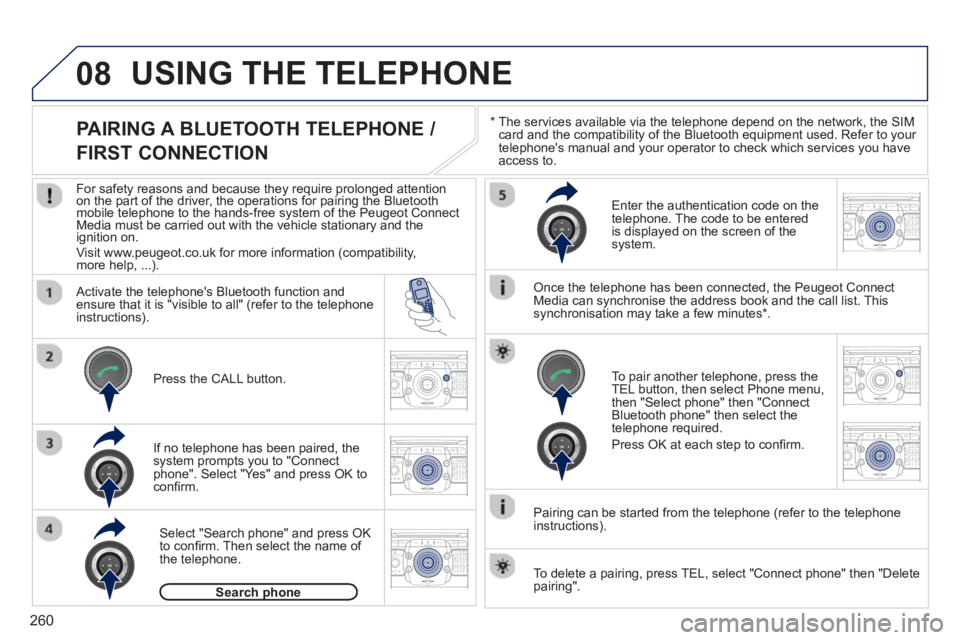
Activate the tele
phone's Bluetooth function andensure that it is "visible to all" (refer to the telephone
instructions).
If no tele
phone has been paired, the
system prompts you to "Connect
phone". Select "Yes" and press OK to confi rm.
Ent
er the authentication code on thetelephone. The code to be entered
is displayed on the screen of the system.
To pair another telephone, press the
TEL button, then select Phone menu,then "Select phone" then "Connect Bluetooth phone" then select the
telephone required.
Press
OK at each step to confi rm.
Once the telephone has been connected, the Peugeot ConnectMedia can synchronise the address book and the call list. This
synchronisation may take a few minutes * .
Pairin
g can be started from the telephone (refer to the telephone
instructions). Press the
CALL button.
Select "Search phone" and press OK
to confi rm. Then select the name of
the telephone.
Search phonep
To delete a pairing, press TEL, select "Connect phone" then "Delete
pairing".
Page 263 of 364
261
08
2ABC3DEF5JKL4GHI6MNO8TUV7PQRS9WXYZ0*#
1RADIO MEDIANAV TRAFFIC
SETUPADDR
BOOK
*
The services available via the telephone depend on the network, the SIM card and the compatibility of the Bluetooth equipment used. Refer toyour telephone's manual and your operator to check which services you have access to. A list of mobile telephones which offer the best range of services is available from dealers.
USING THE TELEPHONE
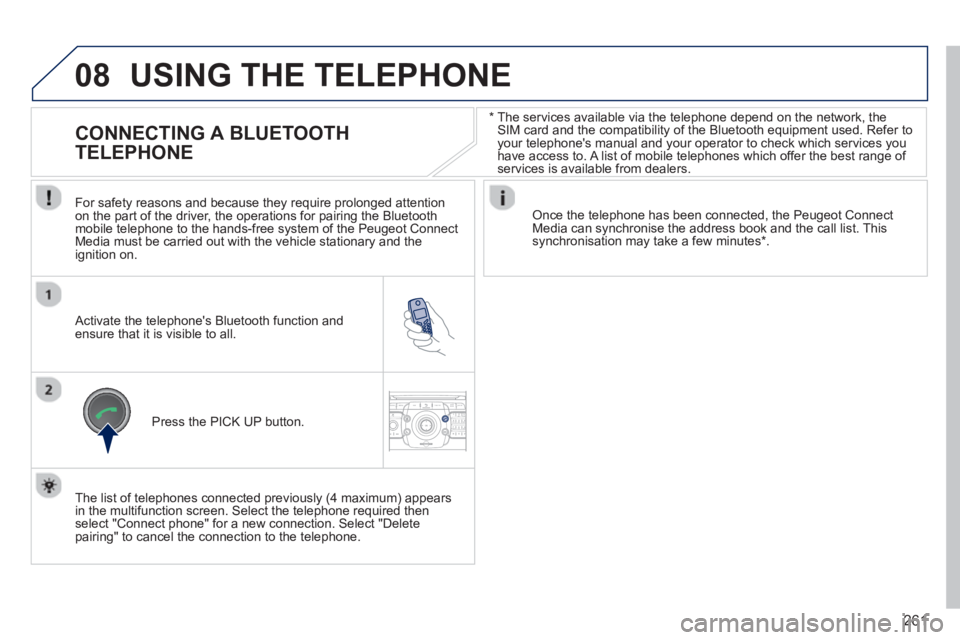
CONNECTING A BLUETOOTH
TELEPHONE
For safety reasons and because they require prolonged attention
on the part of the driver, the operations for pairing the Bluetoothmobile telephone to the hands-free system of the Peugeot ConnectMedia must be carried out with the vehicle stationary and the
ignition on.
Activate the telephone's Bluetooth function and ensure that it is visible to all.
Once the telephone has been connected, the Peugeot Connect Media can synchronise the address book and the call list. This synchronisation may take a few minutes * .
Press the PI
CK UP button.
The list of telephones connected previousl
y (4 maximum) appears
in the multifunction screen. Select the telephone required then
select "Connect phone" for a new connection. Select "Delete pairing" to cancel the connection to the telephone.