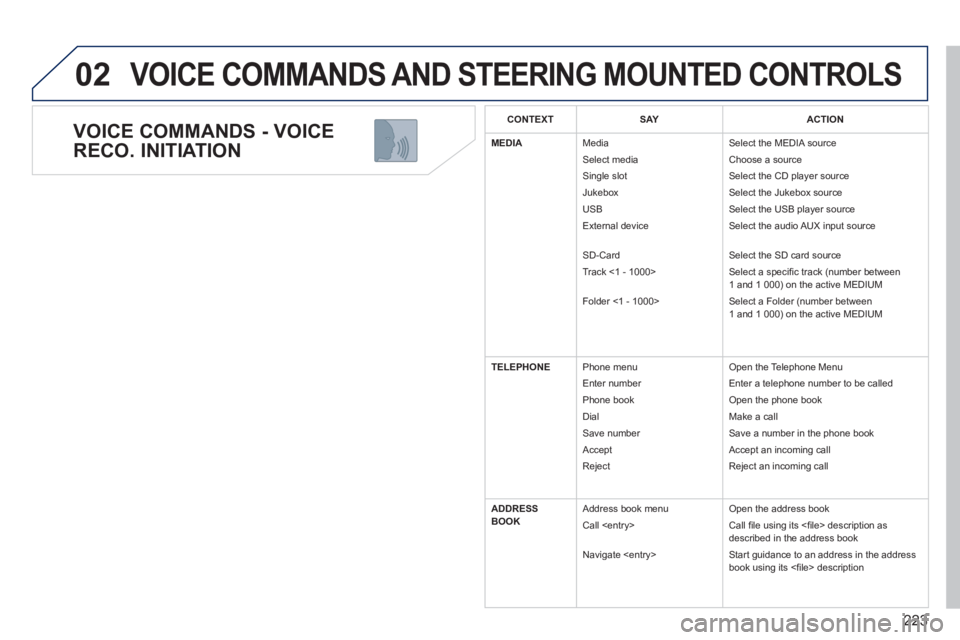
206
PRACTICAL INFORMATION
Installation of radio
communication
transmitters
Before installing any after-market ra-
dio communication transmitter, you
can contact a PEUGEOT dealer for
the specifi cation of transmitters which
can be fi tted (frequency, maximum
power, aerial position, specifi c instal-
lation requirements), in line with the
Vehicle Electromagnetic Compatibility
Directive (2004/104/EC).
* To avoid any risk of jamming of the
pedals:
- ensure that the mat is positioned
and secured correctly,
- never fi t one mat on top of another.
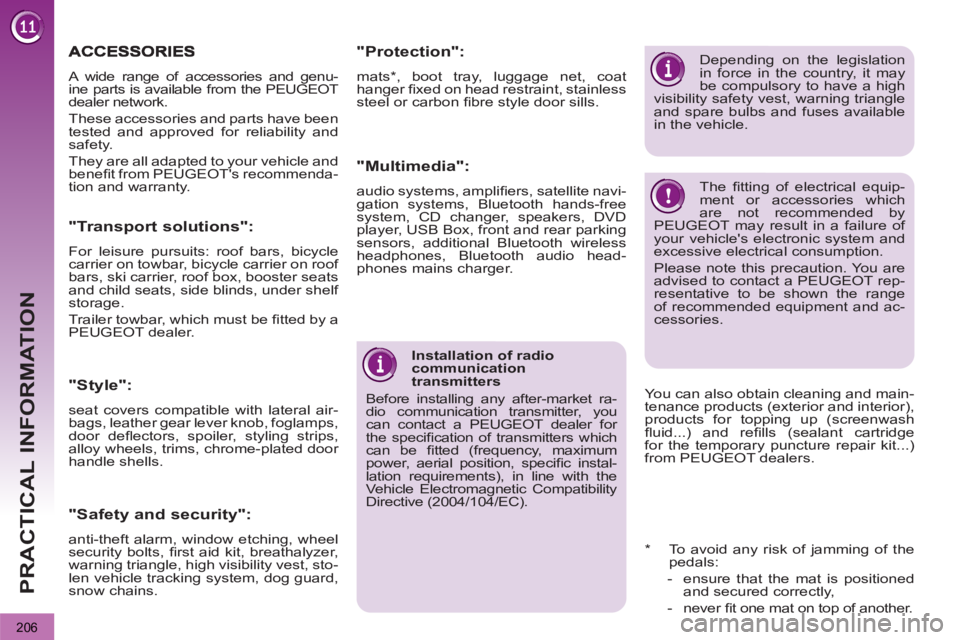
A wide range of accessories and genu-
ine parts is available from the PEUGEOT
dealer network.
These accessories and parts have been
tested and approved for reliability and
safety.
They are all adapted to your vehicle and
benefi t from PEUGEOT's recommenda-
tion and warranty.
"Transport solutions":
For leisure pursuits: roof bars, bicycle
carrier on towbar, bicycle carrier on roof
bars, ski carrier, roof box, booster seats
and child seats, side blinds, under shelf
storage.
Trailer towbar, which must be fi tted by a
PEUGEOT dealer.
You can also obtain cleaning and main-
tenance products (exterior and interior),
products for topping up (screenwash
fl uid...) and refi lls (sealant cartridge
for the temporary puncture repair kit...)
from PEUGEOT dealers.
Depending on the legislation
in force in the country, it may
be compulsory to have a high
visibility safety vest, warning triangle
and spare bulbs and fuses available
in the vehicle.
The fi tting of electrical equip-
ment or accessories which
are not recommended by
PEUGEOT may result in a failure of
your vehicle's electronic system and
excessive electrical consumption.
Please note this precaution. You are
advised to contact a PEUGEOT rep-
resentative to be shown the range
of recommended equipment and ac-
cessories.
"Style":
seat covers compatible with lateral air-
bags, leather gear lever knob, foglamps,
door defl ectors, spoiler, styling strips,
alloy wheels, trims, chrome-plated door
handle shells.
"Safety and security":
anti-theft alarm, window etching, wheel
security bolts, fi rst aid kit, breathalyzer,
warning triangle, high visibility vest, sto-
len vehicle tracking system, dog guard,
snow chains.
"Protection":
mats * , boot tray, luggage net, coat
hanger fi xed on head restraint, stainless
steel or carbon fi bre style door sills.
"Multimedia":
audio systems, amplifi ers, satellite navi-
gation systems, Bluetooth hands-free
system, CD changer, speakers, DVD
player, USB Box, front and rear parking
sensors, additional Bluetooth wireless
headphones, Bluetooth audio head-
phones mains charger.
219
The system is protected in such a way that it will onlyoperate in your vehicle.
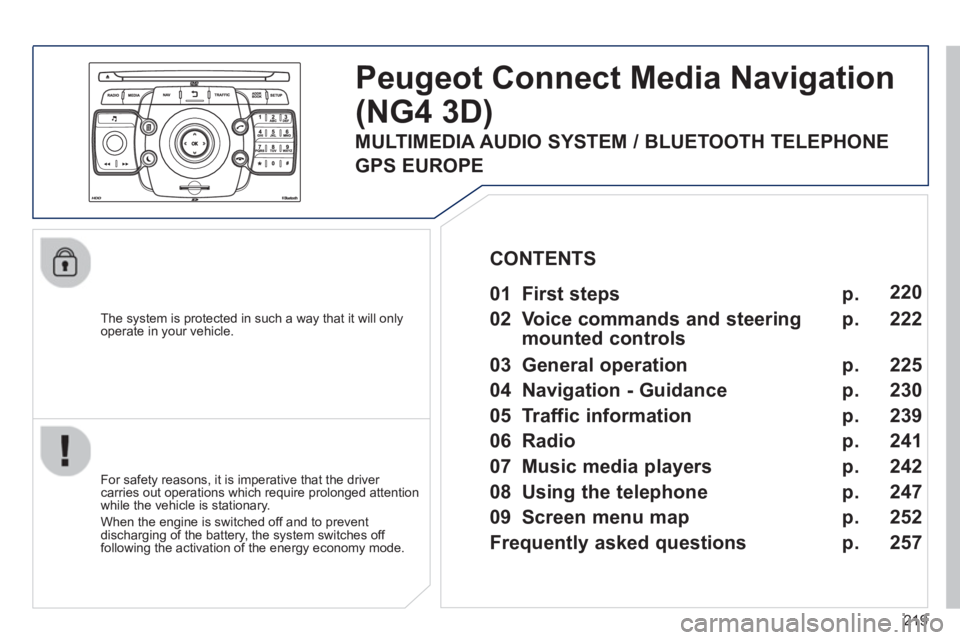
Peugeot Connect Media Navigation
(NG4 3D)
For safety reasons, it is imperative that the driver carries out operations which require prolonged attention
while the vehicle is stationary.
When the en
gine is switched off and to prevent
discharging of the battery, the system switches off
following the activation of the energy economy mode.
01 First steps
02 Voice commands and steerin
g
mounted controls
03 General operation
04 Navi
gation - Guidance
05 Traffic information
06 Radio
07 Music media pla
yers
08 Usin
g the telephone
09 Screen menu map
Frequentl
y asked questions
p.
p.
p.
p.
p.
p.
p.
p.
p.
p.
220
222
22
5
230
239
241
242
247
252
25
7
CONTENTS
MULTIMEDIA AUDIO SYSTEM / BLUETOOTH TELEPHONE
GPS EUROPE
220
01FIRST STEPS
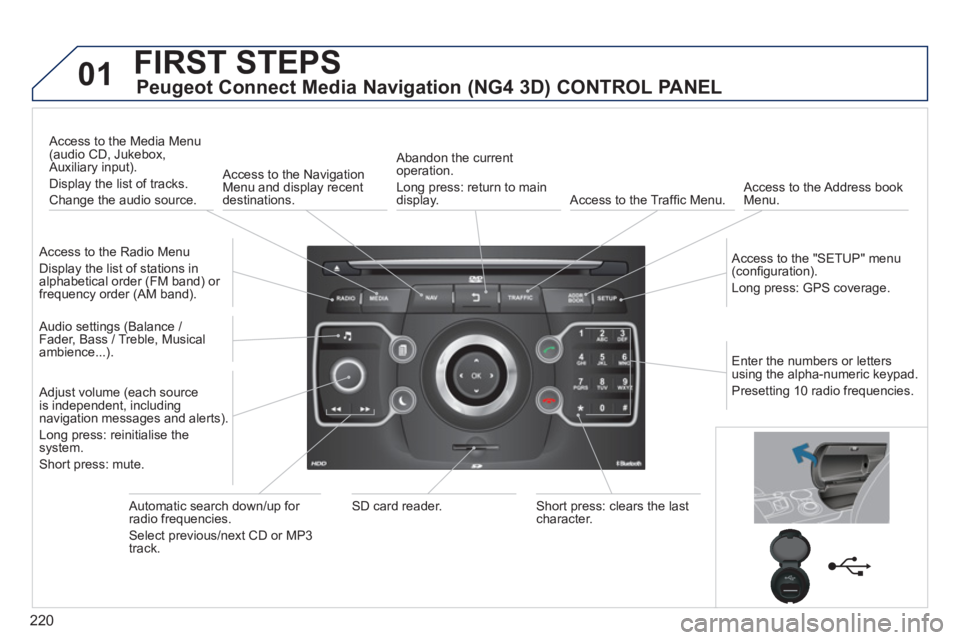
Peugeot Connect Media Navigation (NG4 3D) CONTROL PANEL
Access to the Radio Menu
Display the list of stations in
alphabetical order (FM band) or frequency order (AM band).
Access to the Media Menu(audio CD, Jukebox,
Auxiliary input).
Display the list o
f tracks.
Change the audio source.
Access to the NavigationMenu and display recentdestinations.
Abandon the current
operation.
Long press: return to main
displa
y. Access to the Traffi c Menu.
Access to the Address book Menu.
A
ccess to the "SETUP" menu (confi guration).
Lon
g press: GPS coverage.
Audio settings (Balance /
Fader, Bass / Treble, Musical
ambience...
).
Adjust volume (each source
is independent, including
navigation messages and alerts).
Lon
g press: reinitialise thesystem.
Short press: mute.
Automatic search down/up for radio frequencies.
Select
previous/next CD or MP3
track.
SD card reader.Short press: clears the last character.
Enter the numbers or lettersusing the alpha-numeric keypad.
Presettin
g 10 radio frequencies.
225
03
SETUP
TRAFFIC
MEDIA
GENERAL OPERATION
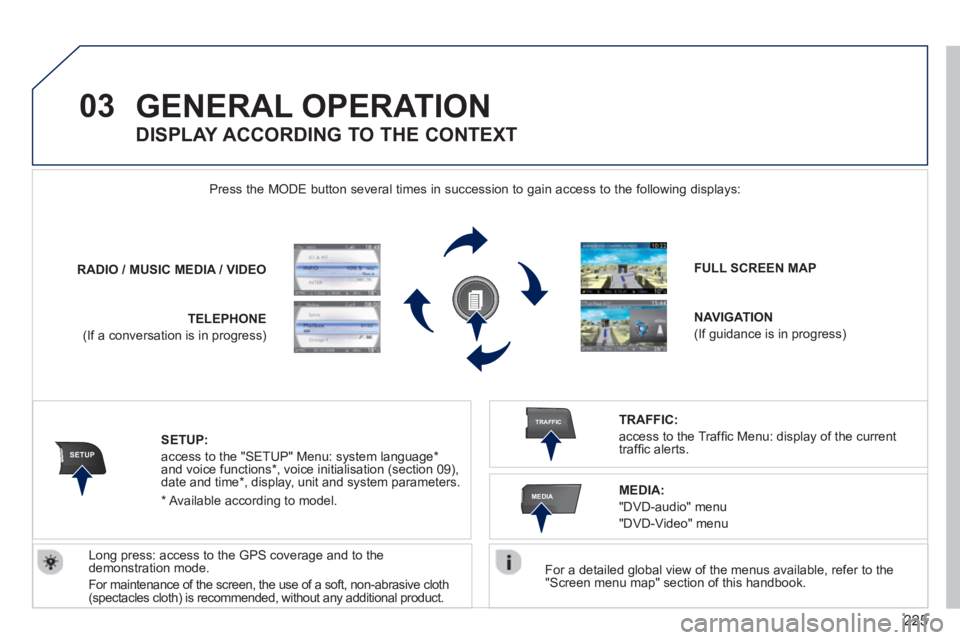
For a detailed global view of the menus available, refer to the "Screen menu map" section of this handbook.
Press the M
ODE button several times in succession to gain access to the following displays:
Lon
g press: access to the GPS coverage and to the demonstration mode.
For maintenance o
f the screen, the use of a soft, non-abrasive cloth(spectacles cloth) is recommended, without any additional product. RADIO
/ /MUSIC MEDIA / VIDEO
TELEPHONE
(If a conversation is in progress)
FULL SCREEN MAP
NAVIGATION
(If guidance is in progress)
SETUP:
access to the "SETUP" Menu: system language *
and voice functions * , voice initialisation (section 09),
date and time * , display, unit and system parameters.
TRAFFIC:
access to the Traffi c Menu: display of the current
traffi c alerts.
DISPLAY ACCORDING TO THE CONTEXT
MEDIA:
"DVD-audio" menu
"DVD-Video" menu
*
Available accordin
g to model.